
24890 lines
685 KiB
Plaintext
24890 lines
685 KiB
Plaintext
# LiveCodes
|
||
|
||
> LiveCodes is a feature-rich, open-source, client-side code playground that supports React, Vue, Svelte, Solid, JavaScript, TypeScript, CSS, Sass, Tailwind CSS, Python, Go, Ruby, PHP, and 90+ languages/frameworks.
|
||
|
||
A large number of starter templates are available to help you get started quickly.
|
||
Projects can be saved, shared, exported (e.g. to GitHub Gists), deployed (e.g. to GitHub Pages), or embedded in web pages.
|
||
A powerful yet easy-to-use SDK enables the creation of and communication with embedded playgrounds.
|
||
|
||
With extensive language support and high configurability, LiveCodes can easily adapt to your needs.
|
||
It offers excellent mobile support, featuring a responsive layout and a touch-friendly code editor.
|
||
|
||
LiveCodes is an outstanding tool for learning, teaching, prototyping, sharing, and testing code.
|
||
It can be easily self-hosted, if needed, on any static file server.
|
||
|
||
LiveCodes is completely free for unlimited use, with no ads and no account required.
|
||
Its MIT License also permits commercial use.
|
||
|
||
- [Docs](https://livecodes.io/docs/llms.txt)
|
||
- [Full Docs](https://livecodes.io/docs/llms-full.txt)
|
||
- [README](https://raw.githubusercontent.com/live-codes/livecodes/refs/heads/develop/README.md)
|
||
|
||
|
||
# LiveCodes
|
||
|
||
A Code Playground That Just Works!
|
||
|
||
<p align="center">
|
||
<img width="300" src="https://dev.livecodes.io/docs/img/livecodes-logo.svg"></img>
|
||
</p>
|
||
|
||
A [feature-rich](https://livecodes.io/docs/features/), open-source, **client-side** code playground for React, Vue, Svelte, Solid, Typescript, Python, Go, Ruby, PHP and [90+ languages/frameworks](https://livecodes.io/docs/languages/).
|
||
|
||
[](https://status.livecodes.io)
|
||
[](https://livecodes.io)
|
||
[](https://www.npmjs.com/package/livecodes)
|
||
[](https://www.npmjs.com/package/livecodes)
|
||
[](https://www.jsdelivr.com/package/npm/livecodes)
|
||
[](https://livecodes.io/docs/languages/)
|
||
[](https://livecodes.io/docs/)
|
||
[](https://livecodes.io/docs/llms.txt)
|
||
[](https://livecodes.io/docs/llms-full.txt)
|
||
[](https://www.codacy.com/gh/live-codes/livecodes/dashboard?utm_source=github.com&utm_medium=referral&utm_content=live-codes/livecodes&utm_campaign=Badge_Grade)
|
||
[](https://app.lokalise.com/public/34958094667a72e9454592.95108106/)
|
||
[](https://app.lokalise.com/public/34958094667a72e9454592.95108106/)
|
||
[](https://github.com/live-codes/livecodes/blob/develop/LICENSE)
|
||
[](https://github.com/live-codes/livecodes)
|
||
[](https://github.com/live-codes/livecodes)
|
||
[](https://x.com/livecodes_io)
|
||
|
||
[Try it now on livecodes.io](https://livecodes.io)
|
||
|
||
[Documentations](https://livecodes.io/docs)
|
||
|
||
[What makes LiveCodes different?](https://livecodes.io/docs/why)
|
||
|
||
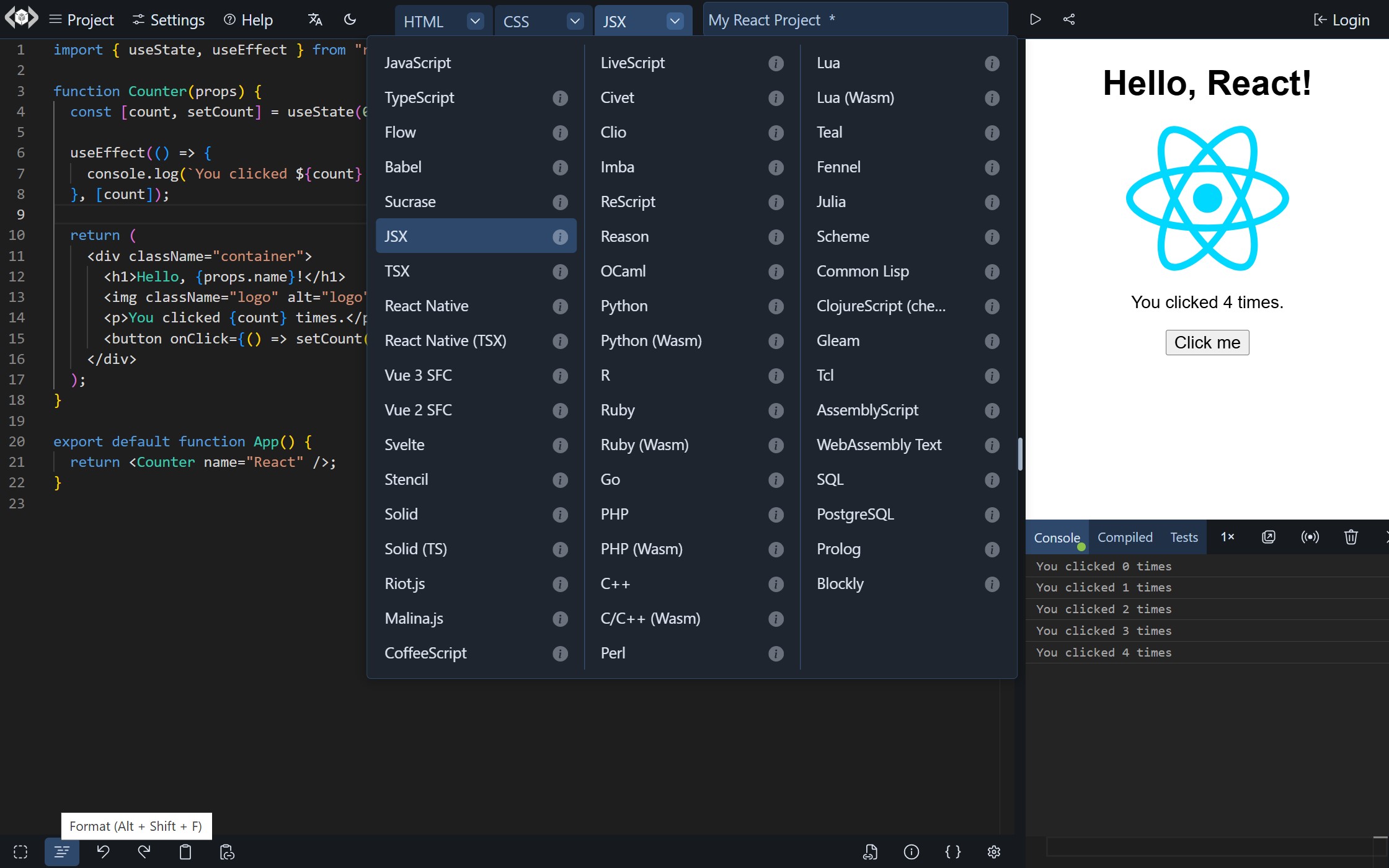
|
||
|
||
## A Code Playground That Just Works!
|
||
|
||
- No servers to configure (or pay for!)
|
||
- No databases to maintain (or pay for!)
|
||
- No installs
|
||
- No configuration files
|
||
- No build steps
|
||
- No subscription fees (free and open-source)
|
||
- No account required \*
|
||
- No limits for usage (unlimited private projects)
|
||
- 90+ languages/frameworks/processors
|
||
- Large set of features and integrations
|
||
- Import code from a wide variety of sources
|
||
- Use modules from npm, deno.land/x, jsr, GitHub, and others
|
||
- Easily embed it in your web pages
|
||
- It runs in the browser (client-side)
|
||
|
||
<sub>\* GitHub account is required only for features that use <a href="https://livecodes.io/docs/features/github-integration" target="_blank" rel="noopener">GitHub Integration</a>.</sub>
|
||
|
||
### Quick Start
|
||
|
||
#### Standalone App
|
||
|
||
1. Go to [livecodes.io](https://livecodes.io)
|
||
|
||
... and enjoy all the [features](https://livecodes.io/docs/features/)!
|
||
|
||
#### Embedded Playground
|
||
|
||
Add this code to your page:
|
||
|
||
```html
|
||
<div id="container"></div>
|
||
<script type="module">
|
||
import { createPlayground } from 'https://cdn.jsdelivr.net/npm/livecodes';
|
||
|
||
createPlayground('#container', {
|
||
params: {
|
||
markdown: '# Hello LiveCodes!',
|
||
css: 'h1 {color: dodgerblue;}',
|
||
js: 'console.log("Hello, from JS!");',
|
||
console: 'open',
|
||
},
|
||
});
|
||
</script>
|
||
```
|
||
|
||
<sup>Check documentations for <a href="https://livecodes.io/docs/features/embeds" target="_blank" rel="noopener">Embedded Playgrounds</a>.</sup>
|
||
|
||
#### Self-hosted
|
||
|
||
1. Download a [release](https://github.com/live-codes/livecodes/releases)
|
||
2. Put it on a static file server (for free!) <sup><a href="https://pages.cloudflare.com/" target="_blank" rel="noopener">1</a>, <a href="https://vercel.com/" target="_blank" rel="noopener">2</a>, <a href="https://www.netlify.com/" target="_blank" rel="noopener">3</a>, <a href="https://firebase.google.com/" target="_blank" rel="noopener">4</a>, <a href="https://pages.github.com/" target="_blank" rel="noopener">5</a></sup>
|
||
|
||
<sup>Check the guide for <a href="https://livecodes.io/docs/features/self-hosting" target="_blank" rel="noopener">self-hosting</a> (including the built-in setup to deploy to GitHub Pages).</sup>
|
||
|
||
... and it just works!
|
||
|
||
## Feature Summary
|
||
|
||
- A wide range of [language support](https://livecodes.io/docs/languages/) (90+ languages/frameworks/processors)
|
||
- [Powerful Editor](https://livecodes.io/docs/features/editor-settings)
|
||
- Mobile-friendly
|
||
- [External resources/libraries](https://livecodes.io/docs/features/external-resources)
|
||
- [Import modules](https://livecodes.io/docs/features/module-resolution) from npm, deno.land/x, jsr, GitHub and others
|
||
- [Code Pre-fill](https://livecodes.io/docs/features/code-prefill)
|
||
- [Import](https://livecodes.io/docs/features/import)/[Export](https://livecodes.io/docs/features/export) [projects](https://livecodes.io/docs/features/projects)
|
||
- [Share](https://livecodes.io/docs/features/share)
|
||
- [Embed the playground](https://livecodes.io/docs/features/embeds) in any web page
|
||
- [Display modes](https://livecodes.io/docs/features/display-modes)
|
||
- [Deploy](https://livecodes.io/docs/features/deploy)
|
||
- [Starter Templates](https://livecodes.io/docs/features/templates)
|
||
- [Assets](https://livecodes.io/docs/features/assets)
|
||
- [Themes](https://livecodes.io/docs/features/themes)
|
||
- [Dev Tools](https://livecodes.io/docs/features/tools-pane) ([console](https://livecodes.io/docs/features/console), [compiled code viewer](https://livecodes.io/docs/features/compiled-code), [test runner](https://livecodes.io/docs/features/tests))
|
||
- [Code formatting](https://livecodes.io/docs/features/code-format)
|
||
- [Intellisense](https://livecodes.io/docs/features/intellisense)
|
||
- [AI Code Assistant 🪄](https://livecodes.io/docs/features/ai)
|
||
- [Lite mode](https://livecodes.io/docs/features/lite)
|
||
- [Read-only mode](https://livecodes.io/docs/features/read-only)
|
||
- [Broadcast](https://livecodes.io/docs/features/broadcast)
|
||
- [Sync](https://livecodes.io/docs/features/sync)
|
||
- [Backup/Restore](https://livecodes.io/docs/features/backup-restore)
|
||
- [Client-side!](https://livecodes.io/docs/why#client-side)
|
||
- Very [configurable](https://livecodes.io/docs/configuration/)
|
||
- Developer-friendly build-free environment
|
||
- Powerful [SDK](https://livecodes.io/docs/sdk/) (available for [vanilla JavaScript, TypeScript](https://livecodes.io/docs/sdk/js-ts), [React](https://livecodes.io/docs/sdk/react), [Vue](https://livecodes.io/docs/sdk/vue) and [Svelte](https://livecodes.io/docs/sdk/svelte))
|
||
- Comprehensive [Documentations](https://livecodes.io/docs/)
|
||
- Focused on [privacy and security](https://livecodes.io/docs/features/security)
|
||
- Free and [Open-Source](https://livecodes.io/docs/license)
|
||
|
||
For details check the [full list of features](https://livecodes.io/docs/features/).
|
||
|
||
## LiveCodes SDK
|
||
|
||
The Software Development Kit (SDK) provides an easy, yet powerful, interface to embed and communicate with LiveCodes playgrounds.
|
||
|
||
The SDK is provided as a light-weight ([less than 5kb gzipped](https://bundlephobia.com/package/livecodes)), zero-dependencies [npm package](https://livecodes.io/docs/sdk/#npm-package), that is also available from [CDNs](https://livecodes.io/docs/sdk/#cdn). It can be used to create playgrounds with a wide variety of [configurations](https://livecodes.io/docs/configuration/configuration-object.md) and [embed options](https://livecodes.io/docs/sdk/js-ts.md#embed-options). In addition, [SDK methods](https://livecodes.io/docs/sdk/js-ts.md#sdk-methods) allow programmatic communication and control of the playgrounds during runtime.
|
||
|
||
### Installation
|
||
|
||
```
|
||
npm i livecodes
|
||
```
|
||
|
||
### Usage
|
||
|
||
Example: ([open in LiveCodes](https://livecodes.io/?x=code/N4IgLglmA2CmIC4QBkIDdYGED2ATWAzgAQDKAIgNJH4C22IANCPgQMYBOEADpNgHaIQjEAAtYAQ1yCAPDVhhxRViPHsC8gLwAdEAFUAKgDEAtAA4dRAPQA+LX1nzFfcXO0g0EWAHcu2dmAtWfjBYPjA3LwhcMBENfA9WWGNI6JEGIgg+KAhxaGM2XNgNAEYAOgAGCxthETAaaABBMDA1QWhxPgBzN1DA9oICNx1hBU6CRABtAF0mcVZIDABRXCg-QTZOHmEaVQBrAFcuRFB2rv3xTvgkWvrhILDQsBkVtAzcN3uFTNh2HWtpSwvawgAC+TAIYAAnnBjiBTp1zpdBKwBndgo9BKDwRxuE8ECcOgiLlcQAArcRocQbXFoh5hQQQGi+fxEYBKdgSEIABXakM67Gw+z4uCIIKIADMBTQiAByaDoWBBFgygDcWl+fHVdg4nNgPPEfIFQtwAAoZQBiT7ib7sGXpYBavhEJT8cUQToIVmO53OnbsA5cT0OjU+n3wxGwT0yv27XDYLx8O3e0MuulgKPmogACVg0Gg2CIAHU-NBcABCJMhn1g5M1qsebxRjkEfbQMCVuwggCUao1WJAEOhhDE8nGCGm2M2YDHE5AKIIXOb8kxTC4AsSAz8M5mc-2EOwNBI8kgXTHwDBIEZzOnxwvUK4hFvTBCELPcMJEcE98IOK2TE+GJIP2GBqBA-CCAAzBBIzYNg0BvqE4gAEZwFISC5NAwhzAsJL3AQcHwOCChgHuyL5uoUggiCQA))
|
||
|
||
```js
|
||
import { createPlayground } from 'livecodes';
|
||
|
||
createPlayground('#container', {
|
||
config: {
|
||
markup: {
|
||
language: 'markdown',
|
||
content: '# Hello World!',
|
||
},
|
||
},
|
||
view: 'result',
|
||
});
|
||
```
|
||
|
||
The [JavaScript SDK](https://livecodes.io/docs/sdk/js-ts.md) is framework/library agnostic. However, wrapper components are also provided for popular libraries (currently [React](https://livecodes.io/docs/sdk/react.md) and [Vue](https://livecodes.io/docs/sdk/vue.md)). The SDK can be used in [Svelte](https://livecodes.io/docs/sdk/svelte.md) directly without wrappers. [TypeScript support](https://livecodes.io/docs/sdk/js-ts.md#typescript-types) provides type-safety and a great developer experience.
|
||
|
||
React SDK example: ([open in LiveCodes](https://livecodes.io/?x=code/N4IgLglmA2CmIC4QBkIDdYGED2ATWAzgAQBKsAhgMZhEDKAIgNJH4C22IANCPgZQE4QADpGwA7RCC4gAFhVySAPK1hhyRSjPL8CqgLwAdEAFUAKgDEAtAA4jRAPQA+A2OWr1Y8isMg0EWADuQtj8YHaU4mCwYmA+ARC4YDJ6+H6UsJbxiTKcRBBiUBDk0JZ8xbB6AIwAdAAMdk7SMmCs0ACCYGA6ktDkYgDmPtHhvQQEPkbSav0EiADaALrcVJAYAKK4UCGSfIIi0qzaANYArkKIoL0DJ+T98EjNrdIRMdFgkiAAvtwEYACecAuICu-Rud0klDGz0ibw+3xAu2E7wQlz6oNu9xAACsCAAPaGvGKSCCsYKhIioDA4XhEABm-GwrCIAHJoOhYBFePZ+BRqMyANwGfguIUuF6-DTiWkQfpEPREYCisREIiHfinIQIBVKlUqkFg2Ba5lqo64bABMTMzg63UvKIxI0AYiIAAlYNBoNgiAB1ELQXAAQitNu+Ss+guFYnFNAACr0-v0GScxLg5UQABQASjljiIikpWDwhElYmlg2ALzLnyIfkCPh5BBO0DCIAcjgjLlguLJNHwtPITdj8cT2GTuA7EnhvwBhDkqlmCEWPwESIXS5AkIIMYbqg+3CEDPSYxCa6WG5Ov0ZtFUkAGC+A8JJPfv8P+QkIF1fhDA9+BaINkhvoQK77NwdqwkgXzcBgOgQOIkgAMwIVM2DYNAv7ROQABGcAKEgxTQNIKzshC4gEGh8A-GoYAXhCnq6AonyfEAA))
|
||
|
||
```jsx
|
||
import LiveCodes from 'livecodes/react';
|
||
|
||
const config = {
|
||
markup: {
|
||
language: 'markdown',
|
||
content: '# Hello World!',
|
||
},
|
||
};
|
||
const Playground = () => <LiveCodes config={config} view="result" />;
|
||
export default Playground;
|
||
```
|
||
|
||
Vue SDK example: ([open in LiveCodes](https://livecodes.io/?x=code/N4IgLglmA2CmIC4QBkIDdYGED2ATWAzgAQBqArrEQMoAiA0kfgLbYgA0I+BAxgE4QAHSNgB2iEOxAALWAENc4gDxNYYWUW5TZvAqoC8AHRABVACoAxALQAOI0QD0APgMjlq9SNkrDINBFgA7gLYvGB23KJgsCJgPgEQuGBSevh+3LCW8YlSbEQQIlAQstCWPMWwegCMAHQADHZOklJgTNAAgmBgOuLQsiIA5j7R4b0EBD5Gkmr9BIgA2gC6HLLckBgAorhQIeI8-EKSTNoA1mQCiKC9A2Sy-fBIza2SETHRYOIgAL4cBGAAnnALiArv0bndxNwxs9Im8Pt8QHtBO8EJc+qDbvdfBRoa8YkpEUIiLowGdnLwXEQ8kxgqEiKgMDguEQAGa8bBMIgAcmg6FgES49jQFE5AG4DOSROKKRpRL8ZSJmRB+kQ9ERgFKRJTKUdeKcBAg1RqtVqQWDYAbOTrjrhsAERJy2EbjfKojELQBiIgACVg0Gg2CIAHUQtBcABCB1OynfJ2fMUSxT2AlgMkuDWKKLU3pRVOaoiKelYPCEIgIF6KwZGctKux+QI+XiEMjQMIgBy5xOZgTZ2C5r4-f5wAgyVSzBCLH58JFjicgSEEAAKjeJHw4AjZ6TGIRnSznZF+7KoqkgAzHwHhEGpITAZ-h-wEhAud8IN6Bpox4nvhCnBw4L1dyISPCGA6BAojiAAzBBUzYNg0BniA0SyAARnAChIMU0CSCsayYi8BBwfAA6yCSY5zv6ugKJ8nxAA))
|
||
|
||
```html
|
||
<script setup>
|
||
import LiveCodes from 'livecodes/vue';
|
||
|
||
const config = {
|
||
markup: {
|
||
language: 'markdown',
|
||
content: '# Hello World!',
|
||
},
|
||
};
|
||
</script>
|
||
|
||
<template>
|
||
<LiveCodes :config="config" view="result" />
|
||
</template>
|
||
```
|
||
|
||
In addition, the SDK allows creating links to playgrounds:
|
||
|
||
```js
|
||
import { getPlaygroundUrl } from 'livecodes';
|
||
|
||
const url = getPlaygroundUrl({
|
||
config: {
|
||
markup: {
|
||
language: 'markdown',
|
||
content: '# Hello World!',
|
||
},
|
||
},
|
||
});
|
||
|
||
console.log(url);
|
||
```
|
||
|
||
See [SDK docs](https://livecodes.io/docs/sdk/) for more details.
|
||
|
||
## Documentations
|
||
|
||
Comprehensive documentations for [features](https://livecodes.io/docs/features/), [getting started](https://livecodes.io/docs/getting-started), [configuration](https://livecodes.io/docs/configuration/) and [SDK](https://livecodes.io/docs/sdk/) are available on:
|
||
|
||
https://livecodes.io/docs/
|
||
|
||
The documentations include demos, code samples, screenshots, [Storybook](https://livecodes.io/stories) and [TypeScript types](https://livecodes.io/docs/sdk/js-ts#typescript-types).
|
||
|
||
## Updates
|
||
|
||
Keep up with the latest changes:
|
||
|
||
- Twitter/X: [@livecodes_io](https://twitter.com/livecodes_io)
|
||
- Blog: [blog.livecodes.io](https://blog.livecodes.io/)
|
||
- Development build: [dev.livecodes.io](https://dev.livecodes.io/)
|
||
|
||
## Feedback
|
||
|
||
We welcome feedback!
|
||
|
||
Please start a new [issue](https://github.com/live-codes/livecodes/issues/new/choose) or [discussion](https://github.com/live-codes/livecodes/discussions/new).
|
||
|
||
For security reports please refer to [SECURITY.md](https://github.com/live-codes/livecodes/blob/develop/SECURITY.md).
|
||
|
||
You may also reach out to us using the [contact form](https://livecodes.io/docs/contact).
|
||
|
||
## Contribution
|
||
|
||
Contributions are welcome and highly appreciated.
|
||
|
||
A huge shout-out to our wonderful [contributors](https://github.com/live-codes/livecodes/graphs/contributors)! Your hard work makes all the difference!
|
||
|
||
Please refer to the [contribution guide](https://github.com/live-codes/livecodes/blob/HEAD/CONTRIBUTING.md).
|
||
|
||
## Credits
|
||
|
||
LiveCodes uses services that are generously provided by:
|
||
|
||
<p>
|
||
<a href="https://pages.cloudflare.com/" target="_blank" title="Cloudflare Pages">
|
||
<img alt="Cloudflare Pages" width="200" src="https://dev.livecodes.io/docs/img/credits/cloudflare-pages.svg">
|
||
</img></a><br /><br />
|
||
</p>
|
||
<p>
|
||
<a href="https://www.jsdelivr.com/" target="_blank" title="jsDelivr">
|
||
<img alt="jsDelivr" width="200" src="https://dev.livecodes.io/docs/img/credits/jsdelivr.svg">
|
||
</img></a><br /><br />
|
||
</p>
|
||
<p>
|
||
<a href="https://esm.sh/" target="_blank" title="esm.sh">
|
||
<img alt="esm.sh" width="200" src="https://dev.livecodes.io/docs/img/credits/esm.sh.png">
|
||
</img></a><br /><br />
|
||
</p>
|
||
<p>
|
||
<a href="https://unpkg.com/" target="_blank" title="unpkg">
|
||
<img alt="unpkg" width="200" src="https://dev.livecodes.io/docs/img/credits/unpkg.png">
|
||
</img></a><br /><br />
|
||
</p>
|
||
<p>
|
||
<a href="https://codeium.com/" target="_blank" title="Codeium">
|
||
<img alt="Codeium" width="200" src="https://dev.livecodes.io/docs/img/credits/codeium.svg">
|
||
</img></a><br /><br />
|
||
</p>
|
||
<p>
|
||
<a href="https://bundlejs.com/" target="_blank" title="bundlejs">
|
||
<img alt="bundlejs" width="200" src="https://dev.livecodes.io/docs/img/credits/bundlejs.jpg">
|
||
</img></a><br /><br />
|
||
</p>
|
||
<p>
|
||
<a href="https://dpaste.com/" target="_blank" title="dpaste">
|
||
<img alt="dpaste" width="200" src="https://dev.livecodes.io/docs/img/credits/dpaste.png">
|
||
</img></a><br /><br />
|
||
</p>
|
||
<p>
|
||
<a href="https://github.com/" target="_blank" title="GitHub">
|
||
<img alt="GitHub" width="200" src="https://dev.livecodes.io/docs/img/credits/github.png">
|
||
</img></a><br /><br />
|
||
</p>
|
||
<p>
|
||
<a href="https://netlify.com/" target="_blank" title="Netlify">
|
||
<img alt="Netlify" width="200" src="https://dev.livecodes.io/docs/img/credits/netlify.svg">
|
||
</img></a><br /><br />
|
||
</p>
|
||
<p>
|
||
<a href="https://www.sonarsource.com/products/sonarcloud/" target="_blank" title="SonarCloud">
|
||
<img alt="SonarCloud" width="200" src="https://dev.livecodes.io/docs/img/credits/sonarcloud.svg">
|
||
</img></a><br /><br />
|
||
</p>
|
||
<p>
|
||
<a href="https://www.codacy.com/" target="_blank" title="Codacy">
|
||
<img alt="Codacy" width="200" src="https://dev.livecodes.io/docs/img/credits/codacy.svg">
|
||
</img></a><br /><br />
|
||
</p>
|
||
<p>
|
||
<a href="https://bundlewatch.io/" target="_blank" title="BundleWatch">
|
||
<img alt="BundleWatch" width="200" src="https://dev.livecodes.io/docs/img/credits/bundlewatch.svg">
|
||
</img></a><br /><br />
|
||
</p>
|
||
<p>
|
||
<a href="https://www.browserstack.com/" target="_blank" title="BrowserStack">
|
||
<img alt="BrowserStack" width="200" src="https://dev.livecodes.io/docs/img/credits/browserstack.svg">
|
||
</img></a><br /><br />
|
||
</p>
|
||
<p>
|
||
<a href="https://lokalise.com/" target="_blank" title="Lokalise">
|
||
<img alt="Lokalise" width="200" src="https://dev.livecodes.io/docs/img/credits/lokalise.png">
|
||
</img></a><br /><br />
|
||
</p>
|
||
|
||
## Third Party Packages
|
||
|
||
Packages used by LiveCodes and their licenses are [listed here](https://github.com/live-codes/livecodes/blob/develop/vendor-licenses.md).
|
||
|
||
## License
|
||
|
||
[MIT](https://github.com/live-codes/livecodes/blob/HEAD/LICENSE) License © [Hatem Hosny](https://github.com/hatemhosny)
|
||
|
||
## Sponsor
|
||
|
||
LiveCodes is free and open-source. The app does not contain ads or require subscription. It allows unlimited usage without any restrictions.
|
||
|
||
By sponsoring LiveCodes, you will be supporting the ongoing development and maintenance of the project, as well as helping to ensure that it remains a valuable resource for the developer community.
|
||
|
||
Please consider [becoming a sponsor](https://livecodes.io/docs/sponsor).
|
||
|
||
---
|
||
|
||
<!-- Source: https://livecodes.io/docs/overview -->
|
||
|
||
# Overview
|
||
|
||
[LiveCodes](https://livecodes.io) is an [open-source](./license.html.md) client-side code playground. It is [feature-rich](./features/index.html.md) with support for [90+ languages/frameworks](./languages/index.html.md). It can be used as a [standalone app](./getting-started.html.md)#standalone-app) or [embedded](./features/embeds.html.md) in any web page. A powerful [SDK](./sdk/index.html.md) is available to facilitate embedding and communication with embedded playgrounds.
|
||
|
||
The sections below include the documentation details:
|
||
|
||
```mdx-code-block
|
||
import DocCardList from '@theme/DocCardList';
|
||
import {useCurrentSidebarCategory} from '@docusaurus/theme-common';
|
||
|
||
<DocCardList items={useCurrentSidebarCategory().items}/>
|
||
```
|
||
|
||
---
|
||
|
||
<!-- Source: https://livecodes.io/docs/why -->
|
||
|
||
# Why Another Playground?
|
||
|
||
There are great products like [CodePen](https://codepen.io/), [JSFiddle](https://jsfiddle.net/), [JS Bin](https://jsbin.com/), [CodeSandbox](https://codesandbox.io/), [Replit](https://replit.com/) and many others, which LiveCodes does not aim to replace or compete with. On the contrary, it aims to [integrate](./features/integrations.html.md) with as many of these services as their APIs allow.
|
||
|
||
## What makes LiveCodes different?
|
||
|
||
### Language Support
|
||
|
||
Currently, there are 90+ languages/frameworks supported. These include:
|
||
|
||
- Web languages (HTML, CSS & JavaScript).
|
||
- Web frameworks/libraries (e.g. React JSX/TSX, Vue SFC, Svelte SFC, Solid, MDX, Astro).
|
||
- Languages that transpile to JavaScript (e.g. TypeScript, CoffeeScript, LiveScript, ReScript).
|
||
- Languages/frameworks that generate CSS (e.g. SCSS, Less, Stylus, Tailwind CSS, UnoCSS).
|
||
- CSS processors (e.g. PostCSS, Autoprefixer, Lightning CSS, CSS Modules, cssnano).
|
||
- Traditional programming languages (e.g. Python, Ruby, Go, PHP, C++, R, Lua, Scheme, Perl).
|
||
- Data manipulation/logic languages (e.g. SQL, Prolog).
|
||
- Authoring/templating languages (e.g Markdown, AsciiDoc, Pug, Handlebars, Haml).
|
||
- Low-code/visual editors (e.g. blockly, rich text editor).
|
||
- Modeling languages/diagram-as-code (e.g. Gnuplot, Graphviz, Mermaid, Vega, Plotly).
|
||
- Languages that target WebAssembly (e.g. AssemblyScript, WebAssembly Text Format).
|
||
- ... and many more.
|
||
|
||
For a full list check the [Languages](./languages/index.html.md) section.
|
||
|
||
Generally, if you are a developer (or want to be one), there is a big chance you will find something interesting to do with LiveCodes.
|
||
|
||
### Client-Side!
|
||
|
||
All processing and code transformations run in the browser on the client-side. After the initial load, the app gets significantly faster without having to wait for server rounds. Lazy-loading is heavily used. Only parts of the app required for the selected languages/features are downloaded.
|
||
|
||
The code you write in LiveCodes does not leave your computer. All projects are private unless you choose to share/export/deploy them.
|
||
|
||
Being a client-side app allows it to be hosted on any static file server or CDN, which removes the high requirements needed by other alternatives (like server storage or memory). This makes LiveCodes available for a large number of developers without requiring them to pay for servers, so it can stay free with unlimited usage 😊.
|
||
|
||
### Developer Tool
|
||
|
||
LiveCodes aims to be a feature-rich, easy to use playground that can be used for prototyping and education. The other main goal (in fact, that was the motive for its development), is to allow library developers to use it for documentation of their libraries and showcase their products. This can be achieved by [embedding playgrounds](./features/embeds.html.md) in blogs, tutorials, documentation and educational websites. In addition, private (unpublished) modules can be imported with editor auto-completion and [IntelliSense](./features/intellisense.html.md).
|
||
|
||
That can be done using the official app ([livecodes.io](https://livecodes.io)), or as a [self-hosted](./features/self-hosting.html.md) option. Again, being a client-side-only app, LiveCodes becomes more convenient for not needing special server requirements, while features like export and deploy are provided by APIs of external services.
|
||
|
||
LiveCodes does NOT aim to be a social coding platform. It will stay as a backendless developer tool. Other platforms are already doing a great job in this regards.
|
||
|
||
### Build-Free Development Environment
|
||
|
||
LiveCodes provides many of the tools you may already be using. These include Monaco editor (that powers [VS Code](https://code.visualstudio.com/)), [Prettier](https://prettier.io/), [Emmet](https://emmet.io/), [Babel](https://babeljs.io/), [TypeScript](https://www.typescriptlang.org/), [SCSS](https://sass-lang.com/), [Less](https://lesscss.org/), [PostCSS](https://postcss.org/), [Jest](https://jestjs.io/) and [Testing Library](https://testing-library.com/), among others. [NPM modules](./features/module-resolution.html.md) can be imported as usual. All these tools run seamlessly in the browser without any explicit build step. It feels like a very light-weight version of your own local development environment with the keyboard shortcuts, IntelliSense and code navigation features.
|
||
|
||
It just works™ without having to `npm install` anything. Not even on the server (because there is no server!).
|
||
|
||
This can markedly improve productivity, reduce the mental load required for all the traditional setup and can significantly decrease the barrier to entry for learning new technologies.
|
||
|
||
### Web Platform
|
||
|
||
The output of code written in LiveCodes is a [web page](./features/result.html.md). Whatever language/syntax you use, the result can ultimately be viewed as a web page which you can interact with, [test](./features/tests.html.md), [share](./features/share.html.md) or [deploy](./features/deploy.html.md). Check the [starter templates](https://livecodes.io?screen=new) for examples.
|
||
|
||
Of course, the app can be still used as a REPL with the output seen in the integrated [console](./features/console.html.md).
|
||
|
||
### Powerful SDK
|
||
|
||
The LiveCodes app ([standalone](./getting-started.html.md)#standalone-app) or [self-hosted](./features/self-hosting.html.md)) can be [embedded](./features/embeds.html.md) in any web page. A powerful [SDK](./sdk/index.html.md) allows the embedding page to interact with the playground (e.g. run, get/set source code, format, get result page or compiled code, get share URL, listen to changes, run tests, get test results, change layout, etc.). This enables other apps to be built on top of LiveCodes.
|
||
|
||
Your imagination is the limit!
|
||
|
||
### Free and Open-Source
|
||
|
||
LiveCodes is a free product that allows unrestricted use for the hosted app and for the self-hosted option. It is licensed under the permissive [MIT license](./license.html.md) which allows free commercial use.
|
||
|
||
Please consider [sponsoring LiveCodes](./sponsor.html.md) if you find it useful, to support its maintenance and continued development.
|
||
|
||
:::caution Under Development
|
||
|
||
LiveCodes is currently in **public beta**. It is in active development. However, please take the time to try it. Use [permanent URL](./features/permanent-url.html.md) and pinned [library version](./sdk/index.html.md) to avoid breaking changes. Your feedback and contribution are highly appreciated.
|
||
|
||
:::
|
||
|
||
Enough talk, let's get started.
|
||
|
||
---
|
||
|
||
<!-- Source: https://livecodes.io/docs/getting-started -->
|
||
|
||
# Getting Started
|
||
|
||
import LiveCodes from '../src/components/LiveCodes.tsx';
|
||
|
||
There are multiple options:
|
||
|
||
## Standalone App
|
||
|
||
The easiest way to get started with LiveCodes is to just use the app (https://livecodes.io).
|
||
|
||
It is packed with [features](./features/index.html.md) and offers various ways to [import code](./features/import.html.md).
|
||
|
||
## Embedded Playgrounds
|
||
|
||
LiveCodes playgrounds can be easily [embedded](./features/embeds.html.md) into any web page. This can be achieved using:
|
||
|
||
### App Embed Screen
|
||
|
||
The [standalone app](#standalone-app) allows you to embed any project from the [embed screen](./features/embeds.html.md). The UI allows setting embed options and shows a preview of the embedded playground.
|
||
Copy the generated code snippet (at the bottom of the screen) and add it to the web page that you want to embed the playground in.
|
||
|
||
### SDK
|
||
|
||
LiveCodes [<abbr title="Software Development Kit">SDK</abbr>](./sdk/index.html.md) is available as [npm package](https://www.npmjs.com/package/livecodes) to allow easy embedding and communication with playgrounds.
|
||
|
||
#### Option 1: Using a bundler
|
||
|
||
Install from npm.
|
||
|
||
```bash npm2yarn
|
||
npm install livecodes
|
||
```
|
||
|
||
then you can use it like that:
|
||
|
||
```js title="index.js"
|
||
import { createPlayground } from 'livecodes';
|
||
|
||
createPlayground('#container', {
|
||
template: 'react',
|
||
// other embed options
|
||
});
|
||
```
|
||
|
||
#### Option 2: Load from CDN
|
||
|
||
ESM:
|
||
|
||
import useDocusaurusContext from '@docusaurus/useDocusaurusContext';
|
||
import CodeBlock from '@theme/CodeBlock';
|
||
|
||
export const ESMCode = () => {
|
||
const { siteConfig } = useDocusaurusContext();
|
||
return (
|
||
<CodeBlock title="index.html" language="html">
|
||
{`<div id="container"></div>\n<script type="module">
|
||
${' '}import { createPlayground } from 'https://cdn.jsdelivr.net/npm/livecodes@${siteConfig.customFields.sdkVersion}';\n
|
||
${' '}createPlayground('#container', {
|
||
${' '}template: 'react',
|
||
${' '}// other embed options
|
||
${' '}});
|
||
</script>`}
|
||
</CodeBlock>
|
||
);
|
||
};
|
||
|
||
<ESMCode />
|
||
|
||
UMD:
|
||
|
||
export const UMDCode = () => {
|
||
const { siteConfig } = useDocusaurusContext();
|
||
return (
|
||
<CodeBlock title="index.html" language="html">
|
||
{`<div id="container"></div>\n<script src="https://cdn.jsdelivr.net/npm/livecodes@${siteConfig.customFields.sdkVersion}/livecodes.umd.js"></script>\n<script>\n // the UMD version provides the global object \`livecodes\`
|
||
${' '}livecodes.createPlayground('#container', {\n${' '.repeat(4)}template: 'react',
|
||
${' '}// other embed options
|
||
${' '}});
|
||
</script>
|
||
`}
|
||
</CodeBlock>
|
||
);
|
||
};
|
||
|
||
<UMDCode />
|
||
|
||
#### Add your own content
|
||
|
||
You may use any of the methods to [prefill the playground](./features/code-prefill.html.md) with your own code.
|
||
|
||
Example:
|
||
|
||
```js title="index.js"
|
||
import { createPlayground } from 'livecodes';
|
||
|
||
const config = {
|
||
markup: {
|
||
language: 'markdown',
|
||
content: '# Hello LiveCodes!',
|
||
},
|
||
style: {
|
||
language: 'css',
|
||
content: 'body { color: blue; }',
|
||
},
|
||
script: {
|
||
language: 'javascript',
|
||
content: 'console.log("hello from JavaScript!");',
|
||
},
|
||
activeEditor: 'script',
|
||
};
|
||
|
||
createPlayground('#container', { config, params: { console: 'open' } });
|
||
```
|
||
|
||
export const config = {
|
||
markup: {
|
||
language: 'markdown',
|
||
content: '# Hello LiveCodes!',
|
||
},
|
||
style: {
|
||
language: 'css',
|
||
content: 'body { color: blue; }',
|
||
},
|
||
script: {
|
||
language: 'javascript',
|
||
content: 'console.log("hello from JavaScript!");',
|
||
},
|
||
activeEditor: 'script',
|
||
};
|
||
|
||
Live demo:
|
||
(this is an interactive playground - try editing the code!)
|
||
|
||
<LiveCodes config={config} params={{ console: 'open' }}></LiveCodes>
|
||
|
||
Please refer to the section on [Embedded Playgrounds](./features/embeds.html.md) for more details.
|
||
|
||
## Self-Hosting
|
||
|
||
LiveCodes can be hosted on any static file server or CDN.
|
||
|
||
The easiest way is to download the app from [releases](https://github.com/live-codes/livecodes/releases), extract the folder and add it to your website.
|
||
|
||
Please check the section on [self-hosting](./features/self-hosting.html.md) for other methods of self-hosting, including the built-in setup to deploy to GitHub pages and how to use the SDK with the self-hosted app.
|
||
|
||
---
|
||
|
||
<!-- Source: https://livecodes.io/docs/features/index -->
|
||
|
||
# Features
|
||
|
||
## Overview
|
||
|
||
_LiveCodes_ is an open-source, client-side, code playground that runs in the browser. It enables quick prototyping and experimenting with a wide variety of [technologies](../languages/index.html.md) (including 90+ languages, frameworks and processors) without having to manually setup a development environment for each. The [result](./result.html.md) is displayed as a regular web page. The rapid feedback of previewing the result page without waiting for build steps significantly boosts productivity.
|
||
|
||

|
||
|
||

|
||
|
||

|
||
|
||
In this page, a quick overview of the important features are presented. A more detailed description of each feature is described in the following sections.
|
||
|
||
## Powerful Editor
|
||
|
||
The default code editor is the powerful editor that powers [VS Code](https://code.visualstudio.com/), featuring code-completion, go-to-definition, multi-cursor support and other powerful features you got used to. The editor is very [customizable](./editor-settings.html.md). It supports [keyboard shortcuts](./keyboard-shortcuts.html.md), [code formatting](./code-format.html.md), [Emmet abbreviations](./editor-settings.html.md)#emmet) and even [Vim and Emacs bindings](./editor-settings.html.md)#editor-modes).
|
||
|
||
## AI Code Assistant
|
||
|
||
LiveCodes supports AI-powered code completion, totally for **free**, using [Codeium](https://codeium.com/), the ultrafast Copilot alternative. Install the [Codeium chrome extension](https://codeium.com/chrome_tutorial) and enjoy the magic!
|
||
|
||
## Mobile-friendly
|
||
|
||
The responsive layout allows working on devices with different screen sizes. On mobile, a lighter-weight touch-friendly code editor (CodeMirror 6) is used, so that you can experiment your ideas on the go.
|
||
|
||
## External Code/Libraries
|
||
|
||
[External scripts/stylesheets](./external-resources.html.md) can be added to the web page. There is a UI screen that helps you search for and add NPM libraries and google fonts. Moreover, [NPM modules can be imported](./module-resolution.html.md) without the need for any `npm install`s.
|
||
|
||
## Import and Code Pre-fill
|
||
|
||
Code can be [imported](./import.html.md) from a variety of sources including GitHub gist, GitHub file, directory in a GitHub repo, Gitlab snippet, Gitlab file, directory in a Gitlab repo, JS Bin, raw code, code in web page DOM and code in zip file. You can also [pre-fill code](./code-prefill.html.md) using various ways.
|
||
|
||
## Share/Export
|
||
|
||
Projects can be easily [shared](./share.html.md) as URLs or QR codes. In addition, you may [export](./export.html.md) any project as HTML, JSON or zip file containing source code files. You may also export to other services like GitHub gists, CodePen or JSFiddle.
|
||
|
||
## Embed
|
||
|
||
Projects can be [embedded](./embeds.html.md) in any web page. The embed screen allows you to customize the embed options and preview the resulting playground. An easy-to-use, yet powerful, [SDK](../sdk/index.html.md), that allows [communication](../sdk/js-ts.html.md)#sdk-methods) between the embedding page and the playground.
|
||
|
||
## Deploy
|
||
|
||
Projects can be [deployed](./deploy.html.md) to public URLs that can be shared with others. This is hosted for free on GitHub Pages.
|
||
|
||
## Starter Templates
|
||
|
||
A large number of [starter templates](./templates.html.md) are available. They can be used to get you started with most of the supported technologies.
|
||
|
||

|
||
|
||
## Assets
|
||
|
||
Your own local assets (e.g. images, icons, fonts, local scripts and stylesheets) can be added to the app and then used in any project. The assets are made available even when the projects are shared, exported or deployed.
|
||
|
||
## Dev Tools
|
||
|
||
[Tools](./tools-pane.html.md) like [console](./console.html.md), [compiled code viewer](./compiled-code.html.md) and [test runner](./tests.html.md) can significantly improve your development experience.
|
||
|
||
## Broadcast
|
||
|
||
You can [broadcast](./broadcast.html.md) source code or result in real-time to others. This can be of great value as an educational tool and for demo purposes.
|
||
|
||
## Sync/Backup/Restore
|
||
|
||
Do you work on multiple devices? No Problem! You may [sync](./sync.html.md), [backup and restore](./backup-restore.html.md) your data any time on any device.
|
||
|
||
## Themes
|
||
|
||
LiveCodes comes with dark and light themes. In addition, a theme color can be set to change the app color.
|
||
|
||
## i18n
|
||
|
||
LiveCodes supports [internationalization](./i18n.html.md) for multiple languages.
|
||
|
||
## Client-side!
|
||
|
||
LiveCodes runs in the browser, where all the processing/transpilation occurs, with no server rounds required. So, after the initial load, it becomes pretty fast. It can be hosted on any static file server or CDN. No `npm install`s. Just the browser!
|
||
|
||
## Developer-friendly
|
||
|
||
LiveCodes makes it easy to [get started](../getting-started.html.md). It is highly [configurable](../configuration/index.html.md). Lots of features can be configured by URL [query params](../configuration/query-params.html.md). The [SDK](../sdk/index.html.md) facilitates [embedding](./embeds.html.md) playgrounds and allows easy [communication](../sdk/js-ts.html.md)#sdk-methods) with them. The SDK is available for use in [JS/TS](../sdk/js-ts.html.md), [React](../sdk/react.html.md) [Vue](../sdk/vue.html.md) and [Svelte](../sdk/svelte.html.md).
|
||
|
||
## Comprehensive Documentations
|
||
|
||
Rich documentations with screenshots, code samples and live demos are available. They cover the app [features](../features/index.html.md), [configuration](../configuration/index.html.md), [supported languages](../languages/index.html.md) and [SDK](../sdk/index.html.md) (including [TypeScript Types](../api/globals.md)). A gallery of usage examples is provided as a [storybook](pathname:///../stories).
|
||
|
||
## Focused on Privacy
|
||
|
||
Projects are private by default. The code you write in LiveCodes never leaves your computer, unless you choose to [share](./share.html.md), [export](./export.html.md), [broadcast](./broadcast.html.md) or [sync](./sync.html.md) it. User data is stored in the browser.
|
||
|
||
## Free and Open-Source
|
||
|
||
LiveCodes is free, with no limits for use and no ads.
|
||
No account is even required (unless [GitHub integration](./github-integration.html.md) is needed).
|
||
Do you want to [self-host](./self-hosting.html.md) it for commercial use? No problem! It is [MIT-licensed](../license.html.md) 🎉. Please consider [sponsoring LiveCodes](../sponsor.html.md) ❤.
|
||
|
||
This was a quick overview of the important features of LiveCodes. A more detailed description of each feature is described in the following sections.
|
||
|
||
---
|
||
|
||
<!-- Source: https://livecodes.io/docs/features/projects -->
|
||
|
||
# Projects
|
||
|
||
A _LiveCodes_ project is a combination of markup, styles & scripts that result in a **single web page**. Check the section about the [Result Page](./result.html.md) to have more details about how this page is constructed.
|
||
|
||
There is no concept of file system or, for example, organizing multiple files in a directory structure of a single project.
|
||
|
||
:::info Simple Concept
|
||
code in [markup editor](#markup-editor) + code in [style editor](#style-editor) + code in [script editor](#script-editor) + [external resources](./external-resources.html.md) => [result page](./result.html.md)
|
||
:::
|
||
|
||
## Markup Editor
|
||
|
||
Code added in this editor eventually represents the page markup (HTML).
|
||
|
||
Examples for languages supported include HTML, Markdown, Pug, Haml.
|
||
|
||
## Style Editor
|
||
|
||
Code added in this editor eventually represents the page styles (CSS).
|
||
|
||
Examples for languages supported include CSS, SCSS, SASS, Less, Stylus. In addition, many CSS processors are supported (e.g. Autoprefixer, postcss-preset-env, postcss-import-url, PurgeCSS, Tailwind CSS).
|
||
|
||
## Script Editor
|
||
|
||
Code added in this editor eventually represents the page scripts.
|
||
|
||
These are either:
|
||
|
||
- Languages compiled to JavaScript (e.g TypeScript, JSX, CoffeeScript)
|
||
- Languages that are interpreted by a JavaScript runtime (e.g. PHP - interpreted by [Uniter runtime](https://github.com/asmblah/uniter), Scheme - interpreted by [BiwaScheme](https://www.biwascheme.org))
|
||
- Languages running in WASM (e.g. Python - [Pyodide](https://pyodide.org/), AssemblyScript).
|
||
|
||
For the full list of supported languages, check the [Languages section](../languages/index.html.md).
|
||
|
||
## Organizing Projects
|
||
|
||
Projects can be saved to the local device browser storage from Project menu → Save / Project menu → Save as → Fork (New Project) or using the keyboard shortcut <kbd>Ctrl</kbd> + <kbd>S</kbd>.
|
||
|
||
The list of saved projects can be accessed from Project menu → Open.
|
||
|
||
.
|
||
|
||
Saved projects can be sorted by title or date (asc/desc). They can also be filtered by language and/or tags. You may, as well, search for a project by title or description.
|
||
|
||
Project title, description and tags can be edited from Project menu → Project Info.
|
||
|
||
Projects can be [imported](./import.html.md), [exported](./export.html.md), [synchronized](./sync.html.md), [backed up and restored](./backup-restore.html.md).
|
||
|
||
[Assets](./assets.html.md) and [code snippets](./snippets.html.md) are stored in the browser storage and can be used across projects.
|
||
|
||
## Related
|
||
|
||
- [Result Page](./result.html.md)
|
||
- [Templates](./templates.html.md)
|
||
- [Code Snippets](./snippets.html.md)
|
||
- [Assets](./assets.html.md)
|
||
- [External Resources](./external-resources.html.md)
|
||
- [Import](./import.html.md)
|
||
- [Export](./export.html.md)
|
||
- [Backup/Restore](./backup-restore.html.md)
|
||
- [Sync](./sync.html.md)
|
||
- [Share](./share.html.md)
|
||
- [Broadcast](./broadcast.html.md)
|
||
|
||
---
|
||
|
||
<!-- Source: https://livecodes.io/docs/features/templates -->
|
||
|
||
# Templates
|
||
|
||
import TemplateList from '../../src/components/TemplateList';
|
||
|
||
A new project can be based on any of the provided [starter templates](#starter-templates) or [user templates](#user-templates).
|
||
|
||
A new project (from template) can be started from:
|
||
|
||
- Project menu → New
|
||
- [Welcome Screen](./welcome.html.md) → New
|
||
- Direct URL: https://livecodes.io?new
|
||
|
||
## Starter Templates
|
||
|
||
A Large number of starter templates are available. They act as starting points and example usage for the [languages](../languages/index.html.md) available in LiveCodes.
|
||
|
||
A direct link for a starter template has the following format:
|
||
|
||
`?template={template_name}` (e.g. https://livecodes.io/?template=react)
|
||
|
||
The list of template names are documented [here](../api/internal/type-aliases/TemplateName.md).
|
||
|
||
### Template List
|
||
|
||
The following list of starter templates are available:
|
||
|
||
<TemplateList />
|
||
|
||
## User Templates
|
||
|
||
Any project loaded in LiveCodes can be saved as a user template, to be used later as a starting point for new projects.
|
||
|
||
A project can be saved as a user template from Project menu → Save as → Template.
|
||
|
||
It can then be accessed from Project menu → New ... → My Templates.
|
||
|
||
A user template can be set as [default template](./default-template-language.html.md) to be automatically loaded when loading the app.
|
||
|
||
User templates are scoped to the currently [logged-in user](./user-management.html.md). They can be [backed up/restored](./backup-restore.html.md) and [synced](./sync.html.md) the same as other user data.
|
||
|
||
## Related
|
||
|
||
- [Default Template/Language](./default-template-language.html.md)
|
||
- [Project](./projects.html.md)
|
||
- [Code Snippets](./snippets.html.md)
|
||
- [User management](./user-management.html.md)
|
||
- [Backup/Restore](./backup-restore.html.md)
|
||
- [Sync](./sync.html.md)
|
||
- [Languages](../languages/index.html.md)
|
||
|
||
---
|
||
|
||
<!-- Source: https://livecodes.io/docs/features/css -->
|
||
|
||
# CSS
|
||
|
||
import LiveCodes from '../../src/components/LiveCodes.tsx';
|
||
|
||
The [result page](./result.html.md) can be styled with CSS using various methods, including:
|
||
|
||
## Style Editor
|
||
|
||
Code added to [style editor](./projects.html.md)#style-editor) is [compiled](#languages) and [processed](#css-processors), then added as CSS to the [result page](./result.html.md) `head` element.
|
||
|
||
 <!-- http://127.0.0.1:8080/?x=id/8gvn866qvh5 -->
|
||
|
||
### Languages
|
||
|
||
LiveCodes supports multiple languages that compile to CSS, including [SCSS](../languages/scss.html.md), [Sass](../languages/sass.html.md), [Less](../languages/less.html.md) and [Stylus](../languages/stylus.html.md). Code authored in any of these languages is compiled to CSS before being added to the [result page](./result.html.md).
|
||
|
||
The style language can be selected from the style editor menu. In embedded playgrounds, the language can be configured via the configuration object property [`style.language`](../configuration/configuration-object.html.md)#style)
|
||
|
||
### CSS Processors
|
||
|
||
The (compiled) CSS code can be processed by one or more of the supported CSS processors. Examples of these include: [Autoprefixer](../languages/autoprefixer.html.md), [postcss-preset-env](../languages/postcssPresetEnv.html.md), [Lightning CSS](../languages/lightningcss.html.md), [CSS Modules](../languages/cssmodules.html.md), [cssnano](../languages/cssnano.html.md), ...etc.
|
||
|
||
Multiple CSS processors can be enabled at the same time. The code is processed in the order of processors placed in the style editor menu of the app.
|
||
|
||
Processors are enabled in the [standalone app](../getting-started.html.md)#standalone-app) from the style editor menu, by switching on the toggles of the required processors.
|
||
|
||
In embedded playgrounds, processors are enabled via the [`processors`](../configuration/configuration-object.html.md)#processors) property of the [configuration object](../configuration/configuration-object.html.md).
|
||
|
||
### Style Imports
|
||
|
||
[Bare modules](./module-resolution.html.md)#bare-module-imports) used with `@import` rules are supposed to be npm modules. These are converted to [full URLs from CDN](./module-resolution.html.md)#cdn-providers).
|
||
|
||
#### Example
|
||
|
||
This code:
|
||
|
||
```css
|
||
@import 'github-markdown-css/github-markdown.css';
|
||
```
|
||
|
||
becomes:
|
||
|
||
```css
|
||
@import 'https://unpkg.com/github-markdown-css/github-markdown.css';
|
||
```
|
||
|
||
Packages that specify a stylesheet as the main module can be imported like that:
|
||
|
||
```css
|
||
@import 'github-markdown-css';
|
||
```
|
||
|
||
demo:
|
||
|
||
<LiveCodes template="markdown" params={{ activeEditor: 'style', compiled: 'open' }}></LiveCodes>
|
||
|
||
The content can be inlined in the compiled CSS by enabling the processor [postcss-import-url](../languages/postcssImportUrl.html.md).
|
||
|
||
### Compiled CSS
|
||
|
||
Compiled CSS (following compilation of style language, and all enabled processors) is added to the [result page](./result.html.md) `head` element.
|
||
|
||
The compiled code can be inspected in the [compiled code viewer](./compiled-code.html.md) in the [tools pane](./tools-pane.html.md).
|
||
|
||
### Auto-update
|
||
|
||
When [`autoupdate`](../configuration/configuration-object.html.md)#autoupdate) is enabled (default), in contrast to [markup editor](./projects.html.md)#markup-editor) and [script editor](./projects.html.md)#script-editor), changes in style editor code does NOT trigger a full reload of the [result page](./result.html.md). The updated CSS code is sent to the page and applied without a reload.
|
||
|
||
The page can be force-reloaded by clicking the run button or using the keyboard shortcut: <kbd>Shift</kbd> + <kbd>Enter</kbd>.
|
||
|
||
## External Resources
|
||
|
||
External stylesheets can be added in [external resources](./external-resources.html.md) screen. These are added to the [result page](./result.html.md) before the compiled style editor code. This allows code in style editor to override CSS properties in external stylesheets.
|
||
|
||
External stylesheets can be added to embedded playgrounds using the [configuration object](../configuration/configuration-object.html.md) property [`stylesheets`](../configuration/configuration-object.html.md)#stylesheets).
|
||
|
||
## CSS Presets
|
||
|
||
CSS presets like [Normalize.css](https://necolas.github.io/normalize.css/) and [Reset CSS](https://meyerweb.com/eric/tools/css/reset/) can be selected in [external resources](./external-resources.html.md)#css-presets) screen.
|
||
|
||
## Stylesheets Imported in Script Editor
|
||
|
||
### External Stylesheets
|
||
|
||
CSS stylesheets imported in the script editor are added to the [result page](./result.html.md) `head` element. _The URL has to end with **`.css` extension**_.
|
||
|
||
For example, adding this in the script editor (JavaScript):
|
||
|
||
```js
|
||
import 'https://unpkg.com/github-markdown-css/github-markdown.css';
|
||
```
|
||
|
||
adds this to the page `head`:
|
||
|
||
```html
|
||
<link rel="stylesheet" href="https://unpkg.com/github-markdown-css/github-markdown.css" />
|
||
```
|
||
|
||
Currently, compiling imported stylesheets (e.g. SCSS) is not supported.
|
||
|
||
Similar to [imports in style editor](#style-imports), bare imports are converted to full URLs from CDN.
|
||
|
||
For example:
|
||
|
||
```js
|
||
import 'github-markdown-css/github-markdown.css';
|
||
```
|
||
|
||
becomes:
|
||
|
||
```html
|
||
<link rel="stylesheet" href="https://unpkg.com/github-markdown-css/github-markdown.css" />
|
||
```
|
||
|
||
### `./style.css`
|
||
|
||
Importing the URLs (`./style.css` or `./styles.css`) gets the style editor compiled/processed CSS **string** as the module's default export.
|
||
|
||
Example:
|
||
|
||
```js
|
||
import styles from './style.css';
|
||
|
||
console.log(styles); // => compiled CSS as string
|
||
```
|
||
|
||
## CSS Modules
|
||
|
||
CSS modules are supported and are [documented separately](../languages/cssmodules.html.md).
|
||
|
||
## CSS Frameworks
|
||
|
||
Multiple CSS frameworks are supported including [Tailwind CSS](../languages/tailwindcss.html.md), [UnoCSS](../languages/unocss.html.md) and [WindiCSS](../languages/windicss.html.md).
|
||
|
||
## Styles in Markup & Script
|
||
|
||
Of course, styles and stylesheets can still be added as usual in markup and script editors (via HTML elements and/or DOM).
|
||
|
||
## Related
|
||
|
||
- [Projects](./projects.html.md)
|
||
- [External resources](./external-resources.html.md)
|
||
- [Module resolution](./module-resolution.html.md)
|
||
|
||
---
|
||
|
||
<!-- Source: https://livecodes.io/docs/features/result -->
|
||
|
||
# Result Page
|
||
|
||
The output of a LiveCodes project is a single HTML page. This includes the (compiled) code from editors (markup + style + script) and [external resources](./external-resources.html.md) (CSS + JS), in addition to customizations specified in [custom settings](../advanced/custom-settings.html.md).
|
||
|
||
This page is loaded in a [sandboxed iframe](https://www.html5rocks.com/en/tutorials/security/sandboxed-iframes/) with a unique origin to enforce [security](./security.html.md). The page code is sent to the iframe in the browser (no code is sent to the server).
|
||
|
||
## Result page structure
|
||
|
||
This is the pseudo-code for the structure of the result page (inspired by [CodePen docs](https://blog.codepen.io/documentation/preview-template/)).
|
||
|
||
<!-- prettier-ignore -->
|
||
```html
|
||
<!DOCTYPE html>
|
||
<html { Config.htmlAttrs }*>
|
||
<head>
|
||
<title>{ Config.title }*</title>
|
||
<meta name="title" content="{ Config.title }*" />
|
||
<meta name="description" content="{ Config.description }*" />
|
||
|
||
{ Config.head }*
|
||
|
||
{ CSS preset }**
|
||
|
||
{ External CSS }**
|
||
|
||
{ Editor CSS }
|
||
|
||
{ Language(s) run-time CSS }***
|
||
|
||
{ Language(s) run-time JS }***
|
||
|
||
{ Import map }****
|
||
|
||
</head>
|
||
<body>
|
||
|
||
{ Editor HTML }
|
||
|
||
{ External JS }**
|
||
|
||
{ Editor JS }
|
||
|
||
{ Spacing script (if enabled) }*****
|
||
|
||
{ Test scripts (if enabled) }******
|
||
|
||
</body>
|
||
</html>
|
||
```
|
||
|
||
\* See [Configuration Object](../configuration/configuration-object.html.md).
|
||
|
||
\*\* See [External Resources](./external-resources.html.md).
|
||
|
||
\*\*\* Although most languages are compiled and then the compiled code is used, some languages require run-time scripts or styles to run in the result page.
|
||
|
||
\*\*\*\* See [Module Resolution](./module-resolution.html.md).
|
||
|
||
\*\*\*\*\* See [Show Sapcings](#show-spacings).
|
||
|
||
\*\*\*\*\*\* See [Tests](./tests.html.md).
|
||
|
||
## Result page zoom
|
||
|
||
The zoom button in the [tools pane](./tools-pane.html.md) below result page, allows you to toggle result page zoom (1x/0.5x/0.25x).
|
||
|
||

|
||
|
||
## Open in new window
|
||
|
||
From the [tools pane](./tools-pane.html.md), the result page can be viewed in a separate window.
|
||
|
||

|
||
|
||
:::caution
|
||
|
||
Please note that the URL of the result page shown in the new window is a [temporary URL](https://developer.mozilla.org/en-US/docs/Web/API/URL/createObjectURL#parameters), for local preview. Sharing this URL will not work.
|
||
|
||
If you need to share a project, use the [Share screen](./share.html.md). While, if you need to share the result page use the `result` [display mode](./display-modes.html.md) or the [broadcast](./broadcast.html.md) feature.
|
||
|
||
:::
|
||
|
||
## Show Spacings
|
||
|
||
The spacing between elements on the result page can be measured by adding [Spacing.js](https://spacingjs.com/) to the result page.
|
||
|
||

|
||
|
||
1. Enable `Show Spacing` setting in the Settings menu.
|
||
2. Move your cursor to an element and press Alt on Windows, or Option on a Mac.
|
||
3. Move your cursor to another element, the measurement results will be there.
|
||
|
||
:::note
|
||
|
||
`Show Spacing` is only available when viewing the result page in the app. It is not added to the result page for example when [exported](./export.html.md) or [deployed](./deploy.html.md).
|
||
|
||
:::
|
||
|
||
## Scroll Position
|
||
|
||
By default, the result page scroll position is maintained after reloads.
|
||
|
||
To disable this behavior, set the [query param](../configuration/query-params.html.md) `scrollPosition` to `false`.
|
||
|
||
Example:
|
||
|
||
https://livecodes.io?scrollPosition=false
|
||
|
||
---
|
||
|
||
<!-- Source: https://livecodes.io/docs/features/external-resources -->
|
||
|
||
# External Resources
|
||
|
||
## Stylesheets and Scripts
|
||
|
||
URLs to external CSS stylesheets and JS scripts can be added to the page from the UI using the Project menu → External Resources. In addition, there is a button to the External Resources in the toolbar below the editors.
|
||
|
||
import RunInLiveCodes from '../../src/components/RunInLiveCodes.tsx';
|
||
|
||
<RunInLiveCodes params={{ screen: 'resources' }} linkText="direct link" />
|
||
|
||
URLs to stylesheets/scripts should be added each in a separate line.
|
||
|
||
Stylesheets and scripts are loaded in the [result page](./result.html.md) before editor codes. Thus, CSS properties defined in external stylesheets can be overridden in the style editor. Global javascript variables defined in external scripts are available to code in the script editor.
|
||
|
||

|
||
|
||
Importing and Exporting code to other services (e.g. Codepen and Github gists) takes into consiedration the external resources.
|
||
|
||
## Search for NPM Packages
|
||
|
||
Package search allows finding NPM Packages and adding URLs to default scripts/stylesheets (hosted by [jsDelivr](https://www.jsdelivr.com/)). Specific package version can be specified.
|
||
|
||
Examples for search terms:
|
||
|
||
```
|
||
jque
|
||
|
||
jquery
|
||
|
||
jquery@3
|
||
|
||
jquery@3.6
|
||
|
||
jquery@3.6.3
|
||
|
||
```
|
||
|
||

|
||
|
||
## Fonts
|
||
|
||
Fonts can be added from [Google fonts](https://fonts.google.com/).
|
||
|
||
## CSS Presets
|
||
|
||
CSS presets currently include [Normalize.css](https://necolas.github.io/normalize.css/) and [Reset CSS](https://meyerweb.com/eric/tools/css/reset/).
|
||
|
||
## Related
|
||
|
||
- [Module resolution](./module-resolution.html.md)
|
||
- [Assets](./assets.html.md)
|
||
|
||
---
|
||
|
||
<!-- Source: https://livecodes.io/docs/features/tools-pane -->
|
||
|
||
# Tools Pane
|
||
|
||
import LiveCodes from '../../src/components/LiveCodes.tsx';
|
||
|
||
The resizeable tools pane (below the result page) provides an area for developer tools. This currently includes:
|
||
|
||
- [Console](./console.html.md)
|
||
- [Compiled code viewer](./compiled-code.html.md)
|
||
- [Tests](./tests.html.md)
|
||
- Open result page in new window (not in embeds)
|
||
- [Broadcast](broadcast.html.md) status (not in embeds)
|
||
- Loading spinner that appears when the result page is loading
|
||
|
||
The pane can be resized by dragging the bar. Clicking a tool button toggles opening/closing the pane. Double-click toggles maximize/close.
|
||
|
||
It can be configured to have any of the following states:
|
||
|
||
- `closed` (default)
|
||
- `open`
|
||
- `full`
|
||
- `none`
|
||
|
||
e.g. https://livecodes.io/?console=open&js=console.log('hello') <br />
|
||
opens the console and sets JavaScript code.
|
||
|
||
Demo: (console=open)
|
||
|
||
<LiveCodes params={{ console: 'open', js: "console.log('hello')" }}></LiveCodes>
|
||
|
||
<p> </p>
|
||
|
||
Demo: (console=full)
|
||
|
||
<LiveCodes params={{ console: 'full', js: "console.log('hello')" }}></LiveCodes>
|
||
|
||
---
|
||
|
||
<!-- Source: https://livecodes.io/docs/features/console -->
|
||
|
||
# Console
|
||
|
||
import LiveCodes from '../../src/components/LiveCodes.tsx';
|
||
|
||
Console messages are shown in the integrated console (in the [tools pane](./tools-pane.html.md), below the result page), without having to open the native browser console.
|
||
|
||
Messages can be sent to the console using the standard `console` methods in the code editor (e.g. `console.log`, `console.warn`, `console.error`, `console.table`, ...etc). The console can also be used as REPL (read–eval–print loop) using the integrated console input.
|
||
|
||
The code is evaluated in the context of the result page (i.e. variables defined in the script editor are accessible for evaluation in the console input). Also code completion works in the console input.
|
||
|
||
e.g. https://livecodes.io/?ts&console=full <br />
|
||
sets TypeScript as the active editor and shows the console maximized.
|
||
|
||
Demo: (console=full)
|
||
|
||
<LiveCodes
|
||
params={{
|
||
console: 'full',
|
||
js: `const x = 5;\nconsole.log('x:', x);\nconsole.log({x, y: 6});\nconsole.table({x, y: 6});\nconsole.warn('take care!');\nconst z = x * y;`,
|
||
}}
|
||
></LiveCodes>
|
||
|
||
<p> </p>
|
||
|
||
:::tip
|
||
|
||
Setting the querystring `languages` only shows these languages.
|
||
Selecting one language and setting console to `full` gives an environment similar to a REPL.
|
||
|
||
:::
|
||
|
||
Demo: (Python - print to console)
|
||
|
||
<LiveCodes
|
||
params={{ languages: 'py', console: 'full', py: "print('hello from python')" }}
|
||
></LiveCodes>
|
||
|
||
---
|
||
|
||
<!-- Source: https://livecodes.io/docs/features/compiled-code -->
|
||
|
||
# Compiled Code
|
||
|
||
import LiveCodes from '../../src/components/LiveCodes.tsx';
|
||
|
||
The resulting compiled/transpiled code can be seen in the compiled code viewer (in the [tools pane](./tools-pane.html.md)) in real-time, as you type. This works for all compiled code (e.g. Markdown, Pug, SCSS, Less, Stylus, Typescript, CoffeeScript, ...etc.).
|
||
|
||
This can be a great tool for learning. As you write code, you see the compiled code and the resulting page at the same time. The compiled code viewer shows the code compiled from the currently active editor (markup/style/script). This includes the CSS produced by CSS processors (e.g. Autoprefixer), if enabled.
|
||
|
||

|
||
|
||
e.g. https://livecodes.io/?ts&compiled=full <br />
|
||
sets TypeScript as the active editor and shows compiled code viewer maximized.
|
||
|
||
This demo shows TypeScript code along with the compiled Javascript code, similar to the [official TypeScript Playground](https://www.typescriptlang.org/play):
|
||
|
||
<LiveCodes
|
||
import="https://gist.github.com/hatemhosny/4bed283ef9757a6a541aee685c710dc7"
|
||
params={{ 'ts-selector': 'playground.ts', activeEditor: 'script', compiled: 'full' }}
|
||
></LiveCodes>
|
||
|
||
---
|
||
|
||
<!-- Source: https://livecodes.io/docs/features/tests -->
|
||
|
||
# Tests
|
||
|
||
import LiveCodes from '../../src/components/LiveCodes.tsx';
|
||
|
||
## Overview
|
||
|
||
Automated tests can be added for projects. The tests are run in the context of the result web page.
|
||
|
||
The automated tests are run by the <a href="https://jestjs.io/" target="_blank">Jest testing framework</a>, which runs totally in the browser. In addition, other [testing libraries](#supported-testing-libraries) are also supported.
|
||
|
||
Screenshots:
|
||
|
||

|
||
|
||

|
||
|
||
## Use Cases
|
||
|
||
- Automated tests increase the confidence in the code and can improve the quality of projects.
|
||
- Allows <a href="https://en.wikipedia.org/wiki/Test-driven_development" target="_blank">Test-driven development (TDD)</a>.
|
||
- Can be used for education and training by preparing projects with tests that are required to pass by the students' implementation (similar to <a href="https://www.freecodecamp.org/learn" target="_blank">freeCodeCamp</a>).
|
||
- Can be used by wesites that offer coding challenges (similar to <a href="https://www.codewars.com/" target="_blank">Codewars</a>).
|
||
|
||
## Demos
|
||
|
||
Demo: (template=jest)
|
||
|
||
<LiveCodes template="jest" params={{tests: 'open'}}></LiveCodes>
|
||
|
||
<p> </p>
|
||
|
||
Demo: (template=jest-react)
|
||
|
||
<LiveCodes template="jest-react" params={{tests: 'open'}}></LiveCodes>
|
||
|
||
## Tests Panel
|
||
|
||
The "Tests" panel is located in the "[Tools pane](./tools-pane.html.md)" below the result page.
|
||
|
||
In the tests panel, you can find:
|
||
|
||
- "Run" button: To run tests (keyboard shortcut: Ctrl/Cmd + Alt + t).
|
||
- "Watch" button toggle: To watch the project and re-run tests automatically when code changes.
|
||
- "Reset" button: Resets test results.
|
||
- "Edit" button: Opens a code editor to edit tests (not in embeds).
|
||
- Test results.
|
||
|
||
:::info Note
|
||
|
||
Please note that the tests panel are hidden by default in [embedded playgrounds](./embeds.html.md) unless the [project has tests](../configuration/configuration-object.html.md)#tests). In such case, the panel is added to the [tools pane](./tools-pane.html.md). However, the test editor is not shown.
|
||
|
||
The [SDK](../sdk/index.html.md) can control the visibility of the different tools in the tools pane (see [`tools`](../configuration/configuration-object.html.md)#tools) property of the [configuration object](../configuration/configuration-object.html.md)).
|
||
|
||
The tests panel and the test editor are always shown in the [full standalone app](../getting-started.html.md)#standalone-app).
|
||
|
||
:::
|
||
|
||
## Supported Languages
|
||
|
||
The testing code can be written using JavaScript, TypeScript, JSX or TSX.
|
||
However, since the tests run against the result web page, they can test projects that use any language/framework.
|
||
|
||
This is [a demo](https://livecodes.io/?x=id/xyi6usem2sf&tests) for running tests against a Ruby project.
|
||
|
||
<LiveCodes import="id/xyi6usem2sf" params={{tests: "open"}} height="80vh"></LiveCodes>
|
||
|
||
Languages may have test modules. This is [an example](https://livecodes.io/?x=id/665ar3bpqka&console=full) of running [Python doctest](https://docs.python.org/3/library/doctest.html) tests:
|
||
|
||
<LiveCodes import="id/665ar3bpqka" params={{console: "full"}} height="80vh"></LiveCodes>
|
||
|
||
|
||
## Importing Code
|
||
|
||
Functions, objects or values can be exported from the `script` code like a regular ES module.
|
||
These can then be imported in the test code for usage. This is only available for code in the `script` editor. The testing code also have access to global objects like `window`.
|
||
|
||
Example:
|
||
|
||
```js
|
||
// in the script editor
|
||
export default function greet() {
|
||
return 'Hello, World!';
|
||
}
|
||
|
||
export const add = (x, y) => x + y;
|
||
|
||
window.multiply = (x, y) => x * y;
|
||
```
|
||
|
||
```js
|
||
// in the test editor
|
||
import greet, { add } from './script'; // relative import without extension
|
||
|
||
describe('test imported', () => {
|
||
test('greet', () => {
|
||
expect(greet()).toBe('Hello, World!');
|
||
});
|
||
|
||
test('add', () => {
|
||
expect(add(1, 2)).toBe(3);
|
||
});
|
||
});
|
||
|
||
describe('test global', () => {
|
||
test('multiply', () => {
|
||
expect(window.multiply(2, 3)).toBe(6);
|
||
});
|
||
});
|
||
```
|
||
|
||
## Supported Jest features
|
||
|
||
- [Jest globals](https://jestjs.io/docs/api): `expect`, `test`, `xtest`, `it`, `fit`, `xit`, `describe`, `fdescribe`, `xdescribe`, `beforeAll`, `afterAll`, `beforeEach`, `afterEach`
|
||
- Jest function mocks: `jest.fn`, `jest.mocked`, `jest.replaceProperty`, `jest.spyOn`
|
||
|
||
These can be directly used in the test editor, without the need for any imports.
|
||
Autocomplete is available in Monaco editor for Jest API.
|
||
|
||
## Supported testing libraries
|
||
|
||
In addition to Jest, you may wish to use other supported testing libraries. These have to be explicitly imported to the testing code.
|
||
|
||
### Testing library
|
||
|
||
Simple and complete testing utilities that encourage good testing practices.
|
||
|
||
- <a href="https://testing-library.com/docs/dom-testing-library/intro" target="_blank">DOM Testing Library</a>
|
||
|
||
```js
|
||
import {
|
||
getByLabelText,
|
||
getByText,
|
||
getByTestId,
|
||
queryByTestId,
|
||
waitFor,
|
||
} from '@testing-library/dom';
|
||
```
|
||
|
||
- <a href="https://testing-library.com/docs/react-testing-library/intro" target="_blank">React Testing Library</a>
|
||
|
||
```js
|
||
import { render, fireEvent, waitFor, screen } from '@testing-library/react';
|
||
```
|
||
|
||
- <a href="https://testing-library.com/docs/ecosystem-jest-dom" target="_blank">jest-dom</a>
|
||
|
||
```js
|
||
import '@testing-library/jest-dom';
|
||
```
|
||
|
||
- <a href="https://testing-library.com/docs/user-event/intro" target="_blank">user-event</a>
|
||
|
||
```js
|
||
import userEvent from '@testing-library/user-event';
|
||
```
|
||
|
||
### Chai
|
||
|
||
Jest assertions can be used in the tests. However, if you prefer Chai, it can be easily used.
|
||
Autocomplete is also available in Monaco editor for Chai API.
|
||
|
||
```js
|
||
import { assert } from 'chai';
|
||
```
|
||
|
||
## Examples
|
||
|
||
Usage examples are provided in the starter templates (<a href="pathname:///../?template=jest" target="_blank">Jest Starter</a> and <a href="pathname:///../?template=jest-react" target="_blank">Jest/React Starter</a>).
|
||
|
||
:::caution
|
||
|
||
The test code is added to the result page and runs in its context. Please note that script errors (e.g. import or syntax errors) may prevent the tests from loading.
|
||
|
||
:::
|
||
|
||
## SDK
|
||
|
||
The [SDK](../sdk/index.html.md) allows [running tests](../sdk/js-ts.html.md)#runtests) and collecting results.
|
||
|
||
---
|
||
|
||
<!-- Source: https://livecodes.io/docs/features/module-resolution -->
|
||
|
||
# Module Resolution
|
||
|
||
import LiveCodes from '../../src/components/LiveCodes.tsx';
|
||
|
||
## NPM Modules
|
||
|
||
### Bare Module Imports
|
||
|
||
In LiveCodes you can use node-style bare module imports for npm modules like you do in your local development. However, there are no installation or build steps required.
|
||
|
||
e.g. consider the following code:
|
||
|
||
```js
|
||
import { v4 } from 'uuid';
|
||
|
||
document.body.innerHTML = v4();
|
||
```
|
||
|
||
If you run it directly in the browser, you get this error:
|
||
|
||
```
|
||
Uncaught TypeError: Failed to resolve module specifier "uuid". Relative references must start with either "/", "./", or "../".
|
||
```
|
||
|
||
However, in LiveCodes, bare module imports are transformed to full URLs that are imported from CDN (by default: [esm.sh](https://esm.sh/)) which provides ESM versions of NPM packages.
|
||
|
||
`import { v4 } from 'uuid';` <br /> becomes <br />
|
||
`import { v4 } from 'https://esm.sh/uuid';`
|
||
|
||
This is made possible by using [import maps](https://github.com/WICG/import-maps).
|
||
|
||
<p id="npm-modules-demo1">Demo:</p>
|
||
|
||
<LiveCodes
|
||
params={{ js: "import { v4 } from 'uuid';\n\ndocument.body.innerHTML = v4();" }}
|
||
></LiveCodes>
|
||
|
||
<p> </p>
|
||
|
||
You can import from React like that:
|
||
|
||
```js
|
||
import { useState } from 'react';
|
||
```
|
||
|
||
Demo:
|
||
|
||
<LiveCodes template="react"></LiveCodes>
|
||
|
||
It just works without a build step and without you having to worry about. And when you [export your project](./export.html.md) to another service (e.g. CodePen) or as HTML, the full URL imports are used, so your code continues to work.
|
||
|
||
:::tip
|
||
It is recommended to use this method for dependencies over using [external scripts](./external-resources.html.md). The dependencies are explicitly stated in the code. And if you move to a local development environment, your bundler will take care of importing them and doing other optimizations like [tree-shaking](https://developer.mozilla.org/en-US/docs/Glossary/Tree_shaking).
|
||
:::
|
||
|
||
### CommonJS Modules
|
||
|
||
CommonJS module `require`s are also supported (they are converted to ESM imports).
|
||
|
||
So this also works (although not recommended - use ESM imports instead):
|
||
|
||
```js
|
||
const { v4 } = require('uuid');
|
||
|
||
document.body.innerHTML = v4();
|
||
```
|
||
|
||
Exercise:
|
||
|
||
Copy the previous code snippet and paste it in the playground below. Check the generated code in the compiled code viewer.
|
||
|
||
<LiveCodes params={{ activeEditor: 'script', compiled: 'open' }}></LiveCodes>
|
||
|
||
:::info
|
||
|
||
Script code that contains `import`, `export` or `require` gets served in a script tag with [`type="module"`](https://developer.mozilla.org/en-US/docs/Web/JavaScript/Guide/Modules).
|
||
|
||
:::
|
||
|
||
### NPM Package Search
|
||
|
||
NPM packages can be searched and added as script tags from the [External Resources](./external-resources.html.md) screen.
|
||
|
||
## Deno Modules
|
||
|
||
Modules imported from [deno.land/x](https://deno.land/x) (or any other URL ending in `.ts`, `.jsx` or `.tsx`) are automatically transpiled (ts -> js) and bundled by [bundlejs](https://bundlejs.com/) (using [esbuild](https://esbuild.github.io/)), including their relative imports. The project on LiveCodes that imports these modules does not need to be using TypeScript.
|
||
|
||
Example:
|
||
|
||
```js
|
||
import { uuid } from 'https://deno.land/x/uuid/mod.ts';
|
||
|
||
document.body.innerHTML = uuid();
|
||
```
|
||
|
||
[Open in LiveCodes](<https://livecodes.io/?js=import%20%7B%20uuid%20%7D%20from%20'https%3A%2F%2Fdeno.land%2Fx%2Fuuid%2Fmod.ts'%3B%0A%0Adocument.body.innerHTML%20%3D%20uuid()%3B>)
|
||
|
||
## JSR Modules
|
||
|
||
Modules can be imported from [jsr.io](https://jsr.io/) using the prefix `jsr:`. The project on LiveCodes that imports these modules does not need to be using TypeScript.
|
||
|
||
Example:
|
||
|
||
```js
|
||
import { yassify } from 'jsr:@kwhinnery/yassify';
|
||
|
||
document.body.innerHTML = yassify('Hello, World!');
|
||
```
|
||
|
||
[Open in LiveCodes](<https://livecodes.io/?js=import%20%7B%20yassify%20%7D%20from%20'jsr%3A%40kwhinnery%2Fyassify'%3B%0A%0Adocument.body.innerHTML%20%3D%20yassify('Hello%2C%20World!')%3B>)
|
||
|
||
## GitHub/GitLab/Bitbucket
|
||
|
||
Modules can also be similarly imported from GitHub, Gitlab or Bitbucket. Also these imports are transpiled and bundled (see [Deno Modules](#deno-modules)).
|
||
|
||
```js
|
||
import { flatten } from 'https://github.com/remeda/remeda/blob/master/src/flatten.ts';
|
||
|
||
console.log(flatten([[1, 2], [3], [4, 5]])); // -> [1, 2, 3, 4, 5]
|
||
```
|
||
|
||
[Open in LiveCodes](<https://livecodes.io/?console=open&js=import%20%7B%20flatten%20%7D%20from%20'https%3A%2F%2Fgithub.com%2Fremeda%2Fremeda%2Fblob%2Fmaster%2Fsrc%2Fflatten.ts'%3B%0A%0Aconsole.log(flatten(%5B%5B1%2C%202%5D%2C%20%5B3%5D%2C%20%5B4%2C%205%5D%5D))%3B>)
|
||
|
||
:::tip
|
||
|
||
If you do not want the import URL to be bundled (e.g. in Deno or GitHub imports), add `#nobundle` to the end of URL.
|
||
|
||
Example:
|
||
|
||
```js
|
||
import { flatten } from 'https://github.com/remeda/remeda/blob/master/src/flatten.ts#nobundle';
|
||
```
|
||
|
||
If you want to bundle (and transpile) any import URL, prefix it with `bundle:` (see below).
|
||
|
||
:::
|
||
|
||
## CDN Providers
|
||
|
||
By default, npm modules are imported from [esm.sh](https://esm.sh/). You may choose another provider by using a CDN prefix. These are examples of importing the library `uuid`:
|
||
|
||
`uuid` → https://esm.sh/uuid ([info](https://esm.sh))
|
||
|
||
`esm.sh:uuid` → https://esm.sh/uuid ([info](https://esm.sh/))
|
||
|
||
`skypack:uuid` → https://cdn.skypack.dev/uuid ([info](https://www.skypack.dev/))
|
||
|
||
`jsdelivr:uuid` → https://cdn.jsdelivr.net/npm/uuid ([info](https://www.jsdelivr.com/))
|
||
|
||
`esm.run:uuid` → https://esm.run/uuid ([info](https://esm.run/))
|
||
|
||
`unpkg:uuid` → https://unpkg.com/uuid?module ([info](https://unpkg.com/))
|
||
|
||
`esbuild:uuid` → https://esbuild.vercel.app/uuid ([info](https://esbuild.vercel.app/))
|
||
|
||
`bundlejs:uuid` → https://deno.bundlejs.com/?file&q=uuid ([info](https://bundlejs.com/))
|
||
|
||
`bundle:uuid` → https://deno.bundlejs.com/?file&q=uuid ([info](https://bundlejs.com/))
|
||
|
||
`deno:uuid` → https://deno.bundlejs.com/?file&q=https://deno.land/x/uuid/mod.ts ([info](https://bundlejs.com/))
|
||
|
||
`npm:uuid` → https://esm.sh/uuid ([info](https://esm.sh))
|
||
|
||
`node:uuid` → https://esm.sh/uuid ([info](https://esm.sh))
|
||
|
||
`jsr:@std/uuid` → https://esm.sh/jsr/@std/uuid ([info](https://esm.sh))
|
||
|
||
`jspm:uuid` → https://jspm.dev/uuid ([info](https://jspm.org) - [DEPRECATED](https://jspm.org/jspm-dev-deprecation))
|
||
|
||
Example:
|
||
|
||
```js
|
||
import { useState } from 'esm.sh:react';
|
||
```
|
||
|
||
:::caution
|
||
|
||
Please note that importing the same module (even for dependencies) from different CDNs may cause conflicts.
|
||
|
||
Example:
|
||
|
||
```js
|
||
// this will NOT work!
|
||
import React, { useState } from 'esm.sh:react'; // React from esm.sh
|
||
import { createRoot } from 'skypack:react-dom/client'; // React from skypack.dev
|
||
```
|
||
|
||
:::
|
||
|
||
### Change Default CDN
|
||
|
||
Default CDN can be changed on project-level using the [custom settings](../advanced/custom-settings.html.md) property `defaultCDN` which accepts a string representing one of the CDN aliases listed above.
|
||
|
||
Example: This assigns [Skypack](https://www.skypack.dev/) as the default CDN for all imports of the project
|
||
|
||
```json
|
||
{
|
||
"defaultCDN": "skypack"
|
||
}
|
||
```
|
||
|
||
### Package Version
|
||
|
||
Most CDN providers allow specifying package version using the format: <br />
|
||
`{pkgName}@{version}/{path}`.
|
||
|
||
Example:
|
||
|
||
```js
|
||
import latest from 'lodash';
|
||
import v3 from 'lodash@3';
|
||
|
||
console.log(latest.VERSION); // -> 4.17.21
|
||
console.log(v3.VERSION); // -> 3.10.1
|
||
```
|
||
|
||
## Custom Module Resolution
|
||
|
||
Module resolution described in this page mainly depends on [import maps](https://github.com/WICG/import-maps). The generated import map is added to the [result page](./result.html.md).
|
||
|
||
You may wish to override or customize module resolution behavior (e.g. change URL, CDN, specify version, import custom unpublished library, ...etc. ), however you cannot add another import map script because [currently multiple import maps are not yet supported](https://github.com/WICG/import-maps#multiple-import-map-support).
|
||
|
||
LiveCodes allows you to add your custom import map by one of the following methods:
|
||
|
||
#### Custom Settings
|
||
|
||
In the standalone app, via the [custom settings](../advanced/custom-settings.html.md) property `imports`.
|
||
|
||
Example:
|
||
|
||
```json title="Custom Settings"
|
||
{
|
||
"imports": {
|
||
"my-lib": "https://my-server.com/path/to/library.js"
|
||
}
|
||
}
|
||
```
|
||
|
||
#### SDK
|
||
|
||
For embedded playgrounds, use the [SDK](../sdk/index.html.md) embed option [`config.imports`](../configuration/configuration-object.html.md)#imports).
|
||
|
||
Example:
|
||
|
||
```js title="index.js"
|
||
import { createPlayground } from 'livecodes';
|
||
|
||
const config = {
|
||
imports: {
|
||
'my-lib': 'https://my-server.com/path/to/library.js',
|
||
},
|
||
// other configurations ...
|
||
};
|
||
|
||
createPlayground('#container', { config });
|
||
```
|
||
|
||
Please note that you may also provide [custom type definitions](./intellisense.html.md)#custom-types) for your custom modules for editor intellisense and better development experience.
|
||
|
||
## Related
|
||
|
||
- [Import](./import.html.md)
|
||
- [External Resources](./external-resources.html.md)
|
||
- [Projects](./projects.html.md)
|
||
- [Intellisense](./intellisense.html.md)
|
||
|
||
---
|
||
|
||
<!-- Source: https://livecodes.io/docs/features/intellisense -->
|
||
|
||
# IntelliSense
|
||
|
||
import LiveCodes from '../../src/components/LiveCodes.tsx';
|
||
|
||
The [code editor](./editor-settings.html.md)#code-editor) provides a rich experience with [intellisense](https://code.visualstudio.com/docs/editor/intellisense) and autocompletion. Many of the features required for this are based on TypeScript types that are either inferred by the editor or supplied as data definition files.
|
||
|
||
This not only works when the editor language is TypeScript, but also works with others like JavaScript and JSX.
|
||
|
||
Example:
|
||
|
||

|
||
|
||
## Types for imported npm packages
|
||
|
||
LiveCodes will try to automatically find type definitions for npm modules imported in the editor.
|
||
|
||
These are examples for automatically loading React types with autocomplete and hover info:
|
||
|
||

|
||
|
||

|
||
|
||
## TypeScript TwoSlash
|
||
|
||
The code editor supports [TypeScript TwoSlash](https://github.com/microsoft/TypeScript-Website/tree/v2/packages/ts-twoslasher). This can be very useful for debugging, sharing and teaching TypeScript.
|
||
|
||
This is supported in [JavaScript](../languages/javascript.html.md), [TypeScript](../languages/typescript.html.md), [JSX](../languages/jsx.html.md) and [TSX](../languages/tsx.html.md). This also includes [Babel](../languages/babel.html.md), [Sucrase](../languages/sucrase.html.md), [Solid](../languages/solid.html.md), [React Native](../languages/react-native.html.md), etc.
|
||
|
||
 <!-- http://127.0.0.1:8080/?x=id/npgxgngikwj -->
|
||
|
||
 <!-- http://127.0.0.1:8080/?x=id/c9ttudp5b4x -->
|
||
|
||
## Custom Types
|
||
|
||
If no type definitions are found, or if you want to provide your own (e.g. for a module that is not hosted on npm), custom type definition files can be used.
|
||
|
||
In the standalone app, these can be provided in [custom settings](../advanced/custom-settings.html.md) using the `types` property. This takes an object with the key representing the module name and the value representing the URL of the file.
|
||
|
||
Example:
|
||
|
||
```json title="Custom Settings"
|
||
{
|
||
"types": {
|
||
"my-module": "https://cdn.jsdelivr.net/npm/my-module@1.0.0/types/my-module.d.ts",
|
||
"my-other-module": "https://my-website.com/my-other-module/my-other-module.d.ts"
|
||
}
|
||
}
|
||
```
|
||
|
||
For embedded playgrounds, these can be provided in the [configuration object](../configuration/configuration-object.html.md) using the [`types`](../configuration/configuration-object.html.md)#types) property.
|
||
|
||
This can be combined with the [`imports`](../configuration/configuration-object.html.md)#imports) property to provide [importmap](./module-resolution.html.md)#custom-module-resolution) for runtime implementation of your custom modules.
|
||
|
||
This is an example of how to create a playground that provides the implementation of the custom module: `my-module` and its type definition to provide editor intellisense:
|
||
|
||
```js
|
||
import { createPlayground } from 'livecodes';
|
||
|
||
const config = {
|
||
activeEditor: 'script',
|
||
script: {
|
||
language: 'javascript',
|
||
content: `import { foo } from 'my-module';\n\nconsole.log(foo());`
|
||
};
|
||
imports: {
|
||
'my-module': 'https://my-website.com/my-module/index.js',
|
||
},
|
||
types: {
|
||
'my-module': 'https://my-website.com/my-module/my-module.d.ts',
|
||
},
|
||
};
|
||
|
||
createPlayground('#container', {config});
|
||
```
|
||
|
||
Please note that the URLs used for `types` and `imports` properties may be full URLs or [data URLs](./data-urls.html.md).
|
||
|
||
This can be of great use for library authors who want to provide playgrounds for documenting their libraries that are not (yet) published to npm.
|
||
|
||
## Demo
|
||
|
||
Let's assume we have this TypeScript module:
|
||
|
||
```ts title="Greeter.ts"
|
||
export class Greeter {
|
||
private morningGreetings = ['Good morning', 'Have a good day', 'How are you today?'];
|
||
private eveningGreetings = ['Good evening', 'Good night', 'Sleep well'];
|
||
|
||
private randomSelector(array: string[]) {
|
||
return array[Math.floor(Math.random() * array.length)];
|
||
}
|
||
|
||
public morning() {
|
||
return this.randomSelector(this.morningGreetings);
|
||
}
|
||
|
||
public evening() {
|
||
return this.randomSelector(this.eveningGreetings);
|
||
}
|
||
}
|
||
```
|
||
|
||
which compiles to this JavaScript:
|
||
|
||
```js title="Greeter.js"
|
||
export class Greeter {
|
||
constructor() {
|
||
this.morningGreetings = ['Good morning', 'Have a good day', 'How are you today?'];
|
||
this.eveningGreetings = ['Good evening', 'Good night', 'Sleep well'];
|
||
}
|
||
randomSelector(array) {
|
||
return array[Math.floor(Math.random() * array.length)];
|
||
}
|
||
morning() {
|
||
return this.randomSelector(this.morningGreetings);
|
||
}
|
||
evening() {
|
||
return this.randomSelector(this.eveningGreetings);
|
||
}
|
||
}
|
||
```
|
||
|
||
and this type definition:
|
||
|
||
```ts title="Greeter.d.ts"
|
||
export declare class Greeter {
|
||
private morningGreetings;
|
||
private eveningGreetings;
|
||
private randomSelector;
|
||
morning(): string;
|
||
evening(): string;
|
||
}
|
||
```
|
||
|
||
The JavaScript output (Greeter.js) and the data definition file (Greeter.d.ts) should be hosted online or converted to data URLs (see [assets](./assets.html.md) and [data URLs](./data-urls.html.md)).
|
||
|
||
Then, they can be used like that:
|
||
|
||
export const customModules = {
|
||
editor: 'monaco',
|
||
activeEditor: 'script',
|
||
script: {
|
||
language: 'typescript',
|
||
content:
|
||
"import { Greeter } from 'my-greeter';\n\nconst greeter = new Greeter();\n// now `greeter` has autocomplete\n\ndocument.body.innerText = greeter.morning();\n\n// this should show error in the editor\n// Property 'morningGreetings' is private and only accessible within class 'Greeter'\nconsole.log(greeter.morningGreetings);",
|
||
},
|
||
imports: {
|
||
'my-greeter':
|
||
'data:text/javascript;charset=UTF-8;base64,ZXhwb3J0IGNsYXNzIEdyZWV0ZXIgew0KICAgIGNvbnN0cnVjdG9yKCkgew0KICAgICAgICB0aGlzLm1vcm5pbmdHcmVldGluZ3MgPSBbJ0dvb2QgbW9ybmluZycsICdIYXZlIGEgZ29vZCBkYXknLCAnSG93IGFyZSB5b3UgdG9kYXk/J107DQogICAgICAgIHRoaXMuZXZlbmluZ0dyZWV0aW5ncyA9IFsnR29vZCBldmVuaW5nJywgJ0dvb2QgbmlnaHQnLCAnU2xlZXAgd2VsbCddOw0KICAgIH0NCiAgICByYW5kb21TZWxlY3RvcihhcnJheSkgew0KICAgICAgICByZXR1cm4gYXJyYXlbTWF0aC5mbG9vcihNYXRoLnJhbmRvbSgpICogYXJyYXkubGVuZ3RoKV07DQogICAgfQ0KICAgIG1vcm5pbmcoKSB7DQogICAgICAgIHJldHVybiB0aGlzLnJhbmRvbVNlbGVjdG9yKHRoaXMubW9ybmluZ0dyZWV0aW5ncyk7DQogICAgfQ0KICAgIGV2ZW5pbmcoKSB7DQogICAgICAgIHJldHVybiB0aGlzLnJhbmRvbVNlbGVjdG9yKHRoaXMuZXZlbmluZ0dyZWV0aW5ncyk7DQogICAgfQ0KfQ0K',
|
||
},
|
||
types: {
|
||
'my-greeter':
|
||
'data:text/typescript;charset=UTF-8;base64,ZXhwb3J0IGRlY2xhcmUgY2xhc3MgR3JlZXRlciB7DQogIHByaXZhdGUgbW9ybmluZ0dyZWV0aW5nczsNCiAgcHJpdmF0ZSBldmVuaW5nR3JlZXRpbmdzOw0KICBwcml2YXRlIHJhbmRvbVNlbGVjdG9yOw0KICBtb3JuaW5nKCk6IHN0cmluZzsNCiAgZXZlbmluZygpOiBzdHJpbmc7DQp9DQo=',
|
||
},
|
||
};
|
||
|
||
<LiveCodes config={customModules} height="80vh" />
|
||
|
||
## Related
|
||
|
||
- [Module Resolution](./module-resolution.html.md)
|
||
- [Data Urls](./data-urls.html.md)
|
||
- [Assets](./assets.html.md)
|
||
- [Custom Settings](../advanced/custom-settings.html.md)
|
||
- [Configuration Object](../configuration/configuration-object.html.md)
|
||
|
||
---
|
||
|
||
<!-- Source: https://livecodes.io/docs/features/ai -->
|
||
|
||
# AI Code Assistant 🪄
|
||
|
||
LiveCodes supports AI-powered code completion, totally for **free** with **no account or API token required**, using [Codeium](https://codeium.com/), the ultrafast Copilot alternative. This can be easily enabled from the UI (as easy as [flipping a switch](#ui)!)
|
||
|
||
The large generative machine learning model is capable of understanding the context of your code and comments (across the [3 code editors](./projects#markup-editor)) in order to generate suggestions on what you might want to type next.
|
||
|
||
It has a wide range of language support, and it works everywhere (in the [standalone app](../getting-started.html.md)#standalone-app), [embedded playgrounds](./embeds.html.md) and [self-hosted](./self-hosting.html.md) apps).
|
||
|
||
Powered by:
|
||
|
||
<a href="https://codeium.com/">
|
||
<img width="300px" src="/docs/img/credits/codeium.svg" alt="Codeium logo" />
|
||
</a>
|
||
.
|
||
|
||
## Examples:
|
||
|
||
JavaScript:
|
||
|
||
<video controls style={{width: '100%'}}>
|
||
|
||
<source src="/docs/vid/LiveCodes-AI.mp4" type="video/mp4" />
|
||
</video>
|
||
|
||
Python:
|
||
|
||
<video controls style={{width: '100%'}}>
|
||
|
||
<source src="/docs/vid/LiveCodes-AI-py.mp4" type="video/mp4" />
|
||
</video>
|
||
|
||
## Instructions
|
||
|
||
The AI code assistant can be enabled from:
|
||
|
||
### UI
|
||
|
||
The [editor settings](./editor-settings.html.md) screen (Settings menu → Editor Settings → Enable AI Code Assistant).
|
||
|
||
import RunInLiveCodes from '../../src/components/RunInLiveCodes.tsx';
|
||
|
||
<RunInLiveCodes params={{ screen: 'editor-settings' }} linkText="direct link" />
|
||
|
||

|
||
|
||
**Note**
|
||
|
||
When set from the UI, this configuration is saved locally to [user settings](./user-settings.html.md) and is remembered across sessions.
|
||
|
||
### Configuration
|
||
|
||
Alternatively, this can be enabled (_only for the current session_) using the [`enableAI`](../configuration/configuration-object.html.md)#enableai) property in the [configuration object](../configuration/configuration-object.html.md). This can be used to enable the AI code assistant in [embedded playgrounds](./embeds.html.md).
|
||
|
||
Example:
|
||
|
||
```js
|
||
import { createPlayground } from 'livecodes';
|
||
|
||
createPlayground('#container', {
|
||
config: {
|
||
// highlight-next-line
|
||
enableAI: true,
|
||
},
|
||
});
|
||
```
|
||
|
||
Also this can be enabled using [query params](../configuration/query-params.html.md) (e.g. https://livecodes.io/?enableAI).
|
||
|
||
## Usage
|
||
|
||
On typing, the code completion suggestions will be shown in dimmed color. Press <kbd>Tab</kbd> to accept, or <kbd>Esc</kbd> to cancel.
|
||
|
||
On mobile, tap on the suggestion to accept it, or continue typing to reject.
|
||
|
||
:::caution Note
|
||
|
||
Please note that when using Codeium AI assistant, your code is sent to Codeium servers for code completion. However, your code is not used for training their model. Check Codeium [FAQ](https://codeium.com/faq#Will-Codeium-regurgitate-private-code%3F) and [privacy policy](https://codeium.com/privacy-policy) for more details.
|
||
|
||
:::
|
||
|
||
---
|
||
|
||
<!-- Source: https://livecodes.io/docs/features/code-format -->
|
||
|
||
# Code Format
|
||
|
||
Code formatting is supported for most [languages](../languages/index.html.md).
|
||
|
||
## Code Formatters
|
||
|
||
The code formatter used for each language is specified in the [language documentation](../languages/index.html.md) page.
|
||
|
||
For example:
|
||
|
||
- [Prettier](https://prettier.io/) is used for many languages including HTML, CSS, JavaScript, TypeScript, JSX, TSX.
|
||
- [gofmt](https://pkg.go.dev/cmd/gofmt) (via [GopherJS](https://github.com/gopherjs/gopherjs)) is used for Go.
|
||
- [Parinfer](https://shaunlebron.github.io/parinfer/) is used for Scheme, Common Lisp and ClojureScript.
|
||
|
||
## Format Button
|
||
|
||
Code formatting for the code in the active editor can be triggered by the `Format` button below the editor.
|
||
|
||

|
||
|
||
## Keyboard Shortcut
|
||
|
||
Code formatting can also be trigger by the keyboard shortcut <kbd>Alt</kbd> + <kbd>Shift</kbd> + <kbd>F</kbd>.
|
||
|
||
## Format on-save
|
||
|
||
Format on-save can be enabled from the Settings menu → Format on-save.
|
||
|
||
## Format Options
|
||
|
||
Some format options can be configured from [Editor Settings](./editor-settings.html.md) screen. These include [Prettier](https://prettier.io/) [configuration options](https://prettier.io/docs/en/options.html) for:
|
||
|
||
- Indentation (Spaces/Tabs)
|
||
- Tab size
|
||
- Use Semicolons
|
||
- Use Single Quotes
|
||
- Use Trailing Commas
|
||
|
||
## Configuration
|
||
|
||
Code format can be configured using the [configuration object](../configuration/configuration-object.html.md) properties:
|
||
|
||
- [`formatOnsave`](../configuration/configuration-object.html.md)#formatonsave)
|
||
- [`useTabs`](../configuration/configuration-object.html.md)#usetabs)
|
||
- [`tabSize`](../configuration/configuration-object.html.md)#tabsize)
|
||
- [`semicolons`](../configuration/configuration-object.html.md)#semicolons)
|
||
- [`singleQuote`](../configuration/configuration-object.html.md)#singlequote)
|
||
- [`trailingComma`](../configuration/configuration-object.html.md)#trailingcomma)
|
||
|
||
## SDK Method: `format`
|
||
|
||
The code format can be programmatically triggered by the [SDK](../sdk/index.html.md) method [`format`](../sdk/js-ts.html.md)#format).
|
||
|
||
---
|
||
|
||
<!-- Source: https://livecodes.io/docs/features/command-menu -->
|
||
|
||
# Command Menu
|
||
|
||
The command menu allows running a large set of commands from the UI. It is keyboard-friendly and allows for searching and selecting commands. Most of the functionality of LiveCodes can be achieved using the command menu, which can really improve productivity and DX.
|
||
|
||
It can be triggered from the keyboard by pressing <kbd>Ctrl</kbd> + <kbd>K</kbd> (or <kbd>⌘</kbd> + <kbd>K</kbd> on Mac), or from the Help Menu.
|
||
|
||

|
||
|
||
The available commands cover a wide range of functionality, like showing and hiding UI elements (e.g. different editors, the [result page](./result.html.md), [console](./console.html.md), [compiled code viewer](./compiled-code.html.md), and [tests](./tests.html.md)), changing [languages](../languages), loading [starter templates](./templates.html.md), opening different screens (e.g. new project, opening saved projects, [import](./import.html.md), [embeds](./embeds.html.md), [deploy](./deploy.html.md), [share](./share.html.md) and more).
|
||
In addition many commands can be executed from the command menu, such as running code, formatting code, changing settings (e.g. autorun, autosave, [AI code assistant](./ai.html.md), changing [themes](./themes.html.md), [editor settings](./editor-settings.html.md), and more).
|
||
|
||

|
||
|
||

|
||
|
||

|
||
|
||
## Using the Command Menu
|
||
|
||
Commands can be navigated and selected by:
|
||
|
||
- The mouse: scrolling and clicking
|
||
- The keyboard: using the up and down arrow keys to navigate, pressing <kbd>Enter</kbd> to select, <kbd>Backspace</kbd> to move to parent category and <kbd>Esc</kbd> to close the command menu.
|
||
- Searching: typing in the search box for fuzzy search.
|
||
|
||

|
||
|
||

|
||
|
||
## Keyboard Shortcuts
|
||
|
||
If a command has a keyboard shortcut, it will be shown in the command menu. In addition, the whole list of keyboard shortcuts can be opened from the command menu (by searching for "Keyboard Shortcuts") or from the UI from the Help Menu.
|
||
|
||

|
||
|
||
---
|
||
|
||
<!-- Source: https://livecodes.io/docs/features/keyboard-shortcuts -->
|
||
|
||
# Keyboard Shortcuts
|
||
|
||
Many commands can be executed from the keyboard using keyboard shortcuts. The full list can be found in the [Keyboard Shortcuts screen](https://livecodes.io/?screen=keyboard-shortcuts), which can be accessed from the Help Menu or from the [command menu](./command-menu.html.md) by pressing <kbd>Ctrl</kbd> + <kbd>K</kbd> (or <kbd>⌘</kbd> + <kbd>K</kbd> on Mac) and searching for "Keyboard Shortcuts".
|
||
|
||
The code editor shortcuts are the same as VS Code, which can be found [here](https://code.visualstudio.com/docs/getstarted/keybindings#_basic-editing).
|
||
|
||

|
||
|
||
---
|
||
|
||
<!-- Source: https://livecodes.io/docs/features/user-settings -->
|
||
|
||
# User Settings
|
||
|
||
A user can select various settings that are stored locally in the browser and are subsequently used.
|
||
|
||
User settings can be configured in Settings menu. These include settings like:
|
||
|
||
- Auto-update
|
||
- Auto-save
|
||
- Delay (before auto-update and auto-save)
|
||
- [Format on-save](./code-format.html.md)#format-on-save)
|
||
- [Theme](./themes.html.md) (light/dark)
|
||
- [Theme color](./themes.html.md)#theme-color)
|
||
- [Recover unsaved projects](./recover.html.md)
|
||
- [Show spacing](./result.html.md)#show-spacings)
|
||
- Layout (responsive/vertical/horizontal)
|
||
- [Sync](./sync.html.md)
|
||
- Show [welcome screen](./welcome.html.md)
|
||
- [App language](./i18n.html.md)
|
||
|
||
The settings selected in the [`Editor Settings`](./editor-settings.html.md) screen are also saved locally as user settings.
|
||
|
||
User settings are scoped to the currently [logged-in user](./user-management.html.md). They can be [backed up/restored](./backup-restore.html.md) and [synced](./sync.html.md) the same as other user data ([projects](./projects.html.md), [user templates](./templates.html.md)#user-templates), [assets](./assets.html.md), [code snippets](./snippets.html.md)).
|
||
|
||
## Related
|
||
|
||
- [User management](./user-management.html.md)
|
||
- [Project](./projects.html.md)
|
||
- [Templates](./templates.html.md)
|
||
- [Backup/Restore](./backup-restore.html.md)
|
||
- [Sync](./sync.html.md)
|
||
|
||
---
|
||
|
||
<!-- Source: https://livecodes.io/docs/features/editor-settings -->
|
||
|
||
# Editor Settings
|
||
|
||
LiveCodes allows a lot of flexibility for configuring which code editor to use and its settings.
|
||
|
||
`Editor Settings` screen can be accessed from Settings menu → Editor Settings.
|
||
|
||
import RunInLiveCodes from '../../src/components/RunInLiveCodes.tsx';
|
||
|
||
<RunInLiveCodes params={{ screen: 'editor-settings' }} linkText="direct link" />
|
||
|
||

|
||
|
||

|
||
|
||

|
||
|
||
A preview code editor is displayed to preview the settings in real time.
|
||
|
||
The settings selected in the `Editor Settings` screen are saved locally to [user settings](./user-settings.html.md) and are used subsequently. These include:
|
||
|
||
### Enable AI Code Assistant
|
||
|
||
Enables the [AI code assistant](./ai.html.md). (Free and no account required)
|
||
|
||
### Code Editor
|
||
|
||
The following code editors are supported:
|
||
|
||
- [**Monaco Editor**](https://microsoft.github.io/monaco-editor/): This is the code editor that powers [**VS Code**](https://code.visualstudio.com/). It is [feature-rich](https://code.visualstudio.com/docs/editor/codebasics) and supports autocomplete with [**IntelliSense**](https://code.visualstudio.com/docs/editor/intellisense) (including [types for custom libraries](./intellisense.html.md)). However, it requires a relatively large download and is not supported in mobile browsers.
|
||
- [**CodeMirror**](https://codemirror.net/): Has [many editing features](https://codemirror.net/docs/extensions/), including autocomplete, with good **mobile support**.
|
||
- [**CodeJar**](https://medv.io/codejar/): A **lightweight** code editor with very basic editing features. [PrismJs](https://prismjs.com/) is used for syntax highlighting. Please note that some editor settings are not supported in CodeJar (see below).
|
||
|
||
This can be configured using the [`editor`](../configuration/configuration-object.html.md)#editor) configuration option.
|
||
|
||
By default, Monaco editor is used on desktop, CodeMirror is used on mobile and CodeJar is used in [codeblocks](./display-modes.html.md)#codeblock), in [lite mode](./lite.html.md) and in [readonly](../configuration/configuration-object.html.md)#readonly) playgrounds.
|
||
|
||
### Editor Options
|
||
|
||
These include:
|
||
|
||
- [Editor theme](../configuration/configuration-object.html.md)#editortheme)
|
||
- [Font family](../configuration/configuration-object.html.md)#fontfamily)
|
||
- [Font size](../configuration/configuration-object.html.md)#fontsize)
|
||
- [Indentation](../configuration/configuration-object.html.md)#usetabs) (Spaces/Tabs)
|
||
- [Tab size](../configuration/configuration-object.html.md)#tabsize)
|
||
- [Line numbers](../configuration/configuration-object.html.md)#linenumbers)
|
||
- [Word-wrap](../configuration/configuration-object.html.md)#wordwrap)
|
||
- [Auto-close brackets and quotes](../configuration/configuration-object.html.md)#closebrackets)
|
||
- [Fold (collapse) regions](../configuration/configuration-object.html.md)#foldregions)
|
||
|
||
### Emmet
|
||
|
||
Allows using [**Emmet**](https://emmet.io/) [abbreviations and actions](https://docs.emmet.io/). See [`emmet`](../configuration/configuration-object.html.md)#emmet) configuration option.
|
||
|
||
(Not supported in CodeJar)
|
||
|
||
### Editor Modes
|
||
|
||
Allows using [**Vim**](https://vimhelp.org/) and [**Emacs**](https://www.gnu.org/software/emacs/manual/html_node/emacs/Basic.html) keyboard bindings. See [`editorMode`](../configuration/configuration-object.html.md)#editormode) configuration option.
|
||
|
||
(Not supported in CodeJar)
|
||
|
||
### Format Options
|
||
|
||
These are [**Prettier**](https://prettier.io/) [configuration options](https://prettier.io/docs/en/options.html) used for code formatting.
|
||
|
||
In addition to those specified in [Editor Options](#editor-options), the following options are available:
|
||
|
||
- [Use Semicolons](../configuration/configuration-object.html.md)#semicolons)
|
||
- [Use Single Quotes](../configuration/configuration-object.html.md)#singlequote)
|
||
- [Use Trailing Commas](../configuration/configuration-object.html.md)#trailingcomma)
|
||
|
||
---
|
||
|
||
<!-- Source: https://livecodes.io/docs/features/i18n -->
|
||
|
||
# Internationalization (i18n)
|
||
|
||
import LiveCodes from '../../src/components/LiveCodes.tsx';
|
||
|
||
LiveCodes currently supports UI internationalization. By default, the UI language will be automatically detected based on your browser settings.
|
||
|
||
You can easily switch between supported UI languages using the i18n menu, allowing you to explore and use LiveCodes in your preferred language!
|
||
|
||
If you are interested in contributing to the translation of LiveCodes, please refer to the [i18n Contribution Guide](https://github.com/live-codes/livecodes/blob/develop/docs/docs/contribution/i18n.html.md).
|
||
|
||

|
||
|
||

|
||
|
||
Demo: ([Embedded playground](./embeds.html.md) with `appLanguage: 'zh-CN'`)
|
||
|
||
<LiveCodes template="javascript" config={{ appLanguage: 'zh-CN' }}></LiveCodes>
|
||
|
||
## Using SDK
|
||
|
||
Set the [configuration object](../configuration/configuration-object.html.md) property [`appLanguage`](../configuration/configuration-object.html.md)#applanguage) to a supported language code.
|
||
|
||
```js
|
||
import { createPlayground } from 'livecodes';
|
||
|
||
createPlayground('#container', { template: 'javascript', config: { appLanguage: 'auto' } });
|
||
```
|
||
|
||
## Using query params
|
||
|
||
Add the [query parameter](../configuration/query-params.html.md) `appLanguage` with your preferred language code.
|
||
|
||
https://livecodes.io?template=javascript&appLanguage=fr
|
||
|
||
## Related
|
||
|
||
- [User Settings](./user-settings.html.md)
|
||
- [Editor Settings](./editor-settings.html.md)
|
||
- [Query params](../configuration/query-params.html.md)
|
||
- [i18n Contribution Guide](https://github.com/live-codes/livecodes/blob/develop/docs/docs/contribution/i18n.html.md)
|
||
|
||
---
|
||
|
||
<!-- Source: https://livecodes.io/docs/features/default-template-language -->
|
||
|
||
# Default Template/Language
|
||
|
||
When the app is loaded, by default, the last used [language](../languages/index.html.md) is selected.
|
||
|
||
The app can also be configured to load a default [user template](./templates.html.md)#user-templates).
|
||
|
||
If you do not already have any user templates, save any loaded project as template:
|
||
|
||
Project menu → Save as → Template.
|
||
|
||
Then, in the user templates screen (Project menu → New ... → My Templates), find your template and click "Set as default".
|
||
|
||
If you wish to clear that selection, find the default template in user templates and click "unset".
|
||
|
||
If you want to temporarily not load the default template/language add the [query param](../configuration/query-params.html.md) `no-defaults`.
|
||
|
||
Example: https://livecodes.io?no-defaults
|
||
|
||
## Related
|
||
|
||
- [Templates](./templates.html.md)
|
||
- [Query params](../configuration/query-params.html.md)
|
||
|
||
---
|
||
|
||
<!-- Source: https://livecodes.io/docs/features/assets -->
|
||
|
||
# Assets
|
||
|
||
Adding local assets (e.g. images, fonts, stylesheets, scripts) that are not hosted online is such a common need that a UI was developed to allow easily adding them.
|
||
|
||
The assets are saved locally on the user's device and are available across projects (i.e the same image can be used in different projects without having to add it multiple times).
|
||
|
||
In addition, assets are supported in [sync](./sync.html.md), [backup](./backup-restore.html.md)#backup) and [restore](./backup-restore.html.md)#restore).
|
||
|
||
The `Assets` screen can be accessed from Settings menu → Assets
|
||
|
||

|
||
|
||
import RunInLiveCodes from '../../src/components/RunInLiveCodes.tsx';
|
||
|
||
<RunInLiveCodes params={{ screen: 'assets' }} linkText="direct link" />
|
||
|
||
Assets are either:
|
||
|
||
- Encoded as [data URLs](./data-urls.html.md).
|
||
- Uploaded to a [GitHub Pages](https://pages.github.com/). This requires login with a [GitHub account](./github-integration.html.md) (allowing access to repos). A **public** repo called `livecodes-assets` is created if not present. The assets are pushed to `gh-pages` branch. They can then be accessed by URLs like:
|
||
|
||
https://\{user\}.github.io/livecodes-assets/assets/...
|
||
|
||
When an asset item is clicked, the URL is copied to clipboard. The URL can then be used in projects.
|
||
|
||

|
||
|
||
---
|
||
|
||
<!-- Source: https://livecodes.io/docs/features/snippets -->
|
||
|
||
# Code Snippets
|
||
|
||
LiveCodes supports saving and organizing code snippets in different languages.
|
||
|
||
Code snippets are saved locally on user's device. However, they are supported in [sync](./sync.html.md), [backup](./backup-restore.html.md)#backup) and [restore](./backup-restore.html.md)#restore).
|
||
|
||
Code snippets screen can be accessed from Settings menu → Code Snippets.
|
||
|
||

|
||
|
||
import RunInLiveCodes from '../../src/components/RunInLiveCodes.tsx';
|
||
|
||
<RunInLiveCodes params={{ screen: 'snippets' }} linkText="direct link" />
|
||
|
||
Each snippet has a title, description, language and code.
|
||
|
||

|
||
|
||
After adding snippets they can be sorted (by date modified or title), filtered (by language) or searched.
|
||
|
||

|
||
|
||
Code snippets can then be copied to clipboard and pasted in projects.
|
||
|
||
## Related
|
||
|
||
- [Projects](./projects.html.md)
|
||
- [Assets](./assets.html.md)
|
||
|
||
---
|
||
|
||
<!-- Source: https://livecodes.io/docs/features/import -->
|
||
|
||
# Import
|
||
|
||
## Overview
|
||
|
||
LiveCodes supports importing code from a wide variety of [sources](#sources). This can be achieved using one of the following methods:
|
||
|
||
### UI
|
||
|
||
The Import screen can be accessed from the Project menu → Import.
|
||
|
||
import RunInLiveCodes from '../../src/components/RunInLiveCodes.tsx';
|
||
|
||
<RunInLiveCodes params={{ screen: 'import' }} linkText="direct link" />
|
||
|
||

|
||
|
||

|
||
|
||
### Query Param
|
||
|
||
A URL of any of the [sources](#sources) can be imported by adding it as a value to [query param](../configuration/query-params.html.md) key: `x`.
|
||
|
||
Example:
|
||
|
||
https://livecodes.io/?x=https://gist.github.com/f01deb828a42f363502fbae7964d48e9
|
||
|
||
### Bookmarklet
|
||
|
||
Instead of manually copy/pasting URLs to import, adding [**"Edit in LiveCodes"** bookmarklet](../bookmarklet.html.md) to the browser bookmarks bar can be a more convenient way. It opens LiveCodes in a new window and imports the current webpage URL.
|
||
|
||
### SDK
|
||
|
||
For [embedded playgrounds](./embeds.html.md), use the [SDK](../sdk/index.html.md) property [`EmbedOptions.import`](../sdk/js-ts.html.md)#import).
|
||
|
||
## Examples
|
||
|
||
- GitHub File:
|
||
|
||
URL: https://github.com/lodash/lodash/blob/master/isObject.js
|
||
|
||
[Open in LiveCodes](https://livecodes.io/?x=https://github.com/lodash/lodash/blob/master/isObject.js)
|
||
|
||
- GitHub Directory:
|
||
|
||
URL: https://github.com/bradtraversy/50projects50days/tree/master/expanding-cards
|
||
|
||
[Open in LiveCodes](https://livecodes.io/?x=https://github.com/bradtraversy/50projects50days/tree/master/expanding-cards)
|
||
|
||
- GitHub Gist:
|
||
|
||
URL: https://gist.github.com/f01deb828a42f363502fbae7964d48e9
|
||
|
||
[Open in LiveCodes](https://livecodes.io/?x=https://gist.github.com/f01deb828a42f363502fbae7964d48e9)
|
||
|
||
- JS Bin:
|
||
|
||
URL: https://jsbin.com/iwovaj/73/embed?html,js,output
|
||
|
||
[Open in LiveCodes](https://livecodes.io/?x=https://jsbin.com/iwovaj/73/embed?html,js,output)
|
||
|
||
- Vue Playground:
|
||
|
||
URL: [https://play.vuejs.org/#eNp9kUFKAzEUhq/yyKYKtUW6K9OCli4UUVFxlU2Z...](https://play.vuejs.org/#eNp9kUFKAzEUhq/yyKYKtUW6K9OCli4UUVFxlU2Zvk5TM0lIXsbCMGdw7QG8g+fxAl7Bl5RWF9Jd3v//7+cLrxUXzg2aiGIsilB65QgCUnRTaVTtrCdoweMKOlh5W0OPoz1ppCmtCQR1qGCS/JPejWpwZpcY4Ov94/vzDZ45eSpNMdzVciEPhLXTC0KeAIr1+bRtc0nXFUOesqqMiwTNWc1teiIF+1KwVQwP26IvKDDCSlWDTbCG6du0K0Vpa6c0+jtHihGlGEN2krfQ2r5eZ418xP5eL9dYvvyjb8I2aVLcewzoG5Ti4NHCV0g7e/54i1t+H0wmj5rTR8wHDFbHxLiLXUazZOw/uUx7lW+gTPUU5ltCE/afSqAp2eW8FHyX2ZGv/+KOBqO8J00nuh/8Wasi)
|
||
|
||
[Open in LiveCodes](https://livecodes.io/?x=https%3A%2F%2Fplay.vuejs.org%2F%23eNp9kUFKAzEUhq%2FyyKYKtUW6K9OCli4UUVFxlU2Zvk5TM0lIXsbCMGdw7QG8g%2BfxAl7Bl5RWF9Jd3v%2F%2F7%2BcLrxUXzg2aiGIsilB65QgCUnRTaVTtrCdoweMKOlh5W0OPoz1ppCmtCQR1qGCS%2FJPejWpwZpcY4Ov94%2FvzDZ45eSpNMdzVciEPhLXTC0KeAIr1%2BbRtc0nXFUOesqqMiwTNWc1teiIF%2B1KwVQwP26IvKDDCSlWDTbCG6du0K0Vpa6c0%2BjtHihGlGEN2krfQ2r5eZ418xP5eL9dYvvyjb8I2aVLcewzoG5Ti4NHCV0g7e%2F54i1t%2BH0wmj5rTR8wHDFbHxLiLXUazZOw%2FuUx7lW%2BgTPUU5ltCE%2FafSqAp2eW8FHyX2ZGv%2F%2BKOBqO8J00nuh%2F8Wasi)
|
||
|
||
## Sources
|
||
|
||
Import is supported from any of the following:
|
||
|
||
- GitHub gist
|
||
- GitHub file
|
||
- Directory in a GitHub repo
|
||
- Gitlab snippet
|
||
- Gitlab file
|
||
- Directory in a Gitlab repo
|
||
- JS Bin
|
||
- [Shared projects](./share.html.md)
|
||
- Raw code
|
||
- Code in web page DOM
|
||
- Projects shared in official playgrounds of [TypeScript](https://www.typescriptlang.org/play) and [Vue](https://play.vuejs.org/)
|
||
- Local file(s)
|
||
- Code in zip file (Local or URL)
|
||
- [Exported project JSON](./export.html.md) (single project and bulk import)
|
||
|
||
Import sources are identified by URL patterns (e.g. origin, pathname and extension).
|
||
|
||
:::tip
|
||
Local files can be imported from the "Import Screen" or by dragging and dropping the file(s) in the editor.
|
||
:::
|
||
|
||
## File Selection
|
||
|
||
For sources that provide multiple files (e.g. GitHub/GitLab directories, GitHub gists, GitLab snippets and local files), a best guess is tried to load files in respective editors. Best results are when there are 3 files and each file is in a language (identified by file extension) that can be loaded to a different editor, for example:
|
||
|
||
- index.html, style.css, script.js
|
||
- default.pug, app.scss, main.ts
|
||
|
||
The following file names are given higher priority:
|
||
|
||
- Markup files starting with `index.` or `default.`
|
||
- Style files starting with `style.` or `styles.`
|
||
- Script files starting with `script.`, `app.`, `main.` or `index.`
|
||
|
||
While README, markdown files and files with no extension are given lower priority.
|
||
|
||
Alternatively, files can be specified using the `files` [query param](../configuration/query-params.html.md). It takes a **comma-separated list** of filenames. The first 3 found files are loaded. If 1 or 2 files are specified, only these will be loaded. The first matching file is shown by default in the active editor.
|
||
|
||
The query params should have the following format:
|
||
`?x={url}&files={file1},{file2},{file3}`
|
||
|
||
Example:
|
||
`?x={url}&files=Counter.tsx,counter.scss,counter.html`
|
||
|
||
The active editor can be specified using the [`activeEditor`](../configuration/configuration-object.html.md)#activeeditor) (or its alias `active`) [query param](../configuration/query-params.html.md). It takes the name of the editor (`markup`, `style` or `script`) or its ID (`0`, `1` or `2`) to be shown by default.
|
||
|
||
Example:
|
||
`?x={url}&activeEditor=style` or `?x={url}&active=1`
|
||
|
||
## Import Shared Projects
|
||
|
||
[Shared Projects](./share.html.md) can be imported using the value of the query param `x` generated by the Share screen. This starts with either:
|
||
|
||
- `code/`: for compressed base64-encoded project config
|
||
- `id/`: for short URLs recognized by shared project id.
|
||
|
||
Example:
|
||
|
||
https://livecodes.io/?x=id/bi9qszw86w3
|
||
|
||
## Import Code from DOM
|
||
|
||
If the source URL does not match one of the supported origins (GitHub, GitLab and JS Bin), the URL is fetched, its response text is parsed as [DOM](https://developer.mozilla.org/en-US/docs/Web/API/Document_Object_Model) and code is extracted from elements that match specific CSS selectors.
|
||
(By default: `.livecodes [data-lang="{language}"]`)
|
||
|
||
:::info Example
|
||
|
||
```html
|
||
<code class="livecodes">
|
||
<pre data-lang="html">This is identified as <strong>HTML</strong> code</pre>
|
||
</code>
|
||
```
|
||
|
||
The HTML editor is prefilled with: `This is identified as <strong>HTML</strong> code`
|
||
|
||
Please note that the code should be html-encoded to avoid interference with the HTML of the page.
|
||
|
||
:::
|
||
|
||
Example:
|
||
|
||
https://livecodes.io/?x=https://live-codes.github.io/livecodes-examples/prefill-from-code-blocks.html
|
||
|
||
Alternatively, custom CSS selectors can be specified using [query params](../configuration/query-params.html.md):
|
||
`?x={url}&{language}-selector={selector}`
|
||
|
||
The following example loads the content of the first element that matches the CSS selector `h3` as `html`:
|
||
|
||
https://livecodes.io/?html-selector=h3&x=https://live-codes.github.io/livecodes-examples/prefill-from-code-blocks.html
|
||
|
||
Of course, [embedded playgrounds](./embeds.html.md) can be prefilled with code from the same embedding page. This works well for documentation and educational websites.
|
||
|
||
[This is a demo](https://live-codes.github.io/livecodes-examples/prefill-from-code-blocks.html) for automatic extraction of code blocks to prefill editors by creating "Edit in LiveCodes" links. Also embedded editors are prefilled from the code blocks. ([View source](https://github.com/live-codes/livecodes-examples/blob/master/prefill-from-code-blocks.html))
|
||
|
||
## Import Raw Code
|
||
|
||
If the response text could not be parsed as DOM or no elements matched the CSS selectors, it is assumed to be raw code and the response text is loaded to editor. If the URL ends with an extension it is used to identify the language, otherwise it is assumed to be `html`.
|
||
|
||
Alternatively, the language of raw code can be specified using [query params](../configuration/query-params.html.md):
|
||
`?x={url}&raw={language}`
|
||
|
||
## Import from CodePen
|
||
|
||
Currently, CodePen API does not allow directly importing code from Pens. However, you can export any saved Pen as a [zip file](https://blog.codepen.io/documentation/exporting-pens/#export-zip-1) or [Github gist](https://blog.codepen.io/documentation/exporting-pens/#save-as-github-gist-2) and then import it to LiveCodes. The format that Codepen exports is well understood by LiveCodes. Most Pens can be imported with no or minimal changes.
|
||
|
||
**Note:** External resources (styles/scripts) are not exported with source code in zip file export of CodePen. However, export to GitHub gist does export these. So if a Pen with external resources exported as zip file is not imported properly, try exporting to GitHub gist or manually add the [external resources](./external-resources.html.md).
|
||
|
||
## Import Exported LiveCodes Projects
|
||
|
||
A [single project exported as JSON](./export.html.md)#exporting-a-single-project) can be imported in the same or a different device from the import screen under the tab "Import Project JSON". The JSON file can be supplied as a local file upload or from a URL.
|
||
|
||
Similarly, [multiple projects exported in bulk](./export.html.md)#exporting-multiple-projects) can be imported from the tab "Bulk Import".
|
||
|
||
## Related
|
||
|
||
- [Code prefill](./code-prefill.html.md)
|
||
- [Export](./export.html.md)
|
||
- [External resources](./external-resources.html.md)
|
||
- [Module resolution](./module-resolution.html.md)
|
||
- [Projects](./projects.html.md)
|
||
|
||
---
|
||
|
||
<!-- Source: https://livecodes.io/docs/features/export -->
|
||
|
||
# Export
|
||
|
||
## Exporting A Single Project
|
||
|
||
Project export can be accessed from the Project menu → Export.
|
||
|
||

|
||
|
||
Any project can be exported to:
|
||
|
||
- **Project (JSON):** a JSON file containing project [configuration object](../configuration/configuration-object.html.md). This can be used to later [import](./import.html.md)#import-exported-livecodes-projects) that project on the same or a different device or to share a copy of the project with others.
|
||
- **Source (ZIP):** a zip file containing the project configuration file as JSON, in addition to the source code in separate files. This can be useful for opening the code in an external IDE.
|
||
- **Result (HTML):** [result page](./result.html.md) as a single html file. Can be used for the purpose of demo or deploy.
|
||
- **GitHub gist** (_requires login with [GitHub account](./github-integration.html.md)_): creates a **public** GitHub gist on the user's GitHub account containing the source code as separate files.
|
||
- **CodePen:** creates a [CodePen](https://codepen.io/) prefilled with the project code. If the used [languages/frameworks](./../languages/index.html.md) are not supported in CodePen (e.g. Astro, Svelte, Python, ...etc), the compiled code is exported so that it continues to work there. [Bare module imports](./module-resolution.html.md) are converted to esm imports, for example:
|
||
|
||
```js
|
||
|
||
```
|
||
|
||
becomes:
|
||
|
||
```js
|
||
import React from 'https://cdn.skypack.dev/react';
|
||
```
|
||
|
||
- **JSFiddle:** creates a [JSFiddle](https://jsfiddle.net/) prefilled with the project code. Exported code may be modified like with CodePen (see above).
|
||
|
||
## Exporting Multiple Projects
|
||
|
||
Multiple projects can be exported in bulk from the [Saved Projects](./projects.html.md) screen (Project menu → Open) using the button `Export All`.
|
||
|
||

|
||
|
||
This produces a JSON file containing an array of project configuration objects. They can be later imported in the same or a different device using the `Bulk Import` functionality in the [Import screen](./import.html.md)#import-exported-livecodes-projects).
|
||
|
||
All the currently visible projects will be exported. If projects are filtered (e.g. by language, tag or search query), only the shown projects are exported.
|
||
|
||
## Related
|
||
|
||
- [Projects](./projects.html.md)
|
||
- [Import](./import.html.md)
|
||
- [Backup/Restore](./backup-restore.html.md)
|
||
- [Sync](./sync.html.md)
|
||
- [Share](./share.html.md)
|
||
|
||
---
|
||
|
||
<!-- Source: https://livecodes.io/docs/features/share -->
|
||
|
||
# Share
|
||
|
||
It is easy to share LiveCodes projects!
|
||
|
||
A URL is generated to load the shared project. This URL can be copied or shared to different social media.
|
||
|
||
The share screen can be accessed from the share icon at the top right or from the Project menu → Share.
|
||
|
||

|
||
|
||
By default, the generated URL encodes the project configuration in a base-64-encoded compressed query string. This step is generated locally in the browser without sending the code to any server. However, depending on the size of the project, the URL can be very long. The length of the URL is indicated in the share screen. [Try not to use very long URLs](https://stackoverflow.com/questions/417142/what-is-the-maximum-length-of-a-url-in-different-browsers) to ensure cross-browser compatibility.
|
||
|
||
When requested by the user, short URLs can be generated. This requires sending the project configuration (**including source code**) to a server that saves the code and provides a short Id which can be used to retrieve the project.
|
||
|
||

|
||
|
||
:::caution
|
||
|
||
Generating a short URL for sharing requires sending the project configuration (**including source code**) to LiveCodes share service. **It cannot then be deleted**.
|
||
|
||
:::
|
||
|
||
:::info Note
|
||
|
||
The app hosted on [`https://livecodes.io`](https://livecodes.io) uses an API endpoint specifically provided to generate short URLs for LiveCodes share service. We will make every effort to keep that online and available for free use, so long as it is not abused. Please help keep it available by not abusing it and by [sponsoring the project](../sponsor.html.md).
|
||
|
||
Short URLs generated by LiveCodes share service are **private** by default and are not listed or indexed.
|
||
|
||
However, [**self-hosted apps**](./self-hosting.html.md) use the free service [dpaste](https://dpaste.com/) for short URLs which are [**deleted after 365 days**](https://dpaste.com/help). You may want to use a [custom service](../advanced/services.html.md) instead. LiveCodes [sponsors](../sponsor.html.md) (Bronze sponsors and above) get access to managed custom services.
|
||
|
||
:::
|
||
|
||
QR code can be generated for the share URL. This can then be scanned by any QR code scanner (e.g. mobile/tablet camera) to load the project on other devices without having to send the link. Please note that generating QR code also requires generating a short URL (code is sent to the share service - see above).
|
||
|
||

|
||
|
||
## Related
|
||
|
||
- [Export](./export.html.md)
|
||
- [Import](./import.html.md)
|
||
- [Deploy](./deploy.html.md)
|
||
- [Broadcast](./broadcast.html.md)
|
||
- [Backup / Restore](./backup-restore.html.md)
|
||
- [Sync](./sync.html.md)
|
||
- [Permanent URL](./permanent-url.html.md)
|
||
|
||
---
|
||
|
||
<!-- Source: https://livecodes.io/docs/features/welcome -->
|
||
|
||
# Welcome Screen
|
||
|
||
---
|
||
|
||
<!-- Source: https://livecodes.io/docs/features/recover -->
|
||
|
||
# Recover Unsaved
|
||
|
||
---
|
||
|
||
<!-- Source: https://livecodes.io/docs/features/code-to-image -->
|
||
|
||
# Code to Image
|
||
|
||
LiveCodes has a feature called "Code to Image" that allows converting the code in the code editor into nice-looking images (or code screenshots), that can be downloaded or shared.
|
||
|
||
This can be accessed from the camera icon in the toolbar below the editor. Clicking the icon will open the "Code to Image" screen and load the code in the editor.
|
||
|
||

|
||
|
||
Code can be modified in the "Code to Image" screen and then downloaded as image or shared.
|
||
|
||

|
||
|
||
There are many options to configure the image to be generated, including background color, border radius, image size, padding, shadow, window style, share URL, editor theme, opacity, code font, image format, etc.
|
||
|
||
There are multiple presets that can be used or the options can be manually configured.
|
||
|
||

|
||
|
||

|
||
|
||

|
||
|
||

|
||
|
||
---
|
||
|
||
<!-- Source: https://livecodes.io/docs/features/display-modes -->
|
||
|
||
# Display Modes
|
||
|
||
import LiveCodes from '../../src/components/LiveCodes.tsx';
|
||
|
||
The [configuration](../configuration/configuration-object.html.md) option [`mode`](../configuration/configuration-object.html.md)#mode), also available as [query param](../configuration/query-params.html.md), can be used to select different display modes.
|
||
The following display modes are supported:
|
||
|
||
## `full`
|
||
|
||
This is the default mode with toolbars, editor and result panes.
|
||
|
||
Example: https://livecodes.io/?template=react
|
||
|
||
Screenshot: (App in full mode)
|
||
|
||

|
||
|
||
Demo: (Embedded playground in full mode)
|
||
|
||
<LiveCodes template="react"></LiveCodes>
|
||
|
||
## `focus`
|
||
|
||
This hides most of UI buttons and menus and keeps only the essential elements: editors, editor titles, result page, console, and run and share buttons. It can be toggled during runtime from the full mode through the UI from a button in the lower left corner. Also the query param `?mode=focus`.
|
||
|
||
Example: https://livecodes.io/?template=react&mode=focus
|
||
|
||
Screenshot: (focus mode)
|
||
|
||

|
||
|
||
## `simple`
|
||
|
||
This mode is mainly useful for embedded playgrounds.
|
||
It shows only 1 editor with the output (result page +/- console). The content of other editors can be set using [SDK](../sdk/index.html.md) [config](../configuration/configuration-object.html.md) even though the editors are not shown.
|
||
By default, `codemirror` editor is used, however, this can be changed by the [`editor`](../configuration/configuration-object.html.md)#editor) option.
|
||
By default, the layout is `responsive` but can also be overridden by the [`layout`](../configuration/configuration-object.html.md)#layout) option to `vertical` or `horizontal`.
|
||
|
||
Demo: JS with console
|
||
|
||
<LiveCodes
|
||
params={{ mode: 'simple', js: 'console.log("hello world")', layout: 'vertical', console: 'full' }}
|
||
></LiveCodes>
|
||
|
||
Demo: JSX & Result page (Monaco editor, add CSS)
|
||
|
||
export const simpleConfig = {
|
||
mode: 'simple',
|
||
layout: 'vertical',
|
||
activeEditor: 'script',
|
||
editor: 'monaco',
|
||
tools: { status: 'none' },
|
||
script: {
|
||
language: 'jsx',
|
||
content: `import { atom, useAtom } from 'jotai';\n\nconst countAtom = atom(0);\n\nconst Counter = () => {\n const [count, setCount] = useAtom(countAtom);\n const inc = () => setCount((c) => c + 1);\n return (\n <>\n {count} <button onClick={inc}>+1</button>\n </>\n );\n};\n\nconst App = () => (\n <div className="App">\n <h1>Hello Jotai</h1>\n <h2>Enjoy coding!</h2>\n <Counter />\n </div>\n);\n\nexport default App;\n`,
|
||
},
|
||
style: {
|
||
language: 'css',
|
||
content: '.App {\n font-family: sans-serif;\n text-align: center;\n}\n'.trimStart(),
|
||
},
|
||
};
|
||
|
||
<LiveCodes config={simpleConfig} height="400px"></LiveCodes>
|
||
|
||
## `lite`
|
||
|
||
Loads a light-weight, minimal code editor, with limited playground features.
|
||
See the section about [lite mode](./lite.html.md) for details
|
||
|
||
Example: https://livecodes.io/?mode=lite&template=react
|
||
|
||
Demo:
|
||
|
||
<LiveCodes config={{ mode: 'lite' }} template="react"></LiveCodes>
|
||
|
||
## `editor`
|
||
|
||
Hides the results pane and works as editor only.
|
||
|
||
Example: https://livecodes.io/?mode=editor&template=react
|
||
|
||
Demo:
|
||
|
||
<LiveCodes config={{ mode: 'editor' }} template="react"></LiveCodes>
|
||
|
||
## `codeblock`
|
||
|
||
A read-only mode showing only the code block without editor interface. On mouse-over a copy button appears that allows to copy the code. This is specially useful when embedded.
|
||
|
||
Example: https://livecodes.io/?mode=codeblock&template=react
|
||
|
||
Demo:
|
||
|
||
<LiveCodes config={{ mode: 'codeblock' }} template="react"></LiveCodes>
|
||
|
||
By default, in `codeblock` mode, the light-weight `CodeJar` editor is used (in read-only mode). You can override this by setting the `editor` option. Refer to [Editor Settings](./editor-settings.html.md)#code-editor) for details.
|
||
|
||
Example: https://livecodes.io/?mode=codeblock&editor=monaco&template=react
|
||
|
||
Demo:
|
||
|
||
<LiveCodes config={{ mode: 'codeblock', editor: 'monaco' }} template="react"></LiveCodes>
|
||
|
||
## `result`
|
||
|
||
Shows the result page only, with a drawer at the bottom (which can be closed) that allows opening the project in the full playground.
|
||
|
||
Example: https://livecodes.io/?mode=result&template=react
|
||
|
||
Demo:
|
||
|
||
<LiveCodes params={{ mode: 'result', template: 'react' }}></LiveCodes>
|
||
|
||
The tools pane (e.g. console/compiled code viewer) is hidden by default in `result` mode. It can be shown if set to `open` or `full`. Refer to [Tools pane](./tools-pane.html.md) documentation for details.
|
||
|
||
Example: https://livecodes.io/?mode=result&tools=console|full&&js=console.log("Hello%20World!")
|
||
|
||
Demo:
|
||
|
||
<LiveCodes
|
||
params={{ mode: 'result', tools: 'console|full', js: 'console.log("Hello World!")' }}
|
||
></LiveCodes>
|
||
|
||
## Display Mode vs Default View
|
||
|
||
:::info
|
||
|
||
"Display Mode" is different from "[Default View](./default-view.html.md)".
|
||
|
||
In `editor` display mode, only the editor is loaded and the result page is not available. While `editor` default view shows the editor by default, and the result page can be shown by dragging the split gutter.
|
||
|
||
The same applies for `result` display mode and default view.
|
||
|
||
:::
|
||
|
||
---
|
||
|
||
<!-- Source: https://livecodes.io/docs/features/default-view -->
|
||
|
||
# Default View
|
||
|
||
import LiveCodes from '../../src/components/LiveCodes.tsx';
|
||
|
||
The playground can be loaded in one of the following views:
|
||
|
||
## `split`
|
||
|
||
Both the code editor and the result page are visible. This is the default.
|
||
|
||
Example: https://livecodes.io/?view=split
|
||
|
||
Demo:
|
||
|
||
<LiveCodes config={{ view: 'split' }}></LiveCodes>
|
||
|
||
## `editor`
|
||
|
||
The code editor is visible, while the result page is collapsed. The result page can be shown by dragging the split gutter, or clicking the "Toggle Result" button.
|
||
|
||
Example: https://livecodes.io/?view=editor
|
||
|
||
Demo:
|
||
|
||
<LiveCodes config={{ view: 'editor' }}></LiveCodes>
|
||
|
||
## `result`
|
||
|
||
The result page is visible, while the code editor is collapsed. The code editor can be shown by dragging the split gutter, or clicking one of the editor tabs.
|
||
|
||
Example: https://livecodes.io/?view=result
|
||
|
||
Demo:
|
||
|
||
<LiveCodes config={{ view: 'result' }}></LiveCodes>
|
||
|
||
## Display Mode vs Default View
|
||
|
||
:::info
|
||
|
||
"[Display Mode](./display-modes.html.md)" is different from "Default View".
|
||
|
||
In `editor` display mode, only the editor is loaded and the result page is not available. While `editor` default view shows the editor by default, and the result page can be shown by dragging the split gutter.
|
||
|
||
The same applies for `result` display mode and default view.
|
||
|
||
:::
|
||
|
||
---
|
||
|
||
<!-- Source: https://livecodes.io/docs/features/themes -->
|
||
|
||
# Themes
|
||
|
||
import ThemeDemo from '../../src/components/ThemeDemo.tsx';
|
||
|
||
LiveCodes comes with dark and light themes. In addition, a theme color can be set to change the app color.
|
||
|
||
## Theme
|
||
|
||
Dark/Light theme can be set in:
|
||
|
||
- UI, either:
|
||
|
||
- Dark/Light theme switch in toolbar
|
||
- Settings menu → Dark theme switch
|
||
|
||
- [Query params](../configuration/query-params.html.md): `?theme=dark` or `?theme=light`.
|
||
e.g. https://livecodes.io/?theme=light
|
||
|
||
- [Configuration object](../configuration/configuration-object.html.md): [`theme`](../configuration/configuration-object.html.md)#theme) property.
|
||
|
||

|
||
|
||
<div className="caption">LiveCodes dark theme</div>
|
||
|
||

|
||
|
||
<div className="caption">LiveCodes light theme</div>
|
||
|
||
## Theme Color
|
||
|
||
Similarly, a theme color can be set in:
|
||
|
||
- UI: Settings menu → Color
|
||
|
||
- [Query params](../configuration/query-params.html.md): `?themeColor={color}`.
|
||
e.g. https://livecodes.io/?themeColor=lightblue
|
||
|
||
- [Configuration object](../configuration/configuration-object.html.md): [`themeColor`](../configuration/configuration-object.html.md)#themecolor) property.
|
||
|
||

|
||
|
||
<div className="caption">Change theme color from UI</div>
|
||
|
||

|
||
|
||
<div className="caption">Custom theme color</div>
|
||
|
||
## Demo
|
||
|
||
<ThemeDemo></ThemeDemo>
|
||
|
||
:::info Note
|
||
Please note that editor themes can be set in the [editor settings](./editor-settings.html.md) or using the [`editorTheme`](../configuration/configuration-object.html.md)#editortheme) configuration option.
|
||
|
||
---
|
||
|
||
<!-- Source: https://livecodes.io/docs/features/mobile -->
|
||
|
||
# Mobile Support
|
||
|
||
LiveCodes provides a responsive layout that adapts to different screen sizes. Don't wait to be on your desk. Try your ideas on the go!
|
||
|
||
Projects that you create on mobile can be easily [shared](./share.html.md) or [synchronized](./sync.html.md) across devices. You can even share using QR code.
|
||
|
||
 <!-- https://yujinyeoh.com/website-mockup-generator -->
|
||
|
||
By default, LiveCodes uses the touch-friendly [CodeMirror 6](https://codemirror.net/) editor on mobile. This is configurable in the [editor settings](./editor-settings.html.md) and can be changed at any time.
|
||
|
||
---
|
||
|
||
<!-- Source: https://livecodes.io/docs/features/embeds -->
|
||
|
||
# Embedded Playgrounds
|
||
|
||
import LiveCodes from '../../src/components/LiveCodes.tsx';
|
||
|
||
## Overview
|
||
|
||
LiveCodes playgrounds can be embedded in any web page. The playground can be [prefilled with code](./code-prefill.html.md) in any supported language. This can be very useful in documentation websites, technical blogs, educational websites and others.
|
||
|
||
Demo:
|
||
|
||
<LiveCodes template="javascript"></LiveCodes>
|
||
|
||
The embedding web page can communicate with the playground using a powerful [SDK](../sdk/index.html.md) (e.g. edit/format code, watch for code changes, get the compiled code or result page HTML, run tests, change layout, ...etc).
|
||
|
||
## Create Embedded Playground
|
||
|
||
### App Embed Screen
|
||
|
||
In the [standalone app](../getting-started.html.md)#standalone-app), the Embed Screen can be accessed from Project menu → Embed.
|
||
|
||
import RunInLiveCodes from '../../src/components/RunInLiveCodes.tsx';
|
||
|
||
<RunInLiveCodes params={{ screen: 'embed' }} linkText="direct link" />
|
||
|
||
It shows a preview of the embedded playground, allows customizations of [embed options](../sdk/js-ts.html.md)#embed-options) and provides generated code that can be added to the web page that will embed the playground.
|
||
|
||

|
||

|
||

|
||
|
||
:::info Note
|
||
|
||
Please note that the Embed Screen sends the project code to [LiveCodes share service](./share.html.md) to generate a short URL for usage in the embed code.
|
||
|
||
:::
|
||
|
||
The setting "Embed Type" allows selection from different variations of the generated code:
|
||
|
||
- Using the SDK from CDN.
|
||
- Using the SDK with a bundler (e.g. vite, parcel, webpack, etc).
|
||
- Using the React SDK.
|
||
- Using the Vue SDK.
|
||
- Using iframe and [query params](../configuration/query-params.html.md).
|
||
- Using HTML code that the SDK can use to [auto-prefill](./code-prefill.html.md)#auto-prefill-from-page-dom) the playground.
|
||
|
||
### SDK
|
||
|
||
The LiveCodes [SDK](../sdk/index.html.md) can be used to embed playgrounds, specify [embed](../sdk/js-ts.html.md)#embed-options) and [configuration](../configuration/index.html.md) options and allows communication with the embedded playground with many [SDK methods](../sdk/js-ts.html.md)#sdk-methods).
|
||
|
||
This method provides more control and allows advanced scenarios.
|
||
|
||
## Avoid Breaking Changes
|
||
|
||
To avoid breaking changes that would cause the embedded playgrounds to stop working as expected with later updates, follow these recommendations:
|
||
|
||
- Use a [permanent URL](./permanent-url.html.md) to a pinned version of the LiveCodes app for [`EmbedOptions.appUrl`](../sdk/js-ts.html.md)#appurl). The code generated in the Embed screen uses that by default.
|
||
- Specify the version of the SDK used. The code generated in the Embed screen also does that.
|
||
- For project code, [specify the versions](./module-resolution.html.md)#package-version) of the imported packages and [external resources](./external-resources.html.md). [Custom import maps](./module-resolution.html.md)#custom-module-resolution) can be set to control the module import behavior.
|
||
|
||
Check the [Permanent URL](./permanent-url.html.md) section for more details.
|
||
|
||
## Differences from Full App
|
||
|
||
Some of the features of the full standalone app are not available or shown by default in embedded playgrounds, either because of security reasons, being not useful when embedded or because of space limitations.
|
||
|
||
### Features Not Available
|
||
|
||
- All features that require saving/loading from browser storage:
|
||
e.g. [projects](./projects.html.md), [assets](./assets.html.md), [code snippets](./snippets.html.md), [user settings](./user-settings.html.md), [default template/language](./default-template-language.html.md), [recover unsaved](./recover.html.md), [backup/restore](./backup-restore.html.md).
|
||
- All features that require authentication:
|
||
e.g. [login/logout](./github-integration.html.md), [sync](./sync.html.md), [deploy](./deploy.html.md), [importing](./import.html.md) from private github repos.
|
||
- [Broadcast](./broadcast.html.md).
|
||
- App menus.
|
||
- Some tools in [tools pane](./tools-pane.html.md):
|
||
e.g. open result page in new window, broadcast status.
|
||
- [Welcome screen](./welcome.html.md).
|
||
|
||
### Features Not Shown by Default
|
||
|
||
- [External resources](./external-resources.html.md) button (below the editor) and external resources screen are only shown if the loaded project has external resources (e.g. via [`EmbedOptions.config.stylesheets`](../configuration/configuration-object.html.md)#stylesheets) and [`EmbedOptions.config.scripts`](../configuration/configuration-object.html.md)#scripts)).
|
||
- [Tests](./tests.html.md) are not shown in [tools pane](./tools-pane.html.md) unless the loaded project has tests (e.g. via [`EmbedOptions.config.tests`](../configuration/configuration-object.html.md)#tests)). Test editor is not available.
|
||
- Loading [starter templates](./templates.html.md) can be achieved by the [SDK](../sdk/index.html.md) ([`EmbedOptions.template`](../sdk/js-ts.html.md)#template)), not from the UI.
|
||
- [Importing](./import.html.md) from external sources can be achieved by the [SDK](../sdk/index.html.md) ([`EmbedOptions.import`](../sdk/js-ts.html.md)#import)), not from the UI.
|
||
- Getting a [share](./share.html.md) URL can be achieved by the [SDK](../sdk/index.html.md) ([`getShareUrl`](../sdk/js-ts.html.md)#getshareurl) method), not from the UI.
|
||
|
||
## Security
|
||
|
||
- All user code, [result page](./result.html.md) and compilers run in [sandboxed iframes](https://www.html5rocks.com/en/tutorials/security/sandboxed-iframes/) with a unique origin.
|
||
|
||
- Embedded playgrounds do not have access to the parent page, or to sensitive data like user cookies and localstorage of the embedding page origin. Communications with the SDK occur by means of [`postMessage`](https://developer.mozilla.org/en-US/docs/Web/API/Window/postMessage) calls.
|
||
|
||
## Related
|
||
|
||
- [SDK](../sdk/index.html.md)
|
||
- [Code prefill](./code-prefill.html.md)
|
||
- [Configuration](../configuration/index.html.md)
|
||
- [Embed options](../sdk/js-ts.html.md)#embed-options)
|
||
- [SDK methods](../sdk/js-ts.html.md)#sdk-methods)
|
||
- [Permanent URL](./permanent-url.html.md)
|
||
- [Lite mode](./lite.html.md)
|
||
- [Read-only](./read-only.html.md)
|
||
|
||
---
|
||
|
||
<!-- Source: https://livecodes.io/docs/features/lite -->
|
||
|
||
# Lite Mode
|
||
|
||
import LiveCodes from '../../src/components/LiveCodes.tsx';
|
||
|
||
In case you need to embed a playground in your web page to show case some code and expect users to mainly read through the code and to have just minor edits, it would be an overkill to load full-blown code editors with auto-complete and code formatting, specially if you want to embed more than one playground in the same page. That's why the LiveCodes playground has a lite mode.
|
||
|
||
In lite mode, a light-weight, minimal code editor is used ([CodeJar](./editor-settings.html.md)#code-editor)). [Emmet abbreviations](./emmet.html.md) and [tools pane](./tools-pane.html.md) are not available. However, any language supported by LiveCodes can be used, with syntax highlighting. Code edits are compiled and shown in the [result page](./result.html.md) as usual.
|
||
|
||
Demo:
|
||
|
||
<LiveCodes template="react" config={{ mode: 'lite' }}></LiveCodes>
|
||
|
||
## Using SDK
|
||
|
||
Set [`EmbedOptions.config.mode`](../configuration/configuration-object.html.md)#mode) to `"lite"`.
|
||
|
||
```js
|
||
import { createPlayground } from 'livecodes';
|
||
|
||
createPlayground('#container', { config: { mode: 'lite' } });
|
||
```
|
||
|
||
## Using query params
|
||
|
||
Add the [query parameter](../configuration/query-params.html.md) `?mode=lite`.
|
||
|
||
https://livecodes.io?mode=lite
|
||
|
||
## Related
|
||
|
||
- [Read-only](./read-only.html.md).
|
||
|
||
---
|
||
|
||
<!-- Source: https://livecodes.io/docs/features/read-only -->
|
||
|
||
# Read-Only
|
||
|
||
import LiveCodes from '../../src/components/LiveCodes.tsx';
|
||
|
||
In case you need to embed a playground in your web page to show case some code and want users to read through the code and not allow edits, you may use the `readonly` setting.
|
||
|
||
Code editing, [formatting](./code-format.html.md), and [console input](./console.html.md) are not available. However, any language supported by LiveCodes can be used, with syntax highlighting. Code can be [prefilled](./code-prefill.html.md), and is compiled and shown in the [result page](./result.html.md) as usual.
|
||
|
||
By default, a light-weight, minimal [code editor](./editor-settings.html.md)#code-editor) is used. This can be changed by explicitly setting the [configuration object](../configuration/configuration-object.html.md) property [`editor`](../configuration/configuration-object.html.md)#editor) (e.g. to show hover intellisense).
|
||
|
||
Demo:
|
||
|
||
<LiveCodes template="javascript" config={{ readonly: true }}></LiveCodes>
|
||
|
||
## Using SDK
|
||
|
||
set the [configuration object](../configuration/configuration-object.html.md) property [`readonly`](../configuration/configuration-object.html.md)#readonly) to `true`.
|
||
|
||
```js
|
||
import { createPlayground } from 'livecodes';
|
||
|
||
createPlayground('#container', { template: 'javascript', config: { readonly: true } });
|
||
```
|
||
|
||
## Using query params
|
||
|
||
add the [query parameter](../configuration/query-params.html.md) `readonly` (no need to set a value).
|
||
|
||
https://livecodes.io?template=javascript&readonly
|
||
|
||
## Related
|
||
|
||
- [Code prefill](./code-prefill.html.md)
|
||
- [Lite mode](./lite.html.md)
|
||
|
||
---
|
||
|
||
<!-- Source: https://livecodes.io/docs/features/permanent-url -->
|
||
|
||
# Permanent URL
|
||
|
||
Any specific version of LiveCodes app can be accessed through the permanent unique URL:
|
||
|
||
import useDocusaurusContext from '@docusaurus/useDocusaurusContext';
|
||
import CodeBlock from '@theme/CodeBlock';
|
||
import { AppVersion } from '../../src/components/Versions.tsx';
|
||
|
||
export const AppVersionLink = () => {
|
||
const { siteConfig } = useDocusaurusContext();
|
||
return (
|
||
<a href={`https://v${siteConfig.customFields.appVersion}.livecodes.io`} target="\_blank">
|
||
https://v{siteConfig.customFields.appVersion}.livecodes.io
|
||
</a>
|
||
);
|
||
};
|
||
|
||
`{version}.livecodes.io`
|
||
(e.g. <AppVersionLink />)
|
||
|
||
This allows [embedded playgrounds](./embeds.html.md) to use a pinned version of the LiveCodes app and its dependencies and avoid any breaking changes that may occur in later versions.
|
||
|
||
Permanent URL is used by default in the code generated by the [embed screen UI](./embeds.html.md).
|
||
It is also available when [sharing](./share.html.md) projects from the share screen.
|
||
|
||
The [SDK](../sdk/index.html.md) embed option [`appUrl`](../sdk/js-ts.html.md)#appurl) allows specifying the URL for the app to be used.
|
||
In addition, it is always a good practice to use a specific version of the SDK.
|
||
|
||
Example:
|
||
|
||
export const Code = () => {
|
||
const { siteConfig } = useDocusaurusContext();
|
||
return (
|
||
<CodeBlock title="index.html" language="html">
|
||
{`<div id="container"></div>\n<script type="module">
|
||
${' '}// specific SDK version
|
||
// highlight-next-line
|
||
${' '}import { createPlayground } from 'https://cdn.jsdelivr.net/npm/livecodes@${siteConfig.customFields.sdkVersion}';\n
|
||
${' '}createPlayground('#container', {
|
||
${' '}// App permanent URL
|
||
// highlight-next-line
|
||
${' '}appUrl: 'https://v${siteConfig.customFields.appVersion}.livecodes.io',
|
||
${' '}template: 'react',
|
||
${' '}});
|
||
</script>`}
|
||
</CodeBlock>
|
||
);
|
||
};
|
||
|
||
<Code />
|
||
|
||
## Get Permanent URL
|
||
|
||
You can get the permanent URL for the app from the [About screen](pathname:///../?screen=about) (Help menu → About). By default, the code generated in the [Embed screen](./embeds.html.md)#app-embed-screen) uses permanent URL.
|
||
Alternatively, open the browser console of the standalone app (e.g. https://livecodes.io), and run this:
|
||
|
||
export const GetPermanentUrl = () => {
|
||
const { siteConfig } = useDocusaurusContext();
|
||
return (
|
||
<CodeBlock language="js">
|
||
{`await livecodes.exec('showVersion');\n
|
||
// output:
|
||
// App Version: ${siteConfig.customFields.appVersion} (https://github.com/live-codes/livecodes/releases/tag/v${siteConfig.customFields.appVersion})
|
||
// SDK Version: ${siteConfig.customFields.sdkVersion} (https://www.npmjs.com/package/livecodes/v/${siteConfig.customFields.sdkVersion})
|
||
// Git commit: 0698f9f (https://github.com/live-codes/livecodes/commit/0698f9f)
|
||
// App Permanent URL: https://v${siteConfig.customFields.appVersion}.livecodes.io/
|
||
// SDK Permanent URL: https://cdn.jsdelivr.net/npm/livecodes@${siteConfig.customFields.sdkVersion}/livecodes.js
|
||
`}
|
||
</CodeBlock>
|
||
);
|
||
};
|
||
|
||
<GetPermanentUrl />
|
||
|
||
:::caution
|
||
|
||
Please note that this only applies to the LiveCodes app and its dependencies.
|
||
[NPM imports](./module-resolution.html.md) in [project code](./projects.html.md)#script-editor) that do not specify versions use the latest version.
|
||
[Package versions](./module-resolution.html.md)#package-version) can be specified in the import.
|
||
[Custom import maps](./module-resolution.html.md)#custom-module-resolution) can be set to control the module import behavior.
|
||
|
||
Example:
|
||
|
||
```js
|
||
import lodash from 'lodash@4.17.21';
|
||
|
||
console.log(lodash.VERSION); // -> 4.17.21
|
||
```
|
||
|
||
It is recommended to also specify versions of [external resources](./external-resources.html.md).
|
||
|
||
:::
|
||
|
||
#### Full Example:
|
||
|
||
export const FullCode = () => {
|
||
const { siteConfig } = useDocusaurusContext();
|
||
return (
|
||
<CodeBlock title="index.html" language="html">
|
||
{`<div id="container"></div>\n<script type="module">
|
||
${' '}// specific SDK version
|
||
// highlight-next-line
|
||
${' '}import { createPlayground } from 'https://cdn.jsdelivr.net/npm/livecodes@${siteConfig.customFields.sdkVersion}';\n
|
||
${' '}createPlayground('#container', {
|
||
${' '}// App permanent URL
|
||
// highlight-next-line
|
||
${' '}appUrl: 'https://v${siteConfig.customFields.appVersion}.livecodes.io',
|
||
${' '}config: {
|
||
${' '}script: {
|
||
${' '}language: 'javascript',
|
||
${' '}// project code imports package with specific version
|
||
// highlight-next-line
|
||
${' '}content: 'import lodash from "lodash@4.17.21";\\nconsole.log(lodash.VERSION);',
|
||
${' '}},
|
||
${' '}activeEditor: 'script',
|
||
${' '}tools: { status: 'open', active: 'console' },
|
||
${' '}},
|
||
${' '}});
|
||
</script>`}
|
||
</CodeBlock>
|
||
);
|
||
};
|
||
|
||
<FullCode />
|
||
|
||
## Related
|
||
|
||
- [Embedded playgrounds](./embeds.html.md)
|
||
- [Share](./share.html.md)
|
||
- [SDK](../sdk/index.html.md)
|
||
- [`exec` SDK method](../sdk/js-ts.html.md)#exec)
|
||
|
||
---
|
||
|
||
<!-- Source: https://livecodes.io/docs/features/code-prefill -->
|
||
|
||
# Code Prefill
|
||
|
||
import LiveCodes from '../../src/components/LiveCodes.tsx';
|
||
|
||
There are many ways to pre-fill code into playgrounds. This is generally achieved either by the [SDK](../sdk/index.html.md) or using [query params](../configuration/query-params.html.md).
|
||
|
||
## Prefill using SDK
|
||
|
||
When creating an embedded playground, the following [embed options](../sdk/js-ts.html.md)#embed-options) allow prefill with code:
|
||
|
||
### config
|
||
|
||
[EmbedOptions.config](../sdk/js-ts.html.md)#config)
|
||
|
||
loads a [configuration object](../configuration/configuration-object.html.md) (or a URL to JSON file representing the configuration object)
|
||
|
||
<LiveCodes
|
||
config={{
|
||
markup: { language: 'html', content: '<h1>Hello World!</h1>' },
|
||
style: { language: 'css', content: 'h1 { color: blue; }' },
|
||
}}
|
||
></LiveCodes>
|
||
|
||
### import
|
||
|
||
[EmbedOptions.import](../sdk/js-ts.html.md)#import)
|
||
|
||
allows [importing](./import.html.md) from many sources.
|
||
|
||
Examples:
|
||
|
||
Import GitHub directory:
|
||
|
||
<LiveCodes import="https://github.com/bradtraversy/50projects50days/tree/master/progress-steps"></LiveCodes>
|
||
|
||
Import shared project:
|
||
|
||
<LiveCodes import="id/6ys2b8txf33"></LiveCodes>
|
||
|
||
### template
|
||
|
||
[EmbedOptions.template](../sdk/js-ts.html.md)#template)
|
||
|
||
loads one of the [starter templates](./templates.html.md).
|
||
|
||
<LiveCodes template="react"></LiveCodes>
|
||
|
||
## Prefill using query params
|
||
|
||
[Query parameters](../configuration/query-params.html.md) can provide easy and powerful ways for configuring the playground.
|
||
|
||
Example:
|
||
|
||
<a href="https://livecodes.io/?md=**Hello World!**" target="_blank">
|
||
{'https://livecodes.io/?md=**Hello World!**'}
|
||
</a>
|
||
<br />
|
||
<br />
|
||
|
||
<LiveCodes params={{ md: '**Hello World!**' }}></LiveCodes>
|
||
|
||
## Auto-Prefill from page DOM
|
||
|
||
TODO...
|
||
|
||
## Related
|
||
|
||
- [Import](./import.html.md)
|
||
- [Templates](./templates.html.md)
|
||
- [Configuration](../configuration/index.html.md)
|
||
- [SDK](../sdk/index.html.md)
|
||
|
||
---
|
||
|
||
<!-- Source: https://livecodes.io/docs/features/data-urls -->
|
||
|
||
# Data URLs
|
||
|
||
> **Data URLs**, URLs prefixed with the `data:` scheme, allow content creators to embed small files inline in documents.
|
||
>
|
||
> — [MDN](https://developer.mozilla.org/en-US/docs/Web/HTTP/Basics_of_HTTP/Data_URLs)
|
||
|
||
Sometimes, you need to use an external file (e.g. script, stylesheet) that is not hosted online. In this case, you can use data URLs to embed the file in your code. These can then be used similar to regular URLs (e.g. for `<script src>`, `<link href>`, import URL, etc.).
|
||
|
||
LiveCodes UI allows creating and consuming these data URLs.
|
||
|
||
## Creating data URLs
|
||
|
||
Data URLs can be created from:
|
||
|
||
### Assets
|
||
|
||
For local files on user's device.
|
||
|
||
[Assets screen](./assets.html.md) can be accessed from Settings menu → Assets. This works for any file type, including text files (e.g. stylesheets or scripts) and binary files like images. Generated data URLs are saved locally in the user's browser storage and are available across projects.
|
||
|
||
### "Copy code as data URL" button
|
||
|
||
For code in code editor.
|
||
|
||
The button can be found in the editor toolbar, below the code editor. This copies the code of the active editor as data URL to the clipboard.
|
||
|
||
The content is base64-encoded. Unicode content is appropriately encoded (see [The "Unicode Problem"](https://developer.mozilla.org/en-US/docs/Glossary/Base64#the_unicode_problem)).
|
||
|
||
## Consuming data URLs
|
||
|
||
Data URLs can be used anywhere you use a regular URL (e.g. for `<script src>`, `<link href>`, import URL, etc.).
|
||
|
||
In addition, LiveCodes supports [importing](./import.html.md) data URLs, like other URLs. If the language is detected, it is loaded in the appropriate editor (e.g. `data:text/typescript;charset=UTF-8;base64,....` is detected as TypeScript).
|
||
|
||
:::caution
|
||
|
||
Depending on the browser, there may be [length limitations](https://developer.mozilla.org/en-US/docs/Web/HTTP/Basics_of_HTTP/Data_URLs#common_problems) on URLs. So, it is generally recommended to use data URLs for small files.
|
||
|
||
For large files, it is better to host these online. LiveCodes allows hosting assets on [GitHub Pages](https://pages.github.com/) (see [assets](./assets.html.md)).
|
||
|
||
:::
|
||
|
||
## Example
|
||
|
||
If we add this this in script editor:
|
||
|
||
```js
|
||
export const sayHello = (name) => 'Hello ' + name;
|
||
```
|
||
|
||
then copy it as data URL, we will get:
|
||
|
||
`data:text/javascript;charset=UTF-8;base64,ZXhwb3J0IGNvbnN0IHNheUhlbGxvID0gKG5hbWUpID0+ICdIZWxsbyAnICsgbmFtZTs=`.
|
||
|
||
This can be used (e.g. in another project) like this:
|
||
|
||
```js
|
||
import { sayHello } from 'data:text/javascript;charset=UTF-8;base64,ZXhwb3J0IGNvbnN0IHNheUhlbGxvID0gKG5hbWUpID0+ICdIZWxsbyAnICsgbmFtZTs=';
|
||
|
||
console.log(sayHello('Ali'));
|
||
```
|
||
|
||
## Related
|
||
|
||
- [Data URLs (MDN)](https://developer.mozilla.org/en-US/docs/Web/HTTP/Basics_of_HTTP/Data_URLs)
|
||
- [Assets](./assets.html.md)
|
||
- [Import](./import.html.md)
|
||
- [External Resources](./external-resources.html.md)
|
||
- [Module resolution](./module-resolution.html.md)
|
||
- [CSS](./css.html.md)
|
||
|
||
---
|
||
|
||
<!-- Source: https://livecodes.io/docs/features/deploy -->
|
||
|
||
# Deploy
|
||
|
||
The result page (of any number of projects) can be deployed and hosted at [GitHub Pages](https://pages.github.com/) (a free service from GitHub for hosting static websites). This requires login with a [GitHub account](./github-integration.html.md).
|
||
|
||
The `Deploy` screen can be accessed from the Project menu → Deploy.
|
||
|
||
import RunInLiveCodes from '../../src/components/RunInLiveCodes.tsx';
|
||
|
||
<RunInLiveCodes params={{ screen: 'deploy' }} linkText="direct link" />
|
||
|
||

|
||
|
||
The result page (and optionally the source code) is pushed to `gh-pages` branch of a **public** GitHub repo (new or existing). The page, shortly, becomes available on `https://{user}.github.io/{repo}/`.
|
||
|
||
If an existing repo is selected, the content of the `gh-pages` branch (if existing) is replaced by the deployed content.
|
||
|
||
If the option `Commit source code` is enabled, the source code will be deployed to the directory `/src`.
|
||
|
||
The code for the result page (and source code) is deployed as separate files for markup (`/index.html`), styles (`style.css`) and script (`script.js`). This allows re-use of these resources in other projects. Of course, multiple projects can be deloyed and linked to each other to act like a multi-page website.
|
||
|
||
The LiveCodes app will remember the repo used to deploy each project, so that later updates to the project can be deployed to the same repo.
|
||
|
||
## Related
|
||
|
||
- [Export](./export.html.md)
|
||
- [Share](./share.html.md)
|
||
- [Broadcast](./broadcast.html.md)
|
||
- [GitHub integration](./github-integration.html.md)
|
||
|
||
---
|
||
|
||
<!-- Source: https://livecodes.io/docs/features/sync -->
|
||
|
||
# Sync
|
||
|
||
LiveCodes local data can be synchronized to a GitHub repo. This can be used as a cloud backup, and to synchronize multiple devices.
|
||
|
||
A GitHub account is required. The user must give access to [(Private Repos) while logging in](./github-integration.html.md).
|
||
|
||
The Sync screen can be accessed from the Settings menu → Sync.
|
||
|
||
import RunInLiveCodes from '../../src/components/RunInLiveCodes.tsx';
|
||
|
||
<RunInLiveCodes params={{ screen: 'sync' }} linkText="direct link" />
|
||
|
||

|
||
|
||
Data can be synchronized to a new (**private**) or existing repo.
|
||
|
||
The data is synchronized with the `main` branch in a directory named `livecodes-data`.
|
||
|
||
If `Auto sync` is selected, the sync will be attempted every 5 minutes. Remote files are downloaded only when changed (e.g. sync from another device).
|
||
|
||
`Auto sync` can be turned off and on by the switch on the Settings menu.
|
||
|
||
The sync can be manually triggered at any time from the Sync UI. Information regarding the last sync time and repo are displayed on the UI screen.
|
||
|
||
## Related
|
||
|
||
- [Backup / restore](./backup-restore.html.md)
|
||
- [Export](./export.html.md)
|
||
|
||
---
|
||
|
||
<!-- Source: https://livecodes.io/docs/features/broadcast -->
|
||
|
||
# Broadcast
|
||
|
||
## Overview
|
||
|
||
LiveCodes Broadcast allows sending the [result page](./result.html.md) (and optionally source & compiled code and project configuration) to custom API. This can be used to live-view result page updates on different browsers/devices in real-time or broadcast live-coding sessions.
|
||
|
||
:::note
|
||
|
||
Broadcast can only be performed from the full app, and not from embedded playgrounds.
|
||
|
||
:::
|
||
|
||
The `Broadcast` screen can be accessed from the Broadcast icon in the [tools pane](./tools-pane.html.md) (below the result page), or from the Project menu → Broadcast.
|
||
|
||
import RunInLiveCodes from '../../src/components/RunInLiveCodes.tsx';
|
||
|
||
<RunInLiveCodes params={{ screen: 'broadcast' }} linkText="direct link" />
|
||
|
||

|
||
|
||
On connecting to the server, the channel URL returned by the server is displayed. The channel URL can be shared to different clients (browsers on same or different devices) to view result page or code updates in real-time.
|
||
|
||
If the option `Include source code` is enabled, the source and compiled code together with the current project configuration are also posted to the server with each update.
|
||
|
||

|
||
|
||
The Broadcast icon (in tools pane), shows the broadcast status. Clicking the icon, opens the broadcast UI, where the channel URL is displayed and the broadcast can be stopped.
|
||
|
||

|
||
|
||
:::info Server
|
||
|
||
An open-source example implementation of an API server is available on: [live-codes/broadcast](https://github.com/live-codes/broadcast).
|
||
|
||
It is a [simple implementation](https://github.com/live-codes/broadcast/blob/main/index.js), which you can use or extend. It makes use of LiveCodes [Embeds](./embeds.html.md) and [SDK](../sdk/index.html.md) for code broadcasting.
|
||
|
||
A demo, free-to-test, instance is hosted on:
|
||
https://livecodes-broadcast.onrender.com/ (low resources - sleeps after 15 minutes of inactivity)
|
||
|
||
You can use one of these links to self-host it:
|
||
|
||
<a href="https://render.com/deploy?repo=https://github.com/live-codes/broadcast">
|
||
<img
|
||
src="https://render.com/images/deploy-to-render-button.svg"
|
||
alt="Deploy to Render"
|
||
width="150"
|
||
/>
|
||
</a>
|
||
|
||
<a href="https://heroku.com/deploy?template=https://github.com/live-codes/broadcast/tree/main">
|
||
<img src="https://www.herokucdn.com/deploy/button.svg" alt="Deploy to Heroku" width="150" />
|
||
</a>
|
||
|
||
:::
|
||
|
||
:::tip Hosted API
|
||
|
||
[LiveCodes sponsors](../sponsor.html.md) (bronze sponsors and above) get access to a hosted (always-on) API, which they can use without having to manage their own server.
|
||
|
||
:::
|
||
|
||
These are screenshots for the live-updated result page and code:
|
||
|
||

|
||
|
||

|
||
|
||
## Technical Details
|
||
|
||
When starting a broadcast, the app sends a `POST` request to the specified server with a body that has the following properties:
|
||
|
||
- `result`: a string with the result page html.
|
||
- `data` (Only if `Include source code` option is enabled): an object containing source and compiled code together with the current project configuration.
|
||
- `userToken` (Optional): Can be used by the server to authorize users who can broadcast (see below how to set it).
|
||
|
||
When the server successfully creates a channel, it should respond by sending a JSON object with the following properties:
|
||
|
||
- `channel`: a string representing the channel Id.
|
||
- `channelUrl`: a string with the URL of the channel that can be shared to the clients who want to connect to it.
|
||
- `channelToken`: a string representing a secret token for this channel, to prevent others from sending to the same channel. This is only sent once (in response to the request that created the channel).
|
||
|
||
The `channel` and `channelToken` are remembered by the app, and are sent in subsequent requests for the same channel (with every result page update). They are deleted when stopping broadcast or when the app reloads.
|
||
|
||
:::note
|
||
|
||
To set a `userToken` for authorization with a broadcast server, run the following in the browser console:
|
||
|
||
```js
|
||
await livecodes.exec('setBroadcastToken', 'my-token');
|
||
```
|
||
|
||
The supplied value (in this case `my-token`) will be posted to the server with every update as the value for the property `userToken`.
|
||
|
||
This value is saved for the current user across app reloads.
|
||
|
||
---
|
||
|
||
<!-- Source: https://livecodes.io/docs/features/backup-restore -->
|
||
|
||
# Backup / Restore
|
||
|
||
LiveCodes data can be backed-up, so that it can be later restored on the same or different device.
|
||
|
||
The Backup/Restore screen can be accessed from the Settings menu → Backup / Restore.
|
||
|
||
import RunInLiveCodes from '../../src/components/RunInLiveCodes.tsx';
|
||
|
||
<RunInLiveCodes params={{ screen: 'backup' }} linkText="direct link" />
|
||
|
||
## Backup
|
||
|
||

|
||
|
||
The backup can include one or more of the following:
|
||
|
||
- [Projects](./projects.html.md)
|
||
- [User Templates](./templates.html.md)
|
||
- [Code Snippets](./snippets.html.md)
|
||
- [Assets](./assets.html.md)
|
||
- [User Settings](./user-settings.html.md)
|
||
|
||
A zip file containing the (base64-encoded binary) backup data is downloaded. This file can be restored later on the same or different device.
|
||
|
||
## Restore
|
||
|
||

|
||
|
||
When restoring a backup, there are 2 options for managing the current data:
|
||
|
||
1. The current data can be deleted and replaced by the backup data. It cannot then be retrieved, so you may want to back it up first.
|
||
|
||
2. The backup data can be merged with the current data with best effort to preserve both.
|
||
|
||
## Related
|
||
|
||
- [Sync](./sync.html.md)
|
||
- [Export](./export.html.md)
|
||
|
||
---
|
||
|
||
<!-- Source: https://livecodes.io/docs/features/github-integration -->
|
||
|
||
# GitHub Integration
|
||
|
||
Generally, LiveCodes can be used anonymously without any accounts. This includes [importing](./import.html.md) code from GitHub gists or public repos.
|
||
|
||
However, some features do require [login](./user-management.html.md) with a GitHub account and giving [specific permissions](https://docs.github.com/en/apps/oauth-apps/building-oauth-apps/scopes-for-oauth-apps#available-scopes) to make use of GitHub services (e.g. [import](./import.html.md) from private repos, [export](./export.html.md) to gist, [deploy](./deploy.html.md), [assets](./assets.html.md) and [sync](./sync.html.md)).
|
||
|
||
:::caution cookies
|
||
|
||
User authentication is handled using [Firebase Authentication](https://firebase.google.com/products/auth) which **may use cookies**. By logging in, you agree that cookies may be stored on your device.
|
||
|
||
:::
|
||
|
||
## Features that require GitHub Account
|
||
|
||
### Public Repos
|
||
|
||
Access to public repos is required for:
|
||
|
||
- [Deploy](./deploy.html.md): A new public repo is created (if required) and code is pushed to the branch `gh-pages` of the repo. The is deployed on [GitHub pages](https://pages.github.com/).
|
||
- [Assets](./assets.html.md): can be stored on a public repo published on [GitHub pages](https://pages.github.com/).
|
||
|
||
### Private Repos
|
||
|
||
Access to private repos is required to:
|
||
|
||
- [Import](./import.html.md) code from private repos.
|
||
- [Sync](./sync.html.md) LiveCodes data to a private repo.
|
||
|
||
### Gists
|
||
|
||
Access to gists is required to:
|
||
|
||
- [Export](./export.html.md) projects to GitHub gist.
|
||
|
||
## Setting Permissions
|
||
|
||
GitHub user permissions for LiveCodes app are set the first time the user logs in. Any subsequent login will use the first permissions, even if they are set differently.
|
||
|
||
To change previously set permissions:
|
||
|
||
- [Logout](./user-management.html.md) from the LiveCodes app.
|
||
- [Revoke permissions](https://docs.github.com/en/apps/oauth-apps/using-oauth-apps/reviewing-your-authorized-oauth-applications) of LiveCodes app in your GitHub account.
|
||
- [Login](./user-management.html.md) again in LiveCodes and set the new permissions.
|
||
|
||
---
|
||
|
||
<!-- Source: https://livecodes.io/docs/features/integrations -->
|
||
|
||
# Integrations
|
||
|
||
---
|
||
|
||
<!-- Source: https://livecodes.io/docs/features/user-management -->
|
||
|
||
# User Management
|
||
|
||
Generally, LiveCodes can be used anonymously without any accounts. This includes creating/saving [projects](./projects.html.md) and [importing](./import.html.md) code from GitHub gists or public repos.
|
||
|
||
However, some features do require login with a GitHub account and giving [specific permissions](https://docs.github.com/en/apps/oauth-apps/building-oauth-apps/scopes-for-oauth-apps#available-scopes) to make use of GitHub services (e.g. [import](./import.html.md) from private repos, [export](./export.html.md) to gist, [deploy](./deploy.html.md), [assets](./assets.html.md) and [sync](./sync.html.md)).
|
||
|
||
Please see the section about [GitHub Integration](./github-integration.html.md) for permissions required and how to change them.
|
||
|
||
:::caution cookies
|
||
|
||
User authentication is handled using [Firebase Authentication](https://firebase.google.com/products/auth) which **may use cookies**. By logging in, you agree that cookies may be stored on your device.
|
||
|
||
:::
|
||
|
||
:::info note
|
||
|
||
GitHub user permissions for LiveCodes app are set the first time the user logs in. Any subsequent login will use the first permissions, even if they are set differently.
|
||
|
||
Please see the section about [GitHub Integration](./github-integration.html.md)#setting-permissions) for how to change/revoke permissions .
|
||
|
||
:::
|
||
|
||
## User Data
|
||
|
||
User data includes [saved projects](./projects.html.md), [code snippets](./snippets.html.md), [assets](./assets.html.md) and [user settings](./user-settings.html.md). This data is saved in the browser linked to the logged in user account. When a user first logs in, data that was previously saved anonymously is linked to that user account.
|
||
|
||
If the user logs off, the data is cleared from the app, but is kept in the browser storage. This allows another user to use the same device without the data leaking. When the user, logs in again, the previously stored data (under that account) is reloaded to the app.
|
||
|
||
## Login/Logout
|
||
|
||
Login/Logout links are accessible at the top right corner of the app.
|
||
|
||
:::info note
|
||
|
||
All user management features, including ability to login/logout, access to user data, and [GitHub services](./github-integration.html.md) that require account, are not available in [embedded playgrounds](./embeds.html.md).
|
||
|
||
:::
|
||
|
||
---
|
||
|
||
<!-- Source: https://livecodes.io/docs/features/security -->
|
||
|
||
# Security
|
||
|
||
import MailLink from '../../src/components/MailLink.tsx';
|
||
|
||
User privacy and security are taken seriously.
|
||
|
||
- All user code, [result page](./result.html.md) and compilers run in [sandboxed iframes](https://www.html5rocks.com/en/tutorials/security/sandboxed-iframes/) with a unique origin.
|
||
|
||
- [Embedded playgrounds](./embeds.html.md) do not have access to the parent page, or to sensitive data like user cookies and localstorage of the embedding page origin.
|
||
|
||
If you find any security vulnerability, please report it in the [contact page](../contact.html.md) or by email to <MailLink email="security@livecodes.io" text="security@livecodes.io" />
|
||
For other non-security-related bugs, please report them in the [repo issues](https://github.com/live-codes/livecodes/issues).
|
||
|
||
---
|
||
|
||
<!-- Source: https://livecodes.io/docs/features/self-hosting -->
|
||
|
||
# Self-Hosting
|
||
|
||
The LiveCodes app can be self-hosted on any static file server or CDN.
|
||
|
||
## Guide
|
||
|
||
The built app can be obtained by **one of the following** ways:
|
||
|
||
- Download the app from the [releases](https://github.com/live-codes/livecodes/releases), extract the folder and add it to your website.
|
||
- Fork the [GitHub repo](https://github.com/live-codes/livecodes) and clone it. You may wish to use the included setup to deploy to [GitHub Pages](https://pages.github.com/):
|
||
|
||
```shell
|
||
git clone https://github.com/{your-username}/livecodes
|
||
cd livecodes
|
||
npm install
|
||
npm build # build the app to "build" directory
|
||
npm run serve # locally serve to http://localhost:8080
|
||
|
||
# deploy
|
||
npm run deploy # build and deploy to github pages
|
||
|
||
# for development
|
||
npm start # start local development with code watch, rebuild and live-reload
|
||
```
|
||
|
||
- Fork the [GitHub repo](https://github.com/live-codes/livecodes) and use one of the hosting services that integrate with GitHub to allow automatic deploys on code push (e.g. [Cloudflare Pages](https://developers.cloudflare.com/pages/get-started), [Vercel](https://vercel.com/docs/concepts/git), [Netlify](https://docs.netlify.com/configure-builds/overview/), [Firebase](https://firebase.google.com/docs/hosting/github-integration)). When prompted, the build command is `npm run build` and the build output directory is `build`.
|
||
|
||
## Custom Build
|
||
|
||
By default, when building the app, it is expected to be hosted on the root of the domain/subdomain (e.g. `https://my-website.com` or `https://playground.my-website.com`). The documentation is also hosted in the `/docs/` directory (e.g. `https://my-website.com/docs`).
|
||
|
||
If you wish to host the app in a subdirectory (e.g. `https://my-username.github.io/playground/`), the base URL of the documentation directory needs to be supplied by the environment variable `DOCS_BASE_URL` during build.
|
||
|
||
Example:
|
||
|
||
```shell
|
||
npx cross-env DOCS_BASE_URL="/playground/docs/" npm run build
|
||
```
|
||
|
||
If you do not want to build documentations and direct all links to documentations to https://livecodes.io/docs/, use the following command:
|
||
|
||
```shell
|
||
npx cross-env DOCS_BASE_URL=null npm run build:app
|
||
```
|
||
|
||
## Services
|
||
|
||
Some of the [services](../advanced/services.html.md) used by the app are not supported on [self-hosted](../features/self-hosting.html.md) deploys and are either replaced by other compatible services (e.g. the [share](../features/share.html.md) service uses [dpaste](https://dpaste.com/) for short URLs, which are [**deleted after 365 days**](https://dpaste.com/help)) or require you to provide an alternative service (e.g. [Firebase configuration](https://github.com/live-codes/livecodes/tree/develop/src/livecodes/services/firebase.ts) for authentication).
|
||
|
||
You may wish to edit one or more of the used [services](../advanced/services.html.md) to use your own.
|
||
|
||
:::info
|
||
|
||
LiveCodes [sponsors](../sponsor.html.md) (Bronze sponsors and above) get access to managed custom services.
|
||
|
||
:::
|
||
|
||
## Example
|
||
|
||
This is an example of a self-hosted deployment, that was deployed to [GitHub Pages](https://pages.github.com/) using the [built-in setup](#guide):
|
||
|
||
https://live-codes.github.io/livecodes/
|
||
|
||
## SDK Usage
|
||
|
||
The [SDK](../sdk/index.html.md) can still be used with the self-hosted app by providing the [`appUrl`](../sdk/js-ts.html.md)#appurl) [embed option](../sdk/js-ts.html.md)#embed-options).
|
||
|
||
```js title="index.js"
|
||
import { createPlayground } from 'livecodes';
|
||
|
||
const options = {
|
||
appUrl: 'https://playground.my-website.com',
|
||
template: 'react',
|
||
// other embed options
|
||
};
|
||
createPlayground('#container', options);
|
||
```
|
||
|
||
---
|
||
|
||
<!-- Source: https://livecodes.io/docs/configuration/index -->
|
||
|
||
# Configuration
|
||
|
||
LiveCodes is very flexible and provides a wide range of configuration options.
|
||
|
||
This can generally be achieved by:
|
||
|
||
### [Configuration Object](./configuration-object.html.md)
|
||
|
||
A JavaScript object used for configuration and keeping state.
|
||
|
||
### [Query Parameters](./query-params.html.md)
|
||
|
||
A flexible and convenient way to configure the app using URL query parameters
|
||
|
||
---
|
||
|
||
<!-- Source: https://livecodes.io/docs/configuration/configuration-object -->
|
||
|
||
# Configuration Object
|
||
|
||
import LiveCodes from '../../src/components/LiveCodes.tsx';
|
||
|
||
LiveCodes is very flexible and provides a wide range of configuration options.
|
||
A JavaScript object is used for configuration and keeping state.
|
||
|
||
## Usage
|
||
|
||
The configuration object can be used while initializing a new playground using the [SDK](../sdk/index.html.md).
|
||
|
||
```ts
|
||
import { createPlayground } from 'livecodes';
|
||
|
||
(async () => {
|
||
const playground = await createPlayground('#container', {
|
||
config: {
|
||
// config options here
|
||
},
|
||
});
|
||
|
||
// the object can be retrieved using the method `getConfig`
|
||
console.log(await playground.getConfig());
|
||
|
||
// and can be later changed using the method `setConfig`
|
||
await playground.setConfig({
|
||
// new config options
|
||
});
|
||
})();
|
||
```
|
||
|
||
Alternatively, the URL [query parameter](./query-params.html.md) `config` can provide a URL to a JSON representation of the configuration object to be used while initializing the app.
|
||
|
||
Example:
|
||
|
||
```
|
||
https://livecodes.io/?config=https://my-custom-server.com/config.json
|
||
```
|
||
|
||
## TypeScript Types
|
||
|
||
TypeScript types are [documented here](../api/interfaces/Config.md) and can be imported from the library.
|
||
|
||
```ts
|
||
import type { Config } from 'livecodes';
|
||
```
|
||
|
||
## Default Config
|
||
|
||
Default config is [defined here](https://github.com/live-codes/livecodes/blob/develop/src/livecodes/config/default-config.ts).
|
||
|
||
## Project Content
|
||
|
||
These are properties that define the content of the current [project](../features/projects.html.md).
|
||
|
||
### `title`
|
||
|
||
Type: [`string`](../api/interfaces/Config.md#title)
|
||
|
||
Default: `"Untitled Project"`
|
||
|
||
Project title. This is used as [result page](../features/result.html.md) title and title meta tag. Also used in [project](../features/projects.html.md) search. This can be set in the UI from the title input (above result page) or from Project menu → Project Info.
|
||
|
||
### `description`
|
||
|
||
Type: [`string`](../api/interfaces/Config.md#description)
|
||
|
||
Default: `""`
|
||
|
||
Project description. Used in [project](../features/projects.html.md) search and result page description meta tag. This can be set in the UI from Project menu → Project Info.
|
||
|
||
### `head`
|
||
|
||
Type: [`string`](../api/interfaces/Config.md#head)
|
||
|
||
Default: `'<meta charset="UTF-8" />\n<meta name="viewport" content="width=device-width, initial-scale=1.0" />'`
|
||
|
||
Content added to the [result page](../features/result.html.md) `<head>` element. This can be set in the UI from Project menu → Project Info.
|
||
|
||
### `htmlAttrs`
|
||
|
||
Type: [`string | Record<string, string>`](../api/interfaces/Config.md#htmlattrs)
|
||
|
||
Default: `'lang="en" class=""'`
|
||
|
||
Attributes added to the [result page](../features/result.html.md) `<html>` element. It can be an object or a string.
|
||
|
||
Example: `{ lang: "en", class: "dark" }` or `'lang="en" class="dark"'`,
|
||
become `<html lang="en" class="dark">`.
|
||
|
||
This can be set in the UI from Project menu → Project Info.
|
||
|
||
### `tags`
|
||
|
||
Type: [`string[]`](../api/interfaces/Config.md#tags)
|
||
|
||
Default: `[]`
|
||
|
||
Project tags. Used in [project](../features/projects.html.md) filter and search. This can be set in the UI from Project menu → Project Info.
|
||
|
||
### `activeEditor`
|
||
|
||
Type: [`"markup" | "style" | "script" | undefined`](../api/interfaces/Config.md#activeeditor)
|
||
|
||
Default: Last used editor for user, otherwise "markup"
|
||
|
||
Selects the active editor to show.
|
||
|
||
### `languages`
|
||
|
||
Type: [`Language[] | undefined`](../api/interfaces/Config.md#languages)
|
||
|
||
Default: all supported languages in full app and only current editor languages in [embeds](../features/embeds.html.md).
|
||
|
||
List of enabled languages. Languages that are not already loaded in the editors ([markup](#markup), [style](#style) and [script](#script)) can be selected from a drop down menu at the editor title.
|
||
|
||

|
||
|
||
### `markup`
|
||
|
||
Type: [`Editor`](../api/interfaces/Config.md#markup)
|
||
|
||
Default: `{ language: "html", content: "" }`
|
||
|
||
An object that configures the language and content of the markup editor. This can include the following properties:
|
||
|
||
- `language`:
|
||
Type: [Language](../api/type-aliases/Language.md)
|
||
Default: `"html"` in markup editor, `"css"` in style editor and `"javascript"` in script editor.
|
||
This can be a language name, extension or alias (as defined in [language documentations](../languages/index.html.md)).
|
||
(e.g. `"markdown"`, `"md"`)
|
||
|
||
- `content`:
|
||
Type: [`string | undefined`](../api/interfaces/Config.md#content)
|
||
Default: `""`
|
||
The initial content of the code editor.
|
||
|
||
- `contentUrl`:
|
||
Type: [`string | undefined`](../api/interfaces/Config.md#contenturl)
|
||
Default: `undefined`
|
||
A URL to load `content` from. It has to be a valid URL that is CORS-enabled.
|
||
The URL is only fetched if `content` property had no value.
|
||
|
||
- `hiddenContent`:
|
||
Type: [`string | undefined`](../api/interfaces/Config.md#hiddencontent)
|
||
Default: `undefined`
|
||
Hidden content that gets evaluated without being visible in the code editor.
|
||
This can be useful in embedded playgrounds (e.g. for adding helper functions, utilities or tests)
|
||
|
||
- `hiddenContentUrl`:
|
||
Type: [`string | undefined`](../api/interfaces/Config.md#hiddencontenturl)
|
||
Default: `undefined`
|
||
A URL to load `hiddenContent` from. It has to be a valid URL that is CORS-enabled.
|
||
The URL is only fetched if `hiddenContent` property had no value.
|
||
|
||
- `foldedLines`:
|
||
Type: [`Array<{ from: number; to: number }> | undefined`](../api/interfaces/Config.md#foldedlines)
|
||
Default: `undefined`
|
||
Lines that get folded when the editor loads. The code can be unfolded by clicking on arrow beside the line.
|
||
This can be useful for less relevant code in embedded playgrounds.
|
||
|
||
- `title`:
|
||
Type: [`string | undefined`](../api/interfaces/Config.md#title)
|
||
Default: `""`
|
||
If set, this is used as the title of the editor in the UI, overriding the default title set to the language name (e.g. "Python" can be used instead of "Py (Wasm)").
|
||
|
||
- `hideTitle`:
|
||
Type: [`boolean | undefined`](../api/interfaces/Config.md#hidetitle)
|
||
Default: `""`
|
||
If `true`, the title of the code editor is hidden, however its code is still evaluated.
|
||
This can be useful in embedded playgrounds (e.g. for hiding unnecessary code).
|
||
|
||
- `order`:
|
||
Type: [`number | undefined`](../api/interfaces/Config.md#order)
|
||
Default: `0`
|
||
The order of the editor in the UI.
|
||
|
||
- `selector`:
|
||
Type: [`string | undefined`](../api/interfaces/Config.md#selector)
|
||
Default: `undefined`
|
||
A CSS selector to load `content` from [DOM import](../features/import.html.md)#import-code-from-dom).
|
||
|
||
- `position`:
|
||
Type: [`{lineNumber: number, column?: number} | undefined`](../api/interfaces/Config.md#position)
|
||
Default: `undefined`
|
||
The initial position of the cursor in the code editor.
|
||
Example: `{lineNumber: 5, column: 10}`
|
||
|
||
### `style`
|
||
|
||
Type: [`Editor`](../api/interfaces/Config.md#style)
|
||
|
||
Default: `{ language: "css", content: "" }`
|
||
|
||
An object that configures the language and content of the style editor. See [markup](#markup) for more details.
|
||
|
||
### `script`
|
||
|
||
Type: [`Editor`](../api/interfaces/Config.md#script)
|
||
|
||
Default: `{ language: "javascript", content: "" }`
|
||
|
||
An object that configures the language and content of the script editor. See [markup](#markup) for more details.
|
||
|
||
### `stylesheets`
|
||
|
||
Type: [`string[]`](../api/interfaces/Config.md#stylesheets)
|
||
|
||
Default: `[]`
|
||
|
||
List of URLs for [external stylesheets](../features/external-resources.html.md) to add to the [result page](../features/result.html.md).
|
||
|
||
### `scripts`
|
||
|
||
Type: [`string[]`](../api/interfaces/Config.md#scripts)
|
||
|
||
Default: `[]`
|
||
|
||
List of URLs for [external scripts](../features/external-resources.html.md) to add to the [result page](../features/result.html.md).
|
||
|
||
### `cssPreset`
|
||
|
||
Type: [`"" | "normalize.css" | "reset-css"`](../api/interfaces/Config.md#csspreset)
|
||
|
||
Default: `""`
|
||
|
||
[CSS Preset](../features/external-resources.html.md)#css-presets) to use.
|
||
|
||
### `processors`
|
||
|
||
Type: [`Processor[]`](../api/internal/type-aliases/Processor.md)
|
||
|
||
Default: `[]`
|
||
|
||
List of enabled [CSS processors](../features/css.html.md)#css-processors).
|
||
|
||
### `customSettings`
|
||
|
||
Type: [`CustomSettings`](../api/interfaces/Config.md#customsettings)
|
||
|
||
Default: `{}`
|
||
|
||
Defines [custom settings](../advanced/custom-settings.html.md) for the current project.
|
||
|
||
### `imports`
|
||
|
||
Type: [`[key: string]: string`](../api/interfaces/Config.md#imports)
|
||
|
||
Default: `{}`
|
||
|
||
Allows specifying custom [import maps](https://github.com/WICG/import-maps) for [module imports](../features/module-resolution.html.md)#custom-module-resolution).
|
||
|
||
For example, adding this JavaScript code:
|
||
|
||
```js
|
||
import moment from 'moment';
|
||
import { partition } from 'lodash';
|
||
```
|
||
|
||
would add this import map in the result page:
|
||
|
||
```html
|
||
<script type="importmap">
|
||
{
|
||
"imports": {
|
||
"moment": "https://esm.sh/moment",
|
||
"lodash": "https://esm.sh/lodash"
|
||
}
|
||
}
|
||
</script>
|
||
```
|
||
|
||
However, if `imports` is specified as follows:
|
||
|
||
```json
|
||
{
|
||
"imports": {
|
||
"moment": "https://cdn.jsdelivr.net/npm/moment@2.29.4/dist/moment.js"
|
||
}
|
||
}
|
||
```
|
||
|
||
The import map becomes like this:
|
||
|
||
```html
|
||
<script type="importmap">
|
||
{
|
||
"imports": {
|
||
"moment": "https://cdn.jsdelivr.net/npm/moment@2.29.4/dist/moment.js",
|
||
"lodash": "https://esm.sh/lodash"
|
||
}
|
||
}
|
||
</script>
|
||
```
|
||
|
||
:::info Note
|
||
|
||
Currently, multiple import maps are not yet supported. https://crbug.com/927119
|
||
|
||
When bare module imports are encountered, LiveCodes adds an import map to the result page. If you need to add custom import map or override the automatically generated one, you need to add them to `imports` config property or `imports` [customSettings](#customsettings) property.
|
||
|
||
:::
|
||
|
||
### `types`
|
||
|
||
Type: `[key: string]: string | { autoload?: boolean ; declareAsModule?: boolean ; url: string }`
|
||
|
||
Default: `{}`
|
||
|
||
Allows providing custom [TypeScript type declarations](https://www.typescriptlang.org/docs/handbook/2/type-declarations.html) for better [editor intellisense](../features/intellisense.html.md).
|
||
|
||
It is an object where each key represents module name and value represents the types.
|
||
This can be a URL to a type declaration file. For example, if this is the type declaration file:
|
||
|
||
```ts title="https://my-custom-domain/my-type-declarations.d.ts"
|
||
declare module 'my-demo-lib' {
|
||
export class Greeter {
|
||
morning(): string;
|
||
evening(): string;
|
||
}
|
||
}
|
||
```
|
||
|
||
It can be used like that:
|
||
|
||
```json
|
||
{
|
||
"types": {
|
||
"my-demo-lib": "https://my-custom-domain/my-type-declarations.d.ts"
|
||
}
|
||
}
|
||
```
|
||
|
||
Alternatively, the value for module name can be an object with the following properties:
|
||
|
||
- `url`: `string` (required). The URL to type declaration file.
|
||
- `autoload`: `boolean` (optional). By default, the types are only loaded when the module is imported in code. If `autoload` property is set to `true`, the types are loaded regardless if the module was imported.
|
||
- `declareAsModule`: `boolean` (optional). Declares the types as module with the supplied module name.
|
||
|
||
Example:
|
||
|
||
```json
|
||
{
|
||
"types": {
|
||
"my-demo-lib": {
|
||
"url": "https://my-custom-domain/types.d.ts",
|
||
"autoload": true,
|
||
"declareAsModule": true
|
||
}
|
||
}
|
||
}
|
||
```
|
||
|
||
### `tests`
|
||
|
||
Type: `undefined` | `Partial<Editor>`
|
||
|
||
Default: `{ language: 'typescript', content: '' }`
|
||
|
||
Configures the [language](../features/tests.html.md)#supported-languages) and content of [tests](../features/tests.html.md).
|
||
|
||
### `version`
|
||
|
||
Type: `Readonly` [`string`](../api/interfaces/Config.md#description)
|
||
|
||
Default: Current LiveCodes Version.
|
||
|
||
This is a read-only property which specifies the current LiveCodes version. It can be shown using the SDK [`exec`](../sdk/js-ts.html.md)#exec) method.
|
||
|
||
```js
|
||
// in browser console of full app (e.g. https://livecodes.io)
|
||
await livecodes.exec('showVersion');
|
||
```
|
||
|
||
Version specified in [exported](../features/export.html.md) projects allows automatically upgrading the project configuration when imported by an app with a newer version.
|
||
|
||
## App Settings
|
||
|
||
These are properties that define how the app behaves.
|
||
|
||
### `readonly`
|
||
|
||
Type: [`boolean`](../api/interfaces/Config.md#readonly)
|
||
|
||
Default: `false`
|
||
|
||
If `true`, editors are loaded in read-only mode, where the user is not allowed to change the code.
|
||
|
||
By default, when `readonly` is set to `true`, the light-weight code editor [CodeJar](../features/editor-settings.html.md)#code-editor) is used. If you wish to use another editor, set the [editor](#editor) property.
|
||
|
||
### `allowLangChange`
|
||
|
||
Type: [`boolean`](../api/interfaces/Config.md#allowlangchange)
|
||
|
||
Default: `true`
|
||
|
||
If `false`, the UI will not show the menu that allows changing editor language.
|
||
|
||
### `view`
|
||
|
||
Type: [`"split" | "editor" | "result"`](../api/interfaces/Config.md#view)
|
||
|
||
Default: `"split"`
|
||
|
||
The [default view](../features/default-view.html.md) for the playground.
|
||
|
||
### `mode`
|
||
|
||
Type: [`"full" | "focus" | "simple" | "lite" | "result" | "editor" | "codeblock"`](../api/interfaces/Config.md#mode)
|
||
|
||
Default: `"full"`
|
||
|
||
Sets the [display mode](../features/display-modes.html.md).
|
||
|
||
### `tools`
|
||
|
||
Type: [`Partial<{ enabled: Array<'console' | 'compiled' | 'tests'> | 'all'; active: 'console' | 'compiled' | 'tests' | ''; status: 'closed' | 'open' | 'full' | 'none' | ''; }>`](../api/interfaces/Config.md#tools)
|
||
|
||
Default: `{ enabled: 'all', active: '', status: '' }`
|
||
|
||
Sets enabled and active tools and status of [tools pane](../features/tools-pane.html.md).
|
||
|
||
Example:
|
||
|
||
```json
|
||
{
|
||
"tools": {
|
||
"enabled": ["console", "compiled"],
|
||
"active": "console",
|
||
"status": "open"
|
||
}
|
||
}
|
||
```
|
||
|
||
<LiveCodes
|
||
config={{
|
||
script: { language: 'javascript', content: "console.log('Hello World!');" },
|
||
activeEditor: 'script',
|
||
tools: { enabled: ['console', 'compiled'], active: 'console', status: 'open' },
|
||
}}
|
||
></LiveCodes>
|
||
|
||
### `zoom`
|
||
|
||
Type: [`1 | 0.5 | 0.25`](../api/interfaces/Config.md#zoom)
|
||
|
||
Default: `1`
|
||
|
||
Sets result page [zoom level](../features/result.html.md)#result-page-zoom).
|
||
|
||
## User Settings
|
||
|
||
These are properties that define the [user settings](./../features/user-settings.html.md), including [editor settings](../features/editor-settings.html.md).
|
||
|
||
### `enableAI`
|
||
|
||
Type: [`boolean`](../api/interfaces/Config.md#enableai)
|
||
|
||
Default: `false`
|
||
|
||
If `true`, [AI code assistant](../features/ai.html.md) is enabled.
|
||
|
||
### `autoupdate`
|
||
|
||
Type: [`boolean`](../api/interfaces/Config.md#autoupdate)
|
||
|
||
Default: `true`
|
||
|
||
If `true`, the result page is automatically updated on code change, after time [delay](#delay).
|
||
|
||
### `autosave`
|
||
|
||
Type: [`boolean`](../api/interfaces/Config.md#autosave)
|
||
|
||
Default: `false`
|
||
|
||
If `true`, the project is automatically saved on code change, after time [delay](#delay).
|
||
|
||
### `autotest`
|
||
|
||
Type: [`boolean`](../api/interfaces/Config.md#autotest)
|
||
|
||
Default: `false`
|
||
|
||
If `true`, the project is watched for code changes which trigger tests to auto-run.
|
||
|
||
### `delay`
|
||
|
||
Type: [`number`](../api/interfaces/Config.md#delay)
|
||
|
||
Default: `1500`
|
||
|
||
Time delay (in milliseconds) following code change, after which the result page is updated (if [`autoupdate`](#autoupdate) is `true`) and/or the project is saved (if [`autosave`](#autosave) is `true`).
|
||
|
||
### `formatOnsave`
|
||
|
||
Type: [`boolean`](../api/interfaces/Config.md#formatonsave)
|
||
|
||
Default: `false`
|
||
|
||
If `true`, the code is automatically [formatted](../features/code-format.html.md) on saving the project.
|
||
|
||
### `layout`
|
||
|
||
Type: [`"horizontal"| "vertical" | "responsive" | undefined`](../api/interfaces/Config.md#layout)
|
||
|
||
Default: `"responsive"`
|
||
|
||
Sets the app layout to horizontal or vertical. If set to `"responsive"` (the default) or `undefined`, the layout is vertical in small screens when the playground height is larger than its width, otherwise horizontal.
|
||
|
||
### `theme`
|
||
|
||
Type: [`"light" | "dark"`](../api/interfaces/Config.md#theme)
|
||
|
||
Default: `"dark"`
|
||
|
||
Sets the app [theme](../features/themes.html.md) to light/dark mode.
|
||
|
||
### `themeColor`
|
||
|
||
Type: [`string | undefined`](../api/interfaces/Config.md#themecolor)
|
||
|
||
Default: `"hsl(214, 40%, 50%)"`
|
||
|
||
A string representing a [CSS color value](https://developer.mozilla.org/en-US/docs/Web/CSS/color_value), used to set the app [theme color](../features/themes.html.md). It can be any valid CSS color value, such as `"#4DB39E"`, `"rgb(245, 225, 49)"`, `"hsl(324, 40%, 50%)"` and `"lightblue"`.
|
||
|
||
### `editorTheme`
|
||
|
||
Type: [`EditorTheme[] | string | undefined`](../api/interfaces/Config.md#editortheme)
|
||
|
||
Default: `undefined`
|
||
|
||
Sets the code editor themes.
|
||
|
||
:::info Note
|
||
You can preview and set editor themes in the [editor settings screen](pathname:///../?screen=editor-settings).
|
||
:::
|
||
|
||
Three [code editors](#editor) are supported in LiveCodes: **Monaco** (the default on desktop), **CodeMirror** (the default on mobile) and **CodeJar** (the default in [codeblocks](../features/display-modes.html.md)#codeblock), in [lite mode](../features/lite.html.md) and in [readonly](#readonly) playgrounds). Each editor has its own set of themes, represented by the types: [`MonacoTheme`](../api/internal/type-aliases/MonacoTheme.md), [`CodemirrorTheme`](../api/internal/type-aliases/CodemirrorTheme.md) and [`CodejarTheme`](../api/internal/type-aliases/CodejarTheme.md).
|
||
|
||
The `editorTheme` property can be used to set the editor theme for each editor and on light/dark modes. It can be set to an array of [`EditorTheme`](../api/internal/type-aliases/EditorTheme.md) items or a string of comma-separated items.
|
||
|
||
Each item can be composed of:
|
||
|
||
` editor:` `theme-name` `@app-theme`
|
||
|
||
Where:
|
||
|
||
- `editor` is the name of the editor (`"monaco" | "codemirror" | "codejar"`). [Optional]
|
||
- `theme-name` is the name of the theme (e.g. `"monokai"`). [Required]
|
||
Valid theme names can be found here:
|
||
- Monaco: [`MonacoTheme`](../api/internal/type-aliases/MonacoTheme.md)
|
||
- CodeMirror: [`CodemirrorTheme`](../api/internal/type-aliases/CodemirrorTheme.md)
|
||
- CodeJar: [`CodejarTheme`](../api/internal/type-aliases/CodejarTheme.md).
|
||
- `app-theme` is the name of the app theme (`"dark" | "light"`). [Optional]
|
||
|
||
Examples:
|
||
|
||
- `"vs"`
|
||
- `"monaco:twilight, codemirror:one-dark"`
|
||
- `["vs@light"]`
|
||
- `["vs@light", "vs-dark@dark"]`
|
||
- `["monaco:vs@light", "codemirror:github-light@light", "dracula@dark"]`
|
||
|
||
Each `EditorTheme` item requires a theme name. The theme name can optionally be preceded with the editor name separated by a colon to specify the editor (e.g. `"monaco:monokai"`). It can also optionally be followed by the app theme separated by "@" (e.g. `"monokai@dark"`).
|
||
|
||
Multiple `EditorTheme` items can be supplied (as array items or in the comma-separated string) to specify the theme for each editor and in dark and light modes. The order matters. The first valid item in the array or string for the current editor (`monaco`, `codemirror` or `codejar`) and app theme (`light` or `dark`) will be used. If no items match the current editor and app theme, the default theme for the editor and app theme will be used.
|
||
|
||
### `appLanguage`
|
||
|
||
Type: [`AppLanguage | undefined`](../api/interfaces/Config.md#applanguage)
|
||
|
||
Default: `undefined`
|
||
|
||
Spoken language code that sets the app UI language (e.g. `"ar"`, `"zh-CN"`). Used in translations for internationalization. If `undefined` (the default), the language is automatically detected based on the user's browser settings and falls back to English, if detection fails or the language is not supported.
|
||
|
||
### `recoverUnsaved`
|
||
|
||
Type: [`boolean`](../api/interfaces/Config.md#recoverunsaved)
|
||
|
||
Default: `true`
|
||
|
||
Enables [recovering last unsaved project](../features/recover.html.md) when the app is reopened.
|
||
|
||
### `welcome`
|
||
|
||
Type: [`boolean`](../api/interfaces/Config.md#welcome)
|
||
|
||
Default: `true`
|
||
|
||
If `true`, the [welcome screen](../features/welcome.html.md) is displayed when the app loads.
|
||
|
||
### `showSpacing`
|
||
|
||
Type: [`boolean`](../api/interfaces/Config.md#showspacing)
|
||
|
||
Default: `false`
|
||
|
||
Enables [showing element spacing](../features/result.html.md)#show-spacings) in the result page.
|
||
|
||
### `editor`
|
||
|
||
Type: [`"monaco" | "codemirror" | "codejar" | "auto" | undefined`](../api/interfaces/Config.md#editor)
|
||
|
||
Default: `undefined`
|
||
|
||
Selects the [code editor](../features/editor-settings.html.md)#code-editor) to use.
|
||
|
||
If `undefined` (the default):<br />
|
||
Monaco editor is used on desktop,<br />
|
||
CodeMirror is used on mobile and in `simple` mode,<br />
|
||
while CodeJar is used in [`codeblock` mode](../features/display-modes.html.md)#codeblock), in [`lite` mode](../features/lite.html.md) and in [`readonly`](#readonly) playgrounds.
|
||
|
||
If set to `auto`, Monaco editor is used on desktop and CodeMirror is used on mobile regardless of other settings.
|
||
|
||
### `fontFamily`
|
||
|
||
Type: [`string | undefined`](../api/interfaces/Config.md#fontfamily)
|
||
|
||
Default: `undefined`
|
||
|
||
Sets the [code editor](../features/editor-settings.html.md) font family.
|
||
|
||
### `fontSize`
|
||
|
||
Type: [`number | undefined`](../api/interfaces/Config.md#fontfamily)
|
||
|
||
Default: `undefined`
|
||
|
||
Sets the [code editor](../features/editor-settings.html.md) font size.
|
||
|
||
If `undefined` (the default), the font size is set to 14 for the full app and 12 for [embeds](../features/embeds.html.md).
|
||
|
||
### `useTabs`
|
||
|
||
Type: [`boolean`](../api/interfaces/Config.md#usetabs)
|
||
|
||
Default: `false`
|
||
|
||
If `true`, lines are indented with tabs instead of spaces. Also used in [code formatting](../features/code-format.html.md).
|
||
|
||
### `tabSize`
|
||
|
||
Type: [`number`](../api/interfaces/Config.md#tabsize)
|
||
|
||
Default: `2`
|
||
|
||
The number of spaces per indentation-level. Also used in [code formatting](../features/code-format.html.md).
|
||
|
||
### `lineNumbers`
|
||
|
||
Type: [`boolean | "relative"`](../api/interfaces/Config.md#linenumbers)
|
||
|
||
Default: `true`
|
||
|
||
Show line numbers in [code editor](../features/editor-settings.html.md).
|
||
If set to `"relative"`, line numbers are shown relative to the current line. This can be useful with [vim mode](#editormode).
|
||
|
||
### `wordWrap`
|
||
|
||
Type: [`boolean`](../api/interfaces/Config.md#wordwrap)
|
||
|
||
Default: `false`
|
||
|
||
Enables word-wrap for long lines.
|
||
|
||
### `closeBrackets`
|
||
|
||
Type: [`boolean`](../api/interfaces/Config.md#closebrackets)
|
||
|
||
Default: `true`
|
||
|
||
Use auto-complete to close brackets and quotes.
|
||
|
||
### `foldRegions`
|
||
|
||
Type: [`boolean`](../api/interfaces/Config.md#foldregions)
|
||
|
||
Default: `false`
|
||
|
||
When set to `true`, regions marked by `#region` and `#endregion` comments are folded when the project is loaded.
|
||
|
||
### `emmet`
|
||
|
||
Type: [`boolean`](../api/interfaces/Config.md#emmet)
|
||
|
||
Default: `true`
|
||
|
||
Enables [Emmet](../features/editor-settings.html.md)#emmet).
|
||
|
||
### `editorMode`
|
||
|
||
Type: [`"vim" | "emacs" | undefined`](../api/interfaces/Config.md#editormode)
|
||
|
||
Default: `undefined`
|
||
|
||
Sets [editor mode](../features/editor-settings.html.md)#editor-modes).
|
||
|
||
### `semicolons`
|
||
|
||
Type: [`boolean`](../api/interfaces/Config.md#semicolons)
|
||
|
||
Default: `true`
|
||
|
||
Configures Prettier [code formatter](../features/code-format.html.md) to use [semi-colons](https://prettier.io/docs/en/options.html#semicolons).
|
||
|
||
### `singleQuote`
|
||
|
||
Type: [`boolean`](../api/interfaces/Config.md#singlequote)
|
||
|
||
Default: `false`
|
||
|
||
Configures Prettier [code formatter](../features/code-format.html.md) to use [single quotes instead of double quotes](https://prettier.io/docs/en/options.html#quotes).
|
||
|
||
### `trailingComma`
|
||
|
||
Type: [`boolean`](../api/interfaces/Config.md#trailingcomma)
|
||
|
||
Default: `true`
|
||
|
||
Configures Prettier [code formatter](../features/code-format.html.md) to use [trailing commas](https://prettier.io/docs/en/options.html#trailing-commas).
|
||
|
||
---
|
||
|
||
<!-- Source: https://livecodes.io/docs/configuration/query-params -->
|
||
|
||
# Query Parameters
|
||
|
||
import LiveCodes from '../../src/components/LiveCodes.tsx';
|
||
|
||
A flexible and convenient way to configure the app is to use URL query parameters.
|
||
It allows configuration of a wide range of options, including those of the [configuration object](./configuration-object.html.md) and [embed options](../sdk/js-ts.html.md)#embed-options).
|
||
|
||
<div style={{ clear: 'both' }}></div>
|
||
Example:
|
||
|
||
```
|
||
https://livecodes.io?js=console.log('Hello World!')&console=open
|
||
```
|
||
|
||
<LiveCodes params={{ js: "console.log('Hello World!')", console: 'open' }}></LiveCodes>
|
||
|
||
## Usage
|
||
|
||
- All properties of [configuration object](./configuration-object.html.md) and [embed options](../sdk/js-ts.html.md)#embed-options) that have values of primitive types (e.g. string, number, boolean) can be assigned to a query parameter with the same name.
|
||
|
||
These include:
|
||
[config](../sdk/js-ts.html.md)#config),
|
||
[import](../sdk/js-ts.html.md)#import),
|
||
[lite](../configuration/configuration-object.html.md)#mode),
|
||
[loading](../sdk/js-ts.html.md)#loading),
|
||
[template](../sdk/js-ts.html.md)#template),
|
||
[view](../configuration/configuration-object.html.md)#view),
|
||
[title](./configuration-object.html.md)#title),
|
||
[description](./configuration-object.html.md)#description),
|
||
[activeEditor](./configuration-object.html.md)#activeeditor),
|
||
[cssPreset](./configuration-object.html.md)#csspreset),
|
||
[readonly](./configuration-object.html.md)#readonly),
|
||
[allowLangChange](./configuration-object.html.md)#allowlangchange),
|
||
[mode](./configuration-object.html.md)#mode),
|
||
[autoupdate](./configuration-object.html.md)#autoupdate),
|
||
[autosave](./configuration-object.html.md)#autosave),
|
||
[delay](./configuration-object.html.md)#delay),
|
||
[formatOnsave](./configuration-object.html.md)#formatonsave),
|
||
[theme](./configuration-object.html.md)#theme),
|
||
[themeColor](./configuration-object.html.md)#themecolor),
|
||
[appLanguage](./configuration-object.html.md)#applanguage),
|
||
[recoverUnsaved](./configuration-object.html.md)#recoverunsaved),
|
||
[welcome](./configuration-object.html.md)#welcome),
|
||
[showSpacing](./configuration-object.html.md)#showspacing),
|
||
[layout](./configuration-object.html.md)#layout),
|
||
[editor](./configuration-object.html.md)#editor),
|
||
[editorTheme](./configuration-object.html.md)#editortheme),
|
||
[fontFamily](./configuration-object.html.md)#fontfamily),
|
||
[fontSize](./configuration-object.html.md)#fontsize),
|
||
[useTabs](./configuration-object.html.md)#usetabs),
|
||
[tabSize](./configuration-object.html.md)#tabsize),
|
||
[lineNumbers](./configuration-object.html.md)#linenumbers),
|
||
[wordWrap](./configuration-object.html.md)#wordwrap),
|
||
[closeBrackets](./configuration-object.html.md)#closebrackets),
|
||
[emmet](./configuration-object.html.md)#emmet),
|
||
[editorMode](./configuration-object.html.md)#editormode),
|
||
[semicolons](./configuration-object.html.md)#semicolons),
|
||
[singleQuote](./configuration-object.html.md)#singlequote),
|
||
[trailingComma](./configuration-object.html.md)#trailingcomma).
|
||
|
||
Example:
|
||
|
||
```
|
||
?theme=light&delay=500&lineNumbers=false
|
||
```
|
||
|
||
- Any value given for booleans except `"false"` (including no value) will be considered `true`.
|
||
|
||
Example: all these are considered `true`
|
||
|
||
```
|
||
?lite=true
|
||
?lite=1
|
||
?lite=any
|
||
?lite
|
||
```
|
||
|
||
while this is considered `false`
|
||
|
||
```
|
||
?lite=false
|
||
```
|
||
|
||
- Parameters that expect array of values can be supplied with comma separated values. These include:
|
||
[tags](./configuration-object.html.md)#tags),
|
||
[languages](./configuration-object.html.md)#languages),
|
||
[processors](./configuration-object.html.md)#processors),
|
||
[stylesheets](./configuration-object.html.md)#stylesheets),
|
||
[scripts](./configuration-object.html.md)#scripts).
|
||
|
||
Example:
|
||
|
||
```
|
||
?languages=html,md,css,ts
|
||
```
|
||
|
||
- Values set in the URL query parameters override those set in [configuration object](./configuration-object.html.md).
|
||
|
||
- Unlike [user settings](../features/user-settings.html.md) that are set in the UI which are saved and subsequently used, those that are set in query parameters are not automatically saved.
|
||
|
||
- Additional query parameters include:
|
||
|
||
- `no-defaults`: `boolean` (Default: `false`).
|
||
|
||
If `true`, the app will not load the [default template/language](../features/default-template-language.html.md).
|
||
|
||
- `x`: `string`.
|
||
|
||
Alias to [`import`](../sdk/js-ts.html.md)#import) (a URL to [import](../features/import.html.md)).
|
||
|
||
- `files`: `string`.
|
||
|
||
A comma-separated [list of files to import](../features/import.html.md)#file-selection).
|
||
|
||
- `raw`: [`Language`](../api/type-aliases/Language.md).
|
||
|
||
When used with `import` or `x`, imports the URL as code of the provided language.
|
||
|
||
- `language`: [`Language`](../api/type-aliases/Language.md).
|
||
|
||
The language to load by default in the editor.
|
||
|
||
- `lang`: [`Language`](../api/type-aliases/Language.md).
|
||
|
||
Alias to `language`.
|
||
|
||
- `active`: `"markup" | "style" | "script" | 0 | 1 | 2`.
|
||
|
||
Alias to [`activeEditor`](./configuration-object.html.md)#activeeditor).
|
||
|
||
- `tools`: `"open" | "full" | "closed" | "console" | "compiled" | "tests" | "none"`
|
||
|
||
The [tools pane](../features/tools-pane.html.md) status.
|
||
|
||
- `console`: `"open" | "full" | "closed" | "none"`
|
||
|
||
The [console](../features/console.html.md) status.
|
||
|
||
- `compiled`: `"open" | "full" | "closed" | "none"`
|
||
|
||
The [compiled code viewer](../features/compiled-code.html.md) status.
|
||
|
||
- `tests`: `"open" | "full" | "closed" | "none"`
|
||
|
||
The [tests panel](../features/tests.html.md) status.
|
||
|
||
- `scrollPosition`: `boolean` (Default: `true`).
|
||
|
||
If `false`, the [result page](../features/result.html.md) [scroll position](../features/result.html.md)#scroll-position) will not be maintained after reload.
|
||
|
||
- Any [`Language`](../api/type-aliases/Language.md) can used as a query parameter, and the value will be used as its code.
|
||
|
||
Example:
|
||
|
||
```
|
||
https://livecodes.io?js=console.log('Hello World!')
|
||
```
|
||
|
||
:::info Examples
|
||
For usage examples, check [storybook](pathname:///../stories/?path=/story/embed-options-params--select-language) and [unit tests](https://github.com/live-codes/livecodes/blob/develop/src/livecodes/config/__tests__/build-config.spec.ts).
|
||
:::
|
||
|
||
<!-- TODO: add docs for languageSelector and ToolsStatus -->
|
||
|
||
---
|
||
|
||
<!-- Source: https://livecodes.io/docs/sdk/index -->
|
||
|
||
# LiveCodes SDK
|
||
|
||
import LiveCodes from '../../src/components/LiveCodes.tsx';
|
||
|
||
The Software Development Kit (SDK) provides an easy, yet powerful, interface to embed and communicate with LiveCodes playgrounds.
|
||
|
||
The SDK is provided as a light-weight ([less than 5kb gzipped](https://bundlephobia.com/package/livecodes)), zero-dependencies [npm package](#npm-package), that is also available from [CDNs](#cdn). It can be used to create playgrounds with a wide variety of [configurations](../configuration/configuration-object.html.md) and [embed options](js-ts.html.md)#embed-options). In addition, [SDK methods](js-ts.html.md)#sdk-methods) allow programmatic communication and control of the playgrounds during runtime.
|
||
|
||
The [JavaScript SDK](js-ts.html.md) is framework/library agnostic. However, wrapper components are also provided for popular libraries (currently [React](react.html.md) and [Vue](vue.html.md)). The SDK can be used in [Svelte](svelte.html.md) directly without wrappers. [TypeScript support](js-ts.html.md)#typescript-types) provides type-safety and a great developer experience.
|
||
|
||
## SDK Demo
|
||
|
||
This is an example of an editable embedded playground using the SDK.
|
||
|
||
<LiveCodes
|
||
config={{
|
||
markup: { language: 'markdown', content: '# Hello World!' },
|
||
script: { language: 'javascript', content: 'console.log("Hello, from JS!");' },
|
||
tools: { active: 'console', status: 'open' },
|
||
}}
|
||
></LiveCodes>
|
||
|
||
## Installation
|
||
|
||
### NPM Package
|
||
|
||
This is a single npm package for the SDK which supports JavaScript/TypeScript, React, Vue and Svelte.
|
||
Install the library from npm:
|
||
|
||
```bash npm2yarn
|
||
npm install livecodes
|
||
```
|
||
|
||
then it can be used like that:
|
||
|
||
```js title="index.js"
|
||
import { createPlayground } from 'livecodes';
|
||
|
||
createPlayground('#container', {
|
||
// embed options
|
||
});
|
||
```
|
||
|
||
### CDN
|
||
|
||
Alternatively, it can just be loaded from a CDN.
|
||
|
||
ESM:
|
||
|
||
import useDocusaurusContext from '@docusaurus/useDocusaurusContext';
|
||
import CodeBlock from '@theme/CodeBlock';
|
||
|
||
export const ESMCode = () => {
|
||
const { siteConfig } = useDocusaurusContext();
|
||
return (
|
||
<CodeBlock title="index.html" language="html">
|
||
{`<div id="container"></div>\n<script type="module">
|
||
${' '}import { createPlayground } from 'https://cdn.jsdelivr.net/npm/livecodes@${siteConfig.customFields.sdkVersion}';\n
|
||
${' '.repeat(2)}createPlayground('#container', {
|
||
${' '.repeat(4)}// embed options
|
||
${' '.repeat(2)}});
|
||
</script>`}
|
||
</CodeBlock>
|
||
);
|
||
};
|
||
|
||
<ESMCode />
|
||
|
||
UMD:
|
||
|
||
export const UMDCode = () => {
|
||
const { siteConfig } = useDocusaurusContext();
|
||
return (
|
||
<CodeBlock title="index.html" language="html">
|
||
{`<div id="container"></div>\n<script src="https://cdn.jsdelivr.net/npm/livecodes@${siteConfig.customFields.sdkVersion}/livecodes.umd.js"></script>\n<script>\n // the UMD version provides the global object \`livecodes\`
|
||
${' '.repeat(2)}livecodes.createPlayground('#container', {
|
||
${' '.repeat(4)}// embed options
|
||
${' '.repeat(2)}});
|
||
</script>
|
||
`}
|
||
</CodeBlock>
|
||
);
|
||
};
|
||
|
||
<UMDCode />
|
||
|
||
:::info
|
||
|
||
In the full [standalone app](../getting-started.html.md)#standalone-app), the JavaScript SDK is accessible via the global variable `livecodes`, which can be interacted with in the browser console.
|
||
|
||
:::
|
||
|
||
## Usage
|
||
|
||
The SDK is currently provided in the following variations:
|
||
|
||
- [JavaScript/TypeScript](./js-ts.html.md)
|
||
|
||
- [React](./react.html.md)
|
||
|
||
- [Vue](./vue.html.md)
|
||
|
||
- [Svelte](./svelte.html.md)
|
||
|
||
## Headless Mode
|
||
|
||
The SDK also has a [headless mode](./headless.html.md). In this mode, no visible output is displayed in the embedding web page. However, all [SDK methods](../sdk/js-ts.html.md)#sdk-methods) are accessible. This provides the power of leveraging the wide range of features and language support offered by LiveCodes, while retaining full control over the UI.
|
||
|
||
## SDK Playground!
|
||
|
||
A demo page that shows the usage of the SDK can be [found here](https://live-codes.github.io/livecodes-examples/sdk-demo.html) ([source](https://github.com/live-codes/livecodes-examples/blob/gh-pages/sdk-demo.html)).
|
||
|
||
Or edit the SDK playground in LiveCodes. How meta! :)
|
||
|
||
<LiveCodes import="id/8k6vbxitvb9" config={{ view: 'result' }} height="80vh" showCode={false} />
|
||
|
||
P.S. You may want to use the "Full Screen" button!
|
||
|
||
---
|
||
|
||
<!-- Source: https://livecodes.io/docs/sdk/js-ts -->
|
||
|
||
# JavaScript/<wbr />TypeScript SDK
|
||
|
||
import LiveCodes from '../../src/components/LiveCodes.tsx';
|
||
import RunInLiveCodes from '../../src/components/RunInLiveCodes.tsx';
|
||
|
||
This is the core SDK on which others ([React](react.html.md), [Vue](vue.html.md), and [Svelte](svelte.html.md) SDKs) are build on top. It is a light-weight ([less than 5kb gzipped](https://bundlephobia.com/package/livecodes)), zero-dependencies library that allows creating, embedding and communication with LiveCodes playgrounds. It also allows easily creating links to playgrounds.
|
||
|
||
## Installation
|
||
|
||
Please refer to the [SDK installation](./index.html.md)#installation) section.
|
||
|
||
:::info
|
||
|
||
In the full [standalone app](../getting-started.html.md)#standalone-app), the JavaScript SDK is accessible via the global variable `livecodes`, which can be interacted with in the browser console.
|
||
|
||
:::
|
||
|
||
## TypeScript Types
|
||
|
||
TypeScript types are [documented here](../api/globals.md) and can be imported from the library.
|
||
|
||
```ts
|
||
import type { EmbedOptions, Playground } from 'livecodes';
|
||
```
|
||
|
||
The following 2 functions are exported by the library:
|
||
|
||
## `createPlayground`
|
||
|
||
Type: [`(container: string | Element, options?: EmbedOptions) => Promise<Playground>`](../api/functions/createPlayground.md)
|
||
|
||
The library exports the function `createPlayground` which has 2 parameters:
|
||
|
||
- `container` (required): `HTMLElement` or a string representing a CSS selector. This is the container where the playground is rendered.
|
||
If not found, an error is thrown (except in [headless mode](./headless.html.md), in which this parameter is optional and can be omitted).
|
||
- `options` (optional): an object with embed options ([EmbedOptions](../api/interfaces/EmbedOptions.md)).
|
||
|
||
The `createPlayground` function returns a promise which resolves to an object that exposes the SDK methods ([Playground](../api/interfaces/Playground.md)).
|
||
|
||
```ts
|
||
import { createPlayground, type EmbedOptions } from 'livecodes';
|
||
|
||
const options: EmbedOptions = {
|
||
// appUrl: ...
|
||
// config: ...
|
||
// headless: ...
|
||
// import: ...
|
||
// loading: ...
|
||
// params: ...
|
||
// template: ...
|
||
};
|
||
|
||
createPlayground('#container', options).then((playground) => {
|
||
// the `playground` object exposes the SDK methods
|
||
// e.g. playground.run()
|
||
});
|
||
```
|
||
|
||
:::caution Throws
|
||
|
||
The `createPlayground` function throws an error (promise is rejected) in any of the following conditions:
|
||
|
||
- The first parameter ([`container`](#createplayground)) is not an element or not found (by CSS selector), except in [headless mode](./headless.html.md).
|
||
- The embed option [`appUrl`](#appurl) is supplied and is not a valid URL.
|
||
- The embed option [`config`](#config) is supplied and is not an object or a valid URL.
|
||
- Any of the [SDK methods](#sdk-methods) was called after calling the [`destroy`](#destroy) method.
|
||
|
||
:::
|
||
|
||
### Multiple Sources
|
||
|
||
When multiple sources are provided in the [embed options](#embed-options), each is converted to a [configuration object](../configuration/configuration-object.html.md) and the properties are merged.
|
||
In case there are conflicts between the properties of the configurations, they are overridden in the following order:
|
||
- [`template`](#template) (lowest precedence)
|
||
- [`import`](#import)
|
||
- [`config`](#config)
|
||
- [`params`](#params) (highest precedence)
|
||
|
||
## `getPlaygroundUrl`
|
||
|
||
Type: [`(options?: EmbedOptions) => string`](../api/functions/getPlaygroundUrl.md)
|
||
|
||
Gets the URL to playground (as a string) from the provided [options](#embed-options). This can be useful for providing links to run code in playgrounds.
|
||
|
||
Example:
|
||
|
||
```html
|
||
<pre><code class="language-markdown"># Hello World!</code></pre>
|
||
<a href="#" id="playground-link" target="_blank">Open in playground</a>
|
||
<script type="module">
|
||
// highlight-next-line
|
||
import { getPlaygroundUrl } from 'livecodes';
|
||
const config = {
|
||
markup: {
|
||
language: 'markdown',
|
||
content: '# Hello World!',
|
||
},
|
||
};
|
||
// highlight-next-line
|
||
const url = getPlaygroundUrl({ config });
|
||
document.querySelector('#playground-link').href = url;
|
||
</script>
|
||
```
|
||
|
||
export const getPlaygroundUrlDemo = {
|
||
html: `<pre><code\nclass="language-markdown"># Hello World!</code></pre>\n<a href="#" id="playground-link" target="_blank">Open in playground</a>\n<script type="module">\n import { getPlaygroundUrl } from 'livecodes';\n const config = {\n markup: {\n language: 'markdown',\n content: '# Hello World!',\n },\n };\n const url = getPlaygroundUrl({ config });\n document.querySelector('#playground-link').href = url;\n</script>`,
|
||
};
|
||
|
||
<RunInLiveCodes params={getPlaygroundUrlDemo} />
|
||
|
||
## Embed Options
|
||
|
||
Type: [`EmbedOptions`](../api/interfaces/EmbedOptions.md)
|
||
|
||
The [`createPlayground`](#createplayground) and [`getPlaygroundUrl`](#getplaygroundurl) functions accept an optional object that allows providing different options to the playground. This object can have the following optional properties:
|
||
|
||
### `appUrl`
|
||
|
||
Type: [`string`](../api/interfaces/EmbedOptions.md#appurl)
|
||
|
||
Default: `"https://livecodes.io/"`
|
||
|
||
Allows loading the playground from a custom URL (e.g. a [self-hosted app](../features/self-hosting.html.md) or a [permanent URL](../features/permanent-url.html.md)).
|
||
|
||
If supplied with an invalid URL, an error is thrown.
|
||
|
||
### `config`
|
||
|
||
Type: [`string | Partial<Config>`](../api/interfaces/EmbedOptions.md#config)
|
||
|
||
Default: `{}`
|
||
|
||
A [configuration object](../configuration/configuration-object.html.md) or a URL to a JSON file representing a configuration object to load.
|
||
|
||
If supplied and is not an object or a valid URL, an error is thrown.
|
||
|
||
### `headless`
|
||
|
||
Type: [`boolean`](../api/interfaces/EmbedOptions.md#headless)
|
||
|
||
Default: `false`
|
||
|
||
When set to `true`, the playground is loaded in [headless mode](./headless.html.md).
|
||
|
||
### `import`
|
||
|
||
Type: [`string`](../api/interfaces/EmbedOptions.md#import)
|
||
|
||
A resource to [import](../features/import.html.md) (from any of the supported [sources](../features/import.html.md)#sources)).
|
||
|
||
### `loading`
|
||
|
||
Type: [`"eager" | "lazy" | "click"`](../api/interfaces/EmbedOptions.md#loading)
|
||
|
||
Default: `"lazy"`
|
||
|
||
Sets how the playground loads:
|
||
|
||
- `"eager"`: The playground loads immediately.
|
||
- `"lazy"`: A playground embedded low down in the page will not load until the user scrolls so that it approaches the viewport.
|
||
- `"click"`: The playground does not load automatically. Instead, a "Click-to-load" screen is shown.
|
||
|
||
### `params`
|
||
|
||
Type: [`UrlQueryParams`](../api/interfaces/EmbedOptions.md#params)
|
||
|
||
An object that represents [URL Query parameters](../configuration/query-params.html.md), that can be used to configure the playground.
|
||
|
||
These 2 snippets produce similar output:
|
||
|
||
```js
|
||
import { createPlayground } from 'livecodes';
|
||
|
||
// use config
|
||
createPlayground('#container', {
|
||
config: {
|
||
markup: {
|
||
language: 'markdown',
|
||
content: '# Hello World!',
|
||
},
|
||
},
|
||
});
|
||
|
||
// use params
|
||
createPlayground('#container', { params: { md: '# Hello World!' } });
|
||
```
|
||
|
||
### `template`
|
||
|
||
Type: [`TemplateName`](../api/interfaces/EmbedOptions.md#template)
|
||
|
||
A [starter template](../features/templates.html.md) to load. Allowed valued can be found [here](../api/interfaces/EmbedOptions.md#template).
|
||
|
||
## SDK Methods
|
||
|
||
The [`createPlayground`](#createplayground) function returns a promise which resolves to an object ([`Playground`](../api/interfaces/Playground.md)) that exposes some useful SDK methods that can be used to interact with the playground. These methods include:
|
||
|
||
### `load`
|
||
|
||
Type: [`() => Promise<void>`](../api/interfaces/Playground.md#load)
|
||
|
||
When the embed option `loading` is set to `click`, the playground is not loaded automatically. Instead, a screen is shown with "Click to load" button.
|
||
Calling the SDK method `load()` allows loading the playground.
|
||
|
||
If the playground was not loaded, calling any other method will load the playground first before executing.
|
||
|
||
```js
|
||
import { createPlayground } from 'livecodes';
|
||
|
||
createPlayground('#container').then(async (playground) => {
|
||
await playground.load();
|
||
// playground loaded
|
||
});
|
||
```
|
||
|
||
### `run`
|
||
|
||
Type: [`() => Promise<void>`](../api/interfaces/Playground.md#run)
|
||
|
||
Runs the [result page](../features/result.html.md) (after any required compilation for code).
|
||
|
||
```js
|
||
import { createPlayground } from 'livecodes';
|
||
|
||
createPlayground('#container').then(async (playground) => {
|
||
await playground.run();
|
||
// new result page is displayed
|
||
});
|
||
```
|
||
|
||
### `format`
|
||
|
||
Type: [`(allEditors?: boolean) => Promise<void>`](../api/interfaces/Playground.md#format)
|
||
|
||
[Formats the code](../features/code-format.html.md).
|
||
|
||
By default, the code in all editors (markup, style and script) is formatted.
|
||
If you wish to format only the active editor, pass the value `false` as an argument.
|
||
|
||
```js
|
||
import { createPlayground } from 'livecodes';
|
||
|
||
createPlayground('#container').then(async (playground) => {
|
||
await playground.format();
|
||
// code in editors is formatted
|
||
});
|
||
```
|
||
|
||
### `getShareUrl`
|
||
|
||
Type: [`(shortUrl?: boolean) => Promise<string>`](../api/interfaces/Playground.md#getshareurl)
|
||
|
||
Gets a [share url](../features/share.html.md) for the current project.
|
||
|
||
By default, the url has a long query string representing the compressed encoded config object. If the argument `shortUrl` was set to `true`, a short url is generated.
|
||
|
||
```js
|
||
import { createPlayground } from 'livecodes';
|
||
|
||
createPlayground('#container').then(async (playground) => {
|
||
const longUrl = await playground.getShareUrl();
|
||
const shortUrl = await playground.getShareUrl(true);
|
||
});
|
||
```
|
||
|
||
### `getConfig`
|
||
|
||
Type: [`(contentOnly?: boolean) => Promise<Config>`](../api/interfaces/Playground.md#getconfig)
|
||
|
||
Gets a config object representing the playground state. This can be used to restore state if passed as [embed option](#createplayground) property on creating playground, or can be manipulated and loaded in run-time using [`setConfig`](#setconfig) method.
|
||
|
||
```js
|
||
import { createPlayground } from 'livecodes';
|
||
|
||
createPlayground('#container').then(async (playground) => {
|
||
const config = await playground.getConfig();
|
||
});
|
||
```
|
||
|
||
### `setConfig`
|
||
|
||
Type: [`(config: Partial<Config>) => Promise<Config>`](../api/interfaces/Playground.md#setconfig)
|
||
|
||
Loads a new project using the passed configuration object.
|
||
|
||
```js
|
||
import { createPlayground } from 'livecodes';
|
||
|
||
createPlayground('#container').then(async (playground) => {
|
||
const config = {
|
||
markup: {
|
||
language: 'html',
|
||
content: 'Hello World!',
|
||
},
|
||
};
|
||
const newConfig = await playground.setConfig(config);
|
||
// new project loaded
|
||
});
|
||
```
|
||
|
||
### `getCode`
|
||
|
||
Type: [`() => Promise<Code>`](../api/interfaces/Playground.md#getcode)
|
||
|
||
Gets the playground code (including source code, source language and compiled code) for each editor (`markup`, `style`, `script`), in addition to result page HTML.
|
||
|
||
```js
|
||
import { createPlayground } from 'livecodes';
|
||
|
||
createPlayground('#container').then(async (playground) => {
|
||
const code = await playground.getCode();
|
||
|
||
// source code, language and compiled code for the script editor
|
||
const { content, language, compiled } = code.script;
|
||
|
||
// result page HTML
|
||
const result = code.result;
|
||
});
|
||
```
|
||
|
||
### `show`
|
||
|
||
Type: [`(panel: 'editor' | 'markup' | 'style' | 'script' | 'console' | 'compiled' | 'tests' | 'result' | 'toggle-result', options?: { full?: boolean; line?: number; column?: number; zoom?: 1 | 0.5 | 0.25 }) => Promise<void>`](../api/interfaces/Playground.md#show)
|
||
|
||
Shows the selected panel, which is either:
|
||
|
||
- Active Editor: `editor`
|
||
- Specific Editor: `markup`, `style` or `script`
|
||
- Tool: `console`, `compiled` or `tests`
|
||
- Result page: `result` or `toggle-result`
|
||
|
||
The second optional argument is an object:
|
||
|
||
- It may have the boolean property `full`, which If `true`, selected editor or result page will take the full vertical and horizontal space of the playground, while tools will take the full vertical and half the horizontal space, leaving some space for the active editor.
|
||
|
||
- The optional properties `line` and `column` allow scrolling to line/column number in the shown editor.
|
||
|
||
- The optional property `zoom` sets the result page [zoom level](../features/result.html.md)#result-page-zoom) (the selected panel must be `result`).
|
||
|
||
```js
|
||
import { createPlayground } from 'livecodes';
|
||
|
||
createPlayground('#container').then(async (playground) => {
|
||
const delay = (duration) =>
|
||
new Promise((resolve) => {
|
||
setTimeout(resolve, duration);
|
||
});
|
||
|
||
await playground.show('toggle-result');
|
||
await delay(2000);
|
||
await playground.show('style');
|
||
await delay(2000);
|
||
await playground.show('result', { full: true });
|
||
await delay(2000);
|
||
await playground.show('script');
|
||
await delay(2000);
|
||
await playground.show('result', { zoom: 0.5 });
|
||
await delay(2000);
|
||
await playground.show('console', { full: true });
|
||
});
|
||
```
|
||
|
||
### `runTests`
|
||
|
||
Type: [`() => Promise<{ results: TestResult[] }>`](../api/interfaces/Playground.md#runtests)
|
||
|
||
Runs project [tests](./../features/tests.html.md) (if present) and gets test results.
|
||
|
||
```js
|
||
import { createPlayground } from 'livecodes';
|
||
|
||
createPlayground('#container').then(async (playground) => {
|
||
const { results } = await playground.runTests();
|
||
});
|
||
```
|
||
|
||
### `watch`
|
||
|
||
Type: [docs](../api/interfaces/Playground.md#watch)
|
||
|
||
```ts
|
||
((event: 'load', fn: () => void) => { remove: () => void }) &
|
||
((event: 'ready', fn: (data: { config: Config }) => void) => { remove: () => void }) &
|
||
((event: 'code', fn: (data: { code: Code; config: Config }) => void) => { remove: () => void }) &
|
||
((event: 'console', fn: (data: { method: string; args: any[] }) => void) => { remove: () => void }) &
|
||
((event: 'tests', fn: (data: { results: TestResult[]; error?: string }) => void) => { remove: () => void }) &
|
||
((event: 'destroy', fn: () => void) => { remove: () => void });
|
||
```
|
||
|
||
Allows to watch for various playground events. It takes 2 arguments: event name and a callback function that will be called on every event.
|
||
|
||
In some events, the callback function will be called with an object that supplies relevant data to the callback function (e.g. code, console output, test results).
|
||
|
||
The `watch` method returns an object with a single method `remove`, which when called will remove the callback from watching further events.
|
||
|
||
```js
|
||
import { createPlayground } from 'livecodes';
|
||
|
||
createPlayground('#container').then((playground) => {
|
||
const codeWatcher = playground.watch('code', ({ code, config }) => {
|
||
// this will run on every code change
|
||
console.log('code:', code);
|
||
console.log('config:', config);
|
||
});
|
||
|
||
const consoleWatcher = playground.watch('console', ({ method, args }) => {
|
||
// this will run on every console output
|
||
console[method](...args);
|
||
});
|
||
|
||
const testsWatcher = playground.watch('tests', ({ results }) => {
|
||
// this will run when tests run
|
||
results.forEach((testResult) => {
|
||
console.log('status:', testResult.status); // "pass", "fail" or "skip"
|
||
console.log(testResult.errors); // array of errors as strings
|
||
});
|
||
});
|
||
|
||
// then later
|
||
codeWatcher.remove();
|
||
consoleWatcher.remove();
|
||
testsWatcher.remove();
|
||
// events are no longer watched
|
||
});
|
||
```
|
||
|
||
These are the events that can be watched and the description of their callback functions:
|
||
|
||
- `"load"`: Called when the playground first loads.
|
||
|
||
```ts
|
||
(
|
||
event: "load",
|
||
fn: () => void
|
||
) => { remove: () => void }
|
||
```
|
||
|
||
- `"ready"`: Called when a new project is loaded (including when [imported](../features/import.html.md)) and the playground is ready to run.
|
||
|
||
```ts
|
||
(
|
||
event: "ready",
|
||
fn: (data: { config: Config }) => void
|
||
) => { remove: () => void }
|
||
```
|
||
|
||
- `"code"`: Called when the playground "content" is changed (see [`getCode`](./js-ts.html.md)#getcode) and [`getConfig`](./js-ts.html.md)#getconfig)).
|
||
|
||
This includes changes in:
|
||
|
||
- Code (in editors)
|
||
- Editor languages
|
||
- [CSS processors](../features/css.html.md)#css-processors)
|
||
- [External resources](../features/external-resources.html.md)
|
||
- Project info (e.g. allows adding content in page head and attributes to `<html>` element)
|
||
- [Custom settings](../advanced/custom-settings.html.md) (e.g. allows changing [import maps](../features/module-resolution.html.md)#custom-module-resolution))
|
||
- Project title
|
||
- [Test](../features/tests.html.md) code
|
||
|
||
```ts
|
||
(
|
||
event: "code",
|
||
fn: (data: { code: Code; config: Config }) => void
|
||
) => { remove: () => void }
|
||
```
|
||
|
||
- `"console"`: Called when the playground console gets new outputs. The callback method is passed an object with 2 properties: `"method"` (e.g. `"log"`, `"error"`, etc.) and `"args"` (the arguments passed to the method, as an array).
|
||
|
||
```ts
|
||
(
|
||
event: "console",
|
||
fn: (data: { method: string; args: any[] }) => void
|
||
) => { remove: () => void }
|
||
```
|
||
|
||
- `"tests"`: Called when tests run and test results are available (see [`runTests`](./js-ts.html.md)#runtests)).
|
||
|
||
```ts
|
||
(
|
||
event: "tests",
|
||
fn: (data: { results: TestResult[]; error?: string }) => void
|
||
) => { remove: () => void }
|
||
```
|
||
|
||
- `"destroy"`: Called when the playground is destroyed.
|
||
```ts
|
||
(
|
||
event: "destroy",
|
||
fn: () => void
|
||
) => { remove: () => void }
|
||
```
|
||
|
||
### `onChange`
|
||
|
||
**Deprecated**: Use [`watch`](#watch) method instead.
|
||
|
||
Type: [`(fn: ChangeHandler) => { remove: () => void }`](../api/interfaces/Playground.md#onchange)
|
||
|
||
Allows to watch the playground for changes. It takes a callback function that will be called on every change.
|
||
|
||
The callback function will be called with an object that has 2 properties: `code` and `config`, representing the current codes and configuration objects (see [`getCode`](#getcode) and [`getConfig`](#getconfig)).
|
||
|
||
The `onChange` method returns an object with a single method `remove`, which when called will remove the callback from watching changes.
|
||
|
||
```js
|
||
import { createPlayground } from 'livecodes';
|
||
|
||
createPlayground('#container').then((playground) => {
|
||
const watcher = playground.onChange(({ code, config }) => {
|
||
// this will run on every code change
|
||
console.log('code:', code);
|
||
console.log('config:', config);
|
||
});
|
||
|
||
// then later
|
||
watcher.remove();
|
||
// changes are no longer watched
|
||
});
|
||
```
|
||
|
||
### `exec`
|
||
|
||
Type: [`(command: APICommands, ...args: any[]) => Promise<{ output: any } | { error: string }>`](../api/interfaces/Playground.md#exec)
|
||
|
||
Execute custom commands, including:
|
||
|
||
- `"setBroadcastToken"`: Sets [broadcast `userToken`](../features/broadcast.html.md)#technical-details).
|
||
|
||
```js
|
||
// in browser console of full app (e.g. https://livecodes.io)
|
||
await livecodes.exec('setBroadcastToken', 'my-token');
|
||
```
|
||
|
||
- `"showVersion"`: Logs the current LiveCodes app version, SDK version, git commit SHA, [permanent app URL](../features/permanent-url.html.md) and SDK URL in the browser console.
|
||
|
||
```js
|
||
// in browser console of full app (e.g. https://livecodes.io)
|
||
await livecodes.exec('showVersion');
|
||
```
|
||
|
||
### `destroy`
|
||
|
||
Type: [`() => Promise<void>`](../api/interfaces/Playground.md#destroy)
|
||
|
||
Destroys the playground instance, and removes event listeners. Further call to any SDK methods throws an error.
|
||
|
||
```js
|
||
import { createPlayground } from 'livecodes';
|
||
|
||
createPlayground('#container').then(async (playground) => {
|
||
await playground.destroy();
|
||
// playground destroyed
|
||
// any further SDK call throws an error
|
||
});
|
||
```
|
||
|
||
## Styles
|
||
|
||
### Default Styles
|
||
|
||
By default, the container element is styled when the SDK is initialized (including width, height, border, etc.). To disable default styles, set the container element attribute `data-default-styles` to `"false"` before initializing.
|
||
|
||
Example:
|
||
|
||
```html
|
||
<div id="container" data-default-styles="false" class="custom"></div>
|
||
<script type="module">
|
||
import { createPlayground } from 'livecodes';
|
||
createPlayground('#container');
|
||
</script>
|
||
```
|
||
|
||
### Height
|
||
|
||
By default, the playground container height is set to `"300px"`. To change the height, either disable the default styles and override them, or simply set the `data-height` attribute to a number (in pixels) or any valid CSS value (e.g. `"100%"` to take the full height of its parent element).
|
||
|
||
Example:
|
||
|
||
```html
|
||
<div id="container" data-height="500"></div>
|
||
<script type="module">
|
||
import { createPlayground } from 'livecodes';
|
||
createPlayground('#container');
|
||
</script>
|
||
```
|
||
|
||
## Demo
|
||
|
||
export const sdkDemo = {
|
||
js: `import { createPlayground } from "livecodes";\n\nconst params = {\n html: "<h1>Hello World!</h1>",\n css: "h1 {color: blue;}",\n js: 'console.log("Hello, LiveCodes!")',\n console: "open",\n};\n\ncreatePlayground('#container', { params });\n`,
|
||
html: '<div id="container"></div>',
|
||
};
|
||
|
||
<LiveCodes params={sdkDemo} height="80vh" />
|
||
|
||
## Related
|
||
|
||
- [React SDK](./react.html.md)
|
||
- [Vue SDK](./vue.html.md)
|
||
- [Using SDK in Svelte](./svelte.html.md)
|
||
- [Embedded Playgrounds](../features/embeds.html.md)
|
||
|
||
---
|
||
|
||
<!-- Source: https://livecodes.io/docs/sdk/react -->
|
||
|
||
# React SDK
|
||
|
||
import LiveCodes from '../../src/components/LiveCodes.tsx';
|
||
|
||
The react SDK is a thin wrapper around the [JavaScript SDK](js-ts.html.md) to provide an easy to use react component, yet retaining the full power, by having access to the [SDK methods](js-ts.html.md)#sdk-methods).
|
||
|
||
It has a very simple [implementation](https://github.com/live-codes/livecodes/blob/develop/src/sdk/react.tsx) which you can easily modify in case you need.
|
||
|
||
## Installation
|
||
|
||
Please refer to the [SDK installation](./index.html.md)#installation) section.
|
||
|
||
## Usage
|
||
|
||
The react component is provided as the default export from `livecodes/react`.
|
||
|
||
```jsx title="JSX"
|
||
import LiveCodes from 'livecodes/react';
|
||
|
||
export const Playground = () => <LiveCodes />;
|
||
```
|
||
|
||
### TypeScript Support
|
||
|
||
Prop types are exported as `Props` from `livecodes/react`.
|
||
|
||
```tsx title="TSX"
|
||
import LiveCodes, { type Props } from 'livecodes/react';
|
||
|
||
const options: Props = {
|
||
// embed options
|
||
};
|
||
export const Playground = () => <LiveCodes {...options} />;
|
||
```
|
||
|
||
TypeScript types are [documented here](../api/globals.md).
|
||
|
||
### Props
|
||
|
||
All [embed options](js-ts.html.md)#embed-options) are available as props with the corresponding types.
|
||
|
||
Example:
|
||
|
||
```jsx title="JSX"
|
||
import LiveCodes from 'livecodes/react';
|
||
|
||
const config = {
|
||
markup: {
|
||
language: 'markdown',
|
||
content: '# Hello World!',
|
||
},
|
||
};
|
||
export const Playground = () => <LiveCodes config={config} view="result" />;
|
||
```
|
||
|
||
In addition, the following props are also available:
|
||
|
||
- `className`
|
||
|
||
Type: `string`.
|
||
|
||
Class name(s) to add to playground container element.
|
||
|
||
Example:
|
||
|
||
```jsx title="JSX"
|
||
import LiveCodes from 'livecodes/react';
|
||
|
||
export const Playground = () => <LiveCodes className="centered" />;
|
||
```
|
||
|
||
- `height`
|
||
|
||
Type: `string`.
|
||
|
||
Sets the height of playground container element.
|
||
|
||
Example:
|
||
|
||
```jsx title="JSX"
|
||
import LiveCodes from 'livecodes/react';
|
||
|
||
export const Playground = () => <LiveCodes height="500px" />;
|
||
```
|
||
|
||
- `style`
|
||
|
||
Type: `Record<string, string>`.
|
||
|
||
Defines styles to add to playground container element. Styles set here override the [default styles](js-ts.html.md)#default-styles).
|
||
|
||
Example:
|
||
|
||
```tsx title="JSX"
|
||
import LiveCodes from 'livecodes/react';
|
||
|
||
const style = {
|
||
margin: 'auto',
|
||
width: '80%',
|
||
};
|
||
export const Playground = () => <LiveCodes style={style} />;
|
||
```
|
||
|
||
- `sdkReady`
|
||
|
||
Type: `(sdk: Playground) => void`.
|
||
|
||
A callback function, that is provided with an instance of the [JavaScript SDK](js-ts.html.md) representing the current playground. This allows making use of full capability of the SDK by calling [SDK methods](js-ts.html.md)#sdk-methods).
|
||
|
||
Example:
|
||
|
||
```tsx title="TSX"
|
||
import { useState } from 'react';
|
||
import LiveCodes from 'livecodes/react';
|
||
import type { Playground } from 'livecodes';
|
||
|
||
export const App = () => {
|
||
const [playground, setPlayground] = useState<Playground>();
|
||
|
||
const onReady = (sdk: Playground) => {
|
||
setPlayground(sdk);
|
||
};
|
||
|
||
const run = async () => {
|
||
await playground?.run();
|
||
};
|
||
|
||
return (
|
||
<>
|
||
<LiveCodes sdkReady={onReady} />
|
||
<button onClick={run}>Run</button>
|
||
</>
|
||
);
|
||
};
|
||
```
|
||
|
||
## Demo
|
||
|
||
export const reactSDKDemo = {
|
||
jsx: `import LiveCodes from "livecodes/react";\n\nconst App = () => {\n const params = {\n html: "<h1>Hello World!</h1>",\n css: "h1 {color: blue;}",\n js: 'console.log("Hello, World!")',\n console: "open",\n };\n\n return <LiveCodes params={params} />;\n};\n\nexport default App;\n`,
|
||
};
|
||
|
||
<LiveCodes params={reactSDKDemo} height="80vh" />
|
||
|
||
## Related
|
||
|
||
- [SDK Installation](./index.html.md)#installation)
|
||
- [JS/TS SDK](./js-ts.html.md)
|
||
- [Vue SDK](./vue.html.md)
|
||
- [Using SDK in Svelte](./svelte.html.md)
|
||
- [Embedded Playgrounds](../features/embeds.html.md)
|
||
|
||
---
|
||
|
||
<!-- Source: https://livecodes.io/docs/sdk/vue -->
|
||
|
||
# Vue SDK
|
||
|
||
import LiveCodes from '../../src/components/LiveCodes.tsx';
|
||
|
||
The vue SDK is a thin wrapper around the [JavaScript SDK](js-ts.html.md) to provide an easy to use vue component, yet retaining the full power, by having access to the [SDK methods](js-ts.html.md)#sdk-methods).
|
||
|
||
It has a very simple [implementation](https://github.com/live-codes/livecodes/blob/develop/src/sdk/vue.ts) which you can easily modify in case you need.
|
||
|
||
## Installation
|
||
|
||
Please refer to the [SDK installation](./index.html.md)#installation) section.
|
||
|
||
## Usage
|
||
|
||
The vue component is provided as the default export from `livecodes/vue`.
|
||
|
||
```html title="App.vue"
|
||
<script setup>
|
||
import LiveCodes from 'livecodes/vue';
|
||
</script>
|
||
|
||
<template>
|
||
<LiveCodes />
|
||
</template>
|
||
```
|
||
|
||
### TypeScript Support
|
||
|
||
Prop types are exported as `Props` from `livecodes/vue`.
|
||
|
||
```html title="App.vue"
|
||
<script setup lang="ts">
|
||
import LiveCodes, { type Props } from 'livecodes/vue';
|
||
const options: Props = {
|
||
// embed options
|
||
};
|
||
</script>
|
||
|
||
<template>
|
||
<LiveCodes v-bind="options" />
|
||
</template>
|
||
```
|
||
|
||
TypeScript types are [documented here](../api/globals.md).
|
||
|
||
### Props
|
||
|
||
All [embed options](js-ts.html.md)#embed-options) are available as props with the corresponding types.
|
||
|
||
Example:
|
||
|
||
```html title="App.vue"
|
||
<script setup>
|
||
import LiveCodes from 'livecodes/vue';
|
||
|
||
const config = {
|
||
markup: {
|
||
language: 'markdown',
|
||
content: '# Hello World!',
|
||
},
|
||
};
|
||
</script>
|
||
|
||
<template>
|
||
<LiveCodes :config="config" view="result" />
|
||
</template>
|
||
```
|
||
|
||
In addition, the following prop is also available:
|
||
|
||
- `height`
|
||
|
||
Type: `string`.
|
||
|
||
Sets the [height of playground container](js-ts.html.md)#height) element.
|
||
|
||
Example:
|
||
|
||
```html title="App.vue"
|
||
<script setup>
|
||
import LiveCodes from 'livecodes/vue';
|
||
</script>
|
||
|
||
<template>
|
||
<LiveCodes height="500px" />
|
||
</template>
|
||
```
|
||
|
||
### Events
|
||
|
||
- `"sdkReady"`
|
||
|
||
Type: `(sdk: Playground) => void`.
|
||
|
||
When the playground initializes, the event `"sdkReady"` is emitted. The event handler function is provided with an instance of the [JavaScript SDK](js-ts.html.md) representing the current playground. This allows making use of full capability of the SDK by calling [SDK methods](js-ts.html.md)#sdk-methods).
|
||
|
||
Example:
|
||
|
||
```html title="App.vue"
|
||
<script setup lang="ts">
|
||
import type { Playground } from 'livecodes';
|
||
import LiveCodes, { type Props } from 'livecodes/vue';
|
||
|
||
const options: Props = {
|
||
config: {
|
||
markup: {
|
||
language: 'html',
|
||
content: '<h1>Hello World!</h1>',
|
||
},
|
||
},
|
||
};
|
||
|
||
let playground: Playground | undefined;
|
||
const onReady = (sdk: Playground) => {
|
||
playground = sdk;
|
||
};
|
||
|
||
const run = async () => {
|
||
await playground?.run();
|
||
};
|
||
</script>
|
||
|
||
<template>
|
||
<LiveCodes v-bind="options" @sdk-ready="onReady" />
|
||
<button @click="run">run</button>
|
||
</template>
|
||
```
|
||
|
||
### Styles
|
||
|
||
Styles can be applied to the component [as usual](https://vuejs.org/guide/essentials/class-and-style.html#binding-html-classes).
|
||
|
||
By default, a set of [default styles](js-ts.html.md)#default-styles) are applied to the playground container. Styles passed to the component override these default styles.
|
||
|
||
Example:
|
||
|
||
```html title="App.vue"
|
||
<script setup>
|
||
import LiveCodes from 'livecodes/vue';
|
||
|
||
const style = {
|
||
margin: 'auto',
|
||
width: '80%',
|
||
};
|
||
</script>
|
||
|
||
<template>
|
||
<LiveCodes :style="style" />
|
||
</template>
|
||
```
|
||
|
||
## Demo
|
||
|
||
export const vueSDKDemo = {
|
||
vue: `<script setup>\n import LiveCodes from 'livecodes/vue';\n \n const params = {\n html: '<h1>Hello World!</h1>',\n css: 'h1 {color: blue;}',\n js: 'console.log("Hello, Svelte!")',\n console: 'open',\n };\n</script>\n\n<template>\n <LiveCodes :params="params" />\n</template>\n`,
|
||
};
|
||
|
||
<LiveCodes params={vueSDKDemo} height="80vh" />
|
||
|
||
## Related
|
||
|
||
- [SDK Installation](./index.html.md)#installation)
|
||
- [JS/TS SDK](./js-ts.html.md)
|
||
- [React SDK](./react.html.md)
|
||
- [Using SDK in Svelte](./svelte.html.md)
|
||
- [Embedded Playgrounds](../features/embeds.html.md)
|
||
|
||
---
|
||
|
||
<!-- Source: https://livecodes.io/docs/sdk/svelte -->
|
||
|
||
# Svelte
|
||
|
||
import LiveCodes from '../../src/components/LiveCodes.tsx';
|
||
import RunInLiveCodes from '../../src/components/RunInLiveCodes.tsx';
|
||
|
||
The [JS/TS SDK](js-ts.html.md) can be used directly in Svelte components without the need for any wrappers.
|
||
|
||
## Installation
|
||
|
||
Please refer to the [SDK installation](./index.html.md)#installation) section.
|
||
|
||
## Usage
|
||
|
||
This is an example of using the LiveCodes JS SDK in a Svelte component:
|
||
|
||
```html title="Component.svelte"
|
||
<script>
|
||
import { onMount } from 'svelte';
|
||
import { createPlayground } from 'livecodes';
|
||
|
||
// Embed Options
|
||
const options = {
|
||
params: {
|
||
html: '<h1>Hello World!</h1>',
|
||
css: 'h1 {color: blue;}',
|
||
js: 'console.log("Hello, Svelte!")',
|
||
console: 'open',
|
||
},
|
||
};
|
||
|
||
let container;
|
||
let playground = $state(null);
|
||
onMount(() => {
|
||
createPlayground(container, options).then((p) => {
|
||
playground = p; // now the SDK is available
|
||
});
|
||
// cleanup when the component is destroyed
|
||
return () => playground?.destroy();
|
||
});
|
||
</script>
|
||
|
||
<div bind:this="{container}"></div>
|
||
```
|
||
|
||
export const svelteSDKDemo = {
|
||
svelte: `\x3Cscript>\n import { onMount } from 'svelte';\n import { createPlayground } from 'livecodes';\n\n // Embed Options\n const options = {\n params: {\n html: '<h1>Hello World!</h1>',\n css: 'h1 {color: blue;}',\n js: 'console.log("Hello, Svelte!")',\n console: 'open',\n },\n };\n\n let container;\n let playground = $state(null);\n onMount(() => {\n createPlayground(container, options).then((p) => {\n playground = p; // now the SDK is available\n });\n // cleanup when the component is destroyed\n return () => playground?.destroy();\n });\n\x3C/script>\n\n<div bind:this="{container}"></div>\n`,
|
||
};
|
||
|
||
<RunInLiveCodes params={svelteSDKDemo}></RunInLiveCodes>
|
||
|
||
[Embed options](./js-ts.html.md)#embed-options), [SDK methods](./js-ts.html.md)#sdk-methods) and [TypeScript types](./js-ts.html.md)#typescript-types) are available as described in the [JS/TS SDK documentations](./js-ts.html.md).
|
||
|
||
Alternatively, the SDK function [`createPlayground`](./js-ts.html.md)#createplayground) can be used as an [action](https://learn.svelte.dev/tutorial/actions).
|
||
|
||
Example:
|
||
|
||
```html title="Component.svelte"
|
||
<script>
|
||
import { createPlayground } from 'livecodes';
|
||
let options = {
|
||
// embed options
|
||
};
|
||
</script>
|
||
|
||
<div use:createPlayground="{options}"></div>
|
||
```
|
||
|
||
However, it is recommended to cleanup when the node is unmounted, like that:
|
||
|
||
```html title="Component.svelte"
|
||
<script>
|
||
import { createPlayground } from 'livecodes';
|
||
let options = {
|
||
// embed options
|
||
};
|
||
|
||
const livecodes = (node, opts) => {
|
||
let playground = $state(null);
|
||
const ready = new Promise(async (res) => {
|
||
playground = await createPlayground(node, opts);
|
||
res();
|
||
});
|
||
return { destroy: () => ready.then(() => playground?.destroy()) };
|
||
};
|
||
</script>
|
||
|
||
<div use:livecodes="{options}"></div>
|
||
```
|
||
|
||
## Demo
|
||
|
||
<LiveCodes params={svelteSDKDemo} height="80vh" />
|
||
|
||
## Related
|
||
|
||
- [SDK Installation](./index.html.md)#installation)
|
||
- [JS/TS SDK](./js-ts.html.md)
|
||
- [React SDK](./react.html.md)
|
||
- [Vue SDK](./vue.html.md)
|
||
- [Embedded Playgrounds](../features/embeds.html.md)
|
||
|
||
---
|
||
|
||
<!-- Source: https://livecodes.io/docs/sdk/headless -->
|
||
|
||
# Headless Mode
|
||
|
||
import LiveCodes from '../../src/components/LiveCodes.tsx';
|
||
|
||
The LiveCodes [SDK](../sdk/index.html.md) can be used to create playgrounds in headless mode. In this mode, no visible output is displayed in the embedding web page. However, all [SDK methods](../sdk/js-ts.html.md)#sdk-methods) are accessible (e.g. for [updating code](./js-ts.html.md)#setconfig), [getting compiled code](./js-ts.html.md)#getcode), console output, [result HTML](./js-ts.html.md)#getcode), [shareable URLs](./js-ts.html.md)#getshareurl), [formatting code](./js-ts.html.md)#format), [running tests](./js-ts.html.md)#runtests), etc).
|
||
|
||
This provides the power of leveraging the wide range of features and language support offered by LiveCodes, while retaining full control over the UI.
|
||
|
||
## Usage
|
||
|
||
To create a headless playground, set the [embed option](./js-ts.html.md)#embed-options) [`headless`](../sdk/js-ts.html.md)#headless) to `true`.
|
||
|
||
Please note that in headless mode, the first parameter (`container`) of the function [`createPlayground`](../sdk/js-ts.html.md)#createplayground) is optional and can be omitted.
|
||
|
||
<div style={{ clear: 'both' }}></div>
|
||
|
||
Example:
|
||
|
||
```js
|
||
import { createPlayground } from 'livecodes';
|
||
|
||
createPlayground({
|
||
view: 'headless',
|
||
config: {
|
||
markup: {
|
||
language: 'markdown',
|
||
content: '# Hello World!',
|
||
},
|
||
},
|
||
}).then(async (playground) => {
|
||
const code = await playground.getCode();
|
||
console.log(code.markup.compiled); // "<h1>Hello World!</h1>"
|
||
console.log(code.result); // (result page HTML)
|
||
});
|
||
```
|
||
|
||
## Examples
|
||
|
||
The following examples show how to use the headless mode to make a Markdown editor, an MDX editor and a Python interpreter.
|
||
|
||
:::tip
|
||
|
||
You may want to view the following playgrounds in full screen (using the full screen button in the top right of each playground).
|
||
|
||
:::
|
||
|
||
### Markdown Editor
|
||
|
||
In this demo, code changes are watched using the SDK method [`watch('code', callback)`](./js-ts.html.md)#watch). The callback function accepts an argument which is an object with the properties `code` and `config` (see [`getCode`](./js-ts.html.md)#getcode) and [`getConfig`](./js-ts.html.md)#getconfig)). The compiled code is obtained as `code.markup.compiled`.
|
||
|
||
<!-- prettier-ignore -->
|
||
export const mdDemo = { markup: { language: 'html', content: `<textarea id="editor" style="display: none;"></textarea>\n<div id="output">Loading...</div>\n\n\x3Cscript type="module">\n import { createPlayground } from "https://cdn.jsdelivr.net/npm/livecodes@0.2.0";\n import debounce from "https://jspm.dev/debounce";\n\n const initialCode = "# Hello, LiveCodes!\\n\\n";\n\n // the code editor\n const editor = CodeMirror.fromTextArea(document.getElementById("editor"), {\n lineNumbers: true,\n mode: "markdown",\n });\n editor.setSize("100%", 200);\n editor.setValue(initialCode);\n\n // the playground\n const options = {\n view: "headless",\n };\n\n const livecodes = await createPlayground(options);\n await livecodes.load();\n\n const compile = async () => {\n await livecodes.setConfig({\n autoupdate: false,\n markup: {\n language: "markdown",\n content: editor.doc.getValue(),\n },\n });\n };\n\n // watch for changes\n editor.on("change", debounce(compile, 1000));\n livecodes.watch("code", ({ code, config }) => {\n createSandbox(document.querySelector("#output"), code.markup.compiled);\n });\n\n await compile();\n\n // create a sandbox for safe execution of compiled code\n function createSandbox (container, html) {\n const iframe = document.createElement("iframe");\n iframe.src = "https://livecodes-sandbox.pages.dev/v7/";\n iframe.sandbox =\n "allow-same-origin allow-downloads allow-forms allow-modals allow-orientation-lock allow-pointer-lock allow-popups allow-presentation allow-scripts";\n iframe.onload = () => {\n iframe.contentWindow.postMessage({ html }, "*");\n };\n container.innerHTML = "";\n container.appendChild(iframe);\n return iframe;\n };\n\x3C/script>\n\n<link rel="stylesheet" href="https://unpkg.com/codemirror@5.65.15/lib/codemirror.css" />\n\x3Cscript src="https://unpkg.com/codemirror@5.65.15/lib/codemirror.js">\x3C/script>\n\x3Cscript src="https://unpkg.com/codemirror@5.65.15/mode/markdown/markdown.js">\x3C/script>\n\n<style>\n * {\n margin: 0;\n padding: 0;\n }\n body {\n display: flex;\n flex-direction: column;\n height: 100vh;\n overflow: hidden;\n }\n #output {\n flex: 1;\n }\n #output iframe {\n width: 100%;\n height: 100%;\n border: none;\n }\n</style>\n` }}
|
||
|
||
<LiveCodes config={mdDemo} height="80vh"></LiveCodes>
|
||
|
||
### MDX Editor
|
||
|
||
In this demo, code changes are watched using the SDK method [`watch('code', callback)`](./js-ts.html.md)#watch). The callback function accepts an argument which is an object with the properties `code` and `config` (see [`getCode`](./js-ts.html.md)#getcode) and [`getConfig`](./js-ts.html.md)#getconfig)). The result HTML is obtained as `code.result`.
|
||
|
||
:::tip
|
||
|
||
If you do not want to run the result page in the headless playground and only want to get the generated result HTML, you can set the configuration option [`autoupdate](../configuration/configuration-object.html.md)#autoupdate) to `false`.
|
||
|
||
:::
|
||
|
||
<!-- prettier-ignore -->
|
||
export const mdxDemo = { markup: { language: 'html', content: `<textarea id="editor" style="display: none;"></textarea>\n<div id="output">Loading...</div>\n\n\x3Cscript type="module">\n import { createPlayground } from "https://cdn.jsdelivr.net/npm/livecodes@0.2.0";\n import debounce from "https://jspm.dev/debounce";\n\n const initialCode = \`import { useState, useEffect } from 'react';\n\nexport const Hello = ({name}) => {\n const [count, setCount] = useState(0);\n return (\n <>\n <h1>Hello, {name}!</h1>\n <p>You clicked {count} times.</p>\n <button onClick={() => setCount(count + 1)}>Click me</button>\n </>\n );\n};\n\n<Hello name="LiveCodes"></Hello>\n\n## MDX in short\n\n- ❤️ Powerful\n- 💻 Everything is a component\n- 🔧 Customizable\n- 📚 Markdown-based\n- 🔥 Blazingly blazing fast\n\n> from [mdxjs.com](https://mdxjs.com/)\n\`;\n\n // the code editor\n const editor = CodeMirror.fromTextArea(document.getElementById("editor"), {\n lineNumbers: true,\n mode: "markdown",\n });\n editor.setSize("100%", 200);\n editor.setValue(initialCode);\n\n // the playground\n const options = {\n view: "headless",\n config: { autoupdate: false },\n };\n\n const livecodes = await createPlayground(options);\n await livecodes.load();\n\n const compile = async () => {\n await livecodes.setConfig({\n autoupdate: false,\n markup: {\n language: "mdx",\n content: editor.doc.getValue(),\n },\n });\n };\n\n // watch for changes\n editor.on("change", debounce(compile, 1000));\n livecodes.watch("code", ({ code, config }) => {\n createSandbox(document.querySelector("#output"), code.result);\n });\n\n await compile();\n\n // create a sandbox for safe execution of compiled code\n function createSandbox (container, html) {\n const iframe = document.createElement("iframe");\n iframe.src = "https://livecodes-sandbox.pages.dev/v7/";\n iframe.sandbox =\n "allow-same-origin allow-downloads allow-forms allow-modals allow-orientation-lock allow-pointer-lock allow-popups allow-presentation allow-scripts";\n iframe.onload = () => {\n iframe.contentWindow.postMessage({ html }, "*");\n };\n container.innerHTML = "";\n container.appendChild(iframe);\n return iframe;\n };\n\x3C/script>\n\n<link rel="stylesheet" href="https://unpkg.com/codemirror@5.65.15/lib/codemirror.css" />\n\x3Cscript src="https://unpkg.com/codemirror@5.65.15/lib/codemirror.js">\x3C/script>\n\x3Cscript src="https://unpkg.com/codemirror@5.65.15/mode/markdown/markdown.js">\x3C/script>\n\n<style>\n * {\n margin: 0;\n padding: 0;\n }\n body {\n display: flex;\n flex-direction: column;\n height: 100vh;\n overflow: hidden;\n }\n #output {\n flex: 1;\n }\n #output iframe {\n width: 100%;\n height: 100%;\n border: none;\n }\n</style>\n` }}
|
||
|
||
<LiveCodes config={mdxDemo} height="80vh"></LiveCodes>
|
||
|
||
### Python Interpreter
|
||
|
||
In this demo, console output is obtained using the SDK method [`watch('code', callback)`](./js-ts.html.md)#watch). The callback function accepts an argument which is an object with the properties `method` and `args` indicating the console method and the arguments that were passed (as an array).
|
||
|
||
<!-- prettier-ignore -->
|
||
export const pyDemo = { markup: { language: 'html', content: `<textarea id="editor" style="display: none"></textarea>\n<div id="output">Loading...</div>\n\n\x3Cscript type="module">\n import { createPlayground } from "https://cdn.jsdelivr.net/npm/livecodes@0.2.0";\n import debounce from "https://jspm.dev/debounce";\n\n const initialCode = \`def say_hello(name):\n return f"Hello, {name}!"\n\nprint(say_hello("LiveCodes"))\n\`;\n\n // the code editor\n const editor = CodeMirror.fromTextArea(document.getElementById("editor"), {\n lineNumbers: true,\n mode: "python",\n });\n editor.setSize("100%", 250);\n editor.setValue(initialCode);\n\n // the playground\n const options = {\n view: "headless",\n };\n\n const livecodes = await createPlayground(options);\n await livecodes.load();\n\n const run = async () => {\n await livecodes.setConfig({\n autoupdate: true,\n script: {\n language: "python",\n content: editor.doc.getValue(),\n },\n });\n };\n\n // watch for changes\n editor.on("change", debounce(run, 1000));\n livecodes.watch("console", ({ method, args }) => {\n const output = document.querySelector("#output");\n output.innerHTML = args.join("\\n");\n if (method === "error") {\n output.style.color = "red";\n } else {\n output.style.color = "unset";\n }\n });\n\n await run();\n\x3C/script>\n\n<link rel="stylesheet" href="https://unpkg.com/codemirror@5.65.15/lib/codemirror.css" />\n\x3Cscript src="https://unpkg.com/codemirror@5.65.15/lib/codemirror.js">\x3C/script>\n\x3Cscript src="https://unpkg.com/codemirror@5.65.15/mode/python/python.js">\x3C/script>\n\n<style>\n * {\n margin: 0;\n padding: 0;\n }\n body {\n display: flex;\n flex-direction: column;\n height: 100vh;\n overflow: hidden;\n }\n #output {\n flex: 1;\n margin: 1em;\n white-space: pre;\n font-family: monospace;\n }\n #output iframe {\n width: 100%;\n height: 100%;\n border: none;\n }\n</style>\n` }}
|
||
|
||
<LiveCodes config={pyDemo} height="80vh"></LiveCodes>
|
||
|
||
---
|
||
|
||
<!-- Source: https://livecodes.io/docs/advanced/index -->
|
||
|
||
# Advanced Topics {#advanced-topics-custom-content-top}
|
||
|
||
```mdx-code-block
|
||
import DocCardList from '@theme/DocCardList';
|
||
import {useCurrentSidebarCategory} from '@docusaurus/theme-common';
|
||
|
||
<DocCardList items={useCurrentSidebarCategory().items.filter(item => item.docId !== 'languages/index')}/>
|
||
```
|
||
|
||
---
|
||
|
||
<!-- Source: https://livecodes.io/docs/advanced/custom-settings -->
|
||
|
||
# Custom Settings
|
||
|
||
---
|
||
|
||
<!-- Source: https://livecodes.io/docs/advanced/services -->
|
||
|
||
# Services
|
||
|
||
LiveCodes (being a client-side app) uses multiple services (for example for authentication, sharing, module resolution, etc).
|
||
|
||
These services are [defined here](https://github.com/live-codes/livecodes/tree/develop/src/livecodes/services).
|
||
|
||
Some of the services are not supported on [self-hosted](../features/self-hosting.html.md) deploys and are either replaced by other compatible services or require you to provide an alternative service.
|
||
|
||
Examples:
|
||
|
||
- The [share](../features/share.html.md) service in [self-hosted](../features/self-hosting.html.md) apps uses [dpaste](https://dpaste.com/) for short URLs, which are [**deleted after 365 days**](https://dpaste.com/help).
|
||
- [Firebase configuration](https://github.com/live-codes/livecodes/tree/develop/src/livecodes/services/firebase.ts) for authentication.
|
||
|
||
:::info
|
||
|
||
LiveCodes [sponsors](../sponsor.html.md) (Bronze sponsors and above) get access to managed custom services.
|
||
|
||
:::
|
||
|
||
If you [self-host](../features/self-hosting.html.md) your app and need to change any of these services, start by following the [guide described there](../features/self-hosting.html.md).
|
||
|
||
Then, edit the services you want (in [`src/livecodes/services`](https://github.com/live-codes/livecodes/tree/develop/src/livecodes/services)). The used services need to have the same interface.
|
||
|
||
The app then needs to be re-built using the command:
|
||
|
||
```shell
|
||
npm run build
|
||
```
|
||
|
||
The built app is in `build` directory. This can be hosted on any static file server.
|
||
|
||
---
|
||
|
||
<!-- Source: https://livecodes.io/docs/languages/index -->
|
||
|
||
# Languages
|
||
|
||
## Overview
|
||
|
||
The term "language" used in these documentations refer to any technology (in addition to web languages: HTML, CSS and JavaScript), that needs some form of transformation/compilation to run in the browser.
|
||
|
||
LiveCodes provides support for a wide range of languages, which include (but not limited to):
|
||
|
||
- Syntax used by web libraries/frameworks (e.g. JSX, TSX, Vue SFC, Svelte SFC, MDX, Astro).
|
||
- Languages that transpile to JavaScript (e.g. TypeScript, CoffeeScript, LiveScript, ReScript).
|
||
- Languages/frameworks that generate CSS (e.g. SCSS, Less, Stylus, Tailwind CSS, UnoCSS).
|
||
- CSS processors (e.g. PostCSS, Autoprefixer, Lightning CSS, CSS Modules, cssnano)
|
||
- Traditional programming languages (e.g. Python, Ruby, Go, PHP, C++, R, Lua, Scheme, Perl).
|
||
- Data manipulation/logic languages (e.g. SQL, Prolog).
|
||
- Authoring/templating languages (e.g Markdown, AsciiDoc, Pug, Handlebars, Haml).
|
||
- Low-code/visual editors (e.g. blockly, rich text editor).
|
||
- Modeling languages/diagram-as-code (e.g. Gnuplot, Graphviz, Mermaid, Vega, Plotly).
|
||
- Languages that target WebAssembly (e.g. AssemblyScript, WebAssembly Text Format)
|
||
- ... and others.
|
||
|
||
Below is the full list of supported languages with documentations for usage in LiveCodes.
|
||
|
||
## Language List
|
||
|
||
```mdx-code-block
|
||
import DocCardList from '@theme/DocCardList';
|
||
import {useCurrentSidebarCategory} from '@docusaurus/theme-common';
|
||
|
||
<DocCardList items={useCurrentSidebarCategory().items.filter(item => item.docId !== 'languages/index')}/>
|
||
```
|
||
|
||
---
|
||
|
||
<!-- Source: https://livecodes.io/docs/languages/art-template -->
|
||
|
||
# art-template
|
||
|
||
[art-template](https://aui.github.io/art-template/) is a high performance JavaScript templating engine.
|
||
|
||
## Usage
|
||
|
||
There are 2 modes for rendering:
|
||
|
||
### Pre-rendered (Default)
|
||
|
||
The values of the expressions are evaluated and added to the template during compilation of the [result page](../features/result.html.md).
|
||
|
||
The values of all expressions should be supplied in advance using [custom settings](../advanced/custom-settings.html.md) to the property `template.data` which accepts an object of key-value pairs.
|
||
|
||
Example: This provides the value of the expression `name`
|
||
|
||
```json title="Custom Settings"
|
||
{
|
||
"template": {
|
||
"data": {
|
||
"name": "LiveCodes"
|
||
}
|
||
}
|
||
}
|
||
```
|
||
|
||
[Full example below](#pre-rendered)
|
||
|
||
### Dynamic
|
||
|
||
To use this mode, the property `template.prerender` in [custom settings](../advanced/custom-settings.html.md) should be set to `false`.
|
||
|
||
Example:
|
||
|
||
```json title="Custom Settings"
|
||
{
|
||
"template": {
|
||
"prerender": false
|
||
}
|
||
}
|
||
```
|
||
|
||
In this mode, in addition to values supplied in custom settings (see above), expressions can have values that are evaluated during the [result page](../features/result.html.md) runtime.
|
||
|
||
This can be achieved in JavaScript (or any [language](../languages/index.html.md) that compiles to it) by assigning `window.livecodes.templateData` to an object with the data.
|
||
|
||
Please note that template rendering occurs on [page load](https://developer.mozilla.org/en-US/docs/Web/API/Window/load_event), so the assignment must occur before that.
|
||
|
||
Example:
|
||
|
||
```js title="Script Editor (JS)"
|
||
window.livecodes.templateData = { name: 'LiveCodes' };
|
||
```
|
||
|
||
[Full example below](#dynamic-1)
|
||
|
||
## Language Info
|
||
|
||
### Name
|
||
|
||
`art-template`
|
||
|
||
### Extensions
|
||
|
||
`.art`, `.art-template`
|
||
|
||
### Editor
|
||
|
||
`markup`
|
||
|
||
## Compiler
|
||
|
||
The official [art-template compiler](https://www.npmjs.com/package/art-template).
|
||
|
||
### Version
|
||
|
||
`art-template`: v4.13.2
|
||
|
||
## Code Formatting
|
||
|
||
Using [Prettier](https://prettier.io/).
|
||
|
||
## Custom Settings
|
||
|
||
[Custom settings](../advanced/custom-settings.html.md) added to the property `art-template` are passed as a JSON object to the [`compile`](https://aui.github.io/art-template/docs/api.html#compile-source-options) method during compile. Please check the [documentation](https://aui.github.io/art-template/docs/options.html) for full reference.
|
||
|
||
Please note that custom settings should be valid JSON (i.e. functions are not allowed).
|
||
|
||
**Example:**
|
||
|
||
```json title="Custom Settings"
|
||
{
|
||
"art-template": {
|
||
"minimize": false
|
||
}
|
||
}
|
||
```
|
||
|
||
## Example Usage
|
||
|
||
import LiveCodes from '../../src/components/LiveCodes.tsx';
|
||
|
||
### Pre-rendered
|
||
|
||
export const config = {
|
||
markup: { language: 'art-template', content: 'Hello {{name}}!' },
|
||
customSettings: { template: { data: { name: 'LiveCodes' } } },
|
||
};
|
||
|
||
export const params = { compiled: 'open' };
|
||
|
||
<LiveCodes config={config} params={params}></LiveCodes>
|
||
|
||
### Dynamic
|
||
|
||
export const config2 = {
|
||
markup: { language: 'art-template', content: 'Hello {{name}}!' },
|
||
script: {
|
||
language: 'javascript',
|
||
content: 'window.livecodes.templateData = { name: "LiveCodes" };',
|
||
},
|
||
customSettings: { template: { prerender: false } },
|
||
activeEditor: 'script',
|
||
};
|
||
|
||
<LiveCodes config={config2}></LiveCodes>
|
||
|
||
## Links
|
||
|
||
- [Official website](https://aui.github.io/art-template/)
|
||
- [Documentation](https://aui.github.io/art-template/docs/)
|
||
|
||
---
|
||
|
||
<!-- Source: https://livecodes.io/docs/languages/asciidoc -->
|
||
|
||
# AsciiDoc
|
||
|
||
import LiveCodes from '../../src/components/LiveCodes.tsx';
|
||
|
||
[AsciiDoc](https://asciidoc.org) is a plain text markup language for writing technical content. It’s packed with semantic elements and equipped with features to modularize and reuse content. AsciiDoc content can be composed using a text editor, managed in a version control system, and published to multiple output formats.
|
||
|
||
In LiveCodes, AsciiDoc is compiled to HTML using [Asciidoctor](https://asciidoctor.org/).
|
||
|
||
## Usage
|
||
|
||
### Demo
|
||
|
||
export const asciidocConfig = {
|
||
markup: {
|
||
language: 'asciidoc',
|
||
content: `= AsciiDoc Demo
|
||
|
||
== Features
|
||
|
||
* Simple
|
||
* Clean
|
||
* Dev-friendly
|
||
`,
|
||
},
|
||
}
|
||
|
||
<LiveCodes config={asciidocConfig} height='70vh' />
|
||
|
||
## Language Info
|
||
|
||
### Name
|
||
|
||
`asciidoc`
|
||
|
||
### Extensions
|
||
|
||
`adoc`, `asc`
|
||
|
||
## Editor
|
||
|
||
`markup`
|
||
|
||
## Compiler
|
||
|
||
[Asciidoctor.js](https://docs.asciidoctor.org/asciidoctor.js/latest/)
|
||
|
||
### Version
|
||
|
||
Asciidoctor.js: `v2.2.8`
|
||
|
||
## Code Formatting
|
||
|
||
Not supported.
|
||
|
||
## Custom Settings
|
||
|
||
[Custom settings](../advanced/custom-settings.html.md) added to the property `asciidoc` are passed as a JSON object to the [`convert()`](https://docs.asciidoctor.org/asciidoctor.js/latest/setup/quick-tour/#your-first-conversion) function during compile.
|
||
Please check the [documentation](https://docs.asciidoctor.org/asciidoctor.js/latest/processor/convert-options/) and [document attributes](https://docs.asciidoctor.org/asciidoc/latest/attributes/document-attributes-ref/) for full reference.
|
||
|
||
Please note that custom settings should be valid JSON (i.e. functions are not allowed).
|
||
|
||
```json
|
||
{
|
||
"asciidoc": {
|
||
"attributes": {
|
||
"source-highlighter": "highlight.js",
|
||
"icons": "font"
|
||
}
|
||
}
|
||
}
|
||
```
|
||
|
||
## Limitations
|
||
|
||
- Some advanced extensions may not work (e.g. diagrams)
|
||
|
||
## Links
|
||
|
||
- [AsciiDoc](https://asciidoc.org)
|
||
- [Asciidoctor](https://asciidoctor.org/)
|
||
- [AsciiDoctor.js](https://docs.asciidoctor.org/asciidoctor.js/latest/)
|
||
|
||
---
|
||
|
||
<!-- Source: https://livecodes.io/docs/languages/assemblyscript -->
|
||
|
||
# AssemblyScript
|
||
|
||
TODO...
|
||
|
||
---
|
||
|
||
<!-- Source: https://livecodes.io/docs/languages/astro -->
|
||
|
||
# Astro
|
||
|
||
TODO...
|
||
|
||
---
|
||
|
||
<!-- Source: https://livecodes.io/docs/languages/autoprefixer -->
|
||
|
||
# Autoprefixer
|
||
|
||
TODO...
|
||
|
||
---
|
||
|
||
<!-- Source: https://livecodes.io/docs/languages/babel -->
|
||
|
||
# Babel
|
||
|
||
[Babel](https://babeljs.io/) is a toolchain that is mainly used to convert ECMAScript 2015+ code into a backwards compatible version of JavaScript in current and older browsers or environments.
|
||
|
||
## Language Info
|
||
|
||
### Name
|
||
|
||
`babel`
|
||
|
||
### Extensions
|
||
|
||
`.es`, `.babel`
|
||
|
||
### Editor
|
||
|
||
`script`
|
||
|
||
## Compiler
|
||
|
||
The official [`@babel/standalone` compiler](https://babeljs.io/docs/babel-standalone).
|
||
|
||
### Version
|
||
|
||
`@babel/standalone`: v7.24.7
|
||
|
||
## Custom Settings
|
||
|
||
[Custom settings](../advanced/custom-settings.html.md) added to the property `babel` are passed as a JSON object to the [`Babel.transform`](https://babeljs.io/docs/babel-standalone#api) method during compile. Please check the [documentation](https://babeljs.io/docs/babel-core/) for full reference.
|
||
|
||
By default, the following configuration is used:
|
||
|
||
```json
|
||
{
|
||
"babel": { "presets": [["env", { "modules": false }], "typescript", "react"] }
|
||
}
|
||
```
|
||
|
||
Please note that custom settings should be valid JSON (i.e. functions are not allowed).
|
||
|
||
## Example Usage
|
||
|
||
import LiveCodes from '../../src/components/LiveCodes.tsx';
|
||
|
||
export const params = {
|
||
babel:
|
||
'export const numbers = [1, 2, 3].map((x) => x * 2);\n\nexport const Greet = (name: string) => <>Hello {name}!</>;\n',
|
||
compiled: 'open',
|
||
};
|
||
|
||
<LiveCodes params={params}></LiveCodes>
|
||
|
||
## Links
|
||
|
||
- [Babel official website](https://babeljs.io/)
|
||
- [Babel documentation](https://babeljs.io/docs/)
|
||
|
||
---
|
||
|
||
<!-- Source: https://livecodes.io/docs/languages/bbcode -->
|
||
|
||
# BBCode
|
||
|
||
[BBCode](https://www.bbcode.org/) ("Bulletin Board Code") is a lightweight markup language used to format messages in many Internet forum software.
|
||
|
||
## Language Info
|
||
|
||
### Name
|
||
|
||
`bbcode`
|
||
|
||
### Extensions
|
||
|
||
`.bbcode`, `.bb`
|
||
|
||
### Editor
|
||
|
||
`markup`
|
||
|
||
## Compiler
|
||
|
||
[BBob](https://github.com/JiLiZART/BBob).
|
||
|
||
### Version
|
||
|
||
`BBob`: v3.0.2
|
||
|
||
## Example Usage
|
||
|
||
import LiveCodes from '../../src/components/LiveCodes.tsx';
|
||
|
||
export const config = {markup: {language: 'bbcode', content: '[i]Text[/i]'}};
|
||
|
||
export const params = {compiled: 'open'};
|
||
|
||
<LiveCodes config={config} params={params}></LiveCodes>
|
||
|
||
## Links
|
||
|
||
- [bbcode.org](https://www.bbcode.org/)
|
||
- [BBCode guide](https://www.phpbb.com/community/help/bbcode)
|
||
- [BBCode on Wikipedia](https://en.wikipedia.org/wiki/BBCode)
|
||
|
||
---
|
||
|
||
<!-- Source: https://livecodes.io/docs/languages/blockly -->
|
||
|
||
# Blockly
|
||
|
||
TODO...
|
||
|
||
---
|
||
|
||
<!-- Source: https://livecodes.io/docs/languages/civet -->
|
||
|
||
# Civet
|
||
|
||
TODO...
|
||
|
||
---
|
||
|
||
<!-- Source: https://livecodes.io/docs/languages/clio -->
|
||
|
||
# Clio
|
||
|
||
TODO...
|
||
|
||
---
|
||
|
||
<!-- Source: https://livecodes.io/docs/languages/clojurescript -->
|
||
|
||
# ClojureScript
|
||
|
||
[ClojureScript](https://clojurescript.org/) is a robust, practical, and fast programming language with a set of useful features that together form a simple, coherent, and powerful tool.
|
||
|
||
ClojureScript is a compiler for [Clojure](https://clojure.org/) that targets
|
||
JavaScript. <br />In LiveCodes, it runs in the browser using
|
||
[Cherry](https://github.com/squint-cljs/cherry).
|
||
|
||
:::info Note
|
||
|
||
Lisp language family supported in LiveCodes includes [Common Lisp](./commonlisp.html.md), [Scheme](./scheme.html.md), [ClojureScript](./clojurescript.html.md) and [Fennel](./fennel.html.md).
|
||
|
||
:::
|
||
|
||
## Language Info
|
||
|
||
### Name
|
||
|
||
`clojurescript`
|
||
|
||
### Extensions
|
||
|
||
`cljs`, `cljc`, `clj`, `edn`, `clojure`
|
||
|
||
### Editor
|
||
|
||
`script`
|
||
|
||
## Compiler
|
||
|
||
[Cherry](https://github.com/squint-cljs/cherry)
|
||
|
||
If `JSX` is used (using `#jsx` reader tag - [example](https://github.com/squint-cljs/cherry/blob/60adcf6e3a8fb940a80c6a193599da0272fe3058/examples/jsx/pages/component.cljs)), it is also compiled ([JSX](./jsx.html.md)). See [example usage](#example-usage).
|
||
|
||
### Version
|
||
|
||
`cherry-cljs`: v0.2.18
|
||
|
||
## Code Formatting
|
||
|
||
Using [Parinfer](https://shaunlebron.github.io/parinfer/).
|
||
|
||
## Example Usage
|
||
|
||
import LiveCodes from '../../src/components/LiveCodes.tsx';
|
||
|
||
export const params = {
|
||
cljs: `(ns demo\n${' '};; you can use npm modules\n${' '}(:require ["canvas-confetti$default" :as confetti]))\n\n(let [el (js/document.getElementById "test")]\n${' '}(.addEventListener el "click"\n ${' '}(fn []\n ${' '}(confetti)\n${' '}(println "test"))))\n`,
|
||
html: '<button id="test">test</button>',
|
||
console: 'open',
|
||
};
|
||
|
||
<LiveCodes params={params}></LiveCodes>
|
||
|
||
Using React (with JSX):
|
||
|
||
<LiveCodes template="clojurescript"></LiveCodes>
|
||
|
||
## Starter Template
|
||
|
||
https://livecodes.io/?template=clojurescript
|
||
|
||
## Links
|
||
|
||
- [ClojureScript official website](https://clojurescript.org/)
|
||
- [Clojure official website](https://clojure.org/)
|
||
- [Cherry repo](https://github.com/squint-cljs/cherry)
|
||
|
||
---
|
||
|
||
<!-- Source: https://livecodes.io/docs/languages/coffeescript -->
|
||
|
||
# CoffeeScript
|
||
|
||
[CoffeeScript](https://coffeescript.org/) is a little language that compiles into JavaScript.
|
||
|
||
## Usage
|
||
|
||
import LiveCodes from '../../src/components/LiveCodes.tsx';
|
||
|
||
This example demonstrates usage in LiveCodes:
|
||
|
||
<LiveCodes template="coffeescript" height="80vh"></LiveCodes>
|
||
|
||
## Language Info
|
||
|
||
### Name
|
||
|
||
`coffeescript`
|
||
|
||
### Extensions
|
||
|
||
`.coffee`
|
||
|
||
### Aliases
|
||
|
||
`coffee`, `coffeescript`
|
||
|
||
### Editor
|
||
|
||
`script`
|
||
|
||
## Compiler
|
||
|
||
The official [CoffeeScript compiler](https://www.npmjs.com/package/coffeescript).
|
||
|
||
### Version
|
||
|
||
`coffeescript`: v2.7.0
|
||
|
||
## Starter Template
|
||
|
||
https://livecodes.io/?template=coffeescript
|
||
|
||
## Links
|
||
|
||
- [Official website](https://coffeescript.org/)
|
||
- [Language Reference](https://coffeescript.org/#language)
|
||
- [CoffeeScript on GitHub](https://github.com/jashkenas/coffeescript)
|
||
|
||
---
|
||
|
||
<!-- Source: https://livecodes.io/docs/languages/commonlisp -->
|
||
|
||
# Common Lisp
|
||
|
||
[Common Lisp](https://common-lisp.net/) is a dialect of the Lisp programming language.
|
||
|
||
In LiveCodes, Common Lisp code runs in the browser using [JSCL](https://github.com/jscl-project/jscl), a Common Lisp to JavaScript compiler.
|
||
|
||
:::info Note
|
||
|
||
Lisp language family supported in LiveCodes includes [Common Lisp](./commonlisp.html.md), [Scheme](./scheme.html.md), [ClojureScript](./clojurescript.html.md) and [Fennel](./fennel.html.md).
|
||
|
||
:::
|
||
|
||
## Usage
|
||
|
||
LiveCodes runs Common Lisp code in the browser. JSCL implements a subset of Common Lisp, but covers enough functionality to write practical code.
|
||
|
||
import LiveCodes from '../../src/components/LiveCodes.tsx';
|
||
|
||
This example demonstrates basic Common Lisp syntax and functionality:
|
||
|
||
<LiveCodes template="commonlisp" height="80vh"></LiveCodes>
|
||
|
||
### JS Interoperability
|
||
|
||
Please see [JSCL docs](https://github.com/jscl-project/jscl/wiki/JSCL-and-manipulations-with-JS-objects)
|
||
|
||
## Language Info
|
||
|
||
### Name
|
||
|
||
`commonlisp`
|
||
|
||
### Aliases/Extensions
|
||
|
||
`common-lisp`, `lisp`
|
||
|
||
### Editor
|
||
|
||
`script`
|
||
|
||
## Compiler
|
||
|
||
[JSCL](https://github.com/jscl-project/jscl) - Common Lisp to JavaScript compiler
|
||
|
||
## Code Formatting
|
||
|
||
Using [Parinfer](https://shaunlebron.github.io/parinfer/).
|
||
|
||
## Limitations
|
||
|
||
Since JSCL is a subset of Common Lisp, it doesn't implement all Common Lisp features. See the [JSCL documentation](https://github.com/jscl-project/jscl#status) for more information.
|
||
|
||
## Starter Template
|
||
|
||
https://livecodes.io/?template=commonlisp
|
||
|
||
## Links
|
||
|
||
- [Common Lisp](https://common-lisp.net/)
|
||
- [JSCL](https://github.com/jscl-project/jscl)
|
||
- [Common Lisp: A Gentle Introduction to Symbolic Computation](https://www.cs.cmu.edu/~dst/LispBook/)
|
||
- [Practical Common Lisp](http://www.gigamonkeys.com/book/)
|
||
|
||
---
|
||
|
||
<!-- Source: https://livecodes.io/docs/languages/cpp-wasm -->
|
||
|
||
# C/C++ (Wasm)
|
||
|
||
TODO...
|
||
|
||
---
|
||
|
||
<!-- Source: https://livecodes.io/docs/languages/cpp -->
|
||
|
||
# C++
|
||
|
||
TODO...
|
||
|
||
---
|
||
|
||
<!-- Source: https://livecodes.io/docs/languages/csharp-wasm -->
|
||
|
||
# C# (Wasm)
|
||
|
||
C# is a high-level, general-purpose, object-oriented programming language developed by Microsoft.
|
||
|
||
In LiveCodes, C# runs in the browser using Blazor WebAssembly with a WebAssembly-based .NET runtime.
|
||
|
||
## Usage
|
||
|
||
Demo:
|
||
|
||
|
||
import LiveCodes from '../../src/components/LiveCodes.tsx';
|
||
export const csharpConfig = {
|
||
activeEditor: 'script',
|
||
script: {
|
||
language: 'csharp-wasm',
|
||
content: `using System;
|
||
|
||
public class Program
|
||
{
|
||
public static void Main()
|
||
{
|
||
int[] sortedArray = { 1, 3, 5, 7, 9, 11, 13, 15 };
|
||
int itemToSearch = 7;
|
||
|
||
int result = BinarySearch(sortedArray, 0, sortedArray.Length - 1, itemToSearch);
|
||
|
||
if (result == -1)
|
||
{
|
||
Console.WriteLine("Result: Item not found in the array.");
|
||
}
|
||
else
|
||
{
|
||
Console.WriteLine($"Result: Item found at index -> {result}");
|
||
}
|
||
}
|
||
|
||
public static int BinarySearch(int[] arr, int left, int right, int item)
|
||
{
|
||
if (right >= left)
|
||
{
|
||
int mid = left + (right - left) / 2;
|
||
if (arr[mid] == item)
|
||
{
|
||
return mid;
|
||
}
|
||
|
||
if (arr[mid] > item)
|
||
{
|
||
return BinarySearch(arr, left, mid - 1, item);
|
||
}
|
||
|
||
return BinarySearch(arr, mid + 1, right, item);
|
||
}
|
||
return -1;
|
||
}
|
||
}`,
|
||
},
|
||
mode: 'simple',
|
||
editor: 'auto',
|
||
tools: {
|
||
status: 'full',
|
||
},
|
||
};
|
||
|
||
<LiveCodes config={csharpConfig}></LiveCodes>
|
||
|
||
|
||
### Communication with JavaScript
|
||
|
||
The C# code runs in the context of the result page. A few helper properties and methods are available in the browser global `livecodes.csharp` object:
|
||
|
||
- `livecodes.csharp.input`: The initial standard input passed to the C# code.
|
||
- `livecodes.csharp.loaded`: A promise that resolves when the C# environment (Blazor WebAssembly) is fully loaded. Other helpers should be used after this promise resolves.
|
||
- `livecodes.csharp.output`: The standard output from the C# code execution.
|
||
- `livecodes.csharp.run`: A function that runs the C# code with new input. This function takes a string as input and returns a promise that resolves with an object containing the `output`, `error`, and `exitCode` properties.
|
||
|
||
Example:
|
||
|
||
|
||
<LiveCodes template="csharp-wasm" params={{ activeEditor: 'markup' }} height="80vh"></LiveCodes>
|
||
|
||
|
||
## Language Info
|
||
|
||
### Name
|
||
|
||
`csharp-wasm`
|
||
|
||
### Aliases / Extensions
|
||
|
||
`cs`, `csharp`, `wasm.cs`, `cs-wasm`
|
||
|
||
### Editor
|
||
|
||
`script`
|
||
|
||
## Compiler
|
||
|
||
Blazor WebAssembly with .NET WebAssembly runtime.
|
||
|
||
### Version
|
||
|
||
.NET 9.0
|
||
|
||
## Code Formatting
|
||
|
||
using [Prettier](https://prettier.io/)
|
||
|
||
## Live Reload
|
||
|
||
By default, new code changes are sent to the result page for re-evaluation without a full page reload, avoiding the need to reinitialize the Blazor environment. This behavior can be disabled by adding the code comment `// __livecodes_reload__` to the C# code, which forces a full page reload.
|
||
|
||
This comment can be added in the `hiddenContent` property of the editor for embedded playgrounds.
|
||
|
||
## Example Usage
|
||
|
||
```csharp
|
||
using System;
|
||
|
||
public class Program
|
||
{
|
||
public static void Main()
|
||
{
|
||
Console.WriteLine("Hello, LiveCodes C#!");
|
||
}
|
||
}
|
||
```
|
||
|
||
## Starter Template
|
||
|
||
https://livecodes.io/?template=csharp-wasm
|
||
|
||
## Links
|
||
|
||
- [C#](https://learn.microsoft.com/en-us/dotnet/csharp/)
|
||
- [Blazor WebAssembly](https://dotnet.microsoft.com/en-us/apps/aspnet/web-apps/blazor)
|
||
|
||
---
|
||
|
||
<!-- Source: https://livecodes.io/docs/languages/css -->
|
||
|
||
# CSS
|
||
|
||
TODO...
|
||
|
||
---
|
||
|
||
<!-- Source: https://livecodes.io/docs/languages/cssmodules -->
|
||
|
||
# CSS Modules
|
||
|
||
A [CSS Module](https://github.com/css-modules/css-modules) is a CSS file in which all class names and animation names are scoped locally by default.
|
||
|
||
The selector names are unique to avoid naming collision. They can then be imported as a JavaScript object.
|
||
|
||
## Usage
|
||
|
||
CSS Modules can be enabled from the style editor menu.
|
||
|
||
Selectors added to the style editor (using any language e.g. CSS, SCSS, Less, etc.) are transformed to unique selectors. The transformed classes are then accessible in the script editor as a JSON object, and are injected into the HTML elements.
|
||
|
||
**Example:**
|
||
|
||
import Tabs from '@theme/Tabs';
|
||
import TabItem from '@theme/TabItem';
|
||
|
||
<Tabs>
|
||
<TabItem value="src-css" label="Source CSS" default>
|
||
|
||
```css
|
||
:global .page {
|
||
padding: 20px;
|
||
}
|
||
|
||
.text {
|
||
color: black;
|
||
font-family: sans-serif;
|
||
}
|
||
|
||
.small-text {
|
||
composes: text;
|
||
font-size: 20px;
|
||
}
|
||
|
||
.large-text {
|
||
composes: text;
|
||
font-size: 40px;
|
||
}
|
||
|
||
.large-text:hover {
|
||
color: red;
|
||
}
|
||
|
||
.title {
|
||
composes: large-text;
|
||
color: green;
|
||
}
|
||
```
|
||
|
||
</TabItem>
|
||
<TabItem value="compiled-css" label="Compiled CSS">
|
||
|
||
```css
|
||
.page {
|
||
padding: 20px;
|
||
}
|
||
|
||
._text_1ygro_9 {
|
||
color: black;
|
||
font-family: sans-serif;
|
||
}
|
||
|
||
._small-text_1ygro_19 {
|
||
font-size: 20px;
|
||
}
|
||
|
||
._large-text_1ygro_29 {
|
||
font-size: 40px;
|
||
}
|
||
|
||
._large-text_1ygro_29:hover {
|
||
color: red;
|
||
}
|
||
|
||
._title_1ygro_47 {
|
||
color: green;
|
||
}
|
||
```
|
||
|
||
</TabItem>
|
||
<TabItem value="json" label="JSON Object">
|
||
|
||
```json
|
||
{
|
||
"text": "_text_1ygro_9",
|
||
"small-text": "_small-text_1ygro_19 _text_1ygro_9",
|
||
"large-text": "_large-text_1ygro_29 _text_1ygro_9",
|
||
"title": "_title_1ygro_47 _large-text_1ygro_29 _text_1ygro_9",
|
||
"smallText": "_small-text_1ygro_19 _text_1ygro_9",
|
||
"largeText": "_large-text_1ygro_29 _text_1ygro_9"
|
||
}
|
||
```
|
||
|
||
</TabItem>
|
||
<TabItem value="src-html" label="Source HTML">
|
||
|
||
```html
|
||
<div class="page">
|
||
<h1>Page Title</h1>
|
||
<p class="small-text">
|
||
Lorem, ipsum dolor sit amet consectetur adipisicing elit. Dolore earum blanditiis quidem non
|
||
beatae ipsam autem maiores ut et delectus unde repudiandae, repellendus aut. Aspernatur
|
||
similique facere facilis minima tempora.
|
||
</p>
|
||
</div>
|
||
```
|
||
|
||
</TabItem>
|
||
<TabItem value="compiled-html" label="Compiled HTML">
|
||
|
||
```html
|
||
<div class="page">
|
||
<h1>Page Title</h1>
|
||
<p class="small-text _small-text_1ygro_19 _text_1ygro_9">
|
||
Lorem, ipsum dolor sit amet consectetur adipisicing elit. Dolore earum blanditiis quidem non
|
||
beatae ipsam autem maiores ut et delectus unde repudiandae, repellendus aut. Aspernatur
|
||
similique facere facilis minima tempora.
|
||
</p>
|
||
</div>
|
||
```
|
||
|
||
</TabItem>
|
||
</Tabs>
|
||
|
||
In the script editor, the JSON object representing the transformed classes can be imported from the relative URLs `'./style.module.css'` or `'./styles.module.css'`.
|
||
|
||
[Default](https://developer.mozilla.org/en-US/docs/Web/JavaScript/Reference/Statements/import#default_import), [named](https://developer.mozilla.org/en-US/docs/Web/JavaScript/Reference/Statements/import#named_import) and [namespace](https://developer.mozilla.org/en-US/docs/Web/JavaScript/Reference/Statements/import#namespace_import) imports are supported. Class names are also available in camelCase (e.g `.large-text` becomes `largeText`). This can be changed by setting [`localsConvention`](https://github.com/madyankin/postcss-modules#localsconvention) in [custom settings](#custom-settings).
|
||
|
||
**Example:**
|
||
|
||
```js title="In script editor (using JS in this case):"
|
||
import classes from './style.module.css';
|
||
import { smallText } from './styles.module.css';
|
||
import * as allClasses from './styles.module.css';
|
||
|
||
console.log(classes.title);
|
||
|
||
// .small-text -> smallText
|
||
console.log(smallText);
|
||
|
||
// .large-text -> largeText
|
||
console.log(allClasses.largeText);
|
||
|
||
// bracket notation for class with dash
|
||
console.log(allClasses['large-text']);
|
||
```
|
||
|
||
For full example, see [example usage](#example-usage) below.
|
||
|
||
:::info
|
||
|
||
CSS Modules has to be enabled (from style editor menu), to be able to import classes in the script editor.
|
||
|
||
Importing a URL that does not include `.module` (e.g. `./style.css`) gets the processed CSS **string** as the module's default export.
|
||
|
||
The extension of the style editor language can also be used, in addition to `.css`. For example, when using SCSS, importing from any of the following URLs is the same:
|
||
|
||
- `./style.module.css`
|
||
- `./styles.module.css`
|
||
- `./style.module.scss`
|
||
- `./styles.module.scss`
|
||
|
||
:::
|
||
|
||
## Language Info
|
||
|
||
### Name
|
||
|
||
`cssmodules`
|
||
|
||
### Type
|
||
|
||
[Processor](../features/css.html.md)#css-processors)
|
||
|
||
### Editor
|
||
|
||
`style`
|
||
|
||
## Compiler
|
||
|
||
The CSS Modules processor is provided using [postcss-modules](https://github.com/madyankin/postcss-modules) as a [PostCSS](./postcss.html.md) plugin.
|
||
|
||
### Version
|
||
|
||
`postcss-modules`: v6.0.1
|
||
|
||
## Custom Settings
|
||
|
||
[Custom settings](../advanced/custom-settings.html.md) added to the property `cssmodules` are passed as a JSON object to the `postcss-modules` plugin during compile. Please check the [documentation](https://github.com/madyankin/postcss-modules#usage) for full reference.
|
||
|
||
In addition, the following settings are available:
|
||
|
||
- `addClassesToHTML`
|
||
|
||
Type: `boolean`. Default: `true`.
|
||
|
||
The generated classes are injected into the HTML elements, so the styles are applied without having to assign them using JavaScript.
|
||
|
||
- `removeOriginalClasses`
|
||
|
||
Type: `boolean`. Default: `false`.
|
||
|
||
When enabled, the original classes are removed from HTML, keeping only the generated classes. Only applies if `addClassesToHTML` is enabled.
|
||
|
||
Please note that custom settings should be valid JSON (i.e. functions are not allowed).
|
||
|
||
**Example:**
|
||
|
||
```json
|
||
{
|
||
"cssmodules": {
|
||
"exportGlobals": true,
|
||
"localsConvention": "camelCaseOnly",
|
||
"addClassesToHTML": false
|
||
}
|
||
}
|
||
```
|
||
|
||
## Limitations
|
||
|
||
Currently, loading external sources in [`composes`](https://github.com/css-modules/css-modules#composing-from-other-files) is not supported.
|
||
|
||
```css
|
||
/* you cannot do this */
|
||
.title {
|
||
composes: title from 'https://example.com/styles.css';
|
||
}
|
||
```
|
||
|
||
If you get this working, [please create a pull request](https://github.com/live-codes/livecodes/pulls).
|
||
|
||
## Example Usage
|
||
|
||
import LiveCodes from '../../src/components/LiveCodes.tsx';
|
||
|
||
export const params = {
|
||
activeEditor: 'style',
|
||
html: '<div class="page">\n <h1>Page Title</h1>\n <p class="small-text">Lorem, ipsum dolor sit amet consectetur adipisicing elit. Dolore earum blanditiis quidem non beatae ipsam autem maiores ut et delectus unde repudiandae, repellendus aut. Aspernatur similique facere facilis minima tempora.</p>\n</div>\n',
|
||
css: ':global .page {\n padding: 20px;\n}\n\n.text {\n color: black;\n font-family: sans-serif;\n}\n\n.small-text {\n composes: text;\n font-size: 20px;\n}\n\n.large-text {\n composes: text;\n font-size: 40px;\n}\n\n.large-text:hover {\n color: red;\n}\n\n.title {\n composes: large-text;\n color: green;\n}\n',
|
||
js: "import classes from './style.module.css';\n\ndocument.querySelector('h1').className = classes.title;\nconsole.log(classes);\n",
|
||
processors: 'cssmodules',
|
||
compiled: 'open',
|
||
};
|
||
|
||
<LiveCodes params={params} height="400"></LiveCodes>
|
||
|
||
## Links
|
||
|
||
- [CSS Modules](https://github.com/css-modules/css-modules)
|
||
- [postcss-modules](https://github.com/madyankin/postcss-modules)
|
||
- [PostCSS](https://postcss.org/)
|
||
|
||
---
|
||
|
||
<!-- Source: https://livecodes.io/docs/languages/cssnano -->
|
||
|
||
# cssnano
|
||
|
||
TODO...
|
||
|
||
---
|
||
|
||
<!-- Source: https://livecodes.io/docs/languages/diagrams -->
|
||
|
||
# Diagrams
|
||
|
||
import OpenCode from '../../src/components/OpenCode.tsx';
|
||
|
||
## Overview
|
||
|
||
Diagrams-as-code.
|
||
|
||
Allows using syntax for multiple visualization libraries inside HTML to produce diagrams.
|
||
The rendered diagrams are added to the [result page](../features/result.html.md) as either:
|
||
|
||
- SVG elements (which you can style with CSS or manipulate with JavaScript)
|
||
- HTML images (which you can right-click and save or open in a new window)
|
||
|
||
Diagrams from multiple libraries can be used in the same page. Only the libraries used will be loaded in the LiveCodes playground. The result page will have no libraries (only the output SVG or images).
|
||
|
||
<OpenCode template="diagrams">Open starter template in LiveCodes</OpenCode>
|
||
|
||
## Usage
|
||
|
||
This code: (<OpenCode id="2m8u9hgeiq4"></OpenCode>)
|
||
|
||
```html
|
||
<div data-src="my-diagram"></div>
|
||
|
||
<script type="application/diagram-mermaid" data-output="my-diagram">
|
||
graph TD
|
||
A-->B
|
||
A-->C
|
||
B-->D
|
||
C-->D
|
||
</script>
|
||
```
|
||
|
||
produces this output:
|
||
|
||

|
||
|
||
<h3>Steps</h3>
|
||
|
||
#### 1. Add a diagram target:
|
||
|
||
The target element should have a `data-src` attribute.
|
||
|
||
It can be an HTML element (the SVG of the diagram will be embedded as a child element)
|
||
|
||
```html
|
||
<div data-src="my-diagram"></div>
|
||
```
|
||
|
||
becomes
|
||
|
||
```html
|
||
<div data-src="my-diagram"><svg ...>...</svg></div>
|
||
```
|
||
|
||
or an HTML image element (the diagram will be added to its `src` attribute as a [data URL](https://developer.mozilla.org/en-US/docs/Web/HTTP/Basics_of_HTTP/Data_URLs))
|
||
|
||
```html
|
||
<img data-src="my-diagram" />
|
||
```
|
||
|
||
becomes
|
||
|
||
```html
|
||
<img data-src="my-diagram" src="data:image/svg+xml;base64,..." />
|
||
```
|
||
|
||
There can be more that one target element for the same diagram if they have the same `data-src` attribute.
|
||
|
||
```html
|
||
<div data-src="my-diagram"></div>
|
||
<img data-src="my-diagram" />
|
||
```
|
||
|
||
#### 2. Add a script element with the diagram syntax:
|
||
|
||
It should have:
|
||
|
||
- an attribute `type="application/diagram-{diagram type}"` that specifies the diagram type (e.g. `type="application/diagram-mermaid"`).
|
||
- a `data-output` attribute that matches the `data-src` attribute of the target element.
|
||
- the syntax of the diagram is the content of the script element or the content of a file linked by the `src` attribute.
|
||
|
||
```html
|
||
<script type="application/diagram-mermaid" data-output="my-diagram">
|
||
graph TD
|
||
A-->B
|
||
A-->C
|
||
B-->D
|
||
C-->D
|
||
</script>
|
||
|
||
<script
|
||
type="application/diagram-mermaid"
|
||
data-output="second-diagram"
|
||
src="/url/to/diagram/syntax"
|
||
></script>
|
||
```
|
||
|
||
## Supported Libraries
|
||
|
||
### [Cytoscape](https://js.cytoscape.org/)
|
||
|
||
The diagram syntax is JSON representing [Cytoscape options](https://js.cytoscape.org/#getting-started/specifying-basic-options).
|
||
|
||
Please note that reference to JavaScript objects cannot be used.<br /> e.g. do not use `{container: document.getElementById('cy')}`.
|
||
|
||
Example: (<OpenCode id="nq6954cuvgs"></OpenCode>)
|
||
|
||
```html
|
||
<div data-src="cytoscape.svg"></div>
|
||
<script type="application/diagram-cytoscape" data-output="cytoscape.svg">
|
||
{
|
||
"elements": [
|
||
{
|
||
"data": { "id": "a" }},
|
||
{
|
||
"data": { "id": "b" }},
|
||
{
|
||
"data": { "id": "ab", "source": "a", "target": "b" }}],
|
||
|
||
"style": [
|
||
{
|
||
"selector": "node",
|
||
"style": {
|
||
"background-color": "#666",
|
||
"label": "data(id)"}
|
||
},
|
||
|
||
{
|
||
"selector": "edge",
|
||
"style": {
|
||
"width": 3,
|
||
"line-color": "#ccc",
|
||
"target-arrow-color": "#ccc",
|
||
"target-arrow-shape": "triangle",
|
||
"curve-style": "bezier"
|
||
}
|
||
}
|
||
],
|
||
|
||
"layout": {
|
||
"name": "grid",
|
||
"rows": 1
|
||
}
|
||
|
||
}
|
||
</script>
|
||
```
|
||
|
||
### [ELK](https://www.eclipse.org/elk/)
|
||
|
||
Diagram layout is produced using [elkjs](https://github.com/kieler/elkjs) and rendered using [elkjs-svg](https://github.com/EmilStenstrom/elkjs-svg).
|
||
|
||
The syntax used is [ELK JSON](https://www.eclipse.org/elk/documentation/tooldevelopers/graphdatastructure/jsonformat.html) format. <br />ELK text format is not supported! (You may use [this tool](https://rtsys.informatik.uni-kiel.de/elklive/conversion.html) to convert formats)
|
||
|
||
Example: (<OpenCode id="49cbr5k3z69"></OpenCode>)
|
||
|
||
```html
|
||
<div data-src="elk.svg"></div>
|
||
<script type="application/diagram-elk" data-output="elk.svg">
|
||
{
|
||
"id": "root",
|
||
"layoutOptions": {
|
||
"elk.algorithm": "layered"
|
||
},
|
||
"children": [
|
||
{"id": "n1", "width": 70, "height": 70},
|
||
{"id": "n2", "width": 70, "height": 70},
|
||
{"id": "n3", "width": 70, "height": 70},
|
||
{"id": "n4", "width": 70, "height": 70},
|
||
{"id": "n5", "width": 70, "height": 70},
|
||
{"id": "n6", "width": 70, "height": 70}
|
||
],
|
||
"edges": [
|
||
{"id": "e1", "sources": ["n1"], "targets": ["n2"]},
|
||
{"id": "e2", "sources": ["n1"], "targets": ["n3"]},
|
||
{"id": "e3", "sources": ["n2"], "targets": ["n4"]},
|
||
{"id": "e4", "sources": ["n3"], "targets": ["n5"]},
|
||
{"id": "e5", "sources": ["n5"], "targets": ["n6"]},
|
||
{"id": "e6", "sources": ["n4"], "targets": ["n6"]}
|
||
]
|
||
}
|
||
</script>
|
||
```
|
||
|
||
### [Gnuplot](http://www.gnuplot.info/)
|
||
|
||
using [gnuplot-JS](https://github.com/chhu/gnuplot-JS)
|
||
|
||
Instead of using `data-output` attribute in the [script element](#2-add-a-script-element-with-the-diagram-syntax), the statement `set output` is used in the diagram syntax (see highlighted lines below).
|
||
|
||
Data files are also specified in the diagram syntax (see highlighted lines below).
|
||
They are defined in script elements with the attribute `type="application/diagram-gnuplot-file"`. The file name is specified in `data-file` attribute and either have inline content or linked to with a `src` attribute.
|
||
|
||
Example: (<OpenCode id="45tardc2qaz"></OpenCode>)
|
||
|
||
```html {4,22}
|
||
<div data-src="contour.svg"></div>
|
||
<script type="application/diagram-gnuplot">
|
||
set terminal svg size 600,400 enhanced fname 'arial' fsize 10 butt solid
|
||
set output 'contour.svg'
|
||
set view 60, 30, 0.85, 1.1
|
||
set samples 25, 25
|
||
set isosamples 26, 26
|
||
set contour base
|
||
set cntrparam bspline
|
||
set cntrparam levels auto 10
|
||
set style data lines
|
||
set title "3D gnuplot demo - contour of data grid plotting"
|
||
set xlabel "X axis"
|
||
set xrange [ 0.00000 : 15.0000 ] noreverse nowriteback
|
||
set ylabel "Y axis"
|
||
set yrange [ 0.00000 : 15.0000 ] noreverse nowriteback
|
||
set zlabel "Z axis"
|
||
set zlabel offset character 1, 0, 0 font "" textcolor lt -1 norotate
|
||
set zrange [ -1.20000 : 1.20000 ] noreverse nowriteback
|
||
|
||
# "glass.dat" is defined below
|
||
splot "glass.dat" using 1
|
||
</script>
|
||
|
||
<!-- data file -->
|
||
<script
|
||
type="application/diagram-gnuplot-file"
|
||
data-file="glass.dat"
|
||
src="https://raw.githubusercontent.com/gnuplot/gnuplot/master/demo/glass.dat"
|
||
></script>
|
||
|
||
<!-- or inline data in a script block -->
|
||
<script type="application/diagram-gnuplot-file" data-file="another-file.dat">
|
||
0.568000 0.000000 -0.911000
|
||
0.518894 0.231026 -0.911000
|
||
0.380066 0.422106 -0.911000
|
||
0.175522 0.540200 -0.911000
|
||
-0.059372 0.564888 -0.911000
|
||
</script>
|
||
```
|
||
|
||
### [Graphviz](https://graphviz.org/)
|
||
|
||
using [@hpcc-js/wasm](https://github.com/hpcc-systems/hpcc-js-wasm)
|
||
|
||
The following [layout engines](https://graphviz.org/docs/layouts/) are supported:
|
||
|
||
- dot
|
||
- neato
|
||
- fdp
|
||
- sfdp
|
||
- circo
|
||
- twopi
|
||
- osage
|
||
- patchwork
|
||
|
||
By default, the `dot` layout engine is used. To use a different engine add the attribute `data-layout` to the [script element](#2-add-a-script-element-with-the-diagram-syntax) with the value of the required engine name, like this:
|
||
|
||
```html
|
||
<script type="application/diagram-graphviz" data-layout="fdp" data-output="my-diagram">
|
||
...
|
||
</script>
|
||
```
|
||
|
||
Example: (<OpenCode id="ms2c6jc4vnj"></OpenCode>)
|
||
|
||
```html
|
||
<div data-src="flow-chart.svg"></div>
|
||
<script type="application/diagram-graphviz" data-output="flow-chart.svg">
|
||
digraph G {
|
||
node [shape=rect];
|
||
|
||
subgraph cluster_0 {
|
||
style=filled;
|
||
color=lightgrey;
|
||
node [style=filled,color=white];
|
||
a0 -> a1 -> a2 -> a3;
|
||
label = "Hello";
|
||
}
|
||
|
||
subgraph cluster_1 {
|
||
node [style=filled];
|
||
b0 -> b1 -> b2 -> b3;
|
||
label = "World!";
|
||
color=blue
|
||
}
|
||
|
||
start -> a0;
|
||
start -> b0;
|
||
a1 -> b3;
|
||
b2 -> a3;
|
||
a3 -> a0;
|
||
a3 -> end;
|
||
b3 -> end;
|
||
|
||
start [shape=Mdiamond];
|
||
end [shape=Msquare];
|
||
}
|
||
</script>
|
||
```
|
||
|
||
### [Mermaid](https://mermaid-js.github.io/mermaid/)
|
||
|
||
Example: (<OpenCode id="r9y3ubytquj"></OpenCode>)
|
||
|
||
```html
|
||
<div data-src="class-diagram.svg"></div>
|
||
<script type="application/diagram-mermaid" data-output="class-diagram.svg">
|
||
classDiagram
|
||
Class01 <|-- AveryLongClass : Cool
|
||
Class03 *-- Class04
|
||
Class05 o-- Class06
|
||
Class07 .. Class08
|
||
Class09 --> C2 : Where am i?
|
||
Class09 --* C3
|
||
Class09 --|> Class07
|
||
Class07 : equals()
|
||
Class07 : Object[] elementData
|
||
Class01 : size()
|
||
Class01 : int chimp
|
||
Class01 : int gorilla
|
||
Class08 <--> C2: Cool label
|
||
</script>
|
||
```
|
||
|
||
### [Nomnoml](https://nomnoml.com/)
|
||
|
||
Example: (<OpenCode id="8x45vzfnxw5"></OpenCode>)
|
||
|
||
```html
|
||
<div data-src="nomnoml.svg"></div>
|
||
<script type="application/diagram-nomnoml" data-output="nomnoml.svg">
|
||
[Pirate|eyeCount: Int|raid();pillage()|
|
||
[beard]--[parrot]
|
||
[beard]-:>[foul mouth]
|
||
]
|
||
|
||
[<table>mischief | bawl | sing || yell | drink]
|
||
|
||
[<abstract>Marauder]<:--[Pirate]
|
||
[Pirate]- 0..7[mischief]
|
||
[jollyness]->[Pirate]
|
||
[jollyness]->[rum]
|
||
[jollyness]->[singing]
|
||
[Pirate]-> *[rum|tastiness: Int|swig()]
|
||
[Pirate]->[singing]
|
||
[singing]<->[rum]
|
||
</script>
|
||
```
|
||
|
||
### [Pintora](https://pintorajs.vercel.app/)
|
||
|
||
[Pintora config](https://pintorajs.vercel.app/docs/configuration/config) object can be specified in [custom settings](../advanced/custom-settings.html.md), under the key `pintora`.
|
||
|
||
Example Custom Settings:
|
||
|
||
```json
|
||
{
|
||
"pintora": {
|
||
"themeConfig": {
|
||
"theme": "dark"
|
||
}
|
||
}
|
||
}
|
||
```
|
||
|
||
Example: (<OpenCode id="9ygd8w4jfai"></OpenCode>)
|
||
|
||
```html
|
||
<div data-src="pintora.svg"></div>
|
||
<script type="application/diagram-pintora" data-output="pintora.svg">
|
||
sequenceDiagram
|
||
Frida-->>Georgia: Flowers are beautiful
|
||
@note over Frida,Georgia: Painters
|
||
@note right of Georgia: Right
|
||
@note left of Georgia
|
||
multiline
|
||
note
|
||
@end_note
|
||
</script>
|
||
```
|
||
|
||
### [Plotly](https://plotly.com/graphing-libraries/)
|
||
|
||
The diagram syntax is a JSON object with `data` and `layout` properties (see [Plotly reference](https://plotly.com/javascript/reference/index/)).
|
||
|
||
Please note that the output is a non-interactive SVG element or image. The plotly library is not loaded in the result page, so any JavaScript functionality is not available.
|
||
|
||
Example: (<OpenCode id="c9teuatsfk6"></OpenCode>)
|
||
|
||
```html
|
||
<div data-src="plotly.svg"></div>
|
||
<script type="application/diagram-plotly" data-output="plotly.svg">
|
||
{
|
||
"data": [
|
||
{
|
||
"y": [
|
||
0.2,
|
||
0.2,
|
||
0.6,
|
||
1,
|
||
0.5,
|
||
0.4,
|
||
0.2,
|
||
0.7,
|
||
0.9,
|
||
0.1,
|
||
0.5,
|
||
0.3
|
||
],
|
||
"x": [
|
||
"day 1",
|
||
"day 1",
|
||
"day 1",
|
||
"day 1",
|
||
"day 1",
|
||
"day 1",
|
||
"day 2",
|
||
"day 2",
|
||
"day 2",
|
||
"day 2",
|
||
"day 2",
|
||
"day 2"
|
||
],
|
||
"name": "kale",
|
||
"marker": {
|
||
"color": "#3D9970"
|
||
},
|
||
"type": "box"
|
||
},
|
||
{
|
||
"y": [
|
||
0.6,
|
||
0.7,
|
||
0.3,
|
||
0.6,
|
||
0,
|
||
0.5,
|
||
0.7,
|
||
0.9,
|
||
0.5,
|
||
0.8,
|
||
0.7,
|
||
0.2
|
||
],
|
||
"x": [
|
||
"day 1",
|
||
"day 1",
|
||
"day 1",
|
||
"day 1",
|
||
"day 1",
|
||
"day 1",
|
||
"day 2",
|
||
"day 2",
|
||
"day 2",
|
||
"day 2",
|
||
"day 2",
|
||
"day 2"
|
||
],
|
||
"name": "radishes",
|
||
"marker": {
|
||
"color": "#FF4136"
|
||
},
|
||
"type": "box"
|
||
},
|
||
{
|
||
"y": [
|
||
0.1,
|
||
0.3,
|
||
0.1,
|
||
0.9,
|
||
0.6,
|
||
0.6,
|
||
0.9,
|
||
1,
|
||
0.3,
|
||
0.6,
|
||
0.8,
|
||
0.5
|
||
],
|
||
"x": [
|
||
"day 1",
|
||
"day 1",
|
||
"day 1",
|
||
"day 1",
|
||
"day 1",
|
||
"day 1",
|
||
"day 2",
|
||
"day 2",
|
||
"day 2",
|
||
"day 2",
|
||
"day 2",
|
||
"day 2"
|
||
],
|
||
"name": "carrots",
|
||
"marker": {
|
||
"color": "#FF851B"
|
||
},
|
||
"type": "box"
|
||
}
|
||
],
|
||
"layout": {
|
||
"yaxis": {
|
||
"title": "normalized moisture",
|
||
"zeroline": false
|
||
},
|
||
"boxmode": "group"
|
||
}
|
||
}
|
||
</script>
|
||
```
|
||
|
||
### [Svgbob](https://github.com/ivanceras/svgbob)
|
||
|
||
Example: (<OpenCode id="fqe7devefsm"></OpenCode>)
|
||
|
||
```html
|
||
<div data-src="svgbob.svg"></div>
|
||
<script type="application/diagram-svgbob" data-output="svgbob.svg">
|
||
o-> Graphics Diagram
|
||
|
||
0 3 P *
|
||
*-------* +y \
|
||
1 /| 2 /| ^ \
|
||
*-+-----* | | v0 \ v3
|
||
| |4 | |7 | ◄╮ *----\-----*
|
||
| *-----|-* ⤹ +-----> +x / v X \
|
||
|/ |/ / ⤴ / o \
|
||
*-------* v / \
|
||
5 6 +z v1 *------------------* v2
|
||
</script>
|
||
```
|
||
|
||
### [Vega](https://vega.github.io/vega/)
|
||
|
||
The diagram syntax is [Vega JSON specification](https://vega.github.io/vega/docs/#specification).
|
||
|
||
Please note that the output is a non-interactive SVG element or image. The Vega library is not loaded in the result page, so any JavaScript functionality is not available.
|
||
|
||
Example: (<OpenCode id="m8ynr8vj7b2"></OpenCode>)
|
||
|
||
```html
|
||
<div data-src="vega.svg"></div>
|
||
<script
|
||
type="application/diagram-vega"
|
||
data-output="vega.svg"
|
||
src="https://vega.github.io/vega/examples/stacked-bar-chart.vg.json"
|
||
></script>
|
||
```
|
||
|
||
### [VegaLite](https://vega.github.io/vega-lite/)
|
||
|
||
The diagram syntax is [Vega-Lite View JSON Specification](https://vega.github.io/vega-lite/docs/spec.html).
|
||
|
||
Please note that the output is a non-interactive SVG element or image. The Vega-Lite library is not loaded in the result page, so any JavaScript functionality is not available.
|
||
|
||
Example: (<OpenCode id="sui8eux6siv"></OpenCode>)
|
||
|
||
```html
|
||
<div data-src="vega-lite.svg"></div>
|
||
<script
|
||
type="application/diagram-vega-lite"
|
||
data-output="vega-lite.svg"
|
||
src="https://vega.github.io/vega-lite/examples/sequence_line_fold.vl.json"
|
||
></script>
|
||
```
|
||
|
||
### [WaveDrom](https://wavedrom.com/)
|
||
|
||
The diagram syntax is [WaveJSON](https://wavedrom.com/tutorial.html) format.
|
||
|
||
Example: (<OpenCode id="ey74x6q6cq3"></OpenCode>)
|
||
|
||
```html
|
||
<div data-src="wavedrom.svg"></div>
|
||
<script type="application/diagram-wavedrom" data-output="wavedrom.svg">
|
||
{ signal : [
|
||
{ name: "clk", wave: "p......" },
|
||
{ name: "bus", wave: "x.34.5x", data: "head body tail" },
|
||
{ name: "wire", wave: "0.1..0." },
|
||
]}
|
||
</script>
|
||
```
|
||
|
||
---
|
||
|
||
<!-- Source: https://livecodes.io/docs/languages/dot -->
|
||
|
||
# doT
|
||
|
||
[doT](https://olado.github.io/doT/): The fastest + concise javascript template engine for Node.js and browsers.
|
||
|
||
## Usage
|
||
|
||
There are 2 modes for rendering:
|
||
|
||
### Pre-rendered (Default)
|
||
|
||
The values of the expressions are evaluated and added to the template during compilation of the [result page](../features/result.html.md).
|
||
|
||
The values of all expressions should be supplied in advance using [custom settings](../advanced/custom-settings.html.md) to the property `template.data` which accepts an object of key-value pairs.
|
||
|
||
Example: This provides the value of the expression `name`
|
||
|
||
```json title="Custom Settings"
|
||
{
|
||
"template": {
|
||
"data": {
|
||
"name": "LiveCodes"
|
||
}
|
||
}
|
||
}
|
||
```
|
||
|
||
[Full example below](#pre-rendered)
|
||
|
||
### Dynamic
|
||
|
||
To use this mode, the property `template.prerender` in [custom settings](../advanced/custom-settings.html.md) should be set to `false`.
|
||
|
||
Example:
|
||
|
||
```json title="Custom Settings"
|
||
{
|
||
"template": {
|
||
"prerender": false
|
||
}
|
||
}
|
||
```
|
||
|
||
In this mode, in addition to values supplied in custom settings (see above), expressions can have values that are evaluated during the [result page](../features/result.html.md) runtime.
|
||
|
||
This can be achieved in JavaScript (or any [language](../languages/index.html.md) that compiles to it) by assigning `window.livecodes.templateData` to an object with the data.
|
||
|
||
Please note that template rendering occurs on [page load](https://developer.mozilla.org/en-US/docs/Web/API/Window/load_event), so the assignment must occur before that.
|
||
|
||
Example:
|
||
|
||
```js title="Script Editor (JS)"
|
||
window.livecodes.templateData = { name: 'LiveCodes' };
|
||
```
|
||
|
||
[Full example below](#dynamic-1)
|
||
|
||
## Language Info
|
||
|
||
### Name
|
||
|
||
`dot`
|
||
|
||
### Extension
|
||
|
||
`.dot`
|
||
|
||
### Editor
|
||
|
||
`markup`
|
||
|
||
## Compiler
|
||
|
||
The official [doT compiler](https://www.npmjs.com/package/dot).
|
||
|
||
### Version
|
||
|
||
`dot`: v1.1.3
|
||
|
||
## Code Formatting
|
||
|
||
Using [Prettier](https://prettier.io/).
|
||
|
||
## Custom Settings
|
||
|
||
[Custom settings](../advanced/custom-settings.html.md) added to the property `dot` are passed as a JSON object to the `doT.template` method during compile. Please check the [documentation](https://olado.github.io/doT/index.html) for full reference.
|
||
|
||
Please note that custom settings should be valid JSON (i.e. functions are not allowed).
|
||
|
||
**Example:**
|
||
|
||
```json title="Custom Settings"
|
||
{
|
||
"dot": {
|
||
"varname": "data"
|
||
}
|
||
}
|
||
```
|
||
|
||
## Example Usage
|
||
|
||
import LiveCodes from '../../src/components/LiveCodes.tsx';
|
||
|
||
### Pre-rendered
|
||
|
||
export const config = {
|
||
markup: { language: 'dot', content: 'Hello, {{= it.name }}!' },
|
||
customSettings: { template: { data: { name: 'LiveCodes' } } },
|
||
};
|
||
|
||
export const params = { compiled: 'open' };
|
||
|
||
<LiveCodes config={config} params={params}></LiveCodes>
|
||
|
||
### Dynamic
|
||
|
||
export const config2 = {
|
||
markup: { language: 'dot', content: 'Hello, {{= it.name }}!' },
|
||
script: {
|
||
language: 'javascript',
|
||
content: 'window.livecodes.templateData = { name: "LiveCodes" };',
|
||
},
|
||
customSettings: { template: { prerender: false } },
|
||
activeEditor: 'script',
|
||
};
|
||
|
||
<LiveCodes config={config2}></LiveCodes>
|
||
|
||
## Links
|
||
|
||
- [Official website](https://olado.github.io/doT/)
|
||
|
||
---
|
||
|
||
<!-- Source: https://livecodes.io/docs/languages/ejs -->
|
||
|
||
# EJS
|
||
|
||
[Embedded JavaScript templating.](https://ejs.co/)
|
||
|
||
## Usage
|
||
|
||
There are 2 modes for rendering:
|
||
|
||
### Pre-rendered (Default)
|
||
|
||
The values of the expressions are evaluated and added to the template during compilation of the [result page](../features/result.html.md).
|
||
|
||
The values of all expressions should be supplied in advance using [custom settings](../advanced/custom-settings.html.md) to the property `template.data` which accepts an object of key-value pairs.
|
||
|
||
Example: This provides the value of the expression `name`
|
||
|
||
```json title="Custom Settings"
|
||
{
|
||
"template": {
|
||
"data": {
|
||
"name": "LiveCodes"
|
||
}
|
||
}
|
||
}
|
||
```
|
||
|
||
[Full example below](#pre-rendered)
|
||
|
||
### Dynamic
|
||
|
||
To use this mode, the property `template.prerender` in [custom settings](../advanced/custom-settings.html.md) should be set to `false`.
|
||
|
||
Example:
|
||
|
||
```json title="Custom Settings"
|
||
{
|
||
"template": {
|
||
"prerender": false
|
||
}
|
||
}
|
||
```
|
||
|
||
In this mode, in addition to values supplied in custom settings (see above), expressions can have values that are evaluated during the [result page](../features/result.html.md) runtime.
|
||
|
||
This can be achieved in JavaScript (or any [language](../languages/index.html.md) that compiles to it) by assigning `window.livecodes.templateData` to an object with the data.
|
||
|
||
Please note that template rendering occurs on [page load](https://developer.mozilla.org/en-US/docs/Web/API/Window/load_event), so the assignment must occur before that.
|
||
|
||
Example:
|
||
|
||
```js title="Script Editor (JS)"
|
||
window.livecodes.templateData = { name: 'LiveCodes' };
|
||
```
|
||
|
||
[Full example below](#dynamic-1)
|
||
|
||
## Language Info
|
||
|
||
### Name
|
||
|
||
`ejs`
|
||
|
||
### Extension
|
||
|
||
`.ejs`
|
||
|
||
### Editor
|
||
|
||
`markup`
|
||
|
||
## Compiler
|
||
|
||
The official [EJS compiler](https://www.npmjs.com/package/ejs).
|
||
|
||
### Version
|
||
|
||
`ejs`: v3.1.10
|
||
|
||
## Code Formatting
|
||
|
||
Using [Prettier](https://prettier.io/).
|
||
|
||
## Custom Settings
|
||
|
||
[Custom settings](../advanced/custom-settings.html.md) added to the property `ejs` are passed as a JSON object to the [`compile`](https://ejs.co/#docs) method during compile. Please check the [documentation](https://ejs.co/#docs) for full reference.
|
||
|
||
Please note that custom settings should be valid JSON (i.e. functions are not allowed).
|
||
|
||
**Example:**
|
||
|
||
```json title="Custom Settings"
|
||
{
|
||
"ejs": {
|
||
"delimiter": "%"
|
||
}
|
||
}
|
||
```
|
||
|
||
## Example Usage
|
||
|
||
import LiveCodes from '../../src/components/LiveCodes.tsx';
|
||
|
||
### Pre-rendered
|
||
|
||
export const config = {
|
||
markup: { language: 'ejs', content: 'Hello <%= name %>!' },
|
||
customSettings: { template: { data: { name: 'LiveCodes' } } },
|
||
};
|
||
|
||
export const params = { compiled: 'open' };
|
||
|
||
<LiveCodes config={config} params={params}></LiveCodes>
|
||
|
||
### Dynamic
|
||
|
||
export const config2 = {
|
||
markup: { language: 'ejs', content: 'Hello <%= name %>!' },
|
||
script: {
|
||
language: 'javascript',
|
||
content: 'window.livecodes.templateData = { name: "LiveCodes" };',
|
||
},
|
||
customSettings: { template: { prerender: false } },
|
||
activeEditor: 'script',
|
||
};
|
||
|
||
<LiveCodes config={config2}></LiveCodes>
|
||
|
||
## Links
|
||
|
||
- [Official website](https://ejs.co/)
|
||
|
||
---
|
||
|
||
<!-- Source: https://livecodes.io/docs/languages/eta -->
|
||
|
||
# Eta
|
||
|
||
[Eta](https://eta.js.org/) is an embedded JS template engine for Node, Deno, and the browser. Lighweight, fast, and pluggable. Written in TypeScript.
|
||
|
||
## Usage
|
||
|
||
There are 2 modes for rendering:
|
||
|
||
### Pre-rendered (Default)
|
||
|
||
The values of the expressions are evaluated and added to the template during compilation of the [result page](../features/result.html.md).
|
||
|
||
The values of all expressions should be supplied in advance using [custom settings](../advanced/custom-settings.html.md) to the property `template.data` which accepts an object of key-value pairs.
|
||
|
||
Example: This provides the value of the expression `name`
|
||
|
||
```json title="Custom Settings"
|
||
{
|
||
"template": {
|
||
"data": {
|
||
"name": "LiveCodes"
|
||
}
|
||
}
|
||
}
|
||
```
|
||
|
||
[Full example below](#pre-rendered)
|
||
|
||
### Dynamic
|
||
|
||
To use this mode, the property `template.prerender` in [custom settings](../advanced/custom-settings.html.md) should be set to `false`.
|
||
|
||
Example:
|
||
|
||
```json title="Custom Settings"
|
||
{
|
||
"template": {
|
||
"prerender": false
|
||
}
|
||
}
|
||
```
|
||
|
||
In this mode, in addition to values supplied in custom settings (see above), expressions can have values that are evaluated during the [result page](../features/result.html.md) runtime.
|
||
|
||
This can be achieved in JavaScript (or any [language](../languages/index.html.md) that compiles to it) by assigning `window.livecodes.templateData` to an object with the data.
|
||
|
||
Please note that template rendering occurs on [page load](https://developer.mozilla.org/en-US/docs/Web/API/Window/load_event), so the assignment must occur before that.
|
||
|
||
Example:
|
||
|
||
```js title="Script Editor (JS)"
|
||
window.livecodes.templateData = { name: 'LiveCodes' };
|
||
```
|
||
|
||
[Full example below](#dynamic-1)
|
||
|
||
## Language Info
|
||
|
||
### Name
|
||
|
||
`eta`
|
||
|
||
### Extension
|
||
|
||
`.eta`
|
||
|
||
### Editor
|
||
|
||
`markup`
|
||
|
||
## Compiler
|
||
|
||
The official [Eta compiler](https://www.npmjs.com/package/eta).
|
||
|
||
### Version
|
||
|
||
`eta`: v3.4.0
|
||
|
||
## Code Formatting
|
||
|
||
Using [Prettier](https://prettier.io/).
|
||
|
||
## Custom Settings
|
||
|
||
[Custom settings](../advanced/custom-settings.html.md) added to the property `eta` are passed as a JSON object to the [`Eta.render`](https://eta.js.org/docs/api/rendering) method during compile. Please check the [documentation](https://eta.js.org/docs/api/configuration) for full reference.
|
||
|
||
Please note that custom settings should be valid JSON (i.e. functions are not allowed).
|
||
|
||
**Example:**
|
||
|
||
```json title="Custom Settings"
|
||
{
|
||
"eta": {
|
||
"varName": "data"
|
||
}
|
||
}
|
||
```
|
||
|
||
## Example Usage
|
||
|
||
import LiveCodes from '../../src/components/LiveCodes.tsx';
|
||
|
||
### Pre-rendered
|
||
|
||
export const config = {markup: {language: 'eta', content: 'Hello <%= it.name %>!'}, customSettings: {"template": {"data": {"name": "LiveCodes"}}}};
|
||
|
||
export const params = {compiled: 'open'};
|
||
|
||
<LiveCodes config={config} params={params}></LiveCodes>
|
||
|
||
### Dynamic
|
||
|
||
export const config2 = {markup: {language: 'eta', content: 'Hello <%= it.name %>!'}, script: {language: 'javascript', content: 'window.livecodes.templateData = { name: "LiveCodes" };'}, customSettings: {"template": {"prerender": false}}, activeEditor: 'script'};
|
||
|
||
<LiveCodes config={config2}></LiveCodes>
|
||
|
||
## Links
|
||
|
||
- [Official website](https://eta.js.org/)
|
||
- [Documentation](https://eta.js.org/docs/learn)
|
||
|
||
---
|
||
|
||
<!-- Source: https://livecodes.io/docs/languages/fennel -->
|
||
|
||
# Fennel
|
||
|
||
[Fennel](https://fennel-lang.org/) is a programming language that brings together the speed, simplicity, and reach of [Lua](https://www.lua.org/) with the flexibility of a [lisp syntax and macro system](<https://en.wikipedia.org/wiki/Lisp_(programming_language)>).
|
||
|
||
Fennel code is compiled to Lua, which then runs in the browser using [Fengari](https://fengari.io/). See documentation for Lua language support in LiveCodes [here](./lua.html.md).
|
||
|
||
:::info Note
|
||
|
||
Lisp language family supported in LiveCodes includes [Common Lisp](./commonlisp.html.md), [Scheme](./scheme.html.md), [ClojureScript](./clojurescript.html.md) and [Fennel](./fennel.html.md).
|
||
|
||
:::
|
||
|
||
## Usage
|
||
|
||
JavaScript interoperability and DOM access is achieved using [`"js"` module](https://github.com/fengari-lua/fengari-interop).
|
||
|
||
import LiveCodes from '../../src/components/LiveCodes.tsx';
|
||
|
||
This example demonstrates usage, JavaScript interoperability and DOM access:
|
||
|
||
<LiveCodes template="fennel" height="80vh"></LiveCodes>
|
||
|
||
## Language Info
|
||
|
||
### Name
|
||
|
||
`fennel`
|
||
|
||
### Extension
|
||
|
||
`.fnl`
|
||
|
||
### Editor
|
||
|
||
`script`
|
||
|
||
## Compiler
|
||
|
||
[Fennel](https://fennel-lang.org/)
|
||
|
||
### Version
|
||
|
||
Fennel v1.3.0
|
||
|
||
## Code Formatting
|
||
|
||
Using [Parinfer](https://shaunlebron.github.io/parinfer/).
|
||
|
||
## Starter Template
|
||
|
||
https://livecodes.io/?template=fennel
|
||
|
||
## Links
|
||
|
||
- [Fennel](https://fennel-lang.org/)
|
||
- [Fennel tutorial](https://fennel-lang.org/tutorial)
|
||
- [Lua](https://www.lua.org/)
|
||
- [Fengari](https://fengari.io/)
|
||
- [lua](./lua.html.md) in LiveCodes
|
||
- [Common Lisp](./commonlisp.html.md) in LiveCodes
|
||
|
||
---
|
||
|
||
<!-- Source: https://livecodes.io/docs/languages/flow -->
|
||
|
||
# Flow
|
||
|
||
TODO...
|
||
|
||
---
|
||
|
||
<!-- Source: https://livecodes.io/docs/languages/gleam -->
|
||
|
||
# Gleam
|
||
|
||
import LiveCodes from '../../src/components/LiveCodes.tsx';
|
||
|
||
[Gleam](https://gleam.run) is a friendly language for building type-safe systems that scale!
|
||
|
||
Gleam is a statically-typed functional programming language, which compiles to Erlang or JavaScript.
|
||
|
||
## Usage
|
||
|
||
LiveCodes compiles Gleam code to JavaScript using the WebAssembly (wasm) version of the [official Gleam compiler](https://github.com/gleam-lang/gleam). The compiled JavaScript code is then executed in the context of the [result page](../features/result.html.md).
|
||
|
||
The compiled JavaScript code can be inspected in the [Compiled Code Viewer](../features/compiled-code.html.md) in the [Tools Pane](../features/tools-pane.html.md) (below the result page). Console output is shown in the [integrated console](../features/console.html.md).
|
||
|
||
Please note that the compiler messages (e.g. errors and warnings) are shown in the browser console (not the integrated console).
|
||
|
||
### Standard Library
|
||
|
||
[Gleam's standard library](https://hexdocs.pm/gleam_stdlib/) in addition to the following packages are available for use and can be imported as usual with no additional configuration:
|
||
|
||
- [gleam/crypto](https://hexdocs.pm/gleam_crypto/)
|
||
- [gleam/erlang](https://hexdocs.pm/gleam_erlang/)
|
||
- [gleam/fetch](https://hexdocs.pm/gleam_fetch/)
|
||
- [gleam/http](https://hexdocs.pm/gleam_http/)
|
||
- [gleam/javascript](https://hexdocs.pm/gleam_javascript/)
|
||
- [gleam/json](https://hexdocs.pm/gleam_json/)
|
||
- [gleam/otp](https://hexdocs.pm/gleam_otp/)
|
||
|
||
Demo:
|
||
|
||
export const stdlibConfig = {
|
||
activeEditor: 'script',
|
||
script: {
|
||
language: 'gleam',
|
||
content: `import gleam/io\nimport gleam/string\n\npub fn main() {\n "hello world!"\n |> string.uppercase\n |> io.println\n}`,
|
||
},
|
||
tools: { status: 'open' },
|
||
};
|
||
|
||
<LiveCodes config={stdlibConfig}></LiveCodes>
|
||
|
||
### Custom Modules
|
||
|
||
Custom modules can be used in Gleam code. These modules have to be precompiled (to JavaScript) by the Gleam compiler. URLs to the compiled JavaScript code and either the Gleam source code or URLs to the Gleam source code are needed to be able to import custom modules.
|
||
|
||
This is an example for a repo with precompiled Gleam modules:
|
||
https://github.com/live-codes/gleam-precompiled
|
||
|
||
Please refer to [Gleam CLI docs](https://gleam.run/writing-gleam/command-line-reference/) for details about adding and building packages.
|
||
|
||
Note that the built code was committed to the repo by clearing out `.gitignore` file.
|
||
|
||
The built code can then by accessed from a [CDN that mirrors GitHub](https://www.jsdelivr.com/?docs=gh), like this:
|
||
`https://cdn.jsdelivr.net/gh/live-codes/gleam-precompiled@main/...`
|
||
|
||
Built modules can then be declared in [custom settings](../advanced/custom-settings.html.md) (Project menu → Custom Settings), under the `gleam` property, by adding a `modules` property.
|
||
|
||
The `modules` property is an object that has the module name as the key. The value is an object with the following properties:
|
||
|
||
- `srcUrl`: the URL to the Gleam source code of the module.
|
||
- `src`: optionally use this instead of `srcUrl` to specify the Gleam source code of the module.
|
||
- `compiledUrl`: the URL to the compiled JavaScript code of the module.
|
||
|
||
Example:
|
||
|
||
```json title="Custom Settings"
|
||
{
|
||
"gleam": {
|
||
"modules": {
|
||
"plinth/browser/document": {
|
||
"srcUrl": "https://cdn.jsdelivr.net/gh/live-codes/gleam-precompiled@v0.3.0/build/packages/plinth/src/plinth/browser/document.gleam",
|
||
"compiledUrl": "https://cdn.jsdelivr.net/gh/live-codes/gleam-precompiled@v0.3.0/build/dev/javascript/plinth/plinth/browser/document.mjs"
|
||
}
|
||
}
|
||
}
|
||
}
|
||
```
|
||
|
||
See the [demo below](#example-usage) ([open in LiveCodes](https://livecodes.io/?template=gleam)).
|
||
|
||
If `compiledUrl` property is not specified, the JavaScript module is imported from this URL pattern: `{module_name}.mjs` (example: `plinth/browser/document.mjs`).
|
||
This can then be [mapped (using import maps)](../features/module-resolution.html.md)#custom-module-resolution) in [custom settings](../advanced/custom-settings.html.md) (Project menu → Custom Settings) to the full URL of the compiled JavaScript code.
|
||
|
||
Example:
|
||
|
||
```json title="Custom Settings"
|
||
{
|
||
"gleam": {
|
||
"modules": {
|
||
"some_pkg/some_module": {
|
||
"srcUrl": "https://example.com/packages/some_pkg/some_module.gleam"
|
||
},
|
||
"another_pkg/another_module": {
|
||
"srcUrl": "https://example.com/packages/another_pkg/another_module.gleam"
|
||
}
|
||
}
|
||
},
|
||
"imports": {
|
||
// map a specific module
|
||
"some_pkg/some_module.mjs": "https://example.com/compiled/some_pkg/some_module.mjs",
|
||
// or map a whole directory
|
||
"another_pkg/": "https://example.com/compiled/another_pkg/"
|
||
}
|
||
}
|
||
```
|
||
|
||
### Externals
|
||
|
||
[External functions](https://tour.gleam.run/advanced-features/externals/) written in JavaScript can also be used. An external function has the `@external` attribute on it. It needs to specify a "relative" URL specifying the location of the external code. This URL is [mapped (using import maps)](../features/module-resolution.html.md)#custom-module-resolution) in [custom settings](../advanced/custom-settings.html.md) (Project menu → Custom Settings) to the full URL of the script that contains the code.
|
||
|
||
**Example:**
|
||
|
||
The following script is hosted on this URL:
|
||
https://cdn.jsdelivr.net/gh/live-codes/gleam-precompiled@v0.3.0/demo/greet.js
|
||
|
||
```js title="greet.js"
|
||
export const hello = (str) => `Hello, ${str}!`;
|
||
```
|
||
|
||
Use this in custom settings:
|
||
|
||
```json title="Custom Settings"
|
||
{
|
||
"imports": {
|
||
"my_pkg/greet.js": "https://cdn.jsdelivr.net/gh/live-codes/gleam-precompiled@v0.3.0/demo/greet.js"
|
||
}
|
||
}
|
||
```
|
||
|
||
`"my_pkg/greet.js"` can then be used in the `@external` attribute.
|
||
|
||
```js title="Gleam"
|
||
import gleam/io
|
||
|
||
// highlight-next-line
|
||
@external(javascript, "my_pkg/greet.js", "hello")
|
||
// highlight-next-line
|
||
pub fn hello(str: String) -> String
|
||
|
||
pub fn main() {
|
||
io.println(hello("from JavaScript"))
|
||
}
|
||
```
|
||
|
||
Demo:
|
||
|
||
export const externalsConfig = {
|
||
activeEditor: 'script',
|
||
script: {
|
||
language: 'gleam',
|
||
content:
|
||
'import gleam/io\n\n@external(javascript, "my_pkg/greet.js", "hello")\npub fn hello(str: String) -> String\n\npub fn main() {\n io.println(hello("from JavaScript"))\n}',
|
||
},
|
||
tools: { status: 'open' },
|
||
customSettings: {
|
||
imports: {
|
||
'my_pkg/greet.js':
|
||
'https://cdn.jsdelivr.net/gh/live-codes/gleam-precompiled@v0.3.0/demo/greet.js',
|
||
},
|
||
},
|
||
};
|
||
|
||
<LiveCodes config={externalsConfig}></LiveCodes>
|
||
|
||
:::tip
|
||
|
||
[Data URLs](https://developer.mozilla.org/en-US/docs/Web/HTTP/Basics_of_HTTP/Data_URLs) can be used to avoid having to host the external code online. LiveCodes enables [creating data URLs](../features/data-urls.html.md) easily.
|
||
|
||
Example:
|
||
The import map in the previous example can be rewritten like this:
|
||
|
||
```json title="Custom Settings"
|
||
{
|
||
"imports": {
|
||
"my_pkg/greet.js": "data:text/javascript;charset=UTF-8;base64,ZXhwb3J0IGNvbnN0IGhlbGxvID0gKHN0cikgPT4gYEhlbGxvLCAke3N0cn0hYDs="
|
||
}
|
||
}
|
||
```
|
||
|
||
:::
|
||
|
||
### NPM Modules
|
||
|
||
Modules published to [npm](https://www.npmjs.com/), [deno.land/x](https://deno.land/x) and [jsr.io](https://jsr.io/) can be imported as external functions. There is no need to specify import maps. The package/module name is prefixed with a modifier to specify the source (e.g. `npm:uuid` to import the [`uuid`](https://www.npmjs.com/package/uuid) npm module).
|
||
|
||
See list of supported CDNs and the respective modifiers in the section about [module resolution](../features/module-resolution.html.md)#cdn-providers).
|
||
|
||
Example:
|
||
|
||
```js
|
||
import gleam/io
|
||
|
||
// npm module (https://www.npmjs.com/package/uuid)
|
||
@external(javascript, "npm:uuid", "v4")
|
||
pub fn uuid() -> String
|
||
|
||
// jsr module (https://jsr.io/@kwhinnery/yassify)
|
||
@external(javascript, "jsr:@kwhinnery/yassify", "yassify")
|
||
pub fn yassify(str: String) -> String
|
||
|
||
pub fn main() {
|
||
io.println(uuid())
|
||
io.println(yassify("Hello, World!"))
|
||
}
|
||
```
|
||
|
||
Demo:
|
||
|
||
export const npmConfig = {
|
||
activeEditor: 'script',
|
||
script: {
|
||
language: 'gleam',
|
||
content:
|
||
'import gleam/io\n\n// npm module (https://www.npmjs.com/package/uuid)\n@external(javascript, "npm:uuid", "v4")\npub fn uuid() -> String\n\n// jsr module (https://jsr.io/@kwhinnery/yassify)\n@external(javascript, "jsr:@kwhinnery/yassify", "yassify")\npub fn yassify(str: String) -> String\n\npub fn main() {\n io.println(uuid())\n io.println(yassify("Hello, World!"))\n}\n',
|
||
},
|
||
tools: { status: 'open' },
|
||
};
|
||
|
||
<LiveCodes config={npmConfig}></LiveCodes>
|
||
|
||
### Example Usage
|
||
|
||
This is the Gleam starter template demonstrating the use of standard library, custom modules, external functions and npm modules.
|
||
|
||
<LiveCodes template="gleam" height="80vh"></LiveCodes>
|
||
|
||
## Language Info
|
||
|
||
### Name
|
||
|
||
`gleam`
|
||
|
||
### Extension
|
||
|
||
`.gleam`
|
||
|
||
### Editor
|
||
|
||
`script`
|
||
|
||
## Compiler
|
||
|
||
The wasm version of the [official Gleam compiler](https://github.com/gleam-lang/gleam).
|
||
|
||
### Version
|
||
|
||
`v1.3.0-rc1`
|
||
|
||
## Starter Template
|
||
|
||
https://livecodes.io/?template=gleam
|
||
|
||
## Links
|
||
|
||
- [Gleam](https://gleam.run)
|
||
- [Gleam documentation](https://gleam.run/documentation/)
|
||
- [Gleam language tour](https://tour.gleam.run/)
|
||
|
||
---
|
||
|
||
<!-- Source: https://livecodes.io/docs/languages/go -->
|
||
|
||
# Go (Golang)
|
||
|
||
TODO...
|
||
|
||
---
|
||
|
||
<!-- Source: https://livecodes.io/docs/languages/haml -->
|
||
|
||
# Haml
|
||
|
||
[Haml](https://haml.info/) compiler for client side javascript view templates using [clientside-haml-js](https://github.com/uglyog/clientside-haml-js).
|
||
|
||
## Usage
|
||
|
||
There are 2 modes for rendering:
|
||
|
||
### Pre-rendered (Default)
|
||
|
||
The values of the expressions are evaluated and added to the template during compilation of the [result page](../features/result.html.md).
|
||
|
||
The values of all expressions should be supplied in advance using [custom settings](../advanced/custom-settings.html.md) to the property `template.data` which accepts an object of key-value pairs.
|
||
|
||
Example: This provides the value of the expression `name`
|
||
|
||
```json title="Custom Settings"
|
||
{
|
||
"template": {
|
||
"data": {
|
||
"name": "LiveCodes"
|
||
}
|
||
}
|
||
}
|
||
```
|
||
|
||
[Full example below](#pre-rendered)
|
||
|
||
### Dynamic
|
||
|
||
To use this mode, the property `template.prerender` in [custom settings](../advanced/custom-settings.html.md) should be set to `false`.
|
||
|
||
Example:
|
||
|
||
```json title="Custom Settings"
|
||
{
|
||
"template": {
|
||
"prerender": false
|
||
}
|
||
}
|
||
```
|
||
|
||
In this mode, in addition to values supplied in custom settings (see above), expressions can have values that are evaluated during the [result page](../features/result.html.md) runtime.
|
||
|
||
This can be achieved in JavaScript (or any [language](../languages/index.html.md) that compiles to it) by assigning `window.livecodes.templateData` to an object with the data.
|
||
|
||
Please note that template rendering occurs on [page load](https://developer.mozilla.org/en-US/docs/Web/API/Window/load_event), so the assignment must occur before that.
|
||
|
||
Example:
|
||
|
||
```js title="Script Editor (JS)"
|
||
window.livecodes.templateData = { name: 'LiveCodes' };
|
||
```
|
||
|
||
[Full example below](#dynamic-1)
|
||
|
||
## Language Info
|
||
|
||
### Name
|
||
|
||
`haml`
|
||
|
||
### Extension
|
||
|
||
`.haml`
|
||
|
||
### Editor
|
||
|
||
`markup`
|
||
|
||
## Compiler
|
||
|
||
[clientside-haml-js](https://github.com/uglyog/clientside-haml-js).
|
||
|
||
### Version
|
||
|
||
`clientside-haml-js`: v5.4
|
||
|
||
## Code Formatting
|
||
|
||
Not supported.
|
||
|
||
## Custom Settings
|
||
|
||
[Custom settings](../advanced/custom-settings.html.md) added to the property `haml` are passed as a JSON object to the [`haml.compileHaml`](https://github.com/uglyog/clientside-haml-js#client-side-haml-api) method during compile. Please check the [documentation](https://github.com/uglyog/clientside-haml-js#client-side-haml-api) for full reference.
|
||
|
||
Please note that custom settings should be valid JSON (i.e. functions are not allowed).
|
||
|
||
## Example Usage
|
||
|
||
import LiveCodes from '../../src/components/LiveCodes.tsx';
|
||
|
||
### Pre-rendered
|
||
|
||
export const config = {
|
||
markup: { language: 'haml', content: '%p Hello, #{name}!' },
|
||
customSettings: { template: { data: { name: 'LiveCodes' } } },
|
||
};
|
||
|
||
export const params = { compiled: 'open' };
|
||
|
||
<LiveCodes config={config} params={params}></LiveCodes>
|
||
|
||
### Dynamic
|
||
|
||
export const config2 = {
|
||
markup: { language: 'haml', content: '%p Hello, #{name}!' },
|
||
script: {
|
||
language: 'javascript',
|
||
content: 'window.livecodes.templateData = { name: "LiveCodes" };',
|
||
},
|
||
customSettings: { template: { prerender: false } },
|
||
activeEditor: 'script',
|
||
};
|
||
|
||
<LiveCodes config={config2}></LiveCodes>
|
||
|
||
## Links
|
||
|
||
- [Haml](https://haml.info/)
|
||
- [clientside-haml-js](https://github.com/uglyog/clientside-haml-js)
|
||
|
||
---
|
||
|
||
<!-- Source: https://livecodes.io/docs/languages/handlebars -->
|
||
|
||
# Handlebars
|
||
|
||
[Handlebars](https://handlebarsjs.com/): Minimal templating on steroids.
|
||
|
||
## Usage
|
||
|
||
There are 2 modes for rendering:
|
||
|
||
### Pre-rendered (Default)
|
||
|
||
The values of the expressions are evaluated and added to the template during compilation of the [result page](../features/result.html.md).
|
||
|
||
The values of all expressions should be supplied in advance using [custom settings](../advanced/custom-settings.html.md) to the property `template.data` which accepts an object of key-value pairs.
|
||
|
||
Example: This provides the value of the expression `name`
|
||
|
||
```json title="Custom Settings"
|
||
{
|
||
"template": {
|
||
"data": {
|
||
"name": "LiveCodes"
|
||
}
|
||
}
|
||
}
|
||
```
|
||
|
||
[Full example below](#pre-rendered)
|
||
|
||
### Dynamic
|
||
|
||
To use this mode, the property `template.prerender` in [custom settings](../advanced/custom-settings.html.md) should be set to `false`.
|
||
|
||
Example:
|
||
|
||
```json title="Custom Settings"
|
||
{
|
||
"template": {
|
||
"prerender": false
|
||
}
|
||
}
|
||
```
|
||
|
||
In this mode, in addition to values supplied in custom settings (see above), expressions can have values that are evaluated during the [result page](../features/result.html.md) runtime.
|
||
|
||
This can be achieved in JavaScript (or any [language](../languages/index.html.md) that compiles to it) by assigning `window.livecodes.templateData` to an object with the data.
|
||
|
||
Please note that template rendering occurs on [page load](https://developer.mozilla.org/en-US/docs/Web/API/Window/load_event), so the assignment must occur before that.
|
||
|
||
Example:
|
||
|
||
```js title="Script Editor (JS)"
|
||
window.livecodes.templateData = { name: 'LiveCodes' };
|
||
```
|
||
|
||
[Full example below](#dynamic-1)
|
||
|
||
## Language Info
|
||
|
||
### Name
|
||
|
||
`handlebars`
|
||
|
||
### Extensions
|
||
|
||
`.hbs`, `.handlebars`
|
||
|
||
### Editor
|
||
|
||
`markup`
|
||
|
||
## Compiler
|
||
|
||
The official [handlebars compiler](https://www.npmjs.com/package/handlebars).
|
||
|
||
### Version
|
||
|
||
`handlebars`: v4.7.8
|
||
|
||
## Code Formatting
|
||
|
||
Using [Prettier](https://prettier.io/).
|
||
|
||
## Custom Settings
|
||
|
||
[Custom settings](../advanced/custom-settings.html.md) added to the property `handlebars` are passed as a JSON object to the [`compile`](https://handlebarsjs.com/api-reference/compilation.html#handlebars-compile-template-options) method during compile. Please check the [documentation](https://handlebarsjs.com/api-reference/compilation.html#handlebars-compile-template-options) for full reference.
|
||
|
||
Please note that custom settings should be valid JSON (i.e. functions are not allowed).
|
||
|
||
**Example:**
|
||
|
||
```json title="Custom Settings"
|
||
{
|
||
"handlebars": {
|
||
"preventIndent": true
|
||
}
|
||
}
|
||
```
|
||
|
||
## Example Usage
|
||
|
||
import LiveCodes from '../../src/components/LiveCodes.tsx';
|
||
|
||
### Pre-rendered
|
||
|
||
export const config = {
|
||
markup: { language: 'handlebars', content: 'Hello {{name}}!' },
|
||
customSettings: { template: { data: { name: 'LiveCodes' } } },
|
||
};
|
||
|
||
export const params = { compiled: 'open' };
|
||
|
||
<LiveCodes config={config} params={params}></LiveCodes>
|
||
|
||
### Dynamic
|
||
|
||
export const config2 = {
|
||
markup: { language: 'handlebars', content: 'Hello {{name}}!' },
|
||
script: {
|
||
language: 'javascript',
|
||
content: 'window.livecodes.templateData = { name: "LiveCodes" };',
|
||
},
|
||
customSettings: { template: { prerender: false } },
|
||
activeEditor: 'script',
|
||
};
|
||
|
||
<LiveCodes config={config2}></LiveCodes>
|
||
|
||
## Links
|
||
|
||
- [Official website](https://handlebarsjs.com/)
|
||
- [Language guide](https://handlebarsjs.com/guide/)
|
||
|
||
---
|
||
|
||
<!-- Source: https://livecodes.io/docs/languages/html -->
|
||
|
||
# HTML
|
||
|
||
import LiveCodes from '../../src/components/LiveCodes.tsx';
|
||
|
||
|
||
HTML (HyperText Markup Language) is the standard markup language for creating web pages and web applications. It defines the structure and content of web pages.
|
||
|
||
## Usage
|
||
|
||
HTML code in the [markup editor](../features/projects.html.md)#markup-editor) is added as is without compilation or processing to the body of the [result page](../features/result.html.md).
|
||
|
||
There is no need to add a full page structure (e.g. `<html>`, `<head>`, `<body>` tags). This is already handled by LiveCodes.
|
||
(See [Result Page Structure](../features/result.html.md)#result-page-structure) for more details.)
|
||
|
||
If you need to add content to the `<head>` section or `<html>` attributes of the result page, you can add it in the [project info screen](https://livecodes.io/?screen=info).
|
||
|
||
### Demo
|
||
|
||
|
||
export const htmlOnlyConfig = {
|
||
markup: {
|
||
language: 'html',
|
||
content: `<h1>Hello, LiveCodes!</h1>
|
||
<p>This is a paragraph in HTML.</p>
|
||
<ul>
|
||
<li>Simple</li>
|
||
<li>Structured</li>
|
||
<li>Semantic</li>
|
||
</ul>
|
||
`,
|
||
},
|
||
}
|
||
|
||
<LiveCodes config={htmlOnlyConfig} />
|
||
|
||
### Styles and JavaScript
|
||
|
||
Most of the time, you will want to add styles and scripts in the [respective editors](../features/projects.html.md).
|
||
However, you can of course still add them in `<link>`, `<style>` and `<script>` tags in HTML.
|
||
This can be useful in different scenarios, such as adding global variables that are then used in the script editor,
|
||
or adding JavaScript together with a different script editor language (e.g. see [SQL starter template](https://livecodes.io/?template=sql&activeEditor=markup))
|
||
|
||
## Language Info
|
||
|
||
### Name
|
||
|
||
`html`
|
||
|
||
### Extensions
|
||
|
||
`.html`, `.htm`
|
||
|
||
### Editor
|
||
|
||
`markup`
|
||
|
||
## Compiler
|
||
|
||
None.
|
||
|
||
## Code Formatting
|
||
|
||
Using [Prettier](https://prettier.io/).
|
||
|
||
## Links
|
||
|
||
- [HTML: HyperText Markup Language (MDN)](https://developer.mozilla.org/en-US/docs/Web/HTML)
|
||
- [HTML Tutorial (W3Schools)](https://www.w3schools.com/html/)
|
||
|
||
---
|
||
|
||
<!-- Source: https://livecodes.io/docs/languages/imba -->
|
||
|
||
# Imba
|
||
|
||
TODO...
|
||
|
||
---
|
||
|
||
<!-- Source: https://livecodes.io/docs/languages/index -->
|
||
|
||
# Languages
|
||
|
||
## Overview
|
||
|
||
The term "language" used in these documentations refer to any technology (in addition to web languages: HTML, CSS and JavaScript), that needs some form of transformation/compilation to run in the browser.
|
||
|
||
LiveCodes provides support for a wide range of languages, which include (but not limited to):
|
||
|
||
- Syntax used by web libraries/frameworks (e.g. JSX, TSX, Vue SFC, Svelte SFC, MDX, Astro).
|
||
- Languages that transpile to JavaScript (e.g. TypeScript, CoffeeScript, LiveScript, ReScript).
|
||
- Languages/frameworks that generate CSS (e.g. SCSS, Less, Stylus, Tailwind CSS, UnoCSS).
|
||
- CSS processors (e.g. PostCSS, Autoprefixer, Lightning CSS, CSS Modules, cssnano)
|
||
- Traditional programming languages (e.g. Python, Ruby, Go, PHP, C++, R, Lua, Scheme, Perl).
|
||
- Data manipulation/logic languages (e.g. SQL, Prolog).
|
||
- Authoring/templating languages (e.g Markdown, AsciiDoc, Pug, Handlebars, Haml).
|
||
- Low-code/visual editors (e.g. blockly, rich text editor).
|
||
- Modeling languages/diagram-as-code (e.g. Gnuplot, Graphviz, Mermaid, Vega, Plotly).
|
||
- Languages that target WebAssembly (e.g. AssemblyScript, WebAssembly Text Format)
|
||
- ... and others.
|
||
|
||
Below is the full list of supported languages with documentations for usage in LiveCodes.
|
||
|
||
## Language List
|
||
|
||
```mdx-code-block
|
||
import DocCardList from '@theme/DocCardList';
|
||
import {useCurrentSidebarCategory} from '@docusaurus/theme-common';
|
||
|
||
<DocCardList items={useCurrentSidebarCategory().items.filter(item => item.docId !== 'languages/index')}/>
|
||
```
|
||
|
||
---
|
||
|
||
<!-- Source: https://livecodes.io/docs/languages/java -->
|
||
|
||
# Java
|
||
|
||
Java is a high-level, general-purpose, memory-safe, object-oriented programming language.
|
||
|
||
In LiveCodes, Java runs in the browser using [DoppioJVM](https://github.com/plasma-umass/doppio).
|
||
|
||
## Usage
|
||
|
||
Demo:
|
||
|
||
import LiveCodes from '../../src/components/LiveCodes.tsx';
|
||
|
||
export const javaConfig = {
|
||
activeEditor: 'script',
|
||
script: {
|
||
language: 'java',
|
||
content: `public class BinarySearchSnippet {
|
||
/**
|
||
* Search an item with binarySearch algorithm.
|
||
*
|
||
* @param arr sorted array to search
|
||
* @param item an item to search
|
||
* @return if item is found, return the index position of the array item otherwise return -1
|
||
*/
|
||
|
||
public static int binarySearch(int[] arr, int left, int right, int item) {
|
||
if (right >= left) {
|
||
int mid = left + (right - left) / 2;
|
||
if (arr[mid] == item) {
|
||
return mid;
|
||
}
|
||
|
||
if (arr[mid] > item) {
|
||
return binarySearch(arr, left, mid - 1, item);
|
||
}
|
||
|
||
return binarySearch(arr, mid + 1, right, item);
|
||
}
|
||
return -1;
|
||
}
|
||
|
||
public static void main(String[] args) {
|
||
int[] sortedArray = {1, 3, 5, 7, 9, 11, 13, 15};
|
||
int itemToSearch = 7;
|
||
|
||
int result = binarySearch(sortedArray, 0, sortedArray.length - 1, itemToSearch);
|
||
|
||
if (result == -1) {
|
||
System.out.println("Result: Item not found in the array.");
|
||
} else {
|
||
System.out.println("Result: Item found at index -> " + result);
|
||
}
|
||
}
|
||
}
|
||
`,
|
||
},
|
||
mode: 'simple',
|
||
editor: 'auto',
|
||
tools: {
|
||
status: 'full',
|
||
},
|
||
};
|
||
|
||
<LiveCodes config={javaConfig}></LiveCodes>
|
||
|
||
### Communication with JavaScript
|
||
|
||
The Java code runs in the context of the [result page](../features/result.html.md).
|
||
A few helper properties and methods are available in the browser global `livecodes.java` object:
|
||
|
||
- `livecodes.java.input`: the initial standard input that is passed to the Java code.
|
||
- `livecodes.java.loaded`: A promise that resolves when the Java environment is loaded. Any other helpers should be used after this promise resolves.
|
||
- `livecodes.java.output`: the standard output.
|
||
- `livecodes.java.error`: the standard error.
|
||
- `livecodes.java.exitCode`: the exit code.
|
||
- `livecodes.java.run`: a function that runs the Java code with new input. This function takes a string as input and returns a promise that resolves when the Java code is done running. The promise resolves with an object containing the `input`, `output`, `error`, and `exitCode` properties.
|
||
|
||
Example:
|
||
|
||
<LiveCodes template="java" params={{ activeEditor: 'markup' }} height="80vh"></LiveCodes>
|
||
|
||
## Language Info
|
||
|
||
### Name
|
||
|
||
`java`
|
||
|
||
### Extension
|
||
|
||
`.java`
|
||
|
||
### Editor
|
||
|
||
`script`
|
||
|
||
## Compiler
|
||
|
||
[DoppioJVM](https://github.com/plasma-umass/doppio)
|
||
|
||
### Version
|
||
|
||
`DoppioJVM`: v0.5.0, which runs Java 8 JDK.
|
||
|
||
## Code Formatting
|
||
|
||
Using [Prettier](https://prettier.io) with the [Prettier Java plugin](https://github.com/jhipster/prettier-java).
|
||
|
||
## Live Reload
|
||
|
||
By default, new code changes are sent to the result page for re-evaluation without a full page reload, to avoid the need to reload the Java environment.
|
||
|
||
This behavior can be disabled by adding the code comment `// __livecodes_reload__` to the code, which will force a full page reload.
|
||
This comment can be added in the [`hiddenContent` property of the editor](../configuration/configuration-object.html.md)#markup) for embedded playgrounds.
|
||
|
||
## Starter Template
|
||
|
||
https://livecodes.io/?template=java
|
||
|
||
## Links
|
||
|
||
- [Java](https://www.java.com/)
|
||
- [DoppioJVM](https://github.com/plasma-umass/doppio)
|
||
|
||
---
|
||
|
||
<!-- Source: https://livecodes.io/docs/languages/javascript -->
|
||
|
||
# JavaScript
|
||
|
||
TODO...
|
||
|
||
---
|
||
|
||
<!-- Source: https://livecodes.io/docs/languages/jinja -->
|
||
|
||
# Jinja
|
||
|
||
[Jinja](https://jinja.palletsprojects.com/) is a fast, expressive, extensible templating engine. Special placeholders in the template allow writing code similar to Python syntax. Then the template is passed data to render the final document.
|
||
|
||
LiveCodes uses a [minimalistic JavaScript implementation](https://github.com/huggingface/huggingface.js/tree/main/packages/jinja).
|
||
|
||
## Usage
|
||
|
||
There are 2 modes for rendering:
|
||
|
||
### Pre-rendered (Default)
|
||
|
||
The values of the expressions are evaluated and added to the template during compilation of the [result page](../features/result.html.md).
|
||
|
||
The values of all expressions should be supplied in advance using [custom settings](../advanced/custom-settings.html.md) to the property `template.data` which accepts an object of key-value pairs.
|
||
|
||
Example: This provides the value of the expression `name`
|
||
|
||
```json title="Custom Settings"
|
||
{
|
||
"template": {
|
||
"data": {
|
||
"name": "LiveCodes"
|
||
}
|
||
}
|
||
}
|
||
```
|
||
|
||
[Full example below](#pre-rendered)
|
||
|
||
### Dynamic
|
||
|
||
To use this mode, the property `template.prerender` in [custom settings](../advanced/custom-settings.html.md) should be set to `false`.
|
||
|
||
Example:
|
||
|
||
```json title="Custom Settings"
|
||
{
|
||
"template": {
|
||
"prerender": false
|
||
}
|
||
}
|
||
```
|
||
|
||
In this mode, in addition to values supplied in custom settings (see above), expressions can have values that are evaluated during the [result page](../features/result.html.md) runtime.
|
||
|
||
This can be achieved in JavaScript (or any [language](../languages/index.html.md) that compiles to it) by assigning `window.livecodes.templateData` to an object with the data.
|
||
|
||
Please note that template rendering occurs on [page load](https://developer.mozilla.org/en-US/docs/Web/API/Window/load_event), so the assignment must occur before that.
|
||
|
||
Example:
|
||
|
||
```js title="Script Editor (JS)"
|
||
window.livecodes.templateData = { name: 'LiveCodes' };
|
||
```
|
||
|
||
[Full example below](#dynamic-1)
|
||
|
||
## Language Info
|
||
|
||
### Name
|
||
|
||
`jinja`
|
||
|
||
### Extension
|
||
|
||
`.jinja`
|
||
|
||
### Editor
|
||
|
||
`markup`
|
||
|
||
## Compiler
|
||
|
||
[@huggingface/jinja](https://www.npmjs.com/package/@huggingface/jinja).
|
||
|
||
### Version
|
||
|
||
`@huggingface/jinja`: v0.5.0
|
||
|
||
## Code Formatting
|
||
|
||
Using `@huggingface/jinja` integrated formatted.
|
||
|
||
## Example Usage
|
||
|
||
import LiveCodes from '../../src/components/LiveCodes';
|
||
|
||
### Pre-rendered
|
||
|
||
export const config = {
|
||
markup: { language: 'jinja', content: `<ul id="navigation">
|
||
{% for item in navigation %}
|
||
<li><a href="{{ item.href }}">{{ item.caption }}</a></li>
|
||
{% endfor %}
|
||
</ul>
|
||
|
||
<h1>My Webpage</h1>
|
||
{{ a_variable }}
|
||
|
||
` },
|
||
customSettings: { template: { data: {
|
||
navigation: [
|
||
{ href: "/", caption: "Home" },
|
||
{ href: "/about", caption: "About" },
|
||
{ href: "/contact", caption: "Contact" },
|
||
],
|
||
a_variable: "Hello World!",
|
||
} } },
|
||
};
|
||
|
||
export const params = { compiled: 'open' };
|
||
|
||
<LiveCodes config={config} params={params}></LiveCodes>
|
||
|
||
### Dynamic
|
||
|
||
export const config2 = {
|
||
markup: { language: 'jinja', content: `<ul id="navigation">
|
||
{% for item in navigation %}
|
||
<li><a href="{{ item.href }}">{{ item.caption }}</a></li>
|
||
{% endfor %}
|
||
</ul>
|
||
|
||
<h1>My Webpage</h1>
|
||
{{ a_variable }}
|
||
|
||
` },
|
||
script: {
|
||
language: 'javascript',
|
||
content: `window.livecodes.templateData = {
|
||
navigation: [
|
||
{ href: "/", caption: "Home" },
|
||
{ href: "/about", caption: "About" },
|
||
{ href: "/contact", caption: "Contact" },
|
||
],
|
||
a_variable: "Hello World!",
|
||
};`,
|
||
},
|
||
customSettings: { template: { prerender: false } },
|
||
activeEditor: 'script',
|
||
};
|
||
|
||
<LiveCodes config={config2}></LiveCodes>
|
||
|
||
## Links
|
||
|
||
- [Jinja](https://jinja.palletsprojects.com/)
|
||
- [Template Documentation](https://jinja.palletsprojects.com/en/stable/templates/)
|
||
- [`@huggingface/jinja`](https://www.npmjs.com/package/@huggingface/jinja)
|
||
|
||
---
|
||
|
||
<!-- Source: https://livecodes.io/docs/languages/jsx -->
|
||
|
||
# JSX
|
||
|
||
import LiveCodes from '../../src/components/LiveCodes.tsx';
|
||
import RunInLiveCodes from '../../src/components/RunInLiveCodes.tsx';
|
||
|
||
[JSX](https://react.dev/learn/writing-markup-with-jsx) is a syntax extension for JavaScript that allows writing HTML-like markup inside JavaScript.
|
||
It has been popularized by [React](https://react.dev/), and then adopted by many other libraries/frameworks.
|
||
|
||
By default, when running JSX in LiveCodes, [React](https://react.dev/) runtime is used.
|
||
However, other libraries like [Preact](https://preactjs.com/), [nano JSX](https://nanojsx.io/) and others can be used as well (see [Custom JSX Runtimes](#custom-jsx-runtimes)).
|
||
|
||
TSX is also supported in LiveCodes and is [documented here](./tsx.html.md).
|
||
|
||
Please note that [React compiler](https://react.dev/learn/react-compiler) is also available in LiveCodes and is [documented here](./react.html.md).
|
||
|
||
## Usage
|
||
|
||
The easiest way is to [auto-render](#auto-rendering) a component by exporting it as the [default export](https://developer.mozilla.org/en-US/docs/web/javascript/reference/statements/export#using_the_default_export):
|
||
|
||
export const basicJsxDemo = {
|
||
jsx: `export default function App() {\n return <h1>Hello World!</h1>;\n}`,
|
||
};
|
||
|
||
<RunInLiveCodes
|
||
params={basicJsxDemo}
|
||
code={basicJsxDemo.jsx}
|
||
language="jsx"
|
||
formatCode={false}
|
||
></RunInLiveCodes>
|
||
|
||
You may, however, be more explicit and render the component yourself using [React DOM](https://react.dev/reference/react-dom/client):
|
||
|
||
export const reactDomDemo = {
|
||
jsx: `import { createRoot } from "react-dom/client";\n\nfunction App() {\n return <h1>Hello World!</h1>;\n}\n\nconst root = createRoot(document.querySelector("#root"));\nroot.render(<App />);`,
|
||
html: `<div id="root"></div>`,
|
||
};
|
||
|
||
<RunInLiveCodes
|
||
params={reactDomDemo}
|
||
code={reactDomDemo.jsx}
|
||
language="jsx"
|
||
formatCode={false}
|
||
></RunInLiveCodes>
|
||
|
||
:::info note
|
||
|
||
React's [new JSX transform](https://legacy.reactjs.org/blog/2020/09/22/introducing-the-new-jsx-transform.html) is utilized. So there is no need to import React.
|
||
|
||
```jsx
|
||
// this is not needed:
|
||
// import React from 'react';
|
||
|
||
export default function App() {
|
||
return <h1>Hello World!</h1>;
|
||
}
|
||
```
|
||
|
||
:::
|
||
|
||
### Auto-rendering
|
||
|
||
A component is rendered automatically as a React component (without having to manually use React Dom to render it) if the following conditions are met:
|
||
|
||
- The component is exported as the default export.
|
||
- No custom JSX runtime is used (see [Custom JSX Runtimes](#custom-jsx-runtimes)).
|
||
- No [imports from `"./script"`](#exports) in markup editor.
|
||
- Auto-rendering is not [disabled](#disabling-auto-rendering).
|
||
|
||
#### Root Element
|
||
|
||
To render the React components to a specific [root](https://react.dev/reference/react-dom/client/createRoot) DOM element use `"livecodes-app"` as the element `id`. Otherwise, if that element is not found, a new `div` element is added to `document.body` and is used as the root.
|
||
|
||
Example:
|
||
|
||
export const rootDemo = {
|
||
html: `<div id="livecodes-app">Loading...</div>`,
|
||
jsx: `export default function App() {\n return <h1>Hello World!</h1>;\n}`,
|
||
};
|
||
|
||
<RunInLiveCodes
|
||
params={rootDemo}
|
||
code={rootDemo.html}
|
||
language="html"
|
||
formatCode={false}
|
||
></RunInLiveCodes>
|
||
|
||
#### Disabling Auto-rendering
|
||
|
||
To disable auto-rendering, set the [custom settings](#custom-settings) `disableAutoRender` property to `true`.
|
||
|
||
export const disableAutoRenderDemo = {
|
||
markup: {
|
||
language: 'html',
|
||
content: `JSX auto-rendering is disabled. Set from Project menu → Custom Settings.`,
|
||
},
|
||
script: {
|
||
language: 'jsx',
|
||
content: `export default function App() {\n return <h1>Hello World!</h1>;\n}`,
|
||
},
|
||
customSettings: { jsx: { disableAutoRender: true } },
|
||
};
|
||
|
||
<RunInLiveCodes
|
||
config={disableAutoRenderDemo}
|
||
code={JSON.stringify(disableAutoRenderDemo.customSettings, null, 2)}
|
||
language="json"
|
||
codeTitle="Custom Settings"
|
||
formatCode={false}
|
||
></RunInLiveCodes>
|
||
|
||
### Importing Modules
|
||
|
||
npm modules can be imported as described in the section about [module resolution](../features/module-resolution.html.md), including bare module imports and importing from different CDNs. Stylesheet imports are added as `<link rel="stylesheet">` tags in the page `head`.
|
||
|
||
Example:
|
||
|
||
export const importsDemo = {
|
||
jsx: `import { useState, useEffect } from "react";\nimport confetti from "canvas-confetti";\nimport "bootstrap/dist/css/bootstrap.css";\n\nexport default function App() {\n const [count, setCount] = useState(0);\n\n useEffect(() => {\n if (count > 0) {\n confetti();\n }\n }, [count]);\n\n return (\n <div className="m-5 text-center">\n <p>You clicked {count} times.</p>\n <button onClick={() => setCount(count + 1)}>Click me</button>\n </div>\n );\n}\n`,
|
||
};
|
||
|
||
<RunInLiveCodes
|
||
params={importsDemo}
|
||
code={importsDemo.jsx}
|
||
language="jsx"
|
||
formatCode={false}
|
||
></RunInLiveCodes>
|
||
|
||
Module imports can be customized using import maps as described in [module resolution](../features/module-resolution.html.md)#custom-module-resolution) documentations.
|
||
|
||
#### Types for Imported Modules
|
||
|
||
Types for imported modules are loaded automatically (if available) to provide [Intellisense](../features/intellisense.html.md), auto-completion and type information.
|
||
|
||

|
||
|
||

|
||
|
||
Moreover, you can provide custom type definitions for modules that do not have types available on npm. See [Custom Types](../features/intellisense.html.md)#custom-types) for details.
|
||
|
||
### Exports
|
||
|
||
Values exported from script editor (default or named) can be imported in the markup editor by importing from `"./script"` (with no extension).
|
||
|
||
This can be useful, for example, when using [MDX](./mdx.html.md) to import components exported form JSX.
|
||
|
||
Demo:
|
||
|
||
export const exportsDemo = {
|
||
mdx: `import Greeting from "./script";\n\n<Greeting name="MDX" />\n`,
|
||
jsx: `export default function(props) {\n return <h1>Greeting from {props.name}!</h1>;\n}\n`,
|
||
};
|
||
|
||
<LiveCodes params={exportsDemo}></LiveCodes>
|
||
|
||
:::info note
|
||
|
||
When values are imported from `"./script"`, [auto-rendering](#auto-rendering) is disabled, because it is assumed that you want to take control over component rendering.
|
||
|
||
:::
|
||
|
||
### Styles
|
||
|
||
CSS can be applied to the component using various ways:
|
||
|
||
#### Style Editor
|
||
|
||
Styles added in the style editor is applied globally to the [result page](../features/result.html.md). This can use different **languages/processors** supported in LiveCodes including CSS, SCSS, Less, Stylus, ..etc. See [style documentation](../features/css.html.md) for more details.
|
||
|
||
And of course, styles and stylesheets added in markup editor are also applied globally.
|
||
|
||
#### Importing Stylesheets
|
||
|
||
Stylesheets imported in script editor are added as `<link rel="stylesheet">` tags in the page `head`.
|
||
The stylesheet URL can be an absolute URL or a path in the npm package. The URL has to end with `".css"`.
|
||
|
||
example:
|
||
|
||
export const stylesDemo = {
|
||
jsx: `import "bootstrap/dist/css/bootstrap.css";\n\nexport default () => <h1 className="m-5 text-center">Hello World!</h1>;\n`,
|
||
};
|
||
|
||
<RunInLiveCodes
|
||
params={stylesDemo}
|
||
code={stylesDemo.jsx}
|
||
language="jsx"
|
||
formatCode={false}
|
||
></RunInLiveCodes>
|
||
|
||
#### CSS Modules
|
||
|
||
CSS modules are supported and are [documented separately](./cssmodules.html.md). Make sure to enable CSS modules (from style editor menu or in [`processors`](../configuration/configuration-object.html.md)#processors) property of [configuration object](../configuration/configuration-object.html.md)).
|
||
|
||
Demo:
|
||
|
||
export const cssModulesDemo = {
|
||
activeEditor: 'script',
|
||
style: { language: 'css', content: `.title {\n color: green;\n font-family: sans-serif;\n}\n` },
|
||
script: {
|
||
language: 'jsx',
|
||
content: `import classes from './style.module.css';\n\nexport default function() {\n return <h1 className={classes.title}>Hello, CSS Modules!</h1>;\n}\n`,
|
||
},
|
||
processors: ['cssmodules'],
|
||
};
|
||
|
||
<LiveCodes config={cssModulesDemo}></LiveCodes>
|
||
|
||
#### CSS Frameworks
|
||
|
||
[CSS Frameworks](../features/css.html.md)#css-processors) supported in LiveCodes (e.g. [Tailwind CSS](./tailwindcss.html.md), [UnoCSS](./unocss.html.md), [WindiCSS](./windicss.html.md)) can detect class names added in JSX. Make sure that the required utility is enabled (from style editor menu or in [`processors`](../configuration/configuration-object.html.md)#processors) property of [configuration object](../configuration/configuration-object.html.md)) and that required [directives](https://tailwindcss.com/docs/functions-and-directives#tailwind) are added to the style editor.
|
||
|
||
Demo:
|
||
|
||
export const tailwindcssDemo = {
|
||
activeEditor: 'script',
|
||
style: {
|
||
language: 'css',
|
||
content: `@tailwind base;\n@tailwind components;\n@tailwind utilities;\n`,
|
||
},
|
||
script: {
|
||
language: 'jsx',
|
||
content: `export default function() {\n return <h1 className="text-3xl font-bold text-gray-500 text-center m-4">Hello, Tailwind CSS!</h1>;\n}\n`,
|
||
},
|
||
processors: ['tailwindcss'],
|
||
};
|
||
|
||
<LiveCodes config={tailwindcssDemo}></LiveCodes>
|
||
|
||
#### CSS-in-JS
|
||
|
||
CSS-in-JS libraries can be imported and used as usual.
|
||
|
||
Demo:
|
||
|
||
export const styledComponentsDemo = {
|
||
jsx: `import styled from 'styled-components';\n\nconst Title = styled.h1\`\n text-align: center;\n font-family: sans-serif;\n color: palevioletred;\n\`;\n\nexport default function () {\n return <Title>Hello, styled-components!</Title>;\n}\n`,
|
||
};
|
||
|
||
<LiveCodes params={styledComponentsDemo}></LiveCodes>
|
||
|
||
### Custom JSX Runtimes
|
||
|
||
LiveCodes allows using other libraries (like [Preact](https://preactjs.com/) and [nano JSX](https://nanojsx.io/)) as the JSX runtime.
|
||
|
||
JSX is compiled to JavaScript using the TypeScript compiler, which allows multiple configuration options for JSX, including [`jsx`](https://www.typescriptlang.org/tsconfig#jsx), [`jsxFactory`](https://www.typescriptlang.org/tsconfig#jsxFactory), [`jsxFragmentFactory`](https://www.typescriptlang.org/tsconfig#jsxFragmentFactory) and [`jsxImportSource`](https://www.typescriptlang.org/tsconfig#jsxImportSource).
|
||
|
||
These can be configured using in-code pragmas or in [custom settings](#custom-settings).
|
||
|
||
Example for using Preact:
|
||
|
||
export const preactDemo = {
|
||
jsx: `/** @jsx h */\nimport { h, render } from 'preact';\n\nconst App = (props) => <h1>Hello, {props.name}</h1>;\n\nrender(<App name="Preact" />, document.body);\n`,
|
||
};
|
||
|
||
<RunInLiveCodes
|
||
params={preactDemo}
|
||
code={'//highlight-next-line\n' + preactDemo.jsx}
|
||
language="jsx"
|
||
formatCode={false}
|
||
showLineNumbers={true}
|
||
></RunInLiveCodes>
|
||
|
||
:::info note
|
||
|
||
[Auto-rendering](#auto-rendering) is disabled for custom JSX runtimes.
|
||
|
||
:::
|
||
|
||
## Language Info
|
||
|
||
### Name
|
||
|
||
`jsx`
|
||
|
||
### Extension
|
||
|
||
`.jsx`
|
||
|
||
### Editor
|
||
|
||
`script`
|
||
|
||
## Compiler
|
||
|
||
[TypeScript compiler](./typescript.html.md)
|
||
|
||
## Code Formatting
|
||
|
||
Using [Prettier](https://prettier.io/).
|
||
|
||
## Custom Settings
|
||
|
||
[Custom settings](../advanced/custom-settings.html.md) added to the property `jsx` are passed to the TypeScript compiler as [compiler options](https://www.typescriptlang.org/tsconfig#compilerOptions) while compiling JSX.
|
||
In addition, the option `disableAutoRender` can be set to `true` to disable [auto-rendering](#auto-rendering).
|
||
|
||
Please note that custom settings should be valid JSON (i.e. functions are not allowed).
|
||
|
||
**Example:**
|
||
|
||
```json title="Custom Settings"
|
||
{
|
||
"jsx": {
|
||
"disableAutoRender": true,
|
||
"jsxFactory": "h",
|
||
"jsxFragmentFactory": "Fragment"
|
||
}
|
||
}
|
||
```
|
||
|
||
## Links
|
||
|
||
- [React](https://react.dev/)
|
||
- [JSX](https://react.dev/learn/writing-markup-with-jsx)
|
||
|
||
---
|
||
|
||
<!-- Source: https://livecodes.io/docs/languages/julia -->
|
||
|
||
# Julia
|
||
|
||
TODO...
|
||
|
||
---
|
||
|
||
<!-- Source: https://livecodes.io/docs/languages/less -->
|
||
|
||
# Less
|
||
|
||
TODO...
|
||
|
||
---
|
||
|
||
<!-- Source: https://livecodes.io/docs/languages/lightningcss -->
|
||
|
||
# Lightning CSS
|
||
|
||
TODO...
|
||
|
||
---
|
||
|
||
<!-- Source: https://livecodes.io/docs/languages/liquid -->
|
||
|
||
# Liquid
|
||
|
||
[LiquidJS](https://liquidjs.com/): A simple, expressive and safe template engine.
|
||
|
||
## Usage
|
||
|
||
There are 2 modes for rendering:
|
||
|
||
### Pre-rendered (Default)
|
||
|
||
The values of the expressions are evaluated and added to the template during compilation of the [result page](../features/result.html.md).
|
||
|
||
The values of all expressions should be supplied in advance using [custom settings](../advanced/custom-settings.html.md) to the property `template.data` which accepts an object of key-value pairs.
|
||
|
||
Example: This provides the value of the expression `name`
|
||
|
||
```json title="Custom Settings"
|
||
{
|
||
"template": {
|
||
"data": {
|
||
"name": "LiveCodes"
|
||
}
|
||
}
|
||
}
|
||
```
|
||
|
||
[Full example below](#pre-rendered)
|
||
|
||
### Dynamic
|
||
|
||
To use this mode, the property `template.prerender` in [custom settings](../advanced/custom-settings.html.md) should be set to `false`.
|
||
|
||
Example:
|
||
|
||
```json title="Custom Settings"
|
||
{
|
||
"template": {
|
||
"prerender": false
|
||
}
|
||
}
|
||
```
|
||
|
||
In this mode, in addition to values supplied in custom settings (see above), expressions can have values that are evaluated during the [result page](../features/result.html.md) runtime.
|
||
|
||
This can be achieved in JavaScript (or any [language](../languages/index.html.md) that compiles to it) by assigning `window.livecodes.templateData` to an object with the data.
|
||
|
||
Please note that template rendering occurs on [page load](https://developer.mozilla.org/en-US/docs/Web/API/Window/load_event), so the assignment must occur before that.
|
||
|
||
Example:
|
||
|
||
```js title="Script Editor (JS)"
|
||
window.livecodes.templateData = { name: 'LiveCodes' };
|
||
```
|
||
|
||
[Full example below](#dynamic-1)
|
||
|
||
## Language Info
|
||
|
||
### Name
|
||
|
||
`liquid`
|
||
|
||
### Extensions
|
||
|
||
`.liquid`, `.liquidjs`
|
||
|
||
### Editor
|
||
|
||
`markup`
|
||
|
||
## Compiler
|
||
|
||
The official [LiquidJS compiler](https://www.npmjs.com/package/liquidjs).
|
||
|
||
### Version
|
||
|
||
`liquidjs`: v10.14.0
|
||
|
||
## Code Formatting
|
||
|
||
Using [Prettier](https://prettier.io/).
|
||
|
||
## Custom Settings
|
||
|
||
[Custom settings](../advanced/custom-settings.html.md) added to the property `liquid` are passed as a JSON object to the [Liquid constructor](https://liquidjs.com/api/classes/Liquid.html). Please check the [documentation](https://liquidjs.com/tutorials/options.html) for full reference.
|
||
|
||
Please note that custom settings should be valid JSON (i.e. functions are not allowed).
|
||
|
||
**Example:**
|
||
|
||
```json title="Custom Settings"
|
||
{
|
||
"liquid": {
|
||
"outputDelimiterLeft": "<%=",
|
||
"outputDelimiterRight": "%>"
|
||
}
|
||
}
|
||
```
|
||
|
||
## Example Usage
|
||
|
||
import LiveCodes from '../../src/components/LiveCodes.tsx';
|
||
|
||
### Pre-rendered
|
||
|
||
export const config = {
|
||
markup: { language: 'liquid', content: 'Hello, {{ name | capitalize }}!' },
|
||
customSettings: { template: { data: { name: 'livecodes' } } },
|
||
};
|
||
|
||
export const params = { compiled: 'open' };
|
||
|
||
<LiveCodes config={config} params={params}></LiveCodes>
|
||
|
||
### Dynamic
|
||
|
||
export const config2 = {
|
||
markup: { language: 'liquid', content: 'Hello, {{ name | capitalize }}!' },
|
||
script: {
|
||
language: 'javascript',
|
||
content: 'window.livecodes.templateData = { name: "livecodes" };',
|
||
},
|
||
customSettings: { template: { prerender: false } },
|
||
activeEditor: 'script',
|
||
};
|
||
|
||
<LiveCodes config={config2}></LiveCodes>
|
||
|
||
## Links
|
||
|
||
- [Official website](https://liquidjs.com/)
|
||
- [Liquidjs tutorials](https://liquidjs.com/tutorials/intro-to-liquid.html)
|
||
|
||
---
|
||
|
||
<!-- Source: https://livecodes.io/docs/languages/livescript -->
|
||
|
||
# LiveScript
|
||
|
||
TODO...
|
||
|
||
---
|
||
|
||
<!-- Source: https://livecodes.io/docs/languages/lua-wasm -->
|
||
|
||
# Lua (Wasm)
|
||
|
||
[Lua](https://www.lua.org/) is a powerful, efficient, lightweight, embeddable scripting language. It supports procedural programming, object-oriented programming, functional programming, data-driven programming, and data description.
|
||
|
||
LiveCodes can run Lua in the browser using [Wasmoon](https://github.com/ceifa/wasmoon).
|
||
|
||
> Wasmoon is a real Lua 5.4 VM with JS bindings made with [WebAssembly](https://webassembly.org/).
|
||
>
|
||
> [github.com/ceifa/wasmoon](https://github.com/ceifa/wasmoon)
|
||
|
||
:::info Note
|
||
|
||
LiveCodes also supports running Lua using [Fengari](https://fengari.io/) which is the Lua VM written in JavaScript. Read documentation [here](./lua.html.md)
|
||
|
||
:::
|
||
|
||
## Usage
|
||
|
||
LiveCodes runs Lua in the browser. JavaScript interoperability and DOM access is achieved using the global variable `window` which exposes the page `window` object.
|
||
|
||
import LiveCodes from '../../src/components/LiveCodes.tsx';
|
||
|
||
This example demonstrates usage, JavaScript interoperability and DOM access:
|
||
|
||
<LiveCodes template="lua-wasm" height="80vh"></LiveCodes>
|
||
|
||
## Language Info
|
||
|
||
### Name
|
||
|
||
`lua-wasm`
|
||
|
||
### Alias
|
||
|
||
`luawasm`
|
||
|
||
### Extension
|
||
|
||
`.wasm.lua`
|
||
|
||
### Editor
|
||
|
||
`script`
|
||
|
||
## Compiler
|
||
|
||
[Wasmoon](https://github.com/ceifa/wasmoon)
|
||
|
||
### Version
|
||
|
||
Wasmoon v1.16.0
|
||
|
||
## Code Formatting
|
||
|
||
Using [`lua-fmt`](https://github.com/trixnz/lua-fmt).
|
||
|
||
## Starter Template
|
||
|
||
https://livecodes.io/?template=lua-wasm
|
||
|
||
## Links
|
||
|
||
- [Lua](https://www.lua.org/)
|
||
- [Lua documentation](https://www.lua.org/docs.html)
|
||
- [wasmoon](https://github.com/ceifa/wasmoon)
|
||
- [Lua (using Fengari)](./lua.html.md) in LiveCodes
|
||
|
||
---
|
||
|
||
<!-- Source: https://livecodes.io/docs/languages/lua -->
|
||
|
||
# Lua
|
||
|
||
[Lua](https://www.lua.org/) is a powerful, efficient, lightweight, embeddable scripting language. It supports procedural programming, object-oriented programming, functional programming, data-driven programming, and data description.
|
||
|
||
LiveCodes runs Lua in the browser using [Fengari](https://fengari.io/).
|
||
|
||
> Fengari (Moon in greek) is the Lua VM written in JavaScript. It uses JavaScript's garbage collector so that interoperability with the DOM is non-leaky.
|
||
>
|
||
> [fengari.io](https://fengari.io/)
|
||
|
||
:::info Note
|
||
|
||
LiveCodes also supports running Lua using [Wasmoon](https://github.com/ceifa/wasmoon) which is a real Lua 5.4 VM with JS bindings made with WebAssembly. Read documentation [here](./lua-wasm.html.md)
|
||
|
||
:::
|
||
|
||
## Usage
|
||
|
||
LiveCodes runs Lua in the browser. JavaScript interoperability and DOM access is achieved using [`"js"` module](https://github.com/fengari-lua/fengari-interop).
|
||
|
||
import LiveCodes from '../../src/components/LiveCodes.tsx';
|
||
|
||
This example demonstrates usage, JavaScript interoperability and DOM access:
|
||
|
||
<LiveCodes template="lua" height="80vh"></LiveCodes>
|
||
|
||
## Language Info
|
||
|
||
### Name
|
||
|
||
`lua`
|
||
|
||
### Extension
|
||
|
||
`.lua`
|
||
|
||
### Editor
|
||
|
||
`script`
|
||
|
||
## Compiler
|
||
|
||
[Fengari](https://fengari.io/)
|
||
|
||
### Version
|
||
|
||
Fengari v0.1.4
|
||
|
||
## Code Formatting
|
||
|
||
Using [`lua-fmt`](https://github.com/trixnz/lua-fmt).
|
||
|
||
## Starter Template
|
||
|
||
https://livecodes.io/?template=lua
|
||
|
||
## Links
|
||
|
||
- [Lua](https://www.lua.org/)
|
||
- [Lua documentation](https://www.lua.org/docs.html)
|
||
- [Fengari](https://fengari.io/)
|
||
- [lua-wasm](./lua-wasm.html.md) in LiveCodes
|
||
|
||
---
|
||
|
||
<!-- Source: https://livecodes.io/docs/languages/malina -->
|
||
|
||
# Malina.js
|
||
|
||
TODO...
|
||
|
||
---
|
||
|
||
<!-- Source: https://livecodes.io/docs/languages/markdown -->
|
||
|
||
# Markdown
|
||
|
||
TODO...
|
||
|
||
---
|
||
|
||
<!-- Source: https://livecodes.io/docs/languages/mdx -->
|
||
|
||
# MDX
|
||
|
||
TODO...
|
||
|
||
---
|
||
|
||
<!-- Source: https://livecodes.io/docs/languages/mjml -->
|
||
|
||
# MJML
|
||
|
||
[MJML](https://mjml.io/) is a markup language designed to reduce the pain of coding a responsive email.
|
||
|
||
## Language Info
|
||
|
||
### Name
|
||
|
||
`mjml`
|
||
|
||
### Extension
|
||
|
||
`.mjml`
|
||
|
||
### Editor
|
||
|
||
`markup`
|
||
|
||
## Compiler
|
||
|
||
The [browser build](https://www.npmjs.com/package/mjml-browser) of the official [MJML compiler](https://github.com/mjmlio/mjml).
|
||
|
||
### Version
|
||
|
||
`mjml-browser`: v4.15.3
|
||
|
||
## Custom Settings
|
||
|
||
[Custom settings](../advanced/custom-settings.html.md) added to the property `mjml` are passed as a JSON object to the mjml compiler. Please check the [documentation](https://documentation.mjml.io/#inside-node-js) for full reference.
|
||
|
||
**Example:**
|
||
|
||
```json
|
||
{
|
||
"mjml": {
|
||
"keepComments": false,
|
||
"minify": true
|
||
}
|
||
}
|
||
```
|
||
|
||
## Example Usage
|
||
|
||
import LiveCodes from '../../src/components/LiveCodes.tsx';
|
||
|
||
export const params = {
|
||
mjml: '<mjml>\n\t<mj-body>\n\t\t<mj-section>\n\t\t\t<mj-column>\n\t\t\t\t<mj-text>\n\t\t\t\t\tHello World!\n\t\t\t\t</mj-text>\n\t\t\t</mj-column>\n\t\t</mj-section>\n\t</mj-body>\n</mjml>\n',
|
||
};
|
||
|
||
<LiveCodes params={params}></LiveCodes>
|
||
|
||
This playground loads a template from the official MJML [email templates](https://github.com/mjmlio/email-templates):
|
||
|
||
<LiveCodes
|
||
import="https://github.com/mjmlio/email-templates/blob/master/templates/onepage.mjml"
|
||
height="400"
|
||
></LiveCodes>
|
||
|
||
## Links
|
||
|
||
- [MJML official website](https://mjml.io/)
|
||
|
||
- [MJML documentation](https://documentation.mjml.io/)
|
||
|
||
- [MJML GitHub repo](https://github.com/mjmlio/mjml)
|
||
|
||
- [Official email templates](https://mjml.io/templates)
|
||
|
||
---
|
||
|
||
<!-- Source: https://livecodes.io/docs/languages/mustache -->
|
||
|
||
# Mustache
|
||
|
||
[Mustache](https://mustache.github.io/): Logic-less templates.
|
||
|
||
## Usage
|
||
|
||
There are 2 modes for rendering:
|
||
|
||
### Pre-rendered (Default)
|
||
|
||
The values of the expressions are evaluated and added to the template during compilation of the [result page](../features/result.html.md).
|
||
|
||
The values of all expressions should be supplied in advance using [custom settings](../advanced/custom-settings.html.md) to the property `template.data` which accepts an object of key-value pairs.
|
||
|
||
Example: This provides the value of the expression `name`
|
||
|
||
```json title="Custom Settings"
|
||
{
|
||
"template": {
|
||
"data": {
|
||
"name": "LiveCodes"
|
||
}
|
||
}
|
||
}
|
||
```
|
||
|
||
[Full example below](#pre-rendered)
|
||
|
||
### Dynamic
|
||
|
||
To use this mode, the property `template.prerender` in [custom settings](../advanced/custom-settings.html.md) should be set to `false`.
|
||
|
||
Example:
|
||
|
||
```json title="Custom Settings"
|
||
{
|
||
"template": {
|
||
"prerender": false
|
||
}
|
||
}
|
||
```
|
||
|
||
In this mode, in addition to values supplied in custom settings (see above), expressions can have values that are evaluated during the [result page](../features/result.html.md) runtime.
|
||
|
||
This can be achieved in JavaScript (or any [language](../languages/index.html.md) that compiles to it) by assigning `window.livecodes.templateData` to an object with the data.
|
||
|
||
Please note that template rendering occurs on [page load](https://developer.mozilla.org/en-US/docs/Web/API/Window/load_event), so the assignment must occur before that.
|
||
|
||
Example:
|
||
|
||
```js title="Script Editor (JS)"
|
||
window.livecodes.templateData = { name: 'LiveCodes' };
|
||
```
|
||
|
||
[Full example below](#dynamic-1)
|
||
|
||
## Language Info
|
||
|
||
### Name
|
||
|
||
`mustache`
|
||
|
||
### Extension
|
||
|
||
`.mustache`
|
||
|
||
### Editor
|
||
|
||
`markup`
|
||
|
||
## Compiler
|
||
|
||
[mustache.js](https://github.com/janl/mustache.js/).
|
||
|
||
### Version
|
||
|
||
`mustache`: v4.2.0
|
||
|
||
## Code Formatting
|
||
|
||
Using [Prettier](https://prettier.io/).
|
||
|
||
## Example Usage
|
||
|
||
import LiveCodes from '../../src/components/LiveCodes.tsx';
|
||
|
||
### Pre-rendered
|
||
|
||
export const config = {
|
||
markup: { language: 'mustache', content: 'Hello {{name}}!' },
|
||
customSettings: { template: { data: { name: 'LiveCodes' } } },
|
||
};
|
||
|
||
export const params = { compiled: 'open' };
|
||
|
||
<LiveCodes config={config} params={params}></LiveCodes>
|
||
|
||
### Dynamic
|
||
|
||
export const config2 = {
|
||
markup: { language: 'mustache', content: 'Hello {{name}}!' },
|
||
script: {
|
||
language: 'javascript',
|
||
content: 'window.livecodes.templateData = { name: "LiveCodes" };',
|
||
},
|
||
customSettings: { template: { prerender: false } },
|
||
activeEditor: 'script',
|
||
};
|
||
|
||
<LiveCodes config={config2}></LiveCodes>
|
||
|
||
## Links
|
||
|
||
- [Mustache](https://mustache.github.io/)
|
||
- [mustache.js](https://github.com/janl/mustache.js)
|
||
|
||
---
|
||
|
||
<!-- Source: https://livecodes.io/docs/languages/nunjucks -->
|
||
|
||
# Nunjucks
|
||
|
||
[Nunjucks](https://mozilla.github.io/nunjucks/) is a rich and powerful templating language for JavaScript.
|
||
|
||
## Usage
|
||
|
||
There are 2 modes for rendering:
|
||
|
||
### Pre-rendered (Default)
|
||
|
||
The values of the expressions are evaluated and added to the template during compilation of the [result page](../features/result.html.md).
|
||
|
||
The values of all expressions should be supplied in advance using [custom settings](../advanced/custom-settings.html.md) to the property `template.data` which accepts an object of key-value pairs.
|
||
|
||
Example: This provides the value of the expression `name`
|
||
|
||
```json title="Custom Settings"
|
||
{
|
||
"template": {
|
||
"data": {
|
||
"name": "LiveCodes"
|
||
}
|
||
}
|
||
}
|
||
```
|
||
|
||
[Full example below](#pre-rendered)
|
||
|
||
### Dynamic
|
||
|
||
To use this mode, the property `template.prerender` in [custom settings](../advanced/custom-settings.html.md) should be set to `false`.
|
||
|
||
Example:
|
||
|
||
```json title="Custom Settings"
|
||
{
|
||
"template": {
|
||
"prerender": false
|
||
}
|
||
}
|
||
```
|
||
|
||
In this mode, in addition to values supplied in custom settings (see above), expressions can have values that are evaluated during the [result page](../features/result.html.md) runtime.
|
||
|
||
This can be achieved in JavaScript (or any [language](../languages/index.html.md) that compiles to it) by assigning `window.livecodes.templateData` to an object with the data.
|
||
|
||
Please note that template rendering occurs on [page load](https://developer.mozilla.org/en-US/docs/Web/API/Window/load_event), so the assignment must occur before that.
|
||
|
||
Example:
|
||
|
||
```js title="Script Editor (JS)"
|
||
window.livecodes.templateData = { name: 'LiveCodes' };
|
||
```
|
||
|
||
[Full example below](#dynamic-1)
|
||
|
||
## Language Info
|
||
|
||
### Name
|
||
|
||
`nunjucks`
|
||
|
||
### Extension
|
||
|
||
`.njk`, `.nunjucks`
|
||
|
||
### Editor
|
||
|
||
`markup`
|
||
|
||
## Compiler
|
||
|
||
The official [Nunjucks compiler](https://www.npmjs.com/package/nunjucks).
|
||
|
||
### Version
|
||
|
||
`nunjucks`: v3.2.3
|
||
|
||
## Code Formatting
|
||
|
||
Using [Prettier](https://prettier.io/).
|
||
|
||
## Example Usage
|
||
|
||
import LiveCodes from '../../src/components/LiveCodes.tsx';
|
||
|
||
### Pre-rendered
|
||
|
||
export const config = {
|
||
markup: { language: 'nunjucks', content: 'Hello {{name}}!' },
|
||
customSettings: { template: { data: { name: 'LiveCodes' } } },
|
||
};
|
||
|
||
export const params = { compiled: 'open' };
|
||
|
||
<LiveCodes config={config} params={params}></LiveCodes>
|
||
|
||
### Dynamic
|
||
|
||
export const config2 = {
|
||
markup: { language: 'nunjucks', content: 'Hello {{name}}!' },
|
||
script: {
|
||
language: 'javascript',
|
||
content: 'window.livecodes.templateData = { name: "LiveCodes" };',
|
||
},
|
||
customSettings: { template: { prerender: false } },
|
||
activeEditor: 'script',
|
||
};
|
||
|
||
<LiveCodes config={config2}></LiveCodes>
|
||
|
||
## Links
|
||
|
||
- [Official website](https://mozilla.github.io/nunjucks/)
|
||
- [Documentation](https://mozilla.github.io/nunjucks/templating.html)
|
||
|
||
---
|
||
|
||
<!-- Source: https://livecodes.io/docs/languages/ocaml -->
|
||
|
||
# OCaml
|
||
|
||
TODO...
|
||
|
||
---
|
||
|
||
<!-- Source: https://livecodes.io/docs/languages/perl -->
|
||
|
||
# Perl
|
||
|
||
TODO...
|
||
|
||
---
|
||
|
||
<!-- Source: https://livecodes.io/docs/languages/php-wasm -->
|
||
|
||
# PHP (Wasm)
|
||
|
||
import LiveCodes from '../../src/components/LiveCodes.tsx';
|
||
|
||
PHP in Browser, powered by WebAssembly (using [php-wasm](https://github.com/seanmorris/php-wasm)).
|
||
|
||
`php-wasm` runs PHP in the browser using [WebAssembly](https://webassembly.org/). This matches the behavior of the official PHP interpreter and allows using PHP's standard library. However, it requires relatively large download and has limited capabilities for client-side DOM manipulation.
|
||
|
||
:::info Note
|
||
|
||
If you need a lighter-weight interpreter with more capable client-side DOM manipulation in PHP and do not need to use PHP's standard library, you may want to use the [PHP interpreter written in JavaScript](./php.html.md).
|
||
|
||
:::
|
||
|
||
## Usage
|
||
|
||
### Standard Library
|
||
|
||
The PHP standard library is supported.
|
||
|
||
```php
|
||
<?php
|
||
phpinfo();
|
||
```
|
||
|
||
{/* prettier-ignore-start */}
|
||
export const infoConfig = {script: {language: "php-wasm", content: `<?php\n\nphpinfo();`}, activeEditor: "script", mode: "result"};
|
||
|
||
{/* prettier-ignore-end */}
|
||
|
||
<LiveCodes config={infoConfig} height="80vh"></LiveCodes>
|
||
|
||
### JavaScript Interoperability
|
||
|
||
[JavaScript Interoperability](https://github.com/seanmorris/php-wasm#accessing-the-dom) is achieved via the [VRZNO](https://github.com/seanmorris/vrzno) php extension.
|
||
|
||
Example:
|
||
|
||
{/* prettier-ignore-start */}
|
||
export const jsOpParams = { phpwasm: `<?php\n\n// read from DOM\n$oldTitle = vrzno_eval('document.querySelector("#title").innerText');\necho $oldTitle;\n\n$newTitle = 'Changed@' . date('h:i:s');\n\n// set DOM properties\nvrzno_eval('document.querySelector("#title").innerText = "' . $newTitle . '"' );\n\n// run console.log\nvrzno_eval('console.log("Hello, World!")');\n`, html: `<h1 id="title">Hello, PHP!</h1>\n`, console: 'open' };
|
||
|
||
{/* prettier-ignore-end */}
|
||
|
||
<LiveCodes params={jsOpParams} height="80vh"></LiveCodes>
|
||
|
||
Check the [starter template](#example-usage) for another example.
|
||
|
||
## Language Info
|
||
|
||
### Name
|
||
|
||
`php-wasm`
|
||
|
||
### Extension
|
||
|
||
`.wasm.php`
|
||
|
||
### Alias
|
||
|
||
`phpwasm`
|
||
|
||
### Editor
|
||
|
||
`script`
|
||
|
||
## Compiler
|
||
|
||
[php-wasm](https://github.com/seanmorris/php-wasm)
|
||
|
||
### Version
|
||
|
||
`php-wasm` v0.0.7, running PHP v8.2.4
|
||
|
||
## Code Formatting
|
||
|
||
Using [prettier](https://prettier.io/) and [Prettier PHP Plugin](https://github.com/prettier/plugin-php).
|
||
|
||
## Example Usage
|
||
|
||
<LiveCodes template="php-wasm" height="80vh"></LiveCodes>
|
||
|
||
## Starter Template
|
||
|
||
https://livecodes.io/?template=php-wasm
|
||
|
||
## Links
|
||
|
||
- [PHP](https://php.net/)
|
||
- [PHP documentation](https://www.php.net/manual/en/)
|
||
- [php-wasm](https://github.com/seanmorris/php-wasm)
|
||
- [PHP using Uniter](./php.html.md) in LiveCodes
|
||
|
||
---
|
||
|
||
<!-- Source: https://livecodes.io/docs/languages/php -->
|
||
|
||
# PHP
|
||
|
||
import LiveCodes from '../../src/components/LiveCodes.tsx';
|
||
|
||
PHP running client-side in the browser using [Uniter](https://phptojs.com/).
|
||
|
||
Uniter is a light-weight PHP-to-JavaScript transpiler and runtime with JavaScript interoperability and client-side DOM manipulation. However, only a small subset of PHP's standard library is supported.
|
||
|
||
:::info Note
|
||
|
||
If you need better standard library support, you may want to use [`php-wasm`](./php-wasm.html.md).
|
||
|
||
`php-wasm` runs PHP in the browser using WebAssembly. This matches the behavior of the official PHP interpreter and allows using PHP's standard library. However, it requires relatively large download and has limited capabilities for client-side DOM manipulation.
|
||
|
||
:::
|
||
|
||
## Usage
|
||
|
||
### JavaScript Interoperability
|
||
|
||
Example:
|
||
|
||
<LiveCodes template="php" height="80vh"></LiveCodes>
|
||
|
||
## Language Info
|
||
|
||
### Name
|
||
|
||
`php`
|
||
|
||
### Extension
|
||
|
||
`.php`
|
||
|
||
### Editor
|
||
|
||
`script`
|
||
|
||
## Compiler
|
||
|
||
[Uniter](https://phptojs.com/)
|
||
|
||
### Version
|
||
|
||
Uniter v2.18.0
|
||
|
||
## Code Formatting
|
||
|
||
Using [prettier](https://prettier.io/) and [Prettier PHP Plugin](https://github.com/prettier/plugin-php).
|
||
|
||
## Starter Template
|
||
|
||
https://livecodes.io/?template=php
|
||
|
||
## Links
|
||
|
||
- [PHP](https://php.net/)
|
||
- [PHP documentation](https://www.php.net/manual/en/)
|
||
- [Uniter](https://phptojs.com/)
|
||
- [PHP using `php-wasm`](./php-wasm.html.md) in LiveCodes
|
||
|
||
---
|
||
|
||
<!-- Source: https://livecodes.io/docs/languages/postcss -->
|
||
|
||
# PostCSS
|
||
|
||
TODO...
|
||
|
||
---
|
||
|
||
<!-- Source: https://livecodes.io/docs/languages/postcssImportUrl -->
|
||
|
||
# Import Url
|
||
|
||
TODO...
|
||
|
||
---
|
||
|
||
<!-- Source: https://livecodes.io/docs/languages/postcssPresetEnv -->
|
||
|
||
# Preset Env
|
||
|
||
TODO...
|
||
|
||
---
|
||
|
||
<!-- Source: https://livecodes.io/docs/languages/postgresql -->
|
||
|
||
# PostgreSQL
|
||
|
||
[PostgreSQL](https://www.postgresql.org/) is a powerful, open source object-relational database system. LiveCodes runs PostgreSQL in the browser using [PGlite](https://github.com/electric-sql/pglite) (lightweight Postgres packaged as [Wasm](https://webassembly.org/)).
|
||
|
||
:::info Note
|
||
|
||
Please note that LiveCodes also supports [SQL using SQLite](./sql.html.md).
|
||
|
||
:::
|
||
|
||
## Usage
|
||
|
||
The SQL code runs (in the browser) and the output is produced as a JSON object. This JSON object is added to the [result page](../features/result.html.md) in a `script` block with type `application/json`.
|
||
|
||
[Helper methods](#helper-methods) are provided for easy access/rendering of the JSON object (see below).
|
||
|
||
### Helper Methods
|
||
|
||
The JavaScript object `livecodes.sql` is globally available in the [result page](../features/result.html.md). This can be used in `script` blocks in the [markup editor](../features/projects.html.md) (page HTML - see HTML editor is [example usage](#example-usage)). It provides the following methods for easy access/rendering of the JSON object:
|
||
|
||
- `livecodes.sql.getResult`
|
||
|
||
Type: `() => Promise<{ data: Array<{ columns: string[]; values: unknown[][]; }>}>`:
|
||
|
||
Returns a promise that resolves to the JSON object. The object has a single property `data` which is an array of objects, each representing the output of a query (e.g. `SELECT * FROM table`). Each object has two properties `columns` (an array of column names) and `values` (an array of arrays of values).
|
||
|
||
In case of errors, the promise rejects with the error message.
|
||
|
||
Example:
|
||
|
||
```html title="HTML"
|
||
<script>
|
||
livecodes.sql
|
||
.getResult()
|
||
.then((result) => {
|
||
console.log(result);
|
||
// { data: [{ columns: ['columnA', 'columnB'], values: [['row 1 - value A', 'row 1 - value B'], ['row 2 - value A', 'row 2 - value B']] }] }
|
||
})
|
||
.catch((error) => {
|
||
console.error(error);
|
||
// 'error message'
|
||
});
|
||
</script>
|
||
```
|
||
|
||
- `livecodes.sql.getResultAsObjects`
|
||
|
||
Type: `() => Promise<{ [key: string]: unknown; }[][]>`:
|
||
|
||
Returns a promise that resolves to the data as an array (representing queries/tables) of arrays (representing rows) of objects. Each object has key/value pairs for the column names and their values.
|
||
|
||
In case of errors, the promise rejects with the error message.
|
||
|
||
Example:
|
||
|
||
```html title="HTML"
|
||
<script>
|
||
livecodes.sql
|
||
.getResultAsObjects()
|
||
.then((result) => {
|
||
console.log(result);
|
||
// [[{ columnA: 'row 1 - value A', columnB: 'row 1 - value B' }, { columnA: 'row 2 - value A', columnB: 'row 2 - value B' }]]
|
||
})
|
||
.catch((error) => {
|
||
console.error(error);
|
||
// 'error message'
|
||
});
|
||
</script>
|
||
```
|
||
|
||
- `livecodes.sql.render: (element?: HTMLElement | string) => Promise<void>`:
|
||
|
||
Accepts a single parameter which can be a DOM element or a CSS selector and renders the JSON object as HTML `table`(s) in that element. If no element is specified, it renders the table(s) in `document.body`.
|
||
|
||
Example:
|
||
|
||
```html title="HTML"
|
||
<div id="tables"></div>
|
||
<script>
|
||
livecodes.sql.render('#tables');
|
||
</script>
|
||
```
|
||
|
||
:::info Note
|
||
|
||
Helper methods for PostgreSQL are identical to those for [SQL using SQLite](./sql.html.md). So the same code can be used for both engines.
|
||
|
||
:::
|
||
|
||
### Limitations
|
||
|
||
Currently parameters are not supported.
|
||
|
||
### Example Usage
|
||
|
||
import LiveCodes from '../../src/components/LiveCodes.tsx';
|
||
|
||
<LiveCodes template="postgresql"></LiveCodes>
|
||
|
||
### Custom Settings
|
||
|
||
[Custom settings](../advanced/custom-settings.html.md) added to the property `postgresql` are used during running the SQL code. It is a JSON object with the following properties:
|
||
|
||
- `dbName`: a database name that allows persisting data in the browser in IndexedDB (see [PGlite](https://github.com/electric-sql/pglite?tab=readme-ov-file#browser)).
|
||
|
||
- `scriptURLs`: An array of URLs to SQL scripts that should be loaded before running the SQL code.
|
||
|
||
Please note that custom settings should be valid JSON (i.e. functions are not allowed).
|
||
|
||
**Example:**
|
||
|
||
```json title="Custom Settings"
|
||
{
|
||
"postgresql": {
|
||
"dbName": "mydb",
|
||
"scriptURLs": ["https://myserver.com/sql.sql"]
|
||
}
|
||
}
|
||
```
|
||
|
||
## Language Info
|
||
|
||
### Name
|
||
|
||
`postgresql`
|
||
|
||
### Aliases/Extensions
|
||
|
||
`pg.sql`,
|
||
`pgsql`,
|
||
`pgsql.sql`,
|
||
`pgsql`,
|
||
`pg`,
|
||
`pglite`,
|
||
`pglite.sql`,
|
||
`postgresql`,
|
||
`postgres`,
|
||
`postgre.sql`,
|
||
`postgresql.sql`
|
||
|
||
### Editor
|
||
|
||
`script`
|
||
|
||
## Compiler
|
||
|
||
[PGlite](https://github.com/electric-sql/pglite)
|
||
|
||
### Version
|
||
|
||
`@electric-sql/pglite`: v0.1.5
|
||
|
||
## Code Formatting
|
||
|
||
using [`sql-formatter`](https://github.com/sql-formatter-org/sql-formatter)
|
||
|
||
## Starter Template
|
||
|
||
https://livecodes.io/?template=postgresql
|
||
|
||
## Links
|
||
|
||
- [PostgreSQL official website](https://www.postgresql.org/)
|
||
- [PostgreSQL documentation](https://www.postgresql.org/docs/)
|
||
- [PGlite GitHub repo](https://github.com/electric-sql/pglite)
|
||
- [SQL in LiveCodes](./sql.html.md) (using SQLite)
|
||
|
||
---
|
||
|
||
<!-- Source: https://livecodes.io/docs/languages/prolog -->
|
||
|
||
# Prolog
|
||
|
||
TODO...
|
||
|
||
---
|
||
|
||
<!-- Source: https://livecodes.io/docs/languages/pug -->
|
||
|
||
# Pug
|
||
|
||
[Pug](https://pugjs.org/) is a high-performance template engine heavily influenced by [Haml](https://haml.info/) and implemented with JavaScript for Node.js and browsers. It was formerly known as "Jade".
|
||
|
||
## Usage
|
||
|
||
There are 2 modes for rendering:
|
||
|
||
### Pre-rendered (Default)
|
||
|
||
The values of the expressions are evaluated and added to the template during compilation of the [result page](../features/result.html.md).
|
||
|
||
The values of all expressions should be supplied in advance using [custom settings](../advanced/custom-settings.html.md) to the property `template.data` which accepts an object of key-value pairs.
|
||
|
||
Example: This provides the value of the expression `name`
|
||
|
||
```json title="Custom Settings"
|
||
{
|
||
"template": {
|
||
"data": {
|
||
"name": "LiveCodes"
|
||
}
|
||
}
|
||
}
|
||
```
|
||
|
||
[Full example below](#pre-rendered)
|
||
|
||
### Dynamic
|
||
|
||
To use this mode, the property `template.prerender` in [custom settings](../advanced/custom-settings.html.md) should be set to `false`.
|
||
|
||
Example:
|
||
|
||
```json title="Custom Settings"
|
||
{
|
||
"template": {
|
||
"prerender": false
|
||
}
|
||
}
|
||
```
|
||
|
||
In this mode, in addition to values supplied in custom settings (see above), expressions can have values that are evaluated during the [result page](../features/result.html.md) runtime.
|
||
|
||
This can be achieved in JavaScript (or any [language](../languages/index.html.md) that compiles to it) by assigning `window.livecodes.templateData` to an object with the data.
|
||
|
||
Please note that template rendering occurs on [page load](https://developer.mozilla.org/en-US/docs/Web/API/Window/load_event), so the assignment must occur before that.
|
||
|
||
Example:
|
||
|
||
```js title="Script Editor (JS)"
|
||
window.livecodes.templateData = { name: 'LiveCodes' };
|
||
```
|
||
|
||
[Full example below](#dynamic-1)
|
||
|
||
## Language Info
|
||
|
||
### Name
|
||
|
||
`pug`
|
||
|
||
### Extensions
|
||
|
||
`.pug`, `.jade`
|
||
|
||
### Editor
|
||
|
||
`markup`
|
||
|
||
## Compiler
|
||
|
||
The official [Pug compiler](https://www.npmjs.com/package/pug).
|
||
|
||
### Version
|
||
|
||
`pug`: v3.0.2
|
||
|
||
## Code Formatting
|
||
|
||
Using [Prettier](https://prettier.io/).
|
||
|
||
## Custom Settings
|
||
|
||
[Custom settings](../advanced/custom-settings.html.md) added to the property `pug` are passed as a JSON object to the [`pug.compile`](https://pugjs.org/api/reference.html#pugcompilesource-options) method during compile. Please check the [documentation](https://pugjs.org/api/reference.html#options) for full reference.
|
||
|
||
Please note that custom settings should be valid JSON (i.e. functions are not allowed).
|
||
|
||
**Example:**
|
||
|
||
```json title="Custom Settings"
|
||
{
|
||
"pug": {
|
||
"pretty": true
|
||
}
|
||
}
|
||
```
|
||
|
||
## Example Usage
|
||
|
||
import LiveCodes from '../../src/components/LiveCodes.tsx';
|
||
|
||
### Pre-rendered
|
||
|
||
export const config = {
|
||
markup: { language: 'pug', content: 'p Hello, #{name}!' },
|
||
customSettings: { template: { data: { name: 'LiveCodes' } } },
|
||
};
|
||
|
||
export const params = { compiled: 'open' };
|
||
|
||
<LiveCodes config={config} params={params}></LiveCodes>
|
||
|
||
### Dynamic
|
||
|
||
export const config2 = {
|
||
markup: { language: 'pug', content: 'p Hello, #{name}!' },
|
||
script: {
|
||
language: 'javascript',
|
||
content: 'window.livecodes.templateData = { name: "LiveCodes" };',
|
||
},
|
||
customSettings: { template: { prerender: false } },
|
||
activeEditor: 'script',
|
||
};
|
||
|
||
<LiveCodes config={config2}></LiveCodes>
|
||
|
||
## Links
|
||
|
||
- [Official website](https://pugjs.org/)
|
||
- [GitHub repo](https://github.com/pugjs/pug)
|
||
|
||
---
|
||
|
||
<!-- Source: https://livecodes.io/docs/languages/purgecss -->
|
||
|
||
# PurgeCSS
|
||
|
||
TODO...
|
||
|
||
---
|
||
|
||
<!-- Source: https://livecodes.io/docs/languages/python-wasm -->
|
||
|
||
# Python (Wasm)
|
||
|
||
import RunInLiveCodes from '../../src/components/RunInLiveCodes.tsx';
|
||
import LiveCodes from '../../src/components/LiveCodes.tsx';
|
||
|
||
[Pyodide](https://pyodide.org) is a [Python](https://www.python.org/) distribution for the browser and Node.js based on [WebAssembly](https://webassembly.org/).
|
||
|
||
> Pyodide makes it possible to install and run Python packages in the browser with [micropip](https://micropip.pyodide.org). Any pure Python package with a wheel available on PyPI is supported. Many packages with C extensions have also been ported for use with Pyodide. These include many general-purpose packages such as regex, pyyaml, lxml and scientific Python packages including numpy, pandas, scipy, matplotlib, and scikit-learn.
|
||
>
|
||
> https://pyodide.org
|
||
|
||
:::info Note
|
||
|
||
Pyodide is a port of [CPython](https://github.com/python/cpython) to WebAssembly/Emscripten. This matches the behavior of the official Python interpreter and allows importing many Python packages. However, the full Python interpreter compiled to WebAssembly needs to be downloaded in the result page.
|
||
|
||
If you do not need to import external packages, you may want to use the lighter-weight [Python interpreter written in JavaScript](./python.html.md).
|
||
|
||
:::
|
||
|
||
## Usage
|
||
|
||
Using Pyodide allows running Python code in the browser. There is no server required to run the code and no need to install Python or explicitly install packages. Packages imported in code are automatically loaded using [micropip](https://micropip.pyodide.org).
|
||
|
||
In addition, since the Python code is running on the client-side, it has access to the [JavaScript scope](#javascript-interoperability), including the page DOM and browser APIs. See the [starter template](#starter-template) for an example.
|
||
|
||
### Loading Modules
|
||
|
||
Most of the modules in the Python standard library and many external packages can be used directly without explicit installs.
|
||
|
||
#### Standard Library
|
||
|
||
Most of the Python standard library is functional, except for the modules [listed here](https://pyodide.org/en/stable/usage/wasm-constraints.html).
|
||
|
||
#### External Packages
|
||
|
||
Pyodide allows using many external packages (all pure Python packages on PyPI and many general-purpose and scientific [packages built in Pyodide](https://pyodide.org/en/stable/usage/packages-in-pyodide.html)).
|
||
|
||
Most of the time, a [distribution package provides one single import package](https://packaging.python.org/en/latest/discussions/distribution-package-vs-import-package/) (or non-package module), with a matching name. For example, `pip install numpy` lets you `import numpy`. In these cases, modules can just be imported in code without the need for any explicit installs. The modules are automatically loaded using [micropip](https://micropip.pyodide.org).
|
||
|
||
Example:
|
||
|
||
<!-- prettier-ignore -->
|
||
export const libParams = { pyodide: `import snowballstemmer\nstemmer = snowballstemmer.stemmer('english')\nprint(stemmer.stemWords('go goes going gone'.split()))\n`, languages: 'pyodide', console: 'full', compiled: 'none' };
|
||
|
||
<RunInLiveCodes
|
||
params={libParams}
|
||
code={libParams.pyodide}
|
||
language="python"
|
||
formatCode={false}
|
||
></RunInLiveCodes>
|
||
|
||
However, modules with different import names (e.g. `pkg_resources` module from `setuptools` package) need to be explicitly installed using [micropip](https://micropip.pyodide.org).
|
||
|
||
Example:
|
||
|
||
<!-- prettier-ignore -->
|
||
export const micropipParams = { pyodide: `import micropip\nawait micropip.install("setuptools")\n\nimport pkg_resources\nprint(pkg_resources.get_distribution("setuptools").version)\n`, languages: 'pyodide', console: 'full', compiled: 'none' };
|
||
|
||
<RunInLiveCodes
|
||
params={micropipParams}
|
||
code={micropipParams.pyodide}
|
||
language="python"
|
||
formatCode={false}
|
||
></RunInLiveCodes>
|
||
|
||
In addition, [micropip](https://micropip.pyodide.org) can be used to load external packages from custom URLs. See [examples](https://micropip.pyodide.org/en/stable/project/usage.html#examples).
|
||
|
||
### JavaScript Interoperability
|
||
|
||
The JavaScript scope can be accessed from Python using the `js` module.
|
||
|
||
See Pyodide documentations about [accessing JavaScript scope from Python](https://pyodide.org/en/stable/usage/quickstart.html#accessing-javascript-scope-from-python) and [type translations](https://pyodide.org/en/stable/usage/type-conversions.html) for more information.
|
||
|
||
Check the [starter template](#starter-template) for an example.
|
||
|
||
## Language Info
|
||
|
||
### Name
|
||
|
||
`python-wasm`
|
||
|
||
### Extensions
|
||
|
||
`.py3`, `.wasm.py`
|
||
|
||
### Aliases
|
||
|
||
`pyodide`, `py-wasm`, `pythonwasm`, `pywasm`
|
||
|
||
### Editor
|
||
|
||
`script`
|
||
|
||
## Compiler
|
||
|
||
[Pyodide](https://pyodide.org)
|
||
|
||
### Version
|
||
|
||
Pyodide v0.25.1, running Python v3.11.3
|
||
|
||
## Code Formatting
|
||
|
||
Not supported.
|
||
|
||
## Live Reload
|
||
|
||
By default, when code is updated, the Pyodide environment is re-used while the global variables are reset. This behavior is used for performance reasons. However, in order to fully reload Pyodide and start a new environment, insert this comment in the code:
|
||
|
||
```python
|
||
# __livecodes_reload__
|
||
```
|
||
|
||
Think of this like restarting the kernel in Jupyter notebooks.
|
||
|
||
This comment can be added in the [`hiddenContent` property of the editor](../configuration/configuration-object.html.md)#markup) for embedded playgrounds.
|
||
|
||
## Example Usage
|
||
|
||
<!-- prettier-ignore -->
|
||
export const params = {"python-wasm": `# From: https://github.com/TheAlgorithms/Python\n# License: https://github.com/TheAlgorithms/Python/blob/master/LICENSE.html.md)\n\n"""\nImplementation of a basic regression decision tree.\nInput data set: The input data set must be 1-dimensional with continuous labels.\nOutput: The decision tree maps a real number input to a real number output.\n"""\nimport numpy as np\n\n\nclass DecisionTree:\n def __init__(self, depth=5, min_leaf_size=5):\n self.depth = depth\n self.decision_boundary = 0\n self.left = None\n self.right = None\n self.min_leaf_size = min_leaf_size\n self.prediction = None\n\n def mean_squared_error(self, labels, prediction):\n """\n mean_squared_error:\n @param labels: a one dimensional numpy array\n @param prediction: a floating point value\n return value: mean_squared_error calculates the error if prediction is used to\n estimate the labels\n >>> tester = DecisionTree()\n >>> test_labels = np.array([1,2,3,4,5,6,7,8,9,10])\n >>> test_prediction = float(6)\n >>> tester.mean_squared_error(test_labels, test_prediction) == (\n ... TestDecisionTree.helper_mean_squared_error_test(test_labels,\n ... test_prediction))\n True\n >>> test_labels = np.array([1,2,3])\n >>> test_prediction = float(2)\n >>> tester.mean_squared_error(test_labels, test_prediction) == (\n ... TestDecisionTree.helper_mean_squared_error_test(test_labels,\n ... test_prediction))\n True\n """\n if labels.ndim != 1:\n print("Error: Input labels must be one dimensional")\n\n return np.mean((labels - prediction) ** 2)\n\n def train(self, x, y):\n """\n train:\n @param x: a one dimensional numpy array\n @param y: a one dimensional numpy array.\n The contents of y are the labels for the corresponding X values\n\n train does not have a return value\n """\n\n """\n this section is to check that the inputs conform to our dimensionality\n constraints\n """\n if x.ndim != 1:\n print("Error: Input data set must be one dimensional")\n return\n if len(x) != len(y):\n print("Error: X and y have different lengths")\n return\n if y.ndim != 1:\n print("Error: Data set labels must be one dimensional")\n return\n\n if len(x) < 2 * self.min_leaf_size:\n self.prediction = np.mean(y)\n return\n\n if self.depth == 1:\n self.prediction = np.mean(y)\n return\n\n best_split = 0\n min_error = self.mean_squared_error(x, np.mean(y)) * 2\n\n """\n loop over all possible splits for the decision tree. find the best split.\n if no split exists that is less than 2 * error for the entire array\n then the data set is not split and the average for the entire array is used as\n the predictor\n """\n for i in range(len(x)):\n if len(x[:i]) < self.min_leaf_size:\n continue\n elif len(x[i:]) < self.min_leaf_size:\n continue\n else:\n error_left = self.mean_squared_error(x[:i], np.mean(y[:i]))\n error_right = self.mean_squared_error(x[i:], np.mean(y[i:]))\n error = error_left + error_right\n if error < min_error:\n best_split = i\n min_error = error\n\n if best_split != 0:\n left_x = x[:best_split]\n left_y = y[:best_split]\n right_x = x[best_split:]\n right_y = y[best_split:]\n\n self.decision_boundary = x[best_split]\n self.left = DecisionTree(\n depth=self.depth - 1, min_leaf_size=self.min_leaf_size\n )\n self.right = DecisionTree(\n depth=self.depth - 1, min_leaf_size=self.min_leaf_size\n )\n self.left.train(left_x, left_y)\n self.right.train(right_x, right_y)\n else:\n self.prediction = np.mean(y)\n\n return\n\n def predict(self, x):\n """\n predict:\n @param x: a floating point value to predict the label of\n the prediction function works by recursively calling the predict function\n of the appropriate subtrees based on the tree's decision boundary\n """\n if self.prediction is not None:\n return self.prediction\n elif self.left or self.right is not None:\n if x >= self.decision_boundary:\n return self.right.predict(x)\n else:\n return self.left.predict(x)\n else:\n print("Error: Decision tree not yet trained")\n return None\n\n\nclass TestDecisionTree:\n """Decision Tres test class"""\n\n @staticmethod\n def helper_mean_squared_error_test(labels, prediction):\n """\n helper_mean_squared_error_test:\n @param labels: a one dimensional numpy array\n @param prediction: a floating point value\n return value: helper_mean_squared_error_test calculates the mean squared error\n """\n squared_error_sum = float(0)\n for label in labels:\n squared_error_sum += (label - prediction) ** 2\n\n return float(squared_error_sum / labels.size)\n\n\ndef main():\n """\n In this demonstration we're generating a sample data set from the sin function in\n numpy. We then train a decision tree on the data set and use the decision tree to\n predict the label of 10 different test values. Then the mean squared error over\n this test is displayed.\n """\n x = np.arange(-1.0, 1.0, 0.005)\n y = np.sin(x)\n\n tree = DecisionTree(depth=10, min_leaf_size=10)\n tree.train(x, y)\n\n test_cases = (np.random.rand(10) * 2) - 1\n predictions = np.array([tree.predict(x) for x in test_cases])\n avg_error = np.mean((predictions - test_cases) ** 2)\n\n print("Test values: " + str(test_cases))\n print("Predictions: " + str(predictions))\n print("Average error: " + str(avg_error))\n\n\nif __name__ == "__main__":\n main()\n import doctest\n doctest.testmod(name="mean_squarred_error", verbose=True)\n`, languages: 'pyodide', console: 'full', compiled: 'none'};
|
||
|
||
<LiveCodes params={params} height="80vh"></LiveCodes>
|
||
|
||
## Starter Template
|
||
|
||
https://livecodes.io/?template=python-wasm
|
||
|
||
## Links
|
||
|
||
- [Python](https://www.python.org/)
|
||
- [Pyodide](https://pyodide.org)
|
||
- [micropip](https://micropip.pyodide.org)
|
||
- [Brython in LiveCodes](./python.html.md)
|
||
|
||
---
|
||
|
||
<!-- Source: https://livecodes.io/docs/languages/python -->
|
||
|
||
# Python
|
||
|
||
import RunInLiveCodes from '../../src/components/RunInLiveCodes.tsx';
|
||
import LiveCodes from '../../src/components/LiveCodes.tsx';
|
||
|
||
LiveCodes can run Python in the browser using [Brython](https://brython.info/), a Python 3 implementation for client-side web programming.
|
||
|
||
:::info Note
|
||
|
||
Brython is a light-weight Python interpreter written in JavaScript. However, It does not allow loading external packages from PyPI.
|
||
|
||
If you need to import external packages including scientific Python packages like numpy, pandas, scipy, matplotlib, and scikit-learn, you may want to use [Python (Wasm)](./python-wasm.html.md), which uses Pyodide the [CPython](https://github.com/python/cpython) port to WebAssembly.
|
||
|
||
:::
|
||
|
||
## Usage
|
||
|
||
LiveCodes runs Python code in the browser. There is no server required to run the code and no need to install Python.
|
||
|
||
In addition, since the Python code is running on the client-side, it has access to the [JavaScript scope](#javascript-interoperability), including the page DOM and browser APIs. See the [starter template](#starter-template) for an example.
|
||
|
||
### Standard Library
|
||
|
||
Many modules of the Python standard library are functional. See [Brython distribution](https://brython.info/static_doc/en/stdlib.html) for details.
|
||
|
||
### JavaScript Interoperability
|
||
|
||
Interaction with the page DOM and JavaScript can be achieved using [`browser`](https://brython.info/static_doc/en/browser.html) and [`javascript`](https://brython.info/static_doc/en/javascript.html) modules. See [this guide](https://brython.info/static_doc/en/dom_api.html) for using the DOM API.
|
||
|
||
Check the [starter template](#starter-template) for an example.
|
||
|
||
## Language Info
|
||
|
||
### Name
|
||
|
||
`python`
|
||
|
||
### Extensions
|
||
|
||
`.py`
|
||
|
||
### Editor
|
||
|
||
`script`
|
||
|
||
## Compiler
|
||
|
||
[Brython](https://brython.info/)
|
||
|
||
### Version
|
||
|
||
Brython v3.12.3, running Python v3.12
|
||
|
||
## Code Formatting
|
||
|
||
Not supported.
|
||
|
||
## Example Usage
|
||
|
||
<LiveCodes template="python" height="80vh"></LiveCodes>
|
||
|
||
## Starter Template
|
||
|
||
https://livecodes.io/?template=python
|
||
|
||
## Links
|
||
|
||
- [Python](https://www.python.org/)
|
||
- [Brython](https://brython.info/)
|
||
- [Python (Wasm)](./python-wasm.html.md) in LiveCodes
|
||
|
||
---
|
||
|
||
<!-- Source: https://livecodes.io/docs/languages/r -->
|
||
|
||
# R
|
||
|
||
import RunInLiveCodes from '../../src/components/RunInLiveCodes.tsx';
|
||
import LiveCodes from '../../src/components/LiveCodes.tsx';
|
||
|
||
LiveCodes runs [R](https://www.r-project.org/) statistical programming language in the browser using [WebR](https://docs.r-wasm.org/webr/latest/).
|
||
|
||
> WebR is a version of the statistical language [R](https://www.r-project.org/) compiled for the browser and [Node.js](https://nodejs.org/en/) using [WebAssembly](https://webassembly.org/), via [Emscripten](https://emscripten.org/).
|
||
|
||
> WebR makes it possible to run R code in the browser without the need for an R server to execute the code: the R interpreter runs directly on the user’s machine. Several R packages have also been ported for use with webR, and can be loaded in the usual way.
|
||
>
|
||
> https://docs.r-wasm.org/webr/
|
||
|
||
## Usage
|
||
|
||
Check the [starter template](#starter-template) for an example.
|
||
|
||
### Loading Packages
|
||
|
||
[Supported packages](https://repo.r-wasm.org/) can just be loaded in code, using the `library()` function, without the need for any explicit installs. Packages are publicly hosted via a CDN in a CRAN-like repository with URL, https://repo.r-wasm.org/
|
||
|
||
Example:
|
||
|
||
<!-- prettier-ignore -->
|
||
export const libParams = { r: `library(dplyr)\n\nstarwars %>% \n filter(species == "Droid")\n`, languages: 'r', console: 'open', compiled: 'none' };
|
||
|
||
<RunInLiveCodes params={libParams} code={libParams.r} language="r" formatCode={false}></RunInLiveCodes>
|
||
|
||
### Output Rendering
|
||
|
||
By default, the R code is evaluated and the output is rendered in the `document.body` of the result page, followed by the plots (rendered as HTML canvas elements).
|
||
|
||
The evaluation and rendering behavior can be configured by adding a `script` element in the HTML (markup editor) and setting `livecodes.r.config`.
|
||
|
||
Example:
|
||
|
||
```html title="HTML"
|
||
<div id="output"></div>
|
||
|
||
<script>
|
||
livecodes.r.config = {
|
||
container: document.querySelector('#output'),
|
||
// other options
|
||
};
|
||
</script>
|
||
```
|
||
|
||
The following configurations are supported:
|
||
|
||
- `container`: CSS selector of the element in which the R code is rendered. If not specified, the output is rendered in `document.body`. If set to `null`, the output is not rendered automatically, and can then be accessed via `livecodes.r.output` (see below).
|
||
- `canvasHeight`: a number representing the height of the output canvas in pixels. Defaults to `309`.
|
||
- `canvasWidth`: a number representing the width of the output canvas in pixels. Defaults to `500`.
|
||
- `canvasPointSize`: a number representing the plots point size. Defaults to `12`.
|
||
- `canvasBackground`: a string representing the plots background color. Defaults to `"transparent"`.
|
||
- `autoEvaluate`: a boolean indicating whether the R code is evaluated automatically. Defaults to `true`.
|
||
|
||
In addition, detecting and triggering evaluation can be controlled using:
|
||
|
||
- `livecodes.r.evaluated`: a promise that can be awaited to denote when the R code has been evaluated when `livecodes.r.config.autoEvaluate` is set to `true`.
|
||
- `livecodes.r.run()`: an async method that triggers the evaluation of the R code. This is useful when `livecodes.r.config.autoEvaluate` is set to `false`. It may take an optional parameter representing the config object (see above)
|
||
|
||
The output and plots can be accessed via:
|
||
|
||
- `livecodes.r.output`: a string representing the output of the R code.
|
||
- `livecodes.r.plots`: an array of HTML canvas elements representing the plots.
|
||
|
||
These are available after the promise `livecodes.r.evaluated` or that returned by `livecodes.r.run()` is resolved
|
||
|
||
### Examples
|
||
|
||
This example shows how to specify the container (for output and plots):
|
||
|
||
```html title="HTML"
|
||
<div id="container"></div>
|
||
|
||
<script>
|
||
livecodes.r.config = {
|
||
container: document.querySelector('#container'),
|
||
};
|
||
</script>
|
||
```
|
||
|
||
This example shows how to specify different containers for output and plots:
|
||
|
||
```html title="HTML"
|
||
<h2>Output</h2>
|
||
<div id="output"></div>
|
||
<h2>Plots</h2>
|
||
<div id="plots"></div>
|
||
|
||
<script type="module">
|
||
livecodes.r.config = {
|
||
container: null,
|
||
};
|
||
|
||
await livecodes.r.evaluated;
|
||
|
||
const pre = document.createElement('pre');
|
||
pre.innerHTML = livecodes.r.output;
|
||
document.querySelector('#output').appendChild(pre);
|
||
|
||
document.querySelector('#plots').appendChild(...livecodes.r.plots);
|
||
</script>
|
||
```
|
||
|
||
This example shows how to control when to trigger evaluation of the R code.:
|
||
|
||
```html title="HTML"
|
||
<h2>Output</h2>
|
||
<div id="output"></div>
|
||
<h2>Plots</h2>
|
||
<div id="plots"></div>
|
||
|
||
<script type="module">
|
||
livecodes.r.config = {
|
||
container: null,
|
||
autoEvaluate: false,
|
||
};
|
||
|
||
await livecodes.r.run();
|
||
|
||
const pre = document.createElement('pre');
|
||
pre.innerHTML = livecodes.r.output;
|
||
document.querySelector('#output').appendChild(pre);
|
||
|
||
document.querySelector('#plots').appendChild(...livecodes.r.plots);
|
||
</script>
|
||
```
|
||
|
||
## Demo
|
||
|
||
<!-- prettier-ignore -->
|
||
export const params = {r: `head(iris)\n\nPW <- iris$Petal.Width\nPL <- iris$Petal.Length\nspecies <- iris$Species\nspeciesID <- as.numeric(species)\n\nplot(PL, PW,\n pch = speciesID,\n col = speciesID,\n main = "Petal Width vs Length",\n xlab = "Petal Length",\n ylab = "Petal Width")\nlegend("topleft",\n levels(species),\n pch = 1:3,\n col = 1:3)\n`, html: `<h2>Output</h2>\n<div id="output"></div>\n<h2>Plots</h2>\n<div id="plots"></div>\n\n\x3Cscript type="module">\n livecodes.r.config = {\n container: null,\n };\n\n await livecodes.r.evaluated;\n\n const pre = document.createElement('pre');\n pre.innerHTML = livecodes.r.output;\n document.querySelector('#output').appendChild(pre);\n\n document.querySelector('#plots').appendChild(...livecodes.r.plots);\n\x3C/script>\n`, activeEditor: 'script'};
|
||
|
||
<LiveCodes params={params} height="80vh"></LiveCodes>
|
||
|
||
## Language Info
|
||
|
||
### Name
|
||
|
||
`r`
|
||
|
||
### Extension
|
||
|
||
`.r`
|
||
|
||
### Aliases
|
||
|
||
`rlang`, `rstats`, `r-wasm`
|
||
|
||
### Editor
|
||
|
||
`script`
|
||
|
||
## Compiler
|
||
|
||
[WebR](https://docs.r-wasm.org/webr/latest/)
|
||
|
||
### Version
|
||
|
||
WebR v0.4.0, running R v4.4.1
|
||
|
||
## Code Formatting
|
||
|
||
Not supported.
|
||
|
||
## Live Reload
|
||
|
||
By default, when code is updated, the WebR environment is re-used while the global variables are reset. This behavior is used for performance reasons. However, in order to fully reload WebR and start a new environment, insert this comment in the code:
|
||
|
||
```r
|
||
# __livecodes_reload__
|
||
```
|
||
|
||
Think of this like restarting the kernel in Jupyter notebooks.
|
||
|
||
## Starter Template
|
||
|
||
https://livecodes.io/?template=r
|
||
|
||
## Links
|
||
|
||
- [R](https://www.r-project.org/)
|
||
- [WebR](https://docs.r-wasm.org/webr/latest/)
|
||
- [Supported packages](https://repo.r-wasm.org/)
|
||
|
||
---
|
||
|
||
<!-- Source: https://livecodes.io/docs/languages/react-native-tsx -->
|
||
|
||
# React Native (TSX)
|
||
|
||
import LiveCodes from '../../src/components/LiveCodes.tsx';
|
||
|
||
[React Native](https://reactnative.dev/) is a framework for building mobile apps using React and React Native. React Native support in LiveCodes is achieved by using [React Native for Web](https://necolas.github.io/react-native-web/) (an accessible implementation of React Native's Components and APIs that is interoperable with React DOM).
|
||
|
||
## Demo
|
||
|
||
<LiveCodes template="react-native" height="400px"></LiveCodes>
|
||
|
||
## Usage
|
||
|
||
For usage and examples, see documentation for [JSX](./jsx.html.md).
|
||
|
||
## Language Info
|
||
|
||
### Name
|
||
|
||
`react-native-tsx`
|
||
|
||
### Extension
|
||
|
||
`.react-native.tsx`
|
||
|
||
### Editor
|
||
|
||
`script`
|
||
|
||
## Compiler
|
||
|
||
[TypeScript compiler](./typescript.html.md) and [React Native for Web](https://necolas.github.io/react-native-web/)
|
||
|
||
## Code Formatting
|
||
|
||
Using [Prettier](https://prettier.io/).
|
||
|
||
## Custom Settings
|
||
|
||
[Custom settings](../advanced/custom-settings.html.md) added to the property `react-native-tsx` are passed to the TypeScript compiler as [compiler options](https://www.typescriptlang.org/tsconfig#compilerOptions) while compiling TSX.
|
||
In addition, the option `disableAutoRender` can be set to `true` to disable [auto-rendering](./jsx#auto-rendering).
|
||
|
||
Please note that custom settings should be valid JSON (i.e. functions are not allowed).
|
||
|
||
**Example:**
|
||
|
||
```json title="Custom Settings"
|
||
{
|
||
"react-native-tsx": {
|
||
"disableAutoRender": true
|
||
}
|
||
}
|
||
```
|
||
|
||
## Starter Template
|
||
|
||
https://livecodes.io/?template=react-native (uses JSX)
|
||
|
||
## Links
|
||
|
||
- [React Native](https://reactnative.dev/)
|
||
- [React Native for Web](https://necolas.github.io/react-native-web/)
|
||
- [React](https://react.dev/)
|
||
- [JSX](https://react.dev/learn/writing-markup-with-jsx)
|
||
- [TypeScript](https://www.typescriptlang.org/)
|
||
|
||
---
|
||
|
||
<!-- Source: https://livecodes.io/docs/languages/react-native -->
|
||
|
||
# React Native
|
||
|
||
import LiveCodes from '../../src/components/LiveCodes.tsx';
|
||
|
||
[React Native](https://reactnative.dev/) is a framework for building mobile apps using React and React Native. React Native support in LiveCodes is achieved by using [React Native for Web](https://necolas.github.io/react-native-web/) (an accessible implementation of React Native's Components and APIs that is interoperable with React DOM).
|
||
|
||
TypeScript is also supported in React Native (TSX) and is [documented here](./react-native-tsx.html.md).
|
||
|
||
## Demo
|
||
|
||
<LiveCodes template="react-native" height="400px"></LiveCodes>
|
||
|
||
## Usage
|
||
|
||
For usage and examples, see documentation for [JSX](./jsx.html.md).
|
||
|
||
## Language Info
|
||
|
||
### Name
|
||
|
||
`react-native`
|
||
|
||
### Extension
|
||
|
||
`.react-native.jsx`
|
||
|
||
### Editor
|
||
|
||
`script`
|
||
|
||
## Compiler
|
||
|
||
[TypeScript compiler](./typescript.html.md) and [React Native for Web](https://necolas.github.io/react-native-web/)
|
||
|
||
### Version
|
||
|
||
`react-native-web`: v0.20.0
|
||
|
||
## Code Formatting
|
||
|
||
Using [Prettier](https://prettier.io/).
|
||
|
||
## Custom Settings
|
||
|
||
[Custom settings](../advanced/custom-settings.html.md) added to the property `react-native` are passed to the TypeScript compiler as [compiler options](https://www.typescriptlang.org/tsconfig#compilerOptions) while compiling JSX.
|
||
In addition, the option `disableAutoRender` can be set to `true` to disable [auto-rendering](./jsx#auto-rendering).
|
||
|
||
Please note that custom settings should be valid JSON (i.e. functions are not allowed).
|
||
|
||
**Example:**
|
||
|
||
```json title="Custom Settings"
|
||
{
|
||
"react-native": {
|
||
"disableAutoRender": true
|
||
}
|
||
}
|
||
```
|
||
|
||
## Starter Template
|
||
|
||
https://livecodes.io/?template=react-native
|
||
|
||
## Links
|
||
|
||
- [React Native](https://reactnative.dev/)
|
||
- [React Native for Web](https://necolas.github.io/react-native-web/)
|
||
- [React](https://react.dev/)
|
||
- [JSX](https://react.dev/learn/writing-markup-with-jsx)
|
||
- [TypeScript](https://www.typescriptlang.org/)
|
||
|
||
---
|
||
|
||
<!-- Source: https://livecodes.io/docs/languages/react-tsx -->
|
||
|
||
# React (TSX)
|
||
|
||
TSX is a syntax that allows using TypeScript in JSX.
|
||
|
||
[React Compiler](https://react.dev/learn/react-compiler) is a build-time only tool that automatically optimizes [React](https://react.dev/) apps.
|
||
|
||
Please note that LiveCodes supports running [JSX](./jsx.html.md) and [TSX](./tsx.html.md) which are compiled to JavaScript using the [TypeScript compiler](./typescript.html.md). This was the traditional way of running React and other JSX/TSX apps in LiveCodes before React compiler support was added.
|
||
|
||
## Usage
|
||
|
||
For usage and examples, see documentation for [React](./react.html.md) and [TypeScript](./typescript.html.md) support in LiveCodes.
|
||
|
||
## Language Info
|
||
|
||
### Name
|
||
|
||
`react-tsx`
|
||
|
||
### Extension
|
||
|
||
`.react.tsx`
|
||
|
||
### Editor
|
||
|
||
`script`
|
||
|
||
## Compiler
|
||
|
||
[React compiler](https://react.dev/learn/react-compiler), which is a [babel](./babel.html.md) plugin ([babel-plugin-react-compiler](https://www.npmjs.com/package/babel-plugin-react-compiler)).
|
||
|
||
## Code Formatting
|
||
|
||
Using [Prettier](https://prettier.io/).
|
||
|
||
## Custom Settings
|
||
|
||
React compiler is implemented as a babel plugin ([babel-plugin-react-compiler](https://www.npmjs.com/package/babel-plugin-react-compiler)). In addition the following babel presets are used:
|
||
|
||
- [@babel/preset-env](https://babeljs.io/docs/en/babel-preset-env)
|
||
- [@babel/preset-react](https://babeljs.io/docs/en/babel-preset-react)
|
||
- [@babel/preset-typescript](https://babeljs.io/docs/en/babel-preset-typescript)
|
||
|
||
[Custom settings](../advanced/custom-settings.html.md) can be used to add configuration under the following keys:
|
||
|
||
- `react-tsx`: the option `disableAutoRender` can be set to `true` to disable [auto-rendering](./react.html.md)#auto-rendering).
|
||
- `babel`: custom settings for [babel](https://babeljs.io/docs/options).
|
||
- `babel-plugin-react-compiler`: custom settings for [babel-plugin-react-compiler](https://www.npmjs.com/package/babel-plugin-react-compiler).
|
||
- `@babel/preset-env`: custom settings for [@babel/preset-env](https://babeljs.io/docs/en/babel-preset-env).
|
||
- `@babel/preset-react`: custom settings for [@babel/preset-react](https://babeljs.io/docs/en/babel-preset-react).
|
||
- `@babel/preset-typescript`: custom settings for [@babel/preset-typescript](https://babeljs.io/docs/en/babel-preset-typescript).
|
||
|
||
Please note that custom settings should be valid JSON (i.e. functions are not allowed).
|
||
|
||
**Example:**
|
||
|
||
```json title="Custom Settings"
|
||
{
|
||
"react-tsx": {
|
||
"disableAutoRender": true
|
||
}
|
||
}
|
||
```
|
||
|
||
## Links
|
||
|
||
- [React](https://react.dev/)
|
||
- [JSX](https://react.dev/learn/writing-markup-with-jsx)
|
||
- [TypeScript](https://www.typescriptlang.org/)
|
||
|
||
---
|
||
|
||
<!-- Source: https://livecodes.io/docs/languages/react -->
|
||
|
||
# React
|
||
|
||
import LiveCodes from '../../src/components/LiveCodes.tsx';
|
||
import RunInLiveCodes from '../../src/components/RunInLiveCodes.tsx';
|
||
|
||
[React Compiler](https://react.dev/learn/react-compiler) is a build-time only tool that automatically optimizes [React](https://react.dev/) apps.
|
||
|
||
Please note that using React compiler with TypeScript (TSX) is also supported in LiveCodes and is [documented here](./react-tsx.html.md).
|
||
|
||
Also note that LiveCodes supports running [JSX](./jsx.html.md) and [TSX](./tsx.html.md) which are compiled to JavaScript using the [TypeScript compiler](./typescript.html.md). This was the traditional way of running React and other JSX/TSX apps in LiveCodes before React compiler support was added.
|
||
|
||
## Demo:
|
||
|
||
<LiveCodes template="react" height="400px"></LiveCodes>
|
||
|
||
## Usage
|
||
|
||
The easiest way is to [auto-render](#auto-rendering) a component by exporting it as the [default export](https://developer.mozilla.org/en-US/docs/web/javascript/reference/statements/export#using_the_default_export):
|
||
|
||
export const basicJsxDemo = {
|
||
react: `export default function App() {\n return <h1>Hello World!</h1>;\n}`,
|
||
};
|
||
|
||
<RunInLiveCodes
|
||
params={basicJsxDemo}
|
||
code={basicJsxDemo.jsx}
|
||
language="react"
|
||
formatCode={false}
|
||
></RunInLiveCodes>
|
||
|
||
You may, however, be more explicit and render the component yourself using [React DOM](https://react.dev/reference/react-dom/client):
|
||
|
||
export const reactDomDemo = {
|
||
react: `import { createRoot } from "react-dom/client";\n\nfunction App() {\n return <h1>Hello World!</h1>;\n}\n\nconst root = createRoot(document.querySelector("#root"));\nroot.render(<App />);`,
|
||
html: `<div id="root"></div>`,
|
||
};
|
||
|
||
<RunInLiveCodes
|
||
params={reactDomDemo}
|
||
code={reactDomDemo.jsx}
|
||
language="react"
|
||
formatCode={false}
|
||
></RunInLiveCodes>
|
||
|
||
:::info note
|
||
|
||
React's [new JSX transform](https://legacy.reactjs.org/blog/2020/09/22/introducing-the-new-jsx-transform.html) is utilized. So there is no need to import React.
|
||
|
||
```jsx
|
||
// this is not needed:
|
||
// import React from 'react';
|
||
|
||
export default function App() {
|
||
return <h1>Hello World!</h1>;
|
||
}
|
||
```
|
||
|
||
:::
|
||
|
||
### Auto-rendering
|
||
|
||
A component is rendered automatically as a React component (without having to manually use React Dom to render it) if the following conditions are met:
|
||
|
||
- The component is exported as the default export.
|
||
- No [imports from `"./script"`](#exports) in markup editor.
|
||
- Auto-rendering is not [disabled](#disabling-auto-rendering).
|
||
|
||
#### Root Element
|
||
|
||
To render the React components to a specific [root](https://react.dev/reference/react-dom/client/createRoot) DOM element use `"livecodes-app"` as the element `id`. Otherwise, if that element is not found, a new `div` element is added to `document.body` and is used as the root.
|
||
|
||
Example:
|
||
|
||
export const rootDemo = {
|
||
html: `<div id="livecodes-app">Loading...</div>`,
|
||
react: `export default function App() {\n return <h1>Hello World!</h1>;\n}`,
|
||
};
|
||
|
||
<RunInLiveCodes
|
||
params={rootDemo}
|
||
code={rootDemo.html}
|
||
language="html"
|
||
formatCode={false}
|
||
></RunInLiveCodes>
|
||
|
||
#### Disabling Auto-rendering
|
||
|
||
To disable auto-rendering, set the [custom settings](#custom-settings) `disableAutoRender` property to `true`.
|
||
|
||
export const disableAutoRenderDemo = {
|
||
markup: {
|
||
language: 'html',
|
||
content: `JSX auto-rendering is disabled. Set from Project menu → Custom Settings.`,
|
||
},
|
||
script: {
|
||
language: 'react',
|
||
content: `export default function App() {\n return <h1>Hello World!</h1>;\n}`,
|
||
},
|
||
customSettings: { react: { disableAutoRender: true } },
|
||
};
|
||
|
||
<RunInLiveCodes
|
||
config={disableAutoRenderDemo}
|
||
code={JSON.stringify(disableAutoRenderDemo.customSettings, null, 2)}
|
||
language="json"
|
||
codeTitle="Custom Settings"
|
||
formatCode={false}
|
||
></RunInLiveCodes>
|
||
|
||
### Importing Modules
|
||
|
||
npm modules can be imported as described in the section about [module resolution](../features/module-resolution.html.md), including bare module imports and importing from different CDNs. Stylesheet imports are added as `<link rel="stylesheet">` tags in the page `head`.
|
||
|
||
Example:
|
||
|
||
export const importsDemo = {
|
||
react: `import { useState, useEffect } from "react";\nimport confetti from "canvas-confetti";\nimport "bootstrap/dist/css/bootstrap.css";\n\nexport default function App() {\n const [count, setCount] = useState(0);\n\n useEffect(() => {\n if (count > 0) {\n confetti();\n }\n }, [count]);\n\n return (\n <div className="m-5 text-center">\n <p>You clicked {count} times.</p>\n <button onClick={() => setCount(count + 1)}>Click me</button>\n </div>\n );\n}\n`,
|
||
};
|
||
|
||
<RunInLiveCodes
|
||
params={importsDemo}
|
||
code={importsDemo.jsx}
|
||
language="react"
|
||
formatCode={false}
|
||
></RunInLiveCodes>
|
||
|
||
Module imports can be customized using import maps as described in [module resolution](../features/module-resolution.html.md)#custom-module-resolution) documentations.
|
||
|
||
#### Types for Imported Modules
|
||
|
||
Types for imported modules are loaded automatically (if available) to provide [Intellisense](../features/intellisense.html.md), auto-completion and type information.
|
||
|
||

|
||
|
||

|
||
|
||
Moreover, you can provide custom type definitions for modules that do not have types available on npm. See [Custom Types](../features/intellisense.html.md)#custom-types) for details.
|
||
|
||
### Exports
|
||
|
||
Values exported from script editor (default or named) can be imported in the markup editor by importing from `"./script"` (with no extension).
|
||
|
||
This can be useful, for example, when using [MDX](./mdx.html.md) to import components exported form JSX.
|
||
|
||
Demo:
|
||
|
||
export const exportsDemo = {
|
||
mdx: `import Greeting from "./script";\n\n<Greeting name="MDX" />\n`,
|
||
react: `export default function(props) {\n return <h1>Greeting from {props.name}!</h1>;\n}\n`,
|
||
};
|
||
|
||
<LiveCodes params={exportsDemo}></LiveCodes>
|
||
|
||
:::info note
|
||
|
||
When values are imported from `"./script"`, [auto-rendering](#auto-rendering) is disabled, because it is assumed that you want to take control over component rendering.
|
||
|
||
:::
|
||
|
||
### Styles
|
||
|
||
CSS can be applied to the component using various ways:
|
||
|
||
#### Style Editor
|
||
|
||
Styles added in the style editor is applied globally to the [result page](../features/result.html.md). This can use different **languages/processors** supported in LiveCodes including CSS, SCSS, Less, Stylus, ..etc. See [style documentation](../features/css.html.md) for more details.
|
||
|
||
And of course, styles and stylesheets added in markup editor are also applied globally.
|
||
|
||
#### Importing Stylesheets
|
||
|
||
Stylesheets imported in script editor are added as `<link rel="stylesheet">` tags in the page `head`.
|
||
The stylesheet URL can be an absolute URL or a path in the npm package. The URL has to end with `".css"`.
|
||
|
||
example:
|
||
|
||
export const stylesDemo = {
|
||
react: `import "bootstrap/dist/css/bootstrap.css";\n\nexport default () => <h1 className="m-5 text-center">Hello World!</h1>;\n`,
|
||
};
|
||
|
||
<RunInLiveCodes
|
||
params={stylesDemo}
|
||
code={stylesDemo.react}
|
||
language="react"
|
||
formatCode={false}
|
||
></RunInLiveCodes>
|
||
|
||
#### CSS Modules
|
||
|
||
CSS modules are supported and are [documented separately](./cssmodules.html.md). Make sure to enable CSS modules (from style editor menu or in [`processors`](../configuration/configuration-object.html.md)#processors) property of [configuration object](../configuration/configuration-object.html.md)).
|
||
|
||
Demo:
|
||
|
||
export const cssModulesDemo = {
|
||
activeEditor: 'script',
|
||
style: { language: 'css', content: `.title {\n color: green;\n font-family: sans-serif;\n}\n` },
|
||
script: {
|
||
language: 'react',
|
||
content: `import classes from './style.module.css';\n\nexport default function() {\n return <h1 className={classes.title}>Hello, CSS Modules!</h1>;\n}\n`,
|
||
},
|
||
processors: ['cssmodules'],
|
||
};
|
||
|
||
<LiveCodes config={cssModulesDemo}></LiveCodes>
|
||
|
||
#### CSS Frameworks
|
||
|
||
[CSS Frameworks](../features/css.html.md)#css-processors) supported in LiveCodes (e.g. [Tailwind CSS](./tailwindcss.html.md), [UnoCSS](./unocss.html.md), [WindiCSS](./windicss.html.md)) can detect class names added in JSX. Make sure that the required utility is enabled (from style editor menu or in [`processors`](../configuration/configuration-object.html.md)#processors) property of [configuration object](../configuration/configuration-object.html.md)) and that required [directives](https://tailwindcss.com/docs/functions-and-directives#tailwind) are added to the style editor.
|
||
|
||
Demo:
|
||
|
||
export const tailwindcssDemo = {
|
||
activeEditor: 'script',
|
||
style: {
|
||
language: 'css',
|
||
content: `@tailwind base;\n@tailwind components;\n@tailwind utilities;\n`,
|
||
},
|
||
script: {
|
||
language: 'react',
|
||
content: `export default function() {\n return <h1 className="text-3xl font-bold text-gray-500 text-center m-4">Hello, Tailwind CSS!</h1>;\n}\n`,
|
||
},
|
||
processors: ['tailwindcss'],
|
||
};
|
||
|
||
<LiveCodes config={tailwindcssDemo}></LiveCodes>
|
||
|
||
#### CSS-in-JS
|
||
|
||
CSS-in-JS libraries can be imported and used as usual.
|
||
|
||
Demo:
|
||
|
||
export const styledComponentsDemo = {
|
||
react: `import styled from 'styled-components';\n\nconst Title = styled.h1\`\n text-align: center;\n font-family: sans-serif;\n color: palevioletred;\n\`;\n\nexport default function () {\n return <Title>Hello, styled-components!</Title>;\n}\n`,
|
||
};
|
||
|
||
<LiveCodes params={styledComponentsDemo}></LiveCodes>
|
||
|
||
## Language Info
|
||
|
||
### Name
|
||
|
||
`react`
|
||
|
||
### Extensions
|
||
|
||
`.react.jsx`, `.react-jsx`
|
||
|
||
### Editor
|
||
|
||
`script`
|
||
|
||
## Compiler
|
||
|
||
[React compiler](https://react.dev/learn/react-compiler), which is a [babel](./babel.html.md) plugin ([babel-plugin-react-compiler](https://www.npmjs.com/package/babel-plugin-react-compiler)).
|
||
|
||
### Version
|
||
|
||
`babel-plugin-react-compiler`: v19.1.0-rc.1
|
||
|
||
## Code Formatting
|
||
|
||
Using [Prettier](https://prettier.io/).
|
||
|
||
## Custom Settings
|
||
|
||
React compiler is implemented as a babel plugin ([babel-plugin-react-compiler](https://www.npmjs.com/package/babel-plugin-react-compiler)). In addition the following babel presets are used:
|
||
|
||
- [@babel/preset-env](https://babeljs.io/docs/en/babel-preset-env)
|
||
- [@babel/preset-react](https://babeljs.io/docs/en/babel-preset-react)
|
||
- [@babel/preset-typescript](https://babeljs.io/docs/en/babel-preset-typescript)
|
||
|
||
[Custom settings](../advanced/custom-settings.html.md) can be used to add configuration under the following keys:
|
||
|
||
- `react`: the option `disableAutoRender` can be set to `true` to disable [auto-rendering](#auto-rendering).
|
||
- `babel`: custom settings for [babel](https://babeljs.io/docs/options).
|
||
- `babel-plugin-react-compiler`: custom settings for [babel-plugin-react-compiler](https://www.npmjs.com/package/babel-plugin-react-compiler).
|
||
- `@babel/preset-env`: custom settings for [@babel/preset-env](https://babeljs.io/docs/en/babel-preset-env).
|
||
- `@babel/preset-react`: custom settings for [@babel/preset-react](https://babeljs.io/docs/en/babel-preset-react).
|
||
- `@babel/preset-typescript`: custom settings for [@babel/preset-typescript](https://babeljs.io/docs/en/babel-preset-typescript).
|
||
|
||
Please note that custom settings should be valid JSON (i.e. functions are not allowed).
|
||
|
||
**Example:**
|
||
|
||
```json title="Custom Settings"
|
||
{
|
||
"react": {
|
||
"disableAutoRender": true
|
||
}
|
||
}
|
||
```
|
||
|
||
## Starter Template
|
||
|
||
https://livecodes.io/?template=react
|
||
|
||
## Links
|
||
|
||
- [React](https://react.dev/)
|
||
- [JSX](https://react.dev/learn/writing-markup-with-jsx)
|
||
- [React compiler](https://react.dev/learn/react-compiler)
|
||
|
||
---
|
||
|
||
<!-- Source: https://livecodes.io/docs/languages/reason -->
|
||
|
||
# Reason
|
||
|
||
TODO...
|
||
|
||
---
|
||
|
||
<!-- Source: https://livecodes.io/docs/languages/rescript -->
|
||
|
||
# ReScript
|
||
|
||
TODO...
|
||
|
||
---
|
||
|
||
<!-- Source: https://livecodes.io/docs/languages/richtext -->
|
||
|
||
# Rich Text Editor
|
||
|
||
TODO...
|
||
|
||
---
|
||
|
||
<!-- Source: https://livecodes.io/docs/languages/riot -->
|
||
|
||
# Riot.js
|
||
|
||
TODO...
|
||
|
||
---
|
||
|
||
<!-- Source: https://livecodes.io/docs/languages/ruby-wasm -->
|
||
|
||
# Ruby (Wasm)
|
||
|
||
[Ruby](https://ruby-lang.org/) is a dynamic, open source programming language with a focus on simplicity and productivity. It has an elegant syntax that is natural to read and easy to write.
|
||
|
||
LiveCodes uses [ruby.wasm](https://github.com/ruby/ruby.wasm) to run Ruby in the browser.
|
||
|
||
> ruby.wasm is a collection of [WebAssembly](https://webassembly.org/) ports of the [CRuby](https://github.com/ruby/ruby). It enables running Ruby application on browsers, WASI compatible WebAssembly runtimes, and Edge Computing platforms.
|
||
>
|
||
> [ruby.github.io/ruby.wasm/](https://ruby.github.io/ruby.wasm/)
|
||
|
||
:::info Note
|
||
|
||
LiveCodes also supports running Ruby using [Opal](https://opalrb.com/) which is a Ruby to JavaScript source-to-source compiler. Read documentation [here](./ruby.html.md).
|
||
|
||
:::
|
||
|
||
## Usage
|
||
|
||
LiveCodes runs Ruby in the browser, including the stdlib.
|
||
|
||
JavaScript interoperability and DOM access is achieved using [`"JS"` module](https://ruby.github.io/ruby.wasm/JS.html). See the [starter template](#starter-template) for an example.
|
||
|
||
## Language Info
|
||
|
||
### Name
|
||
|
||
`ruby-wasm`
|
||
|
||
### Extension
|
||
|
||
`.wasm.rb`
|
||
|
||
### Alias
|
||
|
||
`rubywasm`
|
||
|
||
### Editor
|
||
|
||
`script`
|
||
|
||
## Compiler
|
||
|
||
[ruby.wasm](https://github.com/ruby/ruby.wasm)
|
||
|
||
### Version
|
||
|
||
ruby.wasm v2.6.2, running Ruby v3.3
|
||
|
||
## Code Formatting
|
||
|
||
Not supported for Ruby.
|
||
|
||
## Example Usage
|
||
|
||
import LiveCodes from '../../src/components/LiveCodes.tsx';
|
||
|
||
export const params = {
|
||
'ruby-wasm': `class User\n attr_accessor :name\n\n def initialize(name)\n @name = name\n end\n\n def admin?\n @name == 'Admin'\n end\nend\n\nuser = User.new('Bob')\n\n# the output will go to the console\nputs user\nputs user.admin?\n`,
|
||
console: 'full',
|
||
};
|
||
|
||
<LiveCodes params={params} height="80vh"></LiveCodes>
|
||
|
||
This example demonstrates stdlib usage, JavaScript interoperability and DOM access:
|
||
|
||
<LiveCodes template="ruby-wasm" height="80vh"></LiveCodes>
|
||
|
||
## Starter Template
|
||
|
||
https://livecodes.io/?template=ruby-wasm
|
||
|
||
## Links
|
||
|
||
- [Ruby](https://ruby-lang.org/)
|
||
- [Ruby documentation](https://ruby-lang.org/en/documentation/)
|
||
- [ruby.wasm](https://github.com/ruby/ruby.wasm)
|
||
- [Ruby using Opal](./ruby.html.md) in LiveCodes
|
||
|
||
---
|
||
|
||
<!-- Source: https://livecodes.io/docs/languages/ruby -->
|
||
|
||
# Ruby
|
||
|
||
[Ruby](https://ruby-lang.org/) is a dynamic, open source programming language with a focus on simplicity and productivity. It has an elegant syntax that is natural to read and easy to write.
|
||
|
||
LiveCodes runs Ruby in the browser using [Opal](https://opalrb.com/).
|
||
|
||
> Opal is a Ruby to JavaScript source-to-source compiler.
|
||
> It comes packed with the Ruby corelib you know and love.
|
||
> It is both fast as a runtime and small in its footprint.
|
||
>
|
||
> [opalrb.com](https://opalrb.com/)
|
||
|
||
:::info Note
|
||
|
||
LiveCodes also supports running Ruby using [ruby.wasm](https://github.com/ruby/ruby.wasm) which is a collection of WebAssembly ports of the official [CRuby](https://github.com/ruby/ruby). Read documentation [here](./ruby-wasm.html.md)
|
||
|
||
:::
|
||
|
||
## Usage
|
||
|
||
LiveCodes runs Ruby in the browser, including [corelib](https://opalrb.com/docs/api/v1.7.3/corelib/index.html) and the supported [stdlib](https://opalrb.com/docs/api/v1.7.3/stdlib/index.html).
|
||
|
||
JavaScript interoperability and DOM access is achieved using [`"Native"` module](https://opalrb.com/docs/api/v1.7.3/stdlib/Native). See the [starter template](#starter-template) for an example.
|
||
|
||
## Language Info
|
||
|
||
### Name
|
||
|
||
`ruby`
|
||
|
||
### Extension
|
||
|
||
`.rb`
|
||
|
||
### Editor
|
||
|
||
`script`
|
||
|
||
## Compiler
|
||
|
||
[Opal](https://opalrb.com/)
|
||
|
||
### Version
|
||
|
||
Opal v1.8.2
|
||
|
||
## Code Formatting
|
||
|
||
Not supported for Ruby.
|
||
|
||
## Example Usage
|
||
|
||
import LiveCodes from '../../src/components/LiveCodes.tsx';
|
||
|
||
export const params = {
|
||
ruby: `class User\n attr_accessor :name\n\n def initialize(name)\n @name = name\n end\n\n def admin?\n @name == 'Admin'\n end\nend\n\nuser = User.new('Bob')\n\n# the output will go to the console\nputs user\nputs user.admin?\n`,
|
||
console: 'full',
|
||
};
|
||
|
||
<LiveCodes params={params} height="80vh"></LiveCodes>
|
||
|
||
This example demonstrates stdlib usage, JavaScript interoperability and DOM access:
|
||
|
||
<LiveCodes template="ruby" height="80vh"></LiveCodes>
|
||
|
||
## Starter Template
|
||
|
||
https://livecodes.io/?template=ruby
|
||
|
||
## Links
|
||
|
||
- [Ruby](https://ruby-lang.org/)
|
||
- [Ruby documentation](https://ruby-lang.org/en/documentation/)
|
||
- [Opal](https://opalrb.com/)
|
||
- [ruby.wasm](./ruby-wasm.html.md) in LiveCodes
|
||
|
||
---
|
||
|
||
<!-- Source: https://livecodes.io/docs/languages/sass -->
|
||
|
||
# Sass
|
||
|
||
TODO...
|
||
|
||
---
|
||
|
||
<!-- Source: https://livecodes.io/docs/languages/scheme -->
|
||
|
||
# Scheme
|
||
|
||
[Scheme](https://www.scheme.org/) is a classic programming language in the Lisp family. It emphasizes functional programming and domain-specific languages but adapts to other styles.
|
||
|
||
In LiveCodes, Scheme code runs in the browser using [BiwaScheme](https://www.biwascheme.org/), a Scheme interpreter written in JavaScript.
|
||
|
||
:::info Note
|
||
|
||
Lisp language family supported in LiveCodes includes [Common Lisp](./commonlisp.html.md), [Scheme](./scheme.html.md), [ClojureScript](./clojurescript.html.md) and [Fennel](./fennel.html.md).
|
||
|
||
:::
|
||
|
||
## Usage
|
||
|
||
LiveCodes runs Scheme code in the browser. BiwaScheme [implements](https://www.biwascheme.org/doc/features.html) most of the features of [R7RS small](https://small.r7rs.org/), including first-class continuation and tail call optimization.
|
||
|
||
**Example:**
|
||
|
||
import LiveCodes from '../../src/components/LiveCodes.tsx';
|
||
|
||
export const basicSchemeDemo = {
|
||
activeEditor: 'script',
|
||
markup: {
|
||
language: 'html',
|
||
content: `<div class="container">
|
||
<h1>Hello, <span id="title">World</span>!</h1>
|
||
<img class="logo" alt="logo" src="https://livecodes.io/livecodes/assets/templates/scheme.svg" />
|
||
<p>You clicked <span id="counter">0</span> times.</p>
|
||
<button id="counter-button">Click me</button>
|
||
</div>
|
||
`,
|
||
},
|
||
style: {
|
||
language: 'css',
|
||
content: `.container,
|
||
.container button {
|
||
text-align: center;
|
||
font: 1em sans-serif;
|
||
}
|
||
.logo {
|
||
width: 150px;
|
||
}
|
||
`,
|
||
},
|
||
script: {
|
||
language: 'scheme',
|
||
content: `(let ((title "Scheme"))
|
||
(set-content! "#title" title))
|
||
|
||
(let ((counter 0))
|
||
(add-handler! "#counter-button" "click"
|
||
(lambda (ev)
|
||
(set! counter (+ counter 1))
|
||
(set-content! "#counter" (number->string counter)))))
|
||
|
||
; check console
|
||
(let ((time-now (date-hour (current-date))))
|
||
(console-log
|
||
(cond ((< time-now 12) "Good morning")
|
||
((< time-now 18) "Good afternoon")
|
||
(else "Good evening"))))
|
||
`
|
||
}
|
||
}
|
||
|
||
<LiveCodes config={basicSchemeDemo} height="70vh"></LiveCodes>
|
||
|
||
### JS Interoperability
|
||
|
||
See [BiwaScheme docs](https://www.biwascheme.org/doc/features.html#javascript-language-interface).
|
||
|
||
## Language Info
|
||
|
||
### Name
|
||
|
||
`scheme`
|
||
|
||
### Extensions
|
||
|
||
`.scm`
|
||
|
||
### Editor
|
||
|
||
`script`
|
||
|
||
## Compiler
|
||
|
||
[BiwaScheme](https://www.biwascheme.org/), a Scheme interpreter written in JavaScript.
|
||
|
||
### Version
|
||
|
||
`biwascheme`: v0.8.0
|
||
|
||
## Code Formatting
|
||
|
||
Using [Parinfer](https://shaunlebron.github.io/parinfer/).
|
||
|
||
## Limitations
|
||
|
||
BiwaScheme implements most of the features of R7RS small, however some features are not supported.
|
||
See the [BiwaScheme documentation](https://github.com/biwascheme/biwascheme#conformance) for more information.
|
||
|
||
## Starter Template
|
||
|
||
https://livecodes.io/?template=scheme
|
||
|
||
## Links
|
||
|
||
- [Scheme Programming Language](https://www.scheme.org/)
|
||
- [BiwaScheme](https://www.biwascheme.org/)
|
||
- [The Scheme Programming Language (4th Edition)](https://www.scheme.com/tspl4/)
|
||
- [Structure and Interpretation of Computer Programs](https://mitp-content-server.mit.edu/books/content/sectbyfn/books_pres_0/6515/sicp.zip/index.html)
|
||
|
||
---
|
||
|
||
<!-- Source: https://livecodes.io/docs/languages/scss -->
|
||
|
||
# SCSS
|
||
|
||
TODO...
|
||
|
||
---
|
||
|
||
<!-- Source: https://livecodes.io/docs/languages/solid -->
|
||
|
||
# Solid
|
||
|
||
import LiveCodes from '../../src/components/LiveCodes.tsx';
|
||
import RunInLiveCodes from '../../src/components/RunInLiveCodes.tsx';
|
||
|
||
[Solid](https://www.solidjs.com/) is a JavaScript framework for making interactive web applications.
|
||
|
||
Solid offers very similar syntax to [React](https://react.dev/), with strong focus on [reactivity](https://www.solidjs.com/guides/reactivity) using signals. Solid supports templating in 3 forms [JSX](./jsx.html.md), Tagged Template Literals and Solid's HyperScript variant, although JSX is the predominate form. Solid also supports [TypeScript](./typescript.html.md) (See [Solid-TS](./solid.tsx.html.md)).
|
||
|
||
## Demo
|
||
|
||
<LiveCodes template="solid" height="400px"></LiveCodes>
|
||
|
||
## Usage
|
||
|
||
For usage, see documentation for [JSX](./jsx.html.md) and [TypeScript](./typescript.html.md) support in LiveCodes.
|
||
|
||
## Language Info
|
||
|
||
### Name
|
||
|
||
`solid`
|
||
|
||
### Extension
|
||
|
||
`solid.jsx`
|
||
|
||
### Editor
|
||
|
||
`script`
|
||
|
||
## Compiler
|
||
|
||
[Official Solid JSX compiler](https://github.com/ryansolid/dom-expressions/tree/main/packages/babel-plugin-jsx-dom-expressions) (`babel-preset-solid`)
|
||
|
||
### Version
|
||
|
||
`babel-preset-solid`: v1.9.5
|
||
|
||
## Code Formatting
|
||
|
||
Using [Prettier](https://prettier.io/).
|
||
|
||
## Custom Settings
|
||
|
||
[Custom settings](../advanced/custom-settings.html.md) added to the property `solid` are passed to the Babel compiler during compile. Please check the [documentation](https://github.com/ryansolid/dom-expressions/tree/main/packages/babel-plugin-jsx-dom-expressions#plugin-options) for full reference.
|
||
In addition, the option `disableAutoRender` can be set to `true` to disable [auto-rendering](./jsx#auto-rendering).
|
||
|
||
Please note that custom settings should be valid JSON (i.e. functions are not allowed).
|
||
|
||
**Example:**
|
||
|
||
```json title="Custom Settings"
|
||
{
|
||
"solid": {
|
||
"disableAutoRender": true
|
||
}
|
||
}
|
||
```
|
||
|
||
## Starter Template
|
||
|
||
https://livecodes.io/?template=solid (uses TSX)
|
||
|
||
## Links
|
||
|
||
- [Solid](https://www.solidjs.com/)
|
||
- [JSX](https://react.dev/learn/writing-markup-with-jsx)
|
||
- [TypeScript](https://www.typescriptlang.org/)
|
||
|
||
---
|
||
|
||
<!-- Source: https://livecodes.io/docs/languages/solid.tsx -->
|
||
|
||
# Solid (TS)
|
||
|
||
import LiveCodes from '../../src/components/LiveCodes.tsx';
|
||
import RunInLiveCodes from '../../src/components/RunInLiveCodes.tsx';
|
||
|
||
[Solid](https://www.solidjs.com/) is a JavaScript framework for making interactive web applications.
|
||
|
||
Solid offers very similar syntax to [React](https://react.dev/), with strong focus on [reactivity](https://www.solidjs.com/guides/reactivity) using signals. Solid supports templating in 3 forms [JSX](./jsx.html.md), Tagged Template Literals and Solid's HyperScript variant, although JSX is the predominate form. Solid also supports [TypeScript](./typescript.html.md).
|
||
|
||
## Demo
|
||
|
||
<LiveCodes template="solid" height="400px"></LiveCodes>
|
||
|
||
## Usage
|
||
|
||
For usage, see documentation for [JSX](./jsx.html.md) and [TypeScript](./typescript.html.md) support in LiveCodes.
|
||
|
||
## Language Info
|
||
|
||
### Name
|
||
|
||
`solid.tsx`
|
||
|
||
### Extension
|
||
|
||
`solid.tsx`
|
||
|
||
### Editor
|
||
|
||
`script`
|
||
|
||
## Compiler
|
||
|
||
[Official Solid JSX compiler](https://github.com/ryansolid/dom-expressions/tree/main/packages/babel-plugin-jsx-dom-expressions) (`babel-preset-solid`)
|
||
|
||
### Version
|
||
|
||
`babel-preset-solid` version 1.7.4
|
||
|
||
## Code Formatting
|
||
|
||
Using [Prettier](https://prettier.io/).
|
||
|
||
## Custom Settings
|
||
|
||
[Custom settings](../advanced/custom-settings.html.md) added to the property `solid.tsx` are passed to the Babel compiler during compile. Please check the [documentation](https://github.com/ryansolid/dom-expressions/tree/main/packages/babel-plugin-jsx-dom-expressions#plugin-options) for full reference.
|
||
In addition, the option `disableAutoRender` can be set to `true` to disable [auto-rendering](./jsx#auto-rendering).
|
||
|
||
Please note that custom settings should be valid JSON (i.e. functions are not allowed).
|
||
|
||
**Example:**
|
||
|
||
```json title="Custom Settings"
|
||
{
|
||
"solid": {
|
||
"disableAutoRender": true
|
||
}
|
||
}
|
||
```
|
||
|
||
## Starter Template
|
||
|
||
https://livecodes.io/?template=solid
|
||
|
||
## Links
|
||
|
||
- [Solid](https://www.solidjs.com/)
|
||
- [JSX](https://react.dev/learn/writing-markup-with-jsx)
|
||
- [TypeScript](https://www.typescriptlang.org/)
|
||
|
||
---
|
||
|
||
<!-- Source: https://livecodes.io/docs/languages/sql -->
|
||
|
||
# SQL (SQLite)
|
||
|
||
[SQLite](https://www.sqlite.org/) is a small, fast, self-contained, high-reliability, full-featured, SQL database engine. LiveCodes runs SQLite (compiled to [Wasm](https://webassembly.org/)) in the browser using [SQL.js](https://sql.js.org/).
|
||
|
||
:::info Note
|
||
|
||
Please note that LiveCodes also supports [PostgreSQL](./postgresql.html.md).
|
||
|
||
:::
|
||
|
||
## Usage
|
||
|
||
The SQL code runs (in the browser) and the output is produced as a JSON object. This JSON object is added to the [result page](../features/result.html.md) in a `script` block with type `application/json`.
|
||
|
||
[Helper methods](#helper-methods) are provided for easy access/rendering of the JSON object (see below).
|
||
|
||
### Helper Methods
|
||
|
||
The JavaScript object `livecodes.sql` is globally available in the [result page](../features/result.html.md). This can be used in `script` blocks in the [markup editor](../features/projects.html.md) (page HTML - see HTML editor is [example usage](#example-usage)). It provides the following methods for easy access/rendering of the JSON object:
|
||
|
||
- `livecodes.sql.getResult`
|
||
|
||
Type: `() => Promise<{ data: Array<{ columns: string[]; values: unknown[][]; }>}>`:
|
||
|
||
Returns a promise that resolves to the JSON object. The object has a single property `data` which is an array of objects, each representing the output of a query (e.g. `SELECT * FROM table`). Each object has two properties `columns` (an array of column names) and `values` (an array of arrays of values).
|
||
|
||
In case of errors, the promise rejects with the error message.
|
||
|
||
Example:
|
||
|
||
```html title="HTML"
|
||
<script>
|
||
livecodes.sql
|
||
.getResult()
|
||
.then((result) => {
|
||
console.log(result);
|
||
// { data: [{ columns: ['columnA', 'columnB'], values: [['row 1 - value A', 'row 1 - value B'], ['row 2 - value A', 'row 2 - value B']] }] }
|
||
})
|
||
.catch((error) => {
|
||
console.error(error);
|
||
// 'error message'
|
||
});
|
||
</script>
|
||
```
|
||
|
||
- `livecodes.sql.getResultAsObjects`
|
||
|
||
Type: `() => Promise<{ [key: string]: unknown; }[][]>`:
|
||
|
||
Returns a promise that resolves to the data as an array (representing queries/tables) of arrays (representing rows) of objects. Each object has key/value pairs for the column names and their values.
|
||
|
||
In case of errors, the promise rejects with the error message.
|
||
|
||
Example:
|
||
|
||
```html title="HTML"
|
||
<script>
|
||
livecodes.sql
|
||
.getResultAsObjects()
|
||
.then((result) => {
|
||
console.log(result);
|
||
// [[{ columnA: 'row 1 - value A', columnB: 'row 1 - value B' }, { columnA: 'row 2 - value A', columnB: 'row 2 - value B' }]]
|
||
})
|
||
.catch((error) => {
|
||
console.error(error);
|
||
// 'error message'
|
||
});
|
||
</script>
|
||
```
|
||
|
||
- `livecodes.sql.render: (element?: HTMLElement | string) => Promise<void>`:
|
||
|
||
Accepts a single parameter which can be a DOM element or a CSS selector and renders the JSON object as HTML `table`(s) in that element. If no element is specified, it renders the table(s) in `document.body`.
|
||
|
||
Example:
|
||
|
||
```html title="HTML"
|
||
<div id="tables"></div>
|
||
<script>
|
||
livecodes.sql.render('#tables');
|
||
</script>
|
||
```
|
||
|
||
:::info Note
|
||
|
||
Helper methods for SQLite are identical to those for [PostgreSQL](./postgresql.html.md). So the same code can be used for both engines.
|
||
|
||
:::
|
||
|
||
### Example Usage
|
||
|
||
import LiveCodes from '../../src/components/LiveCodes.tsx';
|
||
|
||
<LiveCodes template="sql"></LiveCodes>
|
||
|
||
### Custom Settings
|
||
|
||
[Custom settings](../advanced/custom-settings.html.md) added to the property `sql` are used during running the SQL code. It is a JSON object with the following properties:
|
||
|
||
- `dbURL`: a URL to a SQLite database. It is downloaded and used to run the SQL code ([CORS](https://developer.mozilla.org/en-US/docs/Web/HTTP/CORS) must be enabled). Changes are NOT persisted to the remote database.
|
||
|
||
- `scriptURLs`: An array of URLs to SQL scripts that should be loaded before running the SQL code.
|
||
|
||
- `params`: An object that can be used to pass parameters to the SQL code.
|
||
|
||
Please note that custom settings should be valid JSON (i.e. functions are not allowed).
|
||
|
||
**Example:**
|
||
|
||
```json title="Custom Settings"
|
||
{
|
||
"postgresql": {
|
||
"dbURL": "https://myserver.com/sqlite.db",
|
||
"scriptURLs": ["https://myserver.com/sql.sql"],
|
||
"params": {
|
||
"param1": "value1",
|
||
"param2": "value2"
|
||
}
|
||
}
|
||
}
|
||
```
|
||
|
||
## Language Info
|
||
|
||
### Name
|
||
|
||
`sql`
|
||
|
||
### Aliases/Extensions
|
||
|
||
`sql`, `sqlite`, `sqlite3`
|
||
|
||
### Editor
|
||
|
||
`script`
|
||
|
||
## Compiler
|
||
|
||
[SQL.js](https://sql.js.org/)
|
||
|
||
### Version
|
||
|
||
`sql.js`: v1.10.3
|
||
|
||
## Code Formatting
|
||
|
||
using [`sql-formatter`](https://github.com/sql-formatter-org/sql-formatter)
|
||
|
||
## Starter Template
|
||
|
||
https://livecodes.io/?template=sql
|
||
|
||
## Links
|
||
|
||
- [SQLite official website](https://www.sqlite.org/)
|
||
- [SQLite syntax documentation](https://www.sqlite.org/lang.html)
|
||
- [SQL.js official website](https://sql.js.org/)
|
||
- [PostgreSQL in LiveCodes](./postgresql.html.md)
|
||
|
||
---
|
||
|
||
<!-- Source: https://livecodes.io/docs/languages/stencil -->
|
||
|
||
# Stencil
|
||
|
||
TODO...
|
||
|
||
---
|
||
|
||
<!-- Source: https://livecodes.io/docs/languages/stylis -->
|
||
|
||
# Stylis
|
||
|
||
TODO...
|
||
|
||
---
|
||
|
||
<!-- Source: https://livecodes.io/docs/languages/stylus -->
|
||
|
||
# Stylus
|
||
|
||
TODO...
|
||
|
||
---
|
||
|
||
<!-- Source: https://livecodes.io/docs/languages/sucrase -->
|
||
|
||
# Sucrase
|
||
|
||
[Sucrase](https://sucrase.io/) is a super-fast alternative to [Babel](./babel.html.md) for when you can target modern JS runtimes.
|
||
|
||
## Language Info
|
||
|
||
### Name
|
||
|
||
`sucrase`
|
||
|
||
### Extension
|
||
|
||
`.sucrase`
|
||
|
||
### Editor
|
||
|
||
`script`
|
||
|
||
## Compiler
|
||
|
||
The official [Sucrase compiler](https://github.com/alangpierce/sucrase).
|
||
|
||
### Version
|
||
|
||
`sucrase`: v3.32.0
|
||
|
||
## Custom Settings
|
||
|
||
[Custom settings](../advanced/custom-settings.html.md) added to the property `sucrase` are passed as a JSON object to the [`transform` function](https://github.com/alangpierce/sucrase#usage-from-code) during compile. Please check the [documentation](https://github.com/alangpierce/sucrase) for full reference.
|
||
|
||
By default, the following transforms are enabled: `['jsx', 'typescript']`
|
||
|
||
Please note that custom settings should be valid JSON (i.e. functions are not allowed).
|
||
|
||
**Example:**
|
||
|
||
```json
|
||
{
|
||
"sucrase": { "transforms": ["typescript", "imports"] }
|
||
}
|
||
```
|
||
|
||
## Example Usage
|
||
|
||
import LiveCodes from '../../src/components/LiveCodes.tsx';
|
||
|
||
export const params = {
|
||
sucrase: 'export const Greet = (name: string) => <>Hello {name}!</>;',
|
||
compiled: 'open',
|
||
};
|
||
|
||
<LiveCodes params={params}></LiveCodes>
|
||
|
||
## Links
|
||
|
||
- [Sucrase official website](https://sucrase.io/)
|
||
- [Sucrase GitHub Repo](https://github.com/alangpierce/sucrase)
|
||
|
||
---
|
||
|
||
<!-- Source: https://livecodes.io/docs/languages/svelte -->
|
||
|
||
# Svelte
|
||
|
||
[Svelte](https://svelte.dev/docs/svelte/overview) is a framework for building user interfaces on the web. It uses a compiler to turn declarative components written in HTML, CSS and JavaScript.
|
||
|
||
## Usage
|
||
|
||
Svelte components can be used as documented in the [docs](https://svelte.dev/docs/svelte/svelte-files). See below for usage.
|
||
|
||
### Demo
|
||
|
||
import LiveCodes from '../../src/components/LiveCodes.tsx';
|
||
import RunInLiveCodes from '../../src/components/RunInLiveCodes.tsx';
|
||
|
||
<LiveCodes template="svelte" height="400"></LiveCodes>
|
||
|
||
### CSS Frameworks
|
||
|
||
[CSS Frameworks](../features/css.html.md)#css-processors) supported in LiveCodes (e.g. [Tailwind CSS](./tailwindcss.html.md), [UnoCSS](./unocss.html.md), [WindiCSS](./windicss.html.md)) can detect class names added in Svelte components.
|
||
Make sure that the required utility is enabled (from style editor menu or in `processors` property of [configuration object](../configuration/configuration-object.html.md)#processors)).
|
||
|
||
See [example below](#multiple-components).
|
||
|
||
### Languages and Pre-Processors
|
||
|
||
Many of the [languages supported in LiveCodes](./index.html.md) can be used. The value of `lang` attribute can be the language name (specified in its documentation page) or any of its aliases (extensions).
|
||
|
||
You may wrap the markup in a `template` element if you want to specify the `lang` attribute.
|
||
|
||
export const processorsDemo = {
|
||
svelte: `<template lang="pug">\nh1 {msg}\n</template>\n\n<script lang="ts">\n let msg: string = 'Hello!'\n</script>\n\n<style lang="scss">\n $primary-color: #555;\n h1 {\n color: $primary-color;\n }\n</style>\n`,
|
||
};
|
||
|
||
<RunInLiveCodes
|
||
params={processorsDemo}
|
||
code={processorsDemo.svelte}
|
||
language="html"
|
||
formatCode={false}
|
||
></RunInLiveCodes>
|
||
|
||
### Module Imports
|
||
|
||
npm modules can be imported as described in the section about [module resolution](../features/module-resolution.html.md), including bare module imports and importing from different CDNs. Stylesheets imported in the `script` block are added as `<link rel="stylesheet">` tags in the page `head`.
|
||
|
||
Example:
|
||
|
||
export const importsDemo = {
|
||
svelte: `<script>
|
||
import confetti from "canvas-confetti";
|
||
import "bootstrap/dist/css/bootstrap.css";\n
|
||
let count = $state(0);
|
||
function increment() {
|
||
count++;
|
||
confetti();
|
||
}
|
||
</script>\n
|
||
<div class="m-5 text-center">
|
||
<p>You clicked {count} times.</p>
|
||
<button on:click={increment}>Click me</button>
|
||
</div>
|
||
`,
|
||
};
|
||
|
||
<RunInLiveCodes
|
||
params={importsDemo}
|
||
code={importsDemo.svelte}
|
||
language="html"
|
||
formatCode={false}
|
||
></RunInLiveCodes>
|
||
|
||
Module imports can be customized using import maps as described in [module resolution](../features/module-resolution.html.md)#custom-module-resolution) documentations.
|
||
|
||
### Multiple Components
|
||
|
||
Svelte is supported in both [markup](../features/projects.html.md)#markup-editor) and [script](../features/projects.html.md)#script-editor) editors.
|
||
|
||
This allows having a component in the markup editor that imports (and passes props to) a component in the script editor. The opposite is not supported.
|
||
|
||
This can be done using relative import of a file name in the same directory. Any file name will resolve to the component in the script editor,
|
||
e.g. `./script.svelte`, `./Component.svelte`, `./Counter.svelte`, etc.
|
||
|
||
export const multi = {
|
||
markup: {
|
||
language: 'svelte',
|
||
content: `<script lang="ts">
|
||
import Counter from './Counter.svelte';
|
||
</script>
|
||
|
||
<Counter start="5" />
|
||
`,
|
||
},
|
||
script: {
|
||
language: 'svelte',
|
||
content: `<script lang="ts">
|
||
let { start } = $props();
|
||
let count = $state(start);
|
||
</script>
|
||
|
||
<div class="mt-8 text-center">
|
||
<span class="text-3xl font-bold">{count}</span>
|
||
</div>
|
||
<div class="mt-4 space-x-4 text-center">
|
||
<button on:click={() => count--} class="text-md font-medium bg-gray-500 hover:bg-gray-600 transition py-1 px-4 text-white rounded drop-shadow-xl">-</button>
|
||
<button on:click={() => count++} class="text-md font-medium bg-gray-500 hover:bg-gray-600 transition py-1 px-4 text-white rounded drop-shadow-xl">+</button>
|
||
</div>
|
||
<div class="mt-4 space-x-4 text-center">
|
||
<button on:click={() => count = start} class="text-md font-medium bg-red-500 hover:bg-red-600 transition py-1 px-4 text-white rounded drop-shadow-xl">Reset</button>
|
||
</div>
|
||
`,
|
||
},
|
||
style: {
|
||
language: 'css',
|
||
content: '@import "tailwindcss";\n',
|
||
},
|
||
processors: ['tailwindcss'],
|
||
}
|
||
|
||
<LiveCodes config={multi}></LiveCodes>
|
||
|
||
Please note that LiveCodes [does not have the concept of a file system](../features/projects.html.md). However, you can configure [editor options](../configuration/configuration-object.html.md)#markup) like `title`, `order` and `hideTitle` to simulate multiple files, change editor order or even hide editors.
|
||
|
||
Example:
|
||
|
||
export const multiFiles = {
|
||
...multi,
|
||
markup: {
|
||
...multi.markup,
|
||
title: 'App.svelte',
|
||
},
|
||
script: {
|
||
...multi.script,
|
||
title: 'Counter.svelte',
|
||
},
|
||
style: {
|
||
...multi.style,
|
||
title: 'styles.css',
|
||
order: 3,
|
||
},
|
||
};
|
||
|
||
<LiveCodes config={multiFiles}></LiveCodes>
|
||
|
||
When both markup and script editors use Svelte, the component in the markup editor is used as the main component rendered in the [root element](#root-element).
|
||
To render the component in the script editor, it has to be imported and used by the main component.
|
||
|
||
### Importing External Components
|
||
|
||
External Svelte components can be imported. The import URL has to be an absolute URL ending with `.svelte` extension. Any bare or relative imports in the imported files are resolved and compiled recursively.
|
||
|
||
Example:
|
||
|
||
```html
|
||
<script>
|
||
import Counter from 'https://raw.githubusercontent.com/user/repo/main/src/Counter.svelte';
|
||
</script>
|
||
|
||
<Counter />
|
||
```
|
||
|
||
### Root Element
|
||
|
||
To mount the application instance to a specific DOM element use `"livecodes-app"` as the element `id` in the HTML. Otherwise, if that element is not found, a new `div` element is added to `document.body` and is used to mount the instance.
|
||
|
||
Example:
|
||
|
||
export const customRoot = {
|
||
markup: {
|
||
language: 'html',
|
||
content: `<h1>Custom Root Element</h1>
|
||
<div id="livecodes-app"></div>
|
||
<p>...other page content</p>
|
||
`,
|
||
},
|
||
script: {
|
||
language: 'svelte',
|
||
content: `<script>
|
||
let name = $state('Svelte');
|
||
</script>\n
|
||
<div>I'm a {name} component</div>
|
||
`,
|
||
},
|
||
};
|
||
|
||
<LiveCodes config={customRoot} />
|
||
|
||
## Language Info
|
||
|
||
### Name
|
||
|
||
`svelte`
|
||
|
||
### Extensions
|
||
|
||
`.svelte`
|
||
|
||
### Editor
|
||
|
||
`script`, `markup`
|
||
|
||
## Compiler
|
||
|
||
The official [Svelte compiler](https://svelte.dev/docs/svelte/svelte-compiler).
|
||
|
||
### Version
|
||
|
||
`svelte`: v5.12.0
|
||
|
||
## Code Formatting
|
||
|
||
Using [Prettier](https://prettier.io/).
|
||
|
||
## Starter Template
|
||
|
||
https://livecodes.io/?template=svelte
|
||
|
||
## Links
|
||
|
||
- [Svelte](https://svelte.dev/)
|
||
- [Svelte documentations](https://svelte.dev/docs/svelte/overview)
|
||
|
||
---
|
||
|
||
<!-- Source: https://livecodes.io/docs/languages/tailwindcss -->
|
||
|
||
# Tailwind CSS
|
||
|
||
TODO...
|
||
|
||
---
|
||
|
||
<!-- Source: https://livecodes.io/docs/languages/tcl -->
|
||
|
||
# Tcl
|
||
|
||
TODO...
|
||
|
||
---
|
||
|
||
<!-- Source: https://livecodes.io/docs/languages/teal -->
|
||
|
||
# Teal
|
||
|
||
Teal is a typed dialect of [Lua](https://www.lua.org/).
|
||
|
||
Teal code is compiled to Lua, which then runs in the browser using [Fengari](https://fengari.io/). See documentation for Lua language support in LiveCodes [here](./lua.html.md).
|
||
|
||
## Usage
|
||
|
||
JavaScript interoperability and DOM access is achieved using [`"js"` module](https://github.com/fengari-lua/fengari-interop).
|
||
|
||
import LiveCodes from '../../src/components/LiveCodes.tsx';
|
||
|
||
This example demonstrates usage, JavaScript interoperability and DOM access:
|
||
|
||
<LiveCodes template="teal" height="80vh"></LiveCodes>
|
||
|
||
## Language Info
|
||
|
||
### Name
|
||
|
||
`teal`
|
||
|
||
### Extension
|
||
|
||
`.tl`
|
||
|
||
### Editor
|
||
|
||
`script`
|
||
|
||
## Compiler
|
||
|
||
[Teal](https://github.com/teal-language/tl)
|
||
|
||
### Version
|
||
|
||
Teal v0.15.2
|
||
|
||
## Code Formatting
|
||
|
||
Using [`lua-fmt`](https://github.com/trixnz/lua-fmt).
|
||
|
||
## Starter Template
|
||
|
||
https://livecodes.io/?template=teal
|
||
|
||
## Links
|
||
|
||
- [Teal](https://github.com/teal-language/tl)
|
||
- [Teal documentation](https://github.com/teal-language/tl/tree/master/docs)
|
||
- [Teal tutorial](https://github.com/teal-language/tl/blob/master/docs/tutorial.html.md)
|
||
- [Lua](https://www.lua.org/)
|
||
- [Lua documentation](https://www.lua.org/docs.html)
|
||
- [Fengari](https://fengari.io/)
|
||
- [lua](./lua.html.md) in LiveCodes
|
||
- [lua-wasm](./lua-wasm.html.md) in LiveCodes
|
||
|
||
---
|
||
|
||
<!-- Source: https://livecodes.io/docs/languages/tokencss -->
|
||
|
||
# Token CSS
|
||
|
||
TODO...
|
||
|
||
---
|
||
|
||
<!-- Source: https://livecodes.io/docs/languages/tsx -->
|
||
|
||
# TSX
|
||
|
||
TSX is a syntax that allows using TypeScript in JSX.
|
||
[JSX](https://react.dev/learn/writing-markup-with-jsx) is a syntax extension for JavaScript that allows writing HTML-like markup inside JavaScript.
|
||
It has been popularized by [React](https://react.dev/), and then adopted by many other libraries/frameworks.
|
||
|
||
By default, when running JSX/TSX in LiveCodes, [React](https://react.dev/) runtime is used.
|
||
However, other libraries like [Preact](https://preactjs.com/), [nano JSX](https://nanojsx.io/) and others can be used as well (see [Custom JSX Runtimes](./jsx.html.md)#custom-jsx-runtimes)).
|
||
|
||
Please note that [React compiler](https://react.dev/learn/react-compiler) is also available in LiveCodes and is [documented here](./react.html.md).
|
||
|
||
## Usage
|
||
|
||
For usage and examples, see documentation for [JSX](./jsx.html.md) and [TypeScript](./typescript.html.md) support in LiveCodes.
|
||
|
||
## Language Info
|
||
|
||
### Name
|
||
|
||
`tsx`
|
||
|
||
### Extension
|
||
|
||
`.tsx`
|
||
|
||
### Editor
|
||
|
||
`script`
|
||
|
||
## Compiler
|
||
|
||
[TypeScript compiler](./typescript.html.md)
|
||
|
||
## Code Formatting
|
||
|
||
Using [Prettier](https://prettier.io/).
|
||
|
||
## Custom Settings
|
||
|
||
[Custom settings](../advanced/custom-settings.html.md) added to the property `tsx` are passed to the TypeScript compiler as [compiler options](https://www.typescriptlang.org/tsconfig#compilerOptions) while compiling TSX.
|
||
In addition, the option `disableAutoRender` can be set to `true` to disable [auto-rendering](./jsx#auto-rendering).
|
||
|
||
Please note that custom settings should be valid JSON (i.e. functions are not allowed).
|
||
|
||
**Example:**
|
||
|
||
```json title="Custom Settings"
|
||
{
|
||
"tsx": {
|
||
"disableAutoRender": true,
|
||
"jsxFactory": "h",
|
||
"jsxFragmentFactory": "Fragment"
|
||
}
|
||
}
|
||
```
|
||
|
||
## Links
|
||
|
||
- [React](https://react.dev/)
|
||
- [JSX](https://react.dev/learn/writing-markup-with-jsx)
|
||
- [TypeScript](https://www.typescriptlang.org/)
|
||
|
||
---
|
||
|
||
<!-- Source: https://livecodes.io/docs/languages/twig -->
|
||
|
||
# Twig
|
||
|
||
[Twig.js](https://github.com/twigjs/twig.js/) is a pure JavaScript implementation of the [Twig](https://twig.symfony.com/) PHP templating language.
|
||
|
||
## Usage
|
||
|
||
There are 2 modes for rendering:
|
||
|
||
### Pre-rendered (Default)
|
||
|
||
The values of the expressions are evaluated and added to the template during compilation of the [result page](../features/result.html.md).
|
||
|
||
The values of all expressions should be supplied in advance using [custom settings](../advanced/custom-settings.html.md) to the property `template.data` which accepts an object of key-value pairs.
|
||
|
||
Example: This provides the value of the expression `name`
|
||
|
||
```json title="Custom Settings"
|
||
{
|
||
"template": {
|
||
"data": {
|
||
"name": "LiveCodes"
|
||
}
|
||
}
|
||
}
|
||
```
|
||
|
||
[Full example below](#pre-rendered)
|
||
|
||
### Dynamic
|
||
|
||
To use this mode, the property `template.prerender` in [custom settings](../advanced/custom-settings.html.md) should be set to `false`.
|
||
|
||
Example:
|
||
|
||
```json title="Custom Settings"
|
||
{
|
||
"template": {
|
||
"prerender": false
|
||
}
|
||
}
|
||
```
|
||
|
||
In this mode, in addition to values supplied in custom settings (see above), expressions can have values that are evaluated during the [result page](../features/result.html.md) runtime.
|
||
|
||
This can be achieved in JavaScript (or any [language](../languages/index.html.md) that compiles to it) by assigning `window.livecodes.templateData` to an object with the data.
|
||
|
||
Please note that template rendering occurs on [page load](https://developer.mozilla.org/en-US/docs/Web/API/Window/load_event), so the assignment must occur before that.
|
||
|
||
Example:
|
||
|
||
```js title="Script Editor (JS)"
|
||
window.livecodes.templateData = { name: 'LiveCodes' };
|
||
```
|
||
|
||
[Full example below](#dynamic-1)
|
||
|
||
## Language Info
|
||
|
||
### Name
|
||
|
||
`twig`
|
||
|
||
### Extension
|
||
|
||
`.twig`
|
||
|
||
### Editor
|
||
|
||
`markup`
|
||
|
||
## Compiler
|
||
|
||
[Twig.js](https://www.npmjs.com/package/twig).
|
||
|
||
### Version
|
||
|
||
`twig`: v1.15.4
|
||
|
||
## Code Formatting
|
||
|
||
Using [Prettier](https://prettier.io/).
|
||
|
||
## Custom Settings
|
||
|
||
[Custom settings](../advanced/custom-settings.html.md) added to the property `twig` are passed as a JSON object to the [`twig`](https://github.com/twigjs/twig.js/wiki#browser-usage) method during compile. Please check the [documentation](https://github.com/twigjs/twig.js/wiki#browser-usage) for full reference.
|
||
|
||
Please note that custom settings should be valid JSON (i.e. functions are not allowed).
|
||
|
||
## Example Usage
|
||
|
||
import LiveCodes from '../../src/components/LiveCodes.tsx';
|
||
|
||
### Pre-rendered
|
||
|
||
export const config = {
|
||
markup: { language: 'twig', content: 'Hello, {{ name }}!' },
|
||
customSettings: { template: { data: { name: 'LiveCodes' } } },
|
||
};
|
||
|
||
export const params = { compiled: 'open' };
|
||
|
||
<LiveCodes config={config} params={params}></LiveCodes>
|
||
|
||
### Dynamic
|
||
|
||
export const config2 = {
|
||
markup: { language: 'twig', content: 'Hello, {{ name }}!' },
|
||
script: {
|
||
language: 'javascript',
|
||
content: 'window.livecodes.templateData = { name: "LiveCodes" };',
|
||
},
|
||
customSettings: { template: { prerender: false } },
|
||
activeEditor: 'script',
|
||
};
|
||
|
||
<LiveCodes config={config2}></LiveCodes>
|
||
|
||
## Links
|
||
|
||
- [Twig](https://twig.symfony.com/)
|
||
- [Twig documentation](https://twig.symfony.com/doc/3.x/)
|
||
- [Twig.js](https://github.com/twigjs/twig.js/)
|
||
- [Twig.js documentation](https://github.com/twigjs/twig.js/wiki)
|
||
|
||
---
|
||
|
||
<!-- Source: https://livecodes.io/docs/languages/typescript -->
|
||
|
||
# TypeScript
|
||
|
||
TODO...
|
||
|
||
---
|
||
|
||
<!-- Source: https://livecodes.io/docs/languages/unocss -->
|
||
|
||
# UnoCSS
|
||
|
||
TODO...
|
||
|
||
---
|
||
|
||
<!-- Source: https://livecodes.io/docs/languages/vento -->
|
||
|
||
# Vento
|
||
|
||
[Vento](https://vento.js.org/) is a template engine for Deno. It's inspired by other engines, such as [Nunjucks](./nunjucks.html.md), [Liquid](./liquid.html.md), [Eta](./eta.html.md), and [Mustache](./mustache.html.md).
|
||
|
||
## Usage
|
||
|
||
There are 2 modes for rendering:
|
||
|
||
### Pre-rendered (Default)
|
||
|
||
The values of the expressions are evaluated and added to the template during compilation of the [result page](../features/result.html.md).
|
||
|
||
The values of all expressions should be supplied in advance using [custom settings](../advanced/custom-settings.html.md) to the property `template.data` which accepts an object of key-value pairs.
|
||
|
||
Example: This provides the value of the expression `name`
|
||
|
||
```json title="Custom Settings"
|
||
{
|
||
"template": {
|
||
"data": {
|
||
"name": "LiveCodes"
|
||
}
|
||
}
|
||
}
|
||
```
|
||
|
||
[Full example below](#pre-rendered)
|
||
|
||
### Dynamic
|
||
|
||
To use this mode, the property `template.prerender` in [custom settings](../advanced/custom-settings.html.md) should be set to `false`.
|
||
|
||
Example:
|
||
|
||
```json title="Custom Settings"
|
||
{
|
||
"template": {
|
||
"prerender": false
|
||
}
|
||
}
|
||
```
|
||
|
||
In this mode, in addition to values supplied in custom settings (see above), expressions can have values that are evaluated during the [result page](../features/result.html.md) runtime.
|
||
|
||
This can be achieved in JavaScript (or any [language](../languages/index.html.md) that compiles to it) by assigning `window.livecodes.templateData` to an object with the data.
|
||
|
||
Please note that template rendering occurs on [page load](https://developer.mozilla.org/en-US/docs/Web/API/Window/load_event), so the assignment must occur before that.
|
||
|
||
Example:
|
||
|
||
```js title="Script Editor (JS)"
|
||
window.livecodes.templateData = { name: 'LiveCodes' };
|
||
```
|
||
|
||
[Full example below](#dynamic-1)
|
||
|
||
## Language Info
|
||
|
||
### Name
|
||
|
||
`vento`
|
||
|
||
### Extension
|
||
|
||
`.vto`
|
||
|
||
### Editor
|
||
|
||
`markup`
|
||
|
||
## Compiler
|
||
|
||
[Vento](https://vento.js.org/).
|
||
|
||
### Version
|
||
|
||
`ventojs`: v1.12.16
|
||
|
||
## Code Formatting
|
||
|
||
Using [Prettier](https://prettier.io/).
|
||
|
||
## Custom Settings
|
||
|
||
[Custom settings](../advanced/custom-settings.html.md) added to the property `vento` are passed as a JSON object to the [`vento()`](https://vento.js.org/getting-started/#usage) function during compile. Please check the [documentation](https://vento.js.org/configuration/) for full reference.
|
||
|
||
Please note that custom settings should be valid JSON (i.e. functions are not allowed).
|
||
|
||
## Example Usage
|
||
|
||
import LiveCodes from '../../src/components/LiveCodes.tsx';
|
||
|
||
### Pre-rendered
|
||
|
||
export const config = {
|
||
markup: { language: 'vento', content: 'Hello, {{ name }}!' },
|
||
customSettings: { template: { data: { name: 'LiveCodes' } } },
|
||
};
|
||
|
||
export const params = { compiled: 'open' };
|
||
|
||
<LiveCodes config={config} params={params}></LiveCodes>
|
||
|
||
### Dynamic
|
||
|
||
export const config2 = {
|
||
markup: { language: 'vento', content: 'Hello, {{ name }}!' },
|
||
script: {
|
||
language: 'javascript',
|
||
content: 'window.livecodes.templateData = { name: "LiveCodes" };',
|
||
},
|
||
customSettings: { template: { prerender: false } },
|
||
activeEditor: 'script',
|
||
};
|
||
|
||
<LiveCodes config={config2}></LiveCodes>
|
||
|
||
## Links
|
||
|
||
- [Vento](https://vento.js.org/)
|
||
|
||
---
|
||
|
||
<!-- Source: https://livecodes.io/docs/languages/vue -->
|
||
|
||
# Vue SFC
|
||
|
||
[Vue.js](https://vuejs.org/), The Progressive JavaScript Framework, is an approachable, performant and versatile framework for building web user interfaces.
|
||
|
||
This is the documentation for LiveCodes language support for Vue [Single-File Component (SFC)](https://vuejs.org/api/sfc-spec.html).
|
||
|
||
The support for Vue 2 SFC (the older, EOL version) is [documented separately](./vue2.html.md).
|
||
|
||
## Usage
|
||
|
||
Vue SFC can be used as documented in the [specs](https://vuejs.org/api/sfc-spec.html), including support for [Scoped CSS](https://vuejs.org/api/sfc-css-features.html#scoped-css), [CSS Modules](https://vuejs.org/api/sfc-css-features.html#css-modules), [pre-processors](https://vuejs.org/api/sfc-spec.html#pre-processors), [JSX](https://vuejs.org/guide/extras/render-function.html#jsx-tsx) and [`src` imports](https://vuejs.org/api/sfc-spec.html#src-imports). See below for usage.
|
||
|
||
### Demo
|
||
|
||
import LiveCodes from '../../src/components/LiveCodes.tsx';
|
||
import RunInLiveCodes from '../../src/components/RunInLiveCodes.tsx';
|
||
|
||
<LiveCodes template="vue" height="400"></LiveCodes>
|
||
|
||
### Scoped CSS
|
||
|
||
> When a `<style>` tag has the scoped attribute, its CSS will apply to elements of the current component only.
|
||
>
|
||
> — [docs](https://vuejs.org/api/sfc-css-features.html#scoped-css)
|
||
|
||
export const scopedCssDemo = {
|
||
vue: `<style scoped>\n.example {\n color: red;\n}\n</style>\n\n<template>\n <div class="example">hi</div>\n</template>`,
|
||
};
|
||
|
||
<RunInLiveCodes
|
||
params={scopedCssDemo}
|
||
code={scopedCssDemo.vue}
|
||
language="html"
|
||
formatCode={false}
|
||
></RunInLiveCodes>
|
||
|
||
### CSS Modules
|
||
|
||
> A `<style module>` tag is compiled as CSS Modules and exposes the resulting CSS classes to the component as an object under the key of `$style`.
|
||
>
|
||
> — [docs](https://vuejs.org/api/sfc-css-features.html#css-modules)
|
||
|
||
export const cssModulesDemo = {
|
||
vue: `<template>\n <p :class="$style.red">This should be red</p>\n</template>\n\n<style module>\n.red {\n color: red;\n}\n</style>`,
|
||
};
|
||
|
||
<RunInLiveCodes
|
||
params={cssModulesDemo}
|
||
code={cssModulesDemo.vue}
|
||
language="html"
|
||
formatCode={false}
|
||
></RunInLiveCodes>
|
||
|
||
### CSS Frameworks
|
||
|
||
[CSS Frameworks](../features/css.html.md)#css-processors) supported in LiveCodes (e.g. [Tailwind CSS](./tailwindcss.html.md), [UnoCSS](./unocss.html.md), [WindiCSS](./windicss.html.md)) can detect class names added in Vue SFCs. Make sure that the required utility is enabled (from style editor menu or in `processors` property of [configuration object](../configuration/configuration-object.html.md)#processors)).
|
||
|
||
See [example below](#multiple-components).
|
||
|
||
### Languages and Pre-Processors
|
||
|
||
> Blocks can declare pre-processor languages using the `lang` attribute.
|
||
>
|
||
> — [docs](https://vuejs.org/api/sfc-spec.html#pre-processors)
|
||
|
||
Many of the [languages supported in LiveCodes](./index.html.md) can be used. The value of `lang` attribute can be the language name (specified in its documentation page) or any of its aliases (extensions).
|
||
|
||
export const processorsDemo = {
|
||
vue: `<template lang="pug">\nh1 {{ msg }}\n</template>\n\n<script lang="ts" setup>\n const msg: string = 'Hello!'\n</script>\n\n<style lang="scss">\n $primary-color: #666;\n body {\n color: $primary-color;\n }\n</style>\n`,
|
||
};
|
||
|
||
<RunInLiveCodes
|
||
params={processorsDemo}
|
||
code={processorsDemo.vue}
|
||
language="html"
|
||
formatCode={false}
|
||
></RunInLiveCodes>
|
||
|
||
### JSX
|
||
|
||
JSX can be used in render functions without needing any configuration.
|
||
|
||
export const jsxDemo = {
|
||
vue: `<script>\n export default {\n data() {\n return {\n counter: 0,\n align: "center",\n };\n },\n methods: {\n increment() {\n this.counter += 1;\n },\n },\n render() {\n return (\n <div class="container">\n <h1>Hello, Vue!</h1>\n <p>You clicked {this.counter} times.</p>\n <button onClick={this.increment}>Click me</button>\n </div>\n );\n },\n };\n</script>\n\n<style scoped>\n .container,\n .container button {\n text-align: v-bind("align");\n font: 1em sans-serif;\n }\n .logo {\n width: 150px;\n }\n</style>`,
|
||
};
|
||
|
||
<RunInLiveCodes
|
||
params={jsxDemo}
|
||
code={jsxDemo.vue}
|
||
language="html"
|
||
formatCode={false}
|
||
></RunInLiveCodes>
|
||
|
||
### `src` Imports
|
||
|
||
The src attribute can be used to import an external file for a language block:
|
||
|
||
```html
|
||
<template src="https://my-website.com/template.html"></template>
|
||
<style src="https://my-website.com/style.css"></style>
|
||
<script src="https://my-website.com/script.js"></script>
|
||
```
|
||
|
||
The value of `src` attribute can be either:
|
||
|
||
- Absolute URL (e.g. `https://unpkg.com/todomvc-app-css/index.css`)
|
||
- Path in npm package (e.g. `todomvc-app-css/index.css`)
|
||
|
||
Relative paths (e.g. `./my-styles.css`) cannot be used (because there is no file system in LiveCodes).
|
||
|
||
The imported sources can use any of the supported languages/pre-processors (identified by the file extension or can be specified by `lang` attribute).
|
||
|
||
### Module Imports
|
||
|
||
npm modules can be imported as described in the section about [module resolution](../features/module-resolution.html.md), including bare module imports and importing from different CDNs. Stylesheets imported in the `script` block are added as `<link rel="stylesheet">` tags in the page `head`.
|
||
|
||
Example:
|
||
|
||
export const importsDemo = {
|
||
vue: `<script setup>\n import { ref } from 'vue';\n import confetti from 'canvas-confetti';\n import "bootstrap/dist/css/bootstrap.css"\n\n const count = ref(0);\n function increment() {\n count.value++;\n confetti();\n }\n</script>\n\n<template>\n <div class="m-5 text-center">\n <p>You clicked {{ count }} times.</p>\n <button @click="increment()">Click me</button>\n </div>\n</template>\n`,
|
||
};
|
||
|
||
<RunInLiveCodes
|
||
params={importsDemo}
|
||
code={importsDemo.vue}
|
||
language="html"
|
||
formatCode={false}
|
||
></RunInLiveCodes>
|
||
|
||
Module imports can be customized using import maps as described in [module resolution](../features/module-resolution.html.md)#custom-module-resolution) documentations.
|
||
|
||
### Multiple Components
|
||
|
||
Vue is supported in both [markup](../features/projects.html.md)#markup-editor) and [script](../features/projects.html.md)#script-editor) editors.
|
||
|
||
This allows having a component in the markup editor that imports (and passes props to) a component in the script editor. The opposite is not supported.
|
||
|
||
This can be done using relative import of a file name in the same directory. Any file name will resolve to the component in the script editor,
|
||
e.g. `./script.vue`, `./Component.vue`, `./Counter.vue`, etc.
|
||
|
||
export const multi = {
|
||
markup: {
|
||
language: 'vue',
|
||
content: `<script setup>
|
||
import Counter from './Counter.vue';
|
||
</script>
|
||
|
||
<template>
|
||
<div class="w-full text-center">
|
||
<Counter start="5" />
|
||
</div>
|
||
</template>
|
||
`,
|
||
},
|
||
script: {
|
||
language: 'vue',
|
||
content: `<script setup lang="ts">
|
||
import { ref } from "vue";
|
||
const props = defineProps({
|
||
start: {
|
||
type: Number,
|
||
default: 0,
|
||
},
|
||
});
|
||
const count = ref(props.start);
|
||
</script>
|
||
|
||
<template>
|
||
<div class="mt-8">
|
||
<span ref="counter" class="text-3xl font-bold">{{ count }}</span>
|
||
</div>
|
||
<div class="mt-4 space-x-4">
|
||
<button title="-" @click="count--" class="text-md font-medium bg-gray-500 hover:bg-gray-600 transition py-1 px-4 text-white rounded drop-shadow-xl">-</button>
|
||
<button title="+" @click="count++" class="text-md font-medium bg-gray-500 hover:bg-gray-600 transition py-1 px-4 text-white rounded drop-shadow-xl">+</button>
|
||
</div>
|
||
<div class="mt-4 space-x-4">
|
||
<button @click="count = props.start" class="text-md font-medium bg-red-500 hover:bg-red-600 transition py-1 px-4 text-white rounded drop-shadow-xl">Reset</button>
|
||
</div>
|
||
</template>
|
||
`,
|
||
},
|
||
style: {
|
||
language: 'css',
|
||
content: '@import "tailwindcss";\n',
|
||
},
|
||
processors: ['tailwindcss'],
|
||
}
|
||
|
||
<LiveCodes config={multi}></LiveCodes>
|
||
|
||
Please note that LiveCodes [does not have the concept of a file system](../features/projects.html.md). However, you can configure [editor options](../configuration/configuration-object.html.md)#markup) like `title`, `order` and `hideTitle` to simulate multiple files, change editor order or even hide editors.
|
||
|
||
Example:
|
||
|
||
export const multiFiles = {
|
||
...multi,
|
||
markup: {
|
||
...multi.markup,
|
||
title: 'App.vue',
|
||
},
|
||
script: {
|
||
...multi.script,
|
||
title: 'Counter.vue',
|
||
},
|
||
style: {
|
||
...multi.style,
|
||
title: 'styles.css',
|
||
order: 3,
|
||
},
|
||
};
|
||
|
||
<LiveCodes config={multiFiles}></LiveCodes>
|
||
|
||
When both markup and script editors use Vue, the component in the markup editor is used as the main component rendered in the [root element](#root-element).
|
||
To render the component in the script editor, it has to be imported and used by the main component.
|
||
|
||
### Importing External SFCs
|
||
|
||
External Vue SFCs can be imported. The import URL has to be an absolute URL ending with `.vue` extension. Any bare or relative imports in the imported files are resolved and compiled recursively.
|
||
|
||
This is an example of importing a Vue SFC, which in turn imports other Vue SFCs (the imported components use Tailwind CSS, which is enabled in this project as a CSS preprocessor):
|
||
|
||
export const importExternal = {
|
||
activeEditor: 'script',
|
||
script: {
|
||
language: 'vue',
|
||
content: `<script setup>
|
||
import Counter from 'https://raw.githubusercontent.com/hatemhosny/simple-vue-counter/main/src/App.vue';
|
||
</script>
|
||
|
||
<template>
|
||
<Counter />
|
||
</template>
|
||
`
|
||
},
|
||
style: {
|
||
language: 'css',
|
||
content: '@import "tailwindcss";\n',
|
||
},
|
||
processors: ['tailwindcss'],
|
||
}
|
||
|
||
<div style={{ marginBottom: '2em' }}>
|
||
<RunInLiveCodes config={importExternal} style={{ display: 'inline' }}></RunInLiveCodes> {
|
||
' - '
|
||
} <a
|
||
href="https://github.com/hatemhosny/simple-vue-counter"
|
||
target="_blank"
|
||
rel="noopener noreferrer"
|
||
>
|
||
<>view source on GitHub</>
|
||
</a>
|
||
|
||
</div>
|
||
|
||
<LiveCodes config={importExternal}></LiveCodes>
|
||
|
||
Please note that extensionless imports are not supported. However, you may customize the import URL using import maps as described in [module resolution](../features/module-resolution.html.md)#custom-module-resolution) section.
|
||
|
||
Example:
|
||
|
||
```json title="Custom Settings"
|
||
{
|
||
"imports": {
|
||
"https://raw.githubusercontent.com/hatemhosny/vue3-samples/master/src/composable/useTodoList": "https://raw.githubusercontent.com/hatemhosny/vue3-samples/master/src/composable/useTodoList.js",
|
||
"https://raw.githubusercontent.com/hatemhosny/vue3-samples/master/src/composable/useMousePosition": "https://raw.githubusercontent.com/hatemhosny/vue3-samples/master/src/composable/useMousePosition.js"
|
||
}
|
||
}
|
||
```
|
||
|
||
export const importExternalWithImportMap = {
|
||
activeEditor: 'script',
|
||
script: {
|
||
language: 'vue',
|
||
content: `<script setup>
|
||
import App from 'https://raw.githubusercontent.com/hatemhosny/vue3-samples/master/src/App.vue';
|
||
</script>
|
||
|
||
<template>
|
||
<App />
|
||
</template>
|
||
`,
|
||
},
|
||
imports: {
|
||
"https://raw.githubusercontent.com/hatemhosny/vue3-samples/master/src/composable/useTodoList": "https://raw.githubusercontent.com/hatemhosny/vue3-samples/master/src/composable/useTodoList.js",
|
||
"https://raw.githubusercontent.com/hatemhosny/vue3-samples/master/src/composable/useMousePosition": "https://raw.githubusercontent.com/hatemhosny/vue3-samples/master/src/composable/useMousePosition.js"
|
||
}
|
||
};
|
||
|
||
<div style={{ marginBottom: '2em' }}>
|
||
<RunInLiveCodes config={importExternalWithImportMap} style={{ display: 'inline' }}></RunInLiveCodes>{' '}
|
||
{' - '} <a
|
||
href="https://github.com/hatemhosny/vue3-samples"
|
||
target="_blank"
|
||
rel="noopener noreferrer"
|
||
>
|
||
<>view source on GitHub</>
|
||
</a>
|
||
</div>
|
||
|
||
### Importing Data URLs
|
||
|
||
You may want to import other SFCs without having to host them on a server.
|
||
These components can be encoded as [data URLs](https://developer.mozilla.org/en-US/docs/Web/URI/Reference/Schemes/data) and imported as usual.
|
||
|
||
The data URL has to start with `data:text/vue` to be recognized as a Vue SFC. Any imports in the imported URLs (even if they are also data URLs) are resolved and compiled recursively.
|
||
|
||
:::info
|
||
|
||
The code in any code editor can be encoded as data URL from the LiveCodes UI using the "Copy code as data URL" button below the code editor.
|
||
|
||
:::
|
||
|
||
This is the previous demo that uses data URLs (with nested imports) instead of external URLs:
|
||
|
||
export const importDataUrls = {
|
||
activeEditor: 'script',
|
||
script: {
|
||
language: 'vue',
|
||
content: `<script setup>
|
||
import Counter from 'data:text/vue;charset=UTF-8;base64,PHNjcmlwdCBzZXR1cCBsYW5nPSJ0cyI+DQppbXBvcnQgeyByZWYgfSBmcm9tICJ2dWUiOw0KaW1wb3J0IFByaW1hcnlCdXR0b24gZnJvbSAiZGF0YTp0ZXh0L3Z1ZTtjaGFyc2V0PVVURi04O2Jhc2U2NCxQSE5qY21sd2RDQnpaWFIxY0NCc1lXNW5QU0owY3lJK0RRcGtaV1pwYm1WUWNtOXdjeWg3RFFvZ0lIUnBkR3hsT2lCN0RRb2dJQ0FnZEhsd1pUb2dVM1J5YVc1bkxBMEtJQ0FnSUdSbFptRjFiSFE2SUNKQ2RYUjBiMjRpTEEwS0lDQjlMQTBLZlNrN0RRbzhMM05qY21sd2RENE5DZzBLUEhSbGJYQnNZWFJsUGcwS0lDQThZblYwZEc5dURRb2dJQ0FnWTJ4aGMzTTlJblJsZUhRdGJXUWdabTl1ZEMxdFpXUnBkVzBnWW1jdFozSmhlUzAxTURBZ2FHOTJaWEk2WW1jdFozSmhlUzAyTURBZ2RISmhibk5wZEdsdmJpQndlUzB4SUhCNExUUWdkR1Y0ZEMxM2FHbDBaU0J5YjNWdVpHVmtJR1J5YjNBdGMyaGhaRzkzTFhoc0lnMEtJQ0ErRFFvZ0lDQWdlM3NnZEdsMGJHVWdmWDBOQ2lBZ1BDOWlkWFIwYjI0K0RRbzhMM1JsYlhCc1lYUmxQZz09IjsNCmltcG9ydCBEYW5nZXJCdXR0b24gZnJvbSAiZGF0YTp0ZXh0L3Z1ZTtjaGFyc2V0PVVURi04O2Jhc2U2NCxQSE5qY21sd2RDQnpaWFIxY0NCc1lXNW5QU0owY3lJK0RRcGtaV1pwYm1WUWNtOXdjeWg3RFFvZ0lIUnBkR3hsT2lCN0RRb2dJQ0FnZEhsd1pUb2dVM1J5YVc1bkxBMEtJQ0FnSUdSbFptRjFiSFE2SUNKQ2RYUjBiMjRpTEEwS0lDQjlMQTBLZlNrN0RRbzhMM05qY21sd2RENE5DZzBLUEhSbGJYQnNZWFJsUGcwS0lDQThZblYwZEc5dURRb2dJQ0FnWTJ4aGMzTTlJblJsZUhRdGJXUWdabTl1ZEMxdFpXUnBkVzBnWW1jdGNtVmtMVFV3TUNCb2IzWmxjanBpWnkxeVpXUXROakF3SUhSeVlXNXphWFJwYjI0Z2NIa3RNU0J3ZUMwMElIUmxlSFF0ZDJocGRHVWdjbTkxYm1SbFpDQmtjbTl3TFhOb1lXUnZkeTE0YkNJTkNpQWdQZzBLSUNBZ0lIdDdJSFJwZEd4bElIMTlEUW9nSUR3dlluVjBkRzl1UGcwS1BDOTBaVzF3YkdGMFpUND0iOw0KDQpjb25zdCBjb3VudCA9IHJlZigwKTsNCjwvc2NyaXB0Pg0KDQo8dGVtcGxhdGU+DQogIDxkaXYgY2xhc3M9InctZnVsbCBtdC04IGZsZXgganVzdGlmeS1jZW50ZXIiPg0KICAgIDxzcGFuIHJlZj0iY291bnRlciIgY2xhc3M9InRleHQtM3hsIGZvbnQtYm9sZCI+e3sgY291bnQgfX08L3NwYW4+DQogIDwvZGl2Pg0KICA8ZGl2IGNsYXNzPSJ3LWZ1bGwgbXQtNCBmbGV4IGZsZXgtcm93IHNwYWNlLXgtNCBqdXN0aWZ5LWNlbnRlciI+DQogICAgPHByaW1hcnktYnV0dG9uIHJlZj0iZGVjcmVtZW50QnV0dG9uIiB0aXRsZT0iLSIgQGNsaWNrPSJjb3VudC0tIiAvPg0KICAgIDxwcmltYXJ5LWJ1dHRvbiByZWY9ImluY3JlbWVudEJ1dHRvbiIgdGl0bGU9IisiIEBjbGljaz0iY291bnQrKyIgLz4NCiAgPC9kaXY+DQogIDxkaXYgY2xhc3M9InctZnVsbCBtdC00IGZsZXggZmxleC1yb3cgc3BhY2UteC00IGp1c3RpZnktY2VudGVyIj4NCiAgICA8ZGFuZ2VyLWJ1dHRvbiByZWY9InJlc2V0QnV0dG9uIiB0aXRsZT0iUmVzZXQiIEBjbGljaz0iY291bnQgPSAwIiAvPg0KICA8L2Rpdj4NCjwvdGVtcGxhdGU+';
|
||
</script>
|
||
|
||
<template>
|
||
<Counter />
|
||
</template>
|
||
`
|
||
},
|
||
style: {
|
||
language: 'css',
|
||
content: '@import "tailwindcss";\n',
|
||
},
|
||
processors: ['tailwindcss'],
|
||
}
|
||
|
||
<div style={{ marginBottom: '1em' }}>
|
||
<RunInLiveCodes config={importDataUrls} style={{ display: 'inline' }}></RunInLiveCodes>
|
||
</div>
|
||
|
||
<LiveCodes config={importDataUrls}></LiveCodes>
|
||
|
||
In the above demo, this component is imported:
|
||
|
||
```
|
||
data:text/vue;charset=UTF-8;base64,PHNjcmlwdCBzZXR1cCBsYW5nPSJ0cyI+DQppbXBvcnQgeyByZWYgfSBmcm9tICJ2dWUiOw0KaW1wb3J0IFByaW1hcnlCdXR0b24gZnJvbSAiZGF0YTp0ZXh0L3Z1ZTtjaGFyc2V0PVVURi04O2Jhc2U2NCxQSE5qY21sd2RDQnpaWFIxY0NCc1lXNW5QU0owY3lJK0RRcGtaV1pwYm1WUWNtOXdjeWg3RFFvZ0lIUnBkR3hsT2lCN0RRb2dJQ0FnZEhsd1pUb2dVM1J5YVc1bkxBMEtJQ0FnSUdSbFptRjFiSFE2SUNKQ2RYUjBiMjRpTEEwS0lDQjlMQTBLZlNrN0RRbzhMM05qY21sd2RENE5DZzBLUEhSbGJYQnNZWFJsUGcwS0lDQThZblYwZEc5dURRb2dJQ0FnWTJ4aGMzTTlJblJsZUhRdGJXUWdabTl1ZEMxdFpXUnBkVzBnWW1jdFozSmhlUzAxTURBZ2FHOTJaWEk2WW1jdFozSmhlUzAyTURBZ2RISmhibk5wZEdsdmJpQndlUzB4SUhCNExUUWdkR1Y0ZEMxM2FHbDBaU0J5YjNWdVpHVmtJR1J5YjNBdGMyaGhaRzkzTFhoc0lnMEtJQ0ErRFFvZ0lDQWdlM3NnZEdsMGJHVWdmWDBOQ2lBZ1BDOWlkWFIwYjI0K0RRbzhMM1JsYlhCc1lYUmxQZz09IjsNCmltcG9ydCBEYW5nZXJCdXR0b24gZnJvbSAiZGF0YTp0ZXh0L3Z1ZTtjaGFyc2V0PVVURi04O2Jhc2U2NCxQSE5qY21sd2RDQnpaWFIxY0NCc1lXNW5QU0owY3lJK0RRcGtaV1pwYm1WUWNtOXdjeWg3RFFvZ0lIUnBkR3hsT2lCN0RRb2dJQ0FnZEhsd1pUb2dVM1J5YVc1bkxBMEtJQ0FnSUdSbFptRjFiSFE2SUNKQ2RYUjBiMjRpTEEwS0lDQjlMQTBLZlNrN0RRbzhMM05qY21sd2RENE5DZzBLUEhSbGJYQnNZWFJsUGcwS0lDQThZblYwZEc5dURRb2dJQ0FnWTJ4aGMzTTlJblJsZUhRdGJXUWdabTl1ZEMxdFpXUnBkVzBnWW1jdGNtVmtMVFV3TUNCb2IzWmxjanBpWnkxeVpXUXROakF3SUhSeVlXNXphWFJwYjI0Z2NIa3RNU0J3ZUMwMElIUmxlSFF0ZDJocGRHVWdjbTkxYm1SbFpDQmtjbTl3TFhOb1lXUnZkeTE0YkNJTkNpQWdQZzBLSUNBZ0lIdDdJSFJwZEd4bElIMTlEUW9nSUR3dlluVjBkRzl1UGcwS1BDOTBaVzF3YkdGMFpUND0iOw0KDQpjb25zdCBjb3VudCA9IHJlZigwKTsNCjwvc2NyaXB0Pg0KDQo8dGVtcGxhdGU+DQogIDxkaXYgY2xhc3M9InctZnVsbCBtdC04IGZsZXgganVzdGlmeS1jZW50ZXIiPg0KICAgIDxzcGFuIHJlZj0iY291bnRlciIgY2xhc3M9InRleHQtM3hsIGZvbnQtYm9sZCI+e3sgY291bnQgfX08L3NwYW4+DQogIDwvZGl2Pg0KICA8ZGl2IGNsYXNzPSJ3LWZ1bGwgbXQtNCBmbGV4IGZsZXgtcm93IHNwYWNlLXgtNCBqdXN0aWZ5LWNlbnRlciI+DQogICAgPHByaW1hcnktYnV0dG9uIHJlZj0iZGVjcmVtZW50QnV0dG9uIiB0aXRsZT0iLSIgQGNsaWNrPSJjb3VudC0tIiAvPg0KICAgIDxwcmltYXJ5LWJ1dHRvbiByZWY9ImluY3JlbWVudEJ1dHRvbiIgdGl0bGU9IisiIEBjbGljaz0iY291bnQrKyIgLz4NCiAgPC9kaXY+DQogIDxkaXYgY2xhc3M9InctZnVsbCBtdC00IGZsZXggZmxleC1yb3cgc3BhY2UteC00IGp1c3RpZnktY2VudGVyIj4NCiAgICA8ZGFuZ2VyLWJ1dHRvbiByZWY9InJlc2V0QnV0dG9uIiB0aXRsZT0iUmVzZXQiIEBjbGljaz0iY291bnQgPSAwIiAvPg0KICA8L2Rpdj4NCjwvdGVtcGxhdGU+
|
||
```
|
||
|
||
which imports these:
|
||
|
||
```
|
||
data:text/vue;charset=UTF-8;base64,PHNjcmlwdCBzZXR1cCBsYW5nPSJ0cyI+DQpkZWZpbmVQcm9wcyh7DQogIHRpdGxlOiB7DQogICAgdHlwZTogU3RyaW5nLA0KICAgIGRlZmF1bHQ6ICJCdXR0b24iLA0KICB9LA0KfSk7DQo8L3NjcmlwdD4NCg0KPHRlbXBsYXRlPg0KICA8YnV0dG9uDQogICAgY2xhc3M9InRleHQtbWQgZm9udC1tZWRpdW0gYmctZ3JheS01MDAgaG92ZXI6YmctZ3JheS02MDAgdHJhbnNpdGlvbiBweS0xIHB4LTQgdGV4dC13aGl0ZSByb3VuZGVkIGRyb3Atc2hhZG93LXhsIg0KICA+DQogICAge3sgdGl0bGUgfX0NCiAgPC9idXR0b24+DQo8L3RlbXBsYXRlPg==
|
||
```
|
||
|
||
```
|
||
data:text/vue;charset=UTF-8;base64,PHNjcmlwdCBzZXR1cCBsYW5nPSJ0cyI+DQpkZWZpbmVQcm9wcyh7DQogIHRpdGxlOiB7DQogICAgdHlwZTogU3RyaW5nLA0KICAgIGRlZmF1bHQ6ICJCdXR0b24iLA0KICB9LA0KfSk7DQo8L3NjcmlwdD4NCg0KPHRlbXBsYXRlPg0KICA8YnV0dG9uDQogICAgY2xhc3M9InRleHQtbWQgZm9udC1tZWRpdW0gYmctcmVkLTUwMCBob3ZlcjpiZy1yZWQtNjAwIHRyYW5zaXRpb24gcHktMSBweC00IHRleHQtd2hpdGUgcm91bmRlZCBkcm9wLXNoYWRvdy14bCINCiAgPg0KICAgIHt7IHRpdGxlIH19DQogIDwvYnV0dG9uPg0KPC90ZW1wbGF0ZT4=
|
||
```
|
||
|
||
### Root Element
|
||
|
||
To [mount](https://vuejs.org/api/application.html#app-mount) the application instance to a specific DOM element use `"livecodes-app"` as the element `id` in the HTML. Otherwise, if that element is not found, a new `div` element is added to `document.body` and is used to mount the instance.
|
||
|
||
Example:
|
||
|
||
export const customRoot = {
|
||
markup: {
|
||
language: 'html',
|
||
content: `<h1>Custom Root Element</h1>
|
||
<div id="livecodes-app"></div>
|
||
<p>...other page content</p>
|
||
`,
|
||
},
|
||
script: {
|
||
language: 'vue',
|
||
content: `<template>I'm a Vue SFC</template>`,
|
||
},
|
||
};
|
||
|
||
<LiveCodes config={customRoot} />
|
||
|
||
## Language Info
|
||
|
||
### Name
|
||
|
||
`vue`
|
||
|
||
### Extensions
|
||
|
||
`.vue`, `.vue3`
|
||
|
||
### Editor
|
||
|
||
`script`, `markup`
|
||
|
||
## Compiler
|
||
|
||
The official [@vue/compiler-sfc](https://github.com/vuejs/core/tree/main/packages/compiler-sfc).
|
||
|
||
### Version
|
||
|
||
`@vue/compiler-sfc`: v3.5.13
|
||
|
||
## Code Formatting
|
||
|
||
Using [Prettier](https://prettier.io/).
|
||
|
||
## Limitations
|
||
|
||
Currently, Vue support has the following limitations:
|
||
|
||
- SSR is not supported.
|
||
- The [`defineProps()`](https://vuejs.org/guide/components/props#props-declaration) macro cannot infer props from TypeScript types not defined in the same file.
|
||
|
||
[PRs are welcome](https://github.com/live-codes/livecodes/issues/757).
|
||
|
||
## Starter Template
|
||
|
||
https://livecodes.io/?template=vue
|
||
|
||
## Links
|
||
|
||
- [Vue.js](https://vuejs.org/)
|
||
- [Vue SFC specs](https://vuejs.org/api/sfc-spec.html)
|
||
- [CSS Modules](https://github.com/css-modules/css-modules)
|
||
|
||
---
|
||
|
||
<!-- Source: https://livecodes.io/docs/languages/vue2 -->
|
||
|
||
# Vue 2 SFC
|
||
|
||
[Vue.js](https://vuejs.org/), The Progressive JavaScript Framework, is an approachable, performant and versatile framework for building web user interfaces.
|
||
|
||
This is the documentation for LiveCodes language support for the older **Vue 2** [Single-File Component (SFC)](https://v2.vuejs.org/v2/guide/single-file-components.html). For the latest Vue SFC head to [Vue 3 SFC documentations](./vue.html.md).
|
||
|
||
:::caution
|
||
|
||
Please note that, officially, Vue 2 has reached [End of Life (EOL)](https://v2.vuejs.org/eol/) on December 31st, 2023.
|
||
|
||
:::
|
||
|
||
## Important Note
|
||
|
||
Vue 2 SFC language support in LiveCodes is different from that for Vue 3.
|
||
|
||
Unlike Vue 3, which uses the official SFC compiler ([@vue/compiler-sfc](https://github.com/vuejs/core/tree/main/packages/compiler-sfc)) to compile SFC to regular JavaScript which is then sent to the result page, Vue 2 SFC support uses [vue3-sfc-loader](https://github.com/FranckFreiburger/vue3-sfc-loader), which is loaded in the result page and the SFC is compiled on the fly in the end user's browser. This has a significant performance impact.
|
||
|
||
[vue3-sfc-loader](https://github.com/FranckFreiburger/vue3-sfc-loader) is currently at version 0.8.4, which is compatible with Vue 2 version 2.6.14.
|
||
Vue 2.7 is not supported.
|
||
|
||
## Usage
|
||
|
||
Vue 2 SFC support includes Scoped CSS, pre-processors, JSX and `src` imports.
|
||
|
||
## Language Info
|
||
|
||
### Name
|
||
|
||
`vue2`
|
||
|
||
### Extensions
|
||
|
||
`.vue2`
|
||
|
||
### Editor
|
||
|
||
`script`
|
||
|
||
## Compiler
|
||
|
||
[vue3-sfc-loader](https://github.com/FranckFreiburger/vue3-sfc-loader).
|
||
|
||
### Version
|
||
|
||
`vue3-sfc-loader`: v0.9.5, which is compatible with Vue v2.6.14
|
||
|
||
## Code Formatting
|
||
|
||
Using [Prettier](https://prettier.io/).
|
||
|
||
## Links
|
||
|
||
- [Vue 2 docs](https://v2.vuejs.org/)
|
||
- [Vue 2 SFC](https://v2.vuejs.org/v2/guide/single-file-components.html)
|
||
|
||
---
|
||
|
||
<!-- Source: https://livecodes.io/docs/languages/wat -->
|
||
|
||
# WebAssembly Text
|
||
|
||
TODO...
|
||
|
||
---
|
||
|
||
<!-- Source: https://livecodes.io/docs/languages/windicss -->
|
||
|
||
# Windi CSS
|
||
|
||
TODO...
|
||
|
||
---
|
||
|
||
<!-- Source: https://livecodes.io/docs/bookmarklet -->
|
||
|
||
# Bookmarklet
|
||
|
||
LiveCodes allows [importing code](./features/import.html.md) from a [wide variety of sources](./features/import.html.md)#sources).
|
||
|
||
Instead of manually copy/pasting URLs to import, adding **"Edit in LiveCodes"** bookmarklet to the browser bookmarks bar can be a more convenient way. It opens LiveCodes in a new window and imports the current webpage URL.
|
||
|
||
## Add Bookmarklet
|
||
|
||
Drag this link to the browser bookmarks bar:
|
||
|
||
<div
|
||
dangerouslySetInnerHTML={{
|
||
__html: `<a href='javascript:(()=>{window.open("https://livecodes.io/?x="+encodeURIComponent(location.href),"_blank");})();'>Edit in LiveCodes</a>`,
|
||
}}
|
||
/>
|
||
|
||
<br />
|
||
|
||
or manually create a new bookmark in your browser and add this code as its URL:
|
||
|
||
<!-- prettier-ignore -->
|
||
```js
|
||
javascript:(()=>{window.open("https://livecodes.io/?x="+encodeURIComponent(location.href),"_blank");})();
|
||
```
|
||
|
||
## Example Usage
|
||
|
||
After adding the bookmarklet to your browser (see above), open this GitHub directory:
|
||
|
||
https://github.com/bradtraversy/50projects50days/tree/master/expanding-cards
|
||
|
||
Then click on the bookmarklet.
|
||
|
||
LiveCodes playground should open in a new window and [import](./features/import.html.md) the directory files (each file in the appropriate editor). It just works!
|
||
|
||
---
|
||
|
||
<!-- Source: https://livecodes.io/docs/gh-action -->
|
||
|
||
# GitHub Action ⚡
|
||
|
||
The [Preview in LiveCodes](https://github.com/live-codes/preview-in-livecodes) GitHub Action generates preview links to playgrounds for code changes in pull requests and posts them as pull request comments.
|
||
|
||
Once added to a repo, it runs when a pull request is created or updated. The new code is optionally built. The action posts in a pull request comment links to playgrounds that can use the new code.
|
||
|
||
**Screenshot:**
|
||
|
||

|
||
|
||
For usage and more information, see the [action docs](https://github.com/live-codes/preview-in-livecodes) on GitHub. Also check the [example repo](https://github.com/hatemhosny/preview-in-livecodes-demo) for a working demo.
|
||
|
||
---
|
||
|
||
<!-- Source: https://livecodes.io/docs/markdown-to-livecodes -->
|
||
|
||
# Markdown to LiveCodes
|
||
|
||
Markdown and MDX code blocks can be easily converted to interactive LiveCodes playgrounds.
|
||
|
||
The playgrounds can run any of the supported [languages](./languages/index.html.md) in LiveCodes, and can be customized to any of the [configuration options](./configuration/index.html.md).
|
||
|
||
A fenced code block in Markdown can be rendered as a LiveCodes playground by adding the `livecodes` parameter to the code block language meta.
|
||
|
||
This is provided as [plugins](#packages) for [markdown-it](https://github.com/markdown-it/markdown-it), [marked](https://github.com/markedjs/marked) and [remark](https://github.com/remarkjs/remark).
|
||
These plugins allow the seamless integration with most of the popular frameworks like Astro, Docusaurus, Next.js, Storybook, VitePress, etc. See the section "[Using with Frameworks](#using-with-frameworks)" for getting started.
|
||
|
||
## Demo
|
||
|
||
This is an example code block:
|
||
|
||
````md
|
||
```jsx
|
||
import { useState } from "react";
|
||
|
||
function App() {
|
||
const [count, setCount] = useState(0);
|
||
return (
|
||
<div>
|
||
<p>You clicked {count} times.</p>
|
||
<button onClick={() => setCount(count + 1)}>Click me</button>
|
||
</div>
|
||
);
|
||
}
|
||
|
||
export default App;
|
||
```
|
||
````
|
||
|
||
The above code block is normally rendered like this:
|
||
|
||
```jsx
|
||
import { useState } from "react";
|
||
|
||
function App() {
|
||
const [count, setCount] = useState(0);
|
||
return (
|
||
<div>
|
||
<p>You clicked {count} times.</p>
|
||
<button onClick={() => setCount(count + 1)}>Click me</button>
|
||
</div>
|
||
);
|
||
}
|
||
|
||
export default App;
|
||
```
|
||
|
||
<br />
|
||
|
||
The code block can instead be rendered as an interactive playground by adding the `livecodes` parameter to the code block language meta:
|
||
|
||
````md {1}
|
||
```jsx livecodes
|
||
import { useState } from "react";
|
||
|
||
function App() {
|
||
const [count, setCount] = useState(0);
|
||
return (
|
||
<div>
|
||
<p>You clicked {count} times.</p>
|
||
<button onClick={() => setCount(count + 1)}>Click me</button>
|
||
</div>
|
||
);
|
||
}
|
||
|
||
export default App;
|
||
```
|
||
````
|
||
|
||
to be displayed like this:
|
||
|
||
```jsx livecodes
|
||
import { useState } from "react";
|
||
|
||
function App() {
|
||
const [count, setCount] = useState(0);
|
||
return (
|
||
<div>
|
||
<p>You clicked {count} times.</p>
|
||
<button onClick={() => setCount(count + 1)}>Click me</button>
|
||
</div>
|
||
);
|
||
}
|
||
|
||
export default App;
|
||
```
|
||
|
||
<br />
|
||
<br />
|
||
|
||
The playground can be customized by setting [options](#options) that are applied to all code blocks or by [meta parameters](#meta-parameters) that are applied to individual code blocks.
|
||
|
||
Alternatively, the code block can be kept as it is, and a button or a link (**Edit in LiveCodes**) is appended, below the code block, that opens the code in a LiveCodes playground.
|
||
This is achieved by adding the `render=button` or `render=link` parameter to the code block language meta.
|
||
|
||
This displays a button:
|
||
|
||
````md {1}
|
||
```jsx livecodes render=button
|
||
import { useState } from "react";
|
||
|
||
function App() {
|
||
const [count, setCount] = useState(0);
|
||
return (
|
||
<div>
|
||
<p>You clicked {count} times.</p>
|
||
<button onClick={() => setCount(count + 1)}>Click me</button>
|
||
</div>
|
||
);
|
||
}
|
||
|
||
export default App;
|
||
```
|
||
````
|
||
|
||
```jsx livecodes render=button
|
||
import { useState } from "react";
|
||
|
||
function App() {
|
||
const [count, setCount] = useState(0);
|
||
return (
|
||
<div>
|
||
<p>You clicked {count} times.</p>
|
||
<button onClick={() => setCount(count + 1)}>Click me</button>
|
||
</div>
|
||
);
|
||
}
|
||
|
||
export default App;
|
||
```
|
||
<br />
|
||
<br />
|
||
While this displays a link:
|
||
|
||
````md {1}
|
||
```jsx livecodes render=link
|
||
import { useState } from "react";
|
||
|
||
function App() {
|
||
const [count, setCount] = useState(0);
|
||
return (
|
||
<div>
|
||
<p>You clicked {count} times.</p>
|
||
<button onClick={() => setCount(count + 1)}>Click me</button>
|
||
</div>
|
||
);
|
||
}
|
||
|
||
export default App;
|
||
```
|
||
````
|
||
|
||
```jsx livecodes render=link
|
||
import { useState } from "react";
|
||
|
||
function App() {
|
||
const [count, setCount] = useState(0);
|
||
return (
|
||
<div>
|
||
<p>You clicked {count} times.</p>
|
||
<button onClick={() => setCount(count + 1)}>Click me</button>
|
||
</div>
|
||
);
|
||
}
|
||
|
||
export default App;
|
||
```
|
||
|
||
## Packages
|
||
|
||
All the functionality described here can be achieved using *any* of the following packages:
|
||
|
||
- [`markdown-it-livecodes`](https://www.npmjs.com/package/markdown-it-livecodes): A [markdown-it](https://github.com/markdown-it/markdown-it) plugin.
|
||
- [`marked-livecodes`](https://www.npmjs.com/package/marked-livecodes): A [marked](https://github.com/markedjs/marked) plugin.
|
||
- [`remark-livecodes`](https://www.npmjs.com/package/remark-livecodes): A [remark](https://github.com/remarkjs/remark) plugin.
|
||
- [`gatsby-remark-livecodes`](https://www.npmjs.com/package/gatsby-remark-livecodes): A [gatsby](https://github.com/gatsbyjs/gatsby) plugin.
|
||
|
||
See the section "[Using with Frameworks](#using-with-frameworks)" for using the plugins with popular frameworks like Astro, Docusaurus, Next.js, Storybook, VitePress, etc.
|
||
|
||
## Usage
|
||
|
||
### markdown-it-livecodes
|
||
|
||
To use the `markdown-it-livecodes` plugin, first install it:
|
||
|
||
```bash npm2yarn
|
||
npm install markdown-it markdown-it-livecodes
|
||
```
|
||
|
||
Then it can be used like this:
|
||
|
||
````js
|
||
import markdownIt from "markdown-it";
|
||
import markdownItLivecodes from "markdown-it-livecodes";
|
||
|
||
const input = "```js livecodes \nconsole.log('Hello World!');\n```";
|
||
|
||
const output = markdownIt()
|
||
.use(markdownItLivecodes, {
|
||
/* options */
|
||
})
|
||
.render(input);
|
||
|
||
console.log(output); // <iframe ...></iframe>
|
||
````
|
||
|
||
### marked-livecodes
|
||
|
||
To use the `marked-livecodes` plugin, first install it:
|
||
|
||
```bash npm2yarn
|
||
npm install marked marked-livecodes
|
||
```
|
||
|
||
Then it can be used like this:
|
||
|
||
````js
|
||
import marked from "marked";
|
||
import markedLivecodes from "marked-livecodes";
|
||
|
||
const input = "```js livecodes \nconsole.log('Hello World!');\n```";
|
||
|
||
const output = await marked
|
||
.use(markedLivecodes, {
|
||
/* options */
|
||
})
|
||
.parse(input);
|
||
|
||
console.log(output); // <iframe ...></iframe>
|
||
````
|
||
|
||
### remark-livecodes
|
||
|
||
To use the `remark-livecodes` plugin, first install it:
|
||
|
||
```bash npm2yarn
|
||
npm install remark remark-livecodes
|
||
```
|
||
|
||
Then it can be used like this:
|
||
|
||
````js
|
||
import { remark } from "remark";
|
||
import remarkLivecodes from "remark-livecodes";
|
||
|
||
const input = "```js livecodes \nconsole.log('Hello World!');\n```";
|
||
|
||
const output = await remark()
|
||
.use(remarkLivecodes, {
|
||
/* options */
|
||
})
|
||
.process(input);
|
||
|
||
console.log(String(output)); // <iframe ...></iframe>
|
||
````
|
||
|
||
### gatsby-remark-livecodes
|
||
|
||
See usage with [Gatsby](#gatsby).
|
||
|
||
## Options
|
||
|
||
Options can be passed to the plugins. These options apply to all code blocks.
|
||
|
||
These options include LiveCodes SDK [embed options](./sdk/js-ts.html.md)#embed-options) (except `headless`).
|
||
|
||
Example:
|
||
|
||
````js
|
||
const output = await remark()
|
||
.use(remarkLivecodes, {
|
||
// highlight-start
|
||
loading: "click",
|
||
params: {
|
||
console: "open"
|
||
theme: "light",
|
||
}
|
||
// highlight-end
|
||
})
|
||
.process(input);
|
||
````
|
||
|
||
In addition, the following options are also available:
|
||
|
||
- `render`: The render mode for the LiveCodes playgrounds. This can be one of the following:
|
||
- `playground` (default): Replaces the code block with an iframe that displays the LiveCodes playground. By default, [`"simple"` mode](./features/display-modes.html.md) is used, but this can be changed in [options](#options) or [meta parameters](#meta-parameters).
|
||
- `link`: Keeps the code block as it is, and appends a link (**Edit in LiveCodes**), below the code block, that opens the code in a LiveCodes playground.
|
||
- `button`: Keeps the code block as it is, and appends a button (Edit in LiveCodes), below the code block, that opens the code in a LiveCodes playground.<br />
|
||
<img src="https://dev.livecodes.io/livecodes/assets/images/edit-in-livecodes-button.svg" alt="Edit in LiveCodes button" style={{height: "28px"}} />
|
||
- `meta`: Keeps the code block as it is, and adds the URL of the playground to the `data-livecodes-url` attribute of the `<code>` element. In addition, in `remark-livecodes` the URL is added to the AST (`node.data.livecodesUrl` and `node.data.hProperties.dataLivecodesUrl`). In `markdown-it-livecodes` the URL is added to `env.livecodesUrl`.
|
||
This can be used by other plugins (e.g. to display a custom run button overlying the code block).
|
||
- `height`: The height of the playground iframe.
|
||
- `className`: The class name to be applied to the iframe, link or button.
|
||
Note: If the class name of the button contains `"dark"` (e.g. `"dark-btn"`), the dark button will be used.<br />
|
||
<img src="https://dev.livecodes.io/livecodes/assets/images/edit-in-livecodes-button-dark.svg" alt="Edit in LiveCodes button" style={{height: "28px"}} />
|
||
- `auto`: When set to `true`, it automatically enables the `livecodes` parameter for all code blocks without having to explicitly add it.
|
||
This is useful when you have a large number of code blocks and don't want to add the `livecodes` parameter to each code block.
|
||
To disable this for a specific code block, add the `livecodes=false` [meta parameter](#meta-parameters) to the code block.
|
||
|
||
## Meta Parameters
|
||
|
||
Individual code blocks can be configured using meta parameters. These are key/value pairs, separated by spaces, that are added after the language name.
|
||
|
||
Meta parameters of code blocks override the [options](#options) passed to the plugin.
|
||
|
||
Example:
|
||
|
||
````markdown {1}
|
||
```jsx livecodes render=button className=dark-btn console=open
|
||
import { useState, useEffect } from "react";
|
||
|
||
export default () => {
|
||
const [count, setCount] = useState(0);
|
||
|
||
useEffect(() => {
|
||
console.log("count:", count);
|
||
}, [count]);
|
||
|
||
return (
|
||
<div>
|
||
<p>You clicked {count} times.</p>
|
||
<button onClick={() => setCount(count + 1)}>Click me</button>
|
||
</div>
|
||
);
|
||
};
|
||
```
|
||
````
|
||
|
||
All LiveCodes [configuration query parameters](./configuration/query-params.html.md) can be used as code block meta parameters (e.g. ` ```js livecodes console=open theme=light`). See the [LiveCodes configuration docs](./configuration/configuration-object.html.md) for more information.
|
||
|
||
In addition, the following meta parameters are available:
|
||
|
||
- `livecodes`: Enables the LiveCodes playground for the code block. This can be omitted if the `auto` option is set to `true`. When `livecodes` is set to `false`, the code block is not handled by the plugin.
|
||
- `render`: The render mode. See the [Options](#options) section for more information.
|
||
- `height`: The height of the playground iframe.
|
||
- `className`: The class name for the playground iframe, link or button.
|
||
- `lang`: This overrides the language of the code block (e.g. ` ```jsx livecodes lang=react` or ` ```py livecodes lang=py-wasm`). See the [Languages](./languages/index.html.md) docs for more language information.
|
||
|
||
## Using with Frameworks
|
||
|
||
This guide shows how to use the suitable plugin in different frameworks.
|
||
|
||
### Astro
|
||
|
||
([demo](https://markdown-to-livecodes-astro.pages.dev/) - [code on GitHub](https://github.com/hatemhosny/markdown-to-livecodes-astro))
|
||
|
||
Install the `remark-livecodes` plugin:
|
||
|
||
```bash npm2yarn
|
||
npm install -D remark-livecodes
|
||
```
|
||
|
||
This is an example for adding the `remark-livecodes` plugin to `astro.config.mjs` file:
|
||
|
||
```js title="astro.config.js"
|
||
import { defineConfig } from "astro/config";
|
||
import mdx from "@astrojs/mdx";
|
||
import remarkLivecodes from "remark-livecodes";
|
||
|
||
export default defineConfig({
|
||
// ...
|
||
integrations: [mdx()],
|
||
markdown: {
|
||
remarkPlugins: [
|
||
[remarkLivecodes, { /* options */ }],
|
||
],
|
||
},
|
||
});
|
||
```
|
||
|
||
### Docusaurus
|
||
|
||
([demo](https://markdown-to-livecodes-docusaurus.pages.dev/) - [code on GitHub](https://github.com/hatemhosny/markdown-to-livecodes-docusaurus))
|
||
|
||
Install the `remark-livecodes` plugin:
|
||
|
||
```bash npm2yarn
|
||
npm install -D remark-livecodes
|
||
```
|
||
|
||
This is an example for adding the `remark-livecodes` plugin to `docusaurus.config.js` file:
|
||
|
||
```js title="docusaurus.config.js"
|
||
export default {
|
||
presets: [
|
||
[
|
||
'classic',
|
||
{
|
||
docs: {
|
||
// ...
|
||
remarkPlugins: [
|
||
[require('remark-livecodes'), { /* options */ }],
|
||
],
|
||
},
|
||
},
|
||
],
|
||
],
|
||
// ...
|
||
};
|
||
```
|
||
|
||
### Eleventy
|
||
|
||
([demo](https://markdown-to-livecodes-11ty.pages.dev/) - [code on GitHub](https://github.com/hatemhosny/markdown-to-livecodes-11ty))
|
||
|
||
Install the `markdown-it-livecodes` plugin:
|
||
|
||
```bash npm2yarn
|
||
npm install -D markdown-it-livecodes
|
||
```
|
||
|
||
This is an example for adding the `markdown-it-livecodes` plugin to `eleventy.config.js` file:
|
||
|
||
```js title="eleventy.config.js"
|
||
import markdownItLivecodes from "markdown-it-livecodes";
|
||
|
||
export default async function (eleventyConfig) {
|
||
eleventyConfig.amendLibrary("md", (mdLib) =>
|
||
mdLib.use(markdownItLivecodes, { /* options */ }),
|
||
);
|
||
// ...
|
||
}
|
||
```
|
||
|
||
### Gatsby
|
||
|
||
([demo](https://markdown-to-livecodes-gatsby.pages.dev/markdown-to-livecodes/) - [code on GitHub](https://github.com/hatemhosny/markdown-to-livecodes-gatsby))
|
||
|
||
Install the `gatsby-remark-livecodes` plugin:
|
||
|
||
```bash npm2yarn
|
||
npm install -D gatsby-remark-livecodes
|
||
```
|
||
|
||
This is an example for adding the `gatsby-remark-livecodes` plugin to `gatsby-config.js` file:
|
||
|
||
```js title="gatsby-config.js"
|
||
module.exports = {
|
||
// ...
|
||
plugins: [
|
||
// ...
|
||
{
|
||
resolve: 'gatsby-transformer-remark',
|
||
options: {
|
||
plugins: [
|
||
{
|
||
resolve: 'gatsby-remark-livecodes',
|
||
options: { /* options */ },
|
||
},
|
||
],
|
||
},
|
||
},
|
||
],
|
||
};
|
||
```
|
||
|
||
### Next.js
|
||
|
||
([demo](https://markdown-to-livecodes-nextjs.pages.dev/mdx-page) - [code on GitHub](https://github.com/hatemhosny/markdown-to-livecodes-nextjs))
|
||
|
||
See [Next.js docs](https://nextjs.org/docs/app/guides/mdx) for using markdown and MDX in Next.js.
|
||
|
||
Install the `remark-livecodes` plugin:
|
||
|
||
```bash npm2yarn
|
||
npm install -D remark-livecodes
|
||
```
|
||
|
||
This is an example for adding the `remark-livecodes` plugin to `next.config.js` file:
|
||
|
||
```js title="next.config.js"
|
||
import createMDX from "@next/mdx";
|
||
import remarkLivecodes from "remark-livecodes";
|
||
|
||
const nextConfig = {
|
||
// ...
|
||
pageExtensions: ["js", "jsx", "md", "mdx", "ts", "tsx"],
|
||
};
|
||
|
||
const withMDX = createMDX({
|
||
options: {
|
||
remarkPlugins: [
|
||
[remarkLivecodes, { /* other options */ }],
|
||
],
|
||
},
|
||
});
|
||
|
||
export default withMDX(nextConfig);
|
||
```
|
||
|
||
When using Turbopack for local development, check the guide for [using plugins with Turbopack](https://nextjs.org/docs/app/guides/mdx#using-plugins-with-turbopack).
|
||
|
||
### react-markdown
|
||
|
||
`react-markdown` is a React component to render markdown.
|
||
|
||
This is an example for using the `remark-livecodes` plugin with `react-markdown`:
|
||
|
||
Install the `remark-livecodes` plugin:
|
||
|
||
```bash npm2yarn
|
||
npm install remark-livecodes
|
||
```
|
||
|
||
```jsx title="App.jsx" livecodes render=button
|
||
import Markdown from 'react-markdown';
|
||
import remarkLivecodes from 'remark-livecodes';
|
||
|
||
const markdown =
|
||
'```jsx livecodes\nexport default () => <h1>Hello World</h1>\n```';
|
||
|
||
export default () => (
|
||
<Markdown remarkPlugins={[[remarkLivecodes, { /* options */ }]]}>
|
||
{markdown}
|
||
</Markdown>
|
||
);
|
||
```
|
||
|
||
### Storybook
|
||
|
||
([demo](https://markdown-to-livecodes-storybook.pages.dev/) - [code on GitHub](https://github.com/hatemhosny/markdown-to-livecodes-storybook))
|
||
|
||
Install the `remark-livecodes` plugin:
|
||
|
||
```bash npm2yarn
|
||
npm install -D remark-livecodes
|
||
```
|
||
|
||
This is an example for adding the `remark-livecodes` plugin to `storybook/main.js` file:
|
||
|
||
```js title="storybook/main.js"
|
||
import remarkLivecodes from "remark-livecodes";
|
||
|
||
export default {
|
||
// ...
|
||
addons: [
|
||
// ...
|
||
{
|
||
name: "@storybook/addon-docs",
|
||
options: {
|
||
mdxPluginOptions: {
|
||
mdxCompileOptions: {
|
||
remarkPlugins: [
|
||
[remarkLivecodes, { /* options */ }],
|
||
],
|
||
},
|
||
},
|
||
},
|
||
},
|
||
],
|
||
};
|
||
```
|
||
|
||
### VitePress
|
||
|
||
([demo](https://markdown-to-livecodes-vitepress.pages.dev/) - [code on GitHub](https://github.com/hatemhosny/markdown-to-livecodes-vitepress))
|
||
|
||
Install the `markdown-it-livecodes` plugin:
|
||
|
||
```bash npm2yarn
|
||
npm install -D markdown-it-livecodes
|
||
```
|
||
|
||
This is an example for adding the `markdown-it-livecodes` plugin to `vitepress.config.js` file:
|
||
|
||
```js title=".vitepress/config.js"
|
||
import { defineConfig } from "vitepress";
|
||
import markDownItLivecodes from "markdown-it-livecodes";
|
||
|
||
export default defineConfig({
|
||
// ...
|
||
markdown: {
|
||
config: (md) => {
|
||
md.use(markDownItLivecodes, { /* options */ });
|
||
},
|
||
},
|
||
});
|
||
```
|
||
|
||
---
|
||
|
||
<!-- Source: https://livecodes.io/docs/contribution -->
|
||
|
||
# Contribution
|
||
|
||
Contributions are always welcome, no matter how large or small. Before contributing,
|
||
please read the [code of conduct](https://github.com/live-codes/livecodes/blob/HEAD/CODE_OF_CONDUCT.html.md).
|
||
|
||
For code contribution, please refer to the [contribution guide](https://github.com/live-codes/livecodes/blob/HEAD/CONTRIBUTING.html.md)
|
||
.
|
||
|
||
For financial and in-kind contributions, please refer to the [sponsor page](./sponsor.html.md).
|
||
|
||
You can always support the project by [giving feedback](https://github.com/live-codes/livecodes/discussions), [reporting issues, suggesting features](https://github.com/live-codes/livecodes/issues) and spreading the word.
|
||
|
||
Thank you :)
|
||
|
||
---
|
||
|
||
<!-- Source: https://livecodes.io/docs/credits -->
|
||
|
||
# Credits
|
||
|
||
## Services
|
||
|
||
LiveCodes uses services that are generously provided by:
|
||
|
||
<div
|
||
style={{
|
||
backgroundColor: '#fff',
|
||
float: 'left',
|
||
display: 'flex',
|
||
flexWrap: 'wrap',
|
||
justifyContent: 'space-evenly',
|
||
}}
|
||
>
|
||
<p>
|
||
<a href="https://pages.cloudflare.com/" target="_blank" title="Cloudflare Pages">
|
||
<img
|
||
alt="Cloudflare Pages"
|
||
width="200"
|
||
style={{ margin: '0.5em' }}
|
||
src="/docs/img/credits/cloudflare-pages.svg"
|
||
></img>
|
||
</a>
|
||
</p>
|
||
<p>
|
||
<a href="https://www.jsdelivr.com/" target="_blank" title="jsDelivr">
|
||
<img
|
||
alt="jsDelivr"
|
||
width="200"
|
||
style={{ margin: '0.5em' }}
|
||
src="/docs/img/credits/jsdelivr.svg"
|
||
></img>
|
||
</a>
|
||
</p>
|
||
<p>
|
||
<a href="https://esm.sh/" target="_blank" title="esm.sh">
|
||
<img
|
||
alt="esm.sh"
|
||
width="200"
|
||
style={{ margin: '0.5em' }}
|
||
src="/docs/img/credits/esm.sh.png"
|
||
></img>
|
||
</a>
|
||
</p>
|
||
<p>
|
||
<a href="https://unpkg.com/" target="_blank" title="unpkg">
|
||
<img
|
||
alt="unpkg"
|
||
width="200"
|
||
style={{ margin: '0.5em' }}
|
||
src="/docs/img/credits/unpkg.png"
|
||
></img>
|
||
</a>
|
||
</p>
|
||
<p>
|
||
<a href="https://codeium.com/" target="_blank" title="Codeium">
|
||
<img
|
||
alt="Codeium"
|
||
width="200"
|
||
style={{ margin: '0.5em' }}
|
||
src="/docs/img/credits/codeium.svg"
|
||
></img>
|
||
</a>
|
||
</p>
|
||
<p>
|
||
<a href="https://bundlejs.com/" target="_blank" title="bundlejs">
|
||
<img
|
||
alt="bundlejs"
|
||
width="200"
|
||
style={{ margin: '0.5em' }}
|
||
src="/docs/img/credits/bundlejs.jpg"
|
||
></img>
|
||
</a>
|
||
</p>
|
||
<p>
|
||
<a href="https://dpaste.com/" target="_blank" title="dpaste">
|
||
<img
|
||
alt="dpaste"
|
||
width="200"
|
||
style={{ margin: '0.5em' }}
|
||
src="/docs/img/credits/dpaste.png"
|
||
></img>
|
||
</a>
|
||
</p>
|
||
<p>
|
||
<a href="https://github.com/" target="_blank" title="GitHub">
|
||
<img
|
||
alt="GitHub"
|
||
width="200"
|
||
style={{ margin: '0.5em' }}
|
||
src="/docs/img/credits/github.png"
|
||
></img>
|
||
</a>
|
||
</p>
|
||
<p>
|
||
<a href="https://netlify.com/" target="_blank" title="Netlify">
|
||
<img
|
||
alt="Netlify"
|
||
width="200"
|
||
style={{ margin: '0.5em' }}
|
||
src="/docs/img/credits/netlify.svg"
|
||
></img>
|
||
</a>
|
||
</p>
|
||
<p>
|
||
<a href="https://www.sonarsource.com/products/sonarcloud/" target="_blank" title="SonarCloud">
|
||
<img
|
||
alt="SonarCloud"
|
||
width="200"
|
||
style={{ margin: '0.5em' }}
|
||
src="/docs/img/credits/sonarcloud.svg"
|
||
></img>
|
||
</a>
|
||
</p>
|
||
<p>
|
||
<a href="https://www.codacy.com/" target="_blank" title="Codacy">
|
||
<img
|
||
alt="Codacy"
|
||
width="200"
|
||
style={{ margin: '0.5em' }}
|
||
src="/docs/img/credits/codacy.svg"
|
||
></img>
|
||
</a>
|
||
</p>
|
||
<p>
|
||
<a href="https://bundlewatch.io/" target="_blank" title="BundleWatch">
|
||
<img
|
||
alt="BundleWatch"
|
||
width="200"
|
||
style={{ margin: '0.5em' }}
|
||
src="/docs/img/credits/bundlewatch.svg"
|
||
></img>
|
||
</a>
|
||
</p>
|
||
<p>
|
||
<a href="https://www.browserstack.com/" target="_blank" title="BrowserStack">
|
||
<img
|
||
alt="BrowserStack"
|
||
width="200"
|
||
style={{ margin: '0.5em' }}
|
||
src="/docs/img/credits/browserstack.svg"
|
||
></img>
|
||
</a>
|
||
</p>
|
||
<p>
|
||
<a href="https://lokalise.com/" target="_blank" title="Lokalise">
|
||
<img
|
||
alt="Lokalise"
|
||
width="200"
|
||
style={{ margin: '0.5em' }}
|
||
src="/docs/img/credits/lokalise.png"
|
||
></img>
|
||
</a>
|
||
</p>
|
||
</div>
|
||
<div style={{ clear: 'both' }}></div>
|
||
## Third Party Packages
|
||
|
||
Packages used by LiveCodes and their licenses are [listed here](https://github.com/live-codes/livecodes/blob/develop/vendor-licenses.html.md).
|
||
|
||
## Prior Art
|
||
|
||
Many of LiveCodes features/ideas were inspired by:
|
||
|
||
- [CodePen](https://codepen.io/)
|
||
- [JSFiddle](https://jsfiddle.net/)
|
||
- [JS Bin](https://jsbin.com/)
|
||
- [CodeSandbox](https://codesandbox.io/)
|
||
- [Replit](https://replit.com/)
|
||
- [VS Code](https://code.visualstudio.com/)
|
||
- [Monacode](https://github.com/lukejacksonn/monacode/)
|
||
|
||
Thank you ❤️
|
||
|
||
---
|
||
|
||
<!-- Source: https://livecodes.io/docs/license -->
|
||
|
||
# License
|
||
|
||
LiveCodes is released under the permissive [MIT License](https://github.com/live-codes/livecodes/blob/develop/LICENSE) © [Hatem Hosny](https://github.com/hatemhosny).
|
||
|
||
Third party packages used in LiveCodes and their licenses are [listed here](https://github.com/live-codes/livecodes/blob/develop/vendor-licenses.html.md).
|
||
|
||
The source code is available on [GitHub](https://github.com/live-codes/livecodes).
|
||
|
||
Please consider [sponsoring LiveCodes](./sponsor.html.md) to support its maintenance and continued development.
|
||
|
||
---
|
||
|
||
<!-- Source: https://livecodes.io/docs/sponsor -->
|
||
|
||
import MailLink from '../src/components/MailLink.tsx';
|
||
|
||
# Sponsor LiveCodes
|
||
|
||
Thank you for considering becoming a sponsor of LiveCodes! 💚
|
||
|
||
LiveCodes is a feature-rich, open source code playground with a wide range of language support. With LiveCodes, learning, prototyping, experimenting, documenting, teaching, and sharing code is easier and more enjoyable than ever.
|
||
|
||
LiveCodes is free, with no limits for use, no ads and no account required. The MIT license allows anyone to use (including commercial use), modify, and distribute.
|
||
|
||
As a sponsor of LiveCodes, you will be supporting the ongoing development and maintenance of the project, as well as helping to ensure that it remains a valuable resource for the developer community. In return, you will receive recognition as a sponsor on the documentation website, GitHub repo and social media channels, as well as the opportunity to engage with our community of users and contributors.
|
||
|
||
There are several ways to support LiveCodes as a sponsor:
|
||
|
||
### Financial Contributions
|
||
|
||
LiveCodes relies on the support of sponsors like you to fund its ongoing development and maintenance. Your financial contribution will help to ensure that the project remains sustainable in the long term.
|
||
|
||
Payments can be done via:
|
||
|
||
- [GitHub Sponsors](https://github.com/sponsors/live-codes/)
|
||
- [PayPal](https://paypal.me/hatemhosni)
|
||
- [Ko-fi](https://ko-fi.com/hatemhosny)
|
||
|
||
Both monthly-recurring sponsorships and one-time donations are accepted. Recurring sponsorships are entitled to logo placements as specified in [Sponsorship Benefits](#sponsorship-benefits).
|
||
|
||
If you have questions, please reach out to <MailLink email="sponsor@livecodes.io" text="sponsor@livecodes.io" />.
|
||
|
||
### In-kind Contributions
|
||
|
||
Do you have a service or product that could be useful to the LiveCodes community? We welcome in-kind contributions that can help to support the project and its users.
|
||
|
||
In-kind contributors are recognized (logo and name) in the [credits](./credits.html.md) page and in the README of [live-codes/livecodes](https://github.com/live-codes/livecodes).
|
||
|
||
### Marketing and Promotion
|
||
|
||
Help us to spread the word about LiveCodes by sharing our content on your social media channels, writing blog posts about LiveCodes or by providing us with promotional opportunities.
|
||
|
||
### Sponsorship Benefits
|
||
|
||
#### ☕️ Backers (USD$5/mo):
|
||
|
||
- Name listed in the README of [live-codes/livecodes](https://github.com/live-codes/livecodes).
|
||
- Thank you 💚
|
||
Your support is really appreciated.
|
||
|
||
#### 🍹 Generous Backers (USD$25/mo):
|
||
|
||
- Name listed in the README of [live-codes/livecodes](https://github.com/live-codes/livecodes).
|
||
- Priority in feature requests.
|
||
|
||
#### 🥉 Bronze Sponsors (USD$100/mo):
|
||
|
||
- Access to a hosted (always-on) [broadcast API](./features/broadcast.html.md) and [custom services](./advanced/services.html.md).
|
||
- Small logo placement on the front page of [https://livecodes.io/docs](https://livecodes.io/docs).
|
||
- Small logo placement in [this page](#livecodes-sponsors).
|
||
- Small logo placement in the README of [live-codes/livecodes](https://github.com/live-codes/livecodes).
|
||
- Priority in feature requests.
|
||
|
||
#### 🥈 Silver Sponsors (USD$250/mo):
|
||
|
||
- Access to a hosted (always-on) [broadcast API](./features/broadcast.html.md) and [custom services](./advanced/services.html.md).
|
||
- Medium logo placement on the front page of [https://livecodes.io/docs](https://livecodes.io/docs).
|
||
- Logo placement in sidebar of all content pages.
|
||
- Medium logo placement in [this page](#livecodes-sponsors).
|
||
- Medium logo placement in the README of [live-codes/livecodes](https://github.com/live-codes/livecodes).
|
||
- Priority in feature requests.
|
||
|
||
#### 🥇 Gold Sponsors (USD$500/mo):
|
||
|
||
- Access to a hosted (always-on) [broadcast API](./features/broadcast.html.md) and [custom services](./advanced/services.html.md).
|
||
- Large logo placement on the front page of [https://livecodes.io/docs](https://livecodes.io/docs).
|
||
- Logo placement in sidebar of all content pages.
|
||
- Large logo placement in [this page](#livecodes-sponsors).
|
||
- Large logo placement in the README of [live-codes/livecodes](https://github.com/live-codes/livecodes).
|
||
- Priority in feature requests.
|
||
|
||
#### 🏆 Platinum Sponsors (USD$1,000/mo):
|
||
|
||
- Access to a hosted (always-on) [broadcast API](./features/broadcast.html.md) and [custom services](./advanced/services.html.md).
|
||
- Prominent logo placement on the front page of [https://livecodes.io/docs](https://livecodes.io/docs).
|
||
- Prominent logo placement in sidebar of all content pages.
|
||
- Prominent logo placement at the top of [this page](#).
|
||
- Prominent logo placement in the README of [live-codes/livecodes](https://github.com/live-codes/livecodes).
|
||
- Priority in feature requests.
|
||
|
||
#### 💎 Diamond Sponsors (USD$2,000/mo):
|
||
|
||
- **Custom build** of the playground with your **logo and brand**. The custom build is maintained and receives new updates.
|
||
- Access to a hosted (always-on) [broadcast API](./features/broadcast.html.md) and [custom services](./advanced/services.html.md).
|
||
- Prominent logo placement on the front page of [https://livecodes.io/docs](https://livecodes.io/docs).
|
||
- Prominent logo placement in sidebar of all content pages.
|
||
- Prominent logo placement at the top of [this page](#).
|
||
- Prominent logo placement in the README of [live-codes/livecodes](https://github.com/live-codes/livecodes).
|
||
- Priority in feature requests.
|
||
|
||
#### 🌟 Special Sponsors (> USD$2,000/mo):
|
||
|
||
<MailLink email="sponsor@livecodes.io" text="Let's discuss" />.
|
||
|
||
<p> </p>
|
||
|
||
If you are interested in becoming a sponsor of LiveCodes, please don't hesitate to <MailLink email="sponsor@livecodes.io" text="reach out to us" />. We would love to discuss the various sponsorship options available and find a way for you to get involved. Thank you for your support!
|
||
|
||
## LiveCodes Sponsors
|
||
|
||
<div
|
||
style={{
|
||
display: 'flex',
|
||
alignItems: 'center',
|
||
justifyContent: 'center',
|
||
height: ' 60px',
|
||
width: '300px',
|
||
border: '1px solid var(--ifm-table-border-color)',
|
||
borderRadius: '3px',
|
||
backgroundColor: 'var(--ifm-color-emphasis-100)',
|
||
margin: '0.5em',
|
||
marginBottom: '1.5em',
|
||
color: 'var(--ifm-color-content-secondary)',
|
||
}}
|
||
>
|
||
Your logo here
|
||
</div>
|
||
|
||
---
|
||
|
||
<!-- Source: https://livecodes.io/docs/contact -->
|
||
|
||
# Contact {#contact-custom-content-none}
|
||
|
||
We would love to hear from you!
|
||
|
||
import ContactForm from '../src/components/ContactForm.tsx'
|
||
import MailLink from '../src/components/MailLink.tsx'
|
||
|
||
<ContactForm></ContactForm>
|
||
|
||
Or you can send us an email to:
|
||
|
||
- Info: <MailLink email="info@livecodes.io" />
|
||
- Security: <MailLink email="security@livecodes.io" />
|
||
- Sponsor: <MailLink email="sponsor@livecodes.io" />
|
||
|
||
For non-security-related code issues, please report them in the [repo issues](https://github.com/live-codes/livecodes/issues).
|
||
|
||
Please follow the twitter account: [@livecodes_io](https://twitter.com/livecodes_io).
|
||
|
||
---
|
||
|
||
<!-- Source: https://livecodes.io/docs/about -->
|
||
|
||
# About us
|
||
|
||
LiveCodes is built and maintained by [Hatem Hosny](https://github.com/hatemhosny), and wonderful [contributors](https://github.com/live-codes/livecodes/graphs/contributors).
|
||
|
||
Feature requests and bug reports are received on the [GitHub repo](https://github.com/live-codes/livecodes/issues).
|
||
|
||
Contributions are most welcome. Please open an issue on the GitHub repo to discuss your potential contribution before submitting a pull request.
|
||
|
||
Reach out to us using this [contact form](./contact.html.md).
|
||
|
||
Please consider [sponsoring LiveCodes](./sponsor.html.md) to support its maintenance and continued development.
|
||
|
||
---
|
||
|
||
<!-- Source: https://livecodes.io/docs/examples/display-modes/index -->
|
||
|
||
# Display Modes
|
||
|
||
import DocCardList from '@theme/DocCardList';
|
||
import {useCurrentSidebarCategory} from '@docusaurus/theme-common';
|
||
|
||
<DocCardList items={useCurrentSidebarCategory().items}/>
|
||
|
||
---
|
||
|
||
<!-- Source: https://livecodes.io/docs/examples/display-modes/full -->
|
||
|
||
# Display Mode: full
|
||
|
||
import LiveCodes from '../../../src/components/LiveCodes.tsx';
|
||
|
||
<LiveCodes template="react"></LiveCodes>
|
||
|
||
---
|
||
|
||
<!-- Source: https://livecodes.io/docs/examples/display-modes/editor -->
|
||
|
||
# Display Mode: editor
|
||
|
||
import LiveCodes from '../../../src/components/LiveCodes.tsx';
|
||
|
||
<LiveCodes config={{mode:'editor'}} template="react"></LiveCodes>
|
||
|
||
---
|
||
|
||
<!-- Source: https://livecodes.io/docs/examples/display-modes/codeblock -->
|
||
|
||
# Display Mode: codeblock
|
||
|
||
import LiveCodes from '../../../src/components/LiveCodes.tsx';
|
||
|
||
<LiveCodes config={{mode:'codeblock'}} template="react"></LiveCodes>
|
||
|
||
---
|
||
|
||
<!-- Source: https://livecodes.io/docs/examples/display-modes/result -->
|
||
|
||
# Display Mode: result
|
||
|
||
import LiveCodes from '../../../src/components/LiveCodes.tsx';
|
||
|
||
<LiveCodes config={{mode:'result'}} template="react"></LiveCodes>
|
||
|
||
---
|
||
|
||
<!-- Source: https://livecodes.io/docs/api/internal/index -->
|
||
|
||
# \_internal
|
||
|
||
## Index
|
||
|
||
### Interfaces
|
||
|
||
- [API](interfaces/API.md)
|
||
- [AppConfig](interfaces/AppConfig.md)
|
||
- [ContentConfig](interfaces/ContentConfig.md)
|
||
- [EditorConfig](interfaces/EditorConfig.md)
|
||
- [EditorPosition](interfaces/EditorPosition.md)
|
||
- [FormatterConfig](interfaces/FormatterConfig.md)
|
||
- [TestResult](interfaces/TestResult.md)
|
||
- [Types](interfaces/Types.md)
|
||
- [UserConfig](interfaces/UserConfig.md)
|
||
|
||
### Type Aliases
|
||
|
||
- [APICommands](type-aliases/APICommands.md)
|
||
- [AppLanguage](type-aliases/AppLanguage.md)
|
||
- [CDN](type-aliases/CDN.md)
|
||
- [CodejarTheme](type-aliases/CodejarTheme.md)
|
||
- [CodemirrorTheme](type-aliases/CodemirrorTheme.md)
|
||
- [CssPresetId](type-aliases/CssPresetId.md)
|
||
- [EditorId](type-aliases/EditorId.md)
|
||
- [EditorTheme](type-aliases/EditorTheme.md)
|
||
- [MonacoTheme](type-aliases/MonacoTheme.md)
|
||
- [Processor](type-aliases/Processor.md)
|
||
- [TemplateName](type-aliases/TemplateName.md)
|
||
- [Theme](type-aliases/Theme.md)
|
||
- [ToolsPaneStatus](type-aliases/ToolsPaneStatus.md)
|
||
- [WatchCode](type-aliases/WatchCode.md)
|
||
- [WatchConsole](type-aliases/WatchConsole.md)
|
||
- [WatchDestroy](type-aliases/WatchDestroy.md)
|
||
- [WatchLoad](type-aliases/WatchLoad.md)
|
||
- [WatchReady](type-aliases/WatchReady.md)
|
||
- [WatchTests](type-aliases/WatchTests.md)
|
||
|
||
---
|
||
|
||
<!-- Source: https://livecodes.io/docs/api/internal/interfaces/API -->
|
||
|
||
# Interface: API
|
||
|
||
## Extended by
|
||
|
||
- [`Playground`](../../interfaces/Playground.md)
|
||
|
||
## Properties
|
||
|
||
### destroy()
|
||
|
||
> **destroy**: () => `Promise`\<`void`\>
|
||
|
||
Destroys the playground instance, and removes event listeners.
|
||
|
||
Further call to any SDK methods throws an error.
|
||
|
||
#### Returns
|
||
|
||
`Promise`\<`void`\>
|
||
|
||
#### Example
|
||
|
||
```ts
|
||
import { createPlayground } from "livecodes";
|
||
|
||
createPlayground("#container").then(async (playground) => {
|
||
await playground.destroy();
|
||
// playground destroyed
|
||
// any further SDK call throws an error
|
||
});
|
||
```
|
||
|
||
#### Defined in
|
||
|
||
[models.ts:211](https://github.com/live-codes/livecodes/blob/7617d5c8be5a2a8be8133f973d9e69eb9f86434d/src/sdk/models.ts#L211)
|
||
|
||
***
|
||
|
||
### exec()
|
||
|
||
> **exec**: (`command`, ...`args`) => `Promise`\<`object` \| `object`\>
|
||
|
||
Executes custom commands, including: `"setBroadcastToken"` and `"showVersion"`.
|
||
|
||
See [docs](https://livecodes.io/docs/sdk/js-ts#exec) for details.
|
||
|
||
#### Parameters
|
||
|
||
• **command**: [`APICommands`](../type-aliases/APICommands.md)
|
||
|
||
• ...**args**: `any`[]
|
||
|
||
#### Returns
|
||
|
||
`Promise`\<`object` \| `object`\>
|
||
|
||
#### Defined in
|
||
|
||
[models.ts:194](https://github.com/live-codes/livecodes/blob/7617d5c8be5a2a8be8133f973d9e69eb9f86434d/src/sdk/models.ts#L194)
|
||
|
||
***
|
||
|
||
### format()
|
||
|
||
> **format**: (`allEditors`?) => `Promise`\<`void`\>
|
||
|
||
Formats the code.
|
||
|
||
By default, the code in all editors (markup, style and script) is formatted.
|
||
To format only the active editor, the value `false` should be passed as an argument.
|
||
|
||
#### Parameters
|
||
|
||
• **allEditors?**: `boolean`
|
||
|
||
#### Returns
|
||
|
||
`Promise`\<`void`\>
|
||
|
||
#### Example
|
||
|
||
```ts
|
||
import { createPlayground } from "livecodes";
|
||
|
||
createPlayground("#container").then(async (playground) => {
|
||
await playground.format();
|
||
// code in editors is formatted
|
||
});
|
||
```
|
||
|
||
#### Defined in
|
||
|
||
[models.ts:31](https://github.com/live-codes/livecodes/blob/7617d5c8be5a2a8be8133f973d9e69eb9f86434d/src/sdk/models.ts#L31)
|
||
|
||
***
|
||
|
||
### getCode()
|
||
|
||
> **getCode**: () => `Promise`\<[`Code`](../../interfaces/Code.md)\>
|
||
|
||
Gets the playground code (including source code, source language and compiled code) for each editor (markup, style, script), in addition to result page HTML.
|
||
|
||
See [Code](https://livecodes.io/docs/api/interfaces/Code) for the structure of the returned object.
|
||
|
||
#### Returns
|
||
|
||
`Promise`\<[`Code`](../../interfaces/Code.md)\>
|
||
|
||
#### Example
|
||
|
||
```ts
|
||
import { createPlayground } from "livecodes";
|
||
|
||
createPlayground("#container").then(async (playground) => {
|
||
const code = await playground.getCode();
|
||
|
||
// source code, language and compiled code for the script editor
|
||
const { content, language, compiled } = code.script;
|
||
|
||
// result page HTML
|
||
const result = code.result;
|
||
});
|
||
```
|
||
|
||
#### Defined in
|
||
|
||
[models.ts:105](https://github.com/live-codes/livecodes/blob/7617d5c8be5a2a8be8133f973d9e69eb9f86434d/src/sdk/models.ts#L105)
|
||
|
||
***
|
||
|
||
### getConfig()
|
||
|
||
> **getConfig**: (`contentOnly`?) => `Promise`\<[`Config`](../../interfaces/Config.md)\>
|
||
|
||
Gets a [configuration object](https://livecodes.io/docs/configuration/configuration-object) representing the playground state.
|
||
|
||
This can be used to restore state if passed as an [EmbedOptions](https://livecodes.io/docs/sdk/js-ts#embed-options) property when [creating playgrounds](https://livecodes.io/docs/sdk/js-ts/#createplayground),
|
||
or can be manipulated and loaded in run-time using [`setConfig`](https://livecodes.io/docs/sdk/js-ts#setconfig) method.
|
||
|
||
#### Parameters
|
||
|
||
• **contentOnly?**: `boolean`
|
||
|
||
#### Returns
|
||
|
||
`Promise`\<[`Config`](../../interfaces/Config.md)\>
|
||
|
||
#### Example
|
||
|
||
```ts
|
||
import { createPlayground } from "livecodes";
|
||
|
||
createPlayground("#container").then(async (playground) => {
|
||
const config = await playground.getConfig();
|
||
});
|
||
```
|
||
|
||
#### Defined in
|
||
|
||
[models.ts:64](https://github.com/live-codes/livecodes/blob/7617d5c8be5a2a8be8133f973d9e69eb9f86434d/src/sdk/models.ts#L64)
|
||
|
||
***
|
||
|
||
### getShareUrl()
|
||
|
||
> **getShareUrl**: (`shortUrl`?) => `Promise`\<`string`\>
|
||
|
||
Gets a [share url](https://livecodes.io/docs/features/share) for the current project.
|
||
|
||
By default, the url has a long query string representing the compressed encoded config object.
|
||
If the argument `shortUrl` was set to `true`, a short url is generated.
|
||
|
||
#### Parameters
|
||
|
||
• **shortUrl?**: `boolean`
|
||
|
||
#### Returns
|
||
|
||
`Promise`\<`string`\>
|
||
|
||
#### Example
|
||
|
||
```ts
|
||
import { createPlayground } from "livecodes";
|
||
|
||
createPlayground("#container").then(async (playground) => {
|
||
const longUrl = await playground.getShareUrl();
|
||
const shortUrl = await playground.getShareUrl(true);
|
||
});
|
||
```
|
||
|
||
#### Defined in
|
||
|
||
[models.ts:48](https://github.com/live-codes/livecodes/blob/7617d5c8be5a2a8be8133f973d9e69eb9f86434d/src/sdk/models.ts#L48)
|
||
|
||
***
|
||
|
||
### ~~onChange()~~
|
||
|
||
> **onChange**: (`fn`) => `object`
|
||
|
||
Runs a callback function when code changes.
|
||
|
||
#### Parameters
|
||
|
||
• **fn**
|
||
|
||
#### Returns
|
||
|
||
`object`
|
||
|
||
##### ~~remove()~~
|
||
|
||
> **remove**: () => `void`
|
||
|
||
###### Returns
|
||
|
||
`void`
|
||
|
||
#### Deprecated
|
||
|
||
Use [`watch`](https://livecodes.io/docs/sdk/js-ts#watch) method instead.
|
||
|
||
#### Defined in
|
||
|
||
[models.ts:142](https://github.com/live-codes/livecodes/blob/7617d5c8be5a2a8be8133f973d9e69eb9f86434d/src/sdk/models.ts#L142)
|
||
|
||
***
|
||
|
||
### run()
|
||
|
||
> **run**: () => `Promise`\<`void`\>
|
||
|
||
Runs the [result page](https://livecodes.io/docs/features/result) (after any required compilation for code).
|
||
|
||
#### Returns
|
||
|
||
`Promise`\<`void`\>
|
||
|
||
#### Example
|
||
|
||
```ts
|
||
import { createPlayground } from "livecodes";
|
||
|
||
createPlayground("#container").then(async (playground) => {
|
||
await playground.run();
|
||
// new result page is displayed
|
||
});
|
||
```
|
||
|
||
#### Defined in
|
||
|
||
[models.ts:14](https://github.com/live-codes/livecodes/blob/7617d5c8be5a2a8be8133f973d9e69eb9f86434d/src/sdk/models.ts#L14)
|
||
|
||
***
|
||
|
||
### runTests()
|
||
|
||
> **runTests**: () => `Promise`\<`object`\>
|
||
|
||
Runs project [tests](https://livecodes.io/docs/features/tests) (if present) and gets test results.
|
||
|
||
#### Returns
|
||
|
||
`Promise`\<`object`\>
|
||
|
||
##### results
|
||
|
||
> **results**: [`TestResult`](TestResult.md)[]
|
||
|
||
#### Example
|
||
|
||
```ts
|
||
import { createPlayground } from "livecodes";
|
||
|
||
createPlayground("#container").then(async (playground) => {
|
||
const { results } = await playground.runTests();
|
||
});
|
||
```
|
||
|
||
#### Defined in
|
||
|
||
[models.ts:135](https://github.com/live-codes/livecodes/blob/7617d5c8be5a2a8be8133f973d9e69eb9f86434d/src/sdk/models.ts#L135)
|
||
|
||
***
|
||
|
||
### setConfig()
|
||
|
||
> **setConfig**: (`config`) => `Promise`\<[`Config`](../../interfaces/Config.md)\>
|
||
|
||
Loads a new project using the passed configuration object.
|
||
|
||
#### Parameters
|
||
|
||
• **config**: `Partial`\<[`Config`](../../interfaces/Config.md)\>
|
||
|
||
#### Returns
|
||
|
||
`Promise`\<[`Config`](../../interfaces/Config.md)\>
|
||
|
||
#### Example
|
||
|
||
```ts
|
||
import { createPlayground } from "livecodes";
|
||
|
||
createPlayground("#container").then(async (playground) => {
|
||
const config = {
|
||
markup: {
|
||
language: "html",
|
||
content: "Hello World!",
|
||
},
|
||
};
|
||
const newConfig = await playground.setConfig(config);
|
||
// new project loaded
|
||
});
|
||
```
|
||
|
||
#### Defined in
|
||
|
||
[models.ts:84](https://github.com/live-codes/livecodes/blob/7617d5c8be5a2a8be8133f973d9e69eb9f86434d/src/sdk/models.ts#L84)
|
||
|
||
***
|
||
|
||
### show()
|
||
|
||
> **show**: (`panel`, `options`?) => `Promise`\<`void`\>
|
||
|
||
Shows the selected panel.
|
||
|
||
See [docs](https://livecodes.io/docs/sdk/js-ts#show) for details.
|
||
|
||
#### Parameters
|
||
|
||
• **panel**: `"result"` \| [`EditorId`](../type-aliases/EditorId.md) \| `"console"` \| `"compiled"` \| `"tests"` \| `"editor"` \| `"toggle-result"`
|
||
|
||
• **options?**
|
||
|
||
• **options.column?**: `number`
|
||
|
||
• **options.full?**: `boolean`
|
||
|
||
• **options.line?**: `number`
|
||
|
||
• **options.zoom?**: `1` \| `0.5` \| `0.25`
|
||
|
||
#### Returns
|
||
|
||
`Promise`\<`void`\>
|
||
|
||
#### Example
|
||
|
||
```ts
|
||
await playground.show("style");
|
||
await playground.show("toggle-result");
|
||
await playground.show("result", { full: true });
|
||
await playground.show("script");
|
||
await playground.show("result", { zoom: 0.5 });
|
||
await playground.show("console", { full: true });
|
||
```
|
||
|
||
#### Defined in
|
||
|
||
[models.ts:119](https://github.com/live-codes/livecodes/blob/7617d5c8be5a2a8be8133f973d9e69eb9f86434d/src/sdk/models.ts#L119)
|
||
|
||
***
|
||
|
||
### watch
|
||
|
||
> **watch**: [`WatchLoad`](../type-aliases/WatchLoad.md) & [`WatchReady`](../type-aliases/WatchReady.md) & [`WatchCode`](../type-aliases/WatchCode.md) & [`WatchConsole`](../type-aliases/WatchConsole.md) & [`WatchTests`](../type-aliases/WatchTests.md) & [`WatchDestroy`](../type-aliases/WatchDestroy.md)
|
||
|
||
Allows to watch for various playground events.
|
||
It takes 2 arguments: event name and a callback function that will be called on every event.
|
||
|
||
event name can be one of: `"load" | "ready" | "code" | "console" | "tests" | "destroy"`
|
||
|
||
In some events, the callback function will be called with an object that supplies relevant data to the callback function (e.g. code, console output, test results).
|
||
|
||
The watch method returns an object with a single method (`remove`), which when called will remove the callback from watching further events.
|
||
|
||
See [docs](https://livecodes.io/docs/sdk/js-ts#watch) for details.
|
||
|
||
#### Example
|
||
|
||
```ts
|
||
import { createPlayground } from "livecodes";
|
||
|
||
createPlayground("#container").then((playground) => {
|
||
const codeWatcher = playground.watch("code", ({ code, config }) => {
|
||
// this will run on every code change
|
||
console.log("code:", code);
|
||
console.log("config:", config);
|
||
});
|
||
|
||
const consoleWatcher = playground.watch("console", ({ method, args }) => {
|
||
// this will run on every console output
|
||
console[method](...args);
|
||
});
|
||
|
||
const testsWatcher = playground.watch("tests", ({ results }) => {
|
||
// this will run when tests run
|
||
results.forEach((testResult) => {
|
||
console.log("status:", testResult.status); // "pass", "fail" or "skip"
|
||
console.log(testResult.errors); // array of errors as strings
|
||
});
|
||
});
|
||
|
||
// then later
|
||
codeWatcher.remove();
|
||
consoleWatcher.remove();
|
||
testsWatcher.remove();
|
||
// events are no longer watched
|
||
});
|
||
```
|
||
|
||
#### Defined in
|
||
|
||
[models.ts:187](https://github.com/live-codes/livecodes/blob/7617d5c8be5a2a8be8133f973d9e69eb9f86434d/src/sdk/models.ts#L187)
|
||
|
||
---
|
||
|
||
<!-- Source: https://livecodes.io/docs/api/internal/interfaces/AppConfig -->
|
||
|
||
# Interface: AppConfig
|
||
|
||
These are properties that define how the app behaves.
|
||
|
||
## Extended by
|
||
|
||
- [`Config`](../../interfaces/Config.md)
|
||
|
||
## Properties
|
||
|
||
### allowLangChange
|
||
|
||
> **allowLangChange**: `boolean`
|
||
|
||
If `false`, the UI will not show the menu that allows changing editor language.
|
||
|
||
#### Default
|
||
|
||
```ts
|
||
true
|
||
```
|
||
|
||
#### Defined in
|
||
|
||
[models.ts:603](https://github.com/live-codes/livecodes/blob/7617d5c8be5a2a8be8133f973d9e69eb9f86434d/src/sdk/models.ts#L603)
|
||
|
||
***
|
||
|
||
### mode
|
||
|
||
> **mode**: `"focus"` \| `"full"` \| `"result"` \| `"editor"` \| `"lite"` \| `"simple"` \| `"codeblock"`
|
||
|
||
Sets the [display mode](https://livecodes.io/docs/features/display-modes).
|
||
|
||
#### Default
|
||
|
||
```ts
|
||
"full"
|
||
```
|
||
|
||
#### Defined in
|
||
|
||
[models.ts:615](https://github.com/live-codes/livecodes/blob/7617d5c8be5a2a8be8133f973d9e69eb9f86434d/src/sdk/models.ts#L615)
|
||
|
||
***
|
||
|
||
### readonly
|
||
|
||
> **readonly**: `boolean`
|
||
|
||
If `true`, editors are loaded in read-only mode, where the user is not allowed to change the code.
|
||
|
||
By default, when readonly is set to true, the light-weight code editor [CodeJar](https://livecodes.io/docs/features/editor-settings#code-editor) is used.
|
||
If you wish to use another editor, set the [editor](https://livecodes.io/docs/configuration/configuration-object#editor) property.
|
||
|
||
#### Default
|
||
|
||
```ts
|
||
false
|
||
```
|
||
|
||
#### Defined in
|
||
|
||
[models.ts:597](https://github.com/live-codes/livecodes/blob/7617d5c8be5a2a8be8133f973d9e69eb9f86434d/src/sdk/models.ts#L597)
|
||
|
||
***
|
||
|
||
### tools
|
||
|
||
> **tools**: `Partial`\<`object`\>
|
||
|
||
Sets enabled and active tools and status of [tools pane](https://livecodes.io/docs/features/tools-pane).
|
||
|
||
#### Type declaration
|
||
|
||
##### active
|
||
|
||
> **active**: `""` \| `"console"` \| `"compiled"` \| `"tests"`
|
||
|
||
##### enabled
|
||
|
||
> **enabled**: `"all"` \| (`"console"` \| `"compiled"` \| `"tests"`)[]
|
||
|
||
##### status
|
||
|
||
> **status**: [`ToolsPaneStatus`](../type-aliases/ToolsPaneStatus.md)
|
||
|
||
#### Default
|
||
|
||
```ts
|
||
{ enabled: "all", active: "", status: "" }
|
||
```
|
||
|
||
#### Example
|
||
|
||
```js
|
||
{
|
||
"tools": {
|
||
"enabled": ["console", "compiled"],
|
||
"active": "console",
|
||
"status": "open"
|
||
}
|
||
}
|
||
```
|
||
|
||
#### Defined in
|
||
|
||
[models.ts:631](https://github.com/live-codes/livecodes/blob/7617d5c8be5a2a8be8133f973d9e69eb9f86434d/src/sdk/models.ts#L631)
|
||
|
||
***
|
||
|
||
### view?
|
||
|
||
> `optional` **view**: `"split"` \| `"result"` \| `"editor"`
|
||
|
||
Sets the [default view](https://livecodes.io/docs/features/default-view) for the playground.
|
||
|
||
#### Default
|
||
|
||
```ts
|
||
"split"
|
||
```
|
||
|
||
#### Defined in
|
||
|
||
[models.ts:609](https://github.com/live-codes/livecodes/blob/7617d5c8be5a2a8be8133f973d9e69eb9f86434d/src/sdk/models.ts#L609)
|
||
|
||
***
|
||
|
||
### zoom
|
||
|
||
> **zoom**: `0.25` \| `0.5` \| `1`
|
||
|
||
Sets result page [zoom level](https://livecodes.io/docs/features/result#result-page-zoom).
|
||
|
||
#### Defined in
|
||
|
||
[models.ts:640](https://github.com/live-codes/livecodes/blob/7617d5c8be5a2a8be8133f973d9e69eb9f86434d/src/sdk/models.ts#L640)
|
||
|
||
---
|
||
|
||
<!-- Source: https://livecodes.io/docs/api/internal/interfaces/ContentConfig -->
|
||
|
||
# Interface: ContentConfig
|
||
|
||
The properties that define the content of the current [project](https://livecodes.io/docs/features/projects).
|
||
|
||
## Extended by
|
||
|
||
- [`Config`](../../interfaces/Config.md)
|
||
|
||
## Properties
|
||
|
||
### activeEditor
|
||
|
||
> **activeEditor**: `undefined` \| [`EditorId`](../type-aliases/EditorId.md)
|
||
|
||
Selects the active editor to show.
|
||
|
||
Defaults to the last used editor for user, otherwise `"markup"`
|
||
|
||
#### Defined in
|
||
|
||
[models.ts:455](https://github.com/live-codes/livecodes/blob/7617d5c8be5a2a8be8133f973d9e69eb9f86434d/src/sdk/models.ts#L455)
|
||
|
||
***
|
||
|
||
### cssPreset
|
||
|
||
> **cssPreset**: [`CssPresetId`](../type-aliases/CssPresetId.md)
|
||
|
||
[CSS Preset](https://livecodes.io/docs/features/external-resources#css-presets) to use.
|
||
|
||
#### Defined in
|
||
|
||
[models.ts:502](https://github.com/live-codes/livecodes/blob/7617d5c8be5a2a8be8133f973d9e69eb9f86434d/src/sdk/models.ts#L502)
|
||
|
||
***
|
||
|
||
### customSettings
|
||
|
||
> **customSettings**: `object`
|
||
|
||
Defines [custom settings](https://livecodes.io/docs/advanced/custom-settings) for the current project.
|
||
|
||
#### adoc
|
||
|
||
> **adoc**: `any`
|
||
|
||
#### app.svelte
|
||
|
||
> **svelte**: `any`
|
||
|
||
#### app.vue
|
||
|
||
> **vue**: `any`
|
||
|
||
#### art
|
||
|
||
> **art**: `any`
|
||
|
||
#### art-template
|
||
|
||
> **art-template**: `any`
|
||
|
||
#### as
|
||
|
||
> **as**: `any`
|
||
|
||
#### asc
|
||
|
||
> **asc**: `any`
|
||
|
||
#### asciidoc
|
||
|
||
> **asciidoc**: `any`
|
||
|
||
#### assemblyscript
|
||
|
||
> **assemblyscript**: `any`
|
||
|
||
#### astro
|
||
|
||
> **astro**: `any`
|
||
|
||
#### autoprefixer
|
||
|
||
> **autoprefixer**: `any`
|
||
|
||
#### babel
|
||
|
||
> **babel**: `any`
|
||
|
||
#### bb
|
||
|
||
> **bb**: `any`
|
||
|
||
#### bbcode
|
||
|
||
> **bbcode**: `any`
|
||
|
||
#### Binary
|
||
|
||
> **Binary**: `any`
|
||
|
||
#### blockly
|
||
|
||
> **blockly**: `any`
|
||
|
||
#### blockly.xml
|
||
|
||
> **xml**: `any`
|
||
|
||
#### c
|
||
|
||
> **c**: `any`
|
||
|
||
#### C
|
||
|
||
> **C**: `any`
|
||
|
||
#### c++
|
||
|
||
> **c++**: `any`
|
||
|
||
#### civet
|
||
|
||
> **civet**: `any`
|
||
|
||
#### clang
|
||
|
||
> **clang**: `any`
|
||
|
||
#### clang.cpp
|
||
|
||
> **cpp**: `any`
|
||
|
||
#### clio
|
||
|
||
> **clio**: `any`
|
||
|
||
#### clj
|
||
|
||
> **clj**: `any`
|
||
|
||
#### cljc
|
||
|
||
> **cljc**: `any`
|
||
|
||
#### cljs
|
||
|
||
> **cljs**: `any`
|
||
|
||
#### clojure
|
||
|
||
> **clojure**: `any`
|
||
|
||
#### clojurescript
|
||
|
||
> **clojurescript**: `any`
|
||
|
||
#### coffee
|
||
|
||
> **coffee**: `any`
|
||
|
||
#### coffeescript
|
||
|
||
> **coffeescript**: `any`
|
||
|
||
#### common-lisp
|
||
|
||
> **common-lisp**: `any`
|
||
|
||
#### commonlisp
|
||
|
||
> **commonlisp**: `any`
|
||
|
||
#### convertCommonjs?
|
||
|
||
> `optional` **convertCommonjs**: `boolean`
|
||
|
||
#### cp
|
||
|
||
> **cp**: `any`
|
||
|
||
#### cpp
|
||
|
||
> **cpp**: `any`
|
||
|
||
#### cpp-wasm
|
||
|
||
> **cpp-wasm**: `any`
|
||
|
||
#### cppm
|
||
|
||
> **cppm**: `any`
|
||
|
||
#### cppwasm
|
||
|
||
> **cppwasm**: `any`
|
||
|
||
#### cs
|
||
|
||
> **cs**: `any`
|
||
|
||
#### cs-wasm
|
||
|
||
> **cs-wasm**: `any`
|
||
|
||
#### csharp
|
||
|
||
> **csharp**: `any`
|
||
|
||
#### csharp-wasm
|
||
|
||
> **csharp-wasm**: `any`
|
||
|
||
#### css
|
||
|
||
> **css**: `any`
|
||
|
||
#### cssmodules
|
||
|
||
> **cssmodules**: `any`
|
||
|
||
#### cssnano
|
||
|
||
> **cssnano**: `any`
|
||
|
||
#### cwasm
|
||
|
||
> **cwasm**: `any`
|
||
|
||
#### cxx
|
||
|
||
> **cxx**: `any`
|
||
|
||
#### defaultCDN?
|
||
|
||
> `optional` **defaultCDN**: [`CDN`](../type-aliases/CDN.md)
|
||
|
||
#### diagram
|
||
|
||
> **diagram**: `any`
|
||
|
||
#### diagrams
|
||
|
||
> **diagrams**: `any`
|
||
|
||
#### dot
|
||
|
||
> **dot**: `any`
|
||
|
||
#### edn
|
||
|
||
> **edn**: `any`
|
||
|
||
#### ejs
|
||
|
||
> **ejs**: `any`
|
||
|
||
#### es
|
||
|
||
> **es**: `any`
|
||
|
||
#### eta
|
||
|
||
> **eta**: `any`
|
||
|
||
#### fennel
|
||
|
||
> **fennel**: `any`
|
||
|
||
#### flow
|
||
|
||
> **flow**: `any`
|
||
|
||
#### fnl
|
||
|
||
> **fnl**: `any`
|
||
|
||
#### gleam
|
||
|
||
> **gleam**: `any`
|
||
|
||
#### go
|
||
|
||
> **go**: `any`
|
||
|
||
#### golang
|
||
|
||
> **golang**: `any`
|
||
|
||
#### graph
|
||
|
||
> **graph**: `any`
|
||
|
||
#### h
|
||
|
||
> **h**: `any`
|
||
|
||
#### haml
|
||
|
||
> **haml**: `any`
|
||
|
||
#### handlebars
|
||
|
||
> **handlebars**: `any`
|
||
|
||
#### hbs
|
||
|
||
> **hbs**: `any`
|
||
|
||
#### hpp
|
||
|
||
> **hpp**: `any`
|
||
|
||
#### htm
|
||
|
||
> **htm**: `any`
|
||
|
||
#### html
|
||
|
||
> **html**: `any`
|
||
|
||
#### ii
|
||
|
||
> **ii**: `any`
|
||
|
||
#### imba
|
||
|
||
> **imba**: `any`
|
||
|
||
#### imports?
|
||
|
||
> `optional` **imports**: `Record`\<`string`, `string`\>
|
||
|
||
#### ixx
|
||
|
||
> **ixx**: `any`
|
||
|
||
#### jade
|
||
|
||
> **jade**: `any`
|
||
|
||
#### java
|
||
|
||
> **java**: `any`
|
||
|
||
#### javascript
|
||
|
||
> **javascript**: `any`
|
||
|
||
#### jinja
|
||
|
||
> **jinja**: `any`
|
||
|
||
#### jl
|
||
|
||
> **jl**: `any`
|
||
|
||
#### js
|
||
|
||
> **js**: `any`
|
||
|
||
#### json
|
||
|
||
> **json**: `any`
|
||
|
||
#### jsx
|
||
|
||
> **jsx**: `any`
|
||
|
||
#### julia
|
||
|
||
> **julia**: `any`
|
||
|
||
#### less
|
||
|
||
> **less**: `any`
|
||
|
||
#### lightningcss
|
||
|
||
> **lightningcss**: `any`
|
||
|
||
#### liquid
|
||
|
||
> **liquid**: `any`
|
||
|
||
#### liquidjs
|
||
|
||
> **liquidjs**: `any`
|
||
|
||
#### lisp
|
||
|
||
> **lisp**: `any`
|
||
|
||
#### livescript
|
||
|
||
> **livescript**: `any`
|
||
|
||
#### ls
|
||
|
||
> **ls**: `any`
|
||
|
||
#### lua
|
||
|
||
> **lua**: `any`
|
||
|
||
#### lua-wasm
|
||
|
||
> **lua-wasm**: `any`
|
||
|
||
#### luawasm
|
||
|
||
> **luawasm**: `any`
|
||
|
||
#### malina
|
||
|
||
> **malina**: `any`
|
||
|
||
#### malinajs
|
||
|
||
> **malinajs**: `any`
|
||
|
||
#### mapImports?
|
||
|
||
> `optional` **mapImports**: `boolean`
|
||
|
||
#### markdown
|
||
|
||
> **markdown**: `any`
|
||
|
||
#### md
|
||
|
||
> **md**: `any`
|
||
|
||
#### mdown
|
||
|
||
> **mdown**: `any`
|
||
|
||
#### mdx
|
||
|
||
> **mdx**: `any`
|
||
|
||
#### mjml
|
||
|
||
> **mjml**: `any`
|
||
|
||
#### mkdn
|
||
|
||
> **mkdn**: `any`
|
||
|
||
#### ml
|
||
|
||
> **ml**: `any`
|
||
|
||
#### mli
|
||
|
||
> **mli**: `any`
|
||
|
||
#### mustache
|
||
|
||
> **mustache**: `any`
|
||
|
||
#### njk
|
||
|
||
> **njk**: `any`
|
||
|
||
#### nunjucks
|
||
|
||
> **nunjucks**: `any`
|
||
|
||
#### ocaml
|
||
|
||
> **ocaml**: `any`
|
||
|
||
#### perl
|
||
|
||
> **perl**: `any`
|
||
|
||
#### pg
|
||
|
||
> **pg**: `any`
|
||
|
||
#### pg.sql
|
||
|
||
> **sql**: `any`
|
||
|
||
#### pglite
|
||
|
||
> **pglite**: `any`
|
||
|
||
#### pglite.sql
|
||
|
||
> **sql**: `any`
|
||
|
||
#### pgsql
|
||
|
||
> **pgsql**: `any`
|
||
|
||
#### pgsql.sql
|
||
|
||
> **sql**: `any`
|
||
|
||
#### php
|
||
|
||
> **php**: `any`
|
||
|
||
#### php-wasm
|
||
|
||
> **php-wasm**: `any`
|
||
|
||
#### phpwasm
|
||
|
||
> **phpwasm**: `any`
|
||
|
||
#### pintora
|
||
|
||
> **pintora**: `any`
|
||
|
||
#### pl
|
||
|
||
> **pl**: `any`
|
||
|
||
#### plt
|
||
|
||
> **plt**: `any`
|
||
|
||
#### pm
|
||
|
||
> **pm**: `any`
|
||
|
||
#### postcss
|
||
|
||
> **postcss**: `any`
|
||
|
||
#### postcssImportUrl
|
||
|
||
> **postcssImportUrl**: `any`
|
||
|
||
#### postcssPresetEnv
|
||
|
||
> **postcssPresetEnv**: `any`
|
||
|
||
#### postgre.sql
|
||
|
||
> **sql**: `any`
|
||
|
||
#### postgres
|
||
|
||
> **postgres**: `any`
|
||
|
||
#### postgresql
|
||
|
||
> **postgresql**: `any`
|
||
|
||
#### postgresql.sql
|
||
|
||
> **sql**: `any`
|
||
|
||
#### prolog
|
||
|
||
> **prolog**: `any`
|
||
|
||
#### prolog.pl
|
||
|
||
> **pl**: `any`
|
||
|
||
#### pug
|
||
|
||
> **pug**: `any`
|
||
|
||
#### purgecss
|
||
|
||
> **purgecss**: `any`
|
||
|
||
#### py
|
||
|
||
> **py**: `any`
|
||
|
||
#### py-wasm
|
||
|
||
> **py-wasm**: `any`
|
||
|
||
#### py3
|
||
|
||
> **py3**: `any`
|
||
|
||
#### pyodide
|
||
|
||
> **pyodide**: `any`
|
||
|
||
#### python
|
||
|
||
> **python**: `any`
|
||
|
||
#### python-wasm
|
||
|
||
> **python-wasm**: `any`
|
||
|
||
#### pythonwasm
|
||
|
||
> **pythonwasm**: `any`
|
||
|
||
#### pywasm
|
||
|
||
> **pywasm**: `any`
|
||
|
||
#### r
|
||
|
||
> **r**: `any`
|
||
|
||
#### r-wasm
|
||
|
||
> **r-wasm**: `any`
|
||
|
||
#### rb
|
||
|
||
> **rb**: `any`
|
||
|
||
#### re
|
||
|
||
> **re**: `any`
|
||
|
||
#### react
|
||
|
||
> **react**: `any`
|
||
|
||
#### react-jsx
|
||
|
||
> **react-jsx**: `any`
|
||
|
||
#### react-native
|
||
|
||
> **react-native**: `any`
|
||
|
||
#### react-native-tsx
|
||
|
||
> **react-native-tsx**: `any`
|
||
|
||
#### react-native.jsx
|
||
|
||
> **jsx**: `any`
|
||
|
||
#### react-native.tsx
|
||
|
||
> **tsx**: `any`
|
||
|
||
#### react-tsx
|
||
|
||
> **react-tsx**: `any`
|
||
|
||
#### react.jsx
|
||
|
||
> **jsx**: `any`
|
||
|
||
#### react.tsx
|
||
|
||
> **tsx**: `any`
|
||
|
||
#### reason
|
||
|
||
> **reason**: `any`
|
||
|
||
#### rei
|
||
|
||
> **rei**: `any`
|
||
|
||
#### res
|
||
|
||
> **res**: `any`
|
||
|
||
#### rescript
|
||
|
||
> **rescript**: `any`
|
||
|
||
#### resi
|
||
|
||
> **resi**: `any`
|
||
|
||
#### rich
|
||
|
||
> **rich**: `any`
|
||
|
||
#### richtext
|
||
|
||
> **richtext**: `any`
|
||
|
||
#### riot
|
||
|
||
> **riot**: `any`
|
||
|
||
#### riotjs
|
||
|
||
> **riotjs**: `any`
|
||
|
||
#### rlang
|
||
|
||
> **rlang**: `any`
|
||
|
||
#### rstats
|
||
|
||
> **rstats**: `any`
|
||
|
||
#### rte
|
||
|
||
> **rte**: `any`
|
||
|
||
#### rte.html
|
||
|
||
> **html**: `any`
|
||
|
||
#### ruby
|
||
|
||
> **ruby**: `any`
|
||
|
||
#### ruby-wasm
|
||
|
||
> **ruby-wasm**: `any`
|
||
|
||
#### rubywasm
|
||
|
||
> **rubywasm**: `any`
|
||
|
||
#### sass
|
||
|
||
> **sass**: `any`
|
||
|
||
#### scheme
|
||
|
||
> **scheme**: `any`
|
||
|
||
#### scm
|
||
|
||
> **scm**: `any`
|
||
|
||
#### scriptType?
|
||
|
||
> `optional` **scriptType**: `""` \| `"module"` \| `"text/liquid"` \| `"text/python"` \| `"text/r"` \| `"text/ruby-wasm"` \| `"text/x-uniter-php"` \| `"text/php-wasm"` \| `"text/cpp"` \| `"text/java"` \| `"text/csharp-wasm"` \| `"text/perl"` \| `"text/julia"` \| `"text/biwascheme"` \| `"text/commonlisp"` \| `"text/tcl"` \| `"text/prolog"` \| `"application/json"` \| `"application/lua"` \| `"text/fennel"` \| `"application/wasm-uint8"` \| `"application/javascript"` \| `"application/ecmascript"` \| `"text/javascript"` \| `"text/ecmascript"`
|
||
|
||
#### scss
|
||
|
||
> **scss**: `any`
|
||
|
||
#### solid
|
||
|
||
> **solid**: `any`
|
||
|
||
#### solid.jsx
|
||
|
||
> **jsx**: `any`
|
||
|
||
#### solid.tsx
|
||
|
||
> **tsx**: `any`
|
||
|
||
#### sql
|
||
|
||
> **sql**: `any`
|
||
|
||
#### sqlite
|
||
|
||
> **sqlite**: `any`
|
||
|
||
#### sqlite3
|
||
|
||
> **sqlite3**: `any`
|
||
|
||
#### stencil
|
||
|
||
> **stencil**: `any`
|
||
|
||
#### stencil.tsx
|
||
|
||
> **tsx**: `any`
|
||
|
||
#### styl
|
||
|
||
> **styl**: `any`
|
||
|
||
#### stylis
|
||
|
||
> **stylis**: `any`
|
||
|
||
#### stylus
|
||
|
||
> **stylus**: `any`
|
||
|
||
#### sucrase
|
||
|
||
> **sucrase**: `any`
|
||
|
||
#### svelte
|
||
|
||
> **svelte**: `any`
|
||
|
||
#### svelte-app
|
||
|
||
> **svelte-app**: `any`
|
||
|
||
#### tailwindcss
|
||
|
||
> **tailwindcss**: `any`
|
||
|
||
#### tcl
|
||
|
||
> **tcl**: `any`
|
||
|
||
#### teal
|
||
|
||
> **teal**: `any`
|
||
|
||
#### template?
|
||
|
||
> `optional` **template**: `object`
|
||
|
||
#### template.data?
|
||
|
||
> `optional` **data**: `any`
|
||
|
||
#### template.prerender?
|
||
|
||
> `optional` **prerender**: `boolean`
|
||
|
||
#### tl
|
||
|
||
> **tl**: `any`
|
||
|
||
#### tokencss
|
||
|
||
> **tokencss**: `any`
|
||
|
||
#### ts
|
||
|
||
> **ts**: `any`
|
||
|
||
#### tsx
|
||
|
||
> **tsx**: `any`
|
||
|
||
#### twig
|
||
|
||
> **twig**: `any`
|
||
|
||
#### types?
|
||
|
||
> `optional` **types**: [`Types`](Types.md)
|
||
|
||
#### typescript
|
||
|
||
> **typescript**: `any`
|
||
|
||
#### unocss
|
||
|
||
> **unocss**: `any`
|
||
|
||
#### vento
|
||
|
||
> **vento**: `any`
|
||
|
||
#### vto
|
||
|
||
> **vto**: `any`
|
||
|
||
#### vue
|
||
|
||
> **vue**: `any`
|
||
|
||
#### vue-app
|
||
|
||
> **vue-app**: `any`
|
||
|
||
#### vue2
|
||
|
||
> **vue2**: `any`
|
||
|
||
#### vue3
|
||
|
||
> **vue3**: `any`
|
||
|
||
#### wasm
|
||
|
||
> **wasm**: `any`
|
||
|
||
#### wasm.cpp
|
||
|
||
> **cpp**: `any`
|
||
|
||
#### wasm.cs
|
||
|
||
> **cs**: `any`
|
||
|
||
#### wasm.lua
|
||
|
||
> **lua**: `any`
|
||
|
||
#### wasm.php
|
||
|
||
> **php**: `any`
|
||
|
||
#### wasm.py
|
||
|
||
> **py**: `any`
|
||
|
||
#### wasm.rb
|
||
|
||
> **rb**: `any`
|
||
|
||
#### wast
|
||
|
||
> **wast**: `any`
|
||
|
||
#### wat
|
||
|
||
> **wat**: `any`
|
||
|
||
#### webassembly
|
||
|
||
> **webassembly**: `any`
|
||
|
||
#### windicss
|
||
|
||
> **windicss**: `any`
|
||
|
||
#### xht
|
||
|
||
> **xht**: `any`
|
||
|
||
#### xml
|
||
|
||
> **xml**: `any`
|
||
|
||
#### Defined in
|
||
|
||
[models.ts:514](https://github.com/live-codes/livecodes/blob/7617d5c8be5a2a8be8133f973d9e69eb9f86434d/src/sdk/models.ts#L514)
|
||
|
||
***
|
||
|
||
### description
|
||
|
||
> **description**: `string`
|
||
|
||
Project description. Used in [project](https://livecodes.io/docs/features/projects) search
|
||
and [result page](https://livecodes.io/docs/features/result) description meta tag.
|
||
|
||
#### Default
|
||
|
||
```ts
|
||
""
|
||
```
|
||
|
||
#### Defined in
|
||
|
||
[models.ts:425](https://github.com/live-codes/livecodes/blob/7617d5c8be5a2a8be8133f973d9e69eb9f86434d/src/sdk/models.ts#L425)
|
||
|
||
***
|
||
|
||
### head
|
||
|
||
> **head**: `string`
|
||
|
||
Content added to the [result page](https://livecodes.io/docs/features/result) `<head>` element.
|
||
|
||
#### Default
|
||
|
||
```ts
|
||
'<meta charset="UTF-8" />\n<meta name="viewport" content="width=device-width, initial-scale=1.0" />'
|
||
```
|
||
|
||
#### Defined in
|
||
|
||
[models.ts:431](https://github.com/live-codes/livecodes/blob/7617d5c8be5a2a8be8133f973d9e69eb9f86434d/src/sdk/models.ts#L431)
|
||
|
||
***
|
||
|
||
### htmlAttrs
|
||
|
||
> **htmlAttrs**: `string` \| `Record`\<`string`, `string`\>
|
||
|
||
Attributes added to the [result page](https://livecodes.io/docs/features/result) `<html>` element.
|
||
It can be an object or a string.
|
||
|
||
#### Example
|
||
|
||
```ts
|
||
{ lang: "en", class: "dark" }
|
||
'lang="en" class="dark"'
|
||
```
|
||
|
||
#### Defined in
|
||
|
||
[models.ts:440](https://github.com/live-codes/livecodes/blob/7617d5c8be5a2a8be8133f973d9e69eb9f86434d/src/sdk/models.ts#L440)
|
||
|
||
***
|
||
|
||
### imports
|
||
|
||
> **imports**: `object`
|
||
|
||
Allows specifying custom [import maps](https://github.com/WICG/import-maps) for [module imports](https://livecodes.io/docs/features/module-resolution#custom-module-resolution).
|
||
|
||
**Example**
|
||
|
||
Setting `imports` like this:
|
||
```js
|
||
"imports": {
|
||
"moment": "https://cdn.jsdelivr.net/npm/moment@2.29.4/dist/moment.js"
|
||
}
|
||
```
|
||
results in the following import map:
|
||
```html
|
||
<script type="importmap">
|
||
{
|
||
"imports": {
|
||
"moment": "https://cdn.jsdelivr.net/npm/moment@2.29.4/dist/moment.js"
|
||
}
|
||
}
|
||
</script>
|
||
```
|
||
See docs for [Imports](https://livecodes.io/docs/configuration/configuration-object#imports)
|
||
and [Custom Module Resolution](https://livecodes.io/docs/features/module-resolution/#custom-module-resolution)
|
||
|
||
#### Index Signature
|
||
|
||
\[`key`: `string`\]: `string`
|
||
|
||
#### Defined in
|
||
|
||
[models.ts:540](https://github.com/live-codes/livecodes/blob/7617d5c8be5a2a8be8133f973d9e69eb9f86434d/src/sdk/models.ts#L540)
|
||
|
||
***
|
||
|
||
### languages
|
||
|
||
> **languages**: `undefined` \| (`"reason"` \| `"stylus"` \| `"r"` \| `"html"` \| `"ruby"` \| `"rb"` \| `"json"` \| `"teal"` \| `"solid"` \| `"flow"` \| `"dot"` \| `"as"` \| `"go"` \| `"htm"` \| `"markdown"` \| `"md"` \| `"mdown"` \| `"mkdn"` \| `"mdx"` \| `"astro"` \| `"pug"` \| `"jade"` \| `"haml"` \| `"asciidoc"` \| `"adoc"` \| `"asc"` \| `"mustache"` \| `"handlebars"` \| `"hbs"` \| `"ejs"` \| `"eta"` \| `"nunjucks"` \| `"njk"` \| `"liquid"` \| `"liquidjs"` \| `"twig"` \| `"vento"` \| `"vto"` \| `"art-template"` \| `"art"` \| `"jinja"` \| `"bbcode"` \| `"bb"` \| `"mjml"` \| `"diagrams"` \| `"diagram"` \| `"graph"` \| `"plt"` \| `"richtext"` \| `"rte"` \| `"rich"` \| `"rte.html"` \| `"css"` \| `"scss"` \| `"sass"` \| `"less"` \| `"styl"` \| `"stylis"` \| `"postcss"` \| `"javascript"` \| `"js"` \| `"babel"` \| `"es"` \| `"sucrase"` \| `"typescript"` \| `"ts"` \| `"jsx"` \| `"tsx"` \| `"react"` \| `"react-jsx"` \| `"react.jsx"` \| `"react-tsx"` \| `"react.tsx"` \| `"react-native"` \| `"react-native.jsx"` \| `"react-native-tsx"` \| `"react-native.tsx"` \| `"vue"` \| `"vue3"` \| `"vue2"` \| `"vue-app"` \| `"app.vue"` \| `"svelte"` \| `"svelte-app"` \| `"app.svelte"` \| `"stencil"` \| `"stencil.tsx"` \| `"solid.jsx"` \| `"solid.tsx"` \| `"riot"` \| `"riotjs"` \| `"malina"` \| `"malinajs"` \| `"xht"` \| `"coffeescript"` \| `"coffee"` \| `"livescript"` \| `"ls"` \| `"civet"` \| `"clio"` \| `"imba"` \| `"assemblyscript"` \| `"python"` \| `"py"` \| `"pyodide"` \| `"python-wasm"` \| `"py-wasm"` \| `"pythonwasm"` \| `"pywasm"` \| `"py3"` \| `"wasm.py"` \| `"rlang"` \| `"rstats"` \| `"r-wasm"` \| `"ruby-wasm"` \| `"wasm.rb"` \| `"rubywasm"` \| `"golang"` \| `"php"` \| `"php-wasm"` \| `"phpwasm"` \| `"wasm.php"` \| `"cpp"` \| `"c"` \| `"C"` \| `"cp"` \| `"cxx"` \| `"c++"` \| `"cppm"` \| `"ixx"` \| `"ii"` \| `"hpp"` \| `"h"` \| `"cpp-wasm"` \| `"cppwasm"` \| `"cwasm"` \| `"wasm.cpp"` \| `"clang"` \| `"clang.cpp"` \| `"java"` \| `"csharp"` \| `"csharp-wasm"` \| `"cs"` \| `"cs-wasm"` \| `"wasm.cs"` \| `"perl"` \| `"pl"` \| `"pm"` \| `"lua"` \| `"lua-wasm"` \| `"luawasm"` \| `"wasm.lua"` \| `"tl"` \| `"fennel"` \| `"fnl"` \| `"julia"` \| `"jl"` \| `"scheme"` \| `"scm"` \| `"commonlisp"` \| `"common-lisp"` \| `"lisp"` \| `"clojurescript"` \| `"clojure"` \| `"cljs"` \| `"clj"` \| `"cljc"` \| `"edn"` \| `"gleam"` \| `"rescript"` \| `"res"` \| `"resi"` \| `"re"` \| `"rei"` \| `"ocaml"` \| `"ml"` \| `"mli"` \| `"tcl"` \| `"wat"` \| `"wast"` \| `"webassembly"` \| `"wasm"` \| `"Binary"` \| `"sql"` \| `"sqlite"` \| `"sqlite3"` \| `"pg.sql"` \| `"pgsql.sql"` \| `"pgsql"` \| `"pg"` \| `"pglite"` \| `"pglite.sql"` \| `"postgresql"` \| `"postgres"` \| `"postgre.sql"` \| `"postgresql.sql"` \| `"prolog.pl"` \| `"prolog"` \| `"blockly"` \| `"blockly.xml"` \| `"xml"` \| `"pintora"` \| `"tailwindcss"` \| `"postcssImportUrl"` \| `"windicss"` \| `"unocss"` \| `"tokencss"` \| `"lightningcss"` \| `"autoprefixer"` \| `"postcssPresetEnv"` \| `"cssmodules"` \| `"purgecss"` \| `"cssnano"`)[]
|
||
|
||
List of enabled languages.
|
||
|
||
Defaults to all supported languages in full app and only current editor languages in [embeds](https://livecodes.io/docs/features/embeds).
|
||
|
||
#### Defined in
|
||
|
||
[models.ts:462](https://github.com/live-codes/livecodes/blob/7617d5c8be5a2a8be8133f973d9e69eb9f86434d/src/sdk/models.ts#L462)
|
||
|
||
***
|
||
|
||
### markup
|
||
|
||
> **markup**: `object`
|
||
|
||
An object that configures the language and content of the markup editor.
|
||
|
||
See [docs](https://livecodes.io/docs/configuration/configuration-object/#markup) for details.
|
||
|
||
#### content?
|
||
|
||
> `optional` **content**: `string`
|
||
|
||
The initial content of the code editor.
|
||
|
||
##### Default
|
||
|
||
```ts
|
||
""
|
||
```
|
||
|
||
#### contentUrl?
|
||
|
||
> `optional` **contentUrl**: `string`
|
||
|
||
A URL to load `content` from. It has to be a valid URL that is CORS-enabled.
|
||
|
||
The URL is only fetched if `content` property had no value.
|
||
|
||
#### foldedLines?
|
||
|
||
> `optional` **foldedLines**: `object`[]
|
||
|
||
Lines that get folded when the editor loads.
|
||
|
||
This can be used for less relevant content.
|
||
|
||
##### Example
|
||
|
||
```ts
|
||
[{ from: 5, to: 8 }, { from: 15, to: 20 }]
|
||
```
|
||
|
||
#### hiddenContent?
|
||
|
||
> `optional` **hiddenContent**: `string`
|
||
|
||
Hidden content that gets evaluated without being visible in the code editor.
|
||
|
||
This can be useful in embedded playgrounds (e.g. for adding helper functions, utilities or tests)
|
||
|
||
#### hiddenContentUrl?
|
||
|
||
> `optional` **hiddenContentUrl**: `string`
|
||
|
||
A URL to load `hiddenContent` from. It has to be a valid URL that is CORS-enabled.
|
||
|
||
The URL is only fetched if `hiddenContent` property had no value.
|
||
|
||
#### hideTitle?
|
||
|
||
> `optional` **hideTitle**: `boolean`
|
||
|
||
If `true`, the title of the code editor is hidden, however its code is still evaluated.
|
||
|
||
This can be useful in embedded playgrounds (e.g. for hiding unnecessary code).
|
||
|
||
#### language
|
||
|
||
> **language**: [`Language`](../../type-aliases/Language.md)
|
||
|
||
A language name, extension or alias (as defined in [language documentations](https://livecodes.io/docs/languages/)).
|
||
|
||
For the list of supported values, see [Language](https://livecodes.io/docs/api/type-aliases/Language)
|
||
|
||
#### order?
|
||
|
||
> `optional` **order**: `number`
|
||
|
||
The order of the editor in the UI.
|
||
|
||
##### Default
|
||
|
||
```ts
|
||
0
|
||
```
|
||
|
||
#### position?
|
||
|
||
> `optional` **position**: [`EditorPosition`](EditorPosition.md)
|
||
|
||
The initial position of the cursor in the code editor.
|
||
|
||
##### Example
|
||
|
||
```ts
|
||
{lineNumber: 5, column: 10}
|
||
```
|
||
|
||
#### selector?
|
||
|
||
> `optional` **selector**: `string`
|
||
|
||
A CSS selector to load content from [DOM import](https://livecodes.io/docs/features/import#import-code-from-dom).
|
||
|
||
#### title?
|
||
|
||
> `optional` **title**: `string`
|
||
|
||
If set, this is used as the title of the editor in the UI,
|
||
overriding the default title set to the language name
|
||
(e.g. `"Python"` can be used instead of `"Py (Wasm)"`).
|
||
|
||
#### Default
|
||
|
||
```ts
|
||
{ language: "html", content: "" }
|
||
```
|
||
|
||
#### Defined in
|
||
|
||
[models.ts:470](https://github.com/live-codes/livecodes/blob/7617d5c8be5a2a8be8133f973d9e69eb9f86434d/src/sdk/models.ts#L470)
|
||
|
||
***
|
||
|
||
### processors
|
||
|
||
> **processors**: [`Processor`](../type-aliases/Processor.md)[]
|
||
|
||
List of enabled [CSS processors](https://livecodes.io/docs/features/css/#css-processors).
|
||
|
||
For the list of available processors, see [Processor](https://livecodes.io/docs/api/internal/type-aliases/Processor)
|
||
|
||
#### Defined in
|
||
|
||
[models.ts:509](https://github.com/live-codes/livecodes/blob/7617d5c8be5a2a8be8133f973d9e69eb9f86434d/src/sdk/models.ts#L509)
|
||
|
||
***
|
||
|
||
### script
|
||
|
||
> **script**: `object`
|
||
|
||
An object that configures the language and content of the script editor.
|
||
|
||
See [docs](https://livecodes.io/docs/configuration/configuration-object/#markup) for details.
|
||
|
||
#### content?
|
||
|
||
> `optional` **content**: `string`
|
||
|
||
The initial content of the code editor.
|
||
|
||
##### Default
|
||
|
||
```ts
|
||
""
|
||
```
|
||
|
||
#### contentUrl?
|
||
|
||
> `optional` **contentUrl**: `string`
|
||
|
||
A URL to load `content` from. It has to be a valid URL that is CORS-enabled.
|
||
|
||
The URL is only fetched if `content` property had no value.
|
||
|
||
#### foldedLines?
|
||
|
||
> `optional` **foldedLines**: `object`[]
|
||
|
||
Lines that get folded when the editor loads.
|
||
|
||
This can be used for less relevant content.
|
||
|
||
##### Example
|
||
|
||
```ts
|
||
[{ from: 5, to: 8 }, { from: 15, to: 20 }]
|
||
```
|
||
|
||
#### hiddenContent?
|
||
|
||
> `optional` **hiddenContent**: `string`
|
||
|
||
Hidden content that gets evaluated without being visible in the code editor.
|
||
|
||
This can be useful in embedded playgrounds (e.g. for adding helper functions, utilities or tests)
|
||
|
||
#### hiddenContentUrl?
|
||
|
||
> `optional` **hiddenContentUrl**: `string`
|
||
|
||
A URL to load `hiddenContent` from. It has to be a valid URL that is CORS-enabled.
|
||
|
||
The URL is only fetched if `hiddenContent` property had no value.
|
||
|
||
#### hideTitle?
|
||
|
||
> `optional` **hideTitle**: `boolean`
|
||
|
||
If `true`, the title of the code editor is hidden, however its code is still evaluated.
|
||
|
||
This can be useful in embedded playgrounds (e.g. for hiding unnecessary code).
|
||
|
||
#### language
|
||
|
||
> **language**: [`Language`](../../type-aliases/Language.md)
|
||
|
||
A language name, extension or alias (as defined in [language documentations](https://livecodes.io/docs/languages/)).
|
||
|
||
For the list of supported values, see [Language](https://livecodes.io/docs/api/type-aliases/Language)
|
||
|
||
#### order?
|
||
|
||
> `optional` **order**: `number`
|
||
|
||
The order of the editor in the UI.
|
||
|
||
##### Default
|
||
|
||
```ts
|
||
0
|
||
```
|
||
|
||
#### position?
|
||
|
||
> `optional` **position**: [`EditorPosition`](EditorPosition.md)
|
||
|
||
The initial position of the cursor in the code editor.
|
||
|
||
##### Example
|
||
|
||
```ts
|
||
{lineNumber: 5, column: 10}
|
||
```
|
||
|
||
#### selector?
|
||
|
||
> `optional` **selector**: `string`
|
||
|
||
A CSS selector to load content from [DOM import](https://livecodes.io/docs/features/import#import-code-from-dom).
|
||
|
||
#### title?
|
||
|
||
> `optional` **title**: `string`
|
||
|
||
If set, this is used as the title of the editor in the UI,
|
||
overriding the default title set to the language name
|
||
(e.g. `"Python"` can be used instead of `"Py (Wasm)"`).
|
||
|
||
#### Default
|
||
|
||
```ts
|
||
{ language: "javascript", content: "" }
|
||
```
|
||
|
||
#### Defined in
|
||
|
||
[models.ts:486](https://github.com/live-codes/livecodes/blob/7617d5c8be5a2a8be8133f973d9e69eb9f86434d/src/sdk/models.ts#L486)
|
||
|
||
***
|
||
|
||
### scripts
|
||
|
||
> **scripts**: `string`[]
|
||
|
||
List of URLs for [external scripts](https://livecodes.io/docs/features/external-resources) to add to the [result page](https://livecodes.io/docs/features/result).
|
||
|
||
#### Defined in
|
||
|
||
[models.ts:496](https://github.com/live-codes/livecodes/blob/7617d5c8be5a2a8be8133f973d9e69eb9f86434d/src/sdk/models.ts#L496)
|
||
|
||
***
|
||
|
||
### style
|
||
|
||
> **style**: `object`
|
||
|
||
An object that configures the language and content of the style editor.
|
||
|
||
See [docs](https://livecodes.io/docs/configuration/configuration-object/#markup) for details.
|
||
|
||
#### content?
|
||
|
||
> `optional` **content**: `string`
|
||
|
||
The initial content of the code editor.
|
||
|
||
##### Default
|
||
|
||
```ts
|
||
""
|
||
```
|
||
|
||
#### contentUrl?
|
||
|
||
> `optional` **contentUrl**: `string`
|
||
|
||
A URL to load `content` from. It has to be a valid URL that is CORS-enabled.
|
||
|
||
The URL is only fetched if `content` property had no value.
|
||
|
||
#### foldedLines?
|
||
|
||
> `optional` **foldedLines**: `object`[]
|
||
|
||
Lines that get folded when the editor loads.
|
||
|
||
This can be used for less relevant content.
|
||
|
||
##### Example
|
||
|
||
```ts
|
||
[{ from: 5, to: 8 }, { from: 15, to: 20 }]
|
||
```
|
||
|
||
#### hiddenContent?
|
||
|
||
> `optional` **hiddenContent**: `string`
|
||
|
||
Hidden content that gets evaluated without being visible in the code editor.
|
||
|
||
This can be useful in embedded playgrounds (e.g. for adding helper functions, utilities or tests)
|
||
|
||
#### hiddenContentUrl?
|
||
|
||
> `optional` **hiddenContentUrl**: `string`
|
||
|
||
A URL to load `hiddenContent` from. It has to be a valid URL that is CORS-enabled.
|
||
|
||
The URL is only fetched if `hiddenContent` property had no value.
|
||
|
||
#### hideTitle?
|
||
|
||
> `optional` **hideTitle**: `boolean`
|
||
|
||
If `true`, the title of the code editor is hidden, however its code is still evaluated.
|
||
|
||
This can be useful in embedded playgrounds (e.g. for hiding unnecessary code).
|
||
|
||
#### language
|
||
|
||
> **language**: [`Language`](../../type-aliases/Language.md)
|
||
|
||
A language name, extension or alias (as defined in [language documentations](https://livecodes.io/docs/languages/)).
|
||
|
||
For the list of supported values, see [Language](https://livecodes.io/docs/api/type-aliases/Language)
|
||
|
||
#### order?
|
||
|
||
> `optional` **order**: `number`
|
||
|
||
The order of the editor in the UI.
|
||
|
||
##### Default
|
||
|
||
```ts
|
||
0
|
||
```
|
||
|
||
#### position?
|
||
|
||
> `optional` **position**: [`EditorPosition`](EditorPosition.md)
|
||
|
||
The initial position of the cursor in the code editor.
|
||
|
||
##### Example
|
||
|
||
```ts
|
||
{lineNumber: 5, column: 10}
|
||
```
|
||
|
||
#### selector?
|
||
|
||
> `optional` **selector**: `string`
|
||
|
||
A CSS selector to load content from [DOM import](https://livecodes.io/docs/features/import#import-code-from-dom).
|
||
|
||
#### title?
|
||
|
||
> `optional` **title**: `string`
|
||
|
||
If set, this is used as the title of the editor in the UI,
|
||
overriding the default title set to the language name
|
||
(e.g. `"Python"` can be used instead of `"Py (Wasm)"`).
|
||
|
||
#### Default
|
||
|
||
```ts
|
||
{ language: "css", content: "" }
|
||
```
|
||
|
||
#### Defined in
|
||
|
||
[models.ts:478](https://github.com/live-codes/livecodes/blob/7617d5c8be5a2a8be8133f973d9e69eb9f86434d/src/sdk/models.ts#L478)
|
||
|
||
***
|
||
|
||
### stylesheets
|
||
|
||
> **stylesheets**: `string`[]
|
||
|
||
List of URLs for [external stylesheets](https://livecodes.io/docs/features/external-resources) to add to the [result page](https://livecodes.io/docs/features/result).
|
||
|
||
#### Defined in
|
||
|
||
[models.ts:491](https://github.com/live-codes/livecodes/blob/7617d5c8be5a2a8be8133f973d9e69eb9f86434d/src/sdk/models.ts#L491)
|
||
|
||
***
|
||
|
||
### tags
|
||
|
||
> **tags**: `string`[]
|
||
|
||
Project tags.
|
||
Used in [project](https://livecodes.io/docs/features/projects) filter and search.
|
||
|
||
#### Default
|
||
|
||
```ts
|
||
[]
|
||
```
|
||
|
||
#### Defined in
|
||
|
||
[models.ts:447](https://github.com/live-codes/livecodes/blob/7617d5c8be5a2a8be8133f973d9e69eb9f86434d/src/sdk/models.ts#L447)
|
||
|
||
***
|
||
|
||
### tests
|
||
|
||
> **tests**: `undefined` \| `object`
|
||
|
||
Configures the [language](https://livecodes.io/docs/features/tests#supported-languages)
|
||
and content of [tests](https://livecodes.io/docs/features/tests).
|
||
|
||
#### Defined in
|
||
|
||
[models.ts:576](https://github.com/live-codes/livecodes/blob/7617d5c8be5a2a8be8133f973d9e69eb9f86434d/src/sdk/models.ts#L576)
|
||
|
||
***
|
||
|
||
### title
|
||
|
||
> **title**: `string`
|
||
|
||
Project title.
|
||
This is used as [result page](https://livecodes.io/docs/features/result) title and title meta tag.
|
||
Also used in project search.
|
||
|
||
#### Default
|
||
|
||
```ts
|
||
"Untitled Project"
|
||
```
|
||
|
||
#### Defined in
|
||
|
||
[models.ts:418](https://github.com/live-codes/livecodes/blob/7617d5c8be5a2a8be8133f973d9e69eb9f86434d/src/sdk/models.ts#L418)
|
||
|
||
***
|
||
|
||
### types
|
||
|
||
> **types**: `object`
|
||
|
||
Allows providing custom TypeScript type declarations for better [editor intellisense](https://livecodes.io/docs/features/intellisense).
|
||
|
||
It is an object where each key represents module name and value represents the types.
|
||
|
||
See docs for [Types](https://livecodes.io/docs/configuration/configuration-object#types)
|
||
and [Custom Types](https://livecodes.io/docs/features/intellisense#custom-types)
|
||
|
||
#### Examples
|
||
|
||
```js
|
||
{
|
||
"types": {
|
||
"my-demo-lib": "https://my-custom-domain/my-type-declarations.d.ts"
|
||
}
|
||
}
|
||
```
|
||
|
||
```
|
||
{
|
||
"types": {
|
||
"my-demo-lib": {
|
||
"url": "https://my-custom-domain/types.d.ts",
|
||
"autoload": true,
|
||
"declareAsModule": true
|
||
}
|
||
}
|
||
```
|
||
|
||
#### Defined in
|
||
|
||
[models.ts:570](https://github.com/live-codes/livecodes/blob/7617d5c8be5a2a8be8133f973d9e69eb9f86434d/src/sdk/models.ts#L570)
|
||
|
||
***
|
||
|
||
### version
|
||
|
||
> `readonly` **version**: `string`
|
||
|
||
This is a read-only property which specifies the current LiveCodes version.
|
||
|
||
Version specified in [exported](https://livecodes.io/docs/features/export) projects allows automatically upgrading the project configuration when imported by an app with a newer version.
|
||
|
||
#### Defined in
|
||
|
||
[models.ts:583](https://github.com/live-codes/livecodes/blob/7617d5c8be5a2a8be8133f973d9e69eb9f86434d/src/sdk/models.ts#L583)
|
||
|
||
---
|
||
|
||
<!-- Source: https://livecodes.io/docs/api/internal/interfaces/EditorConfig -->
|
||
|
||
# Interface: EditorConfig
|
||
|
||
## Extended by
|
||
|
||
- [`UserConfig`](UserConfig.md)
|
||
|
||
## Properties
|
||
|
||
### closeBrackets
|
||
|
||
> **closeBrackets**: `boolean`
|
||
|
||
Use auto-complete to close brackets and quotes.
|
||
|
||
#### Default
|
||
|
||
```ts
|
||
true
|
||
```
|
||
|
||
#### Defined in
|
||
|
||
[models.ts:801](https://github.com/live-codes/livecodes/blob/7617d5c8be5a2a8be8133f973d9e69eb9f86434d/src/sdk/models.ts#L801)
|
||
|
||
***
|
||
|
||
### editor
|
||
|
||
> **editor**: `undefined` \| `"auto"` \| `"monaco"` \| `"codemirror"` \| `"codejar"`
|
||
|
||
Selects the [code editor](https://livecodes.io/docs/features/editor-settings#code-editor) to use.
|
||
|
||
If `undefined` (the default), Monaco editor is used on desktop,
|
||
CodeMirror is used on mobile and in `simple` mode,
|
||
while CodeJar is used in `codeblock` mode, in `lite` mode and in `readonly` playgrounds.
|
||
|
||
If set to `auto`, Monaco editor is used on desktop and CodeMirror is used on mobile regardless of other settings.
|
||
|
||
#### Default
|
||
|
||
```ts
|
||
undefined
|
||
```
|
||
|
||
#### Defined in
|
||
|
||
[models.ts:722](https://github.com/live-codes/livecodes/blob/7617d5c8be5a2a8be8133f973d9e69eb9f86434d/src/sdk/models.ts#L722)
|
||
|
||
***
|
||
|
||
### editorMode
|
||
|
||
> **editorMode**: `undefined` \| `"vim"` \| `"emacs"`
|
||
|
||
Sets [editor mode](https://livecodes.io/docs/features/editor-settings#editor-modes).
|
||
|
||
#### Defined in
|
||
|
||
[models.ts:812](https://github.com/live-codes/livecodes/blob/7617d5c8be5a2a8be8133f973d9e69eb9f86434d/src/sdk/models.ts#L812)
|
||
|
||
***
|
||
|
||
### editorTheme
|
||
|
||
> **editorTheme**: `undefined` \| `string` \| [`EditorTheme`](../type-aliases/EditorTheme.md)[]
|
||
|
||
Sets the [code editor](https://livecodes.io/docs/features/editor-settings) themes.
|
||
|
||
See docs for [editor themes](https://livecodes.io/docs/configuration/configuration-object#editortheme) for details.
|
||
|
||
#### Examples
|
||
|
||
```ts
|
||
"vs"
|
||
```
|
||
|
||
```ts
|
||
"monaco:twilight, codemirror:one-dark"
|
||
```
|
||
|
||
```ts
|
||
["vs@light"]
|
||
```
|
||
|
||
```ts
|
||
["vs@light", "vs-dark@dark"]
|
||
```
|
||
|
||
```ts
|
||
["monaco:vs@light", "codemirror:github-light@light", "dracula@dark"]
|
||
```
|
||
|
||
#### Defined in
|
||
|
||
[models.ts:748](https://github.com/live-codes/livecodes/blob/7617d5c8be5a2a8be8133f973d9e69eb9f86434d/src/sdk/models.ts#L748)
|
||
|
||
***
|
||
|
||
### emmet
|
||
|
||
> **emmet**: `boolean`
|
||
|
||
Enables [Emmet](https://livecodes.io/docs/features/editor-settings#emmet).
|
||
|
||
#### Default
|
||
|
||
```ts
|
||
true
|
||
```
|
||
|
||
#### Defined in
|
||
|
||
[models.ts:807](https://github.com/live-codes/livecodes/blob/7617d5c8be5a2a8be8133f973d9e69eb9f86434d/src/sdk/models.ts#L807)
|
||
|
||
***
|
||
|
||
### enableAI
|
||
|
||
> **enableAI**: `boolean`
|
||
|
||
If `true`, [AI code assistant](https://livecodes.io/docs/features/ai) is enabled.
|
||
|
||
#### Default
|
||
|
||
```ts
|
||
false
|
||
```
|
||
|
||
#### Defined in
|
||
|
||
[models.ts:818](https://github.com/live-codes/livecodes/blob/7617d5c8be5a2a8be8133f973d9e69eb9f86434d/src/sdk/models.ts#L818)
|
||
|
||
***
|
||
|
||
### foldRegions
|
||
|
||
> **foldRegions**: `boolean`
|
||
|
||
When set to `true`, regions marked by `#region` and `#endregion` comments are folded when the project is loaded.
|
||
|
||
#### Default
|
||
|
||
```ts
|
||
false
|
||
```
|
||
|
||
#### Defined in
|
||
|
||
[models.ts:795](https://github.com/live-codes/livecodes/blob/7617d5c8be5a2a8be8133f973d9e69eb9f86434d/src/sdk/models.ts#L795)
|
||
|
||
***
|
||
|
||
### fontFamily
|
||
|
||
> **fontFamily**: `undefined` \| `string`
|
||
|
||
Sets the [code editor](https://livecodes.io/docs/features/editor-settings) font family.
|
||
|
||
#### Defined in
|
||
|
||
[models.ts:753](https://github.com/live-codes/livecodes/blob/7617d5c8be5a2a8be8133f973d9e69eb9f86434d/src/sdk/models.ts#L753)
|
||
|
||
***
|
||
|
||
### fontSize
|
||
|
||
> **fontSize**: `undefined` \| `number`
|
||
|
||
Sets the font size.
|
||
|
||
If `undefined` (the default), the font size is set to 14 for the full app and 12 for [embeds](https://livecodes.io/docs/features/embeds).
|
||
|
||
#### Default
|
||
|
||
```ts
|
||
undefined
|
||
```
|
||
|
||
#### Defined in
|
||
|
||
[models.ts:761](https://github.com/live-codes/livecodes/blob/7617d5c8be5a2a8be8133f973d9e69eb9f86434d/src/sdk/models.ts#L761)
|
||
|
||
***
|
||
|
||
### lineNumbers
|
||
|
||
> **lineNumbers**: `boolean` \| `"relative"`
|
||
|
||
Show line numbers in [code editor](https://livecodes.io/docs/features/editor-settings).
|
||
|
||
#### Default
|
||
|
||
```ts
|
||
true
|
||
```
|
||
|
||
#### Defined in
|
||
|
||
[models.ts:783](https://github.com/live-codes/livecodes/blob/7617d5c8be5a2a8be8133f973d9e69eb9f86434d/src/sdk/models.ts#L783)
|
||
|
||
***
|
||
|
||
### tabSize
|
||
|
||
> **tabSize**: `number`
|
||
|
||
The number of spaces per indentation-level.
|
||
|
||
Also used in [code formatting](https://livecodes.io/docs/features/code-format).
|
||
|
||
#### Default
|
||
|
||
```ts
|
||
2
|
||
```
|
||
|
||
#### Defined in
|
||
|
||
[models.ts:777](https://github.com/live-codes/livecodes/blob/7617d5c8be5a2a8be8133f973d9e69eb9f86434d/src/sdk/models.ts#L777)
|
||
|
||
***
|
||
|
||
### theme
|
||
|
||
> **theme**: [`Theme`](../type-aliases/Theme.md)
|
||
|
||
Sets the app [theme](https://livecodes.io/docs/features/themes) to light/dark mode.
|
||
|
||
#### Default
|
||
|
||
```ts
|
||
"dark"
|
||
```
|
||
|
||
#### Defined in
|
||
|
||
[models.ts:728](https://github.com/live-codes/livecodes/blob/7617d5c8be5a2a8be8133f973d9e69eb9f86434d/src/sdk/models.ts#L728)
|
||
|
||
***
|
||
|
||
### themeColor
|
||
|
||
> **themeColor**: `undefined` \| `string`
|
||
|
||
Sets the app theme color.
|
||
If `undefined`, it is set to `"hsl(214, 40%, 50%)"`.
|
||
|
||
#### Default
|
||
|
||
```ts
|
||
undefined
|
||
```
|
||
|
||
#### Defined in
|
||
|
||
[models.ts:735](https://github.com/live-codes/livecodes/blob/7617d5c8be5a2a8be8133f973d9e69eb9f86434d/src/sdk/models.ts#L735)
|
||
|
||
***
|
||
|
||
### useTabs
|
||
|
||
> **useTabs**: `boolean`
|
||
|
||
If `true`, lines are indented with tabs instead of spaces.
|
||
|
||
Also used in [code formatting](https://livecodes.io/docs/features/code-format).
|
||
|
||
#### Default
|
||
|
||
```ts
|
||
false
|
||
```
|
||
|
||
#### Defined in
|
||
|
||
[models.ts:769](https://github.com/live-codes/livecodes/blob/7617d5c8be5a2a8be8133f973d9e69eb9f86434d/src/sdk/models.ts#L769)
|
||
|
||
***
|
||
|
||
### wordWrap
|
||
|
||
> **wordWrap**: `boolean`
|
||
|
||
Enables word-wrap for long lines.
|
||
|
||
#### Default
|
||
|
||
```ts
|
||
false
|
||
```
|
||
|
||
#### Defined in
|
||
|
||
[models.ts:789](https://github.com/live-codes/livecodes/blob/7617d5c8be5a2a8be8133f973d9e69eb9f86434d/src/sdk/models.ts#L789)
|
||
|
||
---
|
||
|
||
<!-- Source: https://livecodes.io/docs/api/internal/interfaces/EditorPosition -->
|
||
|
||
# Interface: EditorPosition
|
||
|
||
## Properties
|
||
|
||
### column?
|
||
|
||
> `optional` **column**: `number`
|
||
|
||
#### Defined in
|
||
|
||
[models.ts:1165](https://github.com/live-codes/livecodes/blob/7617d5c8be5a2a8be8133f973d9e69eb9f86434d/src/sdk/models.ts#L1165)
|
||
|
||
***
|
||
|
||
### lineNumber
|
||
|
||
> **lineNumber**: `number`
|
||
|
||
#### Defined in
|
||
|
||
[models.ts:1164](https://github.com/live-codes/livecodes/blob/7617d5c8be5a2a8be8133f973d9e69eb9f86434d/src/sdk/models.ts#L1164)
|
||
|
||
---
|
||
|
||
<!-- Source: https://livecodes.io/docs/api/internal/interfaces/FormatterConfig -->
|
||
|
||
# Interface: FormatterConfig
|
||
|
||
## Extended by
|
||
|
||
- [`UserConfig`](UserConfig.md)
|
||
|
||
## Properties
|
||
|
||
### semicolons
|
||
|
||
> **semicolons**: `boolean`
|
||
|
||
Configures Prettier [code formatter](https://livecodes.io/docs/features/code-format) to use semi-colons.
|
||
|
||
#### Default
|
||
|
||
```ts
|
||
true
|
||
```
|
||
|
||
#### Defined in
|
||
|
||
[models.ts:838](https://github.com/live-codes/livecodes/blob/7617d5c8be5a2a8be8133f973d9e69eb9f86434d/src/sdk/models.ts#L838)
|
||
|
||
***
|
||
|
||
### singleQuote
|
||
|
||
> **singleQuote**: `boolean`
|
||
|
||
Configures Prettier [code formatter](https://livecodes.io/docs/features/code-format) to use single quotes instead of double quotes.
|
||
|
||
#### Default
|
||
|
||
```ts
|
||
false
|
||
```
|
||
|
||
#### Defined in
|
||
|
||
[models.ts:843](https://github.com/live-codes/livecodes/blob/7617d5c8be5a2a8be8133f973d9e69eb9f86434d/src/sdk/models.ts#L843)
|
||
|
||
***
|
||
|
||
### tabSize
|
||
|
||
> **tabSize**: `number`
|
||
|
||
The number of spaces per indentation-level.
|
||
|
||
#### Default
|
||
|
||
```ts
|
||
2
|
||
```
|
||
|
||
#### Defined in
|
||
|
||
[models.ts:832](https://github.com/live-codes/livecodes/blob/7617d5c8be5a2a8be8133f973d9e69eb9f86434d/src/sdk/models.ts#L832)
|
||
|
||
***
|
||
|
||
### trailingComma
|
||
|
||
> **trailingComma**: `boolean`
|
||
|
||
Configures Prettier [code formatter](https://livecodes.io/docs/features/code-format) to use [trailing commas](https://prettier.io/docs/en/options.html#trailing-commas).
|
||
|
||
#### Default
|
||
|
||
```ts
|
||
true
|
||
```
|
||
|
||
#### Defined in
|
||
|
||
[models.ts:849](https://github.com/live-codes/livecodes/blob/7617d5c8be5a2a8be8133f973d9e69eb9f86434d/src/sdk/models.ts#L849)
|
||
|
||
***
|
||
|
||
### useTabs
|
||
|
||
> **useTabs**: `boolean`
|
||
|
||
If `true`, lines are indented with tabs instead of spaces.
|
||
|
||
#### Default
|
||
|
||
```ts
|
||
false
|
||
```
|
||
|
||
#### Defined in
|
||
|
||
[models.ts:826](https://github.com/live-codes/livecodes/blob/7617d5c8be5a2a8be8133f973d9e69eb9f86434d/src/sdk/models.ts#L826)
|
||
|
||
---
|
||
|
||
<!-- Source: https://livecodes.io/docs/api/internal/interfaces/TestResult -->
|
||
|
||
# Interface: TestResult
|
||
|
||
## Properties
|
||
|
||
### duration
|
||
|
||
> **duration**: `number`
|
||
|
||
#### Defined in
|
||
|
||
[models.ts:1979](https://github.com/live-codes/livecodes/blob/7617d5c8be5a2a8be8133f973d9e69eb9f86434d/src/sdk/models.ts#L1979)
|
||
|
||
***
|
||
|
||
### errors
|
||
|
||
> **errors**: `string`[]
|
||
|
||
#### Defined in
|
||
|
||
[models.ts:1980](https://github.com/live-codes/livecodes/blob/7617d5c8be5a2a8be8133f973d9e69eb9f86434d/src/sdk/models.ts#L1980)
|
||
|
||
***
|
||
|
||
### status
|
||
|
||
> **status**: `"fail"` \| `"pass"` \| `"skip"`
|
||
|
||
#### Defined in
|
||
|
||
[models.ts:1981](https://github.com/live-codes/livecodes/blob/7617d5c8be5a2a8be8133f973d9e69eb9f86434d/src/sdk/models.ts#L1981)
|
||
|
||
***
|
||
|
||
### testPath
|
||
|
||
> **testPath**: `string`[]
|
||
|
||
#### Defined in
|
||
|
||
[models.ts:1982](https://github.com/live-codes/livecodes/blob/7617d5c8be5a2a8be8133f973d9e69eb9f86434d/src/sdk/models.ts#L1982)
|
||
|
||
---
|
||
|
||
<!-- Source: https://livecodes.io/docs/api/internal/interfaces/Types -->
|
||
|
||
# Interface: Types
|
||
|
||
## Indexable
|
||
|
||
\[`key`: `string`\]: `string` \| `object`
|
||
|
||
---
|
||
|
||
<!-- Source: https://livecodes.io/docs/api/internal/interfaces/UserConfig -->
|
||
|
||
# Interface: UserConfig
|
||
|
||
## Extends
|
||
|
||
- [`EditorConfig`](EditorConfig.md).[`FormatterConfig`](FormatterConfig.md)
|
||
|
||
## Extended by
|
||
|
||
- [`Config`](../../interfaces/Config.md)
|
||
|
||
## Properties
|
||
|
||
### appLanguage
|
||
|
||
> **appLanguage**: `undefined` \| [`AppLanguage`](../type-aliases/AppLanguage.md)
|
||
|
||
Sets the app UI language used.
|
||
|
||
#### Defined in
|
||
|
||
[models.ts:707](https://github.com/live-codes/livecodes/blob/7617d5c8be5a2a8be8133f973d9e69eb9f86434d/src/sdk/models.ts#L707)
|
||
|
||
***
|
||
|
||
### autosave
|
||
|
||
> **autosave**: `boolean`
|
||
|
||
If `true`, the project is automatically saved on code change,
|
||
after time [delay](https://livecodes.io/docs/configuration/configuration-object#delay).
|
||
|
||
#### Default
|
||
|
||
```ts
|
||
false
|
||
```
|
||
|
||
#### Defined in
|
||
|
||
[models.ts:656](https://github.com/live-codes/livecodes/blob/7617d5c8be5a2a8be8133f973d9e69eb9f86434d/src/sdk/models.ts#L656)
|
||
|
||
***
|
||
|
||
### autotest
|
||
|
||
> **autotest**: `boolean`
|
||
|
||
If `true`, the project is watched for code changes which trigger tests to auto-run.
|
||
|
||
#### Default
|
||
|
||
```ts
|
||
false
|
||
```
|
||
|
||
#### Defined in
|
||
|
||
[models.ts:662](https://github.com/live-codes/livecodes/blob/7617d5c8be5a2a8be8133f973d9e69eb9f86434d/src/sdk/models.ts#L662)
|
||
|
||
***
|
||
|
||
### autoupdate
|
||
|
||
> **autoupdate**: `boolean`
|
||
|
||
If `true`, the result page is automatically updated on code change,
|
||
after time [delay](https://livecodes.io/docs/configuration/configuration-object#delay).
|
||
|
||
#### Default
|
||
|
||
```ts
|
||
true
|
||
```
|
||
|
||
#### Defined in
|
||
|
||
[models.ts:649](https://github.com/live-codes/livecodes/blob/7617d5c8be5a2a8be8133f973d9e69eb9f86434d/src/sdk/models.ts#L649)
|
||
|
||
***
|
||
|
||
### closeBrackets
|
||
|
||
> **closeBrackets**: `boolean`
|
||
|
||
Use auto-complete to close brackets and quotes.
|
||
|
||
#### Default
|
||
|
||
```ts
|
||
true
|
||
```
|
||
|
||
#### Inherited from
|
||
|
||
[`EditorConfig`](EditorConfig.md).[`closeBrackets`](EditorConfig.md#closebrackets)
|
||
|
||
#### Defined in
|
||
|
||
[models.ts:801](https://github.com/live-codes/livecodes/blob/7617d5c8be5a2a8be8133f973d9e69eb9f86434d/src/sdk/models.ts#L801)
|
||
|
||
***
|
||
|
||
### delay
|
||
|
||
> **delay**: `number`
|
||
|
||
Time delay (in milliseconds) following code change,
|
||
after which the result page is updated (if [`autoupdate`](https://livecodes.io/docs/configuration/configuration-object#autoupdate) is `true`)
|
||
and/or the project is saved (if [`autosave`](https://livecodes.io/docs/configuration/configuration-object#autosave) is `true`).
|
||
|
||
#### Default
|
||
|
||
```ts
|
||
1500
|
||
```
|
||
|
||
#### Defined in
|
||
|
||
[models.ts:670](https://github.com/live-codes/livecodes/blob/7617d5c8be5a2a8be8133f973d9e69eb9f86434d/src/sdk/models.ts#L670)
|
||
|
||
***
|
||
|
||
### editor
|
||
|
||
> **editor**: `undefined` \| `"auto"` \| `"monaco"` \| `"codemirror"` \| `"codejar"`
|
||
|
||
Selects the [code editor](https://livecodes.io/docs/features/editor-settings#code-editor) to use.
|
||
|
||
If `undefined` (the default), Monaco editor is used on desktop,
|
||
CodeMirror is used on mobile and in `simple` mode,
|
||
while CodeJar is used in `codeblock` mode, in `lite` mode and in `readonly` playgrounds.
|
||
|
||
If set to `auto`, Monaco editor is used on desktop and CodeMirror is used on mobile regardless of other settings.
|
||
|
||
#### Default
|
||
|
||
```ts
|
||
undefined
|
||
```
|
||
|
||
#### Inherited from
|
||
|
||
[`EditorConfig`](EditorConfig.md).[`editor`](EditorConfig.md#editor)
|
||
|
||
#### Defined in
|
||
|
||
[models.ts:722](https://github.com/live-codes/livecodes/blob/7617d5c8be5a2a8be8133f973d9e69eb9f86434d/src/sdk/models.ts#L722)
|
||
|
||
***
|
||
|
||
### editorMode
|
||
|
||
> **editorMode**: `undefined` \| `"vim"` \| `"emacs"`
|
||
|
||
Sets [editor mode](https://livecodes.io/docs/features/editor-settings#editor-modes).
|
||
|
||
#### Inherited from
|
||
|
||
[`EditorConfig`](EditorConfig.md).[`editorMode`](EditorConfig.md#editormode)
|
||
|
||
#### Defined in
|
||
|
||
[models.ts:812](https://github.com/live-codes/livecodes/blob/7617d5c8be5a2a8be8133f973d9e69eb9f86434d/src/sdk/models.ts#L812)
|
||
|
||
***
|
||
|
||
### editorTheme
|
||
|
||
> **editorTheme**: `undefined` \| `string` \| [`EditorTheme`](../type-aliases/EditorTheme.md)[]
|
||
|
||
Sets the [code editor](https://livecodes.io/docs/features/editor-settings) themes.
|
||
|
||
See docs for [editor themes](https://livecodes.io/docs/configuration/configuration-object#editortheme) for details.
|
||
|
||
#### Examples
|
||
|
||
```ts
|
||
"vs"
|
||
```
|
||
|
||
```ts
|
||
"monaco:twilight, codemirror:one-dark"
|
||
```
|
||
|
||
```ts
|
||
["vs@light"]
|
||
```
|
||
|
||
```ts
|
||
["vs@light", "vs-dark@dark"]
|
||
```
|
||
|
||
```ts
|
||
["monaco:vs@light", "codemirror:github-light@light", "dracula@dark"]
|
||
```
|
||
|
||
#### Inherited from
|
||
|
||
[`EditorConfig`](EditorConfig.md).[`editorTheme`](EditorConfig.md#editortheme)
|
||
|
||
#### Defined in
|
||
|
||
[models.ts:748](https://github.com/live-codes/livecodes/blob/7617d5c8be5a2a8be8133f973d9e69eb9f86434d/src/sdk/models.ts#L748)
|
||
|
||
***
|
||
|
||
### emmet
|
||
|
||
> **emmet**: `boolean`
|
||
|
||
Enables [Emmet](https://livecodes.io/docs/features/editor-settings#emmet).
|
||
|
||
#### Default
|
||
|
||
```ts
|
||
true
|
||
```
|
||
|
||
#### Inherited from
|
||
|
||
[`EditorConfig`](EditorConfig.md).[`emmet`](EditorConfig.md#emmet)
|
||
|
||
#### Defined in
|
||
|
||
[models.ts:807](https://github.com/live-codes/livecodes/blob/7617d5c8be5a2a8be8133f973d9e69eb9f86434d/src/sdk/models.ts#L807)
|
||
|
||
***
|
||
|
||
### enableAI
|
||
|
||
> **enableAI**: `boolean`
|
||
|
||
If `true`, [AI code assistant](https://livecodes.io/docs/features/ai) is enabled.
|
||
|
||
#### Default
|
||
|
||
```ts
|
||
false
|
||
```
|
||
|
||
#### Inherited from
|
||
|
||
[`EditorConfig`](EditorConfig.md).[`enableAI`](EditorConfig.md#enableai)
|
||
|
||
#### Defined in
|
||
|
||
[models.ts:818](https://github.com/live-codes/livecodes/blob/7617d5c8be5a2a8be8133f973d9e69eb9f86434d/src/sdk/models.ts#L818)
|
||
|
||
***
|
||
|
||
### foldRegions
|
||
|
||
> **foldRegions**: `boolean`
|
||
|
||
When set to `true`, regions marked by `#region` and `#endregion` comments are folded when the project is loaded.
|
||
|
||
#### Default
|
||
|
||
```ts
|
||
false
|
||
```
|
||
|
||
#### Inherited from
|
||
|
||
[`EditorConfig`](EditorConfig.md).[`foldRegions`](EditorConfig.md#foldregions)
|
||
|
||
#### Defined in
|
||
|
||
[models.ts:795](https://github.com/live-codes/livecodes/blob/7617d5c8be5a2a8be8133f973d9e69eb9f86434d/src/sdk/models.ts#L795)
|
||
|
||
***
|
||
|
||
### fontFamily
|
||
|
||
> **fontFamily**: `undefined` \| `string`
|
||
|
||
Sets the [code editor](https://livecodes.io/docs/features/editor-settings) font family.
|
||
|
||
#### Inherited from
|
||
|
||
[`EditorConfig`](EditorConfig.md).[`fontFamily`](EditorConfig.md#fontfamily)
|
||
|
||
#### Defined in
|
||
|
||
[models.ts:753](https://github.com/live-codes/livecodes/blob/7617d5c8be5a2a8be8133f973d9e69eb9f86434d/src/sdk/models.ts#L753)
|
||
|
||
***
|
||
|
||
### fontSize
|
||
|
||
> **fontSize**: `undefined` \| `number`
|
||
|
||
Sets the font size.
|
||
|
||
If `undefined` (the default), the font size is set to 14 for the full app and 12 for [embeds](https://livecodes.io/docs/features/embeds).
|
||
|
||
#### Default
|
||
|
||
```ts
|
||
undefined
|
||
```
|
||
|
||
#### Inherited from
|
||
|
||
[`EditorConfig`](EditorConfig.md).[`fontSize`](EditorConfig.md#fontsize)
|
||
|
||
#### Defined in
|
||
|
||
[models.ts:761](https://github.com/live-codes/livecodes/blob/7617d5c8be5a2a8be8133f973d9e69eb9f86434d/src/sdk/models.ts#L761)
|
||
|
||
***
|
||
|
||
### formatOnsave
|
||
|
||
> **formatOnsave**: `boolean`
|
||
|
||
If `true`, the code is automatically [formatted](https://livecodes.io/docs/features/code-format) on saving the project.
|
||
|
||
#### Default
|
||
|
||
```ts
|
||
false
|
||
```
|
||
|
||
#### Defined in
|
||
|
||
[models.ts:676](https://github.com/live-codes/livecodes/blob/7617d5c8be5a2a8be8133f973d9e69eb9f86434d/src/sdk/models.ts#L676)
|
||
|
||
***
|
||
|
||
### layout
|
||
|
||
> **layout**: `undefined` \| `"horizontal"` \| `"vertical"` \| `"responsive"`
|
||
|
||
Sets the app layout to horizontal or vertical.
|
||
If set to `"responsive"` (the default) or `undefined`,
|
||
the layout is vertical in small screens when the playground height is larger than its width,
|
||
otherwise horizontal.
|
||
|
||
#### Default
|
||
|
||
```ts
|
||
"responsive"
|
||
```
|
||
|
||
#### Defined in
|
||
|
||
[models.ts:685](https://github.com/live-codes/livecodes/blob/7617d5c8be5a2a8be8133f973d9e69eb9f86434d/src/sdk/models.ts#L685)
|
||
|
||
***
|
||
|
||
### lineNumbers
|
||
|
||
> **lineNumbers**: `boolean` \| `"relative"`
|
||
|
||
Show line numbers in [code editor](https://livecodes.io/docs/features/editor-settings).
|
||
|
||
#### Default
|
||
|
||
```ts
|
||
true
|
||
```
|
||
|
||
#### Inherited from
|
||
|
||
[`EditorConfig`](EditorConfig.md).[`lineNumbers`](EditorConfig.md#linenumbers)
|
||
|
||
#### Defined in
|
||
|
||
[models.ts:783](https://github.com/live-codes/livecodes/blob/7617d5c8be5a2a8be8133f973d9e69eb9f86434d/src/sdk/models.ts#L783)
|
||
|
||
***
|
||
|
||
### recoverUnsaved
|
||
|
||
> **recoverUnsaved**: `boolean`
|
||
|
||
Enables [recovering last unsaved project](https://livecodes.io/docs/features/recover) when the app is reopened.
|
||
|
||
#### Default
|
||
|
||
```ts
|
||
true
|
||
```
|
||
|
||
#### Defined in
|
||
|
||
[models.ts:691](https://github.com/live-codes/livecodes/blob/7617d5c8be5a2a8be8133f973d9e69eb9f86434d/src/sdk/models.ts#L691)
|
||
|
||
***
|
||
|
||
### semicolons
|
||
|
||
> **semicolons**: `boolean`
|
||
|
||
Configures Prettier [code formatter](https://livecodes.io/docs/features/code-format) to use semi-colons.
|
||
|
||
#### Default
|
||
|
||
```ts
|
||
true
|
||
```
|
||
|
||
#### Inherited from
|
||
|
||
[`FormatterConfig`](FormatterConfig.md).[`semicolons`](FormatterConfig.md#semicolons)
|
||
|
||
#### Defined in
|
||
|
||
[models.ts:838](https://github.com/live-codes/livecodes/blob/7617d5c8be5a2a8be8133f973d9e69eb9f86434d/src/sdk/models.ts#L838)
|
||
|
||
***
|
||
|
||
### showSpacing
|
||
|
||
> **showSpacing**: `boolean`
|
||
|
||
Enables [showing element spacing](https://livecodes.io/docs/features/result#show-spacings) in the result page.
|
||
|
||
#### Default
|
||
|
||
```ts
|
||
false
|
||
```
|
||
|
||
#### Defined in
|
||
|
||
[models.ts:697](https://github.com/live-codes/livecodes/blob/7617d5c8be5a2a8be8133f973d9e69eb9f86434d/src/sdk/models.ts#L697)
|
||
|
||
***
|
||
|
||
### singleQuote
|
||
|
||
> **singleQuote**: `boolean`
|
||
|
||
Configures Prettier [code formatter](https://livecodes.io/docs/features/code-format) to use single quotes instead of double quotes.
|
||
|
||
#### Default
|
||
|
||
```ts
|
||
false
|
||
```
|
||
|
||
#### Inherited from
|
||
|
||
[`FormatterConfig`](FormatterConfig.md).[`singleQuote`](FormatterConfig.md#singlequote)
|
||
|
||
#### Defined in
|
||
|
||
[models.ts:843](https://github.com/live-codes/livecodes/blob/7617d5c8be5a2a8be8133f973d9e69eb9f86434d/src/sdk/models.ts#L843)
|
||
|
||
***
|
||
|
||
### tabSize
|
||
|
||
> **tabSize**: `number`
|
||
|
||
The number of spaces per indentation-level.
|
||
|
||
Also used in [code formatting](https://livecodes.io/docs/features/code-format).
|
||
|
||
#### Default
|
||
|
||
```ts
|
||
2
|
||
```
|
||
|
||
#### Inherited from
|
||
|
||
[`FormatterConfig`](FormatterConfig.md).[`tabSize`](FormatterConfig.md#tabsize)
|
||
|
||
#### Defined in
|
||
|
||
[models.ts:777](https://github.com/live-codes/livecodes/blob/7617d5c8be5a2a8be8133f973d9e69eb9f86434d/src/sdk/models.ts#L777)
|
||
|
||
***
|
||
|
||
### theme
|
||
|
||
> **theme**: [`Theme`](../type-aliases/Theme.md)
|
||
|
||
Sets the app [theme](https://livecodes.io/docs/features/themes) to light/dark mode.
|
||
|
||
#### Default
|
||
|
||
```ts
|
||
"dark"
|
||
```
|
||
|
||
#### Inherited from
|
||
|
||
[`EditorConfig`](EditorConfig.md).[`theme`](EditorConfig.md#theme)
|
||
|
||
#### Defined in
|
||
|
||
[models.ts:728](https://github.com/live-codes/livecodes/blob/7617d5c8be5a2a8be8133f973d9e69eb9f86434d/src/sdk/models.ts#L728)
|
||
|
||
***
|
||
|
||
### themeColor
|
||
|
||
> **themeColor**: `undefined` \| `string`
|
||
|
||
Sets the app theme color.
|
||
If `undefined`, it is set to `"hsl(214, 40%, 50%)"`.
|
||
|
||
#### Default
|
||
|
||
```ts
|
||
undefined
|
||
```
|
||
|
||
#### Inherited from
|
||
|
||
[`EditorConfig`](EditorConfig.md).[`themeColor`](EditorConfig.md#themecolor)
|
||
|
||
#### Defined in
|
||
|
||
[models.ts:735](https://github.com/live-codes/livecodes/blob/7617d5c8be5a2a8be8133f973d9e69eb9f86434d/src/sdk/models.ts#L735)
|
||
|
||
***
|
||
|
||
### trailingComma
|
||
|
||
> **trailingComma**: `boolean`
|
||
|
||
Configures Prettier [code formatter](https://livecodes.io/docs/features/code-format) to use [trailing commas](https://prettier.io/docs/en/options.html#trailing-commas).
|
||
|
||
#### Default
|
||
|
||
```ts
|
||
true
|
||
```
|
||
|
||
#### Inherited from
|
||
|
||
[`FormatterConfig`](FormatterConfig.md).[`trailingComma`](FormatterConfig.md#trailingcomma)
|
||
|
||
#### Defined in
|
||
|
||
[models.ts:849](https://github.com/live-codes/livecodes/blob/7617d5c8be5a2a8be8133f973d9e69eb9f86434d/src/sdk/models.ts#L849)
|
||
|
||
***
|
||
|
||
### useTabs
|
||
|
||
> **useTabs**: `boolean`
|
||
|
||
If `true`, lines are indented with tabs instead of spaces.
|
||
|
||
Also used in [code formatting](https://livecodes.io/docs/features/code-format).
|
||
|
||
#### Default
|
||
|
||
```ts
|
||
false
|
||
```
|
||
|
||
#### Inherited from
|
||
|
||
[`FormatterConfig`](FormatterConfig.md).[`useTabs`](FormatterConfig.md#usetabs)
|
||
|
||
#### Defined in
|
||
|
||
[models.ts:769](https://github.com/live-codes/livecodes/blob/7617d5c8be5a2a8be8133f973d9e69eb9f86434d/src/sdk/models.ts#L769)
|
||
|
||
***
|
||
|
||
### welcome
|
||
|
||
> **welcome**: `boolean`
|
||
|
||
If `true`, the [welcome screen](https://livecodes.io/docs/features/welcome) is displayed when the app loads.
|
||
|
||
#### Defined in
|
||
|
||
[models.ts:702](https://github.com/live-codes/livecodes/blob/7617d5c8be5a2a8be8133f973d9e69eb9f86434d/src/sdk/models.ts#L702)
|
||
|
||
***
|
||
|
||
### wordWrap
|
||
|
||
> **wordWrap**: `boolean`
|
||
|
||
Enables word-wrap for long lines.
|
||
|
||
#### Default
|
||
|
||
```ts
|
||
false
|
||
```
|
||
|
||
#### Inherited from
|
||
|
||
[`EditorConfig`](EditorConfig.md).[`wordWrap`](EditorConfig.md#wordwrap)
|
||
|
||
#### Defined in
|
||
|
||
[models.ts:789](https://github.com/live-codes/livecodes/blob/7617d5c8be5a2a8be8133f973d9e69eb9f86434d/src/sdk/models.ts#L789)
|
||
|
||
---
|
||
|
||
<!-- Source: https://livecodes.io/docs/api/internal/type-aliases/APICommands -->
|
||
|
||
# Type Alias: APICommands
|
||
|
||
> **APICommands**: `"setBroadcastToken"` \| `"showVersion"`
|
||
|
||
## Defined in
|
||
|
||
[models.ts:280](https://github.com/live-codes/livecodes/blob/7617d5c8be5a2a8be8133f973d9e69eb9f86434d/src/sdk/models.ts#L280)
|
||
|
||
---
|
||
|
||
<!-- Source: https://livecodes.io/docs/api/internal/type-aliases/AppLanguage -->
|
||
|
||
# Type Alias: AppLanguage
|
||
|
||
> **AppLanguage**: `"auto"` \| `"ar"` \| `"de"` \| `"en"` \| `"es"` \| `"fr"` \| `"hi"` \| `"it"` \| `"ja"` \| `"pt"` \| `"ru"` \| `"ur"` \| `"zh-CN"`
|
||
|
||
## Defined in
|
||
|
||
[models.ts:1778](https://github.com/live-codes/livecodes/blob/7617d5c8be5a2a8be8133f973d9e69eb9f86434d/src/sdk/models.ts#L1778)
|
||
|
||
---
|
||
|
||
<!-- Source: https://livecodes.io/docs/api/internal/type-aliases/CDN -->
|
||
|
||
# Type Alias: CDN
|
||
|
||
> **CDN**: `"jspm"` \| `"skypack"` \| `"jsdelivr"` \| `"fastly.jsdelivr"` \| `"gcore.jsdelivr"` \| `"testingcf.jsdelivr"` \| `"jsdelivr.b-cdn"` \| `"jsdelivr.gh"` \| `"fastly.jsdelivr.gh"` \| `"gcore.jsdelivr.gh"` \| `"testingcf.jsdelivr.gh"` \| `"jsdelivr.b-cdn.gh"` \| `"jsdelivr.esm"` \| `"fastly.jsdelivr.esm"` \| `"gcore.jsdelivr.esm"` \| `"testingcf.jsdelivr.esm"` \| `"jsdelivr.b-cdn.esm"` \| `"esm.run"` \| `"esm.sh"` \| `"esbuild"` \| `"bundle.run"` \| `"unpkg"` \| `"npmcdn"` \| `"statically"`
|
||
|
||
## Defined in
|
||
|
||
[models.ts:1861](https://github.com/live-codes/livecodes/blob/7617d5c8be5a2a8be8133f973d9e69eb9f86434d/src/sdk/models.ts#L1861)
|
||
|
||
---
|
||
|
||
<!-- Source: https://livecodes.io/docs/api/internal/type-aliases/CodejarTheme -->
|
||
|
||
# Type Alias: CodejarTheme
|
||
|
||
> **CodejarTheme**: `"a11y-dark"` \| `"atom-dark"` \| `"base16-ateliersulphurpool-light"` \| `"catppuccin-latte"` \| `"catppuccin-frappe"` \| `"catppuccin-macchiato"` \| `"catppuccin-mocha"` \| `"cb"` \| `"coldark-cold"` \| `"coldark-dark"` \| `"coy"` \| `"coy-without-shadows"` \| `"darcula"` \| `"dark"` \| `"dracula"` \| `"duotone-dark"` \| `"duotone-earth"` \| `"duotone-forest"` \| `"duotone-light"` \| `"duotone-sea"` \| `"duotone-space"` \| `"funky"` \| `"ghcolors"` \| `"gruvbox-dark"` \| `"gruvbox-light"` \| `"holi-theme"` \| `"hopscotch"` \| `"laserwave"` \| `"lucario"` \| `"material-dark"` \| `"material-light"` \| `"material-oceanic"` \| `"monochrome"` \| `"monochrome-dark"` \| `"night-owl"` \| `"nord"` \| `"nord-2"` \| `"okaidia"` \| `"one-dark"` \| `"one-light"` \| `"pojoaque"` \| `"shades-of-purple"` \| `"solarized-dark-atom"` \| `"solarized-light"` \| `"synthwave84"` \| `"tomorrow"` \| `"twilight"` \| `"vs"` \| `"vsc-dark-plus"` \| `"xonokai"` \| `"z-touchs"`
|
||
|
||
## Defined in
|
||
|
||
[models.ts:1687](https://github.com/live-codes/livecodes/blob/7617d5c8be5a2a8be8133f973d9e69eb9f86434d/src/sdk/models.ts#L1687)
|
||
|
||
---
|
||
|
||
<!-- Source: https://livecodes.io/docs/api/internal/type-aliases/CodemirrorTheme -->
|
||
|
||
# Type Alias: CodemirrorTheme
|
||
|
||
> **CodemirrorTheme**: `"amy"` \| `"aura"` \| `"ayu-light"` \| `"barf"` \| `"basic-light"` \| `"basic-dark"` \| `"bespin"` \| `"birds-of-paradise"` \| `"boys-and-girls"` \| `"catppuccin-latte"` \| `"catppuccin-frappe"` \| `"catppuccin-macchiato"` \| `"catppuccin-mocha"` \| `"clouds"` \| `"cm-light"` \| `"cobalt"` \| `"cool-glow"` \| `"dracula"` \| `"espresso"` \| `"github-dark"` \| `"github-light"` \| `"gruvbox-dark"` \| `"gruvbox-light"` \| `"material-dark"` \| `"material-light"` \| `"monochrome"` \| `"monochrome-dark"` \| `"noctis-lilac"` \| `"nord"` \| `"one-dark"` \| `"rose-pine-dawn"` \| `"smoothy"` \| `"solarized-light"` \| `"solarized-dark"` \| `"tokyo-night"` \| `"tokyo-night-day"` \| `"tokyo-night-storm"` \| `"tomorrow"`
|
||
|
||
## Defined in
|
||
|
||
[models.ts:1647](https://github.com/live-codes/livecodes/blob/7617d5c8be5a2a8be8133f973d9e69eb9f86434d/src/sdk/models.ts#L1647)
|
||
|
||
---
|
||
|
||
<!-- Source: https://livecodes.io/docs/api/internal/type-aliases/CssPresetId -->
|
||
|
||
# Type Alias: CssPresetId
|
||
|
||
> **CssPresetId**: `""` \| `"normalize.css"` \| `"reset-css"`
|
||
|
||
## Defined in
|
||
|
||
[models.ts:1269](https://github.com/live-codes/livecodes/blob/7617d5c8be5a2a8be8133f973d9e69eb9f86434d/src/sdk/models.ts#L1269)
|
||
|
||
---
|
||
|
||
<!-- Source: https://livecodes.io/docs/api/internal/type-aliases/EditorId -->
|
||
|
||
# Type Alias: EditorId
|
||
|
||
> **EditorId**: `"markup"` \| `"style"` \| `"script"`
|
||
|
||
## Defined in
|
||
|
||
[models.ts:1168](https://github.com/live-codes/livecodes/blob/7617d5c8be5a2a8be8133f973d9e69eb9f86434d/src/sdk/models.ts#L1168)
|
||
|
||
---
|
||
|
||
<!-- Source: https://livecodes.io/docs/api/internal/type-aliases/EditorTheme -->
|
||
|
||
# Type Alias: EditorTheme
|
||
|
||
> **EditorTheme**: [`MonacoTheme`](MonacoTheme.md) \| [`CodemirrorTheme`](CodemirrorTheme.md) \| [`CodejarTheme`](CodejarTheme.md) \| \`$\{MonacoTheme\}@$\{Theme\}\` \| \`$\{CodemirrorTheme\}@$\{Theme\}\` \| \`$\{CodejarTheme\}@$\{Theme\}\` \| \`monaco:$\{MonacoTheme\}\` \| \`codemirror:$\{CodemirrorTheme\}\` \| \`codejar:$\{CodejarTheme\}\` \| \`monaco:$\{MonacoTheme\}@$\{Theme\}\` \| \`codemirror:$\{CodemirrorTheme\}@$\{Theme\}\` \| \`codejar:$\{CodejarTheme\}@$\{Theme\}\`
|
||
|
||
## Defined in
|
||
|
||
[models.ts:1740](https://github.com/live-codes/livecodes/blob/7617d5c8be5a2a8be8133f973d9e69eb9f86434d/src/sdk/models.ts#L1740)
|
||
|
||
---
|
||
|
||
<!-- Source: https://livecodes.io/docs/api/internal/type-aliases/MonacoTheme -->
|
||
|
||
# Type Alias: MonacoTheme
|
||
|
||
> **MonacoTheme**: `"active4d"` \| `"all-hallows-eve"` \| `"amy"` \| `"birds-of-paradise"` \| `"blackboard"` \| `"brilliance-black"` \| `"brilliance-dull"` \| `"catppuccin-latte"` \| `"catppuccin-frappe"` \| `"catppuccin-macchiato"` \| `"catppuccin-mocha"` \| `"chrome-devtools"` \| `"clouds-midnight"` \| `"clouds"` \| `"cobalt"` \| `"cobalt2"` \| `"custom-vs-light"` \| `"custom-vs-dark"` \| `"dawn"` \| `"dracula"` \| `"dreamweaver"` \| `"eiffel"` \| `"espresso-libre"` \| `"github"` \| `"github-dark"` \| `"github-light"` \| `"hc-black"` \| `"hc-light"` \| `"idle"` \| `"idlefingers"` \| `"iplastic"` \| `"katzenmilch"` \| `"krtheme"` \| `"kuroir"` \| `"lazy"` \| `"magicwb-amiga"` \| `"merbivore-soft"` \| `"merbivore"` \| `"monochrome"` \| `"monochrome-dark"` \| `"monokai"` \| `"monokai-bright"` \| `"monoindustrial"` \| `"night-owl"` \| `"nord"` \| `"oceanic-next"` \| `"pastels-on-dark"` \| `"slush-and-poppies"` \| `"solarized-dark"` \| `"solarized-light"` \| `"spacecadet"` \| `"sunburst"` \| `"textmate-mac-classic"` \| `"tomorrow"` \| `"tomorrow-night"` \| `"tomorrow-night-blue"` \| `"tomorrow-night-bright"` \| `"tomorrow-night-eighties"` \| `"twilight"` \| `"upstream-sunburst"` \| `"vibrant-ink"` \| `"vs"` \| `"vs-dark"` \| `"xcode-default"` \| `"zenburnesque"`
|
||
|
||
## Defined in
|
||
|
||
[models.ts:1580](https://github.com/live-codes/livecodes/blob/7617d5c8be5a2a8be8133f973d9e69eb9f86434d/src/sdk/models.ts#L1580)
|
||
|
||
---
|
||
|
||
<!-- Source: https://livecodes.io/docs/api/internal/type-aliases/Processor -->
|
||
|
||
# Type Alias: Processor
|
||
|
||
> **Processor**: `"postcss"` \| `"postcssImportUrl"` \| `"tailwindcss"` \| `"windicss"` \| `"unocss"` \| `"tokencss"` \| `"lightningcss"` \| `"autoprefixer"` \| `"postcssPresetEnv"` \| `"cssmodules"` \| `"purgecss"` \| `"cssnano"`
|
||
|
||
## Defined in
|
||
|
||
[models.ts:1226](https://github.com/live-codes/livecodes/blob/7617d5c8be5a2a8be8133f973d9e69eb9f86434d/src/sdk/models.ts#L1226)
|
||
|
||
---
|
||
|
||
<!-- Source: https://livecodes.io/docs/api/internal/type-aliases/TemplateName -->
|
||
|
||
# Type Alias: TemplateName
|
||
|
||
> **TemplateName**: `"blank"` \| `"javascript"` \| `"typescript"` \| `"react"` \| `"react-native"` \| `"vue2"` \| `"vue"` \| `"angular"` \| `"preact"` \| `"svelte"` \| `"solid"` \| `"lit"` \| `"stencil"` \| `"mdx"` \| `"astro"` \| `"riot"` \| `"malina"` \| `"jquery"` \| `"backbone"` \| `"knockout"` \| `"jest"` \| `"jest-react"` \| `"bootstrap"` \| `"tailwindcss"` \| `"shadcn-ui"` \| `"daisyui"` \| `"d3"` \| `"phaser"` \| `"coffeescript"` \| `"livescript"` \| `"civet"` \| `"clio"` \| `"imba"` \| `"rescript"` \| `"reason"` \| `"ocaml"` \| `"python"` \| `"pyodide"` \| `"python-wasm"` \| `"r"` \| `"ruby"` \| `"ruby-wasm"` \| `"go"` \| `"php"` \| `"php-wasm"` \| `"cpp"` \| `"clang"` \| `"cpp-wasm"` \| `"java"` \| `"csharp-wasm"` \| `"perl"` \| `"lua"` \| `"lua-wasm"` \| `"teal"` \| `"fennel"` \| `"julia"` \| `"scheme"` \| `"commonlisp"` \| `"clojurescript"` \| `"gleam"` \| `"tcl"` \| `"markdown"` \| `"assemblyscript"` \| `"wat"` \| `"sql"` \| `"postgresql"` \| `"prolog"` \| `"blockly"` \| `"diagrams"`
|
||
|
||
## Defined in
|
||
|
||
[models.ts:1376](https://github.com/live-codes/livecodes/blob/7617d5c8be5a2a8be8133f973d9e69eb9f86434d/src/sdk/models.ts#L1376)
|
||
|
||
---
|
||
|
||
<!-- Source: https://livecodes.io/docs/api/internal/type-aliases/Theme -->
|
||
|
||
# Type Alias: Theme
|
||
|
||
> **Theme**: `"light"` \| `"dark"`
|
||
|
||
## Defined in
|
||
|
||
[models.ts:1926](https://github.com/live-codes/livecodes/blob/7617d5c8be5a2a8be8133f973d9e69eb9f86434d/src/sdk/models.ts#L1926)
|
||
|
||
---
|
||
|
||
<!-- Source: https://livecodes.io/docs/api/internal/type-aliases/ToolsPaneStatus -->
|
||
|
||
# Type Alias: ToolsPaneStatus
|
||
|
||
> **ToolsPaneStatus**: `"closed"` \| `"open"` \| `"full"` \| `"none"` \| `""`
|
||
|
||
## Defined in
|
||
|
||
[models.ts:1456](https://github.com/live-codes/livecodes/blob/7617d5c8be5a2a8be8133f973d9e69eb9f86434d/src/sdk/models.ts#L1456)
|
||
|
||
---
|
||
|
||
<!-- Source: https://livecodes.io/docs/api/internal/type-aliases/WatchCode -->
|
||
|
||
# Type Alias: WatchCode()
|
||
|
||
> **WatchCode**: (`event`, `fn`) => `object`
|
||
|
||
Called when the playground "content" is changed (see [`getCode`](https://livecodes.io/docs/sdk/js-ts#getcode) and [`getConfig`](https://livecodes.io/docs/sdk/js-ts#getcode)).
|
||
|
||
This includes changes in:
|
||
- Code (in editors)
|
||
- Editor [languages](https://livecodes.io/docs/languages/)
|
||
- [CSS processors](https://livecodes.io/docs/features/css#css-processors)
|
||
- [External resources](https://livecodes.io/docs/features/external-resources)
|
||
- Project info (e.g. allows adding content in page head and attributes to `<html>` element)
|
||
- [Custom settings](https://livecodes.io/docs/advanced/custom-settings) (e.g. allows changing [import maps](https://livecodes.io/docs/features/module-resolution#custom-module-resolution))
|
||
- Project title
|
||
- [Test](https://livecodes.io/docs/features/tests) code
|
||
|
||
## Parameters
|
||
|
||
• **event**: `"code"`
|
||
|
||
• **fn**
|
||
|
||
## Returns
|
||
|
||
`object`
|
||
|
||
### remove()
|
||
|
||
> **remove**: () => `void`
|
||
|
||
#### Returns
|
||
|
||
`void`
|
||
|
||
## Defined in
|
||
|
||
[models.ts:248](https://github.com/live-codes/livecodes/blob/7617d5c8be5a2a8be8133f973d9e69eb9f86434d/src/sdk/models.ts#L248)
|
||
|
||
---
|
||
|
||
<!-- Source: https://livecodes.io/docs/api/internal/type-aliases/WatchConsole -->
|
||
|
||
# Type Alias: WatchConsole()
|
||
|
||
> **WatchConsole**: (`event`, `fn`) => `object`
|
||
|
||
## Parameters
|
||
|
||
• **event**: `"console"`
|
||
|
||
• **fn**
|
||
|
||
## Returns
|
||
|
||
`object`
|
||
|
||
### remove()
|
||
|
||
> **remove**: () => `void`
|
||
|
||
#### Returns
|
||
|
||
`void`
|
||
|
||
## Defined in
|
||
|
||
[models.ts:253](https://github.com/live-codes/livecodes/blob/7617d5c8be5a2a8be8133f973d9e69eb9f86434d/src/sdk/models.ts#L253)
|
||
|
||
---
|
||
|
||
<!-- Source: https://livecodes.io/docs/api/internal/type-aliases/WatchDestroy -->
|
||
|
||
# Type Alias: WatchDestroy()
|
||
|
||
> **WatchDestroy**: (`event`, `fn`) => `object`
|
||
|
||
## Parameters
|
||
|
||
• **event**: `"destroy"`
|
||
|
||
• **fn**
|
||
|
||
## Returns
|
||
|
||
`object`
|
||
|
||
### remove()
|
||
|
||
> **remove**: () => `void`
|
||
|
||
#### Returns
|
||
|
||
`void`
|
||
|
||
## Defined in
|
||
|
||
[models.ts:263](https://github.com/live-codes/livecodes/blob/7617d5c8be5a2a8be8133f973d9e69eb9f86434d/src/sdk/models.ts#L263)
|
||
|
||
---
|
||
|
||
<!-- Source: https://livecodes.io/docs/api/internal/type-aliases/WatchLoad -->
|
||
|
||
# Type Alias: WatchLoad()
|
||
|
||
> **WatchLoad**: (`event`, `fn`) => `object`
|
||
|
||
Called when the playground first loads.
|
||
|
||
## Parameters
|
||
|
||
• **event**: `"load"`
|
||
|
||
• **fn**
|
||
|
||
## Returns
|
||
|
||
`object`
|
||
|
||
### remove()
|
||
|
||
> **remove**: () => `void`
|
||
|
||
#### Returns
|
||
|
||
`void`
|
||
|
||
## Defined in
|
||
|
||
[models.ts:225](https://github.com/live-codes/livecodes/blob/7617d5c8be5a2a8be8133f973d9e69eb9f86434d/src/sdk/models.ts#L225)
|
||
|
||
---
|
||
|
||
<!-- Source: https://livecodes.io/docs/api/internal/type-aliases/WatchReady -->
|
||
|
||
# Type Alias: WatchReady()
|
||
|
||
> **WatchReady**: (`event`, `fn`) => `object`
|
||
|
||
Called when a new project is loaded (including when [imported](https://livecodes.io/docs/features/import)) and the playground is ready to run.
|
||
|
||
## Parameters
|
||
|
||
• **event**: `"ready"`
|
||
|
||
• **fn**
|
||
|
||
## Returns
|
||
|
||
`object`
|
||
|
||
### remove()
|
||
|
||
> **remove**: () => `void`
|
||
|
||
#### Returns
|
||
|
||
`void`
|
||
|
||
## Defined in
|
||
|
||
[models.ts:230](https://github.com/live-codes/livecodes/blob/7617d5c8be5a2a8be8133f973d9e69eb9f86434d/src/sdk/models.ts#L230)
|
||
|
||
---
|
||
|
||
<!-- Source: https://livecodes.io/docs/api/internal/type-aliases/WatchTests -->
|
||
|
||
# Type Alias: WatchTests()
|
||
|
||
> **WatchTests**: (`event`, `fn`) => `object`
|
||
|
||
## Parameters
|
||
|
||
• **event**: `"tests"`
|
||
|
||
• **fn**
|
||
|
||
## Returns
|
||
|
||
`object`
|
||
|
||
### remove()
|
||
|
||
> **remove**: () => `void`
|
||
|
||
#### Returns
|
||
|
||
`void`
|
||
|
||
## Defined in
|
||
|
||
[models.ts:258](https://github.com/live-codes/livecodes/blob/7617d5c8be5a2a8be8133f973d9e69eb9f86434d/src/sdk/models.ts#L258)
|
||
|
||
---
|
||
|
||
<!-- Source: https://livecodes.io/docs/api/interfaces/Code -->
|
||
|
||
# Interface: Code
|
||
|
||
An object that contains the language, content and compiled code for each of the 3 [code editors](https://livecodes.io/docs/features/projects)
|
||
and the [result page](https://livecodes.io/docs/features/result) HTML.
|
||
|
||
See [docs](https://livecodes.io/docs/api/interfaces/Code) for details.
|
||
|
||
## Properties
|
||
|
||
### markup
|
||
|
||
> **markup**: `object`
|
||
|
||
#### compiled
|
||
|
||
> **compiled**: `string`
|
||
|
||
#### content
|
||
|
||
> **content**: `string`
|
||
|
||
#### language
|
||
|
||
> **language**: [`Language`](../type-aliases/Language.md)
|
||
|
||
#### Defined in
|
||
|
||
[models.ts:1908](https://github.com/live-codes/livecodes/blob/7617d5c8be5a2a8be8133f973d9e69eb9f86434d/src/sdk/models.ts#L1908)
|
||
|
||
***
|
||
|
||
### result
|
||
|
||
> **result**: `string`
|
||
|
||
#### Defined in
|
||
|
||
[models.ts:1923](https://github.com/live-codes/livecodes/blob/7617d5c8be5a2a8be8133f973d9e69eb9f86434d/src/sdk/models.ts#L1923)
|
||
|
||
***
|
||
|
||
### script
|
||
|
||
> **script**: `object`
|
||
|
||
#### compiled
|
||
|
||
> **compiled**: `string`
|
||
|
||
#### content
|
||
|
||
> **content**: `string`
|
||
|
||
#### language
|
||
|
||
> **language**: [`Language`](../type-aliases/Language.md)
|
||
|
||
#### Defined in
|
||
|
||
[models.ts:1918](https://github.com/live-codes/livecodes/blob/7617d5c8be5a2a8be8133f973d9e69eb9f86434d/src/sdk/models.ts#L1918)
|
||
|
||
***
|
||
|
||
### style
|
||
|
||
> **style**: `object`
|
||
|
||
#### compiled
|
||
|
||
> **compiled**: `string`
|
||
|
||
#### content
|
||
|
||
> **content**: `string`
|
||
|
||
#### language
|
||
|
||
> **language**: [`Language`](../type-aliases/Language.md)
|
||
|
||
#### Defined in
|
||
|
||
[models.ts:1913](https://github.com/live-codes/livecodes/blob/7617d5c8be5a2a8be8133f973d9e69eb9f86434d/src/sdk/models.ts#L1913)
|
||
|
||
---
|
||
|
||
<!-- Source: https://livecodes.io/docs/api/interfaces/Config -->
|
||
|
||
# Interface: Config
|
||
|
||
The playground [configuration object](https://livecodes.io/docs/configuration/configuration-object).
|
||
|
||
It is an object that holds the configuration and state of the playground.
|
||
|
||
See [docs](https://livecodes.io/docs/configuration/configuration-object) for details.
|
||
|
||
## Extends
|
||
|
||
- [`ContentConfig`](../internal/interfaces/ContentConfig.md).[`AppConfig`](../internal/interfaces/AppConfig.md).[`UserConfig`](../internal/interfaces/UserConfig.md)
|
||
|
||
## Properties
|
||
|
||
### activeEditor
|
||
|
||
> **activeEditor**: `undefined` \| [`EditorId`](../internal/type-aliases/EditorId.md)
|
||
|
||
Selects the active editor to show.
|
||
|
||
Defaults to the last used editor for user, otherwise `"markup"`
|
||
|
||
#### Inherited from
|
||
|
||
[`ContentConfig`](../internal/interfaces/ContentConfig.md).[`activeEditor`](../internal/interfaces/ContentConfig.md#activeeditor)
|
||
|
||
#### Defined in
|
||
|
||
[models.ts:455](https://github.com/live-codes/livecodes/blob/7617d5c8be5a2a8be8133f973d9e69eb9f86434d/src/sdk/models.ts#L455)
|
||
|
||
***
|
||
|
||
### allowLangChange
|
||
|
||
> **allowLangChange**: `boolean`
|
||
|
||
If `false`, the UI will not show the menu that allows changing editor language.
|
||
|
||
#### Default
|
||
|
||
```ts
|
||
true
|
||
```
|
||
|
||
#### Inherited from
|
||
|
||
[`AppConfig`](../internal/interfaces/AppConfig.md).[`allowLangChange`](../internal/interfaces/AppConfig.md#allowlangchange)
|
||
|
||
#### Defined in
|
||
|
||
[models.ts:603](https://github.com/live-codes/livecodes/blob/7617d5c8be5a2a8be8133f973d9e69eb9f86434d/src/sdk/models.ts#L603)
|
||
|
||
***
|
||
|
||
### appLanguage
|
||
|
||
> **appLanguage**: `undefined` \| [`AppLanguage`](../internal/type-aliases/AppLanguage.md)
|
||
|
||
Sets the app UI language used.
|
||
|
||
#### Inherited from
|
||
|
||
[`UserConfig`](../internal/interfaces/UserConfig.md).[`appLanguage`](../internal/interfaces/UserConfig.md#applanguage)
|
||
|
||
#### Defined in
|
||
|
||
[models.ts:707](https://github.com/live-codes/livecodes/blob/7617d5c8be5a2a8be8133f973d9e69eb9f86434d/src/sdk/models.ts#L707)
|
||
|
||
***
|
||
|
||
### autosave
|
||
|
||
> **autosave**: `boolean`
|
||
|
||
If `true`, the project is automatically saved on code change,
|
||
after time [delay](https://livecodes.io/docs/configuration/configuration-object#delay).
|
||
|
||
#### Default
|
||
|
||
```ts
|
||
false
|
||
```
|
||
|
||
#### Inherited from
|
||
|
||
[`UserConfig`](../internal/interfaces/UserConfig.md).[`autosave`](../internal/interfaces/UserConfig.md#autosave)
|
||
|
||
#### Defined in
|
||
|
||
[models.ts:656](https://github.com/live-codes/livecodes/blob/7617d5c8be5a2a8be8133f973d9e69eb9f86434d/src/sdk/models.ts#L656)
|
||
|
||
***
|
||
|
||
### autotest
|
||
|
||
> **autotest**: `boolean`
|
||
|
||
If `true`, the project is watched for code changes which trigger tests to auto-run.
|
||
|
||
#### Default
|
||
|
||
```ts
|
||
false
|
||
```
|
||
|
||
#### Inherited from
|
||
|
||
[`UserConfig`](../internal/interfaces/UserConfig.md).[`autotest`](../internal/interfaces/UserConfig.md#autotest)
|
||
|
||
#### Defined in
|
||
|
||
[models.ts:662](https://github.com/live-codes/livecodes/blob/7617d5c8be5a2a8be8133f973d9e69eb9f86434d/src/sdk/models.ts#L662)
|
||
|
||
***
|
||
|
||
### autoupdate
|
||
|
||
> **autoupdate**: `boolean`
|
||
|
||
If `true`, the result page is automatically updated on code change,
|
||
after time [delay](https://livecodes.io/docs/configuration/configuration-object#delay).
|
||
|
||
#### Default
|
||
|
||
```ts
|
||
true
|
||
```
|
||
|
||
#### Inherited from
|
||
|
||
[`UserConfig`](../internal/interfaces/UserConfig.md).[`autoupdate`](../internal/interfaces/UserConfig.md#autoupdate)
|
||
|
||
#### Defined in
|
||
|
||
[models.ts:649](https://github.com/live-codes/livecodes/blob/7617d5c8be5a2a8be8133f973d9e69eb9f86434d/src/sdk/models.ts#L649)
|
||
|
||
***
|
||
|
||
### closeBrackets
|
||
|
||
> **closeBrackets**: `boolean`
|
||
|
||
Use auto-complete to close brackets and quotes.
|
||
|
||
#### Default
|
||
|
||
```ts
|
||
true
|
||
```
|
||
|
||
#### Inherited from
|
||
|
||
[`UserConfig`](../internal/interfaces/UserConfig.md).[`closeBrackets`](../internal/interfaces/UserConfig.md#closebrackets)
|
||
|
||
#### Defined in
|
||
|
||
[models.ts:801](https://github.com/live-codes/livecodes/blob/7617d5c8be5a2a8be8133f973d9e69eb9f86434d/src/sdk/models.ts#L801)
|
||
|
||
***
|
||
|
||
### cssPreset
|
||
|
||
> **cssPreset**: [`CssPresetId`](../internal/type-aliases/CssPresetId.md)
|
||
|
||
[CSS Preset](https://livecodes.io/docs/features/external-resources#css-presets) to use.
|
||
|
||
#### Inherited from
|
||
|
||
[`ContentConfig`](../internal/interfaces/ContentConfig.md).[`cssPreset`](../internal/interfaces/ContentConfig.md#csspreset)
|
||
|
||
#### Defined in
|
||
|
||
[models.ts:502](https://github.com/live-codes/livecodes/blob/7617d5c8be5a2a8be8133f973d9e69eb9f86434d/src/sdk/models.ts#L502)
|
||
|
||
***
|
||
|
||
### customSettings
|
||
|
||
> **customSettings**: `object`
|
||
|
||
Defines [custom settings](https://livecodes.io/docs/advanced/custom-settings) for the current project.
|
||
|
||
#### adoc
|
||
|
||
> **adoc**: `any`
|
||
|
||
#### app.svelte
|
||
|
||
> **svelte**: `any`
|
||
|
||
#### app.vue
|
||
|
||
> **vue**: `any`
|
||
|
||
#### art
|
||
|
||
> **art**: `any`
|
||
|
||
#### art-template
|
||
|
||
> **art-template**: `any`
|
||
|
||
#### as
|
||
|
||
> **as**: `any`
|
||
|
||
#### asc
|
||
|
||
> **asc**: `any`
|
||
|
||
#### asciidoc
|
||
|
||
> **asciidoc**: `any`
|
||
|
||
#### assemblyscript
|
||
|
||
> **assemblyscript**: `any`
|
||
|
||
#### astro
|
||
|
||
> **astro**: `any`
|
||
|
||
#### autoprefixer
|
||
|
||
> **autoprefixer**: `any`
|
||
|
||
#### babel
|
||
|
||
> **babel**: `any`
|
||
|
||
#### bb
|
||
|
||
> **bb**: `any`
|
||
|
||
#### bbcode
|
||
|
||
> **bbcode**: `any`
|
||
|
||
#### Binary
|
||
|
||
> **Binary**: `any`
|
||
|
||
#### blockly
|
||
|
||
> **blockly**: `any`
|
||
|
||
#### blockly.xml
|
||
|
||
> **xml**: `any`
|
||
|
||
#### c
|
||
|
||
> **c**: `any`
|
||
|
||
#### C
|
||
|
||
> **C**: `any`
|
||
|
||
#### c++
|
||
|
||
> **c++**: `any`
|
||
|
||
#### civet
|
||
|
||
> **civet**: `any`
|
||
|
||
#### clang
|
||
|
||
> **clang**: `any`
|
||
|
||
#### clang.cpp
|
||
|
||
> **cpp**: `any`
|
||
|
||
#### clio
|
||
|
||
> **clio**: `any`
|
||
|
||
#### clj
|
||
|
||
> **clj**: `any`
|
||
|
||
#### cljc
|
||
|
||
> **cljc**: `any`
|
||
|
||
#### cljs
|
||
|
||
> **cljs**: `any`
|
||
|
||
#### clojure
|
||
|
||
> **clojure**: `any`
|
||
|
||
#### clojurescript
|
||
|
||
> **clojurescript**: `any`
|
||
|
||
#### coffee
|
||
|
||
> **coffee**: `any`
|
||
|
||
#### coffeescript
|
||
|
||
> **coffeescript**: `any`
|
||
|
||
#### common-lisp
|
||
|
||
> **common-lisp**: `any`
|
||
|
||
#### commonlisp
|
||
|
||
> **commonlisp**: `any`
|
||
|
||
#### convertCommonjs?
|
||
|
||
> `optional` **convertCommonjs**: `boolean`
|
||
|
||
#### cp
|
||
|
||
> **cp**: `any`
|
||
|
||
#### cpp
|
||
|
||
> **cpp**: `any`
|
||
|
||
#### cpp-wasm
|
||
|
||
> **cpp-wasm**: `any`
|
||
|
||
#### cppm
|
||
|
||
> **cppm**: `any`
|
||
|
||
#### cppwasm
|
||
|
||
> **cppwasm**: `any`
|
||
|
||
#### cs
|
||
|
||
> **cs**: `any`
|
||
|
||
#### cs-wasm
|
||
|
||
> **cs-wasm**: `any`
|
||
|
||
#### csharp
|
||
|
||
> **csharp**: `any`
|
||
|
||
#### csharp-wasm
|
||
|
||
> **csharp-wasm**: `any`
|
||
|
||
#### css
|
||
|
||
> **css**: `any`
|
||
|
||
#### cssmodules
|
||
|
||
> **cssmodules**: `any`
|
||
|
||
#### cssnano
|
||
|
||
> **cssnano**: `any`
|
||
|
||
#### cwasm
|
||
|
||
> **cwasm**: `any`
|
||
|
||
#### cxx
|
||
|
||
> **cxx**: `any`
|
||
|
||
#### defaultCDN?
|
||
|
||
> `optional` **defaultCDN**: [`CDN`](../internal/type-aliases/CDN.md)
|
||
|
||
#### diagram
|
||
|
||
> **diagram**: `any`
|
||
|
||
#### diagrams
|
||
|
||
> **diagrams**: `any`
|
||
|
||
#### dot
|
||
|
||
> **dot**: `any`
|
||
|
||
#### edn
|
||
|
||
> **edn**: `any`
|
||
|
||
#### ejs
|
||
|
||
> **ejs**: `any`
|
||
|
||
#### es
|
||
|
||
> **es**: `any`
|
||
|
||
#### eta
|
||
|
||
> **eta**: `any`
|
||
|
||
#### fennel
|
||
|
||
> **fennel**: `any`
|
||
|
||
#### flow
|
||
|
||
> **flow**: `any`
|
||
|
||
#### fnl
|
||
|
||
> **fnl**: `any`
|
||
|
||
#### gleam
|
||
|
||
> **gleam**: `any`
|
||
|
||
#### go
|
||
|
||
> **go**: `any`
|
||
|
||
#### golang
|
||
|
||
> **golang**: `any`
|
||
|
||
#### graph
|
||
|
||
> **graph**: `any`
|
||
|
||
#### h
|
||
|
||
> **h**: `any`
|
||
|
||
#### haml
|
||
|
||
> **haml**: `any`
|
||
|
||
#### handlebars
|
||
|
||
> **handlebars**: `any`
|
||
|
||
#### hbs
|
||
|
||
> **hbs**: `any`
|
||
|
||
#### hpp
|
||
|
||
> **hpp**: `any`
|
||
|
||
#### htm
|
||
|
||
> **htm**: `any`
|
||
|
||
#### html
|
||
|
||
> **html**: `any`
|
||
|
||
#### ii
|
||
|
||
> **ii**: `any`
|
||
|
||
#### imba
|
||
|
||
> **imba**: `any`
|
||
|
||
#### imports?
|
||
|
||
> `optional` **imports**: `Record`\<`string`, `string`\>
|
||
|
||
#### ixx
|
||
|
||
> **ixx**: `any`
|
||
|
||
#### jade
|
||
|
||
> **jade**: `any`
|
||
|
||
#### java
|
||
|
||
> **java**: `any`
|
||
|
||
#### javascript
|
||
|
||
> **javascript**: `any`
|
||
|
||
#### jinja
|
||
|
||
> **jinja**: `any`
|
||
|
||
#### jl
|
||
|
||
> **jl**: `any`
|
||
|
||
#### js
|
||
|
||
> **js**: `any`
|
||
|
||
#### json
|
||
|
||
> **json**: `any`
|
||
|
||
#### jsx
|
||
|
||
> **jsx**: `any`
|
||
|
||
#### julia
|
||
|
||
> **julia**: `any`
|
||
|
||
#### less
|
||
|
||
> **less**: `any`
|
||
|
||
#### lightningcss
|
||
|
||
> **lightningcss**: `any`
|
||
|
||
#### liquid
|
||
|
||
> **liquid**: `any`
|
||
|
||
#### liquidjs
|
||
|
||
> **liquidjs**: `any`
|
||
|
||
#### lisp
|
||
|
||
> **lisp**: `any`
|
||
|
||
#### livescript
|
||
|
||
> **livescript**: `any`
|
||
|
||
#### ls
|
||
|
||
> **ls**: `any`
|
||
|
||
#### lua
|
||
|
||
> **lua**: `any`
|
||
|
||
#### lua-wasm
|
||
|
||
> **lua-wasm**: `any`
|
||
|
||
#### luawasm
|
||
|
||
> **luawasm**: `any`
|
||
|
||
#### malina
|
||
|
||
> **malina**: `any`
|
||
|
||
#### malinajs
|
||
|
||
> **malinajs**: `any`
|
||
|
||
#### mapImports?
|
||
|
||
> `optional` **mapImports**: `boolean`
|
||
|
||
#### markdown
|
||
|
||
> **markdown**: `any`
|
||
|
||
#### md
|
||
|
||
> **md**: `any`
|
||
|
||
#### mdown
|
||
|
||
> **mdown**: `any`
|
||
|
||
#### mdx
|
||
|
||
> **mdx**: `any`
|
||
|
||
#### mjml
|
||
|
||
> **mjml**: `any`
|
||
|
||
#### mkdn
|
||
|
||
> **mkdn**: `any`
|
||
|
||
#### ml
|
||
|
||
> **ml**: `any`
|
||
|
||
#### mli
|
||
|
||
> **mli**: `any`
|
||
|
||
#### mustache
|
||
|
||
> **mustache**: `any`
|
||
|
||
#### njk
|
||
|
||
> **njk**: `any`
|
||
|
||
#### nunjucks
|
||
|
||
> **nunjucks**: `any`
|
||
|
||
#### ocaml
|
||
|
||
> **ocaml**: `any`
|
||
|
||
#### perl
|
||
|
||
> **perl**: `any`
|
||
|
||
#### pg
|
||
|
||
> **pg**: `any`
|
||
|
||
#### pg.sql
|
||
|
||
> **sql**: `any`
|
||
|
||
#### pglite
|
||
|
||
> **pglite**: `any`
|
||
|
||
#### pglite.sql
|
||
|
||
> **sql**: `any`
|
||
|
||
#### pgsql
|
||
|
||
> **pgsql**: `any`
|
||
|
||
#### pgsql.sql
|
||
|
||
> **sql**: `any`
|
||
|
||
#### php
|
||
|
||
> **php**: `any`
|
||
|
||
#### php-wasm
|
||
|
||
> **php-wasm**: `any`
|
||
|
||
#### phpwasm
|
||
|
||
> **phpwasm**: `any`
|
||
|
||
#### pintora
|
||
|
||
> **pintora**: `any`
|
||
|
||
#### pl
|
||
|
||
> **pl**: `any`
|
||
|
||
#### plt
|
||
|
||
> **plt**: `any`
|
||
|
||
#### pm
|
||
|
||
> **pm**: `any`
|
||
|
||
#### postcss
|
||
|
||
> **postcss**: `any`
|
||
|
||
#### postcssImportUrl
|
||
|
||
> **postcssImportUrl**: `any`
|
||
|
||
#### postcssPresetEnv
|
||
|
||
> **postcssPresetEnv**: `any`
|
||
|
||
#### postgre.sql
|
||
|
||
> **sql**: `any`
|
||
|
||
#### postgres
|
||
|
||
> **postgres**: `any`
|
||
|
||
#### postgresql
|
||
|
||
> **postgresql**: `any`
|
||
|
||
#### postgresql.sql
|
||
|
||
> **sql**: `any`
|
||
|
||
#### prolog
|
||
|
||
> **prolog**: `any`
|
||
|
||
#### prolog.pl
|
||
|
||
> **pl**: `any`
|
||
|
||
#### pug
|
||
|
||
> **pug**: `any`
|
||
|
||
#### purgecss
|
||
|
||
> **purgecss**: `any`
|
||
|
||
#### py
|
||
|
||
> **py**: `any`
|
||
|
||
#### py-wasm
|
||
|
||
> **py-wasm**: `any`
|
||
|
||
#### py3
|
||
|
||
> **py3**: `any`
|
||
|
||
#### pyodide
|
||
|
||
> **pyodide**: `any`
|
||
|
||
#### python
|
||
|
||
> **python**: `any`
|
||
|
||
#### python-wasm
|
||
|
||
> **python-wasm**: `any`
|
||
|
||
#### pythonwasm
|
||
|
||
> **pythonwasm**: `any`
|
||
|
||
#### pywasm
|
||
|
||
> **pywasm**: `any`
|
||
|
||
#### r
|
||
|
||
> **r**: `any`
|
||
|
||
#### r-wasm
|
||
|
||
> **r-wasm**: `any`
|
||
|
||
#### rb
|
||
|
||
> **rb**: `any`
|
||
|
||
#### re
|
||
|
||
> **re**: `any`
|
||
|
||
#### react
|
||
|
||
> **react**: `any`
|
||
|
||
#### react-jsx
|
||
|
||
> **react-jsx**: `any`
|
||
|
||
#### react-native
|
||
|
||
> **react-native**: `any`
|
||
|
||
#### react-native-tsx
|
||
|
||
> **react-native-tsx**: `any`
|
||
|
||
#### react-native.jsx
|
||
|
||
> **jsx**: `any`
|
||
|
||
#### react-native.tsx
|
||
|
||
> **tsx**: `any`
|
||
|
||
#### react-tsx
|
||
|
||
> **react-tsx**: `any`
|
||
|
||
#### react.jsx
|
||
|
||
> **jsx**: `any`
|
||
|
||
#### react.tsx
|
||
|
||
> **tsx**: `any`
|
||
|
||
#### reason
|
||
|
||
> **reason**: `any`
|
||
|
||
#### rei
|
||
|
||
> **rei**: `any`
|
||
|
||
#### res
|
||
|
||
> **res**: `any`
|
||
|
||
#### rescript
|
||
|
||
> **rescript**: `any`
|
||
|
||
#### resi
|
||
|
||
> **resi**: `any`
|
||
|
||
#### rich
|
||
|
||
> **rich**: `any`
|
||
|
||
#### richtext
|
||
|
||
> **richtext**: `any`
|
||
|
||
#### riot
|
||
|
||
> **riot**: `any`
|
||
|
||
#### riotjs
|
||
|
||
> **riotjs**: `any`
|
||
|
||
#### rlang
|
||
|
||
> **rlang**: `any`
|
||
|
||
#### rstats
|
||
|
||
> **rstats**: `any`
|
||
|
||
#### rte
|
||
|
||
> **rte**: `any`
|
||
|
||
#### rte.html
|
||
|
||
> **html**: `any`
|
||
|
||
#### ruby
|
||
|
||
> **ruby**: `any`
|
||
|
||
#### ruby-wasm
|
||
|
||
> **ruby-wasm**: `any`
|
||
|
||
#### rubywasm
|
||
|
||
> **rubywasm**: `any`
|
||
|
||
#### sass
|
||
|
||
> **sass**: `any`
|
||
|
||
#### scheme
|
||
|
||
> **scheme**: `any`
|
||
|
||
#### scm
|
||
|
||
> **scm**: `any`
|
||
|
||
#### scriptType?
|
||
|
||
> `optional` **scriptType**: `""` \| `"module"` \| `"text/liquid"` \| `"text/python"` \| `"text/r"` \| `"text/ruby-wasm"` \| `"text/x-uniter-php"` \| `"text/php-wasm"` \| `"text/cpp"` \| `"text/java"` \| `"text/csharp-wasm"` \| `"text/perl"` \| `"text/julia"` \| `"text/biwascheme"` \| `"text/commonlisp"` \| `"text/tcl"` \| `"text/prolog"` \| `"application/json"` \| `"application/lua"` \| `"text/fennel"` \| `"application/wasm-uint8"` \| `"application/javascript"` \| `"application/ecmascript"` \| `"text/javascript"` \| `"text/ecmascript"`
|
||
|
||
#### scss
|
||
|
||
> **scss**: `any`
|
||
|
||
#### solid
|
||
|
||
> **solid**: `any`
|
||
|
||
#### solid.jsx
|
||
|
||
> **jsx**: `any`
|
||
|
||
#### solid.tsx
|
||
|
||
> **tsx**: `any`
|
||
|
||
#### sql
|
||
|
||
> **sql**: `any`
|
||
|
||
#### sqlite
|
||
|
||
> **sqlite**: `any`
|
||
|
||
#### sqlite3
|
||
|
||
> **sqlite3**: `any`
|
||
|
||
#### stencil
|
||
|
||
> **stencil**: `any`
|
||
|
||
#### stencil.tsx
|
||
|
||
> **tsx**: `any`
|
||
|
||
#### styl
|
||
|
||
> **styl**: `any`
|
||
|
||
#### stylis
|
||
|
||
> **stylis**: `any`
|
||
|
||
#### stylus
|
||
|
||
> **stylus**: `any`
|
||
|
||
#### sucrase
|
||
|
||
> **sucrase**: `any`
|
||
|
||
#### svelte
|
||
|
||
> **svelte**: `any`
|
||
|
||
#### svelte-app
|
||
|
||
> **svelte-app**: `any`
|
||
|
||
#### tailwindcss
|
||
|
||
> **tailwindcss**: `any`
|
||
|
||
#### tcl
|
||
|
||
> **tcl**: `any`
|
||
|
||
#### teal
|
||
|
||
> **teal**: `any`
|
||
|
||
#### template?
|
||
|
||
> `optional` **template**: `object`
|
||
|
||
#### template.data?
|
||
|
||
> `optional` **data**: `any`
|
||
|
||
#### template.prerender?
|
||
|
||
> `optional` **prerender**: `boolean`
|
||
|
||
#### tl
|
||
|
||
> **tl**: `any`
|
||
|
||
#### tokencss
|
||
|
||
> **tokencss**: `any`
|
||
|
||
#### ts
|
||
|
||
> **ts**: `any`
|
||
|
||
#### tsx
|
||
|
||
> **tsx**: `any`
|
||
|
||
#### twig
|
||
|
||
> **twig**: `any`
|
||
|
||
#### types?
|
||
|
||
> `optional` **types**: [`Types`](../internal/interfaces/Types.md)
|
||
|
||
#### typescript
|
||
|
||
> **typescript**: `any`
|
||
|
||
#### unocss
|
||
|
||
> **unocss**: `any`
|
||
|
||
#### vento
|
||
|
||
> **vento**: `any`
|
||
|
||
#### vto
|
||
|
||
> **vto**: `any`
|
||
|
||
#### vue
|
||
|
||
> **vue**: `any`
|
||
|
||
#### vue-app
|
||
|
||
> **vue-app**: `any`
|
||
|
||
#### vue2
|
||
|
||
> **vue2**: `any`
|
||
|
||
#### vue3
|
||
|
||
> **vue3**: `any`
|
||
|
||
#### wasm
|
||
|
||
> **wasm**: `any`
|
||
|
||
#### wasm.cpp
|
||
|
||
> **cpp**: `any`
|
||
|
||
#### wasm.cs
|
||
|
||
> **cs**: `any`
|
||
|
||
#### wasm.lua
|
||
|
||
> **lua**: `any`
|
||
|
||
#### wasm.php
|
||
|
||
> **php**: `any`
|
||
|
||
#### wasm.py
|
||
|
||
> **py**: `any`
|
||
|
||
#### wasm.rb
|
||
|
||
> **rb**: `any`
|
||
|
||
#### wast
|
||
|
||
> **wast**: `any`
|
||
|
||
#### wat
|
||
|
||
> **wat**: `any`
|
||
|
||
#### webassembly
|
||
|
||
> **webassembly**: `any`
|
||
|
||
#### windicss
|
||
|
||
> **windicss**: `any`
|
||
|
||
#### xht
|
||
|
||
> **xht**: `any`
|
||
|
||
#### xml
|
||
|
||
> **xml**: `any`
|
||
|
||
#### Inherited from
|
||
|
||
[`ContentConfig`](../internal/interfaces/ContentConfig.md).[`customSettings`](../internal/interfaces/ContentConfig.md#customsettings)
|
||
|
||
#### Defined in
|
||
|
||
[models.ts:514](https://github.com/live-codes/livecodes/blob/7617d5c8be5a2a8be8133f973d9e69eb9f86434d/src/sdk/models.ts#L514)
|
||
|
||
***
|
||
|
||
### delay
|
||
|
||
> **delay**: `number`
|
||
|
||
Time delay (in milliseconds) following code change,
|
||
after which the result page is updated (if [`autoupdate`](https://livecodes.io/docs/configuration/configuration-object#autoupdate) is `true`)
|
||
and/or the project is saved (if [`autosave`](https://livecodes.io/docs/configuration/configuration-object#autosave) is `true`).
|
||
|
||
#### Default
|
||
|
||
```ts
|
||
1500
|
||
```
|
||
|
||
#### Inherited from
|
||
|
||
[`UserConfig`](../internal/interfaces/UserConfig.md).[`delay`](../internal/interfaces/UserConfig.md#delay)
|
||
|
||
#### Defined in
|
||
|
||
[models.ts:670](https://github.com/live-codes/livecodes/blob/7617d5c8be5a2a8be8133f973d9e69eb9f86434d/src/sdk/models.ts#L670)
|
||
|
||
***
|
||
|
||
### description
|
||
|
||
> **description**: `string`
|
||
|
||
Project description. Used in [project](https://livecodes.io/docs/features/projects) search
|
||
and [result page](https://livecodes.io/docs/features/result) description meta tag.
|
||
|
||
#### Default
|
||
|
||
```ts
|
||
""
|
||
```
|
||
|
||
#### Inherited from
|
||
|
||
[`ContentConfig`](../internal/interfaces/ContentConfig.md).[`description`](../internal/interfaces/ContentConfig.md#description)
|
||
|
||
#### Defined in
|
||
|
||
[models.ts:425](https://github.com/live-codes/livecodes/blob/7617d5c8be5a2a8be8133f973d9e69eb9f86434d/src/sdk/models.ts#L425)
|
||
|
||
***
|
||
|
||
### editor
|
||
|
||
> **editor**: `undefined` \| `"auto"` \| `"monaco"` \| `"codemirror"` \| `"codejar"`
|
||
|
||
Selects the [code editor](https://livecodes.io/docs/features/editor-settings#code-editor) to use.
|
||
|
||
If `undefined` (the default), Monaco editor is used on desktop,
|
||
CodeMirror is used on mobile and in `simple` mode,
|
||
while CodeJar is used in `codeblock` mode, in `lite` mode and in `readonly` playgrounds.
|
||
|
||
If set to `auto`, Monaco editor is used on desktop and CodeMirror is used on mobile regardless of other settings.
|
||
|
||
#### Default
|
||
|
||
```ts
|
||
undefined
|
||
```
|
||
|
||
#### Inherited from
|
||
|
||
[`UserConfig`](../internal/interfaces/UserConfig.md).[`editor`](../internal/interfaces/UserConfig.md#editor)
|
||
|
||
#### Defined in
|
||
|
||
[models.ts:722](https://github.com/live-codes/livecodes/blob/7617d5c8be5a2a8be8133f973d9e69eb9f86434d/src/sdk/models.ts#L722)
|
||
|
||
***
|
||
|
||
### editorMode
|
||
|
||
> **editorMode**: `undefined` \| `"vim"` \| `"emacs"`
|
||
|
||
Sets [editor mode](https://livecodes.io/docs/features/editor-settings#editor-modes).
|
||
|
||
#### Inherited from
|
||
|
||
[`UserConfig`](../internal/interfaces/UserConfig.md).[`editorMode`](../internal/interfaces/UserConfig.md#editormode)
|
||
|
||
#### Defined in
|
||
|
||
[models.ts:812](https://github.com/live-codes/livecodes/blob/7617d5c8be5a2a8be8133f973d9e69eb9f86434d/src/sdk/models.ts#L812)
|
||
|
||
***
|
||
|
||
### editorTheme
|
||
|
||
> **editorTheme**: `undefined` \| `string` \| [`EditorTheme`](../internal/type-aliases/EditorTheme.md)[]
|
||
|
||
Sets the [code editor](https://livecodes.io/docs/features/editor-settings) themes.
|
||
|
||
See docs for [editor themes](https://livecodes.io/docs/configuration/configuration-object#editortheme) for details.
|
||
|
||
#### Examples
|
||
|
||
```ts
|
||
"vs"
|
||
```
|
||
|
||
```ts
|
||
"monaco:twilight, codemirror:one-dark"
|
||
```
|
||
|
||
```ts
|
||
["vs@light"]
|
||
```
|
||
|
||
```ts
|
||
["vs@light", "vs-dark@dark"]
|
||
```
|
||
|
||
```ts
|
||
["monaco:vs@light", "codemirror:github-light@light", "dracula@dark"]
|
||
```
|
||
|
||
#### Inherited from
|
||
|
||
[`UserConfig`](../internal/interfaces/UserConfig.md).[`editorTheme`](../internal/interfaces/UserConfig.md#editortheme)
|
||
|
||
#### Defined in
|
||
|
||
[models.ts:748](https://github.com/live-codes/livecodes/blob/7617d5c8be5a2a8be8133f973d9e69eb9f86434d/src/sdk/models.ts#L748)
|
||
|
||
***
|
||
|
||
### emmet
|
||
|
||
> **emmet**: `boolean`
|
||
|
||
Enables [Emmet](https://livecodes.io/docs/features/editor-settings#emmet).
|
||
|
||
#### Default
|
||
|
||
```ts
|
||
true
|
||
```
|
||
|
||
#### Inherited from
|
||
|
||
[`UserConfig`](../internal/interfaces/UserConfig.md).[`emmet`](../internal/interfaces/UserConfig.md#emmet)
|
||
|
||
#### Defined in
|
||
|
||
[models.ts:807](https://github.com/live-codes/livecodes/blob/7617d5c8be5a2a8be8133f973d9e69eb9f86434d/src/sdk/models.ts#L807)
|
||
|
||
***
|
||
|
||
### enableAI
|
||
|
||
> **enableAI**: `boolean`
|
||
|
||
If `true`, [AI code assistant](https://livecodes.io/docs/features/ai) is enabled.
|
||
|
||
#### Default
|
||
|
||
```ts
|
||
false
|
||
```
|
||
|
||
#### Inherited from
|
||
|
||
[`UserConfig`](../internal/interfaces/UserConfig.md).[`enableAI`](../internal/interfaces/UserConfig.md#enableai)
|
||
|
||
#### Defined in
|
||
|
||
[models.ts:818](https://github.com/live-codes/livecodes/blob/7617d5c8be5a2a8be8133f973d9e69eb9f86434d/src/sdk/models.ts#L818)
|
||
|
||
***
|
||
|
||
### foldRegions
|
||
|
||
> **foldRegions**: `boolean`
|
||
|
||
When set to `true`, regions marked by `#region` and `#endregion` comments are folded when the project is loaded.
|
||
|
||
#### Default
|
||
|
||
```ts
|
||
false
|
||
```
|
||
|
||
#### Inherited from
|
||
|
||
[`UserConfig`](../internal/interfaces/UserConfig.md).[`foldRegions`](../internal/interfaces/UserConfig.md#foldregions)
|
||
|
||
#### Defined in
|
||
|
||
[models.ts:795](https://github.com/live-codes/livecodes/blob/7617d5c8be5a2a8be8133f973d9e69eb9f86434d/src/sdk/models.ts#L795)
|
||
|
||
***
|
||
|
||
### fontFamily
|
||
|
||
> **fontFamily**: `undefined` \| `string`
|
||
|
||
Sets the [code editor](https://livecodes.io/docs/features/editor-settings) font family.
|
||
|
||
#### Inherited from
|
||
|
||
[`UserConfig`](../internal/interfaces/UserConfig.md).[`fontFamily`](../internal/interfaces/UserConfig.md#fontfamily)
|
||
|
||
#### Defined in
|
||
|
||
[models.ts:753](https://github.com/live-codes/livecodes/blob/7617d5c8be5a2a8be8133f973d9e69eb9f86434d/src/sdk/models.ts#L753)
|
||
|
||
***
|
||
|
||
### fontSize
|
||
|
||
> **fontSize**: `undefined` \| `number`
|
||
|
||
Sets the font size.
|
||
|
||
If `undefined` (the default), the font size is set to 14 for the full app and 12 for [embeds](https://livecodes.io/docs/features/embeds).
|
||
|
||
#### Default
|
||
|
||
```ts
|
||
undefined
|
||
```
|
||
|
||
#### Inherited from
|
||
|
||
[`UserConfig`](../internal/interfaces/UserConfig.md).[`fontSize`](../internal/interfaces/UserConfig.md#fontsize)
|
||
|
||
#### Defined in
|
||
|
||
[models.ts:761](https://github.com/live-codes/livecodes/blob/7617d5c8be5a2a8be8133f973d9e69eb9f86434d/src/sdk/models.ts#L761)
|
||
|
||
***
|
||
|
||
### formatOnsave
|
||
|
||
> **formatOnsave**: `boolean`
|
||
|
||
If `true`, the code is automatically [formatted](https://livecodes.io/docs/features/code-format) on saving the project.
|
||
|
||
#### Default
|
||
|
||
```ts
|
||
false
|
||
```
|
||
|
||
#### Inherited from
|
||
|
||
[`UserConfig`](../internal/interfaces/UserConfig.md).[`formatOnsave`](../internal/interfaces/UserConfig.md#formatonsave)
|
||
|
||
#### Defined in
|
||
|
||
[models.ts:676](https://github.com/live-codes/livecodes/blob/7617d5c8be5a2a8be8133f973d9e69eb9f86434d/src/sdk/models.ts#L676)
|
||
|
||
***
|
||
|
||
### head
|
||
|
||
> **head**: `string`
|
||
|
||
Content added to the [result page](https://livecodes.io/docs/features/result) `<head>` element.
|
||
|
||
#### Default
|
||
|
||
```ts
|
||
'<meta charset="UTF-8" />\n<meta name="viewport" content="width=device-width, initial-scale=1.0" />'
|
||
```
|
||
|
||
#### Inherited from
|
||
|
||
[`ContentConfig`](../internal/interfaces/ContentConfig.md).[`head`](../internal/interfaces/ContentConfig.md#head)
|
||
|
||
#### Defined in
|
||
|
||
[models.ts:431](https://github.com/live-codes/livecodes/blob/7617d5c8be5a2a8be8133f973d9e69eb9f86434d/src/sdk/models.ts#L431)
|
||
|
||
***
|
||
|
||
### htmlAttrs
|
||
|
||
> **htmlAttrs**: `string` \| `Record`\<`string`, `string`\>
|
||
|
||
Attributes added to the [result page](https://livecodes.io/docs/features/result) `<html>` element.
|
||
It can be an object or a string.
|
||
|
||
#### Example
|
||
|
||
```ts
|
||
{ lang: "en", class: "dark" }
|
||
'lang="en" class="dark"'
|
||
```
|
||
|
||
#### Inherited from
|
||
|
||
[`ContentConfig`](../internal/interfaces/ContentConfig.md).[`htmlAttrs`](../internal/interfaces/ContentConfig.md#htmlattrs)
|
||
|
||
#### Defined in
|
||
|
||
[models.ts:440](https://github.com/live-codes/livecodes/blob/7617d5c8be5a2a8be8133f973d9e69eb9f86434d/src/sdk/models.ts#L440)
|
||
|
||
***
|
||
|
||
### imports
|
||
|
||
> **imports**: `object`
|
||
|
||
Allows specifying custom [import maps](https://github.com/WICG/import-maps) for [module imports](https://livecodes.io/docs/features/module-resolution#custom-module-resolution).
|
||
|
||
**Example**
|
||
|
||
Setting `imports` like this:
|
||
```js
|
||
"imports": {
|
||
"moment": "https://cdn.jsdelivr.net/npm/moment@2.29.4/dist/moment.js"
|
||
}
|
||
```
|
||
results in the following import map:
|
||
```html
|
||
<script type="importmap">
|
||
{
|
||
"imports": {
|
||
"moment": "https://cdn.jsdelivr.net/npm/moment@2.29.4/dist/moment.js"
|
||
}
|
||
}
|
||
</script>
|
||
```
|
||
See docs for [Imports](https://livecodes.io/docs/configuration/configuration-object#imports)
|
||
and [Custom Module Resolution](https://livecodes.io/docs/features/module-resolution/#custom-module-resolution)
|
||
|
||
#### Index Signature
|
||
|
||
\[`key`: `string`\]: `string`
|
||
|
||
#### Inherited from
|
||
|
||
[`ContentConfig`](../internal/interfaces/ContentConfig.md).[`imports`](../internal/interfaces/ContentConfig.md#imports-1)
|
||
|
||
#### Defined in
|
||
|
||
[models.ts:540](https://github.com/live-codes/livecodes/blob/7617d5c8be5a2a8be8133f973d9e69eb9f86434d/src/sdk/models.ts#L540)
|
||
|
||
***
|
||
|
||
### languages
|
||
|
||
> **languages**: `undefined` \| (`"reason"` \| `"stylus"` \| `"r"` \| `"html"` \| `"ruby"` \| `"rb"` \| `"json"` \| `"teal"` \| `"solid"` \| `"flow"` \| `"dot"` \| `"as"` \| `"go"` \| `"htm"` \| `"markdown"` \| `"md"` \| `"mdown"` \| `"mkdn"` \| `"mdx"` \| `"astro"` \| `"pug"` \| `"jade"` \| `"haml"` \| `"asciidoc"` \| `"adoc"` \| `"asc"` \| `"mustache"` \| `"handlebars"` \| `"hbs"` \| `"ejs"` \| `"eta"` \| `"nunjucks"` \| `"njk"` \| `"liquid"` \| `"liquidjs"` \| `"twig"` \| `"vento"` \| `"vto"` \| `"art-template"` \| `"art"` \| `"jinja"` \| `"bbcode"` \| `"bb"` \| `"mjml"` \| `"diagrams"` \| `"diagram"` \| `"graph"` \| `"plt"` \| `"richtext"` \| `"rte"` \| `"rich"` \| `"rte.html"` \| `"css"` \| `"scss"` \| `"sass"` \| `"less"` \| `"styl"` \| `"stylis"` \| `"postcss"` \| `"javascript"` \| `"js"` \| `"babel"` \| `"es"` \| `"sucrase"` \| `"typescript"` \| `"ts"` \| `"jsx"` \| `"tsx"` \| `"react"` \| `"react-jsx"` \| `"react.jsx"` \| `"react-tsx"` \| `"react.tsx"` \| `"react-native"` \| `"react-native.jsx"` \| `"react-native-tsx"` \| `"react-native.tsx"` \| `"vue"` \| `"vue3"` \| `"vue2"` \| `"vue-app"` \| `"app.vue"` \| `"svelte"` \| `"svelte-app"` \| `"app.svelte"` \| `"stencil"` \| `"stencil.tsx"` \| `"solid.jsx"` \| `"solid.tsx"` \| `"riot"` \| `"riotjs"` \| `"malina"` \| `"malinajs"` \| `"xht"` \| `"coffeescript"` \| `"coffee"` \| `"livescript"` \| `"ls"` \| `"civet"` \| `"clio"` \| `"imba"` \| `"assemblyscript"` \| `"python"` \| `"py"` \| `"pyodide"` \| `"python-wasm"` \| `"py-wasm"` \| `"pythonwasm"` \| `"pywasm"` \| `"py3"` \| `"wasm.py"` \| `"rlang"` \| `"rstats"` \| `"r-wasm"` \| `"ruby-wasm"` \| `"wasm.rb"` \| `"rubywasm"` \| `"golang"` \| `"php"` \| `"php-wasm"` \| `"phpwasm"` \| `"wasm.php"` \| `"cpp"` \| `"c"` \| `"C"` \| `"cp"` \| `"cxx"` \| `"c++"` \| `"cppm"` \| `"ixx"` \| `"ii"` \| `"hpp"` \| `"h"` \| `"cpp-wasm"` \| `"cppwasm"` \| `"cwasm"` \| `"wasm.cpp"` \| `"clang"` \| `"clang.cpp"` \| `"java"` \| `"csharp"` \| `"csharp-wasm"` \| `"cs"` \| `"cs-wasm"` \| `"wasm.cs"` \| `"perl"` \| `"pl"` \| `"pm"` \| `"lua"` \| `"lua-wasm"` \| `"luawasm"` \| `"wasm.lua"` \| `"tl"` \| `"fennel"` \| `"fnl"` \| `"julia"` \| `"jl"` \| `"scheme"` \| `"scm"` \| `"commonlisp"` \| `"common-lisp"` \| `"lisp"` \| `"clojurescript"` \| `"clojure"` \| `"cljs"` \| `"clj"` \| `"cljc"` \| `"edn"` \| `"gleam"` \| `"rescript"` \| `"res"` \| `"resi"` \| `"re"` \| `"rei"` \| `"ocaml"` \| `"ml"` \| `"mli"` \| `"tcl"` \| `"wat"` \| `"wast"` \| `"webassembly"` \| `"wasm"` \| `"Binary"` \| `"sql"` \| `"sqlite"` \| `"sqlite3"` \| `"pg.sql"` \| `"pgsql.sql"` \| `"pgsql"` \| `"pg"` \| `"pglite"` \| `"pglite.sql"` \| `"postgresql"` \| `"postgres"` \| `"postgre.sql"` \| `"postgresql.sql"` \| `"prolog.pl"` \| `"prolog"` \| `"blockly"` \| `"blockly.xml"` \| `"xml"` \| `"pintora"` \| `"tailwindcss"` \| `"postcssImportUrl"` \| `"windicss"` \| `"unocss"` \| `"tokencss"` \| `"lightningcss"` \| `"autoprefixer"` \| `"postcssPresetEnv"` \| `"cssmodules"` \| `"purgecss"` \| `"cssnano"`)[]
|
||
|
||
List of enabled languages.
|
||
|
||
Defaults to all supported languages in full app and only current editor languages in [embeds](https://livecodes.io/docs/features/embeds).
|
||
|
||
#### Inherited from
|
||
|
||
[`ContentConfig`](../internal/interfaces/ContentConfig.md).[`languages`](../internal/interfaces/ContentConfig.md#languages)
|
||
|
||
#### Defined in
|
||
|
||
[models.ts:462](https://github.com/live-codes/livecodes/blob/7617d5c8be5a2a8be8133f973d9e69eb9f86434d/src/sdk/models.ts#L462)
|
||
|
||
***
|
||
|
||
### layout
|
||
|
||
> **layout**: `undefined` \| `"horizontal"` \| `"vertical"` \| `"responsive"`
|
||
|
||
Sets the app layout to horizontal or vertical.
|
||
If set to `"responsive"` (the default) or `undefined`,
|
||
the layout is vertical in small screens when the playground height is larger than its width,
|
||
otherwise horizontal.
|
||
|
||
#### Default
|
||
|
||
```ts
|
||
"responsive"
|
||
```
|
||
|
||
#### Inherited from
|
||
|
||
[`UserConfig`](../internal/interfaces/UserConfig.md).[`layout`](../internal/interfaces/UserConfig.md#layout)
|
||
|
||
#### Defined in
|
||
|
||
[models.ts:685](https://github.com/live-codes/livecodes/blob/7617d5c8be5a2a8be8133f973d9e69eb9f86434d/src/sdk/models.ts#L685)
|
||
|
||
***
|
||
|
||
### lineNumbers
|
||
|
||
> **lineNumbers**: `boolean` \| `"relative"`
|
||
|
||
Show line numbers in [code editor](https://livecodes.io/docs/features/editor-settings).
|
||
|
||
#### Default
|
||
|
||
```ts
|
||
true
|
||
```
|
||
|
||
#### Inherited from
|
||
|
||
[`UserConfig`](../internal/interfaces/UserConfig.md).[`lineNumbers`](../internal/interfaces/UserConfig.md#linenumbers)
|
||
|
||
#### Defined in
|
||
|
||
[models.ts:783](https://github.com/live-codes/livecodes/blob/7617d5c8be5a2a8be8133f973d9e69eb9f86434d/src/sdk/models.ts#L783)
|
||
|
||
***
|
||
|
||
### markup
|
||
|
||
> **markup**: `object`
|
||
|
||
An object that configures the language and content of the markup editor.
|
||
|
||
See [docs](https://livecodes.io/docs/configuration/configuration-object/#markup) for details.
|
||
|
||
#### content?
|
||
|
||
> `optional` **content**: `string`
|
||
|
||
The initial content of the code editor.
|
||
|
||
##### Default
|
||
|
||
```ts
|
||
""
|
||
```
|
||
|
||
#### contentUrl?
|
||
|
||
> `optional` **contentUrl**: `string`
|
||
|
||
A URL to load `content` from. It has to be a valid URL that is CORS-enabled.
|
||
|
||
The URL is only fetched if `content` property had no value.
|
||
|
||
#### foldedLines?
|
||
|
||
> `optional` **foldedLines**: `object`[]
|
||
|
||
Lines that get folded when the editor loads.
|
||
|
||
This can be used for less relevant content.
|
||
|
||
##### Example
|
||
|
||
```ts
|
||
[{ from: 5, to: 8 }, { from: 15, to: 20 }]
|
||
```
|
||
|
||
#### hiddenContent?
|
||
|
||
> `optional` **hiddenContent**: `string`
|
||
|
||
Hidden content that gets evaluated without being visible in the code editor.
|
||
|
||
This can be useful in embedded playgrounds (e.g. for adding helper functions, utilities or tests)
|
||
|
||
#### hiddenContentUrl?
|
||
|
||
> `optional` **hiddenContentUrl**: `string`
|
||
|
||
A URL to load `hiddenContent` from. It has to be a valid URL that is CORS-enabled.
|
||
|
||
The URL is only fetched if `hiddenContent` property had no value.
|
||
|
||
#### hideTitle?
|
||
|
||
> `optional` **hideTitle**: `boolean`
|
||
|
||
If `true`, the title of the code editor is hidden, however its code is still evaluated.
|
||
|
||
This can be useful in embedded playgrounds (e.g. for hiding unnecessary code).
|
||
|
||
#### language
|
||
|
||
> **language**: [`Language`](../type-aliases/Language.md)
|
||
|
||
A language name, extension or alias (as defined in [language documentations](https://livecodes.io/docs/languages/)).
|
||
|
||
For the list of supported values, see [Language](https://livecodes.io/docs/api/type-aliases/Language)
|
||
|
||
#### order?
|
||
|
||
> `optional` **order**: `number`
|
||
|
||
The order of the editor in the UI.
|
||
|
||
##### Default
|
||
|
||
```ts
|
||
0
|
||
```
|
||
|
||
#### position?
|
||
|
||
> `optional` **position**: [`EditorPosition`](../internal/interfaces/EditorPosition.md)
|
||
|
||
The initial position of the cursor in the code editor.
|
||
|
||
##### Example
|
||
|
||
```ts
|
||
{lineNumber: 5, column: 10}
|
||
```
|
||
|
||
#### selector?
|
||
|
||
> `optional` **selector**: `string`
|
||
|
||
A CSS selector to load content from [DOM import](https://livecodes.io/docs/features/import#import-code-from-dom).
|
||
|
||
#### title?
|
||
|
||
> `optional` **title**: `string`
|
||
|
||
If set, this is used as the title of the editor in the UI,
|
||
overriding the default title set to the language name
|
||
(e.g. `"Python"` can be used instead of `"Py (Wasm)"`).
|
||
|
||
#### Default
|
||
|
||
```ts
|
||
{ language: "html", content: "" }
|
||
```
|
||
|
||
#### Inherited from
|
||
|
||
[`ContentConfig`](../internal/interfaces/ContentConfig.md).[`markup`](../internal/interfaces/ContentConfig.md#markup)
|
||
|
||
#### Defined in
|
||
|
||
[models.ts:470](https://github.com/live-codes/livecodes/blob/7617d5c8be5a2a8be8133f973d9e69eb9f86434d/src/sdk/models.ts#L470)
|
||
|
||
***
|
||
|
||
### mode
|
||
|
||
> **mode**: `"focus"` \| `"full"` \| `"result"` \| `"editor"` \| `"lite"` \| `"simple"` \| `"codeblock"`
|
||
|
||
Sets the [display mode](https://livecodes.io/docs/features/display-modes).
|
||
|
||
#### Default
|
||
|
||
```ts
|
||
"full"
|
||
```
|
||
|
||
#### Inherited from
|
||
|
||
[`AppConfig`](../internal/interfaces/AppConfig.md).[`mode`](../internal/interfaces/AppConfig.md#mode)
|
||
|
||
#### Defined in
|
||
|
||
[models.ts:615](https://github.com/live-codes/livecodes/blob/7617d5c8be5a2a8be8133f973d9e69eb9f86434d/src/sdk/models.ts#L615)
|
||
|
||
***
|
||
|
||
### processors
|
||
|
||
> **processors**: [`Processor`](../internal/type-aliases/Processor.md)[]
|
||
|
||
List of enabled [CSS processors](https://livecodes.io/docs/features/css/#css-processors).
|
||
|
||
For the list of available processors, see [Processor](https://livecodes.io/docs/api/internal/type-aliases/Processor)
|
||
|
||
#### Inherited from
|
||
|
||
[`ContentConfig`](../internal/interfaces/ContentConfig.md).[`processors`](../internal/interfaces/ContentConfig.md#processors)
|
||
|
||
#### Defined in
|
||
|
||
[models.ts:509](https://github.com/live-codes/livecodes/blob/7617d5c8be5a2a8be8133f973d9e69eb9f86434d/src/sdk/models.ts#L509)
|
||
|
||
***
|
||
|
||
### readonly
|
||
|
||
> **readonly**: `boolean`
|
||
|
||
If `true`, editors are loaded in read-only mode, where the user is not allowed to change the code.
|
||
|
||
By default, when readonly is set to true, the light-weight code editor [CodeJar](https://livecodes.io/docs/features/editor-settings#code-editor) is used.
|
||
If you wish to use another editor, set the [editor](https://livecodes.io/docs/configuration/configuration-object#editor) property.
|
||
|
||
#### Default
|
||
|
||
```ts
|
||
false
|
||
```
|
||
|
||
#### Inherited from
|
||
|
||
[`AppConfig`](../internal/interfaces/AppConfig.md).[`readonly`](../internal/interfaces/AppConfig.md#readonly)
|
||
|
||
#### Defined in
|
||
|
||
[models.ts:597](https://github.com/live-codes/livecodes/blob/7617d5c8be5a2a8be8133f973d9e69eb9f86434d/src/sdk/models.ts#L597)
|
||
|
||
***
|
||
|
||
### recoverUnsaved
|
||
|
||
> **recoverUnsaved**: `boolean`
|
||
|
||
Enables [recovering last unsaved project](https://livecodes.io/docs/features/recover) when the app is reopened.
|
||
|
||
#### Default
|
||
|
||
```ts
|
||
true
|
||
```
|
||
|
||
#### Inherited from
|
||
|
||
[`UserConfig`](../internal/interfaces/UserConfig.md).[`recoverUnsaved`](../internal/interfaces/UserConfig.md#recoverunsaved)
|
||
|
||
#### Defined in
|
||
|
||
[models.ts:691](https://github.com/live-codes/livecodes/blob/7617d5c8be5a2a8be8133f973d9e69eb9f86434d/src/sdk/models.ts#L691)
|
||
|
||
***
|
||
|
||
### script
|
||
|
||
> **script**: `object`
|
||
|
||
An object that configures the language and content of the script editor.
|
||
|
||
See [docs](https://livecodes.io/docs/configuration/configuration-object/#markup) for details.
|
||
|
||
#### content?
|
||
|
||
> `optional` **content**: `string`
|
||
|
||
The initial content of the code editor.
|
||
|
||
##### Default
|
||
|
||
```ts
|
||
""
|
||
```
|
||
|
||
#### contentUrl?
|
||
|
||
> `optional` **contentUrl**: `string`
|
||
|
||
A URL to load `content` from. It has to be a valid URL that is CORS-enabled.
|
||
|
||
The URL is only fetched if `content` property had no value.
|
||
|
||
#### foldedLines?
|
||
|
||
> `optional` **foldedLines**: `object`[]
|
||
|
||
Lines that get folded when the editor loads.
|
||
|
||
This can be used for less relevant content.
|
||
|
||
##### Example
|
||
|
||
```ts
|
||
[{ from: 5, to: 8 }, { from: 15, to: 20 }]
|
||
```
|
||
|
||
#### hiddenContent?
|
||
|
||
> `optional` **hiddenContent**: `string`
|
||
|
||
Hidden content that gets evaluated without being visible in the code editor.
|
||
|
||
This can be useful in embedded playgrounds (e.g. for adding helper functions, utilities or tests)
|
||
|
||
#### hiddenContentUrl?
|
||
|
||
> `optional` **hiddenContentUrl**: `string`
|
||
|
||
A URL to load `hiddenContent` from. It has to be a valid URL that is CORS-enabled.
|
||
|
||
The URL is only fetched if `hiddenContent` property had no value.
|
||
|
||
#### hideTitle?
|
||
|
||
> `optional` **hideTitle**: `boolean`
|
||
|
||
If `true`, the title of the code editor is hidden, however its code is still evaluated.
|
||
|
||
This can be useful in embedded playgrounds (e.g. for hiding unnecessary code).
|
||
|
||
#### language
|
||
|
||
> **language**: [`Language`](../type-aliases/Language.md)
|
||
|
||
A language name, extension or alias (as defined in [language documentations](https://livecodes.io/docs/languages/)).
|
||
|
||
For the list of supported values, see [Language](https://livecodes.io/docs/api/type-aliases/Language)
|
||
|
||
#### order?
|
||
|
||
> `optional` **order**: `number`
|
||
|
||
The order of the editor in the UI.
|
||
|
||
##### Default
|
||
|
||
```ts
|
||
0
|
||
```
|
||
|
||
#### position?
|
||
|
||
> `optional` **position**: [`EditorPosition`](../internal/interfaces/EditorPosition.md)
|
||
|
||
The initial position of the cursor in the code editor.
|
||
|
||
##### Example
|
||
|
||
```ts
|
||
{lineNumber: 5, column: 10}
|
||
```
|
||
|
||
#### selector?
|
||
|
||
> `optional` **selector**: `string`
|
||
|
||
A CSS selector to load content from [DOM import](https://livecodes.io/docs/features/import#import-code-from-dom).
|
||
|
||
#### title?
|
||
|
||
> `optional` **title**: `string`
|
||
|
||
If set, this is used as the title of the editor in the UI,
|
||
overriding the default title set to the language name
|
||
(e.g. `"Python"` can be used instead of `"Py (Wasm)"`).
|
||
|
||
#### Default
|
||
|
||
```ts
|
||
{ language: "javascript", content: "" }
|
||
```
|
||
|
||
#### Inherited from
|
||
|
||
[`ContentConfig`](../internal/interfaces/ContentConfig.md).[`script`](../internal/interfaces/ContentConfig.md#script)
|
||
|
||
#### Defined in
|
||
|
||
[models.ts:486](https://github.com/live-codes/livecodes/blob/7617d5c8be5a2a8be8133f973d9e69eb9f86434d/src/sdk/models.ts#L486)
|
||
|
||
***
|
||
|
||
### scripts
|
||
|
||
> **scripts**: `string`[]
|
||
|
||
List of URLs for [external scripts](https://livecodes.io/docs/features/external-resources) to add to the [result page](https://livecodes.io/docs/features/result).
|
||
|
||
#### Inherited from
|
||
|
||
[`ContentConfig`](../internal/interfaces/ContentConfig.md).[`scripts`](../internal/interfaces/ContentConfig.md#scripts)
|
||
|
||
#### Defined in
|
||
|
||
[models.ts:496](https://github.com/live-codes/livecodes/blob/7617d5c8be5a2a8be8133f973d9e69eb9f86434d/src/sdk/models.ts#L496)
|
||
|
||
***
|
||
|
||
### semicolons
|
||
|
||
> **semicolons**: `boolean`
|
||
|
||
Configures Prettier [code formatter](https://livecodes.io/docs/features/code-format) to use semi-colons.
|
||
|
||
#### Default
|
||
|
||
```ts
|
||
true
|
||
```
|
||
|
||
#### Inherited from
|
||
|
||
[`UserConfig`](../internal/interfaces/UserConfig.md).[`semicolons`](../internal/interfaces/UserConfig.md#semicolons)
|
||
|
||
#### Defined in
|
||
|
||
[models.ts:838](https://github.com/live-codes/livecodes/blob/7617d5c8be5a2a8be8133f973d9e69eb9f86434d/src/sdk/models.ts#L838)
|
||
|
||
***
|
||
|
||
### showSpacing
|
||
|
||
> **showSpacing**: `boolean`
|
||
|
||
Enables [showing element spacing](https://livecodes.io/docs/features/result#show-spacings) in the result page.
|
||
|
||
#### Default
|
||
|
||
```ts
|
||
false
|
||
```
|
||
|
||
#### Inherited from
|
||
|
||
[`UserConfig`](../internal/interfaces/UserConfig.md).[`showSpacing`](../internal/interfaces/UserConfig.md#showspacing)
|
||
|
||
#### Defined in
|
||
|
||
[models.ts:697](https://github.com/live-codes/livecodes/blob/7617d5c8be5a2a8be8133f973d9e69eb9f86434d/src/sdk/models.ts#L697)
|
||
|
||
***
|
||
|
||
### singleQuote
|
||
|
||
> **singleQuote**: `boolean`
|
||
|
||
Configures Prettier [code formatter](https://livecodes.io/docs/features/code-format) to use single quotes instead of double quotes.
|
||
|
||
#### Default
|
||
|
||
```ts
|
||
false
|
||
```
|
||
|
||
#### Inherited from
|
||
|
||
[`UserConfig`](../internal/interfaces/UserConfig.md).[`singleQuote`](../internal/interfaces/UserConfig.md#singlequote)
|
||
|
||
#### Defined in
|
||
|
||
[models.ts:843](https://github.com/live-codes/livecodes/blob/7617d5c8be5a2a8be8133f973d9e69eb9f86434d/src/sdk/models.ts#L843)
|
||
|
||
***
|
||
|
||
### style
|
||
|
||
> **style**: `object`
|
||
|
||
An object that configures the language and content of the style editor.
|
||
|
||
See [docs](https://livecodes.io/docs/configuration/configuration-object/#markup) for details.
|
||
|
||
#### content?
|
||
|
||
> `optional` **content**: `string`
|
||
|
||
The initial content of the code editor.
|
||
|
||
##### Default
|
||
|
||
```ts
|
||
""
|
||
```
|
||
|
||
#### contentUrl?
|
||
|
||
> `optional` **contentUrl**: `string`
|
||
|
||
A URL to load `content` from. It has to be a valid URL that is CORS-enabled.
|
||
|
||
The URL is only fetched if `content` property had no value.
|
||
|
||
#### foldedLines?
|
||
|
||
> `optional` **foldedLines**: `object`[]
|
||
|
||
Lines that get folded when the editor loads.
|
||
|
||
This can be used for less relevant content.
|
||
|
||
##### Example
|
||
|
||
```ts
|
||
[{ from: 5, to: 8 }, { from: 15, to: 20 }]
|
||
```
|
||
|
||
#### hiddenContent?
|
||
|
||
> `optional` **hiddenContent**: `string`
|
||
|
||
Hidden content that gets evaluated without being visible in the code editor.
|
||
|
||
This can be useful in embedded playgrounds (e.g. for adding helper functions, utilities or tests)
|
||
|
||
#### hiddenContentUrl?
|
||
|
||
> `optional` **hiddenContentUrl**: `string`
|
||
|
||
A URL to load `hiddenContent` from. It has to be a valid URL that is CORS-enabled.
|
||
|
||
The URL is only fetched if `hiddenContent` property had no value.
|
||
|
||
#### hideTitle?
|
||
|
||
> `optional` **hideTitle**: `boolean`
|
||
|
||
If `true`, the title of the code editor is hidden, however its code is still evaluated.
|
||
|
||
This can be useful in embedded playgrounds (e.g. for hiding unnecessary code).
|
||
|
||
#### language
|
||
|
||
> **language**: [`Language`](../type-aliases/Language.md)
|
||
|
||
A language name, extension or alias (as defined in [language documentations](https://livecodes.io/docs/languages/)).
|
||
|
||
For the list of supported values, see [Language](https://livecodes.io/docs/api/type-aliases/Language)
|
||
|
||
#### order?
|
||
|
||
> `optional` **order**: `number`
|
||
|
||
The order of the editor in the UI.
|
||
|
||
##### Default
|
||
|
||
```ts
|
||
0
|
||
```
|
||
|
||
#### position?
|
||
|
||
> `optional` **position**: [`EditorPosition`](../internal/interfaces/EditorPosition.md)
|
||
|
||
The initial position of the cursor in the code editor.
|
||
|
||
##### Example
|
||
|
||
```ts
|
||
{lineNumber: 5, column: 10}
|
||
```
|
||
|
||
#### selector?
|
||
|
||
> `optional` **selector**: `string`
|
||
|
||
A CSS selector to load content from [DOM import](https://livecodes.io/docs/features/import#import-code-from-dom).
|
||
|
||
#### title?
|
||
|
||
> `optional` **title**: `string`
|
||
|
||
If set, this is used as the title of the editor in the UI,
|
||
overriding the default title set to the language name
|
||
(e.g. `"Python"` can be used instead of `"Py (Wasm)"`).
|
||
|
||
#### Default
|
||
|
||
```ts
|
||
{ language: "css", content: "" }
|
||
```
|
||
|
||
#### Inherited from
|
||
|
||
[`ContentConfig`](../internal/interfaces/ContentConfig.md).[`style`](../internal/interfaces/ContentConfig.md#style)
|
||
|
||
#### Defined in
|
||
|
||
[models.ts:478](https://github.com/live-codes/livecodes/blob/7617d5c8be5a2a8be8133f973d9e69eb9f86434d/src/sdk/models.ts#L478)
|
||
|
||
***
|
||
|
||
### stylesheets
|
||
|
||
> **stylesheets**: `string`[]
|
||
|
||
List of URLs for [external stylesheets](https://livecodes.io/docs/features/external-resources) to add to the [result page](https://livecodes.io/docs/features/result).
|
||
|
||
#### Inherited from
|
||
|
||
[`ContentConfig`](../internal/interfaces/ContentConfig.md).[`stylesheets`](../internal/interfaces/ContentConfig.md#stylesheets)
|
||
|
||
#### Defined in
|
||
|
||
[models.ts:491](https://github.com/live-codes/livecodes/blob/7617d5c8be5a2a8be8133f973d9e69eb9f86434d/src/sdk/models.ts#L491)
|
||
|
||
***
|
||
|
||
### tabSize
|
||
|
||
> **tabSize**: `number`
|
||
|
||
The number of spaces per indentation-level.
|
||
|
||
Also used in [code formatting](https://livecodes.io/docs/features/code-format).
|
||
|
||
#### Default
|
||
|
||
```ts
|
||
2
|
||
```
|
||
|
||
#### Inherited from
|
||
|
||
[`UserConfig`](../internal/interfaces/UserConfig.md).[`tabSize`](../internal/interfaces/UserConfig.md#tabsize)
|
||
|
||
#### Defined in
|
||
|
||
[models.ts:777](https://github.com/live-codes/livecodes/blob/7617d5c8be5a2a8be8133f973d9e69eb9f86434d/src/sdk/models.ts#L777)
|
||
|
||
***
|
||
|
||
### tags
|
||
|
||
> **tags**: `string`[]
|
||
|
||
Project tags.
|
||
Used in [project](https://livecodes.io/docs/features/projects) filter and search.
|
||
|
||
#### Default
|
||
|
||
```ts
|
||
[]
|
||
```
|
||
|
||
#### Inherited from
|
||
|
||
[`ContentConfig`](../internal/interfaces/ContentConfig.md).[`tags`](../internal/interfaces/ContentConfig.md#tags)
|
||
|
||
#### Defined in
|
||
|
||
[models.ts:447](https://github.com/live-codes/livecodes/blob/7617d5c8be5a2a8be8133f973d9e69eb9f86434d/src/sdk/models.ts#L447)
|
||
|
||
***
|
||
|
||
### tests
|
||
|
||
> **tests**: `undefined` \| `object`
|
||
|
||
Configures the [language](https://livecodes.io/docs/features/tests#supported-languages)
|
||
and content of [tests](https://livecodes.io/docs/features/tests).
|
||
|
||
#### Inherited from
|
||
|
||
[`ContentConfig`](../internal/interfaces/ContentConfig.md).[`tests`](../internal/interfaces/ContentConfig.md#tests)
|
||
|
||
#### Defined in
|
||
|
||
[models.ts:576](https://github.com/live-codes/livecodes/blob/7617d5c8be5a2a8be8133f973d9e69eb9f86434d/src/sdk/models.ts#L576)
|
||
|
||
***
|
||
|
||
### theme
|
||
|
||
> **theme**: [`Theme`](../internal/type-aliases/Theme.md)
|
||
|
||
Sets the app [theme](https://livecodes.io/docs/features/themes) to light/dark mode.
|
||
|
||
#### Default
|
||
|
||
```ts
|
||
"dark"
|
||
```
|
||
|
||
#### Inherited from
|
||
|
||
[`UserConfig`](../internal/interfaces/UserConfig.md).[`theme`](../internal/interfaces/UserConfig.md#theme)
|
||
|
||
#### Defined in
|
||
|
||
[models.ts:728](https://github.com/live-codes/livecodes/blob/7617d5c8be5a2a8be8133f973d9e69eb9f86434d/src/sdk/models.ts#L728)
|
||
|
||
***
|
||
|
||
### themeColor
|
||
|
||
> **themeColor**: `undefined` \| `string`
|
||
|
||
Sets the app theme color.
|
||
If `undefined`, it is set to `"hsl(214, 40%, 50%)"`.
|
||
|
||
#### Default
|
||
|
||
```ts
|
||
undefined
|
||
```
|
||
|
||
#### Inherited from
|
||
|
||
[`UserConfig`](../internal/interfaces/UserConfig.md).[`themeColor`](../internal/interfaces/UserConfig.md#themecolor)
|
||
|
||
#### Defined in
|
||
|
||
[models.ts:735](https://github.com/live-codes/livecodes/blob/7617d5c8be5a2a8be8133f973d9e69eb9f86434d/src/sdk/models.ts#L735)
|
||
|
||
***
|
||
|
||
### title
|
||
|
||
> **title**: `string`
|
||
|
||
Project title.
|
||
This is used as [result page](https://livecodes.io/docs/features/result) title and title meta tag.
|
||
Also used in project search.
|
||
|
||
#### Default
|
||
|
||
```ts
|
||
"Untitled Project"
|
||
```
|
||
|
||
#### Inherited from
|
||
|
||
[`ContentConfig`](../internal/interfaces/ContentConfig.md).[`title`](../internal/interfaces/ContentConfig.md#title-3)
|
||
|
||
#### Defined in
|
||
|
||
[models.ts:418](https://github.com/live-codes/livecodes/blob/7617d5c8be5a2a8be8133f973d9e69eb9f86434d/src/sdk/models.ts#L418)
|
||
|
||
***
|
||
|
||
### tools
|
||
|
||
> **tools**: `Partial`\<`object`\>
|
||
|
||
Sets enabled and active tools and status of [tools pane](https://livecodes.io/docs/features/tools-pane).
|
||
|
||
#### Type declaration
|
||
|
||
##### active
|
||
|
||
> **active**: `""` \| `"console"` \| `"compiled"` \| `"tests"`
|
||
|
||
##### enabled
|
||
|
||
> **enabled**: `"all"` \| (`"console"` \| `"compiled"` \| `"tests"`)[]
|
||
|
||
##### status
|
||
|
||
> **status**: [`ToolsPaneStatus`](../internal/type-aliases/ToolsPaneStatus.md)
|
||
|
||
#### Default
|
||
|
||
```ts
|
||
{ enabled: "all", active: "", status: "" }
|
||
```
|
||
|
||
#### Example
|
||
|
||
```js
|
||
{
|
||
"tools": {
|
||
"enabled": ["console", "compiled"],
|
||
"active": "console",
|
||
"status": "open"
|
||
}
|
||
}
|
||
```
|
||
|
||
#### Inherited from
|
||
|
||
[`AppConfig`](../internal/interfaces/AppConfig.md).[`tools`](../internal/interfaces/AppConfig.md#tools)
|
||
|
||
#### Defined in
|
||
|
||
[models.ts:631](https://github.com/live-codes/livecodes/blob/7617d5c8be5a2a8be8133f973d9e69eb9f86434d/src/sdk/models.ts#L631)
|
||
|
||
***
|
||
|
||
### trailingComma
|
||
|
||
> **trailingComma**: `boolean`
|
||
|
||
Configures Prettier [code formatter](https://livecodes.io/docs/features/code-format) to use [trailing commas](https://prettier.io/docs/en/options.html#trailing-commas).
|
||
|
||
#### Default
|
||
|
||
```ts
|
||
true
|
||
```
|
||
|
||
#### Inherited from
|
||
|
||
[`UserConfig`](../internal/interfaces/UserConfig.md).[`trailingComma`](../internal/interfaces/UserConfig.md#trailingcomma)
|
||
|
||
#### Defined in
|
||
|
||
[models.ts:849](https://github.com/live-codes/livecodes/blob/7617d5c8be5a2a8be8133f973d9e69eb9f86434d/src/sdk/models.ts#L849)
|
||
|
||
***
|
||
|
||
### types
|
||
|
||
> **types**: `object`
|
||
|
||
Allows providing custom TypeScript type declarations for better [editor intellisense](https://livecodes.io/docs/features/intellisense).
|
||
|
||
It is an object where each key represents module name and value represents the types.
|
||
|
||
See docs for [Types](https://livecodes.io/docs/configuration/configuration-object#types)
|
||
and [Custom Types](https://livecodes.io/docs/features/intellisense#custom-types)
|
||
|
||
#### Examples
|
||
|
||
```js
|
||
{
|
||
"types": {
|
||
"my-demo-lib": "https://my-custom-domain/my-type-declarations.d.ts"
|
||
}
|
||
}
|
||
```
|
||
|
||
```
|
||
{
|
||
"types": {
|
||
"my-demo-lib": {
|
||
"url": "https://my-custom-domain/types.d.ts",
|
||
"autoload": true,
|
||
"declareAsModule": true
|
||
}
|
||
}
|
||
```
|
||
|
||
#### Inherited from
|
||
|
||
[`ContentConfig`](../internal/interfaces/ContentConfig.md).[`types`](../internal/interfaces/ContentConfig.md#types-1)
|
||
|
||
#### Defined in
|
||
|
||
[models.ts:570](https://github.com/live-codes/livecodes/blob/7617d5c8be5a2a8be8133f973d9e69eb9f86434d/src/sdk/models.ts#L570)
|
||
|
||
***
|
||
|
||
### useTabs
|
||
|
||
> **useTabs**: `boolean`
|
||
|
||
If `true`, lines are indented with tabs instead of spaces.
|
||
|
||
Also used in [code formatting](https://livecodes.io/docs/features/code-format).
|
||
|
||
#### Default
|
||
|
||
```ts
|
||
false
|
||
```
|
||
|
||
#### Inherited from
|
||
|
||
[`UserConfig`](../internal/interfaces/UserConfig.md).[`useTabs`](../internal/interfaces/UserConfig.md#usetabs)
|
||
|
||
#### Defined in
|
||
|
||
[models.ts:769](https://github.com/live-codes/livecodes/blob/7617d5c8be5a2a8be8133f973d9e69eb9f86434d/src/sdk/models.ts#L769)
|
||
|
||
***
|
||
|
||
### version
|
||
|
||
> `readonly` **version**: `string`
|
||
|
||
This is a read-only property which specifies the current LiveCodes version.
|
||
|
||
Version specified in [exported](https://livecodes.io/docs/features/export) projects allows automatically upgrading the project configuration when imported by an app with a newer version.
|
||
|
||
#### Inherited from
|
||
|
||
[`ContentConfig`](../internal/interfaces/ContentConfig.md).[`version`](../internal/interfaces/ContentConfig.md#version)
|
||
|
||
#### Defined in
|
||
|
||
[models.ts:583](https://github.com/live-codes/livecodes/blob/7617d5c8be5a2a8be8133f973d9e69eb9f86434d/src/sdk/models.ts#L583)
|
||
|
||
***
|
||
|
||
### view?
|
||
|
||
> `optional` **view**: `"split"` \| `"result"` \| `"editor"`
|
||
|
||
Sets the [default view](https://livecodes.io/docs/features/default-view) for the playground.
|
||
|
||
#### Default
|
||
|
||
```ts
|
||
"split"
|
||
```
|
||
|
||
#### Inherited from
|
||
|
||
[`AppConfig`](../internal/interfaces/AppConfig.md).[`view`](../internal/interfaces/AppConfig.md#view)
|
||
|
||
#### Defined in
|
||
|
||
[models.ts:609](https://github.com/live-codes/livecodes/blob/7617d5c8be5a2a8be8133f973d9e69eb9f86434d/src/sdk/models.ts#L609)
|
||
|
||
***
|
||
|
||
### welcome
|
||
|
||
> **welcome**: `boolean`
|
||
|
||
If `true`, the [welcome screen](https://livecodes.io/docs/features/welcome) is displayed when the app loads.
|
||
|
||
#### Inherited from
|
||
|
||
[`UserConfig`](../internal/interfaces/UserConfig.md).[`welcome`](../internal/interfaces/UserConfig.md#welcome)
|
||
|
||
#### Defined in
|
||
|
||
[models.ts:702](https://github.com/live-codes/livecodes/blob/7617d5c8be5a2a8be8133f973d9e69eb9f86434d/src/sdk/models.ts#L702)
|
||
|
||
***
|
||
|
||
### wordWrap
|
||
|
||
> **wordWrap**: `boolean`
|
||
|
||
Enables word-wrap for long lines.
|
||
|
||
#### Default
|
||
|
||
```ts
|
||
false
|
||
```
|
||
|
||
#### Inherited from
|
||
|
||
[`UserConfig`](../internal/interfaces/UserConfig.md).[`wordWrap`](../internal/interfaces/UserConfig.md#wordwrap)
|
||
|
||
#### Defined in
|
||
|
||
[models.ts:789](https://github.com/live-codes/livecodes/blob/7617d5c8be5a2a8be8133f973d9e69eb9f86434d/src/sdk/models.ts#L789)
|
||
|
||
***
|
||
|
||
### zoom
|
||
|
||
> **zoom**: `0.25` \| `0.5` \| `1`
|
||
|
||
Sets result page [zoom level](https://livecodes.io/docs/features/result#result-page-zoom).
|
||
|
||
#### Inherited from
|
||
|
||
[`AppConfig`](../internal/interfaces/AppConfig.md).[`zoom`](../internal/interfaces/AppConfig.md#zoom)
|
||
|
||
#### Defined in
|
||
|
||
[models.ts:640](https://github.com/live-codes/livecodes/blob/7617d5c8be5a2a8be8133f973d9e69eb9f86434d/src/sdk/models.ts#L640)
|
||
|
||
---
|
||
|
||
<!-- Source: https://livecodes.io/docs/api/interfaces/EmbedOptions -->
|
||
|
||
# Interface: EmbedOptions
|
||
|
||
An object that represents the playground embed options.
|
||
|
||
See [docs](https://livecodes.io/docs/sdk/js-ts/#embed-options) for details.
|
||
|
||
## Properties
|
||
|
||
### appUrl?
|
||
|
||
> `optional` **appUrl**: `string`
|
||
|
||
Allows loading the playground from a custom URL
|
||
(e.g. a [self-hosted app](https://livecodes.io/docs/features/self-hosting) or a [permanent URL](https://livecodes.io/docs/features/permanent-url)).
|
||
|
||
If supplied with an invalid URL, an error is thrown.
|
||
|
||
#### Default
|
||
|
||
```ts
|
||
'https://livecodes.io'
|
||
```
|
||
|
||
#### Defined in
|
||
|
||
[models.ts:314](https://github.com/live-codes/livecodes/blob/7617d5c8be5a2a8be8133f973d9e69eb9f86434d/src/sdk/models.ts#L314)
|
||
|
||
***
|
||
|
||
### config?
|
||
|
||
> `optional` **config**: `string` \| `Partial`\<[`Config`](Config.md)\>
|
||
|
||
A [configuration object](https://livecodes.io/docs/configuration/configuration-object) or a URL to a JSON file representing a configuration object to load.
|
||
|
||
If supplied and is not an object or a valid URL, an error is thrown.
|
||
|
||
#### Default
|
||
|
||
```ts
|
||
{}
|
||
```
|
||
|
||
#### Defined in
|
||
|
||
[models.ts:346](https://github.com/live-codes/livecodes/blob/7617d5c8be5a2a8be8133f973d9e69eb9f86434d/src/sdk/models.ts#L346)
|
||
|
||
***
|
||
|
||
### headless?
|
||
|
||
> `optional` **headless**: `boolean`
|
||
|
||
If `true`, the playground is loaded in [headless mode](https://livecodes.io/docs/sdk/headless).
|
||
|
||
#### Default
|
||
|
||
```ts
|
||
false
|
||
```
|
||
|
||
#### Defined in
|
||
|
||
[models.ts:352](https://github.com/live-codes/livecodes/blob/7617d5c8be5a2a8be8133f973d9e69eb9f86434d/src/sdk/models.ts#L352)
|
||
|
||
***
|
||
|
||
### import?
|
||
|
||
> `optional` **import**: `string`
|
||
|
||
A resource to [import](https://livecodes.io/docs/features/import) (from any of the supported [sources](https://livecodes.io/docs/features/import#sources)).
|
||
|
||
#### Defined in
|
||
|
||
[models.ts:357](https://github.com/live-codes/livecodes/blob/7617d5c8be5a2a8be8133f973d9e69eb9f86434d/src/sdk/models.ts#L357)
|
||
|
||
***
|
||
|
||
### ~~lite?~~
|
||
|
||
> `optional` **lite**: `boolean`
|
||
|
||
#### Deprecated
|
||
|
||
Use `{ config: { mode: "lite" } }` instead
|
||
|
||
If `true`, the playground is loaded in [lite mode](https://livecodes.io/docs/features/lite).
|
||
|
||
#### Default
|
||
|
||
```ts
|
||
false
|
||
```
|
||
|
||
#### Defined in
|
||
|
||
[models.ts:367](https://github.com/live-codes/livecodes/blob/7617d5c8be5a2a8be8133f973d9e69eb9f86434d/src/sdk/models.ts#L367)
|
||
|
||
***
|
||
|
||
### loading?
|
||
|
||
> `optional` **loading**: `"click"` \| `"eager"` \| `"lazy"`
|
||
|
||
Sets how the playground loads:
|
||
|
||
- `"eager"`: The playground loads immediately.
|
||
- `"lazy"`: A playground embedded low down in the page will not load until the user scrolls so that it approaches the viewport.
|
||
- `"click"`: The playground does not load automatically. Instead, a "Click-to-load" screen is shown.
|
||
|
||
#### Default
|
||
|
||
```ts
|
||
"lazy"
|
||
```
|
||
|
||
#### Defined in
|
||
|
||
[models.ts:377](https://github.com/live-codes/livecodes/blob/7617d5c8be5a2a8be8133f973d9e69eb9f86434d/src/sdk/models.ts#L377)
|
||
|
||
***
|
||
|
||
### params?
|
||
|
||
> `optional` **params**: `object`
|
||
|
||
An object that represents the [URL Query parameters](https://livecodes.io/docs/configuration/query-params), that can be used to configure the playground.
|
||
|
||
These 2 snippets produce similar output:
|
||
|
||
```js
|
||
import { createPlayground } from 'livecodes';
|
||
|
||
// use config
|
||
createPlayground('#container', {
|
||
config: {
|
||
markup: {
|
||
language: 'markdown',
|
||
content: '# Hello World!',
|
||
},
|
||
},
|
||
});
|
||
|
||
// use params
|
||
createPlayground('#container', { params: { md: '# Hello World!' } });
|
||
```
|
||
|
||
#### active?
|
||
|
||
> `optional` **active**: `0` \| `2` \| `1` \| [`EditorId`](../internal/type-aliases/EditorId.md)
|
||
|
||
#### activeEditor?
|
||
|
||
> `optional` **activeEditor**: `0` \| `2` \| `1` \| [`EditorId`](../internal/type-aliases/EditorId.md)
|
||
|
||
#### adoc
|
||
|
||
> **adoc**: `undefined` \| `string`
|
||
|
||
#### adoc-selector
|
||
|
||
> **adoc-selector**: `undefined` \| `string`
|
||
|
||
#### allowLangChange?
|
||
|
||
> `optional` **allowLangChange**: `boolean`
|
||
|
||
If `false`, the UI will not show the menu that allows changing editor language.
|
||
|
||
##### Default
|
||
|
||
```ts
|
||
true
|
||
```
|
||
|
||
#### app.svelte
|
||
|
||
> **svelte**: `undefined` \| `string`
|
||
|
||
#### app.svelte-selector
|
||
|
||
> **svelte-selector**: `undefined` \| `string`
|
||
|
||
#### app.vue
|
||
|
||
> **vue**: `undefined` \| `string`
|
||
|
||
#### app.vue-selector
|
||
|
||
> **vue-selector**: `undefined` \| `string`
|
||
|
||
#### appLanguage?
|
||
|
||
> `optional` **appLanguage**: [`AppLanguage`](../internal/type-aliases/AppLanguage.md)
|
||
|
||
Sets the app UI language used.
|
||
|
||
#### appUrl?
|
||
|
||
> `optional` **appUrl**: `string`
|
||
|
||
Allows loading the playground from a custom URL
|
||
(e.g. a [self-hosted app](https://livecodes.io/docs/features/self-hosting) or a [permanent URL](https://livecodes.io/docs/features/permanent-url)).
|
||
|
||
If supplied with an invalid URL, an error is thrown.
|
||
|
||
##### Default
|
||
|
||
```ts
|
||
'https://livecodes.io'
|
||
```
|
||
|
||
#### art
|
||
|
||
> **art**: `undefined` \| `string`
|
||
|
||
#### art-selector
|
||
|
||
> **art-selector**: `undefined` \| `string`
|
||
|
||
#### art-template
|
||
|
||
> **art-template**: `undefined` \| `string`
|
||
|
||
#### art-template-selector
|
||
|
||
> **art-template-selector**: `undefined` \| `string`
|
||
|
||
#### as
|
||
|
||
> **as**: `undefined` \| `string`
|
||
|
||
#### as-selector
|
||
|
||
> **as-selector**: `undefined` \| `string`
|
||
|
||
#### asc
|
||
|
||
> **asc**: `undefined` \| `string`
|
||
|
||
#### asc-selector
|
||
|
||
> **asc-selector**: `undefined` \| `string`
|
||
|
||
#### asciidoc
|
||
|
||
> **asciidoc**: `undefined` \| `string`
|
||
|
||
#### asciidoc-selector
|
||
|
||
> **asciidoc-selector**: `undefined` \| `string`
|
||
|
||
#### assemblyscript
|
||
|
||
> **assemblyscript**: `undefined` \| `string`
|
||
|
||
#### assemblyscript-selector
|
||
|
||
> **assemblyscript-selector**: `undefined` \| `string`
|
||
|
||
#### astro
|
||
|
||
> **astro**: `undefined` \| `string`
|
||
|
||
#### astro-selector
|
||
|
||
> **astro-selector**: `undefined` \| `string`
|
||
|
||
#### autosave?
|
||
|
||
> `optional` **autosave**: `boolean`
|
||
|
||
If `true`, the project is automatically saved on code change,
|
||
after time [delay](https://livecodes.io/docs/configuration/configuration-object#delay).
|
||
|
||
##### Default
|
||
|
||
```ts
|
||
false
|
||
```
|
||
|
||
#### autotest?
|
||
|
||
> `optional` **autotest**: `boolean`
|
||
|
||
If `true`, the project is watched for code changes which trigger tests to auto-run.
|
||
|
||
##### Default
|
||
|
||
```ts
|
||
false
|
||
```
|
||
|
||
#### autoupdate?
|
||
|
||
> `optional` **autoupdate**: `boolean`
|
||
|
||
If `true`, the result page is automatically updated on code change,
|
||
after time [delay](https://livecodes.io/docs/configuration/configuration-object#delay).
|
||
|
||
##### Default
|
||
|
||
```ts
|
||
true
|
||
```
|
||
|
||
#### babel
|
||
|
||
> **babel**: `undefined` \| `string`
|
||
|
||
#### babel-selector
|
||
|
||
> **babel-selector**: `undefined` \| `string`
|
||
|
||
#### bb
|
||
|
||
> **bb**: `undefined` \| `string`
|
||
|
||
#### bb-selector
|
||
|
||
> **bb-selector**: `undefined` \| `string`
|
||
|
||
#### bbcode
|
||
|
||
> **bbcode**: `undefined` \| `string`
|
||
|
||
#### bbcode-selector
|
||
|
||
> **bbcode-selector**: `undefined` \| `string`
|
||
|
||
#### Binary
|
||
|
||
> **Binary**: `undefined` \| `string`
|
||
|
||
#### Binary-selector
|
||
|
||
> **Binary-selector**: `undefined` \| `string`
|
||
|
||
#### blockly
|
||
|
||
> **blockly**: `undefined` \| `string`
|
||
|
||
#### blockly-selector
|
||
|
||
> **blockly-selector**: `undefined` \| `string`
|
||
|
||
#### blockly.xml
|
||
|
||
> **xml**: `undefined` \| `string`
|
||
|
||
#### blockly.xml-selector
|
||
|
||
> **xml-selector**: `undefined` \| `string`
|
||
|
||
#### c
|
||
|
||
> **c**: `undefined` \| `string`
|
||
|
||
#### C
|
||
|
||
> **C**: `undefined` \| `string`
|
||
|
||
#### c-selector
|
||
|
||
> **c-selector**: `undefined` \| `string`
|
||
|
||
#### C-selector
|
||
|
||
> **C-selector**: `undefined` \| `string`
|
||
|
||
#### c++
|
||
|
||
> **c++**: `undefined` \| `string`
|
||
|
||
#### c++-selector
|
||
|
||
> **c++-selector**: `undefined` \| `string`
|
||
|
||
#### civet
|
||
|
||
> **civet**: `undefined` \| `string`
|
||
|
||
#### civet-selector
|
||
|
||
> **civet-selector**: `undefined` \| `string`
|
||
|
||
#### clang
|
||
|
||
> **clang**: `undefined` \| `string`
|
||
|
||
#### clang-selector
|
||
|
||
> **clang-selector**: `undefined` \| `string`
|
||
|
||
#### clang.cpp
|
||
|
||
> **cpp**: `undefined` \| `string`
|
||
|
||
#### clang.cpp-selector
|
||
|
||
> **cpp-selector**: `undefined` \| `string`
|
||
|
||
#### clio
|
||
|
||
> **clio**: `undefined` \| `string`
|
||
|
||
#### clio-selector
|
||
|
||
> **clio-selector**: `undefined` \| `string`
|
||
|
||
#### clj
|
||
|
||
> **clj**: `undefined` \| `string`
|
||
|
||
#### clj-selector
|
||
|
||
> **clj-selector**: `undefined` \| `string`
|
||
|
||
#### cljc
|
||
|
||
> **cljc**: `undefined` \| `string`
|
||
|
||
#### cljc-selector
|
||
|
||
> **cljc-selector**: `undefined` \| `string`
|
||
|
||
#### cljs
|
||
|
||
> **cljs**: `undefined` \| `string`
|
||
|
||
#### cljs-selector
|
||
|
||
> **cljs-selector**: `undefined` \| `string`
|
||
|
||
#### clojure
|
||
|
||
> **clojure**: `undefined` \| `string`
|
||
|
||
#### clojure-selector
|
||
|
||
> **clojure-selector**: `undefined` \| `string`
|
||
|
||
#### clojurescript
|
||
|
||
> **clojurescript**: `undefined` \| `string`
|
||
|
||
#### clojurescript-selector
|
||
|
||
> **clojurescript-selector**: `undefined` \| `string`
|
||
|
||
#### closeBrackets?
|
||
|
||
> `optional` **closeBrackets**: `boolean`
|
||
|
||
Use auto-complete to close brackets and quotes.
|
||
|
||
##### Default
|
||
|
||
```ts
|
||
true
|
||
```
|
||
|
||
#### coffee
|
||
|
||
> **coffee**: `undefined` \| `string`
|
||
|
||
#### coffee-selector
|
||
|
||
> **coffee-selector**: `undefined` \| `string`
|
||
|
||
#### coffeescript
|
||
|
||
> **coffeescript**: `undefined` \| `string`
|
||
|
||
#### coffeescript-selector
|
||
|
||
> **coffeescript-selector**: `undefined` \| `string`
|
||
|
||
#### common-lisp
|
||
|
||
> **common-lisp**: `undefined` \| `string`
|
||
|
||
#### common-lisp-selector
|
||
|
||
> **common-lisp-selector**: `undefined` \| `string`
|
||
|
||
#### commonlisp
|
||
|
||
> **commonlisp**: `undefined` \| `string`
|
||
|
||
#### commonlisp-selector
|
||
|
||
> **commonlisp-selector**: `undefined` \| `string`
|
||
|
||
#### compiled
|
||
|
||
> **compiled**: `undefined` \| `""` \| `"true"` \| `"none"` \| `"closed"` \| `"open"` \| `"full"`
|
||
|
||
#### config?
|
||
|
||
> `optional` **config**: `string` \| `Partial`\<[`Config`](Config.md)\> & `string`
|
||
|
||
A [configuration object](https://livecodes.io/docs/configuration/configuration-object) or a URL to a JSON file representing a configuration object to load.
|
||
|
||
If supplied and is not an object or a valid URL, an error is thrown.
|
||
|
||
##### Default
|
||
|
||
```ts
|
||
{}
|
||
```
|
||
|
||
#### console
|
||
|
||
> **console**: `undefined` \| `""` \| `"true"` \| `"none"` \| `"closed"` \| `"open"` \| `"full"`
|
||
|
||
#### cp
|
||
|
||
> **cp**: `undefined` \| `string`
|
||
|
||
#### cp-selector
|
||
|
||
> **cp-selector**: `undefined` \| `string`
|
||
|
||
#### cpp
|
||
|
||
> **cpp**: `undefined` \| `string`
|
||
|
||
#### cpp-selector
|
||
|
||
> **cpp-selector**: `undefined` \| `string`
|
||
|
||
#### cpp-wasm
|
||
|
||
> **cpp-wasm**: `undefined` \| `string`
|
||
|
||
#### cpp-wasm-selector
|
||
|
||
> **cpp-wasm-selector**: `undefined` \| `string`
|
||
|
||
#### cppm
|
||
|
||
> **cppm**: `undefined` \| `string`
|
||
|
||
#### cppm-selector
|
||
|
||
> **cppm-selector**: `undefined` \| `string`
|
||
|
||
#### cppwasm
|
||
|
||
> **cppwasm**: `undefined` \| `string`
|
||
|
||
#### cppwasm-selector
|
||
|
||
> **cppwasm-selector**: `undefined` \| `string`
|
||
|
||
#### cs
|
||
|
||
> **cs**: `undefined` \| `string`
|
||
|
||
#### cs-selector
|
||
|
||
> **cs-selector**: `undefined` \| `string`
|
||
|
||
#### cs-wasm
|
||
|
||
> **cs-wasm**: `undefined` \| `string`
|
||
|
||
#### cs-wasm-selector
|
||
|
||
> **cs-wasm-selector**: `undefined` \| `string`
|
||
|
||
#### csharp
|
||
|
||
> **csharp**: `undefined` \| `string`
|
||
|
||
#### csharp-selector
|
||
|
||
> **csharp-selector**: `undefined` \| `string`
|
||
|
||
#### csharp-wasm
|
||
|
||
> **csharp-wasm**: `undefined` \| `string`
|
||
|
||
#### csharp-wasm-selector
|
||
|
||
> **csharp-wasm-selector**: `undefined` \| `string`
|
||
|
||
#### css
|
||
|
||
> **css**: `undefined` \| `string`
|
||
|
||
#### css-selector
|
||
|
||
> **css-selector**: `undefined` \| `string`
|
||
|
||
#### cssPreset?
|
||
|
||
> `optional` **cssPreset**: [`CssPresetId`](../internal/type-aliases/CssPresetId.md)
|
||
|
||
[CSS Preset](https://livecodes.io/docs/features/external-resources#css-presets) to use.
|
||
|
||
#### customSettings?
|
||
|
||
> `optional` **customSettings**: `object`
|
||
|
||
Defines [custom settings](https://livecodes.io/docs/advanced/custom-settings) for the current project.
|
||
|
||
#### customSettings.adoc
|
||
|
||
> **adoc**: `any`
|
||
|
||
#### customSettings.app.svelte
|
||
|
||
> **svelte**: `any`
|
||
|
||
#### customSettings.app.vue
|
||
|
||
> **vue**: `any`
|
||
|
||
#### customSettings.art
|
||
|
||
> **art**: `any`
|
||
|
||
#### customSettings.art-template
|
||
|
||
> **art-template**: `any`
|
||
|
||
#### customSettings.as
|
||
|
||
> **as**: `any`
|
||
|
||
#### customSettings.asc
|
||
|
||
> **asc**: `any`
|
||
|
||
#### customSettings.asciidoc
|
||
|
||
> **asciidoc**: `any`
|
||
|
||
#### customSettings.assemblyscript
|
||
|
||
> **assemblyscript**: `any`
|
||
|
||
#### customSettings.astro
|
||
|
||
> **astro**: `any`
|
||
|
||
#### customSettings.autoprefixer
|
||
|
||
> **autoprefixer**: `any`
|
||
|
||
#### customSettings.babel
|
||
|
||
> **babel**: `any`
|
||
|
||
#### customSettings.bb
|
||
|
||
> **bb**: `any`
|
||
|
||
#### customSettings.bbcode
|
||
|
||
> **bbcode**: `any`
|
||
|
||
#### customSettings.Binary
|
||
|
||
> **Binary**: `any`
|
||
|
||
#### customSettings.blockly
|
||
|
||
> **blockly**: `any`
|
||
|
||
#### customSettings.blockly.xml
|
||
|
||
> **xml**: `any`
|
||
|
||
#### customSettings.c
|
||
|
||
> **c**: `any`
|
||
|
||
#### customSettings.C
|
||
|
||
> **C**: `any`
|
||
|
||
#### customSettings.c++
|
||
|
||
> **c++**: `any`
|
||
|
||
#### customSettings.civet
|
||
|
||
> **civet**: `any`
|
||
|
||
#### customSettings.clang
|
||
|
||
> **clang**: `any`
|
||
|
||
#### customSettings.clang.cpp
|
||
|
||
> **cpp**: `any`
|
||
|
||
#### customSettings.clio
|
||
|
||
> **clio**: `any`
|
||
|
||
#### customSettings.clj
|
||
|
||
> **clj**: `any`
|
||
|
||
#### customSettings.cljc
|
||
|
||
> **cljc**: `any`
|
||
|
||
#### customSettings.cljs
|
||
|
||
> **cljs**: `any`
|
||
|
||
#### customSettings.clojure
|
||
|
||
> **clojure**: `any`
|
||
|
||
#### customSettings.clojurescript
|
||
|
||
> **clojurescript**: `any`
|
||
|
||
#### customSettings.coffee
|
||
|
||
> **coffee**: `any`
|
||
|
||
#### customSettings.coffeescript
|
||
|
||
> **coffeescript**: `any`
|
||
|
||
#### customSettings.common-lisp
|
||
|
||
> **common-lisp**: `any`
|
||
|
||
#### customSettings.commonlisp
|
||
|
||
> **commonlisp**: `any`
|
||
|
||
#### customSettings.convertCommonjs?
|
||
|
||
> `optional` **convertCommonjs**: `boolean`
|
||
|
||
#### customSettings.cp
|
||
|
||
> **cp**: `any`
|
||
|
||
#### customSettings.cpp
|
||
|
||
> **cpp**: `any`
|
||
|
||
#### customSettings.cpp-wasm
|
||
|
||
> **cpp-wasm**: `any`
|
||
|
||
#### customSettings.cppm
|
||
|
||
> **cppm**: `any`
|
||
|
||
#### customSettings.cppwasm
|
||
|
||
> **cppwasm**: `any`
|
||
|
||
#### customSettings.cs
|
||
|
||
> **cs**: `any`
|
||
|
||
#### customSettings.cs-wasm
|
||
|
||
> **cs-wasm**: `any`
|
||
|
||
#### customSettings.csharp
|
||
|
||
> **csharp**: `any`
|
||
|
||
#### customSettings.csharp-wasm
|
||
|
||
> **csharp-wasm**: `any`
|
||
|
||
#### customSettings.css
|
||
|
||
> **css**: `any`
|
||
|
||
#### customSettings.cssmodules
|
||
|
||
> **cssmodules**: `any`
|
||
|
||
#### customSettings.cssnano
|
||
|
||
> **cssnano**: `any`
|
||
|
||
#### customSettings.cwasm
|
||
|
||
> **cwasm**: `any`
|
||
|
||
#### customSettings.cxx
|
||
|
||
> **cxx**: `any`
|
||
|
||
#### customSettings.defaultCDN?
|
||
|
||
> `optional` **defaultCDN**: [`CDN`](../internal/type-aliases/CDN.md)
|
||
|
||
#### customSettings.diagram
|
||
|
||
> **diagram**: `any`
|
||
|
||
#### customSettings.diagrams
|
||
|
||
> **diagrams**: `any`
|
||
|
||
#### customSettings.dot
|
||
|
||
> **dot**: `any`
|
||
|
||
#### customSettings.edn
|
||
|
||
> **edn**: `any`
|
||
|
||
#### customSettings.ejs
|
||
|
||
> **ejs**: `any`
|
||
|
||
#### customSettings.es
|
||
|
||
> **es**: `any`
|
||
|
||
#### customSettings.eta
|
||
|
||
> **eta**: `any`
|
||
|
||
#### customSettings.fennel
|
||
|
||
> **fennel**: `any`
|
||
|
||
#### customSettings.flow
|
||
|
||
> **flow**: `any`
|
||
|
||
#### customSettings.fnl
|
||
|
||
> **fnl**: `any`
|
||
|
||
#### customSettings.gleam
|
||
|
||
> **gleam**: `any`
|
||
|
||
#### customSettings.go
|
||
|
||
> **go**: `any`
|
||
|
||
#### customSettings.golang
|
||
|
||
> **golang**: `any`
|
||
|
||
#### customSettings.graph
|
||
|
||
> **graph**: `any`
|
||
|
||
#### customSettings.h
|
||
|
||
> **h**: `any`
|
||
|
||
#### customSettings.haml
|
||
|
||
> **haml**: `any`
|
||
|
||
#### customSettings.handlebars
|
||
|
||
> **handlebars**: `any`
|
||
|
||
#### customSettings.hbs
|
||
|
||
> **hbs**: `any`
|
||
|
||
#### customSettings.hpp
|
||
|
||
> **hpp**: `any`
|
||
|
||
#### customSettings.htm
|
||
|
||
> **htm**: `any`
|
||
|
||
#### customSettings.html
|
||
|
||
> **html**: `any`
|
||
|
||
#### customSettings.ii
|
||
|
||
> **ii**: `any`
|
||
|
||
#### customSettings.imba
|
||
|
||
> **imba**: `any`
|
||
|
||
#### customSettings.imports?
|
||
|
||
> `optional` **imports**: `Record`\<`string`, `string`\>
|
||
|
||
#### customSettings.ixx
|
||
|
||
> **ixx**: `any`
|
||
|
||
#### customSettings.jade
|
||
|
||
> **jade**: `any`
|
||
|
||
#### customSettings.java
|
||
|
||
> **java**: `any`
|
||
|
||
#### customSettings.javascript
|
||
|
||
> **javascript**: `any`
|
||
|
||
#### customSettings.jinja
|
||
|
||
> **jinja**: `any`
|
||
|
||
#### customSettings.jl
|
||
|
||
> **jl**: `any`
|
||
|
||
#### customSettings.js
|
||
|
||
> **js**: `any`
|
||
|
||
#### customSettings.json
|
||
|
||
> **json**: `any`
|
||
|
||
#### customSettings.jsx
|
||
|
||
> **jsx**: `any`
|
||
|
||
#### customSettings.julia
|
||
|
||
> **julia**: `any`
|
||
|
||
#### customSettings.less
|
||
|
||
> **less**: `any`
|
||
|
||
#### customSettings.lightningcss
|
||
|
||
> **lightningcss**: `any`
|
||
|
||
#### customSettings.liquid
|
||
|
||
> **liquid**: `any`
|
||
|
||
#### customSettings.liquidjs
|
||
|
||
> **liquidjs**: `any`
|
||
|
||
#### customSettings.lisp
|
||
|
||
> **lisp**: `any`
|
||
|
||
#### customSettings.livescript
|
||
|
||
> **livescript**: `any`
|
||
|
||
#### customSettings.ls
|
||
|
||
> **ls**: `any`
|
||
|
||
#### customSettings.lua
|
||
|
||
> **lua**: `any`
|
||
|
||
#### customSettings.lua-wasm
|
||
|
||
> **lua-wasm**: `any`
|
||
|
||
#### customSettings.luawasm
|
||
|
||
> **luawasm**: `any`
|
||
|
||
#### customSettings.malina
|
||
|
||
> **malina**: `any`
|
||
|
||
#### customSettings.malinajs
|
||
|
||
> **malinajs**: `any`
|
||
|
||
#### customSettings.mapImports?
|
||
|
||
> `optional` **mapImports**: `boolean`
|
||
|
||
#### customSettings.markdown
|
||
|
||
> **markdown**: `any`
|
||
|
||
#### customSettings.md
|
||
|
||
> **md**: `any`
|
||
|
||
#### customSettings.mdown
|
||
|
||
> **mdown**: `any`
|
||
|
||
#### customSettings.html.md)
|
||
|
||
> **mdx**: `any`
|
||
|
||
#### customSettings.mjml
|
||
|
||
> **mjml**: `any`
|
||
|
||
#### customSettings.mkdn
|
||
|
||
> **mkdn**: `any`
|
||
|
||
#### customSettings.ml
|
||
|
||
> **ml**: `any`
|
||
|
||
#### customSettings.mli
|
||
|
||
> **mli**: `any`
|
||
|
||
#### customSettings.mustache
|
||
|
||
> **mustache**: `any`
|
||
|
||
#### customSettings.njk
|
||
|
||
> **njk**: `any`
|
||
|
||
#### customSettings.nunjucks
|
||
|
||
> **nunjucks**: `any`
|
||
|
||
#### customSettings.ocaml
|
||
|
||
> **ocaml**: `any`
|
||
|
||
#### customSettings.perl
|
||
|
||
> **perl**: `any`
|
||
|
||
#### customSettings.pg
|
||
|
||
> **pg**: `any`
|
||
|
||
#### customSettings.pg.sql
|
||
|
||
> **sql**: `any`
|
||
|
||
#### customSettings.pglite
|
||
|
||
> **pglite**: `any`
|
||
|
||
#### customSettings.pglite.sql
|
||
|
||
> **sql**: `any`
|
||
|
||
#### customSettings.pgsql
|
||
|
||
> **pgsql**: `any`
|
||
|
||
#### customSettings.pgsql.sql
|
||
|
||
> **sql**: `any`
|
||
|
||
#### customSettings.php
|
||
|
||
> **php**: `any`
|
||
|
||
#### customSettings.php-wasm
|
||
|
||
> **php-wasm**: `any`
|
||
|
||
#### customSettings.phpwasm
|
||
|
||
> **phpwasm**: `any`
|
||
|
||
#### customSettings.pintora
|
||
|
||
> **pintora**: `any`
|
||
|
||
#### customSettings.pl
|
||
|
||
> **pl**: `any`
|
||
|
||
#### customSettings.plt
|
||
|
||
> **plt**: `any`
|
||
|
||
#### customSettings.pm
|
||
|
||
> **pm**: `any`
|
||
|
||
#### customSettings.postcss
|
||
|
||
> **postcss**: `any`
|
||
|
||
#### customSettings.postcssImportUrl
|
||
|
||
> **postcssImportUrl**: `any`
|
||
|
||
#### customSettings.postcssPresetEnv
|
||
|
||
> **postcssPresetEnv**: `any`
|
||
|
||
#### customSettings.postgre.sql
|
||
|
||
> **sql**: `any`
|
||
|
||
#### customSettings.postgres
|
||
|
||
> **postgres**: `any`
|
||
|
||
#### customSettings.postgresql
|
||
|
||
> **postgresql**: `any`
|
||
|
||
#### customSettings.postgresql.sql
|
||
|
||
> **sql**: `any`
|
||
|
||
#### customSettings.prolog
|
||
|
||
> **prolog**: `any`
|
||
|
||
#### customSettings.prolog.pl
|
||
|
||
> **pl**: `any`
|
||
|
||
#### customSettings.pug
|
||
|
||
> **pug**: `any`
|
||
|
||
#### customSettings.purgecss
|
||
|
||
> **purgecss**: `any`
|
||
|
||
#### customSettings.py
|
||
|
||
> **py**: `any`
|
||
|
||
#### customSettings.py-wasm
|
||
|
||
> **py-wasm**: `any`
|
||
|
||
#### customSettings.py3
|
||
|
||
> **py3**: `any`
|
||
|
||
#### customSettings.pyodide
|
||
|
||
> **pyodide**: `any`
|
||
|
||
#### customSettings.python
|
||
|
||
> **python**: `any`
|
||
|
||
#### customSettings.python-wasm
|
||
|
||
> **python-wasm**: `any`
|
||
|
||
#### customSettings.pythonwasm
|
||
|
||
> **pythonwasm**: `any`
|
||
|
||
#### customSettings.pywasm
|
||
|
||
> **pywasm**: `any`
|
||
|
||
#### customSettings.r
|
||
|
||
> **r**: `any`
|
||
|
||
#### customSettings.r-wasm
|
||
|
||
> **r-wasm**: `any`
|
||
|
||
#### customSettings.rb
|
||
|
||
> **rb**: `any`
|
||
|
||
#### customSettings.re
|
||
|
||
> **re**: `any`
|
||
|
||
#### customSettings.react
|
||
|
||
> **react**: `any`
|
||
|
||
#### customSettings.react-jsx
|
||
|
||
> **react-jsx**: `any`
|
||
|
||
#### customSettings.react-native
|
||
|
||
> **react-native**: `any`
|
||
|
||
#### customSettings.react-native-tsx
|
||
|
||
> **react-native-tsx**: `any`
|
||
|
||
#### customSettings.react-native.jsx
|
||
|
||
> **jsx**: `any`
|
||
|
||
#### customSettings.react-native.tsx
|
||
|
||
> **tsx**: `any`
|
||
|
||
#### customSettings.react-tsx
|
||
|
||
> **react-tsx**: `any`
|
||
|
||
#### customSettings.react.jsx
|
||
|
||
> **jsx**: `any`
|
||
|
||
#### customSettings.react.tsx
|
||
|
||
> **tsx**: `any`
|
||
|
||
#### customSettings.reason
|
||
|
||
> **reason**: `any`
|
||
|
||
#### customSettings.rei
|
||
|
||
> **rei**: `any`
|
||
|
||
#### customSettings.res
|
||
|
||
> **res**: `any`
|
||
|
||
#### customSettings.rescript
|
||
|
||
> **rescript**: `any`
|
||
|
||
#### customSettings.resi
|
||
|
||
> **resi**: `any`
|
||
|
||
#### customSettings.rich
|
||
|
||
> **rich**: `any`
|
||
|
||
#### customSettings.richtext
|
||
|
||
> **richtext**: `any`
|
||
|
||
#### customSettings.riot
|
||
|
||
> **riot**: `any`
|
||
|
||
#### customSettings.riotjs
|
||
|
||
> **riotjs**: `any`
|
||
|
||
#### customSettings.rlang
|
||
|
||
> **rlang**: `any`
|
||
|
||
#### customSettings.rstats
|
||
|
||
> **rstats**: `any`
|
||
|
||
#### customSettings.rte
|
||
|
||
> **rte**: `any`
|
||
|
||
#### customSettings.rte.html
|
||
|
||
> **html**: `any`
|
||
|
||
#### customSettings.ruby
|
||
|
||
> **ruby**: `any`
|
||
|
||
#### customSettings.ruby-wasm
|
||
|
||
> **ruby-wasm**: `any`
|
||
|
||
#### customSettings.rubywasm
|
||
|
||
> **rubywasm**: `any`
|
||
|
||
#### customSettings.sass
|
||
|
||
> **sass**: `any`
|
||
|
||
#### customSettings.scheme
|
||
|
||
> **scheme**: `any`
|
||
|
||
#### customSettings.scm
|
||
|
||
> **scm**: `any`
|
||
|
||
#### customSettings.scriptType?
|
||
|
||
> `optional` **scriptType**: `""` \| `"module"` \| `"text/liquid"` \| `"text/python"` \| `"text/r"` \| `"text/ruby-wasm"` \| `"text/x-uniter-php"` \| `"text/php-wasm"` \| `"text/cpp"` \| `"text/java"` \| `"text/csharp-wasm"` \| `"text/perl"` \| `"text/julia"` \| `"text/biwascheme"` \| `"text/commonlisp"` \| `"text/tcl"` \| `"text/prolog"` \| `"application/json"` \| `"application/lua"` \| `"text/fennel"` \| `"application/wasm-uint8"` \| `"application/javascript"` \| `"application/ecmascript"` \| `"text/javascript"` \| `"text/ecmascript"`
|
||
|
||
#### customSettings.scss
|
||
|
||
> **scss**: `any`
|
||
|
||
#### customSettings.solid
|
||
|
||
> **solid**: `any`
|
||
|
||
#### customSettings.solid.jsx
|
||
|
||
> **jsx**: `any`
|
||
|
||
#### customSettings.solid.tsx
|
||
|
||
> **tsx**: `any`
|
||
|
||
#### customSettings.sql
|
||
|
||
> **sql**: `any`
|
||
|
||
#### customSettings.sqlite
|
||
|
||
> **sqlite**: `any`
|
||
|
||
#### customSettings.sqlite3
|
||
|
||
> **sqlite3**: `any`
|
||
|
||
#### customSettings.stencil
|
||
|
||
> **stencil**: `any`
|
||
|
||
#### customSettings.stencil.tsx
|
||
|
||
> **tsx**: `any`
|
||
|
||
#### customSettings.styl
|
||
|
||
> **styl**: `any`
|
||
|
||
#### customSettings.stylis
|
||
|
||
> **stylis**: `any`
|
||
|
||
#### customSettings.stylus
|
||
|
||
> **stylus**: `any`
|
||
|
||
#### customSettings.sucrase
|
||
|
||
> **sucrase**: `any`
|
||
|
||
#### customSettings.svelte
|
||
|
||
> **svelte**: `any`
|
||
|
||
#### customSettings.svelte-app
|
||
|
||
> **svelte-app**: `any`
|
||
|
||
#### customSettings.tailwindcss
|
||
|
||
> **tailwindcss**: `any`
|
||
|
||
#### customSettings.tcl
|
||
|
||
> **tcl**: `any`
|
||
|
||
#### customSettings.teal
|
||
|
||
> **teal**: `any`
|
||
|
||
#### customSettings.template?
|
||
|
||
> `optional` **template**: `object`
|
||
|
||
#### customSettings.template.data?
|
||
|
||
> `optional` **data**: `any`
|
||
|
||
#### customSettings.template.prerender?
|
||
|
||
> `optional` **prerender**: `boolean`
|
||
|
||
#### customSettings.tl
|
||
|
||
> **tl**: `any`
|
||
|
||
#### customSettings.tokencss
|
||
|
||
> **tokencss**: `any`
|
||
|
||
#### customSettings.ts
|
||
|
||
> **ts**: `any`
|
||
|
||
#### customSettings.tsx
|
||
|
||
> **tsx**: `any`
|
||
|
||
#### customSettings.twig
|
||
|
||
> **twig**: `any`
|
||
|
||
#### customSettings.types?
|
||
|
||
> `optional` **types**: [`Types`](../internal/interfaces/Types.md)
|
||
|
||
#### customSettings.typescript
|
||
|
||
> **typescript**: `any`
|
||
|
||
#### customSettings.unocss
|
||
|
||
> **unocss**: `any`
|
||
|
||
#### customSettings.vento
|
||
|
||
> **vento**: `any`
|
||
|
||
#### customSettings.vto
|
||
|
||
> **vto**: `any`
|
||
|
||
#### customSettings.vue
|
||
|
||
> **vue**: `any`
|
||
|
||
#### customSettings.vue-app
|
||
|
||
> **vue-app**: `any`
|
||
|
||
#### customSettings.vue2
|
||
|
||
> **vue2**: `any`
|
||
|
||
#### customSettings.vue3
|
||
|
||
> **vue3**: `any`
|
||
|
||
#### customSettings.wasm
|
||
|
||
> **wasm**: `any`
|
||
|
||
#### customSettings.wasm.cpp
|
||
|
||
> **cpp**: `any`
|
||
|
||
#### customSettings.wasm.cs
|
||
|
||
> **cs**: `any`
|
||
|
||
#### customSettings.wasm.lua
|
||
|
||
> **lua**: `any`
|
||
|
||
#### customSettings.wasm.php
|
||
|
||
> **php**: `any`
|
||
|
||
#### customSettings.wasm.py
|
||
|
||
> **py**: `any`
|
||
|
||
#### customSettings.wasm.rb
|
||
|
||
> **rb**: `any`
|
||
|
||
#### customSettings.wast
|
||
|
||
> **wast**: `any`
|
||
|
||
#### customSettings.wat
|
||
|
||
> **wat**: `any`
|
||
|
||
#### customSettings.webassembly
|
||
|
||
> **webassembly**: `any`
|
||
|
||
#### customSettings.windicss
|
||
|
||
> **windicss**: `any`
|
||
|
||
#### customSettings.xht
|
||
|
||
> **xht**: `any`
|
||
|
||
#### customSettings.xml
|
||
|
||
> **xml**: `any`
|
||
|
||
#### cwasm
|
||
|
||
> **cwasm**: `undefined` \| `string`
|
||
|
||
#### cwasm-selector
|
||
|
||
> **cwasm-selector**: `undefined` \| `string`
|
||
|
||
#### cxx
|
||
|
||
> **cxx**: `undefined` \| `string`
|
||
|
||
#### cxx-selector
|
||
|
||
> **cxx-selector**: `undefined` \| `string`
|
||
|
||
#### delay?
|
||
|
||
> `optional` **delay**: `number`
|
||
|
||
Time delay (in milliseconds) following code change,
|
||
after which the result page is updated (if [`autoupdate`](https://livecodes.io/docs/configuration/configuration-object#autoupdate) is `true`)
|
||
and/or the project is saved (if [`autosave`](https://livecodes.io/docs/configuration/configuration-object#autosave) is `true`).
|
||
|
||
##### Default
|
||
|
||
```ts
|
||
1500
|
||
```
|
||
|
||
#### description?
|
||
|
||
> `optional` **description**: `string`
|
||
|
||
Project description. Used in [project](https://livecodes.io/docs/features/projects) search
|
||
and [result page](https://livecodes.io/docs/features/result) description meta tag.
|
||
|
||
##### Default
|
||
|
||
```ts
|
||
""
|
||
```
|
||
|
||
#### diagram
|
||
|
||
> **diagram**: `undefined` \| `string`
|
||
|
||
#### diagram-selector
|
||
|
||
> **diagram-selector**: `undefined` \| `string`
|
||
|
||
#### diagrams
|
||
|
||
> **diagrams**: `undefined` \| `string`
|
||
|
||
#### diagrams-selector
|
||
|
||
> **diagrams-selector**: `undefined` \| `string`
|
||
|
||
#### disableAI?
|
||
|
||
> `optional` **disableAI**: `boolean`
|
||
|
||
#### dot
|
||
|
||
> **dot**: `undefined` \| `string`
|
||
|
||
#### dot-selector
|
||
|
||
> **dot-selector**: `undefined` \| `string`
|
||
|
||
#### editor?
|
||
|
||
> `optional` **editor**: `"auto"` \| `"monaco"` \| `"codemirror"` \| `"codejar"`
|
||
|
||
Selects the [code editor](https://livecodes.io/docs/features/editor-settings#code-editor) to use.
|
||
|
||
If `undefined` (the default), Monaco editor is used on desktop,
|
||
CodeMirror is used on mobile and in `simple` mode,
|
||
while CodeJar is used in `codeblock` mode, in `lite` mode and in `readonly` playgrounds.
|
||
|
||
If set to `auto`, Monaco editor is used on desktop and CodeMirror is used on mobile regardless of other settings.
|
||
|
||
##### Default
|
||
|
||
```ts
|
||
undefined
|
||
```
|
||
|
||
#### editorMode?
|
||
|
||
> `optional` **editorMode**: `"vim"` \| `"emacs"`
|
||
|
||
Sets [editor mode](https://livecodes.io/docs/features/editor-settings#editor-modes).
|
||
|
||
#### editorTheme?
|
||
|
||
> `optional` **editorTheme**: `string` \| [`EditorTheme`](../internal/type-aliases/EditorTheme.md)[]
|
||
|
||
Sets the [code editor](https://livecodes.io/docs/features/editor-settings) themes.
|
||
|
||
See docs for [editor themes](https://livecodes.io/docs/configuration/configuration-object#editortheme) for details.
|
||
|
||
##### Examples
|
||
|
||
```ts
|
||
"vs"
|
||
```
|
||
|
||
```ts
|
||
"monaco:twilight, codemirror:one-dark"
|
||
```
|
||
|
||
```ts
|
||
["vs@light"]
|
||
```
|
||
|
||
```ts
|
||
["vs@light", "vs-dark@dark"]
|
||
```
|
||
|
||
```ts
|
||
["monaco:vs@light", "codemirror:github-light@light", "dracula@dark"]
|
||
```
|
||
|
||
#### edn
|
||
|
||
> **edn**: `undefined` \| `string`
|
||
|
||
#### edn-selector
|
||
|
||
> **edn-selector**: `undefined` \| `string`
|
||
|
||
#### ejs
|
||
|
||
> **ejs**: `undefined` \| `string`
|
||
|
||
#### ejs-selector
|
||
|
||
> **ejs-selector**: `undefined` \| `string`
|
||
|
||
#### embed?
|
||
|
||
> `optional` **embed**: `boolean`
|
||
|
||
#### emmet?
|
||
|
||
> `optional` **emmet**: `boolean`
|
||
|
||
Enables [Emmet](https://livecodes.io/docs/features/editor-settings#emmet).
|
||
|
||
##### Default
|
||
|
||
```ts
|
||
true
|
||
```
|
||
|
||
#### enableAI?
|
||
|
||
> `optional` **enableAI**: `boolean`
|
||
|
||
If `true`, [AI code assistant](https://livecodes.io/docs/features/ai) is enabled.
|
||
|
||
##### Default
|
||
|
||
```ts
|
||
false
|
||
```
|
||
|
||
#### es
|
||
|
||
> **es**: `undefined` \| `string`
|
||
|
||
#### es-selector
|
||
|
||
> **es-selector**: `undefined` \| `string`
|
||
|
||
#### eta
|
||
|
||
> **eta**: `undefined` \| `string`
|
||
|
||
#### eta-selector
|
||
|
||
> **eta-selector**: `undefined` \| `string`
|
||
|
||
#### fennel
|
||
|
||
> **fennel**: `undefined` \| `string`
|
||
|
||
#### fennel-selector
|
||
|
||
> **fennel-selector**: `undefined` \| `string`
|
||
|
||
#### files?
|
||
|
||
> `optional` **files**: `string`
|
||
|
||
#### flow
|
||
|
||
> **flow**: `undefined` \| `string`
|
||
|
||
#### flow-selector
|
||
|
||
> **flow-selector**: `undefined` \| `string`
|
||
|
||
#### fnl
|
||
|
||
> **fnl**: `undefined` \| `string`
|
||
|
||
#### fnl-selector
|
||
|
||
> **fnl-selector**: `undefined` \| `string`
|
||
|
||
#### foldRegions?
|
||
|
||
> `optional` **foldRegions**: `boolean`
|
||
|
||
When set to `true`, regions marked by `#region` and `#endregion` comments are folded when the project is loaded.
|
||
|
||
##### Default
|
||
|
||
```ts
|
||
false
|
||
```
|
||
|
||
#### fontFamily?
|
||
|
||
> `optional` **fontFamily**: `string`
|
||
|
||
Sets the [code editor](https://livecodes.io/docs/features/editor-settings) font family.
|
||
|
||
#### fontSize?
|
||
|
||
> `optional` **fontSize**: `number`
|
||
|
||
Sets the font size.
|
||
|
||
If `undefined` (the default), the font size is set to 14 for the full app and 12 for [embeds](https://livecodes.io/docs/features/embeds).
|
||
|
||
##### Default
|
||
|
||
```ts
|
||
undefined
|
||
```
|
||
|
||
#### formatOnsave?
|
||
|
||
> `optional` **formatOnsave**: `boolean`
|
||
|
||
If `true`, the code is automatically [formatted](https://livecodes.io/docs/features/code-format) on saving the project.
|
||
|
||
##### Default
|
||
|
||
```ts
|
||
false
|
||
```
|
||
|
||
#### gleam
|
||
|
||
> **gleam**: `undefined` \| `string`
|
||
|
||
#### gleam-selector
|
||
|
||
> **gleam-selector**: `undefined` \| `string`
|
||
|
||
#### go
|
||
|
||
> **go**: `undefined` \| `string`
|
||
|
||
#### go-selector
|
||
|
||
> **go-selector**: `undefined` \| `string`
|
||
|
||
#### golang
|
||
|
||
> **golang**: `undefined` \| `string`
|
||
|
||
#### golang-selector
|
||
|
||
> **golang-selector**: `undefined` \| `string`
|
||
|
||
#### graph
|
||
|
||
> **graph**: `undefined` \| `string`
|
||
|
||
#### graph-selector
|
||
|
||
> **graph-selector**: `undefined` \| `string`
|
||
|
||
#### h
|
||
|
||
> **h**: `undefined` \| `string`
|
||
|
||
#### h-selector
|
||
|
||
> **h-selector**: `undefined` \| `string`
|
||
|
||
#### haml
|
||
|
||
> **haml**: `undefined` \| `string`
|
||
|
||
#### haml-selector
|
||
|
||
> **haml-selector**: `undefined` \| `string`
|
||
|
||
#### handlebars
|
||
|
||
> **handlebars**: `undefined` \| `string`
|
||
|
||
#### handlebars-selector
|
||
|
||
> **handlebars-selector**: `undefined` \| `string`
|
||
|
||
#### hbs
|
||
|
||
> **hbs**: `undefined` \| `string`
|
||
|
||
#### hbs-selector
|
||
|
||
> **hbs-selector**: `undefined` \| `string`
|
||
|
||
#### head?
|
||
|
||
> `optional` **head**: `string`
|
||
|
||
Content added to the [result page](https://livecodes.io/docs/features/result) `<head>` element.
|
||
|
||
##### Default
|
||
|
||
```ts
|
||
'<meta charset="UTF-8" />\n<meta name="viewport" content="width=device-width, initial-scale=1.0" />'
|
||
```
|
||
|
||
#### headless?
|
||
|
||
> `optional` **headless**: `boolean`
|
||
|
||
If `true`, the playground is loaded in [headless mode](https://livecodes.io/docs/sdk/headless).
|
||
|
||
##### Default
|
||
|
||
```ts
|
||
false
|
||
```
|
||
|
||
#### hpp
|
||
|
||
> **hpp**: `undefined` \| `string`
|
||
|
||
#### hpp-selector
|
||
|
||
> **hpp-selector**: `undefined` \| `string`
|
||
|
||
#### htm
|
||
|
||
> **htm**: `undefined` \| `string`
|
||
|
||
#### htm-selector
|
||
|
||
> **htm-selector**: `undefined` \| `string`
|
||
|
||
#### html
|
||
|
||
> **html**: `undefined` \| `string`
|
||
|
||
#### html-selector
|
||
|
||
> **html-selector**: `undefined` \| `string`
|
||
|
||
#### htmlAttrs?
|
||
|
||
> `optional` **htmlAttrs**: `string` \| `Record`\<`string`, `string`\>
|
||
|
||
Attributes added to the [result page](https://livecodes.io/docs/features/result) `<html>` element.
|
||
It can be an object or a string.
|
||
|
||
##### Example
|
||
|
||
```ts
|
||
{ lang: "en", class: "dark" }
|
||
'lang="en" class="dark"'
|
||
```
|
||
|
||
#### ii
|
||
|
||
> **ii**: `undefined` \| `string`
|
||
|
||
#### ii-selector
|
||
|
||
> **ii-selector**: `undefined` \| `string`
|
||
|
||
#### imba
|
||
|
||
> **imba**: `undefined` \| `string`
|
||
|
||
#### imba-selector
|
||
|
||
> **imba-selector**: `undefined` \| `string`
|
||
|
||
#### import?
|
||
|
||
> `optional` **import**: `string`
|
||
|
||
A resource to [import](https://livecodes.io/docs/features/import) (from any of the supported [sources](https://livecodes.io/docs/features/import#sources)).
|
||
|
||
#### imports?
|
||
|
||
> `optional` **imports**: `object`
|
||
|
||
Allows specifying custom [import maps](https://github.com/WICG/import-maps) for [module imports](https://livecodes.io/docs/features/module-resolution#custom-module-resolution).
|
||
|
||
**Example**
|
||
|
||
Setting `imports` like this:
|
||
```js
|
||
"imports": {
|
||
"moment": "https://cdn.jsdelivr.net/npm/moment@2.29.4/dist/moment.js"
|
||
}
|
||
```
|
||
results in the following import map:
|
||
```html
|
||
<script type="importmap">
|
||
{
|
||
"imports": {
|
||
"moment": "https://cdn.jsdelivr.net/npm/moment@2.29.4/dist/moment.js"
|
||
}
|
||
}
|
||
</script>
|
||
```
|
||
See docs for [Imports](https://livecodes.io/docs/configuration/configuration-object#imports)
|
||
and [Custom Module Resolution](https://livecodes.io/docs/features/module-resolution/#custom-module-resolution)
|
||
|
||
##### Index Signature
|
||
|
||
\[`key`: `string`\]: `string`
|
||
|
||
#### ixx
|
||
|
||
> **ixx**: `undefined` \| `string`
|
||
|
||
#### ixx-selector
|
||
|
||
> **ixx-selector**: `undefined` \| `string`
|
||
|
||
#### jade
|
||
|
||
> **jade**: `undefined` \| `string`
|
||
|
||
#### jade-selector
|
||
|
||
> **jade-selector**: `undefined` \| `string`
|
||
|
||
#### java
|
||
|
||
> **java**: `undefined` \| `string`
|
||
|
||
#### java-selector
|
||
|
||
> **java-selector**: `undefined` \| `string`
|
||
|
||
#### javascript
|
||
|
||
> **javascript**: `undefined` \| `string`
|
||
|
||
#### javascript-selector
|
||
|
||
> **javascript-selector**: `undefined` \| `string`
|
||
|
||
#### jinja
|
||
|
||
> **jinja**: `undefined` \| `string`
|
||
|
||
#### jinja-selector
|
||
|
||
> **jinja-selector**: `undefined` \| `string`
|
||
|
||
#### jl
|
||
|
||
> **jl**: `undefined` \| `string`
|
||
|
||
#### jl-selector
|
||
|
||
> **jl-selector**: `undefined` \| `string`
|
||
|
||
#### js
|
||
|
||
> **js**: `undefined` \| `string`
|
||
|
||
#### js-selector
|
||
|
||
> **js-selector**: `undefined` \| `string`
|
||
|
||
#### json
|
||
|
||
> **json**: `undefined` \| `string`
|
||
|
||
#### json-selector
|
||
|
||
> **json-selector**: `undefined` \| `string`
|
||
|
||
#### jsx
|
||
|
||
> **jsx**: `undefined` \| `string`
|
||
|
||
#### jsx-selector
|
||
|
||
> **jsx-selector**: `undefined` \| `string`
|
||
|
||
#### julia
|
||
|
||
> **julia**: `undefined` \| `string`
|
||
|
||
#### julia-selector
|
||
|
||
> **julia-selector**: `undefined` \| `string`
|
||
|
||
#### lang?
|
||
|
||
> `optional` **lang**: [`Language`](../type-aliases/Language.md)
|
||
|
||
#### language?
|
||
|
||
> `optional` **language**: [`Language`](../type-aliases/Language.md)
|
||
|
||
#### languages?
|
||
|
||
> `optional` **languages**: `string`
|
||
|
||
#### layout?
|
||
|
||
> `optional` **layout**: `"horizontal"` \| `"vertical"` \| `"responsive"`
|
||
|
||
Sets the app layout to horizontal or vertical.
|
||
If set to `"responsive"` (the default) or `undefined`,
|
||
the layout is vertical in small screens when the playground height is larger than its width,
|
||
otherwise horizontal.
|
||
|
||
##### Default
|
||
|
||
```ts
|
||
"responsive"
|
||
```
|
||
|
||
#### less
|
||
|
||
> **less**: `undefined` \| `string`
|
||
|
||
#### less-selector
|
||
|
||
> **less-selector**: `undefined` \| `string`
|
||
|
||
#### lineNumbers?
|
||
|
||
> `optional` **lineNumbers**: `boolean` \| `"relative"`
|
||
|
||
Show line numbers in [code editor](https://livecodes.io/docs/features/editor-settings).
|
||
|
||
##### Default
|
||
|
||
```ts
|
||
true
|
||
```
|
||
|
||
#### liquid
|
||
|
||
> **liquid**: `undefined` \| `string`
|
||
|
||
#### liquid-selector
|
||
|
||
> **liquid-selector**: `undefined` \| `string`
|
||
|
||
#### liquidjs
|
||
|
||
> **liquidjs**: `undefined` \| `string`
|
||
|
||
#### liquidjs-selector
|
||
|
||
> **liquidjs-selector**: `undefined` \| `string`
|
||
|
||
#### lisp
|
||
|
||
> **lisp**: `undefined` \| `string`
|
||
|
||
#### lisp-selector
|
||
|
||
> **lisp-selector**: `undefined` \| `string`
|
||
|
||
#### ~~lite?~~
|
||
|
||
> `optional` **lite**: `boolean`
|
||
|
||
##### Deprecated
|
||
|
||
Use `{ config: { mode: "lite" } }` instead
|
||
|
||
If `true`, the playground is loaded in [lite mode](https://livecodes.io/docs/features/lite).
|
||
|
||
##### Default
|
||
|
||
```ts
|
||
false
|
||
```
|
||
|
||
#### livescript
|
||
|
||
> **livescript**: `undefined` \| `string`
|
||
|
||
#### livescript-selector
|
||
|
||
> **livescript-selector**: `undefined` \| `string`
|
||
|
||
#### loading?
|
||
|
||
> `optional` **loading**: `"click"` \| `"eager"` \| `"lazy"`
|
||
|
||
Sets how the playground loads:
|
||
|
||
- `"eager"`: The playground loads immediately.
|
||
- `"lazy"`: A playground embedded low down in the page will not load until the user scrolls so that it approaches the viewport.
|
||
- `"click"`: The playground does not load automatically. Instead, a "Click-to-load" screen is shown.
|
||
|
||
##### Default
|
||
|
||
```ts
|
||
"lazy"
|
||
```
|
||
|
||
#### ls
|
||
|
||
> **ls**: `undefined` \| `string`
|
||
|
||
#### ls-selector
|
||
|
||
> **ls-selector**: `undefined` \| `string`
|
||
|
||
#### lua
|
||
|
||
> **lua**: `undefined` \| `string`
|
||
|
||
#### lua-selector
|
||
|
||
> **lua-selector**: `undefined` \| `string`
|
||
|
||
#### lua-wasm
|
||
|
||
> **lua-wasm**: `undefined` \| `string`
|
||
|
||
#### lua-wasm-selector
|
||
|
||
> **lua-wasm-selector**: `undefined` \| `string`
|
||
|
||
#### luawasm
|
||
|
||
> **luawasm**: `undefined` \| `string`
|
||
|
||
#### luawasm-selector
|
||
|
||
> **luawasm-selector**: `undefined` \| `string`
|
||
|
||
#### malina
|
||
|
||
> **malina**: `undefined` \| `string`
|
||
|
||
#### malina-selector
|
||
|
||
> **malina-selector**: `undefined` \| `string`
|
||
|
||
#### malinajs
|
||
|
||
> **malinajs**: `undefined` \| `string`
|
||
|
||
#### malinajs-selector
|
||
|
||
> **malinajs-selector**: `undefined` \| `string`
|
||
|
||
#### markdown
|
||
|
||
> **markdown**: `undefined` \| `string`
|
||
|
||
#### markdown-selector
|
||
|
||
> **markdown-selector**: `undefined` \| `string`
|
||
|
||
#### markup?
|
||
|
||
> `optional` **markup**: `object`
|
||
|
||
An object that configures the language and content of the markup editor.
|
||
|
||
See [docs](https://livecodes.io/docs/configuration/configuration-object/#markup) for details.
|
||
|
||
##### Default
|
||
|
||
```ts
|
||
{ language: "html", content: "" }
|
||
```
|
||
|
||
#### markup.content?
|
||
|
||
> `optional` **content**: `string`
|
||
|
||
The initial content of the code editor.
|
||
|
||
##### Default
|
||
|
||
```ts
|
||
""
|
||
```
|
||
|
||
#### markup.contentUrl?
|
||
|
||
> `optional` **contentUrl**: `string`
|
||
|
||
A URL to load `content` from. It has to be a valid URL that is CORS-enabled.
|
||
|
||
The URL is only fetched if `content` property had no value.
|
||
|
||
#### markup.foldedLines?
|
||
|
||
> `optional` **foldedLines**: `object`[]
|
||
|
||
Lines that get folded when the editor loads.
|
||
|
||
This can be used for less relevant content.
|
||
|
||
##### Example
|
||
|
||
```ts
|
||
[{ from: 5, to: 8 }, { from: 15, to: 20 }]
|
||
```
|
||
|
||
#### markup.hiddenContent?
|
||
|
||
> `optional` **hiddenContent**: `string`
|
||
|
||
Hidden content that gets evaluated without being visible in the code editor.
|
||
|
||
This can be useful in embedded playgrounds (e.g. for adding helper functions, utilities or tests)
|
||
|
||
#### markup.hiddenContentUrl?
|
||
|
||
> `optional` **hiddenContentUrl**: `string`
|
||
|
||
A URL to load `hiddenContent` from. It has to be a valid URL that is CORS-enabled.
|
||
|
||
The URL is only fetched if `hiddenContent` property had no value.
|
||
|
||
#### markup.hideTitle?
|
||
|
||
> `optional` **hideTitle**: `boolean`
|
||
|
||
If `true`, the title of the code editor is hidden, however its code is still evaluated.
|
||
|
||
This can be useful in embedded playgrounds (e.g. for hiding unnecessary code).
|
||
|
||
#### markup.language
|
||
|
||
> **language**: [`Language`](../type-aliases/Language.md)
|
||
|
||
A language name, extension or alias (as defined in [language documentations](https://livecodes.io/docs/languages/)).
|
||
|
||
For the list of supported values, see [Language](https://livecodes.io/docs/api/type-aliases/Language)
|
||
|
||
#### markup.order?
|
||
|
||
> `optional` **order**: `number`
|
||
|
||
The order of the editor in the UI.
|
||
|
||
##### Default
|
||
|
||
```ts
|
||
0
|
||
```
|
||
|
||
#### markup.position?
|
||
|
||
> `optional` **position**: [`EditorPosition`](../internal/interfaces/EditorPosition.md)
|
||
|
||
The initial position of the cursor in the code editor.
|
||
|
||
##### Example
|
||
|
||
```ts
|
||
{lineNumber: 5, column: 10}
|
||
```
|
||
|
||
#### markup.selector?
|
||
|
||
> `optional` **selector**: `string`
|
||
|
||
A CSS selector to load content from [DOM import](https://livecodes.io/docs/features/import#import-code-from-dom).
|
||
|
||
#### markup.title?
|
||
|
||
> `optional` **title**: `string`
|
||
|
||
If set, this is used as the title of the editor in the UI,
|
||
overriding the default title set to the language name
|
||
(e.g. `"Python"` can be used instead of `"Py (Wasm)"`).
|
||
|
||
#### md
|
||
|
||
> **md**: `undefined` \| `string`
|
||
|
||
#### md-selector
|
||
|
||
> **md-selector**: `undefined` \| `string`
|
||
|
||
#### mdown
|
||
|
||
> **mdown**: `undefined` \| `string`
|
||
|
||
#### mdown-selector
|
||
|
||
> **mdown-selector**: `undefined` \| `string`
|
||
|
||
#### mdx
|
||
|
||
> **mdx**: `undefined` \| `string`
|
||
|
||
#### mdx-selector
|
||
|
||
> **mdx-selector**: `undefined` \| `string`
|
||
|
||
#### mjml
|
||
|
||
> **mjml**: `undefined` \| `string`
|
||
|
||
#### mjml-selector
|
||
|
||
> **mjml-selector**: `undefined` \| `string`
|
||
|
||
#### mkdn
|
||
|
||
> **mkdn**: `undefined` \| `string`
|
||
|
||
#### mkdn-selector
|
||
|
||
> **mkdn-selector**: `undefined` \| `string`
|
||
|
||
#### ml
|
||
|
||
> **ml**: `undefined` \| `string`
|
||
|
||
#### ml-selector
|
||
|
||
> **ml-selector**: `undefined` \| `string`
|
||
|
||
#### mli
|
||
|
||
> **mli**: `undefined` \| `string`
|
||
|
||
#### mli-selector
|
||
|
||
> **mli-selector**: `undefined` \| `string`
|
||
|
||
#### mode?
|
||
|
||
> `optional` **mode**: `"focus"` \| `"full"` \| `"result"` \| `"editor"` \| `"lite"` \| `"simple"` \| `"codeblock"`
|
||
|
||
Sets the [display mode](https://livecodes.io/docs/features/display-modes).
|
||
|
||
##### Default
|
||
|
||
```ts
|
||
"full"
|
||
```
|
||
|
||
#### mustache
|
||
|
||
> **mustache**: `undefined` \| `string`
|
||
|
||
#### mustache-selector
|
||
|
||
> **mustache-selector**: `undefined` \| `string`
|
||
|
||
#### new?
|
||
|
||
> `optional` **new**: `""`
|
||
|
||
#### njk
|
||
|
||
> **njk**: `undefined` \| `string`
|
||
|
||
#### njk-selector
|
||
|
||
> **njk-selector**: `undefined` \| `string`
|
||
|
||
#### no-defaults?
|
||
|
||
> `optional` **no-defaults**: `boolean`
|
||
|
||
#### nunjucks
|
||
|
||
> **nunjucks**: `undefined` \| `string`
|
||
|
||
#### nunjucks-selector
|
||
|
||
> **nunjucks-selector**: `undefined` \| `string`
|
||
|
||
#### ocaml
|
||
|
||
> **ocaml**: `undefined` \| `string`
|
||
|
||
#### ocaml-selector
|
||
|
||
> **ocaml-selector**: `undefined` \| `string`
|
||
|
||
#### params?
|
||
|
||
> `optional` **params**: \{ appUrl?: string \| undefined; params?: ... \| undefined; config?: string \| (Partial\<Config\> & string) \| undefined; headless?: boolean \| undefined; import?: string \| undefined; ... 475 more ...; compiled?: "" \| ... 5 more ... \| undefined; \} \| undefined
|
||
|
||
An object that represents the [URL Query parameters](https://livecodes.io/docs/configuration/query-params), that can be used to configure the playground.
|
||
|
||
These 2 snippets produce similar output:
|
||
|
||
```js
|
||
import { createPlayground } from 'livecodes';
|
||
|
||
// use config
|
||
createPlayground('#container', {
|
||
config: {
|
||
markup: {
|
||
language: 'markdown',
|
||
content: '# Hello World!',
|
||
},
|
||
},
|
||
});
|
||
|
||
// use params
|
||
createPlayground('#container', { params: { md: '# Hello World!' } });
|
||
```
|
||
|
||
#### perl
|
||
|
||
> **perl**: `undefined` \| `string`
|
||
|
||
#### perl-selector
|
||
|
||
> **perl-selector**: `undefined` \| `string`
|
||
|
||
#### pg
|
||
|
||
> **pg**: `undefined` \| `string`
|
||
|
||
#### pg-selector
|
||
|
||
> **pg-selector**: `undefined` \| `string`
|
||
|
||
#### pg.sql
|
||
|
||
> **sql**: `undefined` \| `string`
|
||
|
||
#### pg.sql-selector
|
||
|
||
> **sql-selector**: `undefined` \| `string`
|
||
|
||
#### pglite
|
||
|
||
> **pglite**: `undefined` \| `string`
|
||
|
||
#### pglite-selector
|
||
|
||
> **pglite-selector**: `undefined` \| `string`
|
||
|
||
#### pglite.sql
|
||
|
||
> **sql**: `undefined` \| `string`
|
||
|
||
#### pglite.sql-selector
|
||
|
||
> **sql-selector**: `undefined` \| `string`
|
||
|
||
#### pgsql
|
||
|
||
> **pgsql**: `undefined` \| `string`
|
||
|
||
#### pgsql-selector
|
||
|
||
> **pgsql-selector**: `undefined` \| `string`
|
||
|
||
#### pgsql.sql
|
||
|
||
> **sql**: `undefined` \| `string`
|
||
|
||
#### pgsql.sql-selector
|
||
|
||
> **sql-selector**: `undefined` \| `string`
|
||
|
||
#### php
|
||
|
||
> **php**: `undefined` \| `string`
|
||
|
||
#### php-selector
|
||
|
||
> **php-selector**: `undefined` \| `string`
|
||
|
||
#### php-wasm
|
||
|
||
> **php-wasm**: `undefined` \| `string`
|
||
|
||
#### php-wasm-selector
|
||
|
||
> **php-wasm-selector**: `undefined` \| `string`
|
||
|
||
#### phpwasm
|
||
|
||
> **phpwasm**: `undefined` \| `string`
|
||
|
||
#### phpwasm-selector
|
||
|
||
> **phpwasm-selector**: `undefined` \| `string`
|
||
|
||
#### pintora
|
||
|
||
> **pintora**: `undefined` \| `string`
|
||
|
||
#### pintora-selector
|
||
|
||
> **pintora-selector**: `undefined` \| `string`
|
||
|
||
#### pl
|
||
|
||
> **pl**: `undefined` \| `string`
|
||
|
||
#### pl-selector
|
||
|
||
> **pl-selector**: `undefined` \| `string`
|
||
|
||
#### plt
|
||
|
||
> **plt**: `undefined` \| `string`
|
||
|
||
#### plt-selector
|
||
|
||
> **plt-selector**: `undefined` \| `string`
|
||
|
||
#### pm
|
||
|
||
> **pm**: `undefined` \| `string`
|
||
|
||
#### pm-selector
|
||
|
||
> **pm-selector**: `undefined` \| `string`
|
||
|
||
#### postcss
|
||
|
||
> **postcss**: `undefined` \| `string`
|
||
|
||
#### postcss-selector
|
||
|
||
> **postcss-selector**: `undefined` \| `string`
|
||
|
||
#### postgre.sql
|
||
|
||
> **sql**: `undefined` \| `string`
|
||
|
||
#### postgre.sql-selector
|
||
|
||
> **sql-selector**: `undefined` \| `string`
|
||
|
||
#### postgres
|
||
|
||
> **postgres**: `undefined` \| `string`
|
||
|
||
#### postgres-selector
|
||
|
||
> **postgres-selector**: `undefined` \| `string`
|
||
|
||
#### postgresql
|
||
|
||
> **postgresql**: `undefined` \| `string`
|
||
|
||
#### postgresql-selector
|
||
|
||
> **postgresql-selector**: `undefined` \| `string`
|
||
|
||
#### postgresql.sql
|
||
|
||
> **sql**: `undefined` \| `string`
|
||
|
||
#### postgresql.sql-selector
|
||
|
||
> **sql-selector**: `undefined` \| `string`
|
||
|
||
#### preview?
|
||
|
||
> `optional` **preview**: `boolean`
|
||
|
||
#### processors?
|
||
|
||
> `optional` **processors**: `string`
|
||
|
||
#### prolog
|
||
|
||
> **prolog**: `undefined` \| `string`
|
||
|
||
#### prolog-selector
|
||
|
||
> **prolog-selector**: `undefined` \| `string`
|
||
|
||
#### prolog.pl
|
||
|
||
> **pl**: `undefined` \| `string`
|
||
|
||
#### prolog.pl-selector
|
||
|
||
> **pl-selector**: `undefined` \| `string`
|
||
|
||
#### pug
|
||
|
||
> **pug**: `undefined` \| `string`
|
||
|
||
#### pug-selector
|
||
|
||
> **pug-selector**: `undefined` \| `string`
|
||
|
||
#### py
|
||
|
||
> **py**: `undefined` \| `string`
|
||
|
||
#### py-selector
|
||
|
||
> **py-selector**: `undefined` \| `string`
|
||
|
||
#### py-wasm
|
||
|
||
> **py-wasm**: `undefined` \| `string`
|
||
|
||
#### py-wasm-selector
|
||
|
||
> **py-wasm-selector**: `undefined` \| `string`
|
||
|
||
#### py3
|
||
|
||
> **py3**: `undefined` \| `string`
|
||
|
||
#### py3-selector
|
||
|
||
> **py3-selector**: `undefined` \| `string`
|
||
|
||
#### pyodide
|
||
|
||
> **pyodide**: `undefined` \| `string`
|
||
|
||
#### pyodide-selector
|
||
|
||
> **pyodide-selector**: `undefined` \| `string`
|
||
|
||
#### python
|
||
|
||
> **python**: `undefined` \| `string`
|
||
|
||
#### python-selector
|
||
|
||
> **python-selector**: `undefined` \| `string`
|
||
|
||
#### python-wasm
|
||
|
||
> **python-wasm**: `undefined` \| `string`
|
||
|
||
#### python-wasm-selector
|
||
|
||
> **python-wasm-selector**: `undefined` \| `string`
|
||
|
||
#### pythonwasm
|
||
|
||
> **pythonwasm**: `undefined` \| `string`
|
||
|
||
#### pythonwasm-selector
|
||
|
||
> **pythonwasm-selector**: `undefined` \| `string`
|
||
|
||
#### pywasm
|
||
|
||
> **pywasm**: `undefined` \| `string`
|
||
|
||
#### pywasm-selector
|
||
|
||
> **pywasm-selector**: `undefined` \| `string`
|
||
|
||
#### r
|
||
|
||
> **r**: `undefined` \| `string`
|
||
|
||
#### r-selector
|
||
|
||
> **r-selector**: `undefined` \| `string`
|
||
|
||
#### r-wasm
|
||
|
||
> **r-wasm**: `undefined` \| `string`
|
||
|
||
#### r-wasm-selector
|
||
|
||
> **r-wasm-selector**: `undefined` \| `string`
|
||
|
||
#### raw?
|
||
|
||
> `optional` **raw**: [`Language`](../type-aliases/Language.md)
|
||
|
||
#### rb
|
||
|
||
> **rb**: `undefined` \| `string`
|
||
|
||
#### rb-selector
|
||
|
||
> **rb-selector**: `undefined` \| `string`
|
||
|
||
#### re
|
||
|
||
> **re**: `undefined` \| `string`
|
||
|
||
#### re-selector
|
||
|
||
> **re-selector**: `undefined` \| `string`
|
||
|
||
#### react
|
||
|
||
> **react**: `undefined` \| `string`
|
||
|
||
#### react-jsx
|
||
|
||
> **react-jsx**: `undefined` \| `string`
|
||
|
||
#### react-jsx-selector
|
||
|
||
> **react-jsx-selector**: `undefined` \| `string`
|
||
|
||
#### react-native
|
||
|
||
> **react-native**: `undefined` \| `string`
|
||
|
||
#### react-native-selector
|
||
|
||
> **react-native-selector**: `undefined` \| `string`
|
||
|
||
#### react-native-tsx
|
||
|
||
> **react-native-tsx**: `undefined` \| `string`
|
||
|
||
#### react-native-tsx-selector
|
||
|
||
> **react-native-tsx-selector**: `undefined` \| `string`
|
||
|
||
#### react-native.jsx
|
||
|
||
> **jsx**: `undefined` \| `string`
|
||
|
||
#### react-native.jsx-selector
|
||
|
||
> **jsx-selector**: `undefined` \| `string`
|
||
|
||
#### react-native.tsx
|
||
|
||
> **tsx**: `undefined` \| `string`
|
||
|
||
#### react-native.tsx-selector
|
||
|
||
> **tsx-selector**: `undefined` \| `string`
|
||
|
||
#### react-selector
|
||
|
||
> **react-selector**: `undefined` \| `string`
|
||
|
||
#### react-tsx
|
||
|
||
> **react-tsx**: `undefined` \| `string`
|
||
|
||
#### react-tsx-selector
|
||
|
||
> **react-tsx-selector**: `undefined` \| `string`
|
||
|
||
#### react.jsx
|
||
|
||
> **jsx**: `undefined` \| `string`
|
||
|
||
#### react.jsx-selector
|
||
|
||
> **jsx-selector**: `undefined` \| `string`
|
||
|
||
#### react.tsx
|
||
|
||
> **tsx**: `undefined` \| `string`
|
||
|
||
#### react.tsx-selector
|
||
|
||
> **tsx-selector**: `undefined` \| `string`
|
||
|
||
#### readonly?
|
||
|
||
> `optional` **readonly**: `boolean`
|
||
|
||
If `true`, editors are loaded in read-only mode, where the user is not allowed to change the code.
|
||
|
||
By default, when readonly is set to true, the light-weight code editor [CodeJar](https://livecodes.io/docs/features/editor-settings#code-editor) is used.
|
||
If you wish to use another editor, set the [editor](https://livecodes.io/docs/configuration/configuration-object#editor) property.
|
||
|
||
##### Default
|
||
|
||
```ts
|
||
false
|
||
```
|
||
|
||
#### reason
|
||
|
||
> **reason**: `undefined` \| `string`
|
||
|
||
#### reason-selector
|
||
|
||
> **reason-selector**: `undefined` \| `string`
|
||
|
||
#### recoverUnsaved?
|
||
|
||
> `optional` **recoverUnsaved**: `boolean`
|
||
|
||
Enables [recovering last unsaved project](https://livecodes.io/docs/features/recover) when the app is reopened.
|
||
|
||
##### Default
|
||
|
||
```ts
|
||
true
|
||
```
|
||
|
||
#### rei
|
||
|
||
> **rei**: `undefined` \| `string`
|
||
|
||
#### rei-selector
|
||
|
||
> **rei-selector**: `undefined` \| `string`
|
||
|
||
#### res
|
||
|
||
> **res**: `undefined` \| `string`
|
||
|
||
#### res-selector
|
||
|
||
> **res-selector**: `undefined` \| `string`
|
||
|
||
#### rescript
|
||
|
||
> **rescript**: `undefined` \| `string`
|
||
|
||
#### rescript-selector
|
||
|
||
> **rescript-selector**: `undefined` \| `string`
|
||
|
||
#### resi
|
||
|
||
> **resi**: `undefined` \| `string`
|
||
|
||
#### resi-selector
|
||
|
||
> **resi-selector**: `undefined` \| `string`
|
||
|
||
#### rich
|
||
|
||
> **rich**: `undefined` \| `string`
|
||
|
||
#### rich-selector
|
||
|
||
> **rich-selector**: `undefined` \| `string`
|
||
|
||
#### richtext
|
||
|
||
> **richtext**: `undefined` \| `string`
|
||
|
||
#### richtext-selector
|
||
|
||
> **richtext-selector**: `undefined` \| `string`
|
||
|
||
#### riot
|
||
|
||
> **riot**: `undefined` \| `string`
|
||
|
||
#### riot-selector
|
||
|
||
> **riot-selector**: `undefined` \| `string`
|
||
|
||
#### riotjs
|
||
|
||
> **riotjs**: `undefined` \| `string`
|
||
|
||
#### riotjs-selector
|
||
|
||
> **riotjs-selector**: `undefined` \| `string`
|
||
|
||
#### rlang
|
||
|
||
> **rlang**: `undefined` \| `string`
|
||
|
||
#### rlang-selector
|
||
|
||
> **rlang-selector**: `undefined` \| `string`
|
||
|
||
#### rstats
|
||
|
||
> **rstats**: `undefined` \| `string`
|
||
|
||
#### rstats-selector
|
||
|
||
> **rstats-selector**: `undefined` \| `string`
|
||
|
||
#### rte
|
||
|
||
> **rte**: `undefined` \| `string`
|
||
|
||
#### rte-selector
|
||
|
||
> **rte-selector**: `undefined` \| `string`
|
||
|
||
#### rte.html
|
||
|
||
> **html**: `undefined` \| `string`
|
||
|
||
#### rte.html-selector
|
||
|
||
> **html-selector**: `undefined` \| `string`
|
||
|
||
#### ruby
|
||
|
||
> **ruby**: `undefined` \| `string`
|
||
|
||
#### ruby-selector
|
||
|
||
> **ruby-selector**: `undefined` \| `string`
|
||
|
||
#### ruby-wasm
|
||
|
||
> **ruby-wasm**: `undefined` \| `string`
|
||
|
||
#### ruby-wasm-selector
|
||
|
||
> **ruby-wasm-selector**: `undefined` \| `string`
|
||
|
||
#### rubywasm
|
||
|
||
> **rubywasm**: `undefined` \| `string`
|
||
|
||
#### rubywasm-selector
|
||
|
||
> **rubywasm-selector**: `undefined` \| `string`
|
||
|
||
#### sass
|
||
|
||
> **sass**: `undefined` \| `string`
|
||
|
||
#### sass-selector
|
||
|
||
> **sass-selector**: `undefined` \| `string`
|
||
|
||
#### scheme
|
||
|
||
> **scheme**: `undefined` \| `string`
|
||
|
||
#### scheme-selector
|
||
|
||
> **scheme-selector**: `undefined` \| `string`
|
||
|
||
#### scm
|
||
|
||
> **scm**: `undefined` \| `string`
|
||
|
||
#### scm-selector
|
||
|
||
> **scm-selector**: `undefined` \| `string`
|
||
|
||
#### screen?
|
||
|
||
> `optional` **screen**: `"new"` \| `"open"` \| `"embed"` \| `"sync"` \| `"about"` \| `"welcome"` \| `"add-snippet"` \| `"login"` \| `"info"` \| `"assets"` \| `"add-asset"` \| `"snippets"` \| `"import"` \| `"resources"` \| `"share"` \| `"deploy"` \| `"backup"` \| `"broadcast"` \| `"custom-settings"` \| `"editor-settings"` \| `"code-to-image"` \| `"test-editor"` \| `"keyboard-shortcuts"`
|
||
|
||
#### script?
|
||
|
||
> `optional` **script**: `object`
|
||
|
||
An object that configures the language and content of the script editor.
|
||
|
||
See [docs](https://livecodes.io/docs/configuration/configuration-object/#markup) for details.
|
||
|
||
##### Default
|
||
|
||
```ts
|
||
{ language: "javascript", content: "" }
|
||
```
|
||
|
||
#### script.content?
|
||
|
||
> `optional` **content**: `string`
|
||
|
||
The initial content of the code editor.
|
||
|
||
##### Default
|
||
|
||
```ts
|
||
""
|
||
```
|
||
|
||
#### script.contentUrl?
|
||
|
||
> `optional` **contentUrl**: `string`
|
||
|
||
A URL to load `content` from. It has to be a valid URL that is CORS-enabled.
|
||
|
||
The URL is only fetched if `content` property had no value.
|
||
|
||
#### script.foldedLines?
|
||
|
||
> `optional` **foldedLines**: `object`[]
|
||
|
||
Lines that get folded when the editor loads.
|
||
|
||
This can be used for less relevant content.
|
||
|
||
##### Example
|
||
|
||
```ts
|
||
[{ from: 5, to: 8 }, { from: 15, to: 20 }]
|
||
```
|
||
|
||
#### script.hiddenContent?
|
||
|
||
> `optional` **hiddenContent**: `string`
|
||
|
||
Hidden content that gets evaluated without being visible in the code editor.
|
||
|
||
This can be useful in embedded playgrounds (e.g. for adding helper functions, utilities or tests)
|
||
|
||
#### script.hiddenContentUrl?
|
||
|
||
> `optional` **hiddenContentUrl**: `string`
|
||
|
||
A URL to load `hiddenContent` from. It has to be a valid URL that is CORS-enabled.
|
||
|
||
The URL is only fetched if `hiddenContent` property had no value.
|
||
|
||
#### script.hideTitle?
|
||
|
||
> `optional` **hideTitle**: `boolean`
|
||
|
||
If `true`, the title of the code editor is hidden, however its code is still evaluated.
|
||
|
||
This can be useful in embedded playgrounds (e.g. for hiding unnecessary code).
|
||
|
||
#### script.language
|
||
|
||
> **language**: [`Language`](../type-aliases/Language.md)
|
||
|
||
A language name, extension or alias (as defined in [language documentations](https://livecodes.io/docs/languages/)).
|
||
|
||
For the list of supported values, see [Language](https://livecodes.io/docs/api/type-aliases/Language)
|
||
|
||
#### script.order?
|
||
|
||
> `optional` **order**: `number`
|
||
|
||
The order of the editor in the UI.
|
||
|
||
##### Default
|
||
|
||
```ts
|
||
0
|
||
```
|
||
|
||
#### script.position?
|
||
|
||
> `optional` **position**: [`EditorPosition`](../internal/interfaces/EditorPosition.md)
|
||
|
||
The initial position of the cursor in the code editor.
|
||
|
||
##### Example
|
||
|
||
```ts
|
||
{lineNumber: 5, column: 10}
|
||
```
|
||
|
||
#### script.selector?
|
||
|
||
> `optional` **selector**: `string`
|
||
|
||
A CSS selector to load content from [DOM import](https://livecodes.io/docs/features/import#import-code-from-dom).
|
||
|
||
#### script.title?
|
||
|
||
> `optional` **title**: `string`
|
||
|
||
If set, this is used as the title of the editor in the UI,
|
||
overriding the default title set to the language name
|
||
(e.g. `"Python"` can be used instead of `"Py (Wasm)"`).
|
||
|
||
#### scripts?
|
||
|
||
> `optional` **scripts**: `string`
|
||
|
||
#### scrollPosition?
|
||
|
||
> `optional` **scrollPosition**: `boolean`
|
||
|
||
#### scss
|
||
|
||
> **scss**: `undefined` \| `string`
|
||
|
||
#### scss-selector
|
||
|
||
> **scss-selector**: `undefined` \| `string`
|
||
|
||
#### sdkVersion?
|
||
|
||
> `optional` **sdkVersion**: `string`
|
||
|
||
#### semicolons?
|
||
|
||
> `optional` **semicolons**: `boolean`
|
||
|
||
Configures Prettier [code formatter](https://livecodes.io/docs/features/code-format) to use semi-colons.
|
||
|
||
##### Default
|
||
|
||
```ts
|
||
true
|
||
```
|
||
|
||
#### showSpacing?
|
||
|
||
> `optional` **showSpacing**: `boolean`
|
||
|
||
Enables [showing element spacing](https://livecodes.io/docs/features/result#show-spacings) in the result page.
|
||
|
||
##### Default
|
||
|
||
```ts
|
||
false
|
||
```
|
||
|
||
#### singleQuote?
|
||
|
||
> `optional` **singleQuote**: `boolean`
|
||
|
||
Configures Prettier [code formatter](https://livecodes.io/docs/features/code-format) to use single quotes instead of double quotes.
|
||
|
||
##### Default
|
||
|
||
```ts
|
||
false
|
||
```
|
||
|
||
#### solid
|
||
|
||
> **solid**: `undefined` \| `string`
|
||
|
||
#### solid-selector
|
||
|
||
> **solid-selector**: `undefined` \| `string`
|
||
|
||
#### solid.jsx
|
||
|
||
> **jsx**: `undefined` \| `string`
|
||
|
||
#### solid.jsx-selector
|
||
|
||
> **jsx-selector**: `undefined` \| `string`
|
||
|
||
#### solid.tsx
|
||
|
||
> **tsx**: `undefined` \| `string`
|
||
|
||
#### solid.tsx-selector
|
||
|
||
> **tsx-selector**: `undefined` \| `string`
|
||
|
||
#### sql
|
||
|
||
> **sql**: `undefined` \| `string`
|
||
|
||
#### sql-selector
|
||
|
||
> **sql-selector**: `undefined` \| `string`
|
||
|
||
#### sqlite
|
||
|
||
> **sqlite**: `undefined` \| `string`
|
||
|
||
#### sqlite-selector
|
||
|
||
> **sqlite-selector**: `undefined` \| `string`
|
||
|
||
#### sqlite3
|
||
|
||
> **sqlite3**: `undefined` \| `string`
|
||
|
||
#### sqlite3-selector
|
||
|
||
> **sqlite3-selector**: `undefined` \| `string`
|
||
|
||
#### stencil
|
||
|
||
> **stencil**: `undefined` \| `string`
|
||
|
||
#### stencil-selector
|
||
|
||
> **stencil-selector**: `undefined` \| `string`
|
||
|
||
#### stencil.tsx
|
||
|
||
> **tsx**: `undefined` \| `string`
|
||
|
||
#### stencil.tsx-selector
|
||
|
||
> **tsx-selector**: `undefined` \| `string`
|
||
|
||
#### styl
|
||
|
||
> **styl**: `undefined` \| `string`
|
||
|
||
#### styl-selector
|
||
|
||
> **styl-selector**: `undefined` \| `string`
|
||
|
||
#### style?
|
||
|
||
> `optional` **style**: `object`
|
||
|
||
An object that configures the language and content of the style editor.
|
||
|
||
See [docs](https://livecodes.io/docs/configuration/configuration-object/#markup) for details.
|
||
|
||
##### Default
|
||
|
||
```ts
|
||
{ language: "css", content: "" }
|
||
```
|
||
|
||
#### style.content?
|
||
|
||
> `optional` **content**: `string`
|
||
|
||
The initial content of the code editor.
|
||
|
||
##### Default
|
||
|
||
```ts
|
||
""
|
||
```
|
||
|
||
#### style.contentUrl?
|
||
|
||
> `optional` **contentUrl**: `string`
|
||
|
||
A URL to load `content` from. It has to be a valid URL that is CORS-enabled.
|
||
|
||
The URL is only fetched if `content` property had no value.
|
||
|
||
#### style.foldedLines?
|
||
|
||
> `optional` **foldedLines**: `object`[]
|
||
|
||
Lines that get folded when the editor loads.
|
||
|
||
This can be used for less relevant content.
|
||
|
||
##### Example
|
||
|
||
```ts
|
||
[{ from: 5, to: 8 }, { from: 15, to: 20 }]
|
||
```
|
||
|
||
#### style.hiddenContent?
|
||
|
||
> `optional` **hiddenContent**: `string`
|
||
|
||
Hidden content that gets evaluated without being visible in the code editor.
|
||
|
||
This can be useful in embedded playgrounds (e.g. for adding helper functions, utilities or tests)
|
||
|
||
#### style.hiddenContentUrl?
|
||
|
||
> `optional` **hiddenContentUrl**: `string`
|
||
|
||
A URL to load `hiddenContent` from. It has to be a valid URL that is CORS-enabled.
|
||
|
||
The URL is only fetched if `hiddenContent` property had no value.
|
||
|
||
#### style.hideTitle?
|
||
|
||
> `optional` **hideTitle**: `boolean`
|
||
|
||
If `true`, the title of the code editor is hidden, however its code is still evaluated.
|
||
|
||
This can be useful in embedded playgrounds (e.g. for hiding unnecessary code).
|
||
|
||
#### style.language
|
||
|
||
> **language**: [`Language`](../type-aliases/Language.md)
|
||
|
||
A language name, extension or alias (as defined in [language documentations](https://livecodes.io/docs/languages/)).
|
||
|
||
For the list of supported values, see [Language](https://livecodes.io/docs/api/type-aliases/Language)
|
||
|
||
#### style.order?
|
||
|
||
> `optional` **order**: `number`
|
||
|
||
The order of the editor in the UI.
|
||
|
||
##### Default
|
||
|
||
```ts
|
||
0
|
||
```
|
||
|
||
#### style.position?
|
||
|
||
> `optional` **position**: [`EditorPosition`](../internal/interfaces/EditorPosition.md)
|
||
|
||
The initial position of the cursor in the code editor.
|
||
|
||
##### Example
|
||
|
||
```ts
|
||
{lineNumber: 5, column: 10}
|
||
```
|
||
|
||
#### style.selector?
|
||
|
||
> `optional` **selector**: `string`
|
||
|
||
A CSS selector to load content from [DOM import](https://livecodes.io/docs/features/import#import-code-from-dom).
|
||
|
||
#### style.title?
|
||
|
||
> `optional` **title**: `string`
|
||
|
||
If set, this is used as the title of the editor in the UI,
|
||
overriding the default title set to the language name
|
||
(e.g. `"Python"` can be used instead of `"Py (Wasm)"`).
|
||
|
||
#### stylesheets?
|
||
|
||
> `optional` **stylesheets**: `string`
|
||
|
||
#### stylis
|
||
|
||
> **stylis**: `undefined` \| `string`
|
||
|
||
#### stylis-selector
|
||
|
||
> **stylis-selector**: `undefined` \| `string`
|
||
|
||
#### stylus
|
||
|
||
> **stylus**: `undefined` \| `string`
|
||
|
||
#### stylus-selector
|
||
|
||
> **stylus-selector**: `undefined` \| `string`
|
||
|
||
#### sucrase
|
||
|
||
> **sucrase**: `undefined` \| `string`
|
||
|
||
#### sucrase-selector
|
||
|
||
> **sucrase-selector**: `undefined` \| `string`
|
||
|
||
#### svelte
|
||
|
||
> **svelte**: `undefined` \| `string`
|
||
|
||
#### svelte-app
|
||
|
||
> **svelte-app**: `undefined` \| `string`
|
||
|
||
#### svelte-app-selector
|
||
|
||
> **svelte-app-selector**: `undefined` \| `string`
|
||
|
||
#### svelte-selector
|
||
|
||
> **svelte-selector**: `undefined` \| `string`
|
||
|
||
#### tabSize?
|
||
|
||
> `optional` **tabSize**: `number`
|
||
|
||
The number of spaces per indentation-level.
|
||
|
||
Also used in [code formatting](https://livecodes.io/docs/features/code-format).
|
||
|
||
##### Default
|
||
|
||
```ts
|
||
2
|
||
```
|
||
|
||
#### tags?
|
||
|
||
> `optional` **tags**: `string` \| `string`[]
|
||
|
||
#### tcl
|
||
|
||
> **tcl**: `undefined` \| `string`
|
||
|
||
#### tcl-selector
|
||
|
||
> **tcl-selector**: `undefined` \| `string`
|
||
|
||
#### teal
|
||
|
||
> **teal**: `undefined` \| `string`
|
||
|
||
#### teal-selector
|
||
|
||
> **teal-selector**: `undefined` \| `string`
|
||
|
||
#### template?
|
||
|
||
> `optional` **template**: [`TemplateName`](../internal/type-aliases/TemplateName.md)
|
||
|
||
A [starter template](https://livecodes.io/docs/features/templates) to load.
|
||
Allowed valued can be found [here](https://livecodes.io/docs/api/internal/type-aliases/TemplateName).
|
||
|
||
#### tests?
|
||
|
||
> `optional` **tests**: (\{ language?: Language \| undefined; content?: string \| undefined; contentUrl?: string \| undefined; hiddenContent?: string \| undefined; hiddenContentUrl?: string \| undefined; ... 5 more ...; position?: EditorPosition \| undefined; \} \| undefined) & ("" \| ... 4 more ... \| "full")
|
||
|
||
Configures the [language](https://livecodes.io/docs/features/tests#supported-languages)
|
||
and content of [tests](https://livecodes.io/docs/features/tests).
|
||
|
||
#### theme?
|
||
|
||
> `optional` **theme**: [`Theme`](../internal/type-aliases/Theme.md)
|
||
|
||
Sets the app [theme](https://livecodes.io/docs/features/themes) to light/dark mode.
|
||
|
||
##### Default
|
||
|
||
```ts
|
||
"dark"
|
||
```
|
||
|
||
#### themeColor?
|
||
|
||
> `optional` **themeColor**: `string`
|
||
|
||
Sets the app theme color.
|
||
If `undefined`, it is set to `"hsl(214, 40%, 50%)"`.
|
||
|
||
##### Default
|
||
|
||
```ts
|
||
undefined
|
||
```
|
||
|
||
#### title?
|
||
|
||
> `optional` **title**: `string`
|
||
|
||
Project title.
|
||
This is used as [result page](https://livecodes.io/docs/features/result) title and title meta tag.
|
||
Also used in project search.
|
||
|
||
##### Default
|
||
|
||
```ts
|
||
"Untitled Project"
|
||
```
|
||
|
||
#### tl
|
||
|
||
> **tl**: `undefined` \| `string`
|
||
|
||
#### tl-selector
|
||
|
||
> **tl-selector**: `undefined` \| `string`
|
||
|
||
#### tools?
|
||
|
||
> `optional` **tools**: `"none"` \| `"closed"` \| `"open"` \| `"full"` \| `"console"` \| `"compiled"` \| `"tests"` \| "console\|undefined" \| "console\|" \| "console\|none" \| "console\|closed" \| "console\|open" \| "console\|full" \| "compiled\|undefined" \| "compiled\|" \| "compiled\|none" \| "compiled\|closed" \| "compiled\|open" \| "compiled\|full" \| "tests\|undefined" \| "tests\|" \| "tests\|none" \| "tests\|closed" \| "tests\|open" \| "tests\|full" \| "console,console\|undefined" \| "console,console\|" \| "console,console\|none" \| "console,console\|closed" \| "console,console\|open" \| "console,console\|full" \| "console,compiled\|undefined" \| "console,compiled\|" \| "console,compiled\|none" \| "console,compiled\|closed" \| "console,compiled\|open" \| "console,compiled\|full" \| "console,tests\|undefined" \| "console,tests\|" \| "console,tests\|none" \| "console,tests\|closed" \| "console,tests\|open" \| "console,tests\|full" \| "compiled,console\|undefined" \| "compiled,console\|" \| "compiled,console\|none" \| "compiled,console\|closed" \| "compiled,console\|open" \| "compiled,console\|full" \| "compiled,compiled\|undefined" \| "compiled,compiled\|" \| "compiled,compiled\|none" \| "compiled,compiled\|closed" \| "compiled,compiled\|open" \| "compiled,compiled\|full" \| "compiled,tests\|undefined" \| "compiled,tests\|" \| "compiled,tests\|none" \| "compiled,tests\|closed" \| "compiled,tests\|open" \| "compiled,tests\|full" \| "tests,console\|undefined" \| "tests,console\|" \| "tests,console\|none" \| "tests,console\|closed" \| "tests,console\|open" \| "tests,console\|full" \| "tests,compiled\|undefined" \| "tests,compiled\|" \| "tests,compiled\|none" \| "tests,compiled\|closed" \| "tests,compiled\|open" \| "tests,compiled\|full" \| "tests,tests\|undefined" \| "tests,tests\|" \| "tests,tests\|none" \| "tests,tests\|closed" \| "tests,tests\|open" \| "tests,tests\|full" \| "console,console,console\|undefined" \| "console,console,console\|" \| "console,console,console\|none" \| "console,console,console\|closed" \| "console,console,console\|open" \| "console,console,console\|full" \| "console,console,compiled\|undefined" \| "console,console,compiled\|" \| "console,console,compiled\|none" \| "console,console,compiled\|closed" \| "console,console,compiled\|open" \| "console,console,compiled\|full" \| "console,console,tests\|undefined" \| "console,console,tests\|" \| "console,console,tests\|none" \| "console,console,tests\|closed" \| "console,console,tests\|open" \| "console,console,tests\|full" \| "console,compiled,console\|undefined" \| "console,compiled,console\|" \| "console,compiled,console\|none" \| "console,compiled,console\|closed" \| "console,compiled,console\|open" \| "console,compiled,console\|full" \| "console,compiled,compiled\|undefined" \| "console,compiled,compiled\|" \| "console,compiled,compiled\|none" \| "console,compiled,compiled\|closed" \| "console,compiled,compiled\|open" \| "console,compiled,compiled\|full" \| "console,compiled,tests\|undefined" \| "console,compiled,tests\|" \| "console,compiled,tests\|none" \| "console,compiled,tests\|closed" \| "console,compiled,tests\|open" \| "console,compiled,tests\|full" \| "console,tests,console\|undefined" \| "console,tests,console\|" \| "console,tests,console\|none" \| "console,tests,console\|closed" \| "console,tests,console\|open" \| "console,tests,console\|full" \| "console,tests,compiled\|undefined" \| "console,tests,compiled\|" \| "console,tests,compiled\|none" \| "console,tests,compiled\|closed" \| "console,tests,compiled\|open" \| "console,tests,compiled\|full" \| "console,tests,tests\|undefined" \| "console,tests,tests\|" \| "console,tests,tests\|none" \| "console,tests,tests\|closed" \| "console,tests,tests\|open" \| "console,tests,tests\|full" \| "compiled,console,console\|undefined" \| "compiled,console,console\|" \| "compiled,console,console\|none" \| "compiled,console,console\|closed" \| "compiled,console,console\|open" \| "compiled,console,console\|full" \| "compiled,console,compiled\|undefined" \| "compiled,console,compiled\|" \| "compiled,console,compiled\|none" \| "compiled,console,compiled\|closed" \| "compiled,console,compiled\|open" \| "compiled,console,compiled\|full" \| "compiled,console,tests\|undefined" \| "compiled,console,tests\|" \| "compiled,console,tests\|none" \| "compiled,console,tests\|closed" \| "compiled,console,tests\|open" \| "compiled,console,tests\|full" \| "compiled,compiled,console\|undefined" \| "compiled,compiled,console\|" \| "compiled,compiled,console\|none" \| "compiled,compiled,console\|closed" \| "compiled,compiled,console\|open" \| "compiled,compiled,console\|full" \| "compiled,compiled,compiled\|undefined" \| "compiled,compiled,compiled\|" \| "compiled,compiled,compiled\|none" \| "compiled,compiled,compiled\|closed" \| "compiled,compiled,compiled\|open" \| "compiled,compiled,compiled\|full" \| "compiled,compiled,tests\|undefined" \| "compiled,compiled,tests\|" \| "compiled,compiled,tests\|none" \| "compiled,compiled,tests\|closed" \| "compiled,compiled,tests\|open" \| "compiled,compiled,tests\|full" \| "compiled,tests,console\|undefined" \| "compiled,tests,console\|" \| "compiled,tests,console\|none" \| "compiled,tests,console\|closed" \| "compiled,tests,console\|open" \| "compiled,tests,console\|full" \| "compiled,tests,compiled\|undefined" \| "compiled,tests,compiled\|" \| "compiled,tests,compiled\|none" \| "compiled,tests,compiled\|closed" \| "compiled,tests,compiled\|open" \| "compiled,tests,compiled\|full" \| "compiled,tests,tests\|undefined" \| "compiled,tests,tests\|" \| "compiled,tests,tests\|none" \| "compiled,tests,tests\|closed" \| "compiled,tests,tests\|open" \| "compiled,tests,tests\|full" \| "tests,console,console\|undefined" \| "tests,console,console\|" \| "tests,console,console\|none" \| "tests,console,console\|closed" \| "tests,console,console\|open" \| "tests,console,console\|full" \| "tests,console,compiled\|undefined" \| "tests,console,compiled\|" \| "tests,console,compiled\|none" \| "tests,console,compiled\|closed" \| "tests,console,compiled\|open" \| "tests,console,compiled\|full" \| "tests,console,tests\|undefined" \| "tests,console,tests\|" \| "tests,console,tests\|none" \| "tests,console,tests\|closed" \| "tests,console,tests\|open" \| "tests,console,tests\|full" \| "tests,compiled,console\|undefined" \| "tests,compiled,console\|" \| "tests,compiled,console\|none" \| "tests,compiled,console\|closed" \| "tests,compiled,console\|open" \| "tests,compiled,console\|full" \| "tests,compiled,compiled\|undefined" \| "tests,compiled,compiled\|" \| "tests,compiled,compiled\|none" \| "tests,compiled,compiled\|closed" \| "tests,compiled,compiled\|open" \| "tests,compiled,compiled\|full" \| "tests,compiled,tests\|undefined" \| "tests,compiled,tests\|" \| "tests,compiled,tests\|none" \| "tests,compiled,tests\|closed" \| "tests,compiled,tests\|open" \| "tests,compiled,tests\|full" \| "tests,tests,console\|undefined" \| "tests,tests,console\|" \| "tests,tests,console\|none" \| "tests,tests,console\|closed" \| "tests,tests,console\|open" \| "tests,tests,console\|full" \| "tests,tests,compiled\|undefined" \| "tests,tests,compiled\|" \| "tests,tests,compiled\|none" \| "tests,tests,compiled\|closed" \| "tests,tests,compiled\|open" \| "tests,tests,compiled\|full" \| "tests,tests,tests\|undefined" \| "tests,tests,tests\|" \| "tests,tests,tests\|none" \| "tests,tests,tests\|closed" \| "tests,tests,tests\|open" \| "tests,tests,tests\|full"
|
||
|
||
#### trailingComma?
|
||
|
||
> `optional` **trailingComma**: `boolean`
|
||
|
||
Configures Prettier [code formatter](https://livecodes.io/docs/features/code-format) to use [trailing commas](https://prettier.io/docs/en/options.html#trailing-commas).
|
||
|
||
##### Default
|
||
|
||
```ts
|
||
true
|
||
```
|
||
|
||
#### ts
|
||
|
||
> **ts**: `undefined` \| `string`
|
||
|
||
#### ts-selector
|
||
|
||
> **ts-selector**: `undefined` \| `string`
|
||
|
||
#### tsx
|
||
|
||
> **tsx**: `undefined` \| `string`
|
||
|
||
#### tsx-selector
|
||
|
||
> **tsx-selector**: `undefined` \| `string`
|
||
|
||
#### twig
|
||
|
||
> **twig**: `undefined` \| `string`
|
||
|
||
#### twig-selector
|
||
|
||
> **twig-selector**: `undefined` \| `string`
|
||
|
||
#### types?
|
||
|
||
> `optional` **types**: `object`
|
||
|
||
Allows providing custom TypeScript type declarations for better [editor intellisense](https://livecodes.io/docs/features/intellisense).
|
||
|
||
It is an object where each key represents module name and value represents the types.
|
||
|
||
See docs for [Types](https://livecodes.io/docs/configuration/configuration-object#types)
|
||
and [Custom Types](https://livecodes.io/docs/features/intellisense#custom-types)
|
||
|
||
##### Examples
|
||
|
||
```js
|
||
{
|
||
"types": {
|
||
"my-demo-lib": "https://my-custom-domain/my-type-declarations.d.ts"
|
||
}
|
||
}
|
||
```
|
||
|
||
```
|
||
{
|
||
"types": {
|
||
"my-demo-lib": {
|
||
"url": "https://my-custom-domain/types.d.ts",
|
||
"autoload": true,
|
||
"declareAsModule": true
|
||
}
|
||
}
|
||
```
|
||
|
||
#### typescript
|
||
|
||
> **typescript**: `undefined` \| `string`
|
||
|
||
#### typescript-selector
|
||
|
||
> **typescript-selector**: `undefined` \| `string`
|
||
|
||
#### useTabs?
|
||
|
||
> `optional` **useTabs**: `boolean`
|
||
|
||
If `true`, lines are indented with tabs instead of spaces.
|
||
|
||
Also used in [code formatting](https://livecodes.io/docs/features/code-format).
|
||
|
||
##### Default
|
||
|
||
```ts
|
||
false
|
||
```
|
||
|
||
#### vento
|
||
|
||
> **vento**: `undefined` \| `string`
|
||
|
||
#### vento-selector
|
||
|
||
> **vento-selector**: `undefined` \| `string`
|
||
|
||
#### version?
|
||
|
||
> `readonly` `optional` **version**: `string`
|
||
|
||
This is a read-only property which specifies the current LiveCodes version.
|
||
|
||
Version specified in [exported](https://livecodes.io/docs/features/export) projects allows automatically upgrading the project configuration when imported by an app with a newer version.
|
||
|
||
#### ~~view?~~
|
||
|
||
> `optional` **view**: `"split"` \| `"result"` \| `"editor"`
|
||
|
||
##### Deprecated
|
||
|
||
The `view` option has been moved to `config.view`.
|
||
For headless mode use `headless: true`.
|
||
|
||
The [default view](https://livecodes.io/docs/features/default-view) for the playground.
|
||
|
||
When set to `"headless"`, the playground is loaded in [headless mode](https://livecodes.io/docs/sdk/headless).
|
||
|
||
##### Default
|
||
|
||
```ts
|
||
"split"
|
||
```
|
||
|
||
#### vto
|
||
|
||
> **vto**: `undefined` \| `string`
|
||
|
||
#### vto-selector
|
||
|
||
> **vto-selector**: `undefined` \| `string`
|
||
|
||
#### vue
|
||
|
||
> **vue**: `undefined` \| `string`
|
||
|
||
#### vue-app
|
||
|
||
> **vue-app**: `undefined` \| `string`
|
||
|
||
#### vue-app-selector
|
||
|
||
> **vue-app-selector**: `undefined` \| `string`
|
||
|
||
#### vue-selector
|
||
|
||
> **vue-selector**: `undefined` \| `string`
|
||
|
||
#### vue2
|
||
|
||
> **vue2**: `undefined` \| `string`
|
||
|
||
#### vue2-selector
|
||
|
||
> **vue2-selector**: `undefined` \| `string`
|
||
|
||
#### vue3
|
||
|
||
> **vue3**: `undefined` \| `string`
|
||
|
||
#### vue3-selector
|
||
|
||
> **vue3-selector**: `undefined` \| `string`
|
||
|
||
#### wasm
|
||
|
||
> **wasm**: `undefined` \| `string`
|
||
|
||
#### wasm-selector
|
||
|
||
> **wasm-selector**: `undefined` \| `string`
|
||
|
||
#### wasm.cpp
|
||
|
||
> **cpp**: `undefined` \| `string`
|
||
|
||
#### wasm.cpp-selector
|
||
|
||
> **cpp-selector**: `undefined` \| `string`
|
||
|
||
#### wasm.cs
|
||
|
||
> **cs**: `undefined` \| `string`
|
||
|
||
#### wasm.cs-selector
|
||
|
||
> **cs-selector**: `undefined` \| `string`
|
||
|
||
#### wasm.lua
|
||
|
||
> **lua**: `undefined` \| `string`
|
||
|
||
#### wasm.lua-selector
|
||
|
||
> **lua-selector**: `undefined` \| `string`
|
||
|
||
#### wasm.php
|
||
|
||
> **php**: `undefined` \| `string`
|
||
|
||
#### wasm.php-selector
|
||
|
||
> **php-selector**: `undefined` \| `string`
|
||
|
||
#### wasm.py
|
||
|
||
> **py**: `undefined` \| `string`
|
||
|
||
#### wasm.py-selector
|
||
|
||
> **py-selector**: `undefined` \| `string`
|
||
|
||
#### wasm.rb
|
||
|
||
> **rb**: `undefined` \| `string`
|
||
|
||
#### wasm.rb-selector
|
||
|
||
> **rb-selector**: `undefined` \| `string`
|
||
|
||
#### wast
|
||
|
||
> **wast**: `undefined` \| `string`
|
||
|
||
#### wast-selector
|
||
|
||
> **wast-selector**: `undefined` \| `string`
|
||
|
||
#### wat
|
||
|
||
> **wat**: `undefined` \| `string`
|
||
|
||
#### wat-selector
|
||
|
||
> **wat-selector**: `undefined` \| `string`
|
||
|
||
#### webassembly
|
||
|
||
> **webassembly**: `undefined` \| `string`
|
||
|
||
#### webassembly-selector
|
||
|
||
> **webassembly-selector**: `undefined` \| `string`
|
||
|
||
#### welcome?
|
||
|
||
> `optional` **welcome**: `boolean`
|
||
|
||
If `true`, the [welcome screen](https://livecodes.io/docs/features/welcome) is displayed when the app loads.
|
||
|
||
#### wordWrap?
|
||
|
||
> `optional` **wordWrap**: `boolean`
|
||
|
||
Enables word-wrap for long lines.
|
||
|
||
##### Default
|
||
|
||
```ts
|
||
false
|
||
```
|
||
|
||
#### x?
|
||
|
||
> `optional` **x**: `string`
|
||
|
||
#### xht
|
||
|
||
> **xht**: `undefined` \| `string`
|
||
|
||
#### xht-selector
|
||
|
||
> **xht-selector**: `undefined` \| `string`
|
||
|
||
#### xml
|
||
|
||
> **xml**: `undefined` \| `string`
|
||
|
||
#### xml-selector
|
||
|
||
> **xml-selector**: `undefined` \| `string`
|
||
|
||
#### zoom?
|
||
|
||
> `optional` **zoom**: `1` \| `0.5` \| `0.25`
|
||
|
||
Sets result page [zoom level](https://livecodes.io/docs/features/result#result-page-zoom).
|
||
|
||
#### Defined in
|
||
|
||
[models.ts:338](https://github.com/live-codes/livecodes/blob/7617d5c8be5a2a8be8133f973d9e69eb9f86434d/src/sdk/models.ts#L338)
|
||
|
||
***
|
||
|
||
### template?
|
||
|
||
> `optional` **template**: [`TemplateName`](../internal/type-aliases/TemplateName.md)
|
||
|
||
A [starter template](https://livecodes.io/docs/features/templates) to load.
|
||
Allowed valued can be found [here](https://livecodes.io/docs/api/internal/type-aliases/TemplateName).
|
||
|
||
#### Defined in
|
||
|
||
[models.ts:383](https://github.com/live-codes/livecodes/blob/7617d5c8be5a2a8be8133f973d9e69eb9f86434d/src/sdk/models.ts#L383)
|
||
|
||
***
|
||
|
||
### ~~view?~~
|
||
|
||
> `optional` **view**: `"split"` \| `"result"` \| `"editor"` \| `"headless"`
|
||
|
||
#### Deprecated
|
||
|
||
The `view` option has been moved to `config.view`.
|
||
For headless mode use `headless: true`.
|
||
|
||
The [default view](https://livecodes.io/docs/features/default-view) for the playground.
|
||
|
||
When set to `"headless"`, the playground is loaded in [headless mode](https://livecodes.io/docs/sdk/headless).
|
||
|
||
#### Default
|
||
|
||
```ts
|
||
"split"
|
||
```
|
||
|
||
#### Defined in
|
||
|
||
[models.ts:396](https://github.com/live-codes/livecodes/blob/7617d5c8be5a2a8be8133f973d9e69eb9f86434d/src/sdk/models.ts#L396)
|
||
|
||
---
|
||
|
||
<!-- Source: https://livecodes.io/docs/api/interfaces/Playground -->
|
||
|
||
# Interface: Playground
|
||
|
||
An object that represents the LiveCodes playground instance.
|
||
|
||
The object exposes multiple [methods](https://livecodes.io/docs/sdk/js-ts/#sdk-methods) that can be used to interact with the playground.
|
||
|
||
See [docs](https://livecodes.io/docs/sdk/js-ts) for details.
|
||
|
||
## Extends
|
||
|
||
- [`API`](../internal/interfaces/API.md)
|
||
|
||
## Properties
|
||
|
||
### destroy()
|
||
|
||
> **destroy**: () => `Promise`\<`void`\>
|
||
|
||
Destroys the playground instance, and removes event listeners.
|
||
|
||
Further call to any SDK methods throws an error.
|
||
|
||
#### Returns
|
||
|
||
`Promise`\<`void`\>
|
||
|
||
#### Example
|
||
|
||
```ts
|
||
import { createPlayground } from "livecodes";
|
||
|
||
createPlayground("#container").then(async (playground) => {
|
||
await playground.destroy();
|
||
// playground destroyed
|
||
// any further SDK call throws an error
|
||
});
|
||
```
|
||
|
||
#### Inherited from
|
||
|
||
[`API`](../internal/interfaces/API.md).[`destroy`](../internal/interfaces/API.md#destroy)
|
||
|
||
#### Defined in
|
||
|
||
[models.ts:211](https://github.com/live-codes/livecodes/blob/7617d5c8be5a2a8be8133f973d9e69eb9f86434d/src/sdk/models.ts#L211)
|
||
|
||
***
|
||
|
||
### exec()
|
||
|
||
> **exec**: (`command`, ...`args`) => `Promise`\<`object` \| `object`\>
|
||
|
||
Executes custom commands, including: `"setBroadcastToken"` and `"showVersion"`.
|
||
|
||
See [docs](https://livecodes.io/docs/sdk/js-ts#exec) for details.
|
||
|
||
#### Parameters
|
||
|
||
• **command**: [`APICommands`](../internal/type-aliases/APICommands.md)
|
||
|
||
• ...**args**: `any`[]
|
||
|
||
#### Returns
|
||
|
||
`Promise`\<`object` \| `object`\>
|
||
|
||
#### Inherited from
|
||
|
||
[`API`](../internal/interfaces/API.md).[`exec`](../internal/interfaces/API.md#exec)
|
||
|
||
#### Defined in
|
||
|
||
[models.ts:194](https://github.com/live-codes/livecodes/blob/7617d5c8be5a2a8be8133f973d9e69eb9f86434d/src/sdk/models.ts#L194)
|
||
|
||
***
|
||
|
||
### format()
|
||
|
||
> **format**: (`allEditors`?) => `Promise`\<`void`\>
|
||
|
||
Formats the code.
|
||
|
||
By default, the code in all editors (markup, style and script) is formatted.
|
||
To format only the active editor, the value `false` should be passed as an argument.
|
||
|
||
#### Parameters
|
||
|
||
• **allEditors?**: `boolean`
|
||
|
||
#### Returns
|
||
|
||
`Promise`\<`void`\>
|
||
|
||
#### Example
|
||
|
||
```ts
|
||
import { createPlayground } from "livecodes";
|
||
|
||
createPlayground("#container").then(async (playground) => {
|
||
await playground.format();
|
||
// code in editors is formatted
|
||
});
|
||
```
|
||
|
||
#### Inherited from
|
||
|
||
[`API`](../internal/interfaces/API.md).[`format`](../internal/interfaces/API.md#format)
|
||
|
||
#### Defined in
|
||
|
||
[models.ts:31](https://github.com/live-codes/livecodes/blob/7617d5c8be5a2a8be8133f973d9e69eb9f86434d/src/sdk/models.ts#L31)
|
||
|
||
***
|
||
|
||
### getCode()
|
||
|
||
> **getCode**: () => `Promise`\<[`Code`](Code.md)\>
|
||
|
||
Gets the playground code (including source code, source language and compiled code) for each editor (markup, style, script), in addition to result page HTML.
|
||
|
||
See [Code](https://livecodes.io/docs/api/interfaces/Code) for the structure of the returned object.
|
||
|
||
#### Returns
|
||
|
||
`Promise`\<[`Code`](Code.md)\>
|
||
|
||
#### Example
|
||
|
||
```ts
|
||
import { createPlayground } from "livecodes";
|
||
|
||
createPlayground("#container").then(async (playground) => {
|
||
const code = await playground.getCode();
|
||
|
||
// source code, language and compiled code for the script editor
|
||
const { content, language, compiled } = code.script;
|
||
|
||
// result page HTML
|
||
const result = code.result;
|
||
});
|
||
```
|
||
|
||
#### Inherited from
|
||
|
||
[`API`](../internal/interfaces/API.md).[`getCode`](../internal/interfaces/API.md#getcode)
|
||
|
||
#### Defined in
|
||
|
||
[models.ts:105](https://github.com/live-codes/livecodes/blob/7617d5c8be5a2a8be8133f973d9e69eb9f86434d/src/sdk/models.ts#L105)
|
||
|
||
***
|
||
|
||
### getConfig()
|
||
|
||
> **getConfig**: (`contentOnly`?) => `Promise`\<[`Config`](Config.md)\>
|
||
|
||
Gets a [configuration object](https://livecodes.io/docs/configuration/configuration-object) representing the playground state.
|
||
|
||
This can be used to restore state if passed as an [EmbedOptions](https://livecodes.io/docs/sdk/js-ts#embed-options) property when [creating playgrounds](https://livecodes.io/docs/sdk/js-ts/#createplayground),
|
||
or can be manipulated and loaded in run-time using [`setConfig`](https://livecodes.io/docs/sdk/js-ts#setconfig) method.
|
||
|
||
#### Parameters
|
||
|
||
• **contentOnly?**: `boolean`
|
||
|
||
#### Returns
|
||
|
||
`Promise`\<[`Config`](Config.md)\>
|
||
|
||
#### Example
|
||
|
||
```ts
|
||
import { createPlayground } from "livecodes";
|
||
|
||
createPlayground("#container").then(async (playground) => {
|
||
const config = await playground.getConfig();
|
||
});
|
||
```
|
||
|
||
#### Inherited from
|
||
|
||
[`API`](../internal/interfaces/API.md).[`getConfig`](../internal/interfaces/API.md#getconfig)
|
||
|
||
#### Defined in
|
||
|
||
[models.ts:64](https://github.com/live-codes/livecodes/blob/7617d5c8be5a2a8be8133f973d9e69eb9f86434d/src/sdk/models.ts#L64)
|
||
|
||
***
|
||
|
||
### getShareUrl()
|
||
|
||
> **getShareUrl**: (`shortUrl`?) => `Promise`\<`string`\>
|
||
|
||
Gets a [share url](https://livecodes.io/docs/features/share) for the current project.
|
||
|
||
By default, the url has a long query string representing the compressed encoded config object.
|
||
If the argument `shortUrl` was set to `true`, a short url is generated.
|
||
|
||
#### Parameters
|
||
|
||
• **shortUrl?**: `boolean`
|
||
|
||
#### Returns
|
||
|
||
`Promise`\<`string`\>
|
||
|
||
#### Example
|
||
|
||
```ts
|
||
import { createPlayground } from "livecodes";
|
||
|
||
createPlayground("#container").then(async (playground) => {
|
||
const longUrl = await playground.getShareUrl();
|
||
const shortUrl = await playground.getShareUrl(true);
|
||
});
|
||
```
|
||
|
||
#### Inherited from
|
||
|
||
[`API`](../internal/interfaces/API.md).[`getShareUrl`](../internal/interfaces/API.md#getshareurl)
|
||
|
||
#### Defined in
|
||
|
||
[models.ts:48](https://github.com/live-codes/livecodes/blob/7617d5c8be5a2a8be8133f973d9e69eb9f86434d/src/sdk/models.ts#L48)
|
||
|
||
***
|
||
|
||
### load()
|
||
|
||
> **load**: () => `Promise`\<`void`\>
|
||
|
||
Loads the playground, if not already loaded.
|
||
|
||
When the embed option [loading](https://livecodes.io/docs/sdk/js-ts#loading) is set to `"click"`, the playground is not loaded automatically.
|
||
Instead, a screen is shown with "Click to load" button. Calling the SDK method `load()` allows loading the playground.
|
||
|
||
If the playground was not loaded, calling any other method will load the playground first before executing.
|
||
|
||
#### Returns
|
||
|
||
`Promise`\<`void`\>
|
||
|
||
#### Defined in
|
||
|
||
[models.ts:298](https://github.com/live-codes/livecodes/blob/7617d5c8be5a2a8be8133f973d9e69eb9f86434d/src/sdk/models.ts#L298)
|
||
|
||
***
|
||
|
||
### ~~onChange()~~
|
||
|
||
> **onChange**: (`fn`) => `object`
|
||
|
||
Runs a callback function when code changes.
|
||
|
||
#### Parameters
|
||
|
||
• **fn**
|
||
|
||
#### Returns
|
||
|
||
`object`
|
||
|
||
##### ~~remove()~~
|
||
|
||
> **remove**: () => `void`
|
||
|
||
###### Returns
|
||
|
||
`void`
|
||
|
||
#### Deprecated
|
||
|
||
Use [`watch`](https://livecodes.io/docs/sdk/js-ts#watch) method instead.
|
||
|
||
#### Inherited from
|
||
|
||
[`API`](../internal/interfaces/API.md).[`onChange`](../internal/interfaces/API.md#onchange)
|
||
|
||
#### Defined in
|
||
|
||
[models.ts:142](https://github.com/live-codes/livecodes/blob/7617d5c8be5a2a8be8133f973d9e69eb9f86434d/src/sdk/models.ts#L142)
|
||
|
||
***
|
||
|
||
### run()
|
||
|
||
> **run**: () => `Promise`\<`void`\>
|
||
|
||
Runs the [result page](https://livecodes.io/docs/features/result) (after any required compilation for code).
|
||
|
||
#### Returns
|
||
|
||
`Promise`\<`void`\>
|
||
|
||
#### Example
|
||
|
||
```ts
|
||
import { createPlayground } from "livecodes";
|
||
|
||
createPlayground("#container").then(async (playground) => {
|
||
await playground.run();
|
||
// new result page is displayed
|
||
});
|
||
```
|
||
|
||
#### Inherited from
|
||
|
||
[`API`](../internal/interfaces/API.md).[`run`](../internal/interfaces/API.md#run)
|
||
|
||
#### Defined in
|
||
|
||
[models.ts:14](https://github.com/live-codes/livecodes/blob/7617d5c8be5a2a8be8133f973d9e69eb9f86434d/src/sdk/models.ts#L14)
|
||
|
||
***
|
||
|
||
### runTests()
|
||
|
||
> **runTests**: () => `Promise`\<`object`\>
|
||
|
||
Runs project [tests](https://livecodes.io/docs/features/tests) (if present) and gets test results.
|
||
|
||
#### Returns
|
||
|
||
`Promise`\<`object`\>
|
||
|
||
##### results
|
||
|
||
> **results**: [`TestResult`](../internal/interfaces/TestResult.md)[]
|
||
|
||
#### Example
|
||
|
||
```ts
|
||
import { createPlayground } from "livecodes";
|
||
|
||
createPlayground("#container").then(async (playground) => {
|
||
const { results } = await playground.runTests();
|
||
});
|
||
```
|
||
|
||
#### Inherited from
|
||
|
||
[`API`](../internal/interfaces/API.md).[`runTests`](../internal/interfaces/API.md#runtests)
|
||
|
||
#### Defined in
|
||
|
||
[models.ts:135](https://github.com/live-codes/livecodes/blob/7617d5c8be5a2a8be8133f973d9e69eb9f86434d/src/sdk/models.ts#L135)
|
||
|
||
***
|
||
|
||
### setConfig()
|
||
|
||
> **setConfig**: (`config`) => `Promise`\<[`Config`](Config.md)\>
|
||
|
||
Loads a new project using the passed configuration object.
|
||
|
||
#### Parameters
|
||
|
||
• **config**: `Partial`\<[`Config`](Config.md)\>
|
||
|
||
#### Returns
|
||
|
||
`Promise`\<[`Config`](Config.md)\>
|
||
|
||
#### Example
|
||
|
||
```ts
|
||
import { createPlayground } from "livecodes";
|
||
|
||
createPlayground("#container").then(async (playground) => {
|
||
const config = {
|
||
markup: {
|
||
language: "html",
|
||
content: "Hello World!",
|
||
},
|
||
};
|
||
const newConfig = await playground.setConfig(config);
|
||
// new project loaded
|
||
});
|
||
```
|
||
|
||
#### Inherited from
|
||
|
||
[`API`](../internal/interfaces/API.md).[`setConfig`](../internal/interfaces/API.md#setconfig)
|
||
|
||
#### Defined in
|
||
|
||
[models.ts:84](https://github.com/live-codes/livecodes/blob/7617d5c8be5a2a8be8133f973d9e69eb9f86434d/src/sdk/models.ts#L84)
|
||
|
||
***
|
||
|
||
### show()
|
||
|
||
> **show**: (`panel`, `options`?) => `Promise`\<`void`\>
|
||
|
||
Shows the selected panel.
|
||
|
||
See [docs](https://livecodes.io/docs/sdk/js-ts#show) for details.
|
||
|
||
#### Parameters
|
||
|
||
• **panel**: `"result"` \| [`EditorId`](../internal/type-aliases/EditorId.md) \| `"console"` \| `"compiled"` \| `"tests"` \| `"editor"` \| `"toggle-result"`
|
||
|
||
• **options?**
|
||
|
||
• **options.column?**: `number`
|
||
|
||
• **options.full?**: `boolean`
|
||
|
||
• **options.line?**: `number`
|
||
|
||
• **options.zoom?**: `1` \| `0.5` \| `0.25`
|
||
|
||
#### Returns
|
||
|
||
`Promise`\<`void`\>
|
||
|
||
#### Example
|
||
|
||
```ts
|
||
await playground.show("style");
|
||
await playground.show("toggle-result");
|
||
await playground.show("result", { full: true });
|
||
await playground.show("script");
|
||
await playground.show("result", { zoom: 0.5 });
|
||
await playground.show("console", { full: true });
|
||
```
|
||
|
||
#### Inherited from
|
||
|
||
[`API`](../internal/interfaces/API.md).[`show`](../internal/interfaces/API.md#show)
|
||
|
||
#### Defined in
|
||
|
||
[models.ts:119](https://github.com/live-codes/livecodes/blob/7617d5c8be5a2a8be8133f973d9e69eb9f86434d/src/sdk/models.ts#L119)
|
||
|
||
***
|
||
|
||
### watch
|
||
|
||
> **watch**: [`WatchLoad`](../internal/type-aliases/WatchLoad.md) & [`WatchReady`](../internal/type-aliases/WatchReady.md) & [`WatchCode`](../internal/type-aliases/WatchCode.md) & [`WatchConsole`](../internal/type-aliases/WatchConsole.md) & [`WatchTests`](../internal/type-aliases/WatchTests.md) & [`WatchDestroy`](../internal/type-aliases/WatchDestroy.md)
|
||
|
||
Allows to watch for various playground events.
|
||
It takes 2 arguments: event name and a callback function that will be called on every event.
|
||
|
||
event name can be one of: `"load" | "ready" | "code" | "console" | "tests" | "destroy"`
|
||
|
||
In some events, the callback function will be called with an object that supplies relevant data to the callback function (e.g. code, console output, test results).
|
||
|
||
The watch method returns an object with a single method (`remove`), which when called will remove the callback from watching further events.
|
||
|
||
See [docs](https://livecodes.io/docs/sdk/js-ts#watch) for details.
|
||
|
||
#### Example
|
||
|
||
```ts
|
||
import { createPlayground } from "livecodes";
|
||
|
||
createPlayground("#container").then((playground) => {
|
||
const codeWatcher = playground.watch("code", ({ code, config }) => {
|
||
// this will run on every code change
|
||
console.log("code:", code);
|
||
console.log("config:", config);
|
||
});
|
||
|
||
const consoleWatcher = playground.watch("console", ({ method, args }) => {
|
||
// this will run on every console output
|
||
console[method](...args);
|
||
});
|
||
|
||
const testsWatcher = playground.watch("tests", ({ results }) => {
|
||
// this will run when tests run
|
||
results.forEach((testResult) => {
|
||
console.log("status:", testResult.status); // "pass", "fail" or "skip"
|
||
console.log(testResult.errors); // array of errors as strings
|
||
});
|
||
});
|
||
|
||
// then later
|
||
codeWatcher.remove();
|
||
consoleWatcher.remove();
|
||
testsWatcher.remove();
|
||
// events are no longer watched
|
||
});
|
||
```
|
||
|
||
#### Inherited from
|
||
|
||
[`API`](../internal/interfaces/API.md).[`watch`](../internal/interfaces/API.md#watch)
|
||
|
||
#### Defined in
|
||
|
||
[models.ts:187](https://github.com/live-codes/livecodes/blob/7617d5c8be5a2a8be8133f973d9e69eb9f86434d/src/sdk/models.ts#L187)
|
||
|
||
---
|
||
|
||
<!-- Source: https://livecodes.io/docs/api/type-aliases/Language -->
|
||
|
||
# Type Alias: Language
|
||
|
||
> **Language**: `"html"` \| `"htm"` \| `"markdown"` \| `"md"` \| `"mdown"` \| `"mkdn"` \| `"mdx"` \| `"astro"` \| `"pug"` \| `"jade"` \| `"haml"` \| `"asciidoc"` \| `"adoc"` \| `"asc"` \| `"mustache"` \| `"handlebars"` \| `"hbs"` \| `"ejs"` \| `"eta"` \| `"nunjucks"` \| `"njk"` \| `"liquid"` \| `"liquidjs"` \| `"dot"` \| `"twig"` \| `"vento"` \| `"vto"` \| `"art-template"` \| `"art"` \| `"jinja"` \| `"bbcode"` \| `"bb"` \| `"mjml"` \| `"diagrams"` \| `"diagram"` \| `"graph"` \| `"plt"` \| `"richtext"` \| `"rte"` \| `"rich"` \| `"rte.html"` \| `"css"` \| `"scss"` \| `"sass"` \| `"less"` \| `"stylus"` \| `"styl"` \| `"stylis"` \| `"postcss"` \| `"javascript"` \| `"js"` \| `"json"` \| `"babel"` \| `"es"` \| `"sucrase"` \| `"typescript"` \| `"flow"` \| `"ts"` \| `"jsx"` \| `"tsx"` \| `"react"` \| `"react-jsx"` \| `"react.jsx"` \| `"react-tsx"` \| `"react.tsx"` \| `"react-native"` \| `"react-native.jsx"` \| `"react-native-tsx"` \| `"react-native.tsx"` \| `"vue"` \| `"vue3"` \| `"vue2"` \| `"vue-app"` \| `"app.vue"` \| `"svelte"` \| `"svelte-app"` \| `"app.svelte"` \| `"stencil"` \| `"stencil.tsx"` \| `"solid"` \| `"solid.jsx"` \| `"solid.tsx"` \| `"riot"` \| `"riotjs"` \| `"malina"` \| `"malinajs"` \| `"xht"` \| `"coffeescript"` \| `"coffee"` \| `"livescript"` \| `"ls"` \| `"civet"` \| `"clio"` \| `"imba"` \| `"assemblyscript"` \| `"as"` \| `"python"` \| `"py"` \| `"pyodide"` \| `"python-wasm"` \| `"py-wasm"` \| `"pythonwasm"` \| `"pywasm"` \| `"py3"` \| `"wasm.py"` \| `"r"` \| `"rlang"` \| `"rstats"` \| `"r-wasm"` \| `"ruby"` \| `"rb"` \| `"ruby-wasm"` \| `"wasm.rb"` \| `"rubywasm"` \| `"go"` \| `"golang"` \| `"php"` \| `"php-wasm"` \| `"phpwasm"` \| `"wasm.php"` \| `"cpp"` \| `"c"` \| `"C"` \| `"cp"` \| `"cxx"` \| `"c++"` \| `"cppm"` \| `"ixx"` \| `"ii"` \| `"hpp"` \| `"h"` \| `"cpp-wasm"` \| `"cppwasm"` \| `"cwasm"` \| `"wasm.cpp"` \| `"clang"` \| `"clang.cpp"` \| `"java"` \| `"csharp"` \| `"csharp-wasm"` \| `"cs"` \| `"cs-wasm"` \| `"wasm.cs"` \| `"perl"` \| `"pl"` \| `"pm"` \| `"lua"` \| `"lua-wasm"` \| `"luawasm"` \| `"wasm.lua"` \| `"teal"` \| `"tl"` \| `"fennel"` \| `"fnl"` \| `"julia"` \| `"jl"` \| `"scheme"` \| `"scm"` \| `"commonlisp"` \| `"common-lisp"` \| `"lisp"` \| `"clojurescript"` \| `"clojure"` \| `"cljs"` \| `"clj"` \| `"cljc"` \| `"edn"` \| `"gleam"` \| `"rescript"` \| `"res"` \| `"resi"` \| `"reason"` \| `"re"` \| `"rei"` \| `"ocaml"` \| `"ml"` \| `"mli"` \| `"tcl"` \| `"wat"` \| `"wast"` \| `"webassembly"` \| `"wasm"` \| `"Binary"` \| `"sql"` \| `"sqlite"` \| `"sqlite3"` \| `"pg.sql"` \| `"pgsql.sql"` \| `"pgsql"` \| `"pg"` \| `"pglite"` \| `"pglite.sql"` \| `"postgresql"` \| `"postgres"` \| `"postgre.sql"` \| `"postgresql.sql"` \| `"prolog.pl"` \| `"prolog"` \| `"blockly"` \| `"blockly.xml"` \| `"xml"` \| `"pintora"`
|
||
|
||
Language name, alias or extension.
|
||
|
||
## Defined in
|
||
|
||
[models.ts:884](https://github.com/live-codes/livecodes/blob/7617d5c8be5a2a8be8133f973d9e69eb9f86434d/src/sdk/models.ts#L884)
|
||
|
||
---
|
||
|
||
<!-- Source: https://livecodes.io/docs/api/functions/createPlayground -->
|
||
|
||
# Function: createPlayground()
|
||
|
||
## createPlayground(container, options)
|
||
|
||
> **createPlayground**(`container`, `options`?): `Promise`\<[`Playground`](../interfaces/Playground.md)\>
|
||
|
||
Creates a LiveCodes playground.
|
||
|
||
### Parameters
|
||
|
||
• **container**: `string` \| `HTMLElement`
|
||
|
||
`HTMLElement` or a string representing a CSS selector. This is the container where the playground is rendered.
|
||
If not found, an error is thrown (except in [headless mode](https://livecodes.io/docs/sdk/headless), in which this parameter is optional and can be omitted).
|
||
|
||
• **options?**: [`EmbedOptions`](../interfaces/EmbedOptions.md)
|
||
|
||
The [embed options](https://livecodes.io/docs/sdk/js-ts#embed-options) for the playground (optional).
|
||
|
||
### Returns
|
||
|
||
`Promise`\<[`Playground`](../interfaces/Playground.md)\>
|
||
|
||
- A promise that resolves to a [`Playground`](https://livecodes.io/docs/api/interfaces/Playground/) object which exposes many [SDK methods](https://livecodes.io/docs/sdk/js-ts/#sdk-methods) that can be used to interact with the playground.
|
||
|
||
### Defined in
|
||
|
||
[index.ts:26](https://github.com/live-codes/livecodes/blob/7617d5c8be5a2a8be8133f973d9e69eb9f86434d/src/sdk/index.ts#L26)
|
||
|
||
## createPlayground(options)
|
||
|
||
> **createPlayground**(`options`): `Promise`\<[`Playground`](../interfaces/Playground.md)\>
|
||
|
||
### Parameters
|
||
|
||
• **options**: [`EmbedOptions`](../interfaces/EmbedOptions.md) & `object`
|
||
|
||
### Returns
|
||
|
||
`Promise`\<[`Playground`](../interfaces/Playground.md)\>
|
||
|
||
### Defined in
|
||
|
||
[index.ts:30](https://github.com/live-codes/livecodes/blob/7617d5c8be5a2a8be8133f973d9e69eb9f86434d/src/sdk/index.ts#L30)
|
||
|
||
---
|
||
|
||
<!-- Source: https://livecodes.io/docs/api/functions/getPlaygroundUrl -->
|
||
|
||
# Function: getPlaygroundUrl()
|
||
|
||
> **getPlaygroundUrl**(`options`): `string`
|
||
|
||
Gets the URL to a LiveCodes playground (as a string) from the provided [options](https://livecodes.io/docs/sdk/js-ts#embed-options).
|
||
This can be useful for providing links to run code in playgrounds.
|
||
|
||
## Parameters
|
||
|
||
• **options**: [`EmbedOptions`](../interfaces/EmbedOptions.md) = `{}`
|
||
|
||
The [options](https://livecodes.io/docs/sdk/js-ts#embed-options) for the playground.
|
||
|
||
## Returns
|
||
|
||
`string`
|
||
|
||
- The URL of the playground (as a string).
|
||
|
||
large objects like config and params are store in the url hash params while the rest are in the search params
|
||
unless config is a string in which case it is stored in searchParams
|
||
|
||
## Defined in
|
||
|
||
[index.ts:391](https://github.com/live-codes/livecodes/blob/7617d5c8be5a2a8be8133f973d9e69eb9f86434d/src/sdk/index.ts#L391) |